lock TOYOTA AURIS HYBRID 2012 Manual PDF
[x] Cancel search | Manufacturer: TOYOTA, Model Year: 2012, Model line: AURIS HYBRID, Model: TOYOTA AURIS HYBRID 2012Pages: 524, PDF Size: 26.34 MB
Page 159 of 524
159 1-8. Safety information
1
Before driving
UK_AURIS_HV_EE
CAUTION
When installing a child restraint system
When a junior seat is installed, always ensure that the shoulder belt is
positioned across the center of the child's shoulder. The belt should be
kept away from the child's neck, but not so that it could fall off the child's
shoulder. Failing to do so may result in death or serious injury in the event
of sudden braking, sudden swerving or an accident.
Ensure that the belt and tab are securely locked and the seat belt is not
twisted.
Push and pull the child seat in different directions to be sure it is secure.
Follow all installation instructions provided by the child restraint system
manufacturer.
To correctly attach a child restraint system to the anchorages
When using the lower anchorages, be sure that there are no foreign objects
around the anchorages and that the seat belt is not caught behind the child
restraint. Make sure the child restraint system is securely attached, or it may
cause death or serious injury to the child or other passengers in the event of
a sudden stop, sudden swerve or accident.
Page 164 of 524
164
UK_AURIS_HV_EE
2-1. Driving procedures
Driving the vehicle
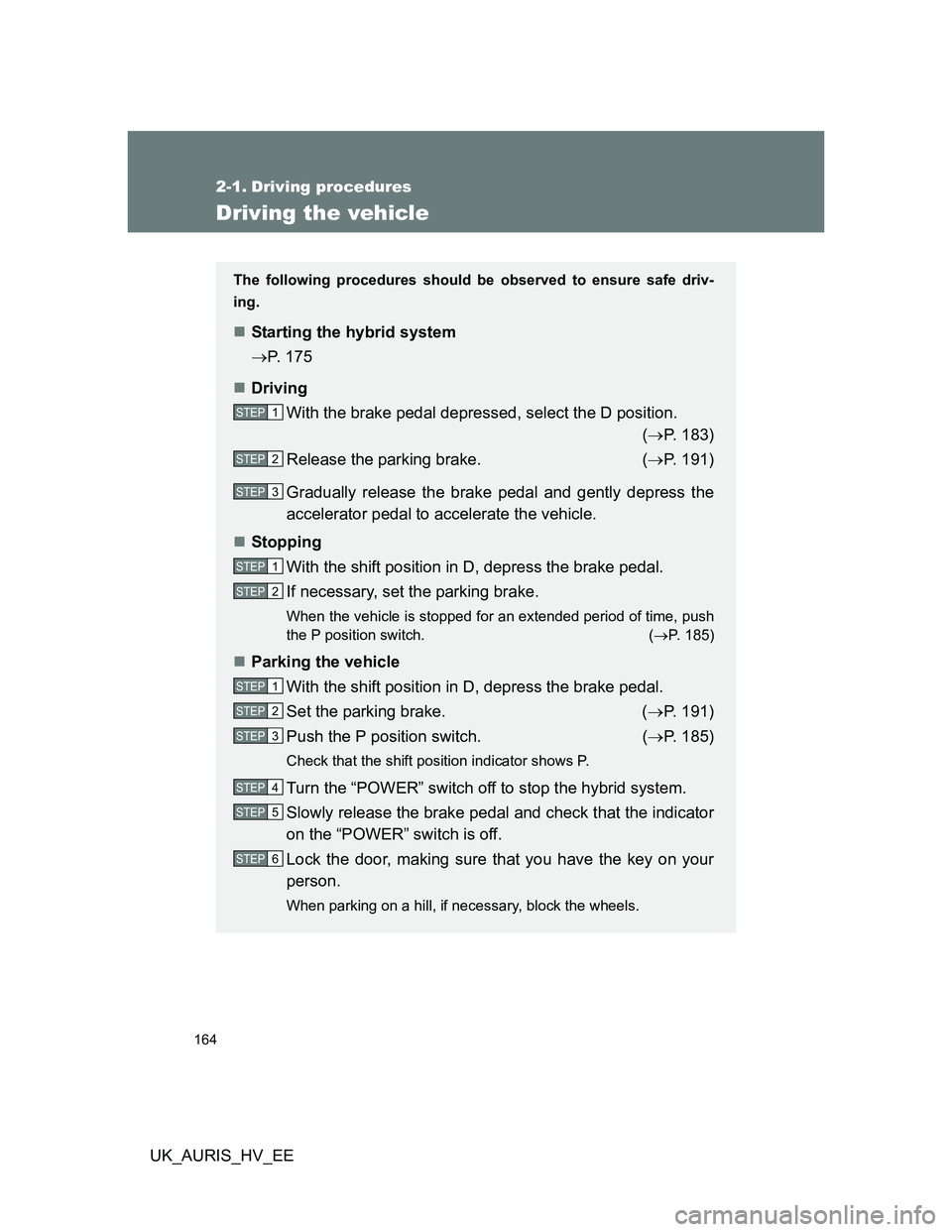
The following procedures should be observed to ensure safe driv-
ing.
Starting the hybrid system
P. 175
Driving
With the brake pedal depressed, select the D position.
(P. 183)
Release the parking brake. (P. 191)
Gradually release the brake pedal and gently depress the
accelerator pedal to accelerate the vehicle.
Stopping
With the shift position in D, depress the brake pedal.
If necessary, set the parking brake.
When the vehicle is stopped for an extended period of time, push
the P position switch. (P. 185)
Parking the vehicle
With the shift position in D, depress the brake pedal.
Set the parking brake. (P. 191)
Push the P position switch. (P. 185)
Check that the shift position indicator shows P.
Turn the “POWER” switch off to stop the hybrid system.
Slowly release the brake pedal and check that the indicator
on the “POWER” switch is off.
Lock the door, making sure that you have the key on your
person.
When parking on a hill, if necessary, block the wheels.
STEP1
STEP2
STEP3
STEP1
STEP2
STEP1
STEP2
STEP3
STEP4
STEP5
STEP6
Page 171 of 524
171 2-1. Driving procedures
2
When driving
UK_AURIS_HV_EE
CAUTION
When the vehicle is parked
Do not leave glasses, cigarette lighters, spray cans, or soft drink cans in
the vehicle when it is in the sun.
Doing so may result in the following.
• Gas may leak from a cigarette lighter or spray can, and may lead to a
fire.
• The temperature inside the vehicle may cause the plastic lenses and
plastic material of eye glasses to deform or crack.
• Soft drink cans may fracture, causing the contents to spray over the
interior of the vehicle, and may also cause a short circuit in the vehi-
cle's electrical components.
Always apply the parking brake, push the P position switch, turn the hybrid
system off and lock the vehicle.
Do not leave the vehicle unattended while the hybrid system is operating.
Do not touch the exhaust pipe while the hybrid system is operating or
immediately after turning the hybrid system off.
Doing so may cause burns.
Do not leave the hybrid system operating in an area with snow build-up, or
where it is snowing. If snowbanks build up around the vehicle while the
hybrid system is operating, exhaust gases may collect and enter the vehi-
cle. This may lead to death or a serious health hazard.
When parking the vehicle
Be sure to firmly apply the parking brake and push the P position switch.
Failure to do so may cause the vehicle to move or the vehicle may acceler-
ate suddenly, resulting in an accident if the accelerator pedal is accidentally
depressed.
Page 174 of 524
174 2-1. Driving procedures
UK_AURIS_HV_EE
NOTICE
If you get a flat tire while driving
A flat or damaged tire may cause the following situations. Hold the steering
wheel firmly and gradually press the brake pedal to slow down the vehicle.
It may be difficult to control your vehicle.
The vehicle will make abnormal sounds.
The vehicle will behave abnormally.
Information on what to do in case of a flat tire. (P. 447, 459)
When encountering flooded roads
Do not drive on a road that has flooded after heavy rain etc. Doing so may
cause the following serious damage to the vehicle.
Engine stalling
Short in electrical components
Engine damage caused by water immersion
In the event that you drive on a flooded road and the vehicle is flooded, be
sure to have any authorized Toyota dealer or repairer, or another duly quali-
fied and equipped professional check the following.
Brake function
Changes in quantity and quality of oil and fluid used for the engine, hybrid
system, transmission, etc.
Lubricant condition for the bearings and suspension joints (where possi-
ble) and the function of all joints, bearings, etc.
As flooding may damage components involved in P position control, the
parking lock may jam in the locked position.
Page 192 of 524
192
2-1. Driving procedures
UK_AURIS_HV_EE
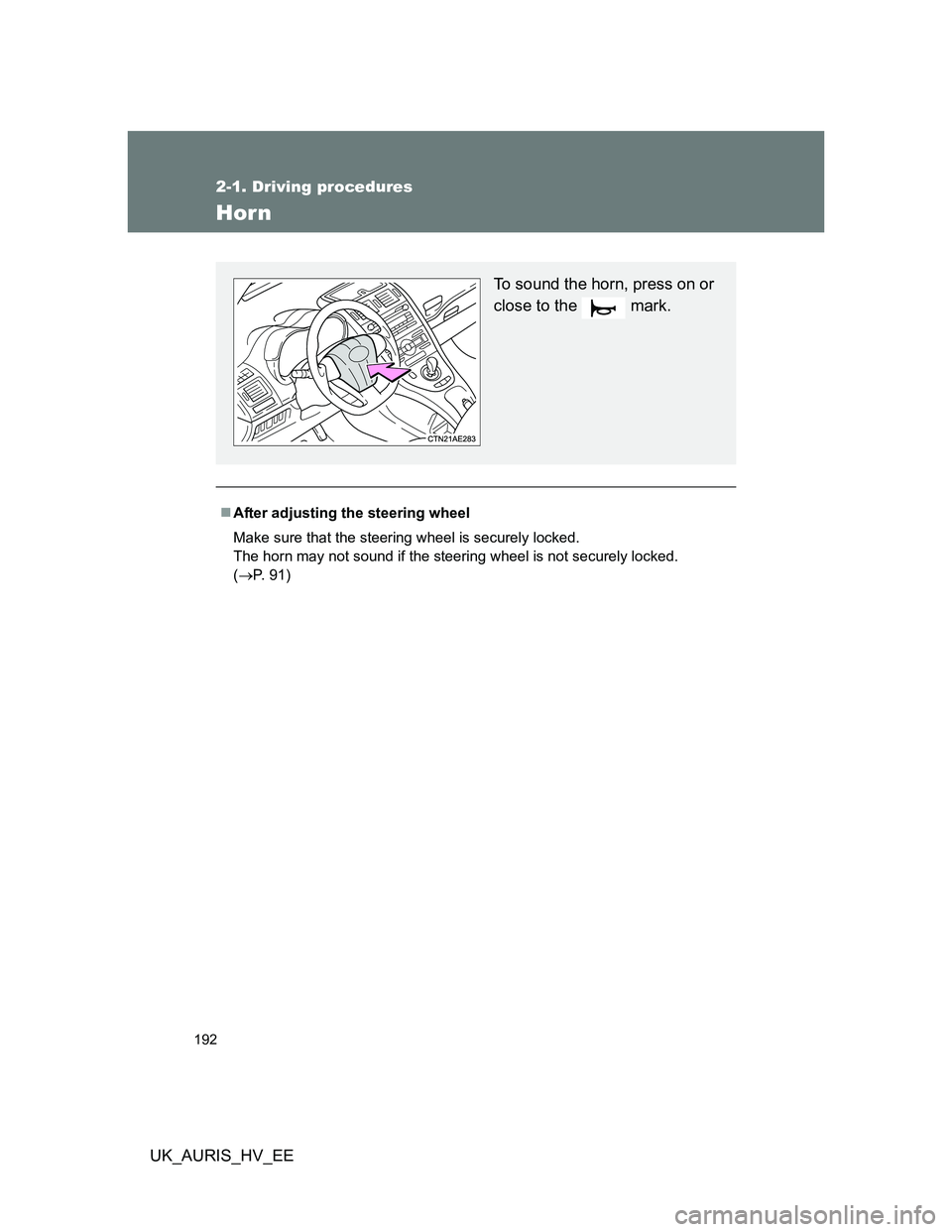
Horn
After adjusting the steering wheel
Make sure that the steering wheel is securely locked.
The horn may not sound if the steering wheel is not securely locked.
(P. 91)
To sound the horn, press on or
close to the mark.
Page 194 of 524
194 2-2. Instrument cluster
UK_AURIS_HV_EE
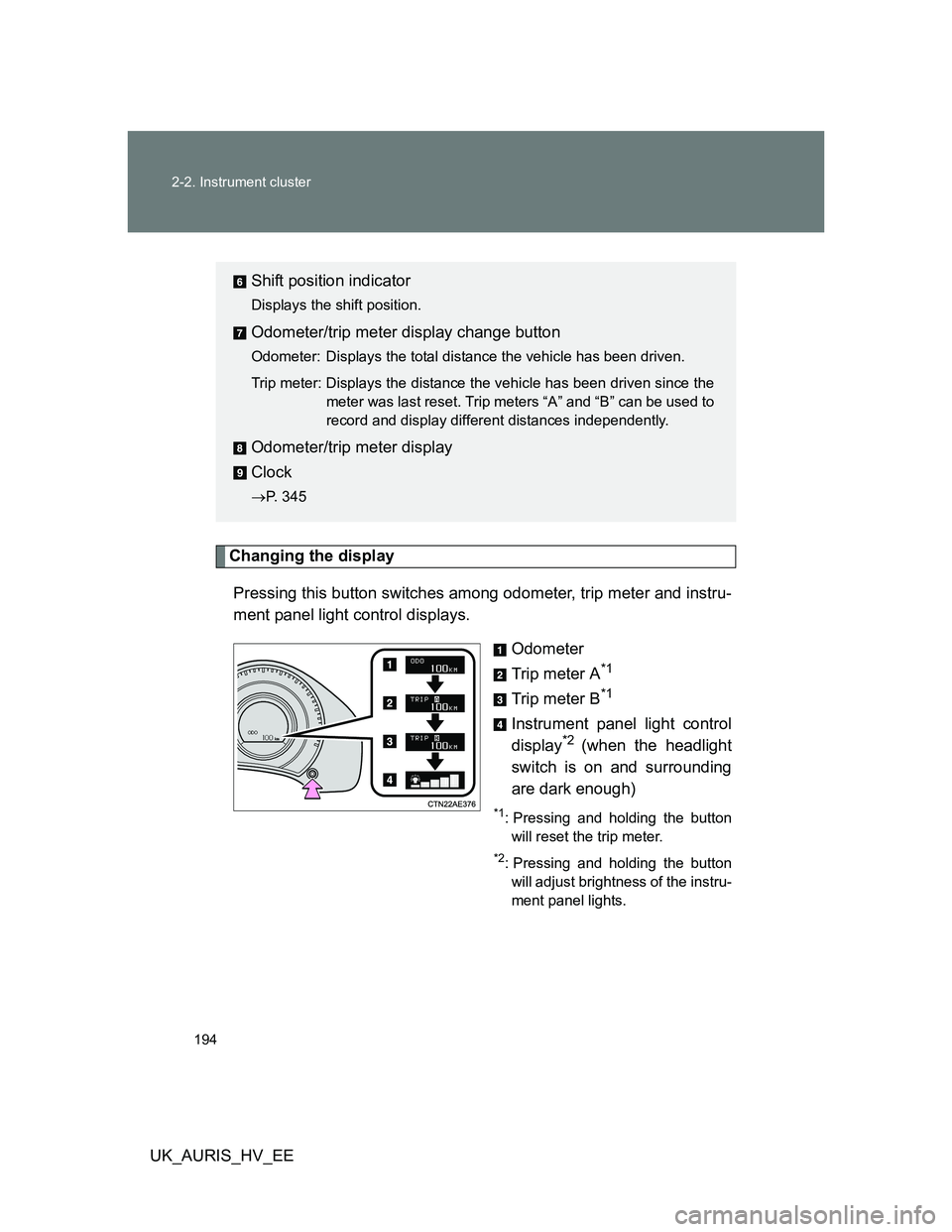
Changing the display
Pressing this button switches among odometer, trip meter and instru-
ment panel light control displays.
Odometer
Trip meter A
*1
Trip meter B*1
Instrument panel light control
display*2 (when the headlight
switch is on and surrounding
are dark enough)
*1: Pressing and holding the button
will reset the trip meter.
*2: Pressing and holding the button
will adjust brightness of the instru-
ment panel lights.
Shift position indicator
Displays the shift position.
Odometer/trip meter display change button
Odometer: Displays the total distance the vehicle has been driven.
Trip meter: Displays the distance the vehicle has been driven since the
meter was last reset. Trip meters “A” and “B” can be used to
record and display different distances independently.
Odometer/trip meter display
Clock
P. 345
Page 209 of 524
209 2-3. Operating the lights and wipers
2
When driving
UK_AURIS_HV_EE
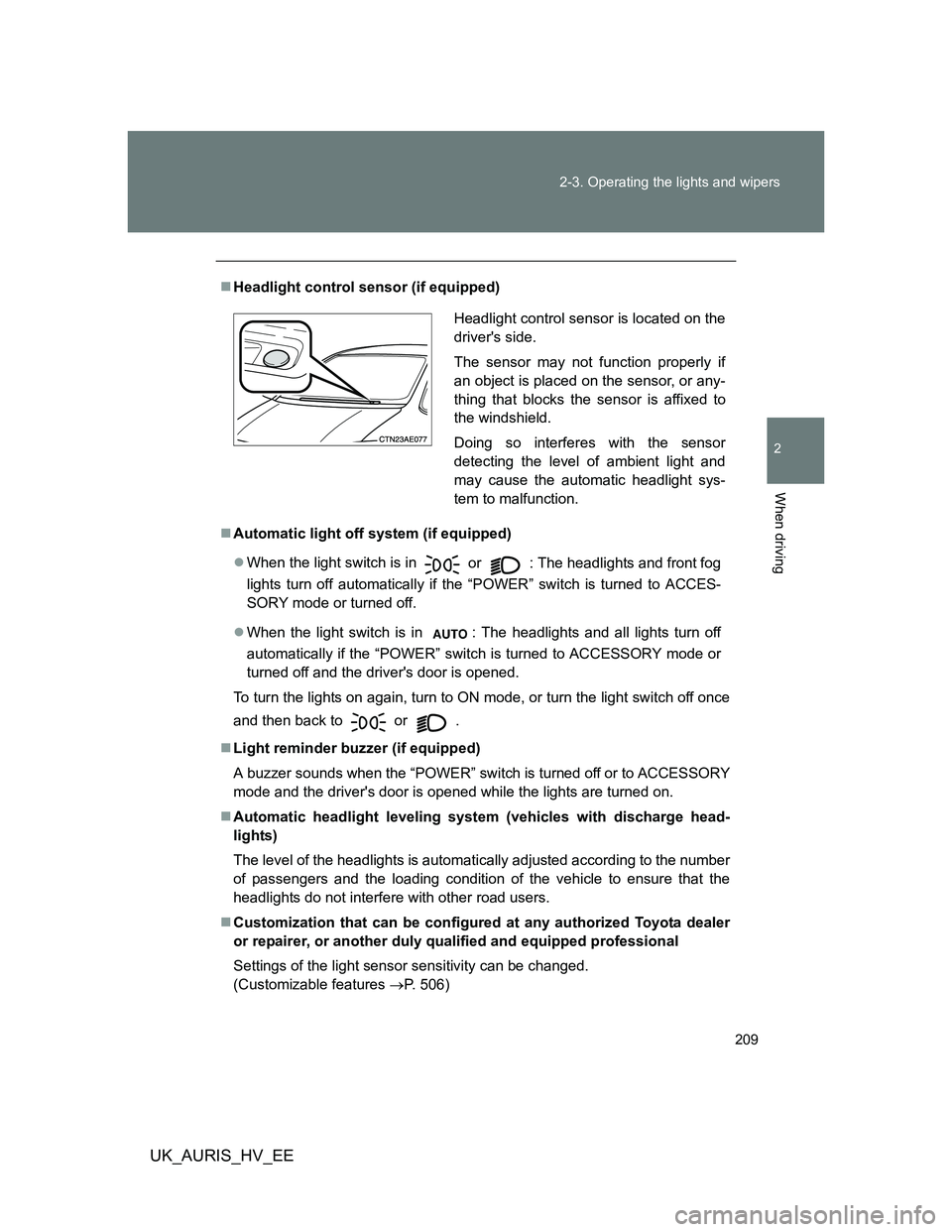
Headlight control sensor (if equipped)
Automatic light off system (if equipped)
When the light switch is in
or : The headlights and front fog
lights turn off automatically if the “POWER” switch is turned to ACCES-
SORY mode or turned off.
When the light switch is in : The headlights and all lights turn off
automatically if the “POWER” switch is turned to ACCESSORY mode or
turned off and the driver's door is opened.
To turn the lights on again, turn to ON mode, or turn the light switch off once
and then back to
or .
Light reminder buzzer (if equipped)
A buzzer sounds when the “POWER” switch is turned off or to ACCESSORY
mode and the driver's door is opened while the lights are turned on.
Automatic headlight leveling system (vehicles with discharge head-
lights)
The level of the headlights is automatically adjusted according to the number
of passengers and the loading condition of the vehicle to ensure that the
headlights do not interfere with other road users.
Customization that can be configured at any authorized Toyota dealer
or repairer, or another duly qualified and equipped professional
Settings of the light sensor sensitivity can be changed.
(Customizable features P. 506)
Headlight control sensor is located on the
driver's side.
The sensor may not function properly if
an object is placed on the sensor, or any-
thing that blocks the sensor is affixed to
the windshield.
Doing so interferes with the sensor
detecting the level of ambient light and
may cause the automatic headlight sys-
tem to malfunction.
Page 215 of 524
215 2-3. Operating the lights and wipers
2
When driving
UK_AURIS_HV_EE
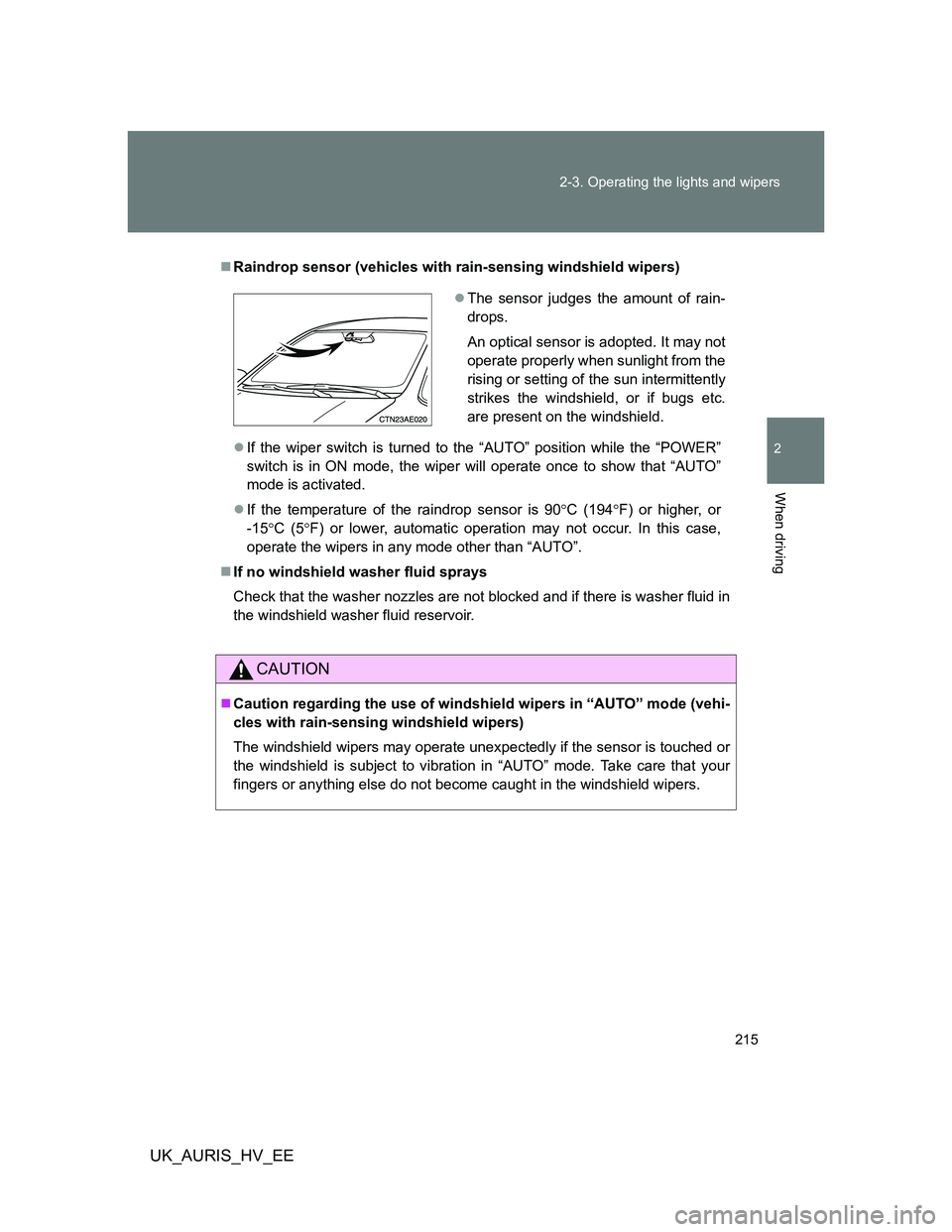
Raindrop sensor (vehicles with rain-sensing windshield wipers)
If the wiper switch is turned to the “AUTO” position while the “POWER”
switch is in ON mode, the wiper will operate once to show that “AUTO”
mode is activated.
If the temperature of the raindrop sensor is 90C (194F) or higher, or
-15C (5F) or lower, automatic operation may not occur. In this case,
operate the wipers in any mode other than “AUTO”.
If no windshield washer fluid sprays
Check that the washer nozzles are not blocked and if there is washer fluid in
the windshield washer fluid reservoir.
CAUTION
Caution regarding the use of windshield wipers in “AUTO” mode (vehi-
cles with rain-sensing windshield wipers)
The windshield wipers may operate unexpectedly if the sensor is touched or
the windshield is subject to vibration in “AUTO” mode. Take care that your
fingers or anything else do not become caught in the windshield wipers.
The sensor judges the amount of rain-
drops.
An optical sensor is adopted. It may not
operate properly when sunlight from the
rising or setting of the sun intermittently
strikes the windshield, or if bugs etc.
are present on the windshield.
Page 216 of 524
216 2-3. Operating the lights and wipers
UK_AURIS_HV_EE
NOTICE
When the windshield is dry
Do not use the wipers, as they may damage the windshield.
When the washer fluid tank is empty
Do not operate the switch continually as the washer fluid pump may over-
heat.
When a nozzle becomes blocked
In this case, contact any authorized Toyota dealer or repairer, or another
duly qualified and equipped professional immediately.
Do not try to clear it with a pin or other object. The nozzle will be damaged.
Page 217 of 524
217
2-3. Operating the lights and wipers
2
When driving
UK_AURIS_HV_EE
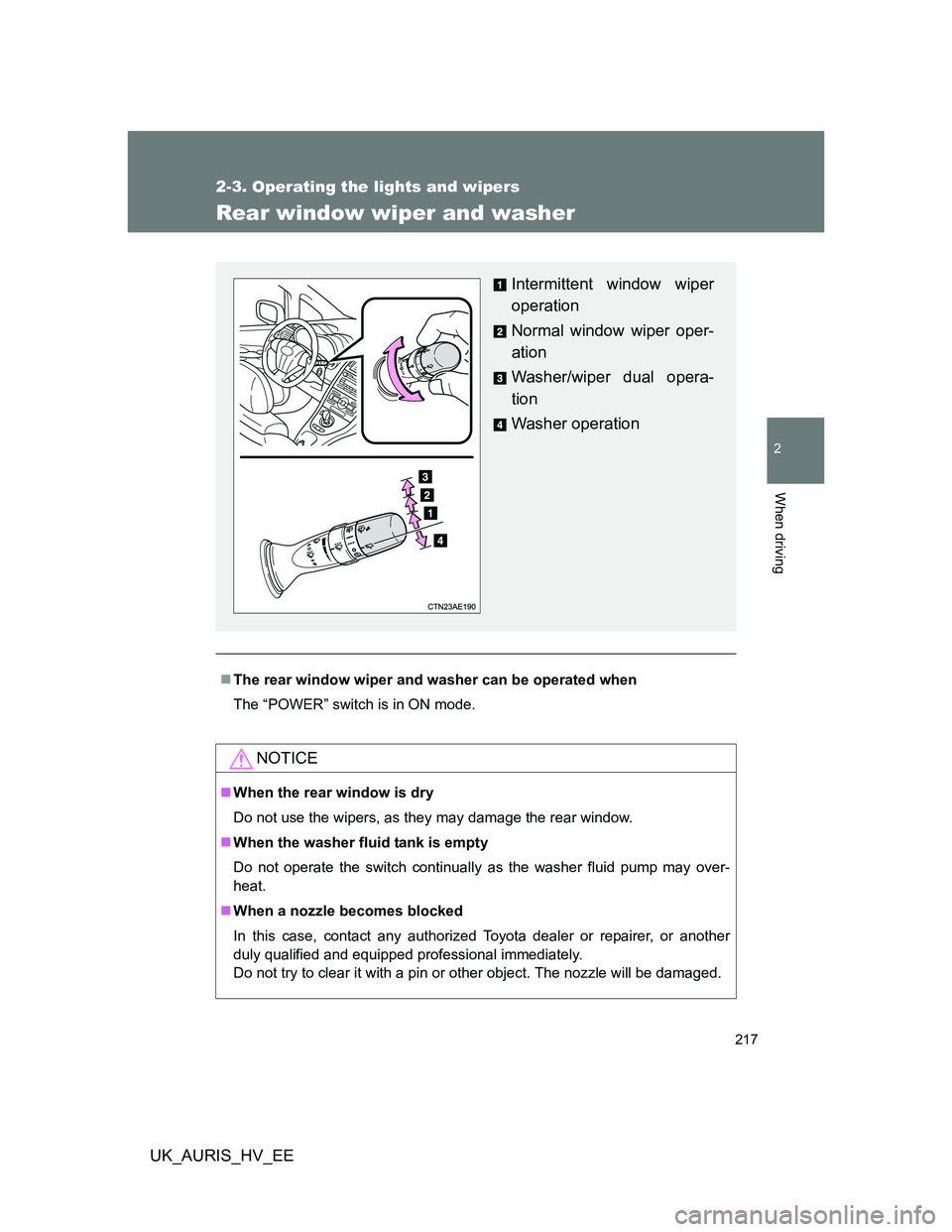
Rear window wiper and washer
The rear window wiper and washer can be operated when
The “POWER” switch is in ON mode.
NOTICE
When the rear window is dry
Do not use the wipers, as they may damage the rear window.
When the washer fluid tank is empty
Do not operate the switch continually as the washer fluid pump may over-
heat.
When a nozzle becomes blocked
In this case, contact any authorized Toyota dealer or repairer, or another
duly qualified and equipped professional immediately.
Do not try to clear it with a pin or other object. The nozzle will be damaged.
Intermittent window wiper
operation
Normal window wiper oper-
ation
Washer/wiper dual opera-
tion
Washer operation