lock TOYOTA AURIS HYBRID 2012 Manual Online
[x] Cancel search | Manufacturer: TOYOTA, Model Year: 2012, Model line: AURIS HYBRID, Model: TOYOTA AURIS HYBRID 2012Pages: 524, PDF Size: 26.34 MB
Page 228 of 524
228
2-4. Using other driving systems
UK_AURIS_HV_EE
Driving assist systems
To help enhance driving safety and performance, the following sys-
tems operate automatically in response to various driving situations.
Be aware, however, that these systems are supplementary and
should not be relied upon too heavily when operating the vehicle.
ABS (Anti-lock Brake System)
Helps to prevent wheel lock when the brakes are applied suddenly, or if
the brakes are applied while driving on a slippery road surface.
Brake assist
Generates an increased level of braking force after the brake pedal is
depressed, when the system detects a panic stop situation.
VSC (Vehicle Stability Control)
Helps the driver to control skidding when swerving suddenly or turning
on slippery road surfaces.
VSC+ (Vehicle Stability Control+)
Provides cooperative control of the ABS, TRC, VSC and EPS.
Helps to maintain directional stability when swerving on slippery road
surfaces by controlling steering performance.
TRC (Traction Control)
Helps to maintain drive power and prevent the front wheels from spin-
ning when starting the vehicle or accelerating on slippery roads.
Hill-start assist control
P. 232
EPS (Electric Power Steering)
Employs an electric motor to reduce the amount of effort needed to turn
the steering wheel.
Page 235 of 524
235 2-5. Driving information
2
When driving
UK_AURIS_HV_EE
CAUTION
Things that must not be carried in the luggage compartment
The following things may cause a fire if loaded in the luggage compartment.
Receptacles containing gasoline
Aerosol cans
Storage precautions
Observe the following precautions.
Failing to do so may result in death or serious injury.
Do not place cargo or luggage in or on the following locations as the item
may get under the brake or accelerator pedal and prevent the pedals from
being depressed properly, block the driver’s vision, or hit the driver or pas-
sengers, causing an accident.
• Driver’s feet
• Front passenger or rear seats (when stacking items)
• Luggage cover
• Instrument panel
• Dashboard
• Auxiliary box or tray that has no lid
Do not stack anything in the luggage compartment higher than the seat-
backs.
Such items may be thrown about and possibly injure people in the vehicle
in the event of sudden braking or in an accident.
Secure all items in the occupant compartment, as they may shift and injure
someone during sudden braking, sudden swerving or an accident.
Never allow anyone to ride in the luggage compartment. It is not designed
for passengers. They should ride in their seats with their seat belts prop-
erly fastened. Otherwise, they are much more likely to suffer death or seri-
ous bodily injury, in the event of sudden braking, sudden swerving or an
accident.
Page 237 of 524
237 2-5. Driving information
2
When driving
UK_AURIS_HV_EE
When driving the vehicle
Accelerate the vehicle slowly and drive at a reduced speed suit-
able to road conditions.
When parking the vehicle
Park the vehicle and push the P position switch without setting
the parking brake. The parking brake may freeze up, preventing
it from being released. If necessary, block the wheels to prevent
inadvertent sliding or creeping.
Page 243 of 524
3Interior features
243
UK_AURIS_HV_EE
3-3. Using the Bluetooth®
audio system
Bluetooth
® audio
system ............................ 295
Using the Bluetooth
®
audio system .................. 299
Operating a Bluetooth
®
enabled portable
player .............................. 302
Setting up a Bluetooth
®
enabled portable
player .............................. 304
Bluetooth
® audio system
setup ............................... 308
3-4. Using the hands-free
phone system
(for cellular phone)
Hands-free phone system
(for cellular phone)
features .......................... 309
Using the hands-free
phone system
(for cellular phone).......... 314
Making a phone call.......... 320
Setting a cellular phone .... 323
Security and system
setup ............................... 327
Using the phone book....... 3313-5. Using the interior lights
Interior lights list ................ 336
• Interior light ..................... 337
• Personal lights ................ 338
3-6. Using the storage
features
List of storage features ..... 339
• Glove box ....................... 340
• Console box.................... 340
• Cup holders .................... 341
• Auxiliary boxes ............... 342
3-7. Other interior features
Sun visors ......................... 343
Vanity mirrors.................... 344
Clock ................................. 345
Portable ashtray................ 346
Cigarette lighter ................ 347
Power outlet ...................... 349
Seat heaters ..................... 350
Floor mat........................... 352
Luggage compartment
features........................... 353
Page 250 of 524
250 3-1. Using the air conditioning system and defogger
UK_AURIS_HV_EE
CAUTION
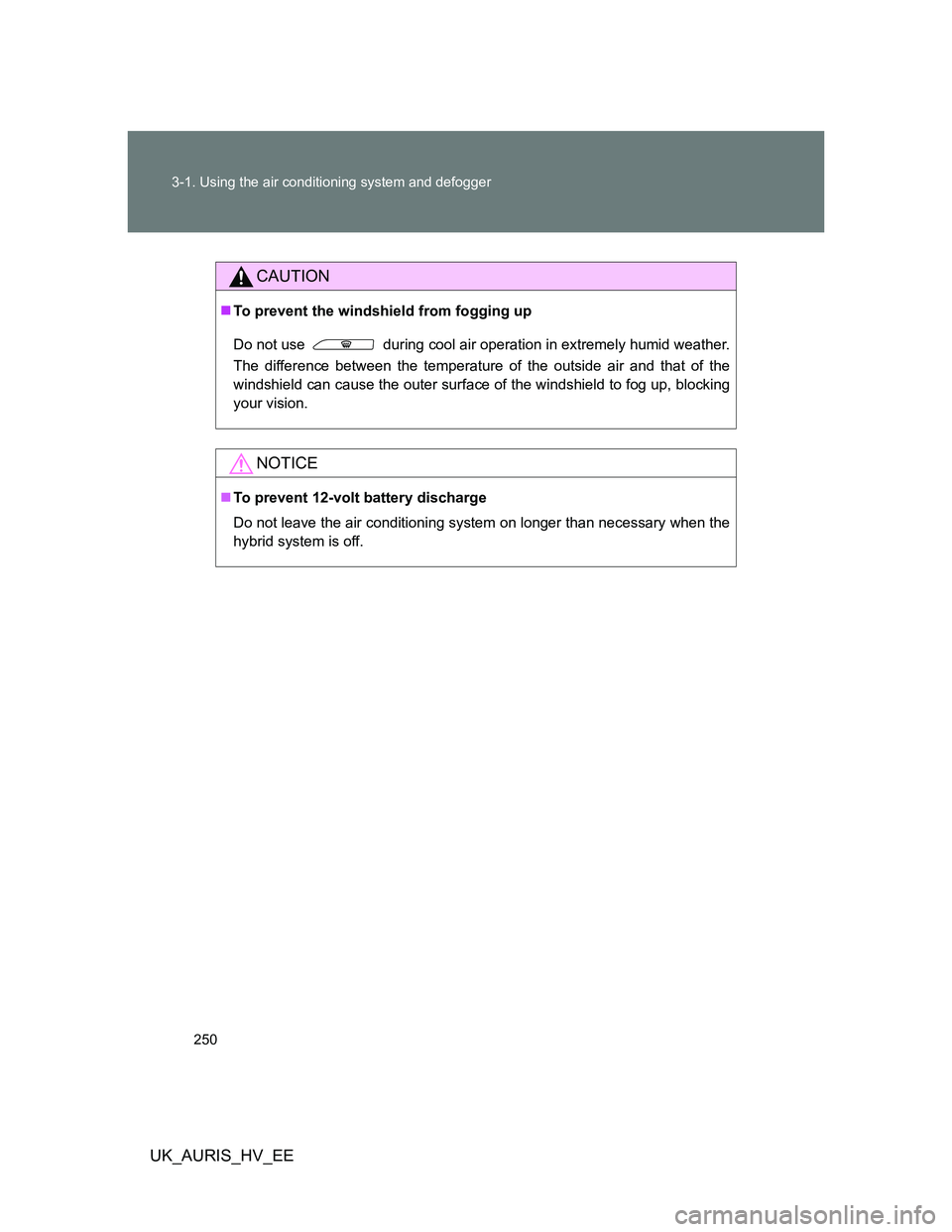
To prevent the windshield from fogging up
Do not use during cool air operation in extremely humid weather.
The difference between the temperature of the outside air and that of the
windshield can cause the outer surface of the windshield to fog up, blocking
your vision.
NOTICE
To prevent 12-volt battery discharge
Do not leave the air conditioning system on longer than necessary when the
hybrid system is off.
Page 310 of 524
310 3-4. Using the hands-free phone system (for cellular phone)
UK_AURIS_HV_EE
TitlePage
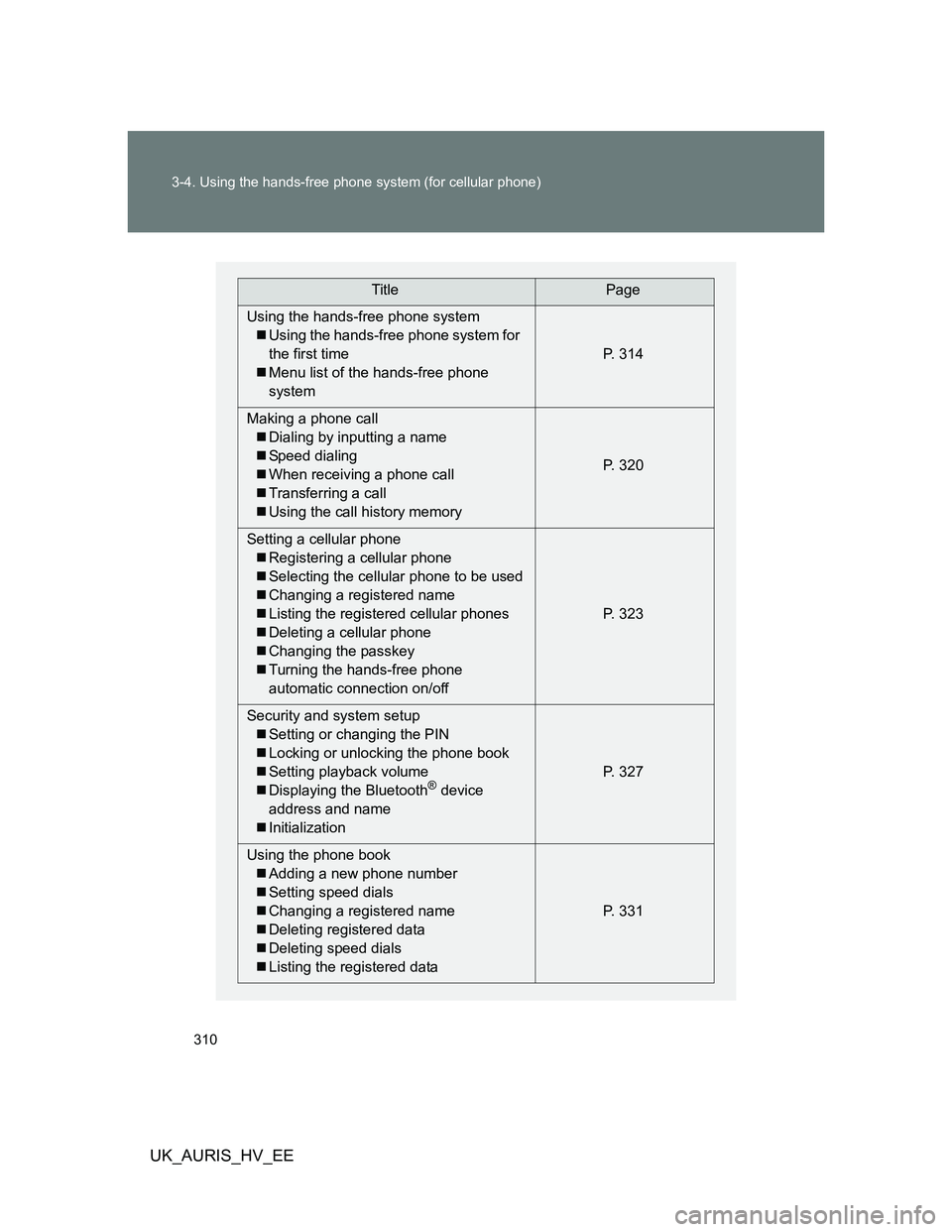
Using the hands-free phone system
Using the hands-free phone system for
the first time
Menu list of the hands-free phone
systemP. 314
Making a phone call
Dialing by inputting a name
Speed dialing
When receiving a phone call
Transferring a call
Using the call history memoryP. 320
Setting a cellular phone
Registering a cellular phone
Selecting the cellular phone to be used
Changing a registered name
Listing the registered cellular phones
Deleting a cellular phone
Changing the passkey
Turning the hands-free phone
automatic connection on/offP. 323
Security and system setup
Setting or changing the PIN
Locking or unlocking the phone book
Setting playback volume
Displaying the Bluetooth
® device
address and name
InitializationP. 327
Using the phone book
Adding a new phone number
Setting speed dials
Changing a registered name
Deleting registered data
Deleting speed dials
Listing the registered dataP. 331
Page 318 of 524
318 3-4. Using the hands-free phone system (for cellular phone)
UK_AURIS_HV_EE
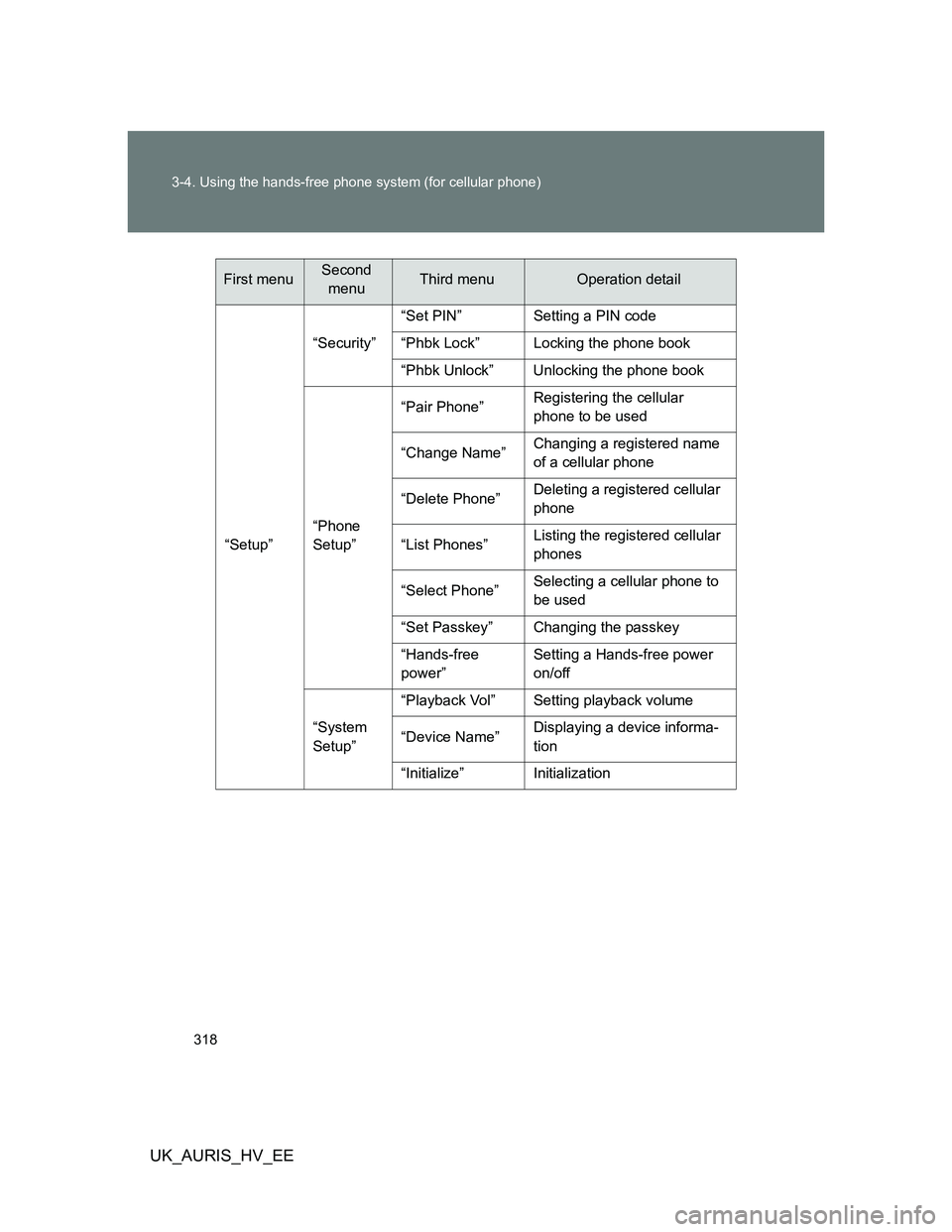
“Setup”“Security”“Set PIN” Setting a PIN code
“Phbk Lock” Locking the phone book
“Phbk Unlock” Unlocking the phone book
“Phone
Setup”“Pair Phone”Registering the cellular
phone to be used
“Change Name”Changing a registered name
of a cellular phone
“Delete Phone”Deleting a registered cellular
phone
“List Phones”Listing the registered cellular
phones
“Select Phone”Selecting a cellular phone to
be used
“Set Passkey” Changing the passkey
“Hands-free
power”Setting a Hands-free power
on/off
“System
Setup”“Playback Vol” Setting playback volume
“Device Name”Displaying a device informa-
tion
“Initialize” Initialization
First menuSecond
menuThird menuOperation detail
Page 327 of 524
327
3-4. Using the hands-free phone system (for cellular phone)
3
Interior features
UK_AURIS_HV_EE
Security and system setup
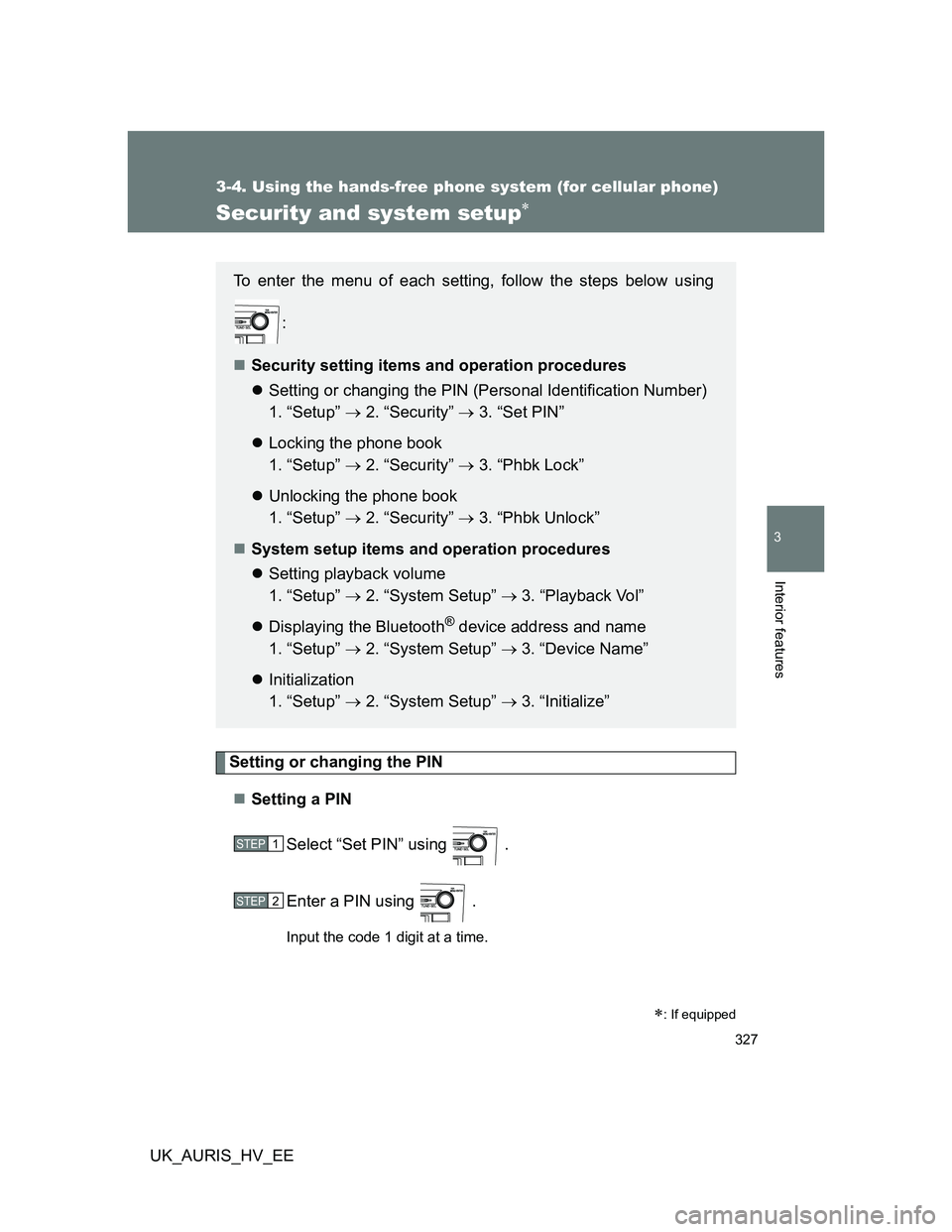
Setting or changing the PIN
Setting a PIN
Select “Set PIN” using .
Enter a PIN using .
Input the code 1 digit at a time.
: If equipped
To enter the menu of each setting, follow the steps below using
:
Security setting items and operation procedures
Setting or changing the PIN (Personal Identification Number)
1. “Setup” 2. “Security” 3. “Set PIN”
Locking the phone book
1. “Setup” 2. “Security” 3. “Phbk Lock”
Unlocking the phone book
1. “Setup” 2. “Security” 3. “Phbk Unlock”
System setup items and operation procedures
Setting playback volume
1. “Setup” 2. “System Setup” 3. “Playback Vol”
Displaying the Bluetooth
® device address and name
1. “Setup” 2. “System Setup” 3. “Device Name”
Initialization
1. “Setup” 2. “System Setup” 3. “Initialize”
STEP1
STEP2
Page 328 of 524
328 3-4. Using the hands-free phone system (for cellular phone)
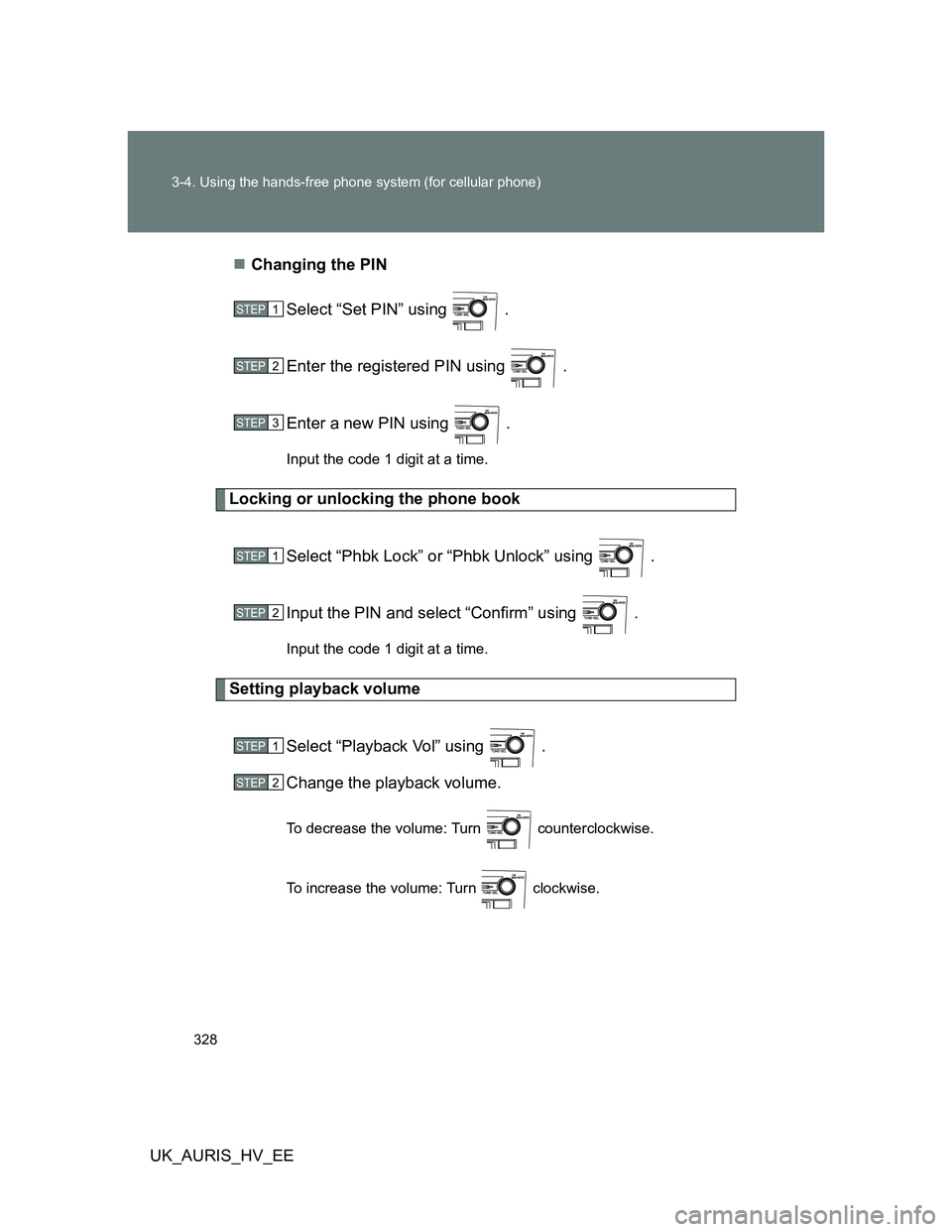
UK_AURIS_HV_EEChanging the PIN
Select “Set PIN” using .
Enter the registered PIN using .
Enter a new PIN using .
Input the code 1 digit at a time.
Locking or unlocking the phone book
Select “Phbk Lock” or “Phbk Unlock” using .
Input the PIN and select “Confirm” using .
Input the code 1 digit at a time.
Setting playback volume
Select “Playback Vol” using .
Change the playback volume.
To decrease the volume: Turn counterclockwise.
To increase the volume: Turn clockwise.
STEP1
STEP2
STEP3
STEP1
STEP2
STEP1
STEP2
Page 330 of 524
330 3-4. Using the hands-free phone system (for cellular phone)
UK_AURIS_HV_EE
Initialization
The following data in the system can be initialized:
• Phone book
• Outgoing and incoming call history
• Speed dials
• Registered cellular phone data
• Security code
• Registered Bluetooth
® enabled portable player data
• Passkeys for the cellular phones
• Passkey for the Bluetooth
® audio players
• Playback volume
• Receiver volume
• Ring tone volume
Once the initialization has been completed, the data cannot be restored
to its original state.
When the phone book is locked
The following functions cannot be used:
Dialing by inputting a name
Speed dialing
Dialing a number stored in the call history memory
Using the phone book