ignition TOYOTA AURIS HYBRID 2013 Service Manual
[x] Cancel search | Manufacturer: TOYOTA, Model Year: 2013, Model line: AURIS HYBRID, Model: TOYOTA AURIS HYBRID 2013Pages: 768, PDF Size: 21.22 MB
Page 619 of 768
6197-2. Steps to take in an emergency
UK_AURIS/AURIS_HV_EE (OM12F76E)
7
When trouble arises
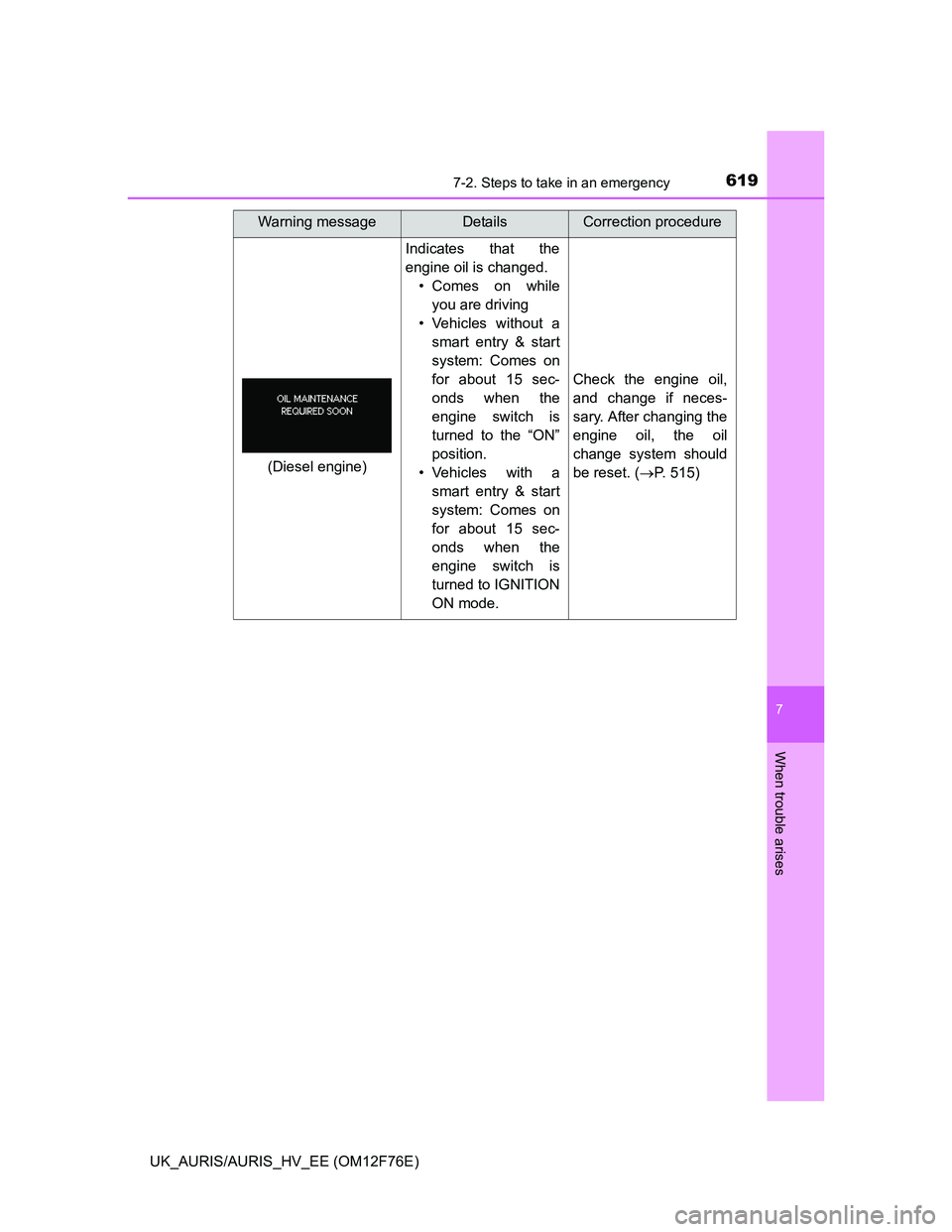
Indicates that the
engine oil is changed.
• Comes on while
you are driving
• Vehicles without a
smart entry & start
system: Comes on
for about 15 sec-
onds when the
engine switch is
turned to the “ON”
position.
• Vehicles with a
smart entry & start
system: Comes on
for about 15 sec-
onds when the
engine switch is
turned to IGNITION
ON mode.
Check the engine oil,
and change if neces-
sary. After changing the
engine oil, the oil
change system should
be reset. (P. 515)
Warning messageDetailsCorrection procedure
(Diesel engine)
Page 634 of 768
6347-2. Steps to take in an emergency
UK_AURIS/AURIS_HV_EE (OM12F76E)
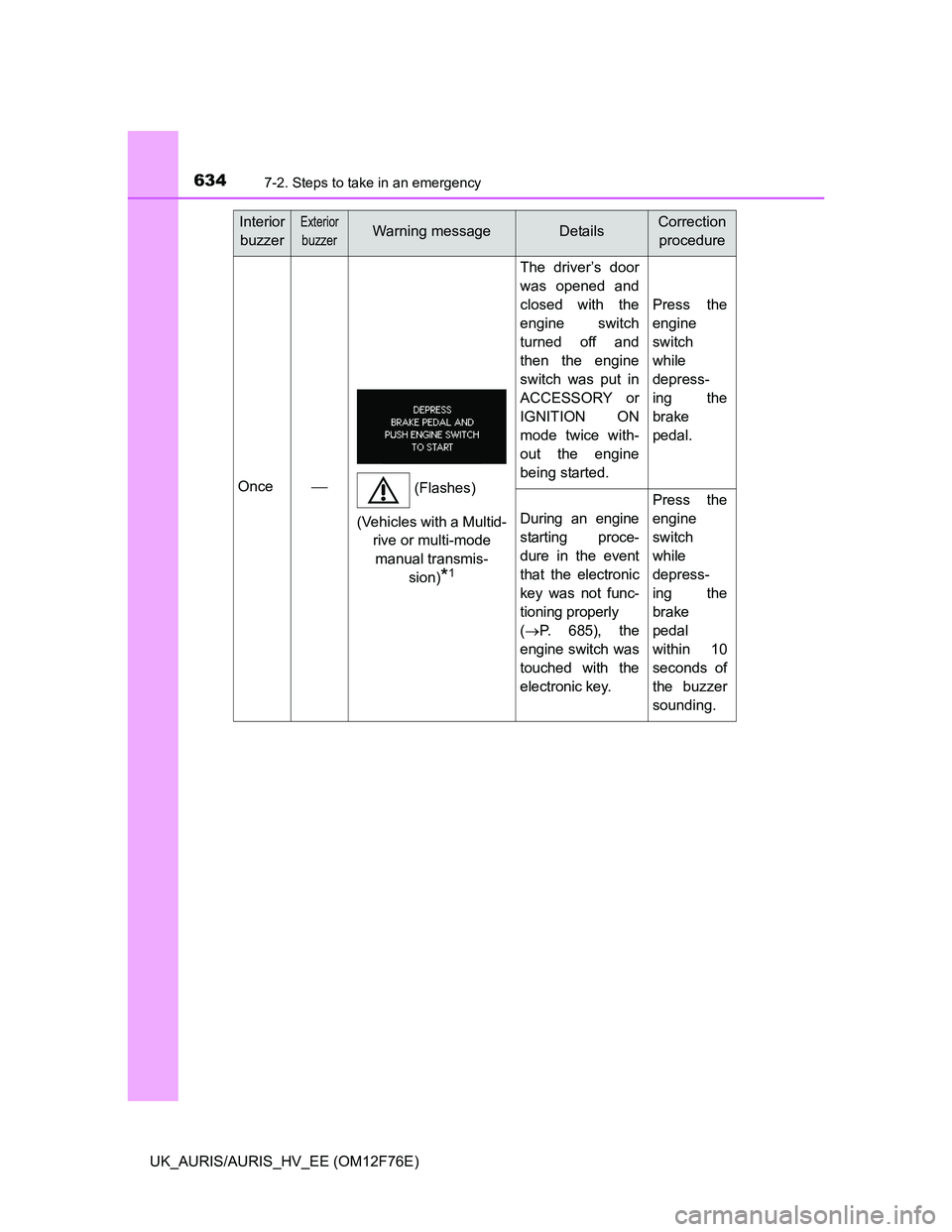
Once
The driver’s door
was opened and
closed with the
engine switch
turned off and
then the engine
switch was put in
ACCESSORY or
IGNITION ON
mode twice with-
out the engine
being started.
Press the
engine
switch
while
depress-
ing the
brake
pedal.
During an engine
starting proce-
dure in the event
that the electronic
key was not func-
tioning properly
(P. 6 8 5 ) , t h e
engine switch was
touched with the
electronic key.
Press the
engine
switch
while
depress-
ing the
brake
pedal
within 10
seconds of
the buzzer
sounding.
Interior
buzzerExterior
buzzerWarning messageDetailsCorrection
procedure
(Flashes)
(Vehicles with a Multid-
rive or multi-mode
manual transmis-
sion)
*1
Page 635 of 768
6357-2. Steps to take in an emergency
UK_AURIS/AURIS_HV_EE (OM12F76E)
7
When trouble arises
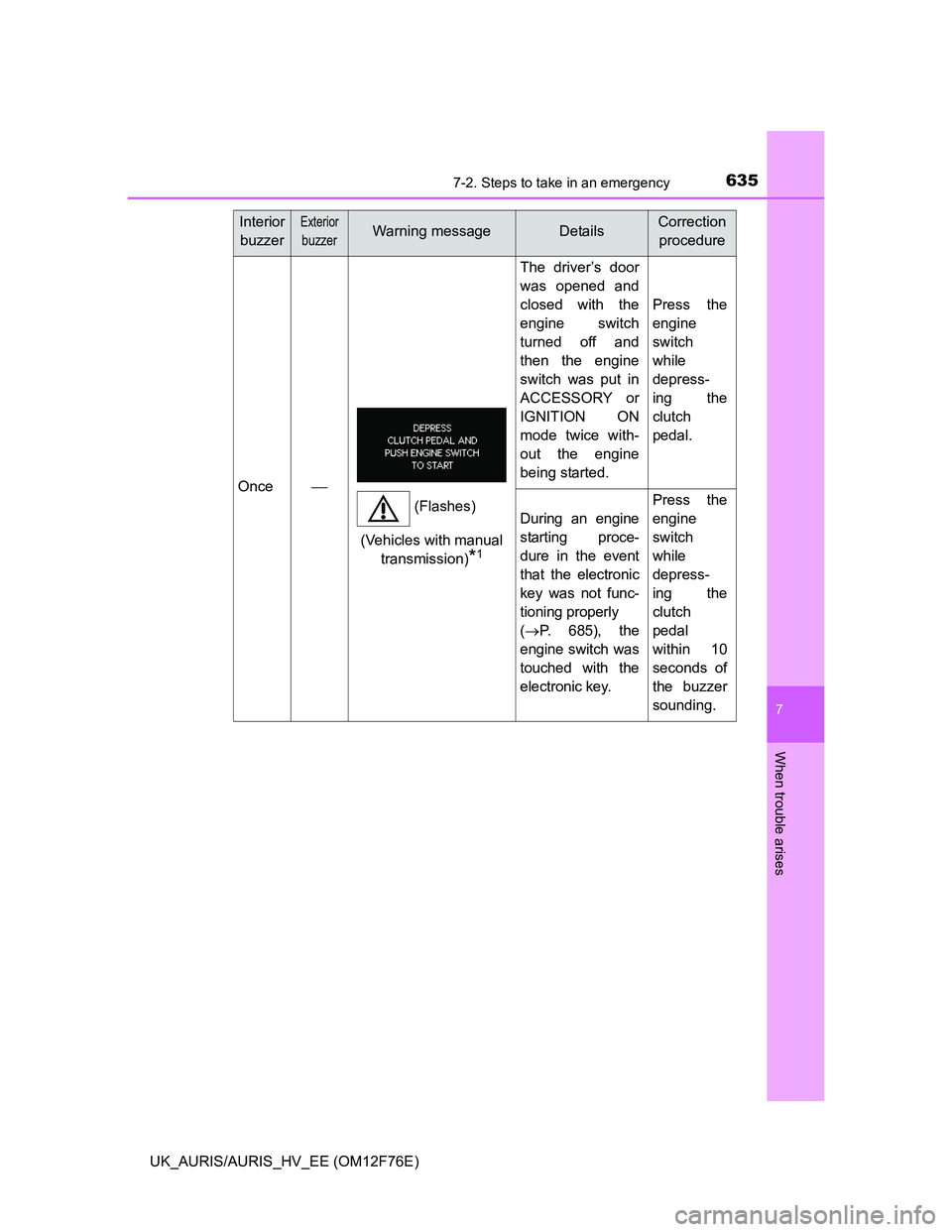
Once
The driver’s door
was opened and
closed with the
engine switch
turned off and
then the engine
switch was put in
ACCESSORY or
IGNITION ON
mode twice with-
out the engine
being started.
Press the
engine
switch
while
depress-
ing the
clutch
pedal.
During an engine
starting proce-
dure in the event
that the electronic
key was not func-
tioning properly
(P. 6 8 5 ) , t h e
engine switch was
touched with the
electronic key.
Press the
engine
switch
while
depress-
ing the
clutch
pedal
within 10
seconds of
the buzzer
sounding.
Interior
buzzerExterior
buzzerWarning messageDetailsCorrection
procedure
(Flashes)
(Vehicles with manual
transmission)
*1
Page 685 of 768
6857-2. Steps to take in an emergency
UK_AURIS/AURIS_HV_EE (OM12F76E)
7
When trouble arises
Multidrive: Ensure that the shift lever is in P and depress the brake
pedal.
Multi-mode manual transmission: Ensure that the shift lever is in N
and depress the brake pedal.
Manual transmission: Shift the shift lever to N and depress the
clutch pedal.
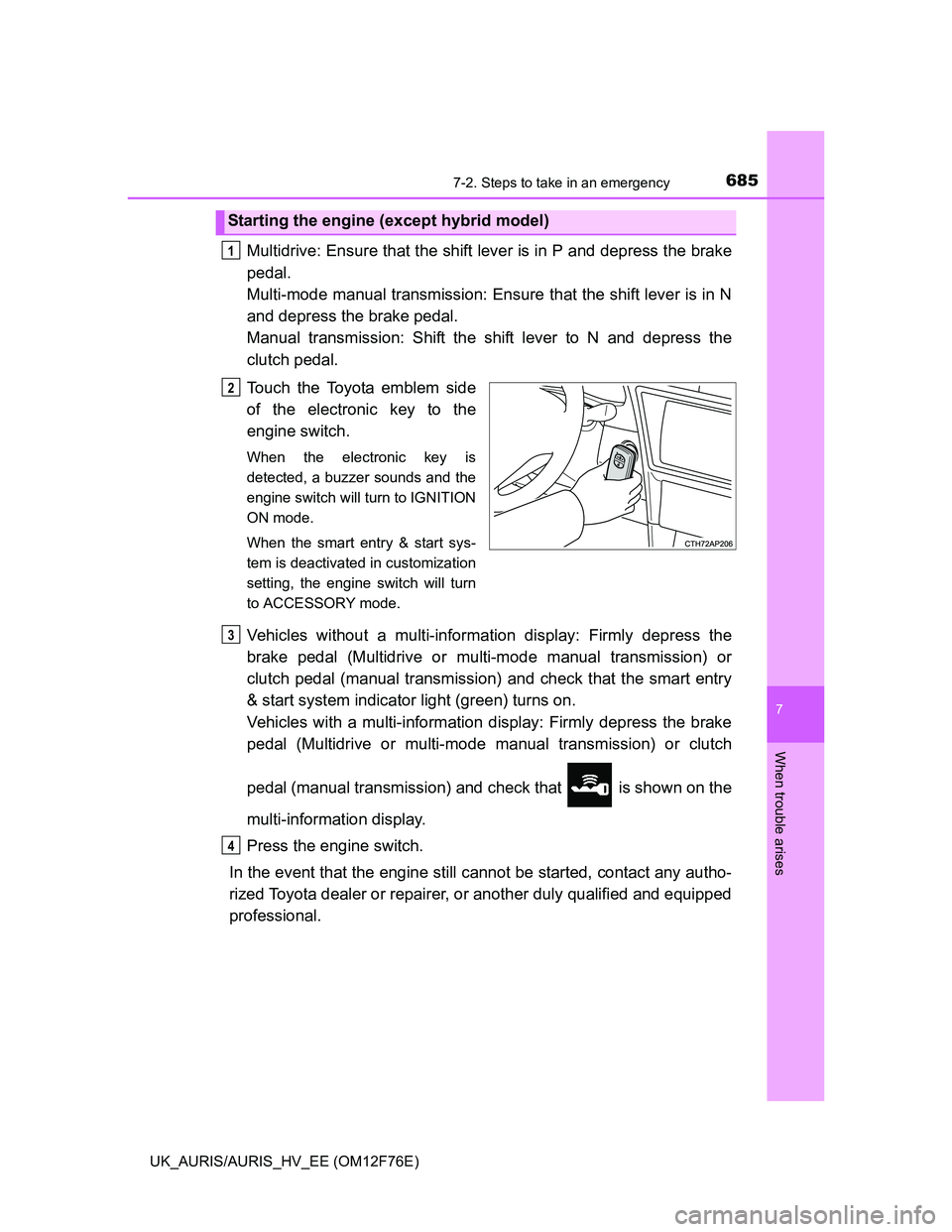
Touch the Toyota emblem side
of the electronic key to the
engine switch.
When the electronic key is
detected, a buzzer sounds and the
engine switch will turn to IGNITION
ON mode.
When the smart entry & start sys-
tem is deactivated in customization
setting, the engine switch will turn
to ACCESSORY mode.
Vehicles without a multi-information display: Firmly depress the
brake pedal (Multidrive or multi-mode manual transmission) or
clutch pedal (manual transmission) and check that the smart entry
& start system indicator light (green) turns on.
Vehicles with a multi-information display: Firmly depress the brake
pedal (Multidrive or multi-mode manual transmission) or clutch
pedal (manual transmission) and check that is shown on the
multi-information display.
Press the engine switch.
In the event that the engine still cannot be started, contact any autho-
rized Toyota dealer or repairer, or another duly qualified and equipped
professional.
Starting the engine (except hybrid model)
1
2
3
4
Page 691 of 768
6917-2. Steps to take in an emergency
UK_AURIS/AURIS_HV_EE (OM12F76E)
7
When trouble arises
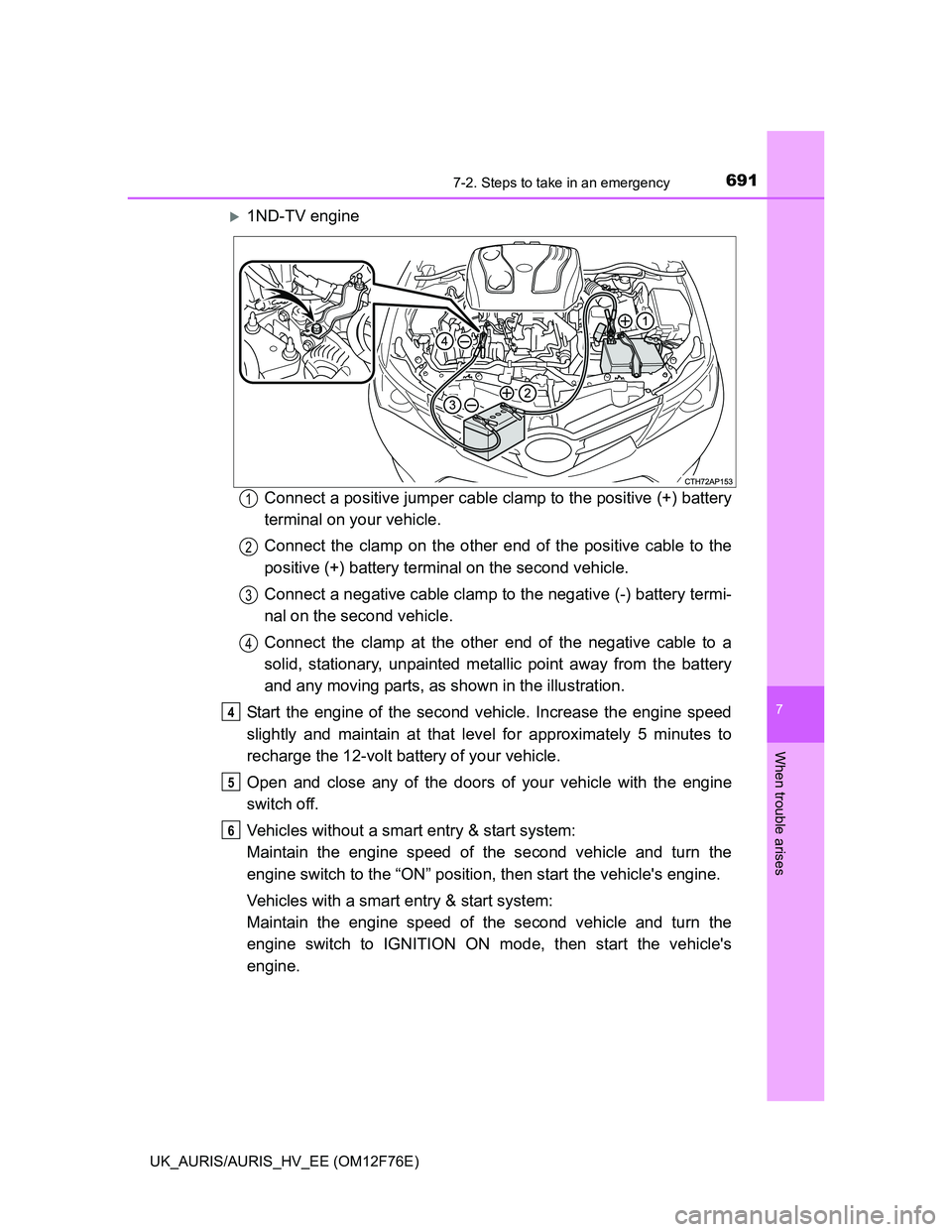
1ND-TV engine
Connect a positive jumper cable clamp to the positive (+) battery
terminal on your vehicle.
Connect the clamp on the other end of the positive cable to the
positive (+) battery terminal on the second vehicle.
Connect a negative cable clamp to the negative (-) battery termi-
nal on the second vehicle.
Connect the clamp at the other end of the negative cable to a
solid, stationary, unpainted metallic point away from the battery
and any moving parts, as shown in the illustration.
Start the engine of the second vehicle. Increase the engine speed
slightly and maintain at that level for approximately 5 minutes to
recharge the 12-volt battery of your vehicle.
Open and close any of the doors of your vehicle with the engine
switch off.
Vehicles without a smart entry & start system:
Maintain the engine speed of the second vehicle and turn the
engine switch to the “ON” position, then start the vehicle's engine.
Vehicles with a smart entry & start system:
Maintain the engine speed of the second vehicle and turn the
engine switch to IGNITION ON mode, then start the vehicle's
engine.
1
2
3
4
4
5
6
Page 726 of 768
7268-1. Specifications
UK_AURIS/AURIS_HV_EE (OM12F76E)
Hybrid model
Capacity (reference)
Gasoline engine
With an exhaust heat
recovery system
Without an exhaust heat
recovery system
Power control unit
7.0 L (7.4 qt., 6.2 Imp. qt.)
6.3 L (6.7 qt., 5.5 Imp. qt.)
2.1 L (2.2 qt., 1.8 Imp. qt.)
Coolant typeUse either of the following.
• “Toyota Super Long Life Coolant”
• Similar high-quality ethylene glycol-
based non-silicate, non-amine, non-
nitrite, and non-borate coolant with long-
life hybrid organic acid technology
Do not use plain water alone.
Ignition system (gasoline engine)
Spark plug
MakeDENSO SC20HR11
Gap1.1 mm (0.043 in.)
NOTICE
Iridium-tipped spark plugs
Use only iridium-tipped spark plugs. Do not adjust the spark plug gap.
Page 744 of 768
744
UK_AURIS/AURIS_HV_EE (OM12F76E)
What to do if... (Troubleshooting)
What to do if... (Troubleshooting)
If you lose your keys or mechanical keys, new genuine keys or
mechanical keys can be made by any authorized Toyota dealer or
repairer, or another duly qualified and equipped professional.
(P. 147)
If you lose your keys or electronic keys, the risk of vehicle theft
increases significantly. Contact any authorized Toyota dealer or
repairer, or another duly qualified and equipped professional
immediately. (P. 148)
Is the key battery weak or depleted? (P. 540)
Vehicles with a smart entry & start system (except hybrid model):
Is the engine switch in IGNITION ON mode?
When locking the doors, turn the engine switch off. (P. 269)
Vehicles with smart entry & start system (hybrid model):
Is the power switch in ON mode?
When locking the doors, turn the power switch off. (P. 278)
Vehicles with a smart entry & start system:
Is the electronic key left inside the vehicle?
When locking the doors, make sure that you have the electronic
key on your person.
The function may not operate properly due to the condition of the
radio wave. (P. 156, 176, 190)
If you have a problem, check the following before contacting any
authorized Toyota dealer or repairer, or another duly qualified
and equipped professional.
The doors cannot be locked, unlocked, opened or closed
You lose your keys
The doors cannot be locked or unlocked
Page 747 of 768
747What to do if... (Troubleshooting)
UK_AURIS/AURIS_HV_EE (OM12F76E)
Vehicles without a smart entry & start system:
Is the engine switch in the “ON” position?
If you cannot release the shift lever by depressing the brake pedal
with the engine switch in the “ON” position. (P. 682)
Vehicles with a smart entry & start system:
Is the engine switch in IGNITION ON mode?
If you cannot release the shift lever by depressing the brake pedal
with the engine switch in IGNITION ON mode. (P. 682)
Vehicles without a smart entry & start system:
It is locked to prevent theft of the vehicle if the key is pulled from
the engine switch. (P. 264)
Vehicles with a smart entry & start system:
It is locked automatically to prevent theft of the vehicle. (P. 272)
Is the window lock switch pressed?
The power window except for the one at the driver’s seat cannot
be operated if the window lock switch is pressed. (P. 219)
The shift lever cannot be shifted from P even if you
depress the brake pedal (vehicles with a Multidrive)
The steering wheel cannot be turned after the engine is
stopped (except hybrid model)
The windows do not open or close by operating the power
window switches
Page 748 of 768
748What to do if... (Troubleshooting)
UK_AURIS/AURIS_HV_EE (OM12F76E)
The auto power off function will be operated if the vehicle is left in
ACCESSORY or IGNITION ON mode (the engine is not running)
for a period of time. (P. 272)
The auto power off function will be operated if the vehicle is left in
ACCESSORY or ON mode (the hybrid system is not operating) for
a period of time. (P. 279)
The seat belt reminder light is flashing
Are the driver and the front passenger wearing the seat belts?
(P. 602)
The brake system warning light (red indicator) is on
Is the parking brake released? (P. 306)
Depending on the situation, other types of warning buzzer may also
sound. (P. 597, 612)
The engine switch is turned off automatically (vehicles
with smart entry & start system) (except hybrid model)
The power switch is turned off automatically
(hybrid model)
A warning buzzer sounds during driving
Page 749 of 768
749What to do if... (Troubleshooting)
UK_AURIS/AURIS_HV_EE (OM12F76E)
Did anyone inside the vehicle open a door or anything move inside
the vehicle
* during setting the alarm?
The sensor detects them and the alarm sounds. (P. 103)
*: If the vehicle is equipped with intrusion sensor.
Vehicles without a smart entry & start system (except hybrid model):
To stop the alarm, turn the engine switch to the “ON” position or start
the engine.
Vehicles with a smart entry & start system (except hybrid model):
To stop the alarm, turn the engine switch to IGNITION ON mode or
start the engine.
Hybrid model:
To stop the alarm, turn the power switch to ON mode or start the
hybrid system.
Is the electronic key left inside the vehicle?
Vehicles with a multi-information display: Check the message on
the multi-information display. (P. 612)
When a warning light turns on, refer to P. 597.
An alarm is activated and the horn sounds
(vehicles with an alarm)
A warning buzzer sounds when leaving the vehicle
(vehicles with a smart entry & start system)
A warning light turns on
(vehicles with a drive monitor display)