sport mode TOYOTA AURIS TOURING SPORTS 2013 User Guide
[x] Cancel search | Manufacturer: TOYOTA, Model Year: 2013, Model line: AURIS TOURING SPORTS, Model: TOYOTA AURIS TOURING SPORTS 2013Pages: 616, PDF Size: 17.28 MB
Page 87 of 616
872. Instrument cluster
Auris Touring Sports_EE (OM12G12E)
2
Instrument cluster
*1: These lights turn on when the engine switch is turned to the “ON” position
(vehicles without a smart entry & start system) or the engine switch is
turned to IGNITION ON mode (vehicles with a smart entry & start system)
to indicate that a system check is being performed. They will turn off after
the engine is started, or after a few seconds. There may be a malfunction
in a system if the lights do not come on, or turn off. Have the vehicle
inspected by any authorized Toyota dealer or repairer, or another duly
qualified and equipped professional.
*2: If equipped
*3: The light flashes to indicate a malfunction.
*4: The light comes on in yellow to indicate a malfunction.
*5: The light flashes in yellow to indicate a malfunction. The light flashes
quickly in green to indicate that the steering lock has not been released.
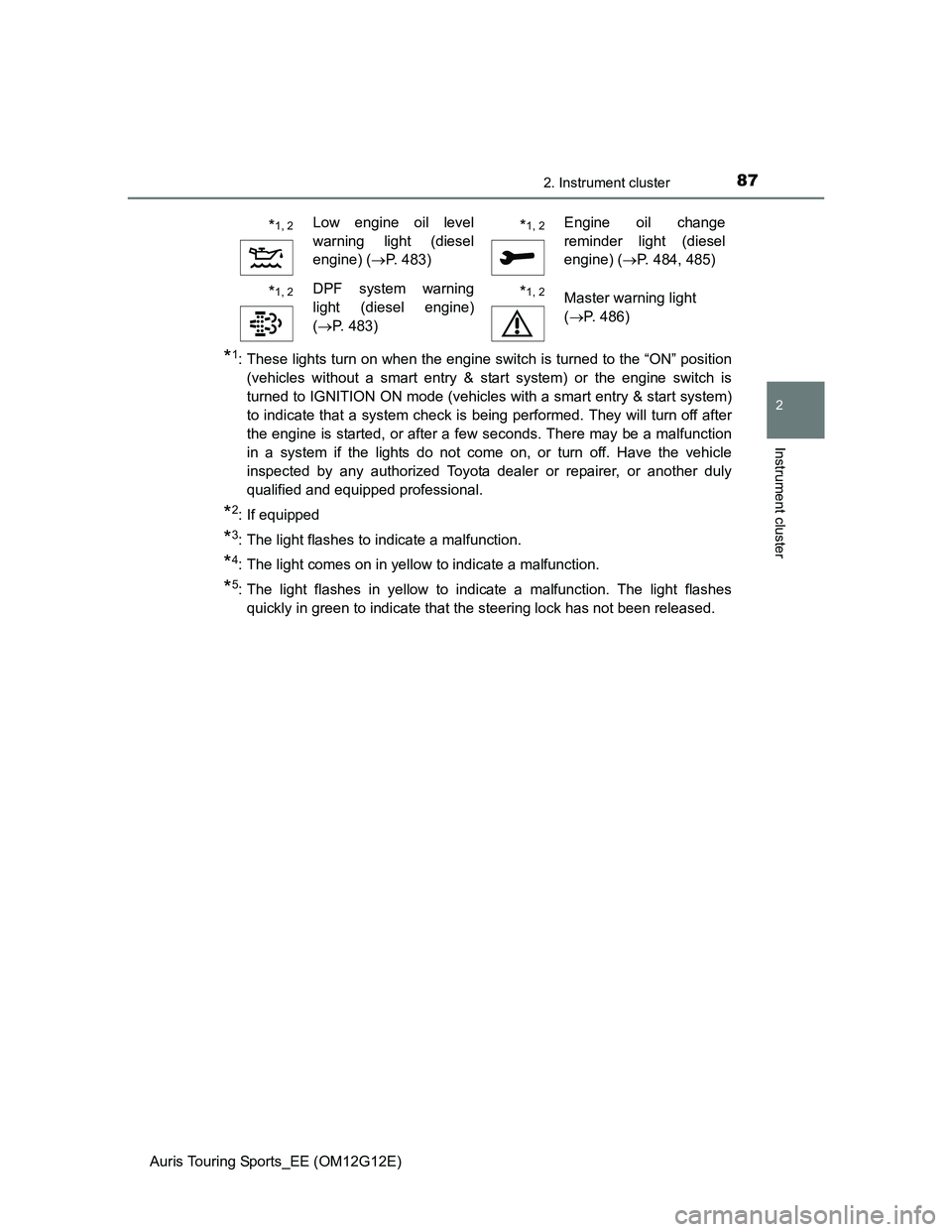
*1, 2Low engine oil level
warning light (diesel
engine) (P. 483)*1, 2Engine oil change
reminder light (diesel
engine) (P. 484, 485)
*1, 2DPF system warning
light (diesel engine)
(P. 483)*1, 2Master warning light
(P. 486)
Page 89 of 616
892. Instrument cluster
Auris Touring Sports_EE (OM12G12E)
2
Instrument cluster
*1: If equipped
*2: These lights turn on when the engine switch is turned to the “ON” position
(vehicles without a smart entry & start system) or the engine switch is
turned to IGNITION ON mode (vehicles with a smart entry & start system)
to indicate that a system check is being performed. They will turn off after
the engine is on, or after a few seconds. There may be a malfunction in a
system if the lights do not come on, or turn off. Have the vehicle inspected
by any authorized Toyota dealer or repairer, or another duly qualified and
equipped professional.
*3: The light flashes to indicate that the system is operating.
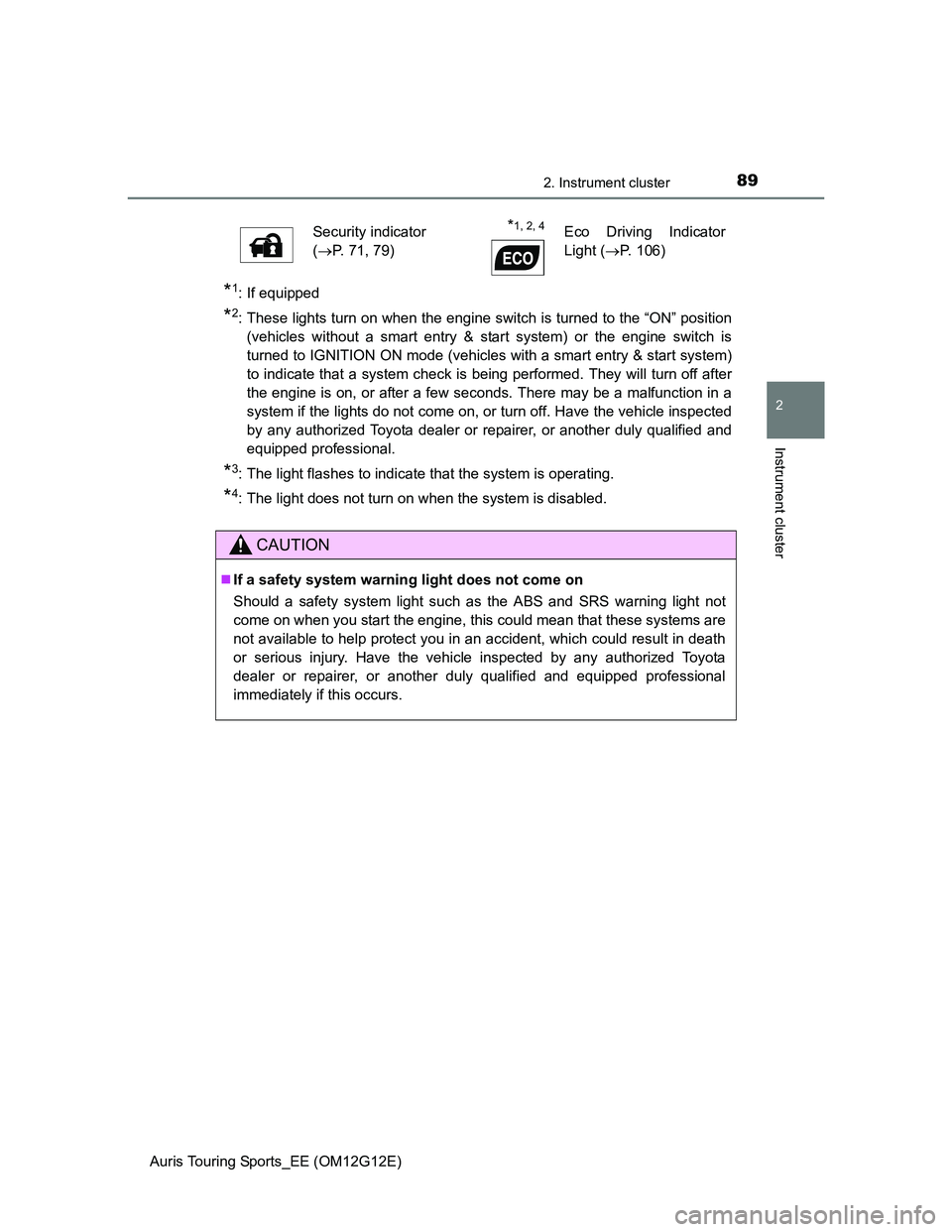
*4: The light does not turn on when the system is disabled.Security indicator
(P. 71, 79)
*1, 2, 4Eco Driving Indicator
Light (P. 106)
CAUTION
If a safety system warning light does not come on
Should a safety system light such as the ABS and SRS warning light not
come on when you start the engine, this could mean that these systems are
not available to help protect you in an accident, which could result in death
or serious injury. Have the vehicle inspected by any authorized Toyota
dealer or repairer, or another duly qualified and equipped professional
immediately if this occurs.
Page 94 of 616
942. Instrument cluster
Auris Touring Sports_EE (OM12G12E)
The meters and display illuminate when
Vehicles without a smart entry & start system
The engine switch is in the “ON” position.
Vehicles with a smart entry & start system
The engine switch is in IGNITION ON mode.
When disconnecting and reconnecting battery terminals
The following information data will be reset:
Average fuel consumption
Driving range
CAUTION
The information display at low temperatures
Allow the interior of the vehicle to warm up before using the liquid crystal
information display. At extremely low temperatures, the display monitor may
respond slowly, and display changes may be delayed.
For example, there is a lag between the driver’s shifting and the new gear
number appearing on the display. This lag could cause the driver to down-
shift again, causing rapid and excessive engine braking and possibly an
accident resulting in death or injury.
Cautions during setting up the display
As the engine needs to be running during setting up the display, ensure that
the vehicle is parked in a place with adequate ventilation. In a closed area
such as a garage, exhaust gases including harmful carbon monoxide (CO)
may collect and enter the vehicle. This may lead to death or a serious
health hazard.
NOTICE
To prevent damage to the engine and its components
Do not let the indicator needle of the tachometer enter the red zone, which
indicates the maximum engine speed.
The engine may be overheating if the high engine coolant temperature
warning light comes on. In this case, immediately stop the vehicle in a safe
place, and check the engine after it has cooled completely. (P. 561)
Page 100 of 616
1002. Instrument cluster
Auris Touring Sports_EE (OM12G12E)
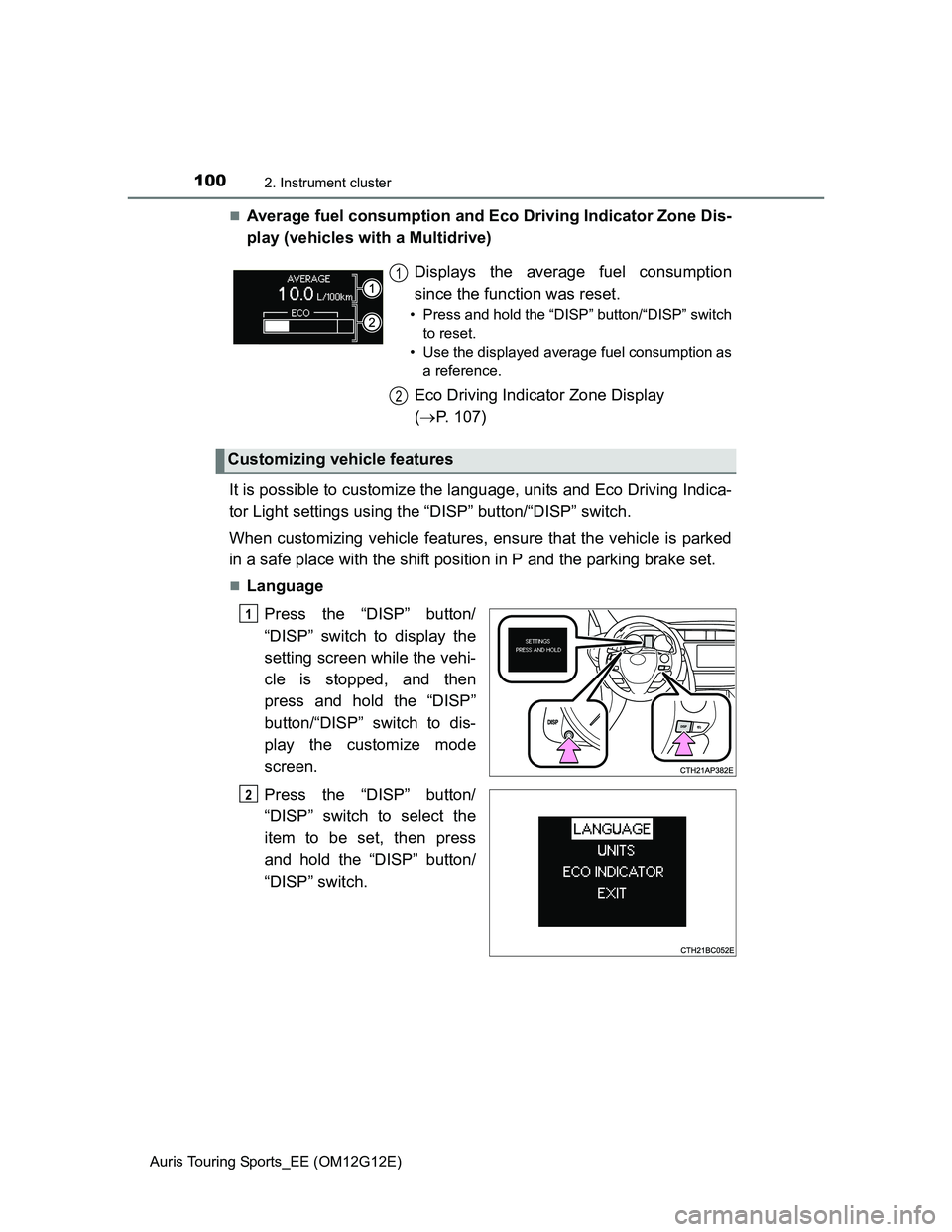
Average fuel consumption and Eco Driving Indicator Zone Dis-
play (vehicles with a Multidrive)
It is possible to customize the language, units and Eco Driving Indica-
tor Light settings using the “DISP” button/“DISP” switch.
When customizing vehicle features, ensure that the vehicle is parked
in a safe place with the shift position in P and the parking brake set.
Language
Press the “DISP” button/
“DISP” switch to display the
setting screen while the vehi-
cle is stopped, and then
press and hold the “DISP”
button/“DISP” switch to dis-
play the customize mode
screen.
Press the “DISP” button/
“DISP” switch to select the
item to be set, then press
and hold the “DISP” button/
“DISP” switch.Displays the average fuel consumption
since the function was reset.
• Press and hold the “DISP” button/“DISP” switch
to reset.
• Use the displayed average fuel consumption as
a reference.
Eco Driving Indicator Zone Display
(P. 107)
Customizing vehicle features
1
2
1
2
Page 101 of 616
1012. Instrument cluster
Auris Touring Sports_EE (OM12G12E)
2
Instrument cluster
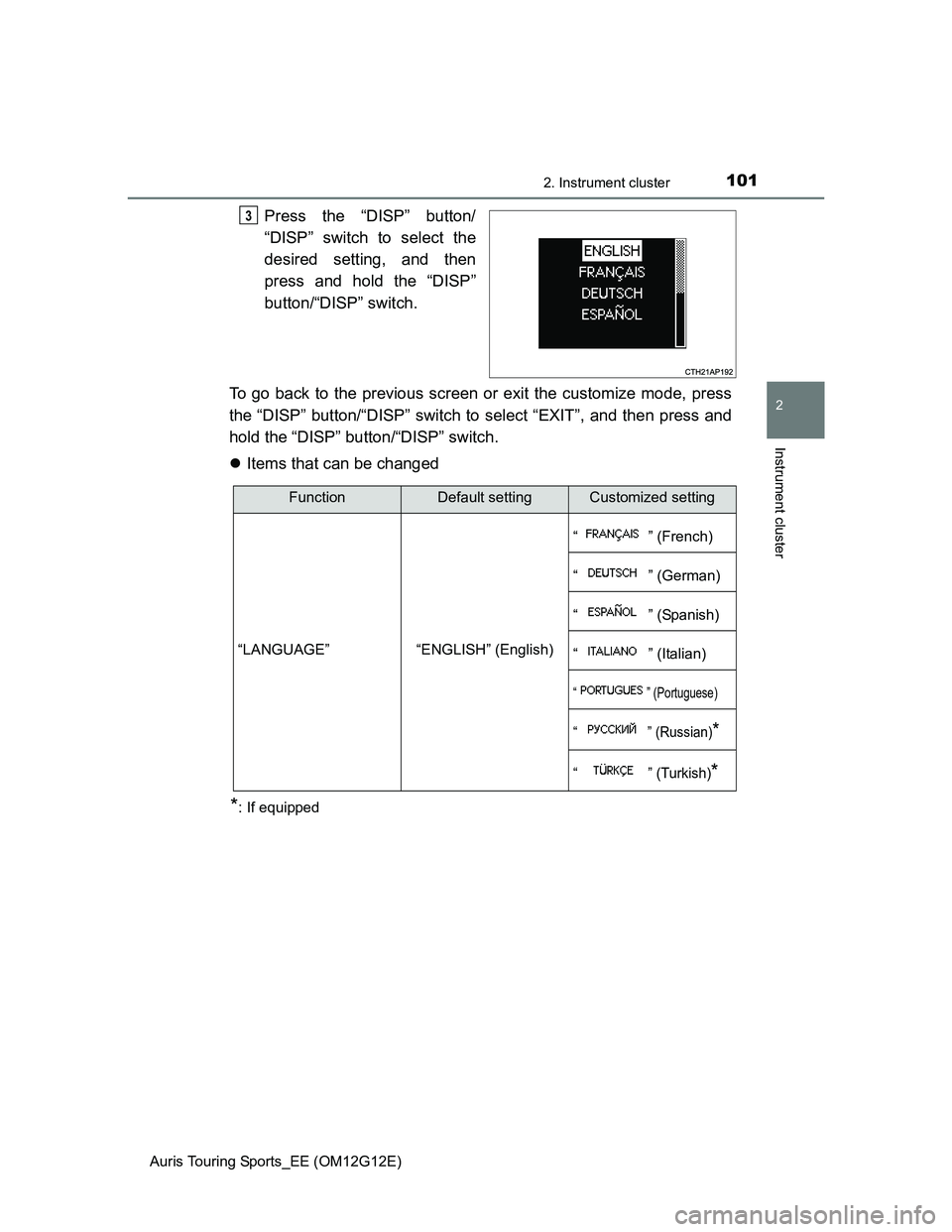
Press the “DISP” button/
“DISP” switch to select the
desired setting, and then
press and hold the “DISP”
button/“DISP” switch.
To go back to the previous screen or exit the customize mode, press
the “DISP” button/“DISP” switch to select “EXIT”, and then press and
hold the “DISP” button/“DISP” switch.
Items that can be changed
*: If equipped
3
FunctionDefault settingCustomized setting
“LANGUAGE” “ENGLISH” (English)“ ” (French)
“ ” (German)
“ ” (Spanish)
“ ” (Italian)
“ ” (Portuguese)
“ ” (Russian)*
“ ” (Turkish)*
Page 102 of 616
1022. Instrument cluster
Auris Touring Sports_EE (OM12G12E)
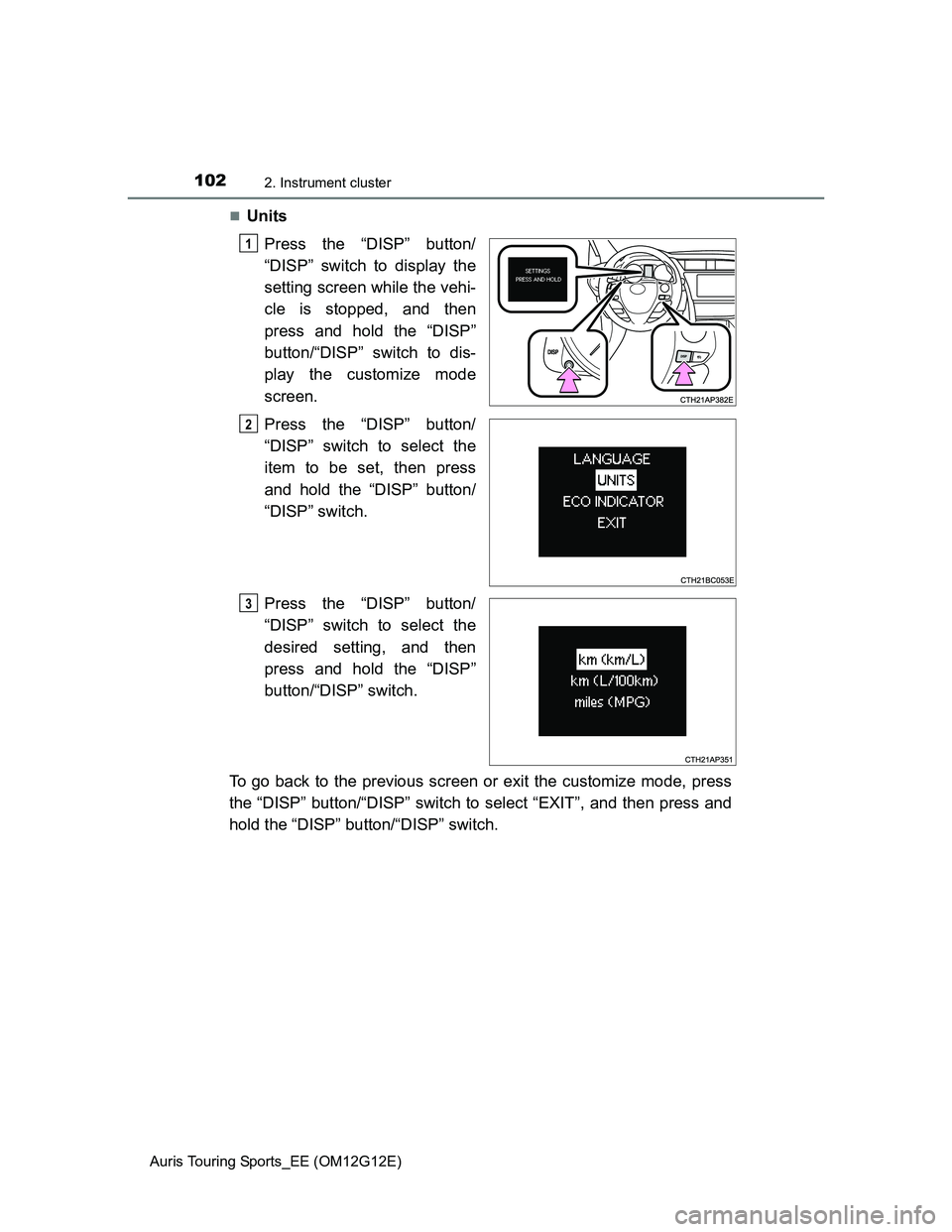
Units
Press the “DISP” button/
“DISP” switch to display the
setting screen while the vehi-
cle is stopped, and then
press and hold the “DISP”
button/“DISP” switch to dis-
play the customize mode
screen.
Press the “DISP” button/
“DISP” switch to select the
item to be set, then press
and hold the “DISP” button/
“DISP” switch.
Press the “DISP” button/
“DISP” switch to select the
desired setting, and then
press and hold the “DISP”
button/“DISP” switch.
To go back to the previous screen or exit the customize mode, press
the “DISP” button/“DISP” switch to select “EXIT”, and then press and
hold the “DISP” button/“DISP” switch.
1
2
3
Page 103 of 616
1032. Instrument cluster
Auris Touring Sports_EE (OM12G12E)
2
Instrument cluster
Items that can be changed
*: The default setting varies according to countries.
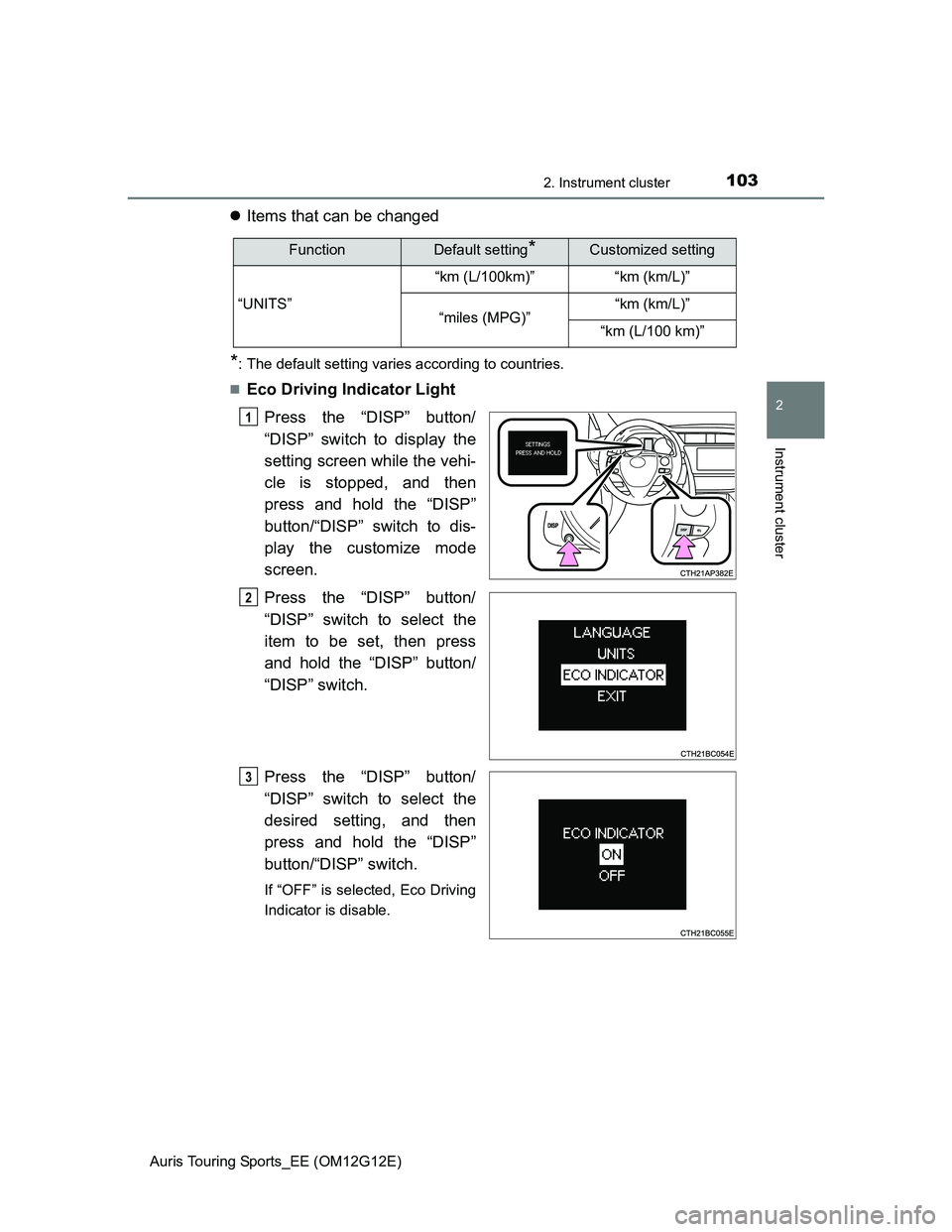
Eco Driving Indicator Light
Press the “DISP” button/
“DISP” switch to display the
setting screen while the vehi-
cle is stopped, and then
press and hold the “DISP”
button/“DISP” switch to dis-
play the customize mode
screen.
Press the “DISP” button/
“DISP” switch to select the
item to be set, then press
and hold the “DISP” button/
“DISP” switch.
Press the “DISP” button/
“DISP” switch to select the
desired setting, and then
press and hold the “DISP”
button/“DISP” switch.
If “OFF” is selected, Eco Driving
Indicator is disable.
FunctionDefault setting*Customized setting
“UNITS”“km (L/100km)” “km (km/L)”
“miles (MPG)”“km (km/L)”
“km (L/100 km)”
1
2
3
Page 104 of 616
1042. Instrument cluster
Auris Touring Sports_EE (OM12G12E)
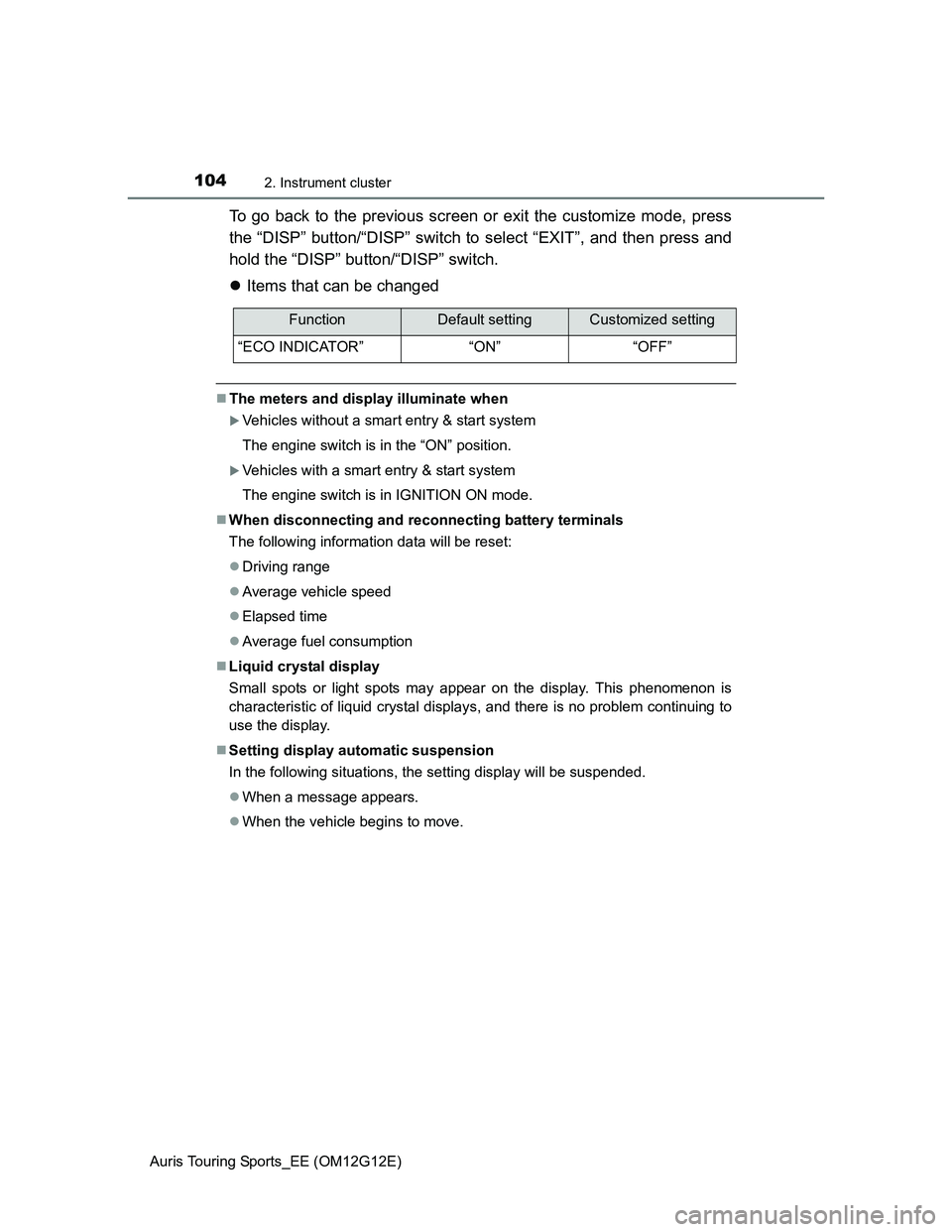
To go back to the previous screen or exit the customize mode, press
the “DISP” button/“DISP” switch to select “EXIT”, and then press and
hold the “DISP” button/“DISP” switch.
Items that can be changed
The meters and display illuminate when
Vehicles without a smart entry & start system
The engine switch is in the “ON” position.
Vehicles with a smart entry & start system
The engine switch is in IGNITION ON mode.
When disconnecting and reconnecting battery terminals
The following information data will be reset:
Driving range
Average vehicle speed
Elapsed time
Average fuel consumption
Liquid crystal display
Small spots or light spots may appear on the display. This phenomenon is
characteristic of liquid crystal displays, and there is no problem continuing to
use the display.
Setting display automatic suspension
In the following situations, the setting display will be suspended.
When a message appears.
When the vehicle begins to move.
FunctionDefault settingCustomized setting
“ECO INDICATOR” “ON” “OFF”
Page 108 of 616
1082. Instrument cluster
Auris Touring Sports_EE (OM12G12E)
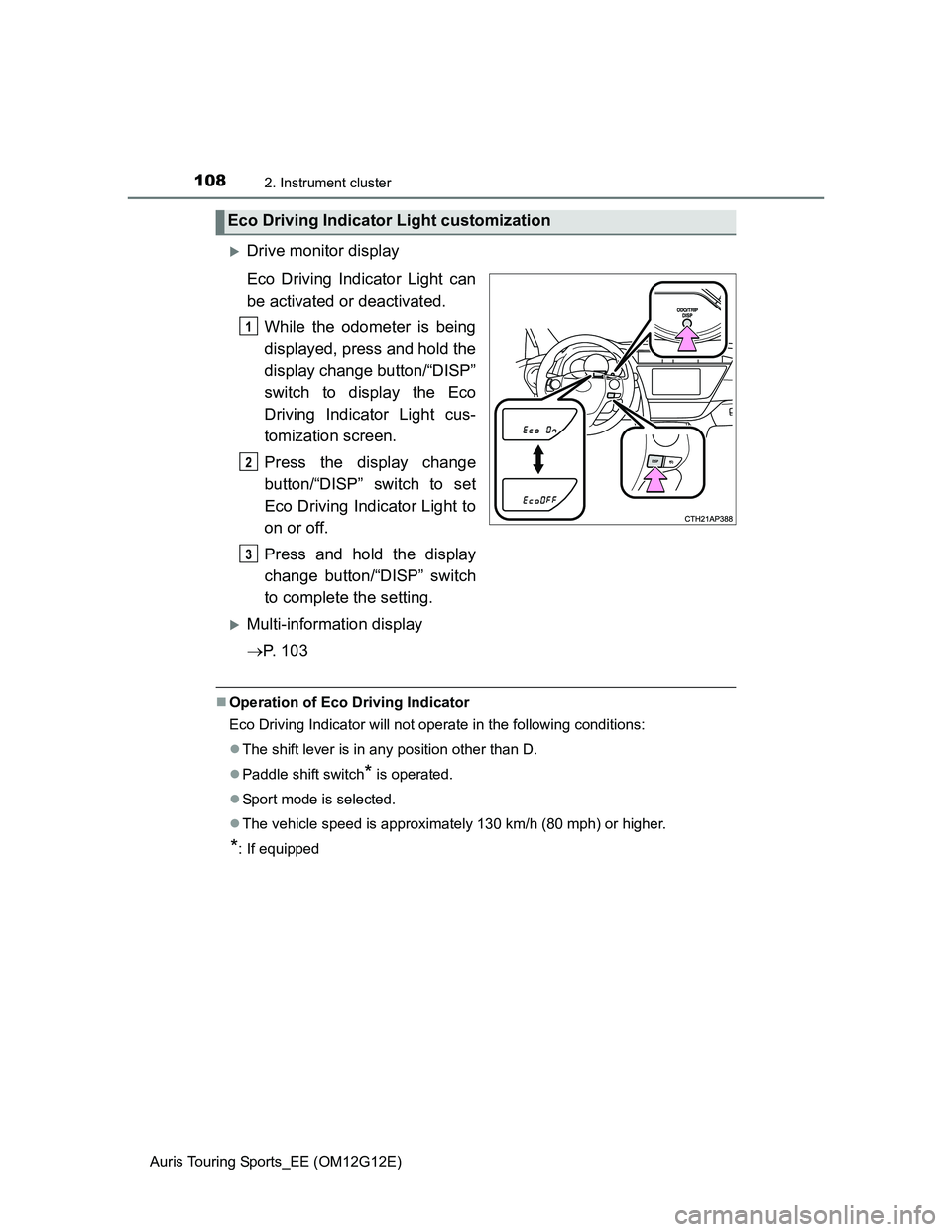
Drive monitor display
Eco Driving Indicator Light can
be activated or deactivated.
While the odometer is being
displayed, press and hold the
display change button/“DISP”
switch to display the Eco
Driving Indicator Light cus-
tomization screen.
Press the display change
button/“DISP” switch to set
Eco Driving Indicator Light to
on or off.
Press and hold the display
change button/“DISP” switch
to complete the setting.
Multi-information display
P. 1 0 3
Operation of Eco Driving Indicator
Eco Driving Indicator will not operate in the following conditions:
The shift lever is in any position other than D.
Paddle shift switch
* is operated.
Sport mode is selected.
The vehicle speed is approximately 130 km/h (80 mph) or higher.
*: If equipped
Eco Driving Indicator Light customization
1
2
3
Page 115 of 616
1153-2. Opening, closing and locking the doors
Auris Touring Sports_EE (OM12G12E)
3
Operation of each component
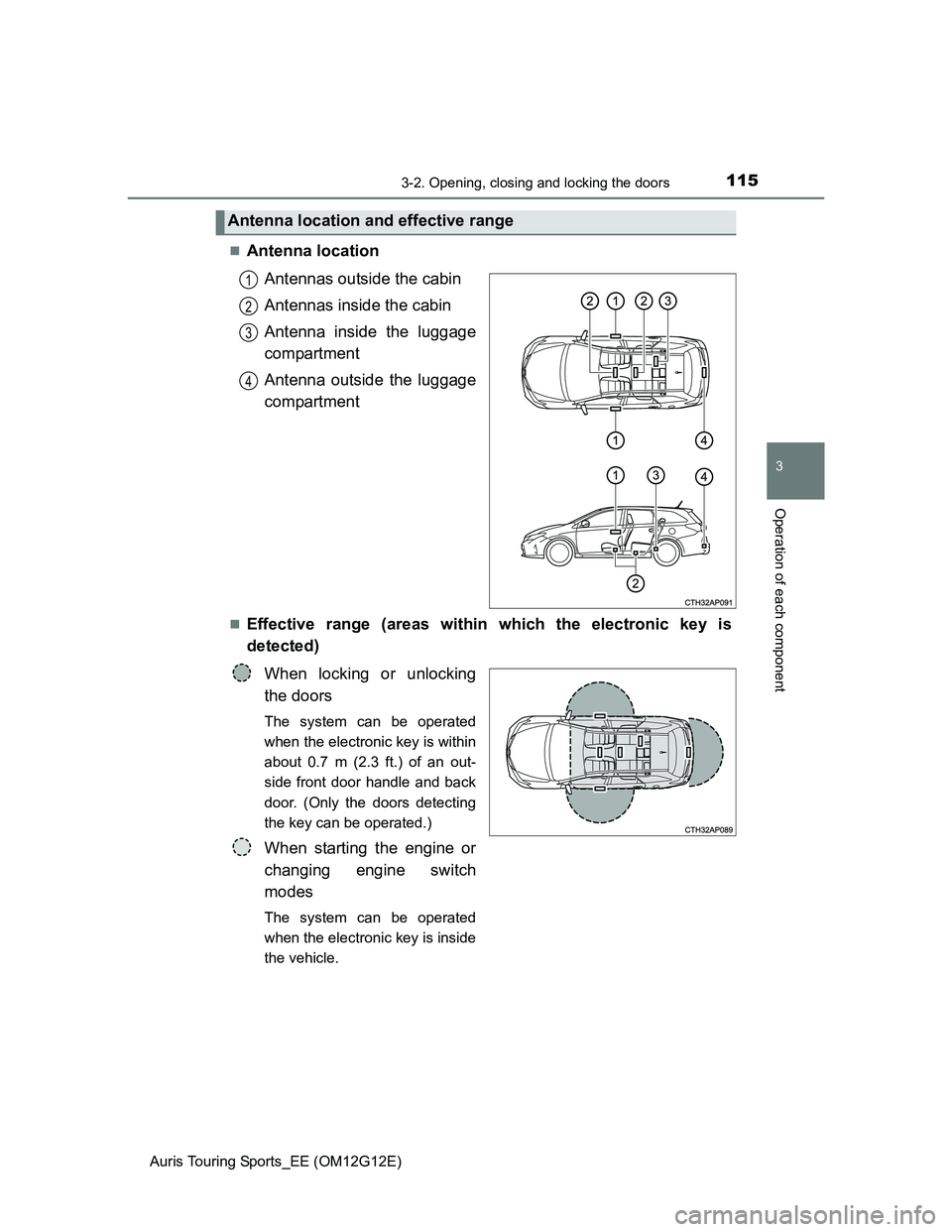
Antenna location
Antennas outside the cabin
Antennas inside the cabin
Antenna inside the luggage
compartment
Antenna outside the luggage
compartment
Effective range (areas within which the electronic key is
detected)
When locking or unlocking
the doors
The system can be operated
when the electronic key is within
about 0.7 m (2.3 ft.) of an out-
side front door handle and back
door. (Only the doors detecting
the key can be operated.)
When starting the engine or
changing engine switch
modes
The system can be operated
when the electronic key is inside
the vehicle.
Antenna location and effective range
1
2
3
4