radio TOYOTA AURIS TOURING SPORTS 2013 Owners Manual
[x] Cancel search | Manufacturer: TOYOTA, Model Year: 2013, Model line: AURIS TOURING SPORTS, Model: TOYOTA AURIS TOURING SPORTS 2013Pages: 616, PDF Size: 17.28 MB
Page 4 of 616
TABLE OF CONTENTS4
Auris Touring Sports_EE (OM12G12E)5-1. Using the air conditioning
system and defogger
Heater system....................284
Automatic air conditioning
system (without dual
operation) ........................289
Automatic air conditioning
system (with dual
operation) ........................298
Power heater .....................306
Rear window and
outside rear view
mirror defoggers ..............308
5-2. Using the audio system
Audio system types............310
Using the radio...................314
Using the CD player...........318
Playing back MP3 and
WMA discs.......................323
Operating an iPod ..............329
Operating a USB
memory............................338
Optimal use of the audio
system .............................345
Using the AUX port ............347
Using the steering wheel
audio switches .................3485-3. Using the interior lights
Interior lights list ................ 351
• Interior lights ................. 352
• Vanity lights .................. 352
• Personal lights .............. 353
5-4. Using the storage
features
List of storage features...... 355
• Glove box...................... 356
• Console box .................. 356
• Bottle holders ................ 357
• Cup holders .................. 358
• Auxiliary boxes .............. 360
Luggage compartment
features ........................... 361
5-5. Other interior features
Sun visors and vanity
mirrors ............................. 373
Clock ................................. 374
Outside temperature
display ............................. 375
Portable ashtray ................ 377
Power outlets .................... 378
Seat heaters ...................... 380
Armrest.............................. 382
Coat hooks ........................ 383
Assist grips ........................ 384
Panoramic roof shade ....... 385
5Interior features
Page 112 of 616
1123-1. Key information
Auris Touring Sports_EE (OM12G12E)When riding in an aircraft
When bringing a key with wireless remote control function onto an aircraft,
make sure you do not press any button on the key while inside the aircraft
cabin. If you are carrying the key in your bag etc., ensure that the buttons are
not likely to be pressed accidentally. Pressing a button may cause the key to
emit radio waves that could interfere with the operation of the aircraft.
NOTICE
To prevent key damage
Do not drop the keys, subject them to strong shocks or bend them.
Do not expose the keys to high temperatures for long periods of time.
Do not get the keys wet or wash them in an ultrasonic washer etc.
Do not attach metallic or magnetic materials to the keys or place the keys
close to such materials.
Do not disassemble the keys.
Do not attach a sticker or anything else to the surface of the electronic key
and key (with a wireless remote control function).
Type C: Do not place the keys near objects that produce magnetic fields,
such as TVs, audio systems and induction cookers, or medical electrical
equipment, such as low-frequency therapy equipment.
Carrying the electronic key on your person (type C)
Carry the electronic key 10 cm (3.9 in.) or more away from electric appli-
ances that are turned on. Radio waves emitted from electric appliances
within 10 cm (3.9 in.) of the electronic key may interfere with the key, caus-
ing the key to not function properly.
In case of a smart entry & start system malfunction or other key-related
problems (type C)
Take your vehicle with all the electronic keys provided with your vehicle to
any authorized Toyota dealer or repairer, or another duly qualified and
equipped professional.
When an electronic key is lost (type C)
If the electronic key remains lost, the risk of vehicle theft increases signifi-
cantly. Visit any authorized Toyota dealer or repairer, or another duly quali-
fied and equipped professional immediately with all remaining electronic
keys that was provided with your vehicle.
Page 118 of 616
1183-2. Opening, closing and locking the doors
Auris Touring Sports_EE (OM12G12E)Battery-saving function
The battery-saving function will be activated in order to prevent the electronic
key battery and the vehicle battery from being discharged while the vehicle is
not in operation for a long time.
In the following situations, the smart entry & start system may take some
time to unlock the doors.
• The electronic key has been left in an area of approximately 2 m (6 ft.) of
the outside of the vehicle for 10 minutes or longer.
• The smart entry & start system has not been used for 5 days or longer.
If the smart entry & start system has not been used for 14 days or longer,
the doors cannot be unlocked at any doors except the driver’s door. In this
case, take hold of the driver’s door handle, or use the wireless remote con-
trol or the mechanical key, to unlock the doors.
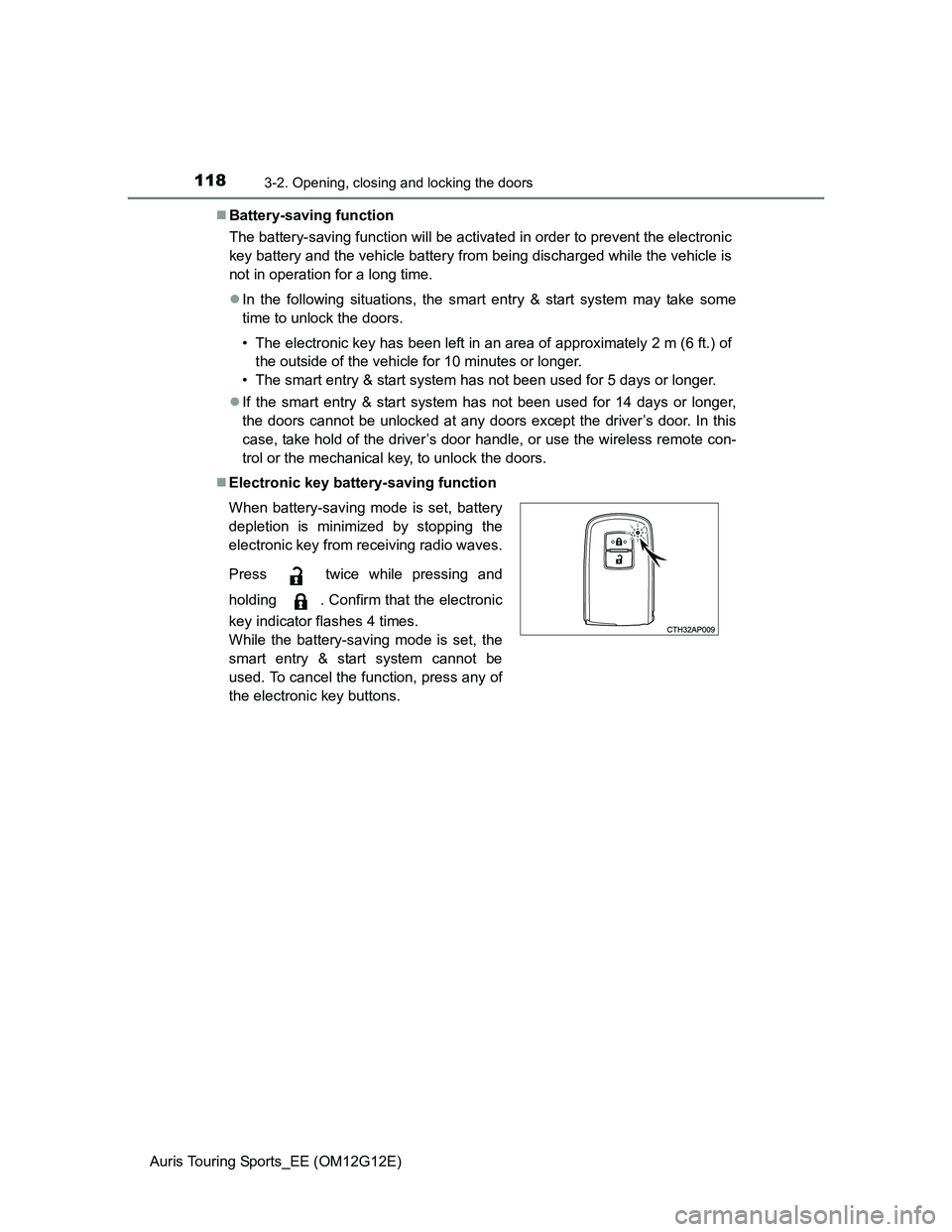
Electronic key battery-saving function
When battery-saving mode is set, battery
depletion is minimized by stopping the
electronic key from receiving radio waves.
Press twice while pressing and
holding . Confirm that the electronic
key indicator flashes 4 times.
While the battery-saving mode is set, the
smart entry & start system cannot be
used. To cancel the function, press any of
the electronic key buttons.
Page 119 of 616
1193-2. Opening, closing and locking the doors
Auris Touring Sports_EE (OM12G12E)
3
Operation of each component
Conditions affecting operation
The smart entry & start system uses weak radio waves. In the following situa-
tions, the communication between the electronic key and the vehicle may be
affected, preventing the smart entry & start system, wireless remote control
and engine immobilizer system from operating properly.
(Ways of coping: P. 551)
When the electronic key battery is depleted
Near a TV tower, electric power plant, gas station, radio station, large dis-
play, airport or other facility that generates strong radio waves or electrical
noise
When carrying a portable radio, cellular phone, cordless phone or other
wireless communication devices
When the electronic key is in contact with, or is covered by the following
metallic objects
• Cards to which aluminum foil is attached
• Cigarette boxes that have aluminum foil inside
• Metallic wallets or bags
• Coins
• Hand warmers made of metal
• Media such as CDs and DVDs
When other wireless keys (that emit radio waves) are being used nearby
When carrying the electronic key together with the following devices that
emit radio waves
• Another vehicle’s electronic key or a wireless key that emits radio waves
• Personal computers or personal digital assistants (PDAs)
• Digital audio players
• Portable game systems
If window tint with a metallic content or metallic objects are attached to the
rear window
When the electronic key is placed near a battery charger or electronic
devices
Page 120 of 616
1203-2. Opening, closing and locking the doors
Auris Touring Sports_EE (OM12G12E)Note for the entry function
Even when the electronic key is within the effective range (detection areas),
the system may not operate properly in the following cases:
• The electronic key is too close to the window or outside door handle, near
the ground, or in a high place when the doors are locked or unlocked.
• The electronic key is near the ground or in a high place, or too close to
the rear bumper center when the back door is opened.
• The electronic key is on the instrument panel, luggage cover or floor, or in
the door pockets or glove box when the engine is started or engine switch
modes are changed.
Do not leave the electronic key on top of the instrument panel or near the
door pockets when exiting the vehicle. Depending on the radio wave recep-
tion conditions, it may be detected by the antenna outside the cabin and the
door will become lockable from the outside, possibly trapping the electronic
key inside the vehicle.
As long as the electronic key is within the effective range, the doors may be
locked or unlocked by anyone. However, only the doors detecting the elec-
tronic key can be used to unlock the vehicle.
Even if the electronic key is not inside the vehicle, it may be possible to start
the engine if the electronic key is near the window.
The doors may unlock or lock if a large amount of water splashes on the
door handle, such as in the rain or in a car wash when the electronic key is
within the effective range. (The doors will automatically be locked after
approximately 30 seconds if the doors are not opened and closed.)
If the wireless remote control is used to lock the doors when the electronic
key is near the vehicle, there is a possibility that the door may not be
unlocked by the entry function. (Use the wireless remote control to unlock
the doors.)
Page 123 of 616
1233-2. Opening, closing and locking the doors
Auris Touring Sports_EE (OM12G12E)
3
Operation of each component
Electronic key battery depletion
The standard battery life is 1 to 2 years.
If the battery becomes low, an alarm will sound in the cabin when the engine
stops. (P. 487, 502)
As the electronic key always receives radio waves, the battery will become
depleted even if the electronic key is not used. The following symptoms indi-
cate that the electronic key battery may be depleted. Replace the battery
when necessary. (P. 430)
• The smart entry & start system or the wireless remote control does not
operate.
• The detection area becomes smaller.
• The LED indicator on the key surface does not turn on.
To avoid serious deterioration, do not leave the electronic key within 1 m (3
ft.) of the following electrical appliances that produce a magnetic field:
•TVs
• Personal computers
• Cellular phones, cordless phones and battery chargers
• Recharging cellular phones or cordless phones
• Table lamps
• Induction cookers
When the electronic key battery is fully depleted
P. 430
Customization
Settings (e. g. smart entry & start system) can be changed.
(Customizable features: P. 588)
If the smart entry & start system has been deactivated in a customized
setting
Locking and unlocking the doors:
Use the wireless remote control or mechanical key. (P. 132, 551)
Starting the engine and changing engine switch modes: P. 552
Stopping the engine: P. 1 9 5
Page 131 of 616
1313-2. Opening, closing and locking the doors
Auris Touring Sports_EE (OM12G12E)
3
Operation of each component
CAUTION
Caution regarding interference with electronic devices
People with implanted pacemakers or cardiac defibrillators should main-
tain a reasonable distance between themselves and the smart entry &
start system antennas. (P. 115)
The radio waves may affect the operation of such devices. If necessary,
the entry function can be disabled. Ask any authorized Toyota dealer or
repairer, or another duly qualified and equipped professional for details,
such as the frequency of radio waves and timing of emitting the radio
waves. Then, consult your doctor to see if you should disable the entry
function.
Users of any electrical medical device other than implanted pacemakers
and implanted cardiac defibrillators should consult the manufacturer of the
device for information about its operation under the influence of radio
waves.
Radio waves could have unexpected effects on the operation of such
medical devices.
Ask any authorized Toyota dealer or repairer, or another duly qualified and
equipped professional for details on disabling the entry function.
Page 133 of 616
1333-2. Opening, closing and locking the doors
Auris Touring Sports_EE (OM12G12E)
3
Operation of each component
Operation signals
The emergency flashers flash to indicate that the doors have been locked/
unlocked. (Locked: Once; Unlocked: Twice)
Door lock buzzer (vehicles with a smart entry & start system)
If an attempt to lock the doors is made when a door is not fully closed, a
buzzer sounds continuously for 5 seconds. Fully close the door to stop the
buzzer, and lock the vehicle once more.
Security feature
Vehicles without a smart entry & start system
If a door is not opened within approximately 30 seconds after the vehicle is
unlocked, the security feature automatically locks the vehicle again.
Vehicles with a smart entry & start system
P. 1 1 3
Alarm (if equipped)
Using the wireless remote control to lock the doors will set the alarm system.
(P. 79)
Conditions affecting operation
Vehicles without a smart entry & start system
The wireless remote control function may not operate normally in the follow-
ing situations:
When the wireless key battery is depleted
Near a TV tower, radio station, electric power plant, airport or other facility
that generates strong radio waves
When carrying a portable radio, cellular phone or other wireless communi-
cation devices
When multiple wireless keys are in the vicinity
When the wireless key is in contact with, or is covered by a metallic object
When a wireless key (that emits radio waves) is being used nearby
When the wireless key has been left near an electrical appliance such as a
personal computer
If window tint with a metallic content or metallic objects are attached to the
rear window
Vehicles with a smart entry & start system
P. 1 1 9
Page 283 of 616
283
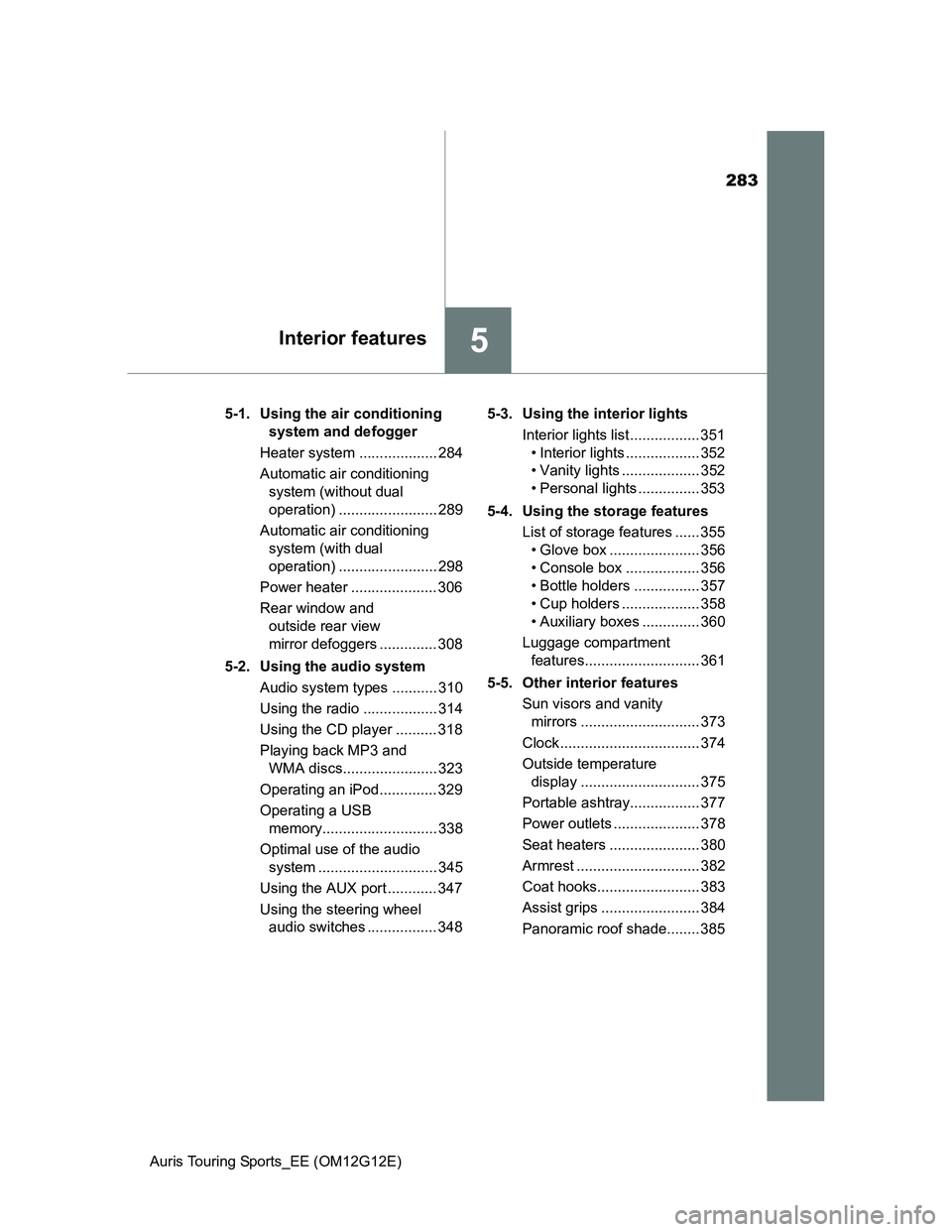
5Interior features
Auris Touring Sports_EE (OM12G12E)5-1. Using the air conditioning
system and defogger
Heater system ................... 284
Automatic air conditioning
system (without dual
operation) ........................ 289
Automatic air conditioning
system (with dual
operation) ........................ 298
Power heater ..................... 306
Rear window and
outside rear view
mirror defoggers .............. 308
5-2. Using the audio system
Audio system types ........... 310
Using the radio .................. 314
Using the CD player .......... 318
Playing back MP3 and
WMA discs....................... 323
Operating an iPod.............. 329
Operating a USB
memory............................ 338
Optimal use of the audio
system ............................. 345
Using the AUX port ............ 347
Using the steering wheel
audio switches ................. 3485-3. Using the interior lights
Interior lights list ................. 351
• Interior lights .................. 352
• Vanity lights ................... 352
• Personal lights ............... 353
5-4. Using the storage features
List of storage features ...... 355
• Glove box ...................... 356
• Console box .................. 356
• Bottle holders ................ 357
• Cup holders ................... 358
• Auxiliary boxes .............. 360
Luggage compartment
features............................ 361
5-5. Other interior features
Sun visors and vanity
mirrors ............................. 373
Clock .................................. 374
Outside temperature
display ............................. 375
Portable ashtray................. 377
Power outlets ..................... 378
Seat heaters ...................... 380
Armrest .............................. 382
Coat hooks......................... 383
Assist grips ........................ 384
Panoramic roof shade........ 385
Page 310 of 616
310
Auris Touring Sports_EE (OM12G12E)
5-2. Using the audio system
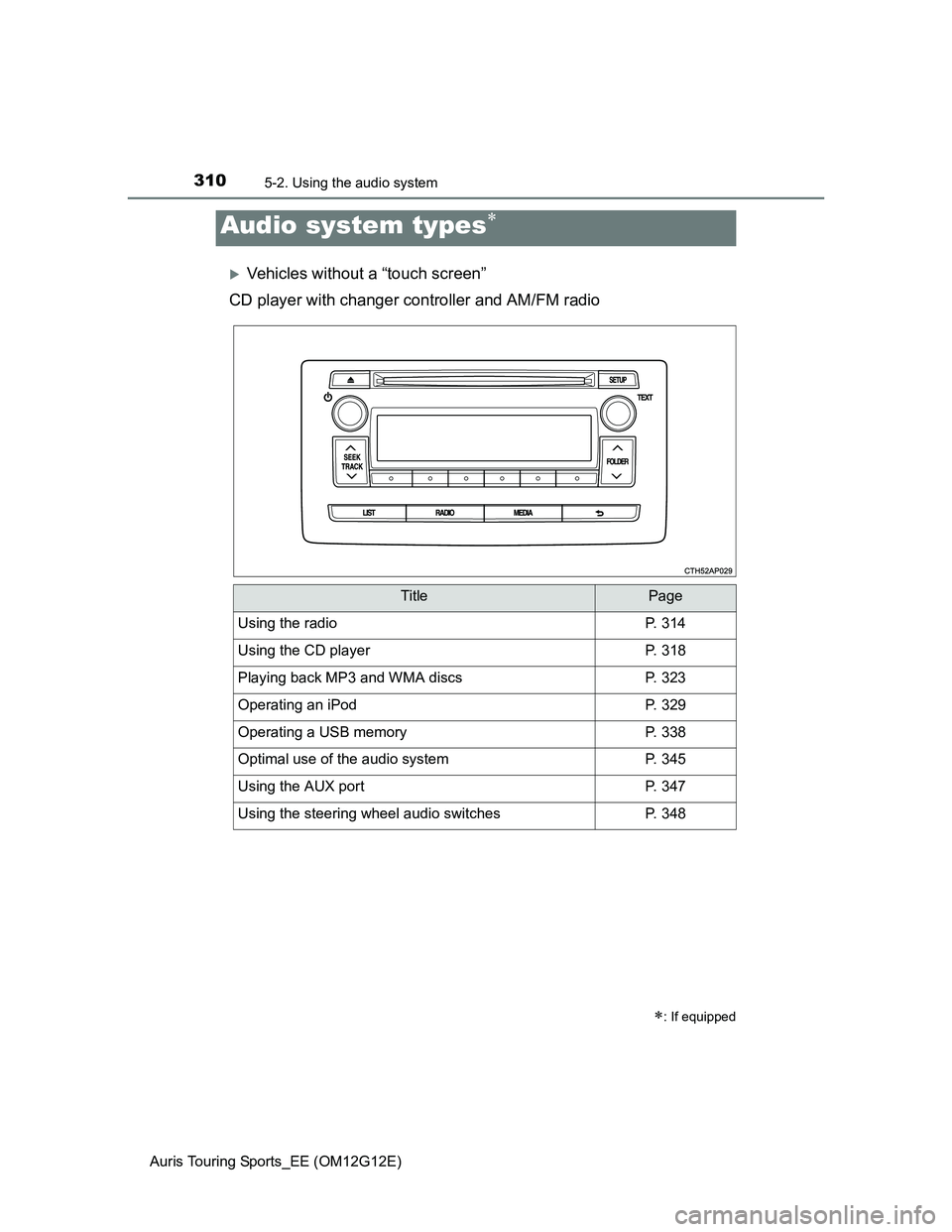
Vehicles without a “touch screen”
CD player with changer controller and AM/FM radio
Audio system types
: If equipped
TitlePage
Using the radioP. 314
Using the CD playerP. 318
Playing back MP3 and WMA discsP. 323
Operating an iPodP. 329
Operating a USB memoryP. 338
Optimal use of the audio systemP. 345
Using the AUX portP. 347
Using the steering wheel audio switchesP. 348