ECO mode TOYOTA AURIS TOURING SPORTS 2017 Owner's Manual
[x] Cancel search | Manufacturer: TOYOTA, Model Year: 2017, Model line: AURIS TOURING SPORTS, Model: TOYOTA AURIS TOURING SPORTS 2017Pages: 664, PDF Size: 27.42 MB
Page 222 of 664
2224-2. Driving procedures
AURIS Touring Sports_EE (12L13E)
NOTICE
■To prevent battery discharge
●Do not leave the engine switch in ACCESSORY or IGNITION ON mode
for long periods of time without the engine running.
●Vehicles with a 3-ring meter: If the smart entry & start system indicator
light (green) is illuminated, the engine switch is not off. When exiting the
vehicle, always check that the engine switch is off.
●Vehicles with a 2-ring meter: If “Power ON.” is displayed on the multi-infor-
mation display, the engine switch is not off. When exiting the vehicle,
always check that the engine switch is off.
●Vehicles with a Multidrive: Do not stop the engine when the shift lever is in
a position other than P. If the engine is stopped in another shift lever posi-
tion, the engine switch will not be turned off but instead be turned to
ACCESSORY mode. If the vehicle is left in ACCESSORY mode, battery
discharge may occur.
■When starting the engine
●Do not race a cold engine.
●If the engine becomes difficult to start or stalls frequently, have your vehi-
cle checked by any authorized Toyota dealer or repairer, or another duly
qualified and equipped professional immediately.
■Symptoms indicating a malfunction with the engine switch
If the engine switch seems to be operating somewhat differently than usual,
such as the switch sticking slightly, there may be a malfunction. Contact any
authorized Toyota dealer or repairer, or another duly qualified and equipped
professional immediately.
AURIS Touring Sports_OM_Europe_OM12L13E.book 222 ページ 2016年6月27日 月曜日 午後5時21分
Page 237 of 664
2374-3. Operating the lights and wipers
AURIS Touring Sports_EE (12L13E)
4
Driving
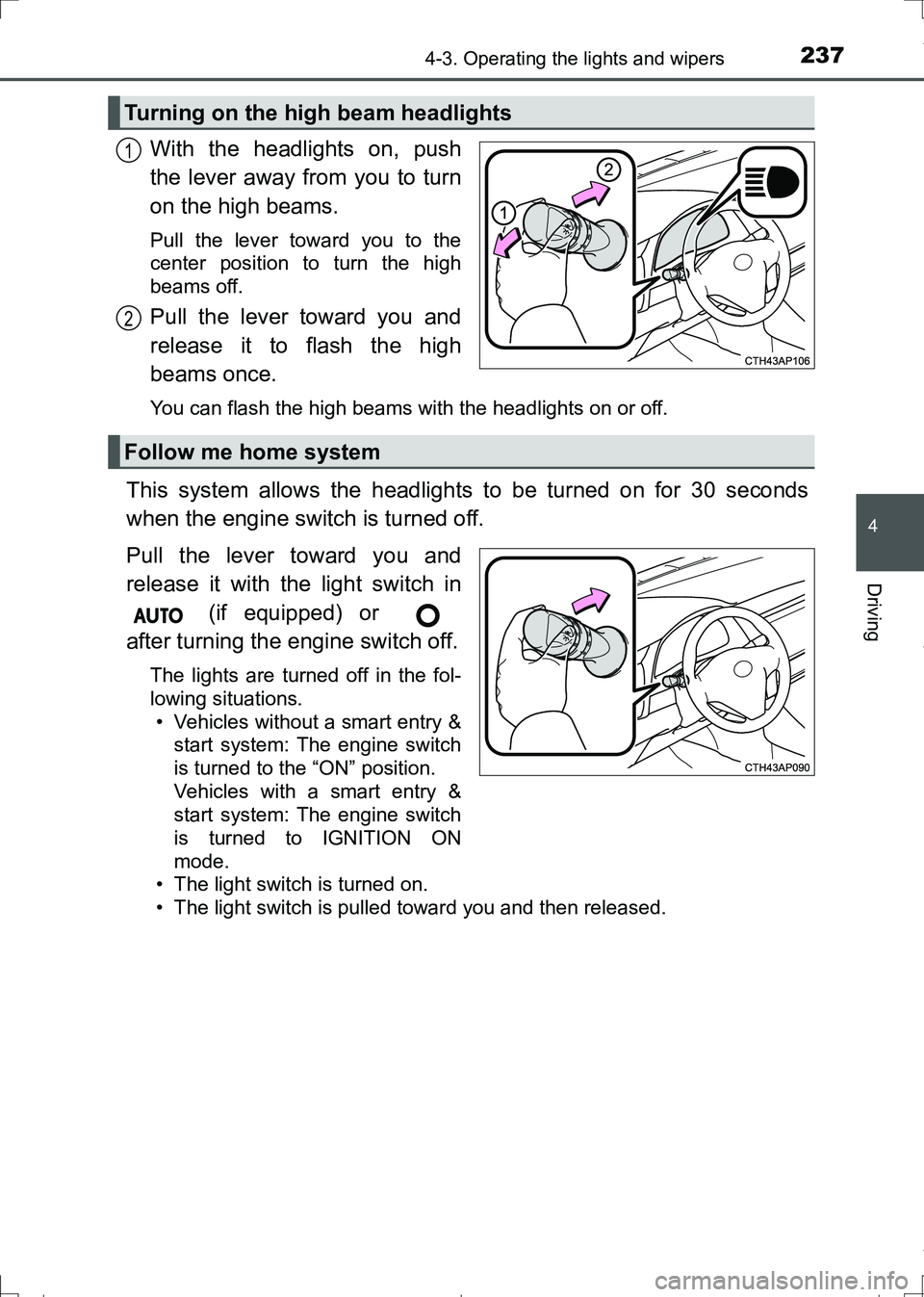
With the headlights on, push
the lever away from you to turn
on the high beams.
Pull the lever toward you to the
center position to turn the high
beams off.
Pull the lever toward you and
release it to flash the high
beams once.
You can flash the high beams with the headlights on or off.
This system allows the headlights to be turned on for 30 seconds
when the engine switch is turned off.
Pull the lever toward you and
release it with the light switch in
(if equipped) or
after turning the engine switch off.
The lights are turned off in the fol-
lowing situations.
• Vehicles without a smart entry &
start system: The engine switch
is turned to the “ON” position.
Vehicles with a smart entry &
start system: The engine switch
is turned to IGNITION ON
mode.
• The light switch is turned on.
• The light switch is pulled toward you and then released.
Turning on the high beam headlights
1
2
Follow me home system
AURIS Touring Sports_OM_Europe_OM12L13E.book 237 ページ 2016年6月27日 月曜日 午後5時21分
Page 246 of 664
2464-3. Operating the lights and wipers
AURIS Touring Sports_EE (12L13E)
WARNING
■Caution regarding the use of washer fluid
When it is cold, do not use the washer fluid until the windshield becomes
warm. The fluid may freeze on the windshield and cause low visibility. This
may lead to an accident, resulting in death or serious injury.
■Caution regarding the use of windshield wipers in “AUTO” mode (vehi-
cles with rain-sensing windshield wipers)
The windshield wipers may operate unexpectedly if the sensor is touched or
the windshield is subject to vibration in “AUTO” mode. Take care that your
fingers etc. do not become caught in the windshield wipers.
NOTICE
■When the windshield is dry
Do not use the wipers, as they may damage the windshield.
■When there is no washer fluid spray from the nozzle
Damage to the washer fluid pump may be caused if the lever is pulled
toward you and held continually.
■When a nozzle becomes blocked
In this case, contact any authorized Toyota dealer or repairer, or another
duly qualified and equipped professional.
Do not try to clear it with a pin or other object. The nozzle will be damaged.
AURIS Touring Sports_OM_Europe_OM12L13E.book 246 ページ 2016年6月27日 月曜日 午後5時21分
Page 285 of 664
2854-5. Toyota Safety Sense
AURIS Touring Sports_EE (12L13E)
4
Driving
■When driving vehicle in country with different speed unit
Since RSA recognizes signs based on the set unit of the meter, it is neces-
sary to change the set unit of the meter. Adjust the set unit of the meter to the
speed unit of signs in the current location. (P. 635)
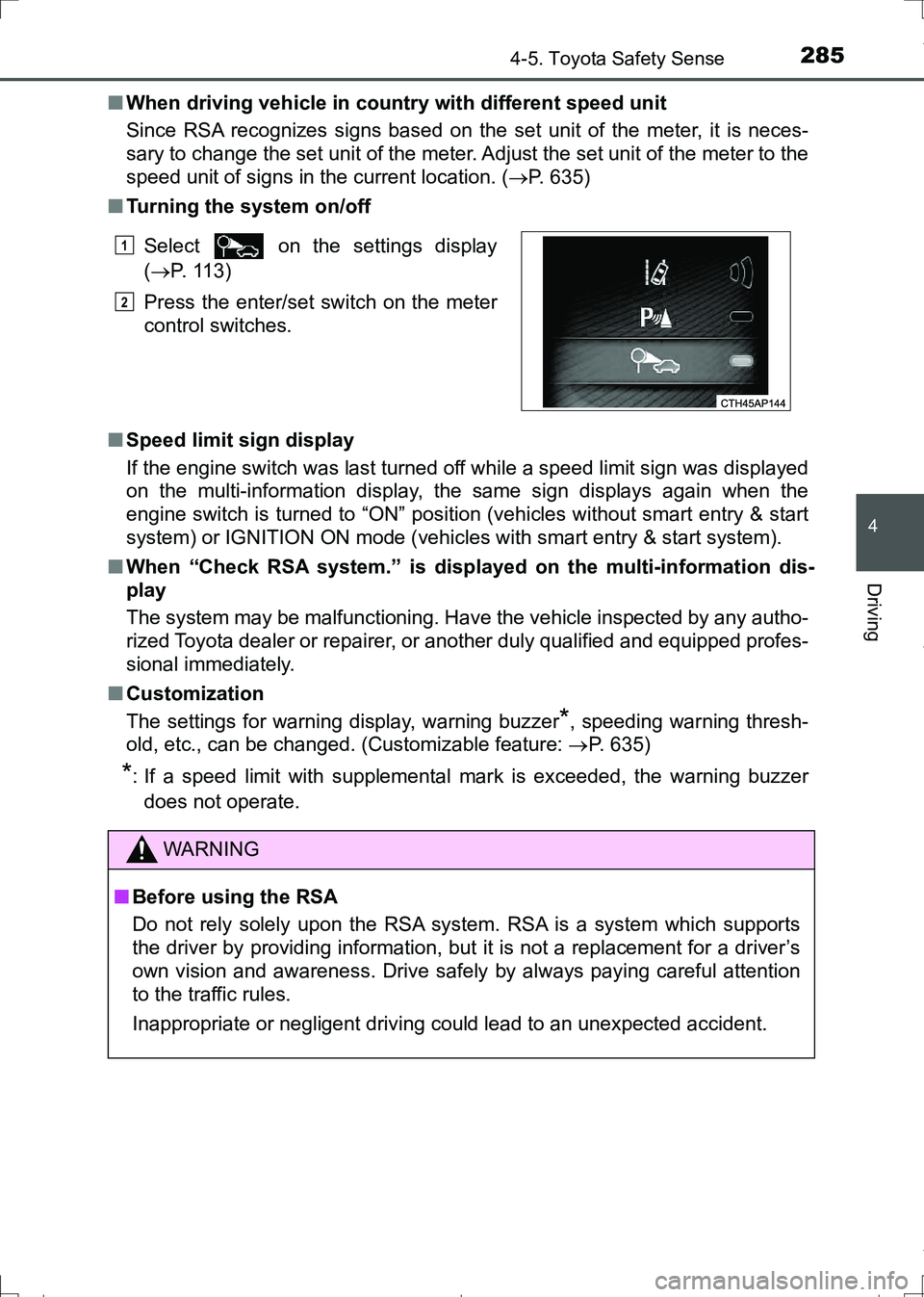
■Turning the system on/off
■Speed limit sign display
If the engine switch was last turned off while a speed limit sign was displayed
on the multi-information display, the same sign displays again when the
engine switch is turned to “ON” position (vehicles without smart entry & start
system) or IGNITION ON mode (vehicles with smart entry & start system).
■When “Check RSA system.” is displayed on the multi-information dis-
play
The system may be malfunctioning. Have the vehicle inspected by any autho-
rized Toyota dealer or repairer, or another duly qualified and equipped profes-
sional immediately.
■Customization
The settings for warning display, warning buzzer
*, speeding warning thresh-
old, etc., can be changed. (Customizable feature: P. 635)
*: If a speed limit with supplemental mark is exceeded, the warning buzzer
does not operate. Select on the settings display
(P. 113)
Press the enter/set switch on the meter
control switches.
WARNING
■Before using the RSA
Do not rely solely upon the RSA system. RSA is a system which supports
the driver by providing information, but it is not a replacement for a driver’s
own vision and awareness. Drive safely by always paying careful attention
to the traffic rules.
Inappropriate or negligent driving could lead to an unexpected accident.
1
2
AURIS Touring Sports_OM_Europe_OM12L13E.book 285 ページ 2016年6月27日 月曜日 午後5時21分
Page 293 of 664
2934-6. Using the driving support systems
AURIS Touring Sports_EE (12L13E)
4
Driving
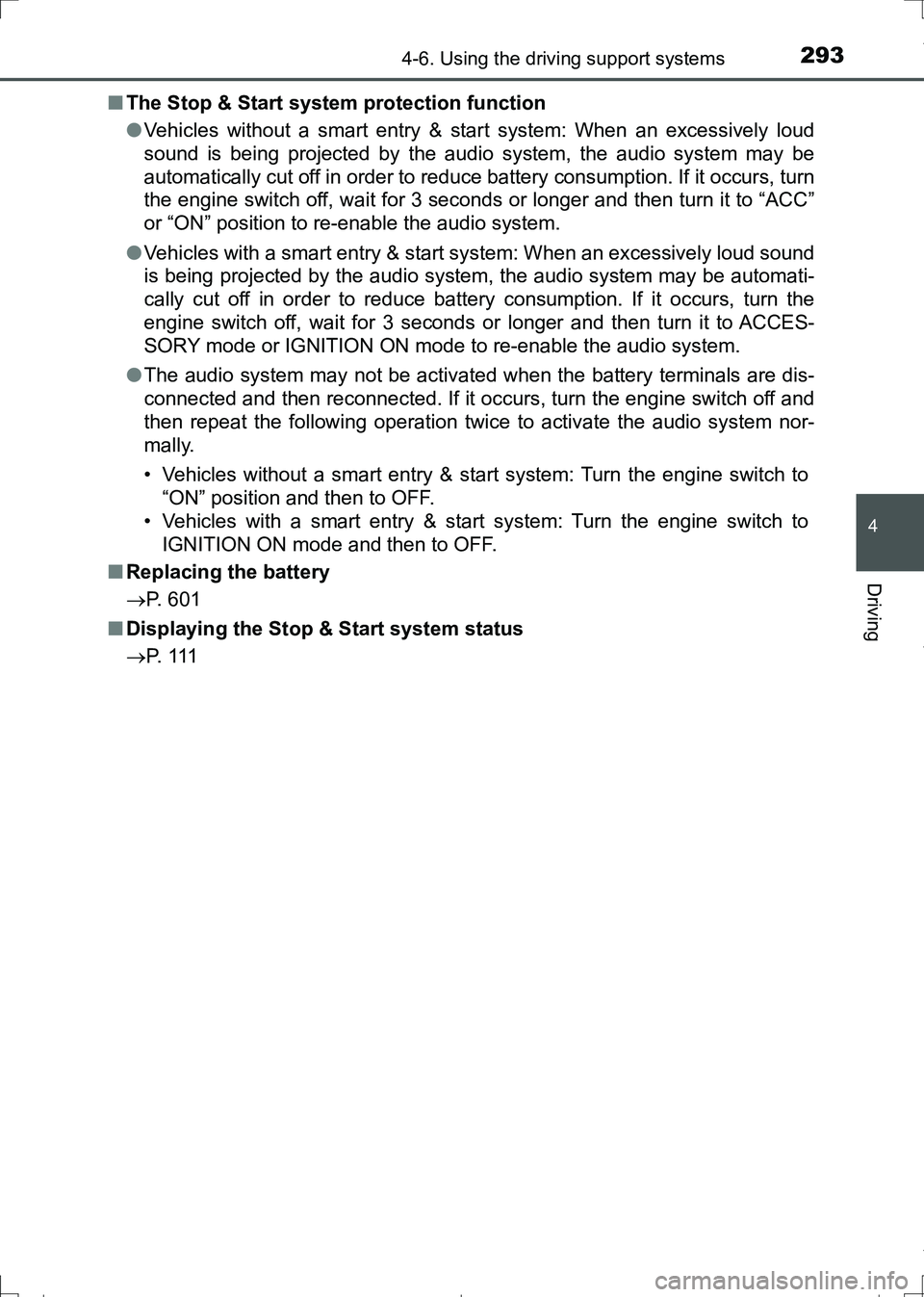
■The Stop & Start system protection function
●Vehicles without a smart entry & start system: When an excessively loud
sound is being projected by the audio system, the audio system may be
automatically cut off in order to reduce battery consumption. If it occurs, turn
the engine switch off, wait for 3 seconds or longer and then turn it to “ACC”
or “ON” position to re-enable the audio system.
●Vehicles with a smart entry & start system: When an excessively loud sound
is being projected by the audio system, the audio system may be automati-
cally cut off in order to reduce battery consumption. If it occurs, turn the
engine switch off, wait for 3 seconds or longer and then turn it to ACCES-
SORY mode or IGNITION ON mode to re-enable the audio system.
●The audio system may not be activated when the battery terminals are dis-
connected and then reconnected. If it occurs, turn the engine switch off and
then repeat the following operation twice to activate the audio system nor-
mally.
• Vehicles without a smart entry & start system: Turn the engine switch to
“ON” position and then to OFF.
• Vehicles with a smart entry & start system: Turn the engine switch to
IGNITION ON mode and then to OFF.
■Replacing the battery
P. 601
■Displaying the Stop & Start system status
P. 1 1 1
AURIS Touring Sports_OM_Europe_OM12L13E.book 293 ページ 2016年6月27日 月曜日 午後5時21分
Page 355 of 664
3555-4. Playing audio CDs and MP3/WMA discs
AURIS Touring Sports_EE (12L13E)
5
Audio system
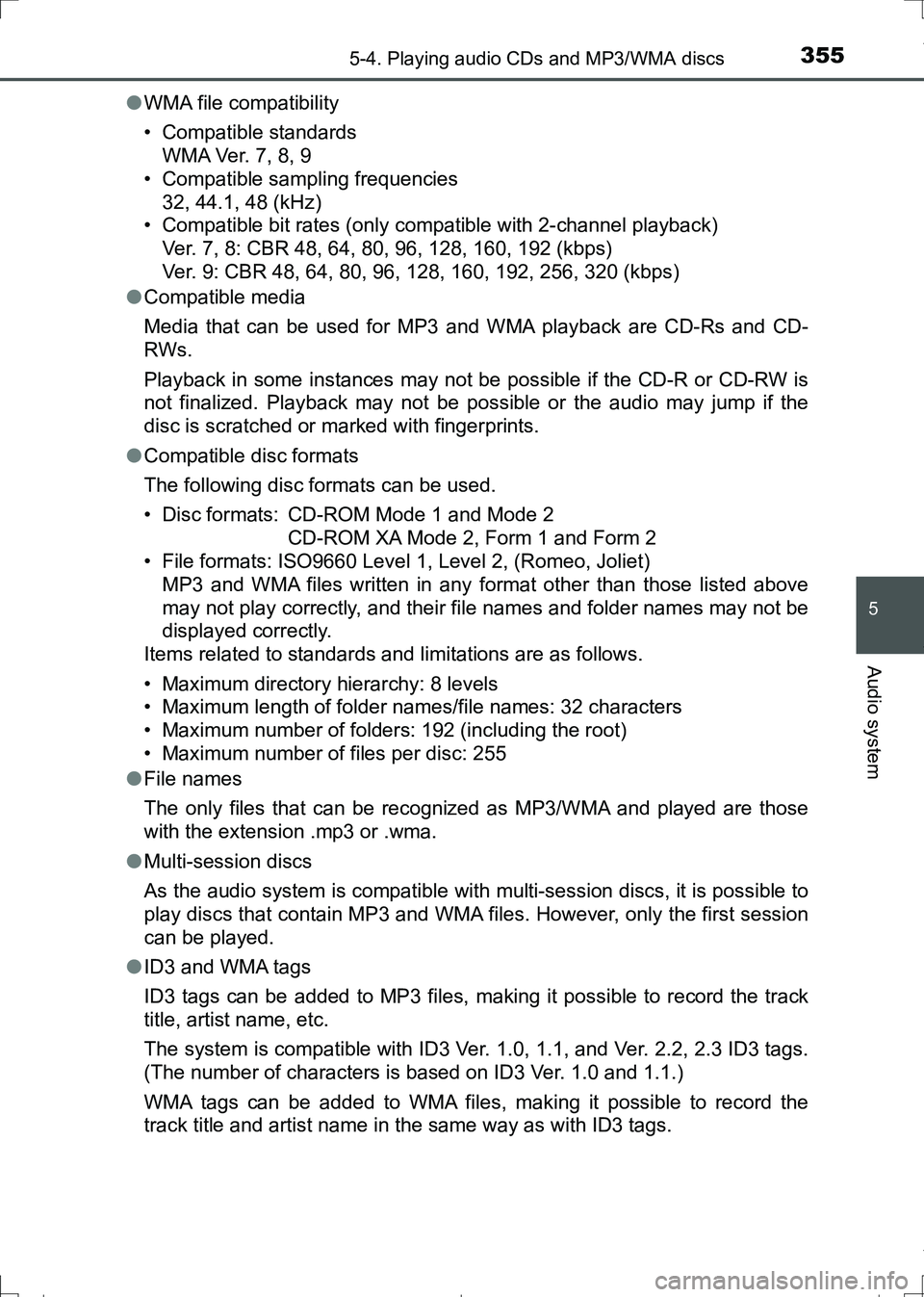
●WMA file compatibility
• Compatible standards
WMA Ver. 7, 8, 9
• Compatible sampling frequencies
32, 44.1, 48 (kHz)
• Compatible bit rates (only compatible with 2-channel playback)
Ver. 7, 8: CBR 48, 64, 80, 96, 128, 160, 192 (kbps)
Ver. 9: CBR 48, 64, 80, 96, 128, 160, 192, 256, 320 (kbps)
●Compatible media
Media that can be used for MP3 and WMA playback are CD-Rs and CD-
RWs.
Playback in some instances may not be possible if the CD-R or CD-RW is
not finalized. Playback may not be possible or the audio may jump if the
disc is scratched or marked with fingerprints.
●Compatible disc formats
The following disc formats can be used.
• Disc formats: CD-ROM Mode 1 and Mode 2
CD-ROM XA Mode 2, Form 1 and Form 2
• File formats: ISO9660 Level 1, Level 2, (Romeo, Joliet)
MP3 and WMA files written in any format other than those listed above
may not play correctly, and their file names and folder names may not be
displayed correctly.
Items related to standards and limitations are as follows.
• Maximum directory hierarchy: 8 levels
• Maximum length of folder names/file names: 32 characters
• Maximum number of folders: 192 (including the root)
• Maximum number of files per disc: 255
●File names
The only files that can be recognized as MP3/WMA and played are those
with the extension .mp3 or .wma.
●Multi-session discs
As the audio system is compatible with multi-session discs, it is possible to
play discs that contain MP3 and WMA files. However, only the first session
can be played.
●ID3 and WMA tags
ID3 tags can be added to MP3 files, making it possible to record the track
title, artist name, etc.
The system is compatible with ID3 Ver. 1.0, 1.1, and Ver. 2.2, 2.3 ID3 tags.
(The number of characters is based on ID3 Ver. 1.0 and 1.1.)
WMA tags can be added to WMA files, making it possible to record the
track title and artist name in the same way as with ID3 tags.
AURIS Touring Sports_OM_Europe_OM12L13E.book 355 ページ 2016年6月27日 月曜日 午後5時21分
Page 360 of 664
3605-5. Using an external device
AURIS Touring Sports_EE (12L13E)■
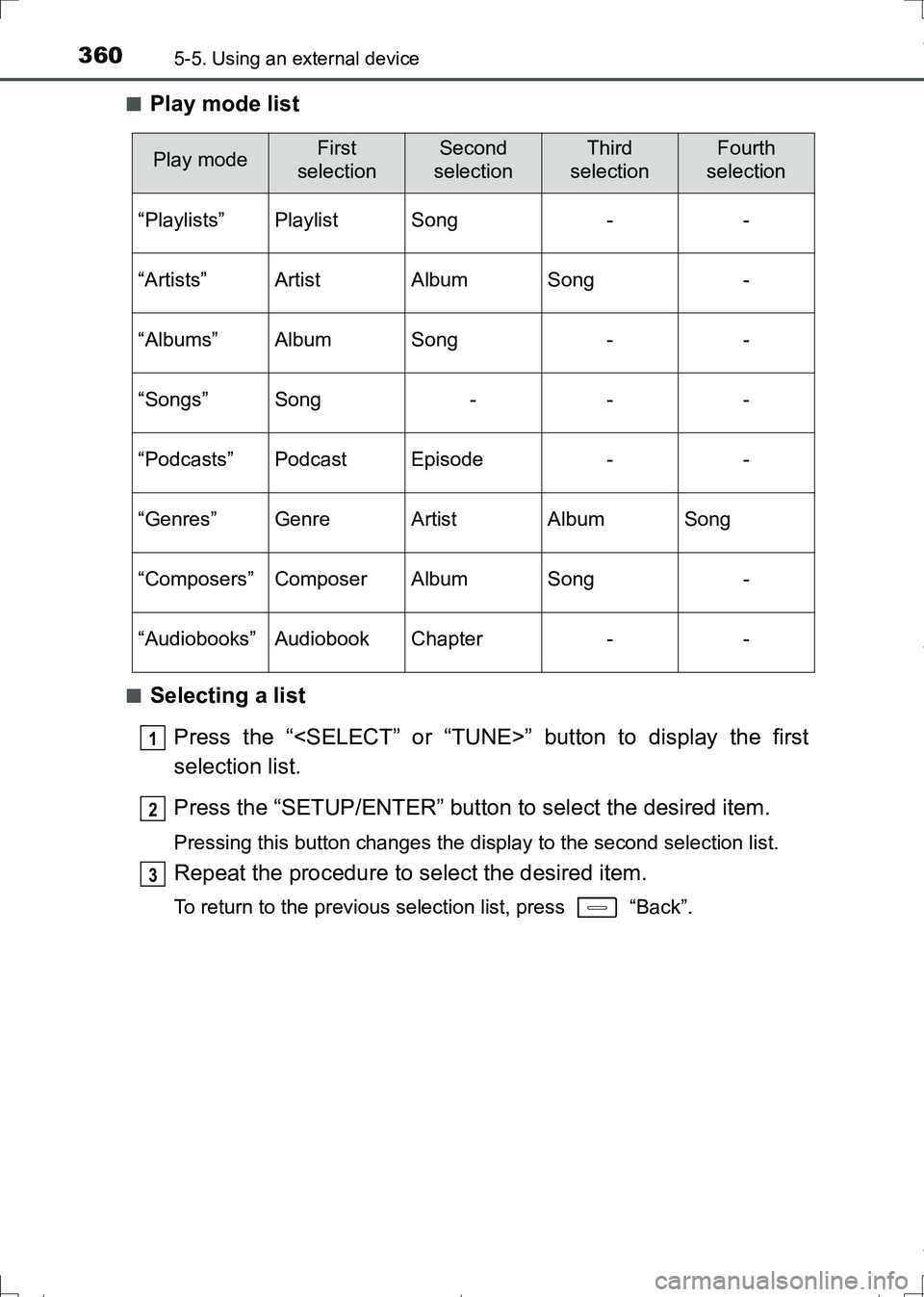
Play mode list
■Selecting a list
Press the “
selection list.
Press the “SETUP/ENTER” button to select the desired item.
Pressing this button changes the display to the second selection list.
Repeat the procedure to select the desired item.
To return to the previous selection list, press “Back”.
Play modeFirst
selectionSecond
selectionThird
selectionFourth
selection
“Playlists”PlaylistSong--
“Artists”ArtistAlbumSong-
“Albums”AlbumSong--
“Songs”Song---
“Podcasts”PodcastEpisode--
“Genres”GenreArtistAlbumSong
“Composers”ComposerAlbumSong-
“Audiobooks”AudiobookChapter--
1
2
3
AURIS Touring Sports_OM_Europe_OM12L13E.book 360 ページ 2016年6月27日 月曜日 午後5時21分
Page 362 of 664
3625-5. Using an external device
AURIS Touring Sports_EE (12L13E)
Press the “SETUP/ENTER” button to enter Set up menu mode.
Press the “
(P. 345)
■About iPod
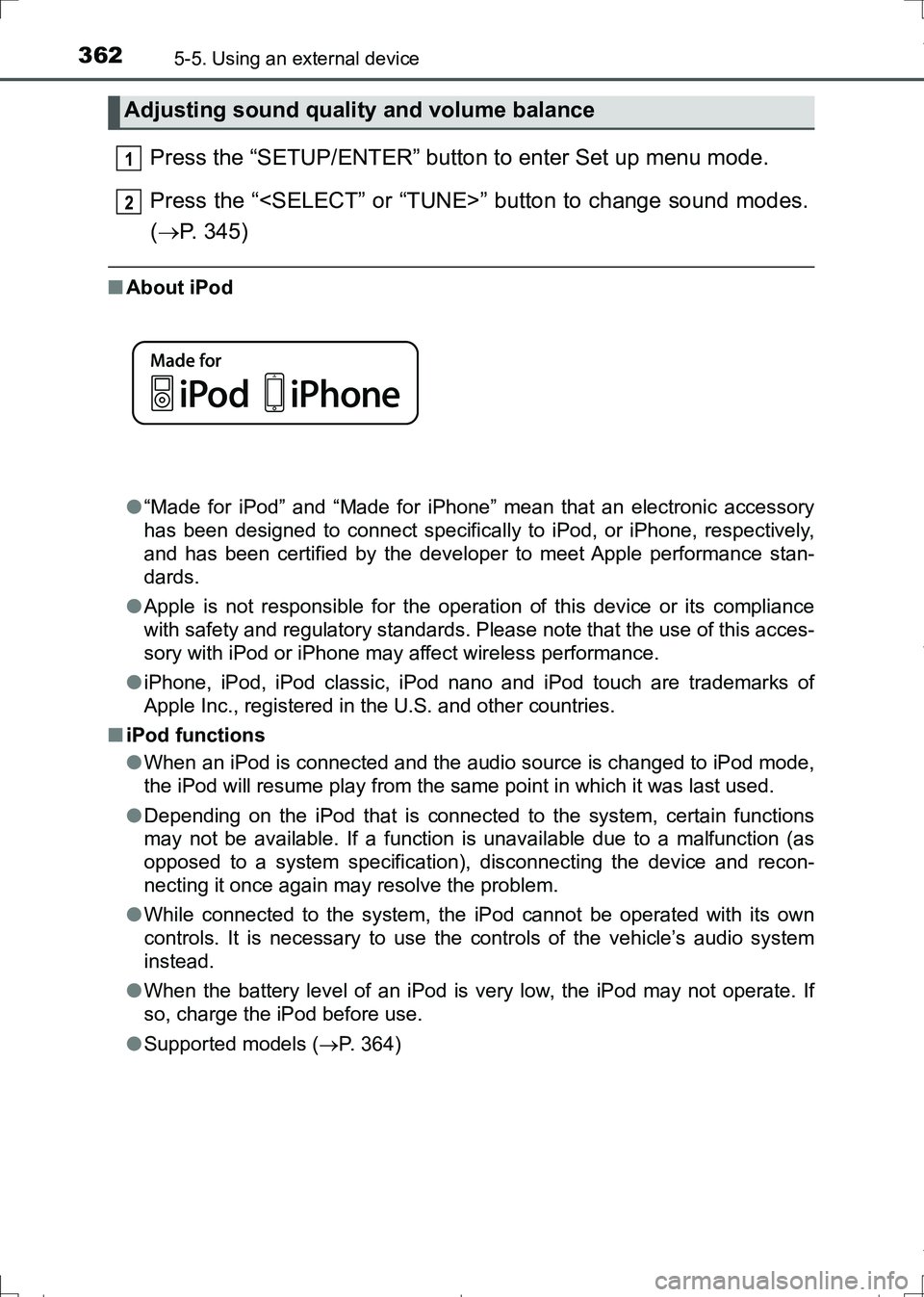
●“Made for iPod” and “Made for iPhone” mean that an electronic accessory
has been designed to connect specifically to iPod, or iPhone, respectively,
and has been certified by the developer to meet Apple performance stan-
dards.
●Apple is not responsible for the operation of this device or its compliance
with safety and regulatory standards. Please note that the use of this acces-
sory with iPod or iPhone may affect wireless performance.
●iPhone, iPod, iPod classic, iPod nano and iPod touch are trademarks of
Apple Inc., registered in the U.S. and other countries.
■iPod functions
●When an iPod is connected and the audio source is changed to iPod mode,
the iPod will resume play from the same point in which it was last used.
●Depending on the iPod that is connected to the system, certain functions
may not be available. If a function is unavailable due to a malfunction (as
opposed to a system specification), disconnecting the device and recon-
necting it once again may resolve the problem.
●While connected to the system, the iPod cannot be operated with its own
controls. It is necessary to use the controls of the vehicle’s audio system
instead.
●When the battery level of an iPod is very low, the iPod may not operate. If
so, charge the iPod before use.
●Supported models (P. 364)
Adjusting sound quality and volume balance
1
2
AURIS Touring Sports_OM_Europe_OM12L13E.book 362 ページ 2016年6月27日 月曜日 午後5時21分
Page 368 of 664
3685-5. Using an external device
AURIS Touring Sports_EE (12L13E)
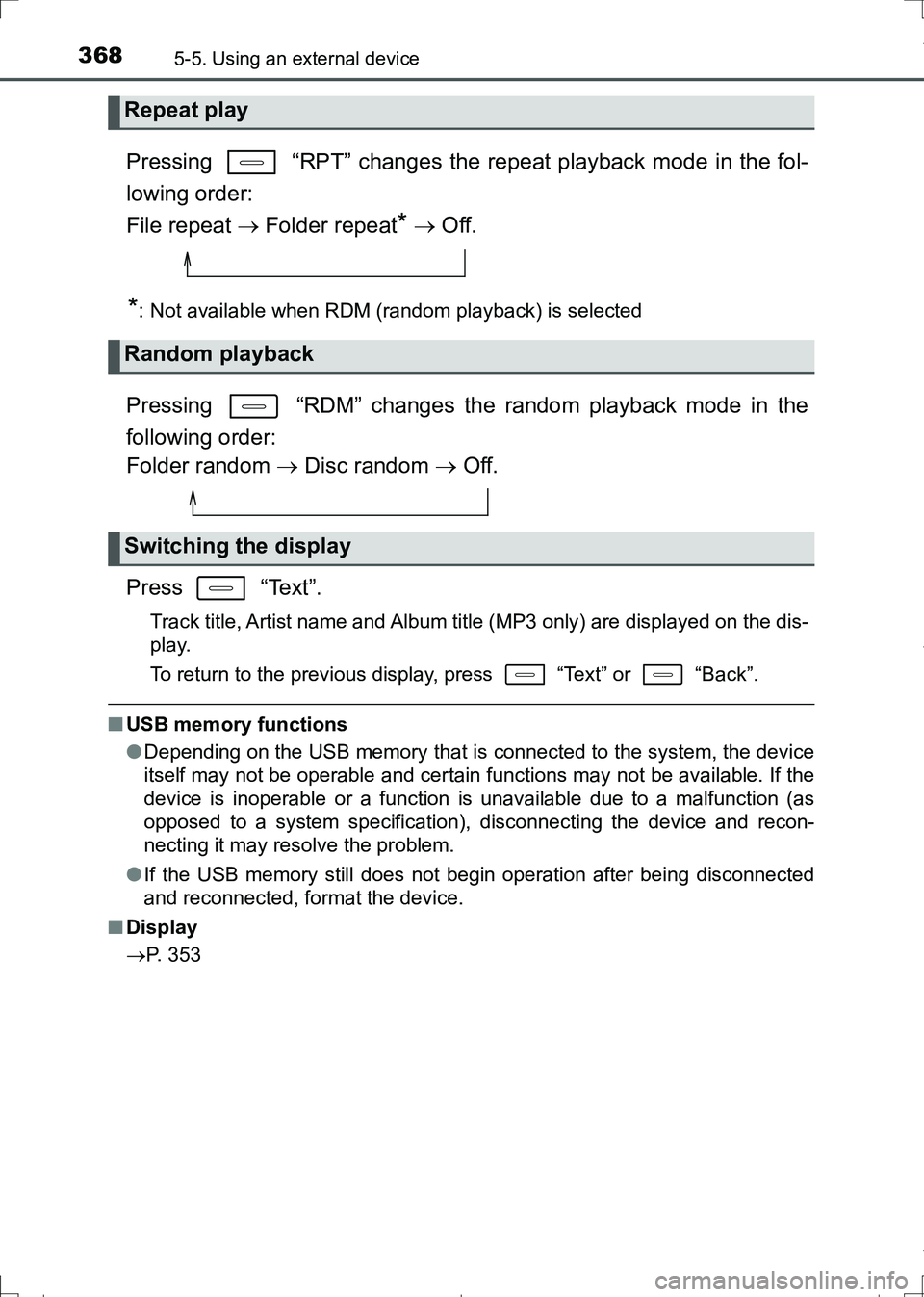
Pressing “RPT” changes the repeat playback mode in the fol-
lowing order:
File repeat Folder repeat
* Off.
*: Not available when RDM (random playback) is selected
Pressing “RDM” changes the random playback mode in the
following order:
Folder random Disc random Off.
Press “Text”.
Track title, Artist name and Album title (MP3 only) are displayed on the dis-
play.
To return to the previous display, press “Text” or “Back”.
■USB memory functions
●Depending on the USB memory that is connected to the system, the device
itself may not be operable and certain functions may not be available. If the
device is inoperable or a function is unavailable due to a malfunction (as
opposed to a system specification), disconnecting the device and recon-
necting it may resolve the problem.
●If the USB memory still does not begin operation after being disconnected
and reconnected, format the device.
■Display
P. 353
Repeat play
Random playback
Switching the display
AURIS Touring Sports_OM_Europe_OM12L13E.book 368 ページ 2016年6月27日 月曜日 午後5時21分
Page 370 of 664
3705-5. Using an external device
AURIS Touring Sports_EE (12L13E)■USB memory
●Compatible devices
USB memory that can be used for MP3 and WMA playback
●Compatible device formats
The following device formats can be used:
• USB communication formats: USB 2.0 FS (12 Mbps)
• File formats: FAT12/16/32 (Windows)
• Correspondence class: Mass storage class
MP3 and WMA files written in any format other than those listed above may
not play correctly, and their file names and folder names may not be dis-
played correctly.
Items related to standards and limitations are as follows:
• Maximum directory hierarchy: 8 levels
• Maximum number of folders in a device: 999 (including the root)
• Maximum number of files in a device: 9999
• Maximum number of files per folder: 255
●MP3 and WMA files
MP3 (MPEG Audio LAYER 3) is a standard audio compression format.
Files can be compressed to approximately 1/10 of their original size using
MP3 compression.
WMA (Windows Media Audio) is a Microsoft audio compression format.
This format compresses audio data to a size smaller than that of the MP3
format.
There is a limit to the MP3 and WMA file standards that can be used and to
the media/formats on which the files are recorded.
●MP3 file compatibility
• Compatible standards
MP3 (MPEG1 AUDIO LAYERII, III, MPEG2 AUDIO LAYERII, III,
MPEG2.5)
• Compatible sampling frequencies
MPEG1 AUDIO LAYERII, III: 32, 44.1, 48 (kHz)
MPEG2 AUDIO LAYERII, III: 16, 22.05, 24 (kHz)
MPEG2.5: 8, 11.025, 12 (kHz)
• Compatible bit rates (compatible with VBR)
MPEG1 AUDIO LAYERII, III: 32-320 (kbps)
MPEG2 AUDIO LAYERII, III: 8-160 (kbps)
MPEG2.5: 8-160 (kbps)
• Compatible channel modes: stereo, joint stereo, dual channel and mon-
aural
AURIS Touring Sports_OM_Europe_OM12L13E.book 370 ページ 2016年6月27日 月曜日 午後5時21分