stop TOYOTA AVALON 2008 XX30 / 3.G User Guide
[x] Cancel search | Manufacturer: TOYOTA, Model Year: 2008, Model line: AVALON, Model: TOYOTA AVALON 2008 XX30 / 3.GPages: 452, PDF Size: 7.59 MB
Page 40 of 452
40 1-2. Opening, closing and locking the doors and trunk
AVALON_U_(L/O_0802)
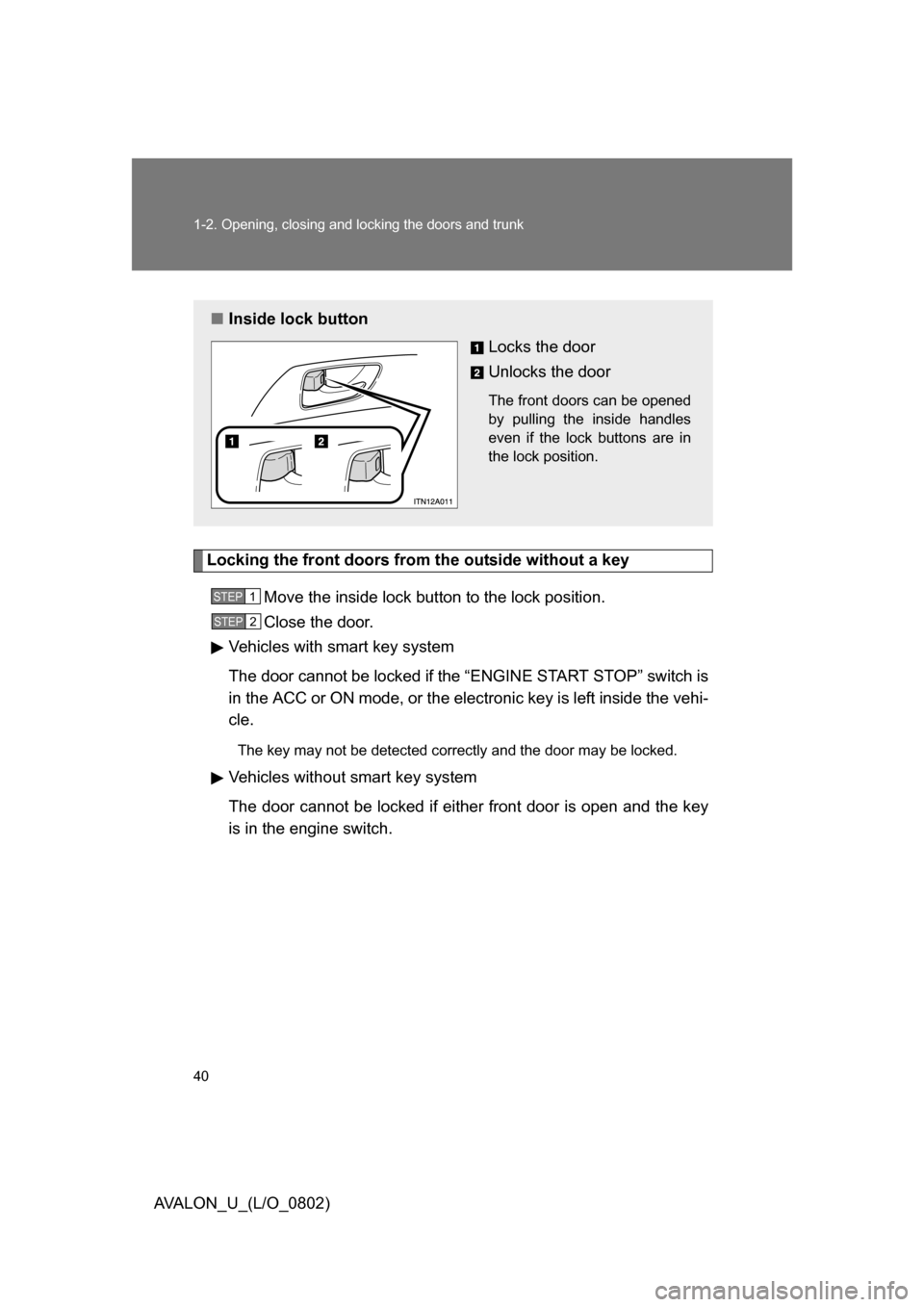
Locking the front doors from the outside without a keyMove the inside lock button to the lock position.
Close the door.
Vehicles with smart key system
The door cannot be locked if the “ENGINE START STOP” switch is
in the ACC or ON mode, or the electronic key is left inside the vehi-
cle.
The key may not be detected correctly and the door may be locked.
Vehicles without smart key system
The door cannot be locked if either front door is open and the key
is in the engine switch.
■ Inside lock button
Locks the door
Unlocks the door
The front doors can be opened
by pulling the inside handles
even if the lock buttons are in
the lock position.
STEP1
STEP2
Page 41 of 452
41
1-2. Opening, closing and locking the doors and trunk
1
Before driving
AVALON_U_(L/O_0802)
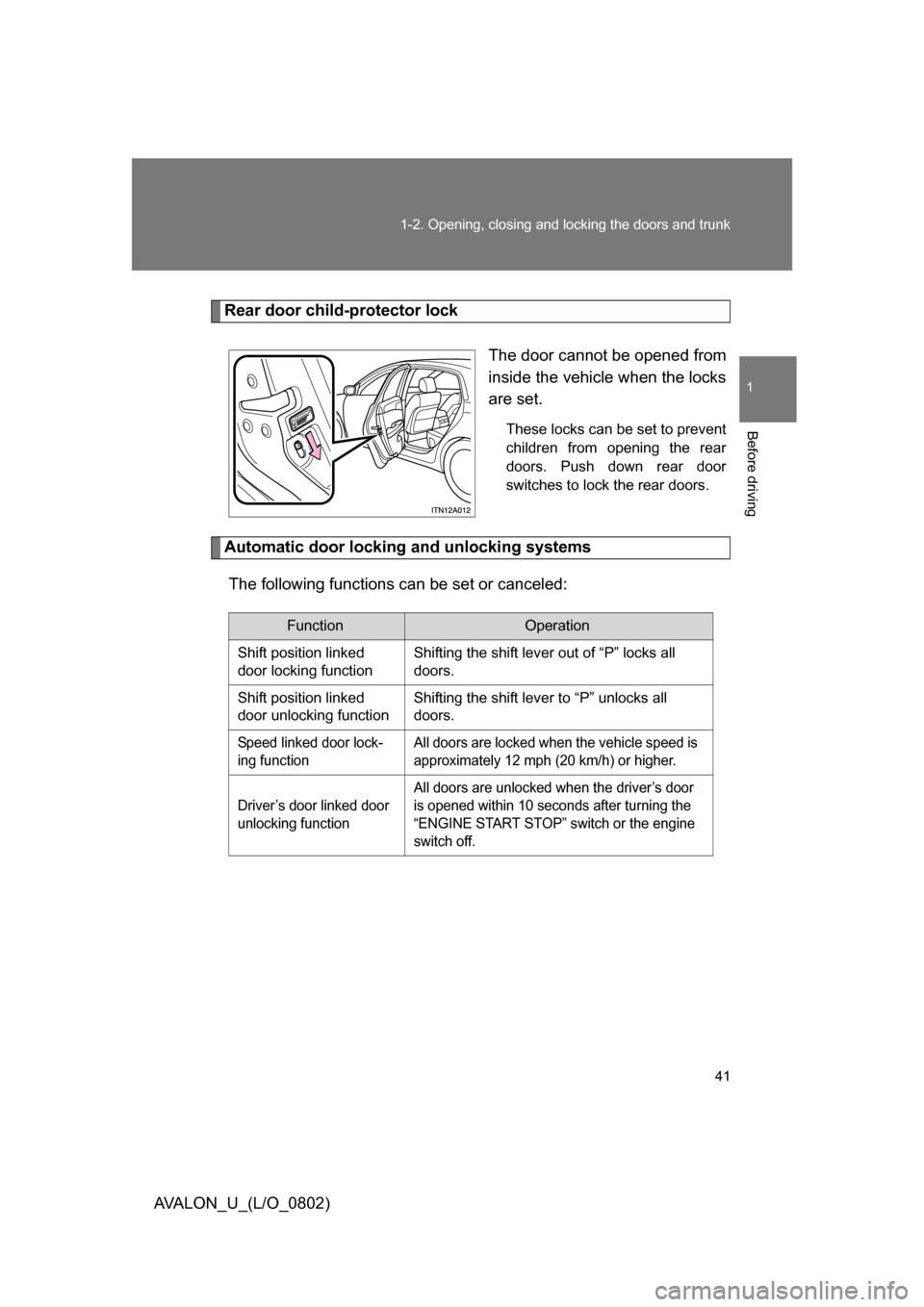
Rear door child-protector lock
The door cannot be opened from
inside the vehicle when the locks
are set.
These locks can be set to prevent
children from opening the rear
doors. Push down rear door
switches to lock the rear doors.
Automatic door locking and unlocking systemsThe following functions can be set or canceled:
FunctionOperation
Shift position linked
door locking function Shifting the shift lever out of “P” locks all
doors.
Shift position linked
door unlocking function Shifting the shift lever to “P” unlocks all
doors.
Speed linked door lock-
ing function All doors are locked when the vehicle speed is
approximately 12 mph (20 km/h) or higher.
Driver’s door linked door
unlocking function All doors are unlocked when the driver’s door
is opened within 10 seconds after turning the
“ENGINE START STOP” switch or the engine
switch off.
Page 42 of 452
42 1-2. Opening, closing and locking the doors and trunk
AVALON_U_(L/O_0802)■
Setting and canceling the functions
To switch between setting and canceling, follow the procedure
below:
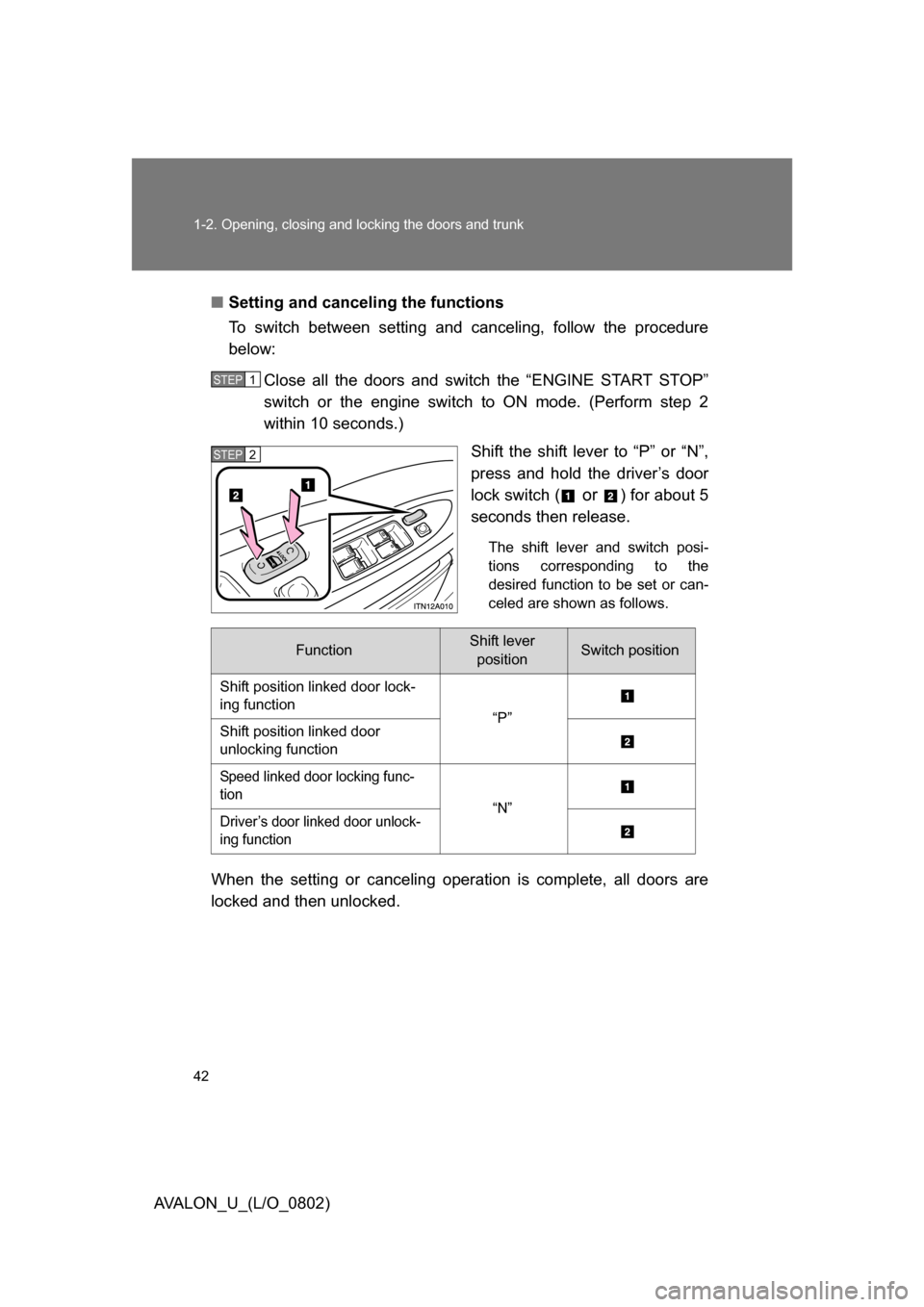
Close all the doors and switch the “ENGINE START STOP”
switch or the engine switch to ON mode. (Perform step 2
within 10 seconds.) Shift the shift lever to “P” or “N”,
press and hold the driver’s door
lock switch (
or ) for about 5
seconds then release.
The shift lever and switch posi-
tions corresponding to the
desired function to be set or can-
celed are shown as follows.
When the setting or canceling operation is complete, all doors are
locked and then unlocked.
STEP1
STEP2
FunctionShift lever positionSwitch position
Shift position linked door lock-
ing function “P”
Shift position linked door
unlocking function
Speed linked door locking func-
tion “N”
Driver’s door linked door unlock-
ing function
Page 51 of 452
51
1-3. Adjustable components (seat
s, steering wheel, mirrors)
1
Before driving
AVALON_U_(L/O_0802)
Linking driving position memory with door unlock operation
(vehicles with smart key system)
Memorized driving positions can be recalled when you unlock the
driver’s door using the entry function or wireless remote control and
open the driver’s door.
■ Setting the linked door unlock operation
Set the driving positions into the memory system using the “1”
or “2” buttons. ( P. 5 0 )
Turn the “ENGINE START STOP” switch to the OFF mode,
then close the driver’s door.
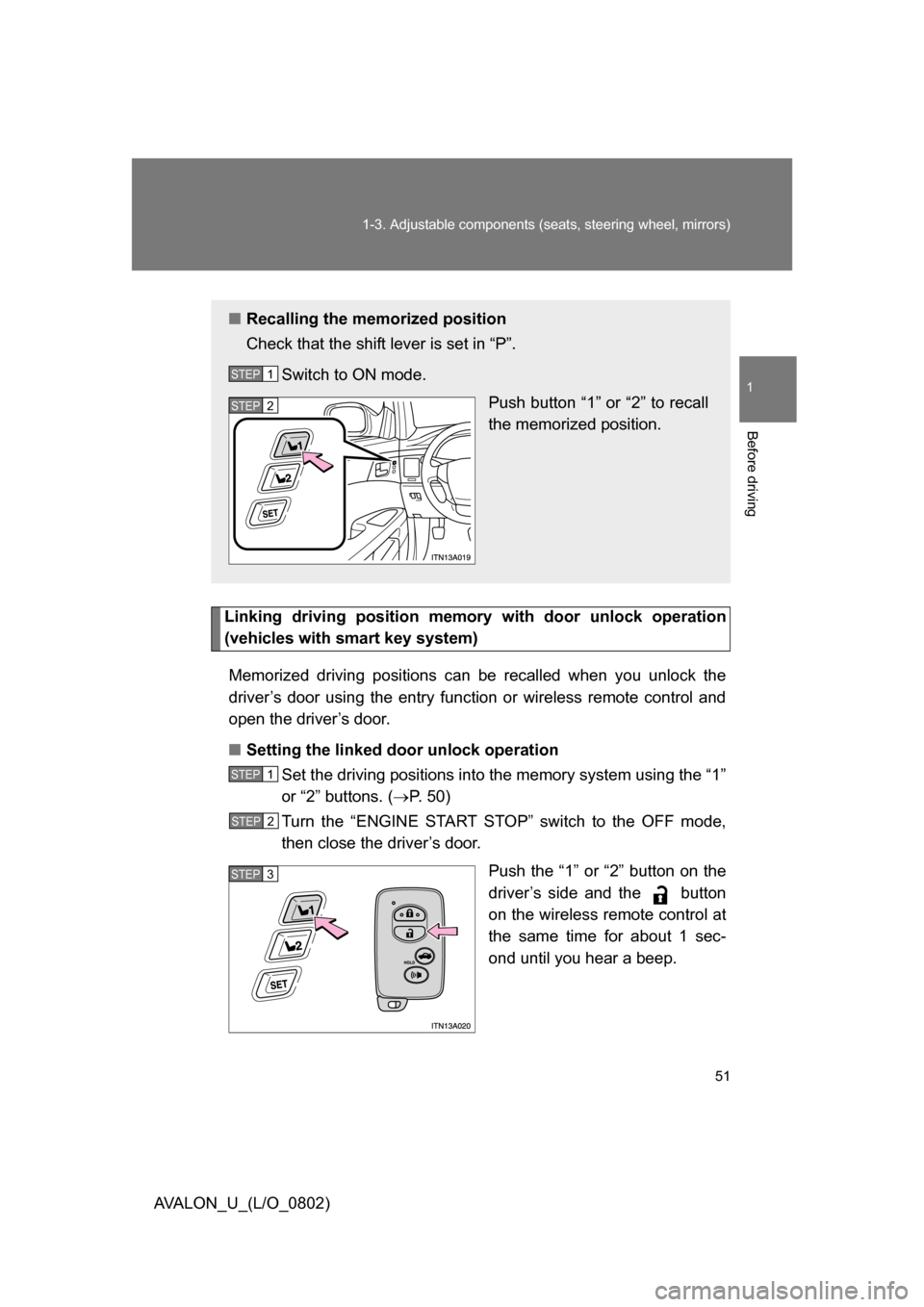
Push the “1” or “2” button on the
driver’s side and the button
on the wireless remote control at
the same time for about 1 sec-
ond until you hear a beep.
■Recalling the memorized position
Check that the shift lever is set in “P”.
Switch to ON mode. Push button “1” or “2” to recall
the memorized position.
STEP1
STEP2
STEP1
STEP2
STEP3
Page 52 of 452
52 1-3. Adjustable components (seats, steering wheel, mirrors)
AVALON_U_(L/O_0802)Open one of the doors.
If a door is not opened within 60 seconds after is pressed, the
doors will be locked again and the alarm will automatically be set.
In case that the alarm is triggered, immediately stop the alarm.
( P. 77)
■ Canceling the linked door unlock operation
Close the driver’s door with the “ENGINE START STOP”
switch set to the OFF mode.
Push the “SET” button and the button on the wireless
remote control at the same time for about 1 second until you
hear 2 beeps.
■Retained accessory power
Each memorized position can be activated within 30 seconds after the corre-
sponding side door is opened, even if the “ENGINE START STOP” switch or
the engine switch is in the OFF mode.
■ If any position memory button is pushed while the adjustments are
being made
The operation will stop. To reactivate the system, push the desired button
(“1” or “2”) again.
■ If the battery is disconnected
The memorized positions must be reset because the computer’s memory is
erased when the battery is disconnected.
CAUTION
■Seat adjustment caution
Take care during seat adjustment that the seat does not strike the rear pas-
senger.
If this happens, you can stop the movement by pressing another seat posi-
tion memory button.
STEP4
STEP1
STEP2
Page 56 of 452
56 1-3. Adjustable components (seats, steering wheel, mirrors)
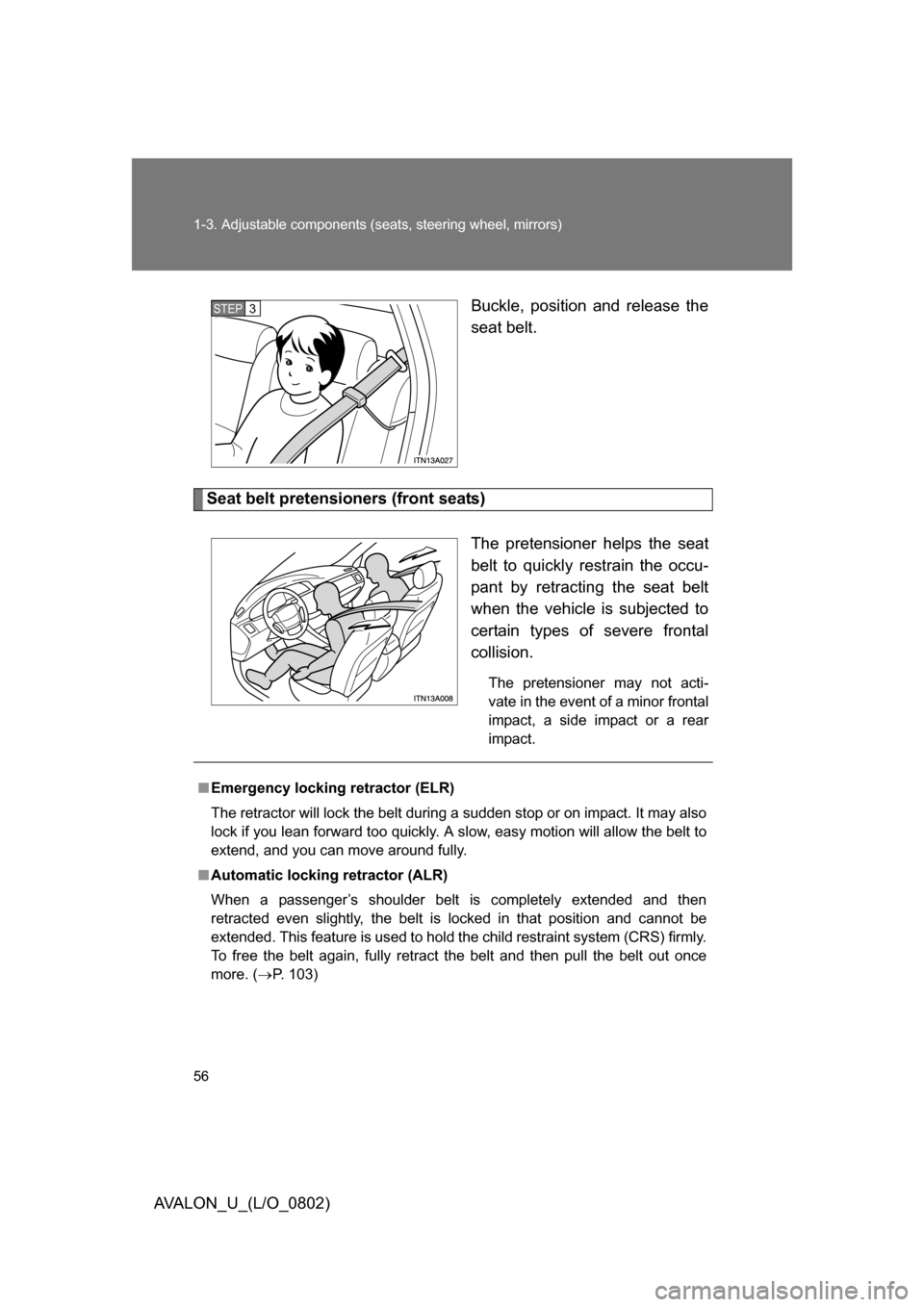
AVALON_U_(L/O_0802) Buckle, position and release the
seat belt.
Seat belt pretensioners (front seats)
The pretensioner helps the seat
belt to quickly restrain the occu-
pant by retracting the seat belt
when the vehicle is subjected to
certain types of severe frontal
collision.
The pretensioner may not acti-
vate in the event of a minor frontal
impact, a side impact or a rear
impact.
STEP3
■Emergency locking retractor (ELR)
The retractor will lock the belt during a sudden stop or on impact. It may also
lock if you lean forward too quickly. A slow, easy motion will allow the belt to
extend, and you can move around fully.
■ Automatic locking retractor (ALR)
When a passenger’s shoulder belt is completely extended and then
retracted even slightly, the belt is locked in that position and cannot be
extended. This feature is used to hold the child restraint system (CRS) firmly.
To free the belt again, fully retract the belt and then pull the belt out once
more. ( P. 103)
Page 60 of 452
60 1-3. Adjustable components (seats, steering wheel, mirrors)
AVALON_U_(L/O_0802)
CAUTION
■Using a seat belt comfort guide
● Make sure the belt is not twisted and that it lies flat. The elastic cord must
be behind the belt and the guide must be on the front.
● To reduce the chance of injury in case of an accident or a sudden stop
while driving, remove and store the comfort guide in its pocket when it is
not in use.
● Always make sure the shoulder belt is positioned across the center of the
shoulder. The belt should be kept away from the neck, and should not fall
off the shoulder.
Failure to observe these precautions could reduce the effectiveness of the
seat belt in an accident, causing death or serious injury.
■ Using a seat belt extender
● Do not wear the seat belt extender, if you can fasten the seat belt without
the extender.
● Do not use the seat belt extender when installing a child restraint system,
because the belt will not securely hold the child restraint system, increas-
ing the risk of death or injury in the event of a collision.
● The personalized extender may not be safe on another vehicle, when
used by another person, or at a different seating position other than the
one originally intended.
NOTICE
■When using a seat belt extender
When releasing the seat belt, press on the buckle release button on the
extender, not on the seat belt.
This helps prevent damage to the vehicle interior and the extender itself.
Page 62 of 452
62
1-3. Adjustable components (seats, steering wheel, mirrors)
AVALON_U_(L/O_0802)
Inside rear view mirror
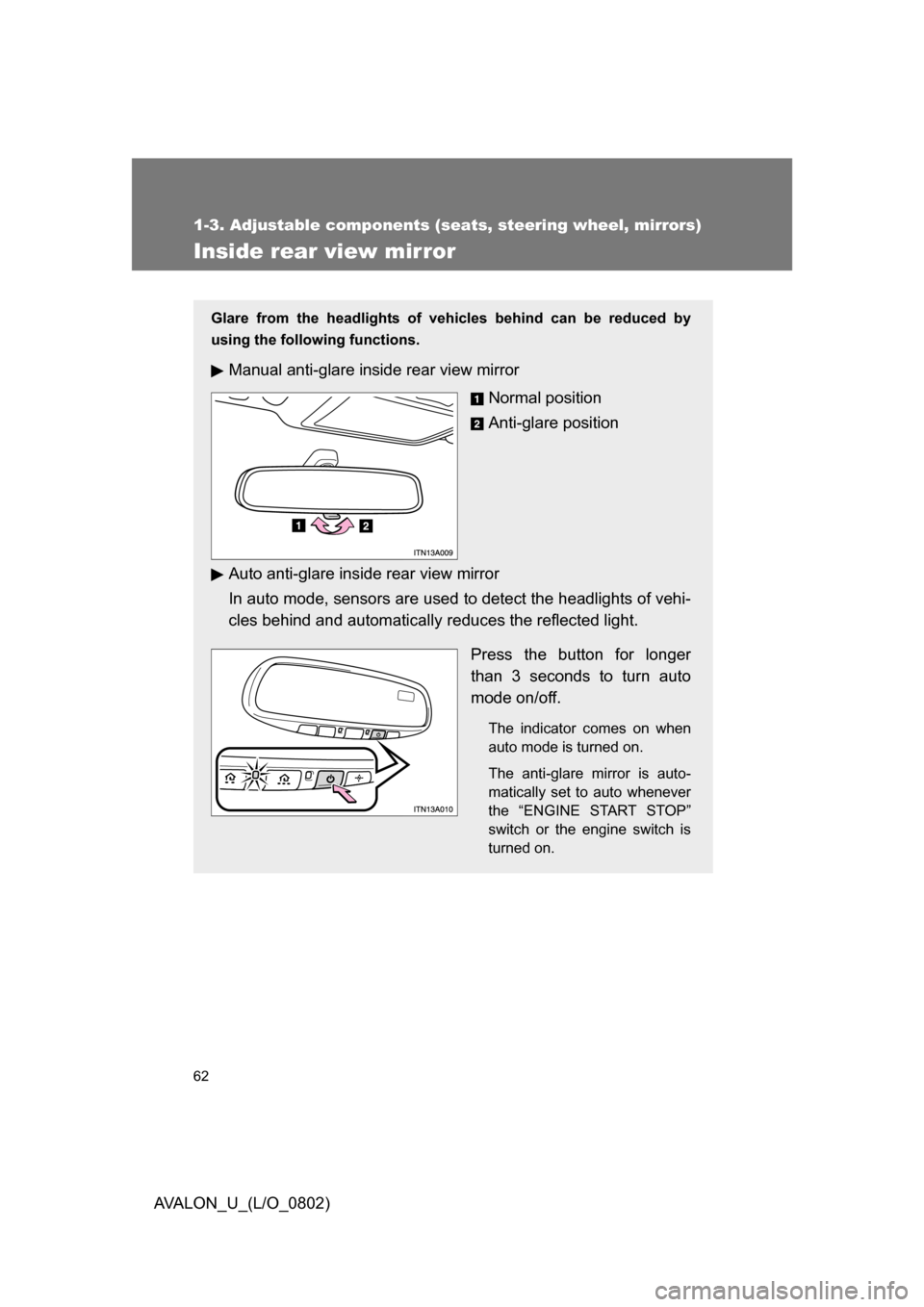
Glare from the headlights of vehicles behind can be reduced by
using the following functions.
Manual anti-glare inside rear view mirror
Normal position
Anti-glare position
Auto anti-glare inside rear view mirror
In auto mode, sensors are used to detect the headlights of vehi-
cles behind and automatically reduces the reflected light.
Press the button for longer
than 3 seconds to turn auto
mode on/off.
The indicator comes on when
auto mode is turned on.
The anti-glare mirror is auto-
matically set to auto whenever
the “ENGINE START STOP”
switch or the engine switch is
turned on.
Page 64 of 452
64
1-3. Adjustable components (seats, steering wheel, mirrors)
AVALON_U_(L/O_0802)
Outside rear view mirrors
■When the mirrors are fogged up (vehic les with outside rear view mirror
defoggers)
Turn on the mirror heaters to defog the mirrors. (P. 187)
■ Auto anti-glare function (vehicles with auto anti-glare inside rear view
mirror)
When the anti-glare inside rear view mirror is set to auto mode, the outside
rear view mirrors will activate in conjunction with the anti-glare inside rear
view mirror to reduce reflected light. ( P. 62)
■ One touch power adjustment
You can store and recall power adjustments such as the driver’s seat and
the outside rear view mirrors. ( P. 50)
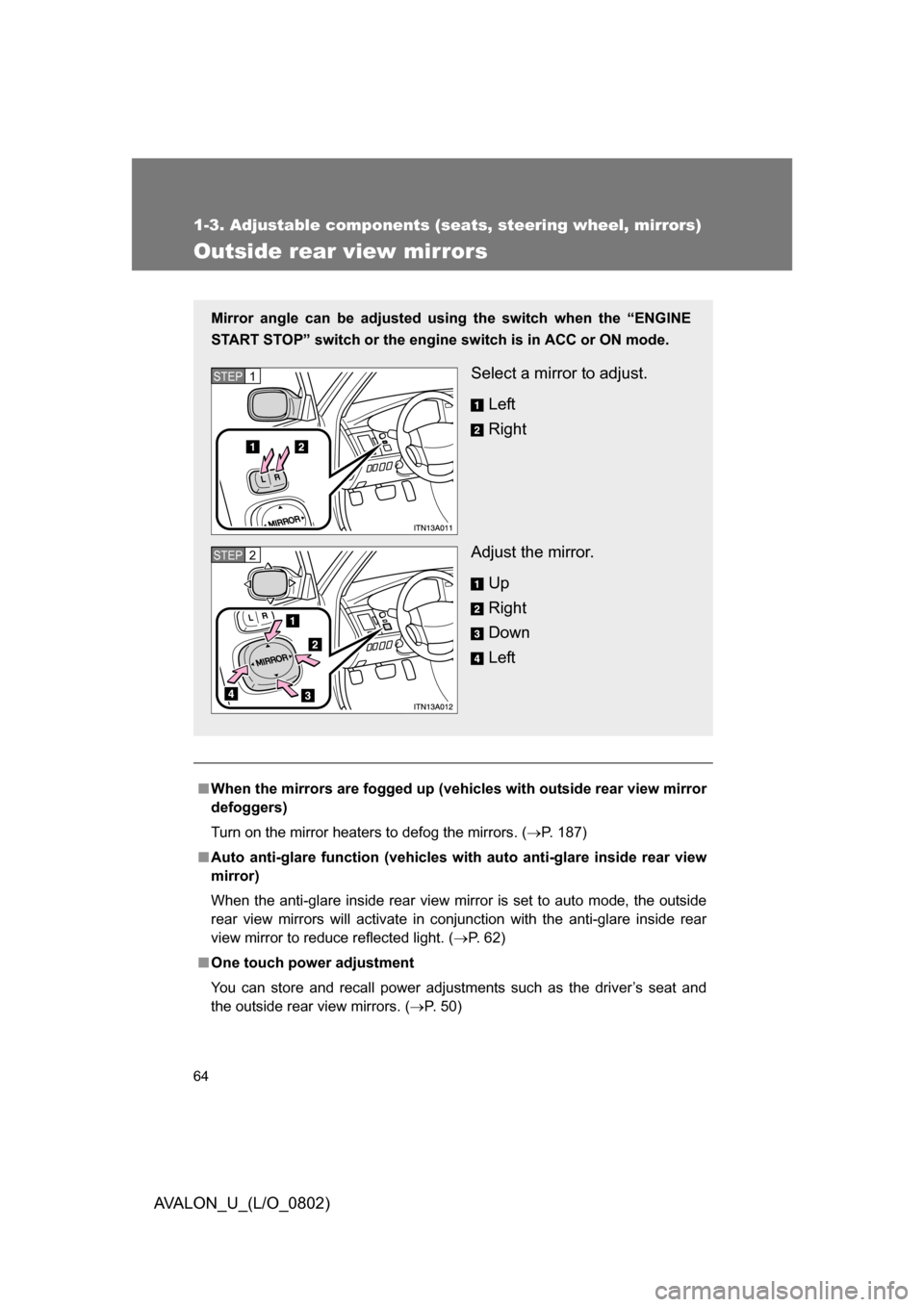
Mirror angle can be adjusted usin g the switch when the “ENGINE
START STOP” switch or the engine switch is in ACC or ON mode.
Select a mirror to adjust.
Left
Right
Adjust the mirror. Up
Right
Down
LeftSTEP1
STEP2
Page 66 of 452
66
AVALON_U_(L/O_0802)
1-4. Opening and closing the windows and moon roof
Power windows
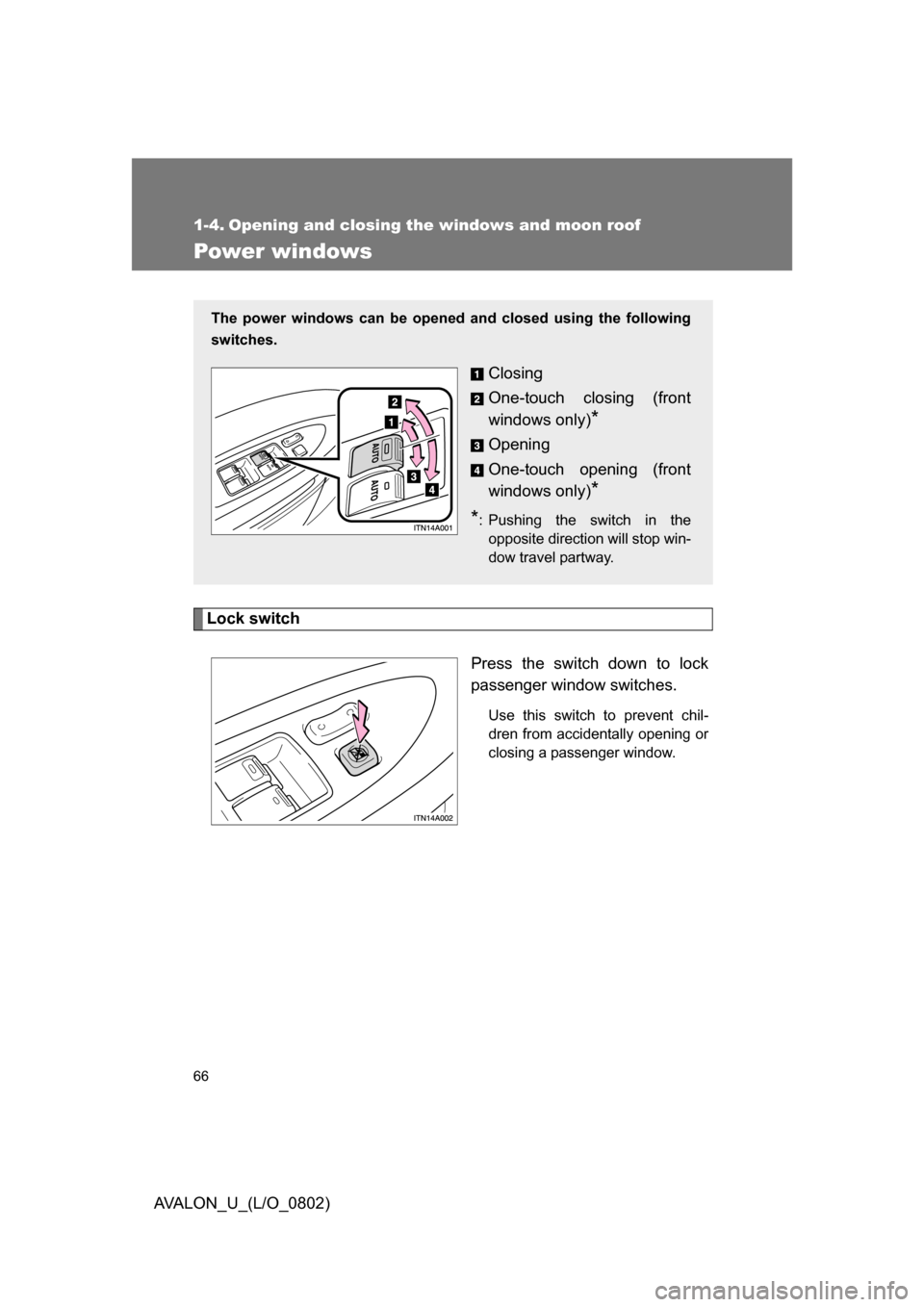
Lock switchPress the switch down to lock
passenger window switches.
Use this switch to prevent chil-
dren from accidentally opening or
closing a passenger window.
The power windows can be opened and closed using the following
switches.
Closing
One-touch closing (front
windows only)
*
Opening
One-touch opening (front
windows only)
*
*
: Pushing the switch in the opposite direction will stop win-
dow travel partway.