clock TOYOTA AVALON 2010 XX30 / 3.G Owners Manual
[x] Cancel search | Manufacturer: TOYOTA, Model Year: 2010, Model line: AVALON, Model: TOYOTA AVALON 2010 XX30 / 3.GPages: 476, PDF Size: 6.77 MB
Page 4 of 476

TABLE OF CONTENTSIndex
4
AVALON_U (OM41437U)
3-6. Other interior featuresSun visors .......................... 286
Vanity mirrors ..................... 287
Clock .................................. 288
Outside temperature display .............................. 289
Ashtrays ............................. 290
Power outlets ..................... 291
Seat heaters/ventilators ..... 293
Armrest............................... 295
Rear sunshade ................... 296
Floor mats .......................... 298
Trunk features .................... 299
Garage door opener ........... 301
Compass ............................ 306
4-1. Maintenance and care Cleaning and protecting the vehicle exterior ................. 312
Cleaning and protecting the vehicle interior .................. 315
4-2. Maintenance Maintenance requirements .................... 318
General maintenance ......... 320
Emission inspection and maintenance (I/M)
programs .......................... 323 4-3. Do-it-yourself maintenance
Do-it-yourself service precautions ....................... 324
Hood ................................... 327
Positioning a floor jack........ 328
Engine compartment .......... 330
Tires.................................... 345
Tire inflation pressure ......... 354
Wheels................................ 358
Air conditioning filter ........... 360
Key battery ......................... 363
Checking and replacing fuses ................................. 367
Headlight aim (with discharge headlights) ........................ 376
Light bulbs .......................... 378
5-1. Essential information Emergency flashers ............ 384
If your vehicle needs to be towed ................................ 385
If you think something is wrong ................................ 389
Fuel pump shut off system .............................. 390
Event data recorder ............ 391
4Maintenance and care5When trouble arises
Page 14 of 476
14
AVALON_U (OM41437U)
C
Pictorial indexInstrument panel
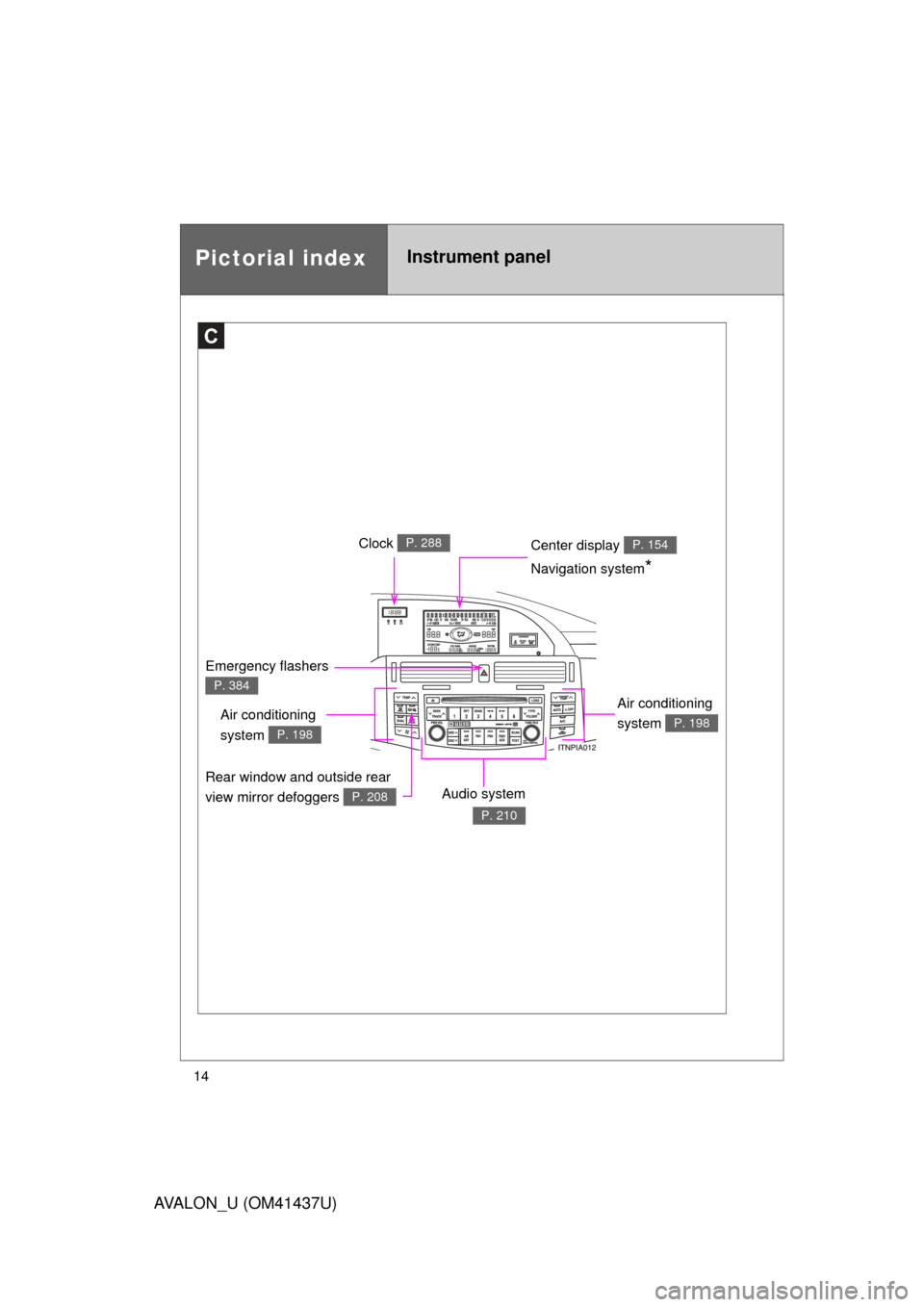
Center display P. 154
Emergency flashers
P. 384
Clock P. 288
Air conditioning
system
P. 198
Audio system
P. 210
Navigation system*
Rear window and outside rear
view mirror defoggers
P. 208
Air conditioning
system
P. 198
Page 81 of 476
81
1-5. Refueling
1
Before driving
AVALON_U (OM41437U)
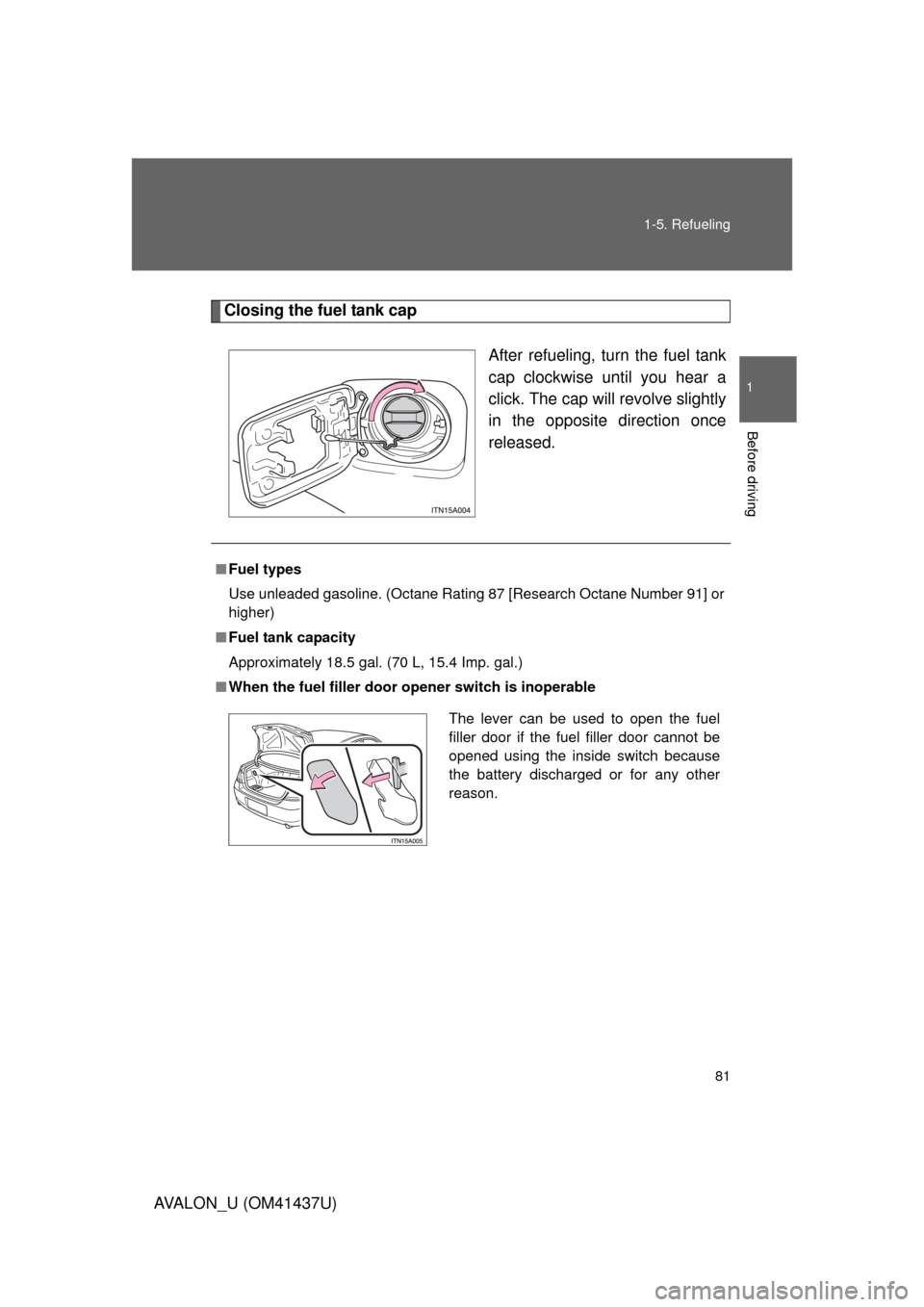
Closing the fuel tank cap
After refueling, turn the fuel tank
cap clockwise until you hear a
click. The cap will revolve slightly
in the opposite direction once
released.
■ Fuel types
Use unleaded gasoline. (Octane Rating 87 [Research Octane Number 91] or
higher)
■ Fuel tank capacity
Approximately 18.5 gal. (70 L, 15.4 Imp. gal.)
■ When the fuel filler door opener switch is inoperable
The lever can be used to open the fuel
filler door if the fuel filler door cannot be
opened using the inside switch because
the battery discharged or for any other
reason.
Page 197 of 476
Interior features3
197
AVALON_U (OM41437U)
3-1. Using the air conditioning system and defogger
Automatic air conditioning system ........................... 198
Using the steering wheel climate control
switches ......................... 206
Rear window and outside rear view mirror
defoggers ....................... 208
3-2. Using the audio system Audio system type............ 210
Audio cover ...................... 212
Using the radio ................. 213
Using the CD player ......... 220
Playing MP3 and WMA discs ..................... 228
Optimal use of the audio system ........................... 236
Using the AUX adapter........................... 238
Using the steering wheel audio switches ............... 239
3-3. Using the hands-free system (for cellular phone)
Hands-free system (for cellular phone) ......... 242
Using the hands-free system ........................... 246 Making a phone call ......... 254
Setting a cellular
phone ............................. 259
Security and system setup .............................. 264
Using the phone book ...... 267
3-4. Using the interior lights Interior lights list ............... 275
3-5. Using the storage features List of storage features .......................... 278
3-6. Other interior features Sun visors ........................ 286
Vanity mirrors ................... 287
Clock ................................ 288
Outside temperature display............................ 289
Ashtrays ........................... 290
Power outlets ................... 291
Seat heaters/ventilators ......... 293
Armrest ............................ 295
Rear sunshade................. 296
Floor mats ........................ 298
Trunk features .................. 299
Garage door opener......... 301
Compass .......................... 306
Page 266 of 476
266 3-3. Using the hands-free system (for cellular phone)
AVALON_U (OM41437U)
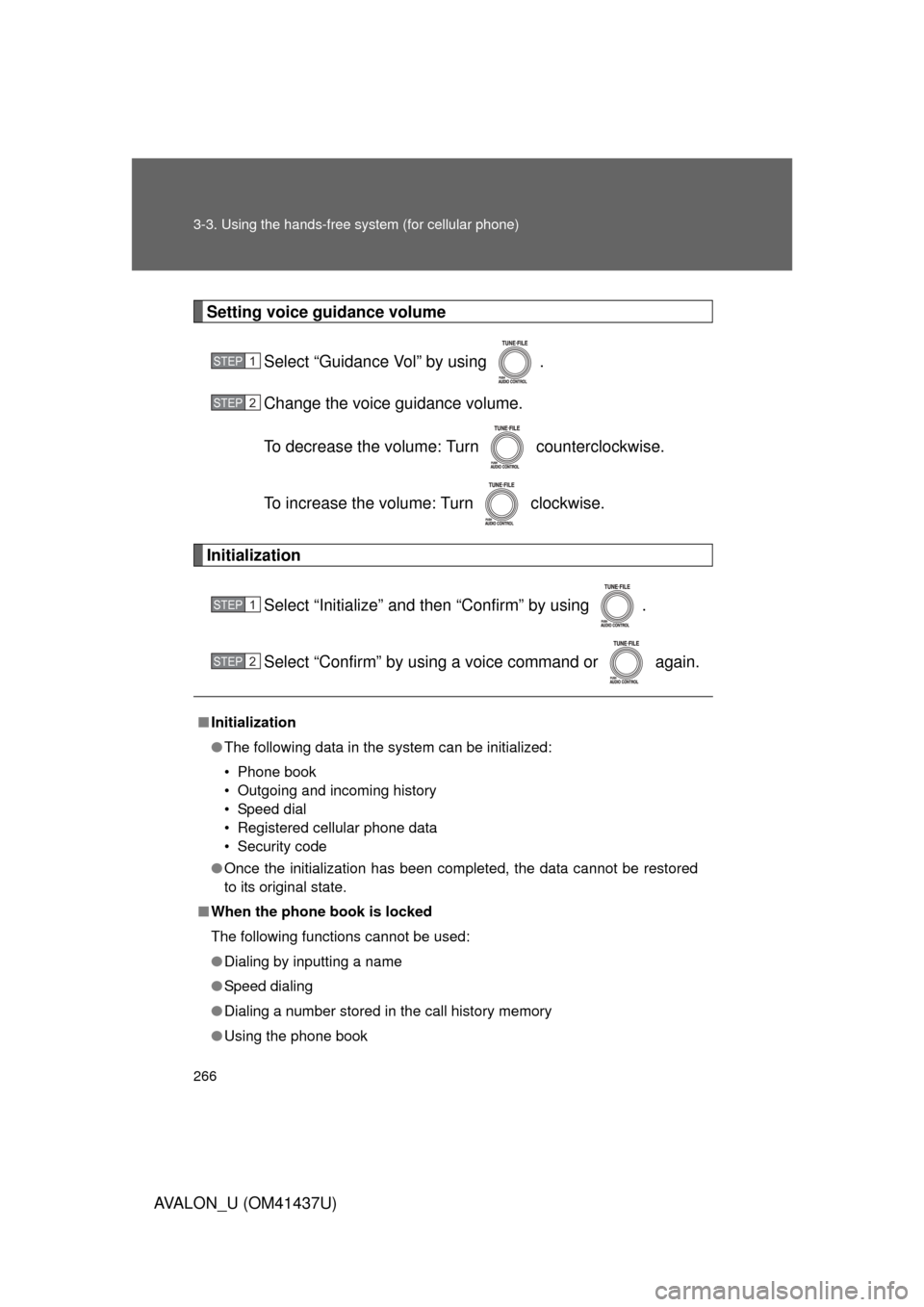
Setting voice guidance volumeSelect “Guidance Vol” by using .
Change the voice guidance volume.
To decrease the volume: Turn counterclockwise.
To increase the volume: Turn clockwise.
Initialization
Select “Initialize” and then “Confirm” by using .
Select “Confirm” by using a voice command or again.
■Initialization
● The following data in the system can be initialized:
• Phone book
• Outgoing and incoming history
• Speed dial
• Registered cellular phone data
• Security code
● Once the initialization has been completed, the data cannot be restored
to its original state.
■ When the phone book is locked
The following functions cannot be used:
● Dialing by inputting a name
● Speed dialing
● Dialing a number stored in the call history memory
● Using the phone book
STEP1
STEP2
STEP1
STEP2
Page 288 of 476
288
3-6. Other interior features
AVALON_U (OM41437U)
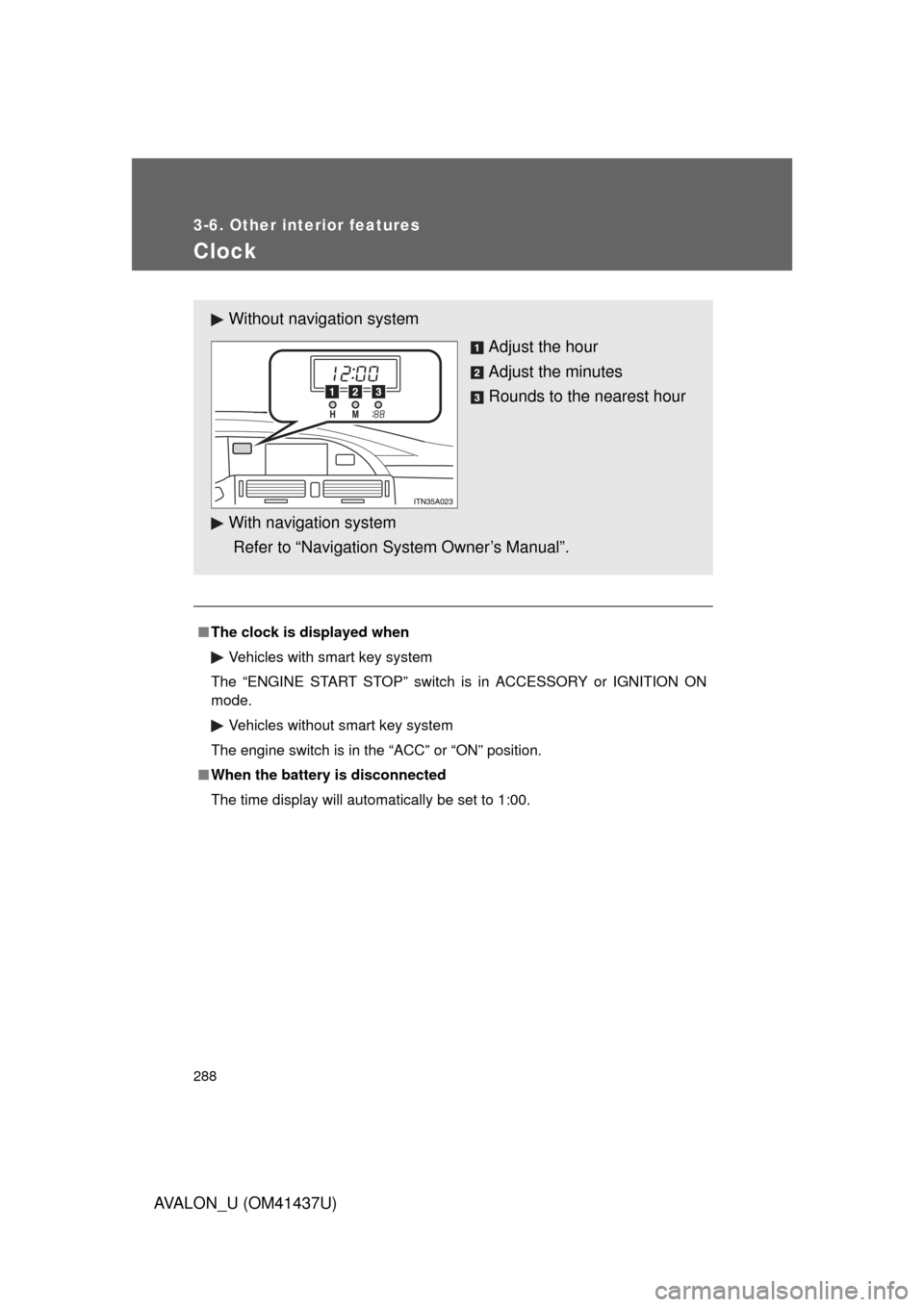
Clock
■The clock is displayed when
Vehicles with smart key system
The “ENGINE START STOP” switch is in ACCESSORY or IGNITION ON
mode. Vehicles without smart key system
The engine switch is in the “ACC” or “ON” position.
■ When the battery is disconnected
The time display will automatically be set to 1:00.
Without navig ation system
Adjust the hour
Adjust the minutes
Rounds to the nearest hour
With navigation system
Refer to “Navigation System Owner’s Manual”.
Page 293 of 476
293
3-6. Other interior features
3
Interior features
AVALON_U (OM41437U)
Seat heaters/ventilators
: If equipped
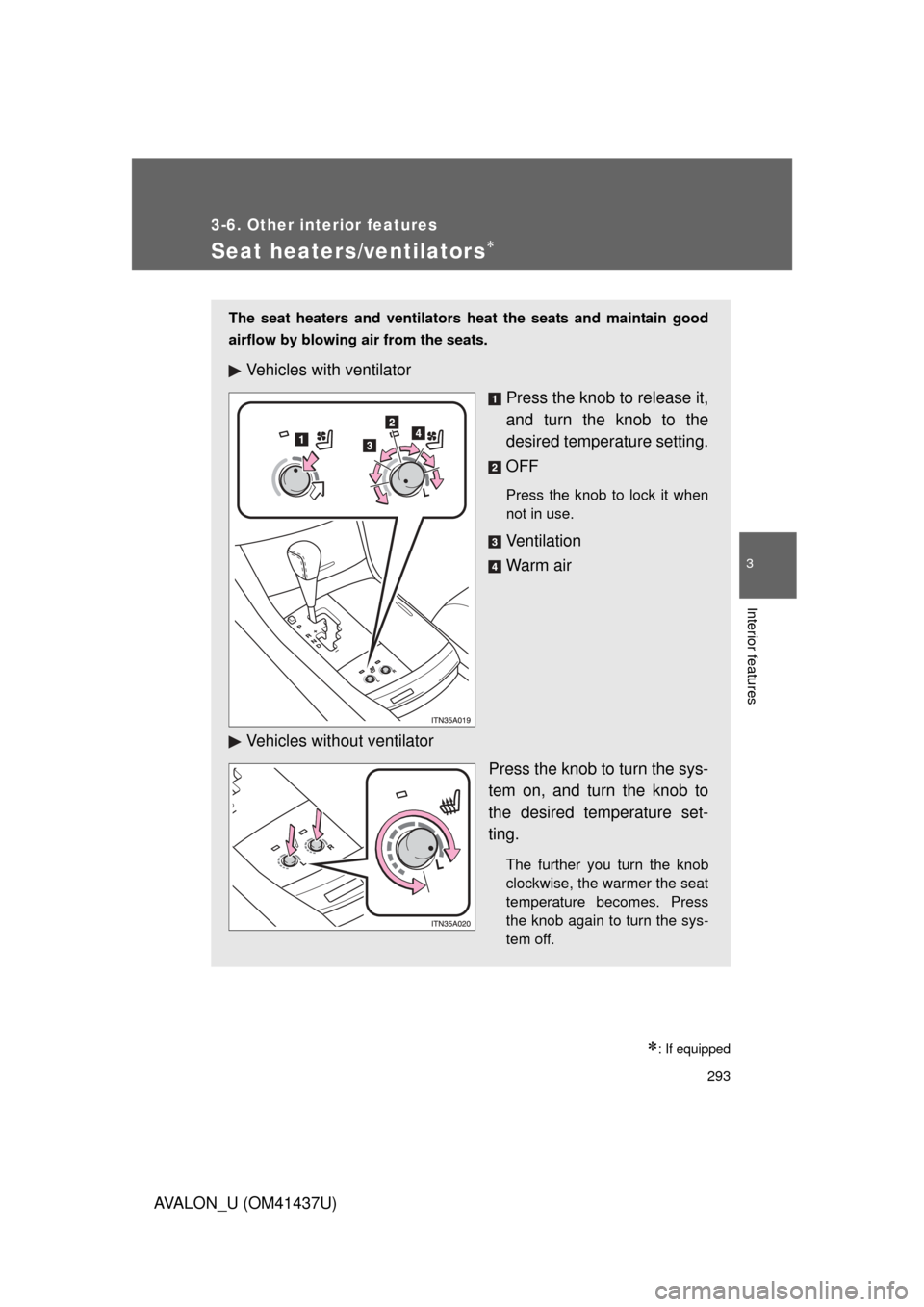
The seat heaters and ventilators heat the seats and maintain good
airflow by blowing air from the seats.
Vehicles with ventilatorPress the knob to release it,
and turn the knob to the
desired temperature setting.
OFF
Press the knob to lock it when
not in use.
Ve n t i l a t i o n
Warm air
Vehicles without ventilator Press the knob to turn the sys-
tem on, and turn the knob to
the desired temperature set-
ting.
The further you turn the knob
clockwise, the warmer the seat
temperature becomes. Press
the knob again to turn the sys-
tem off.
Page 333 of 476
4
Maintenance and care
333
4-3. Do-it-yourself maintenance
AVALON_U (OM41437U)
■
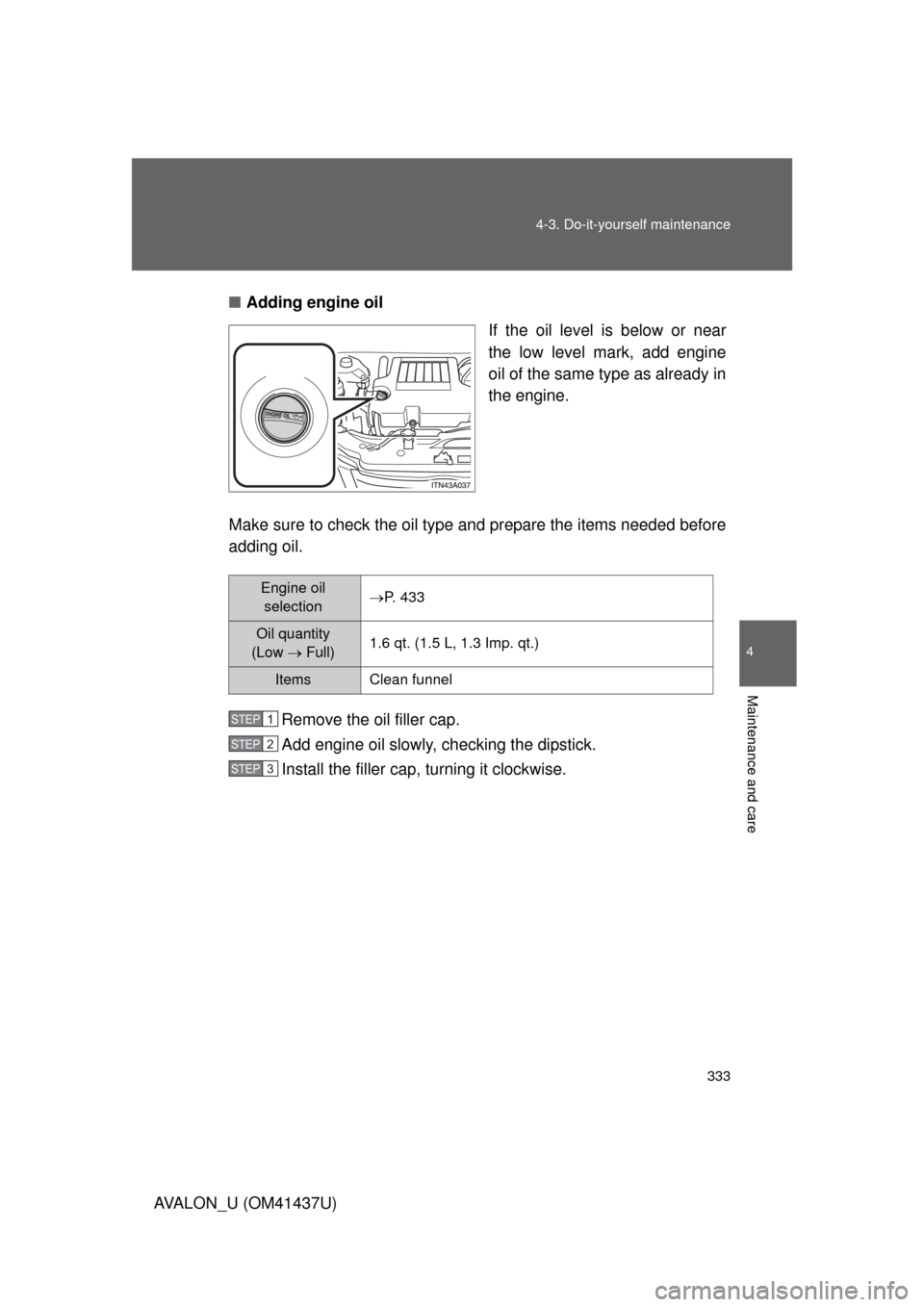
Adding engine oil
If the oil level is below or near
the low level mark, add engine
oil of the same type as already in
the engine.
Make sure to check the oil type and prepare the items needed before
adding oil.
Remove the oil filler cap.
Add engine oil slowly, checking the dipstick.
Install the filler cap, turning it clockwise.
Engine oil selectionP. 433
Oil quantity
(Low Full) 1.6 qt. (1.5 L, 1.3 Imp. qt.)
Items Clean funnel
STEP1
STEP2
STEP3
Page 340 of 476
340 4-3. Do-it-yourself maintenance
AVALON_U (OM41437U)■
Checking the fluid level
Make sure to check the fluid type and prepare the necessary items.
Clean all dirt off the reservoir.
Remove the cap by turning it counterclockwise.
Wipe the dipstick clean.
Reinstall and remove the reservoir cap again.
Check the fluid level.
Fluid typeAutomatic transmission fluid DEXRON® II or III
ItemsRag or paper, clean funnel (only for adding fluid)
CAUTION
■ When checking the reservoir
Take care, as the reservoir may be hot.
NOTICE
■When adding fluid
Avoid overfilling, or the power steering may be damaged.
■ After replacing the reservoir cap
Check the steering box case, vane pump and hose connections for leaks or
damage.
STEP1
STEP2
STEP3
STEP4
STEP5
Page 371 of 476
4
Maintenance and care
371
4-3. Do-it-yourself maintenance
AVALON_U (OM41437U)
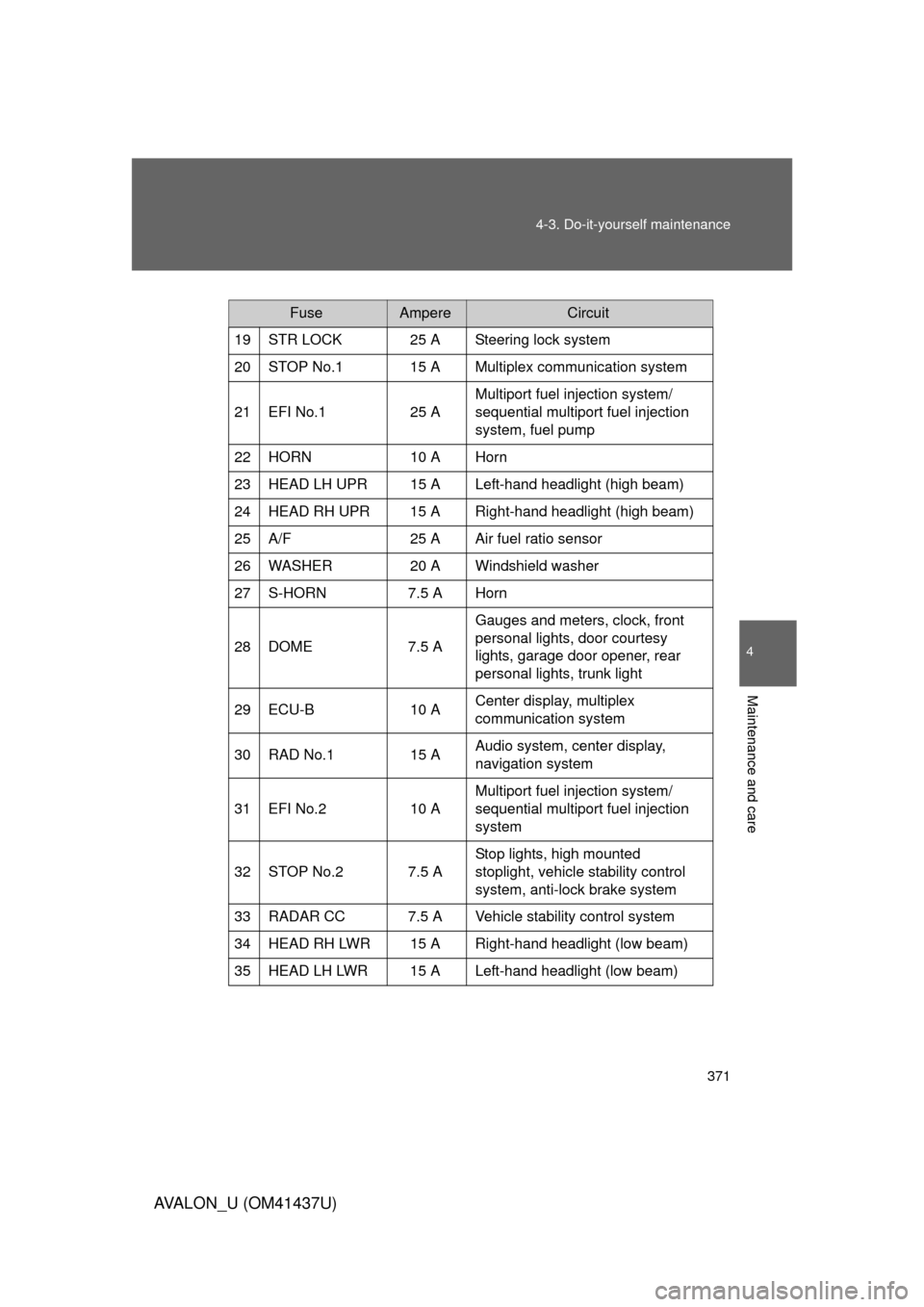
FuseAmpereCircuit
19 STR LOCK 25 A Steering lock system
20 STOP No.1 15 A Multiplex communication system
21 EFI No.1 25 A Multiport fuel injection system/
sequential multiport fuel injection
system, fuel pump
22 HORN 10 A Horn
23 HEAD LH UPR 15 A Left-hand headlight (high beam)
24 HEAD RH UPR 15 A Right-hand headlight (high beam)
25 A/F 25 A Air fuel ratio sensor
26 WASHER 20 A Windshield washer
27 S-HORN 7.5 A Horn
28 DOME 7.5 A Gauges and meters, clock, front
personal lights, door courtesy
lights, garage door opener, rear
personal lights, trunk light
29 ECU-B 10 A Center display, multiplex
communication system
30 RAD No.1 15 A Audio system, center display,
navigation system
31 EFI No.2 10 A Multiport fuel injection system/
sequential multiport fuel injection
system
32 STOP No.2 7.5 A Stop lights, high mounted
stoplight, vehicle stability control
system, anti-lock brake system
33 RADAR CC 7.5 A Vehicle stability control system
34 HEAD RH LWR 15 A Right-hand headlight (low beam)
35 HEAD LH LWR 15 A Left-hand headlight (low beam)