clock TOYOTA AVALON 2012 XX40 / 4.G Owners Manual
[x] Cancel search | Manufacturer: TOYOTA, Model Year: 2012, Model line: AVALON, Model: TOYOTA AVALON 2012 XX40 / 4.GPages: 580, PDF Size: 9.33 MB
Page 5 of 580
1
2
3
4
5
6
7
5
3-6. Using the storage featuresList of storage features ....... 349
3-7. Other interior features Sun visors ........................... 357
Vanity mirrors ...................... 358
Clock ................................... 359
Ashtrays .............................. 360
Power outlets ...................... 361
Seat heaters/ventilators ...... 363
Armrest ............................... 365
Rear sunshade.................... 366
Floor mats ........................... 368
Trunk features ..................... 370
Garage door opener............ 372
Compass ............................. 380 4-1. Maintenance and care
Cleaning and protecting the vehicle exterior ........... 386
Cleaning and protecting the vehicle interior ............ 389
4-2. Maintenance Maintenance requirements .................... 392
General maintenance ......... 395
Emission inspection and maintenance (I/M)
programs .......................... 398
4-3. Do-it-yourself maintenance Do-it-yourself service precautions....................... 399
Hood ................................... 403
Positioning a floor jack ....... 404
Engine compartment .......... 406
Tires ................................... 421
Tire inflation pressure ......... 430
Wheels ............................... 434
Air conditioning filter ........... 437
Key battery ......................... 440
Checking and replacing fuses................................. 444
Headlight aim (with discharge headlights) ....... 453
Light bulbs .......................... 455
4Maintenance and care
Page 16 of 580
16
C
Pictorial indexInstrument panel
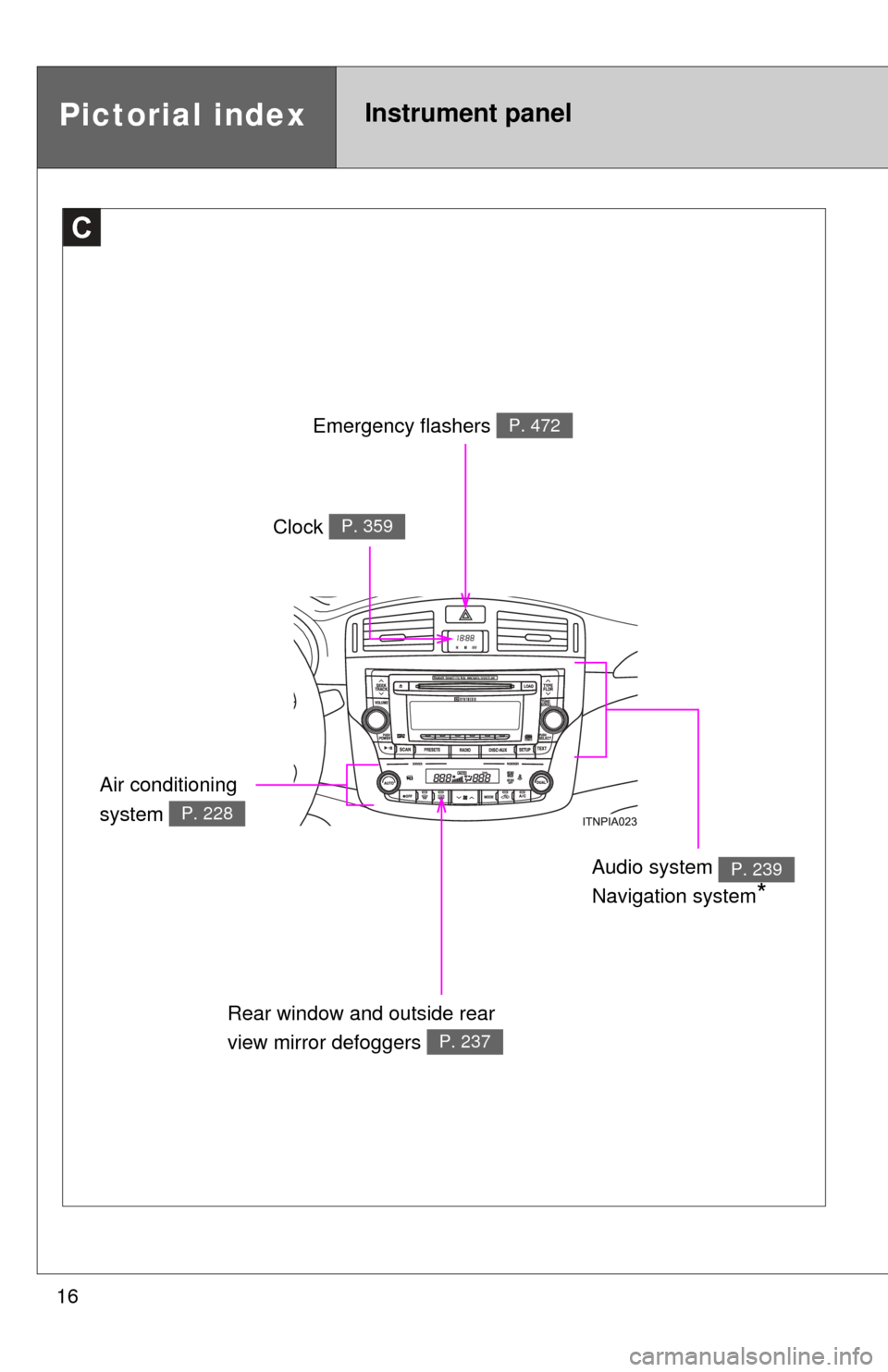
Emergency flashers P. 472
Clock P. 359
Air conditioning
system
P. 228
Audio system
Navigation system
*
P. 239
Rear window and outside rear
view mirror defoggers
P. 237
Page 93 of 580
93
1-5. Refueling
1
Before driving
Closing the fuel tank cap
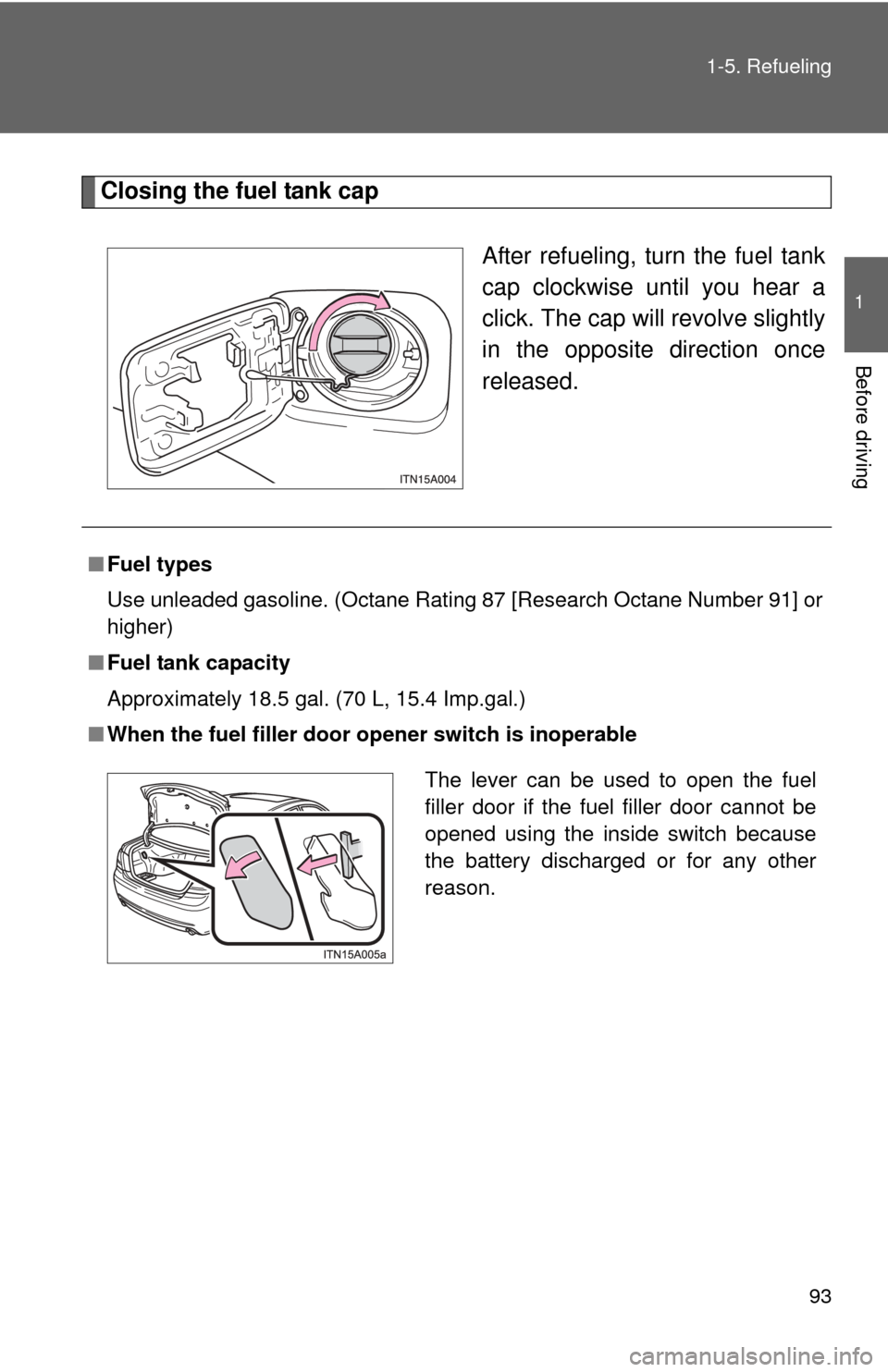
After refueling, turn the fuel tank
cap clockwise until you hear a
click. The cap will revolve slightly
in the opposite direction once
released.
■ Fuel types
Use unleaded gasoline. (Octane Rating 87 [Research Octane Number 91] or
higher)
■ Fuel tank capacity
Approximately 18.5 gal. (70 L, 15.4 Imp.gal.)
■ When the fuel filler door op ener switch is inoperable
The lever can be used to open the fuel
filler door if the fuel filler door cannot be
opened using the inside switch because
the battery discharged or for any other
reason.
Page 227 of 580
Interior features3
227
3-3. Using the Bluetooth® audio
system
Blu etooth
® audio
system ........................... 289
Using the Bluetooth
®
audio system.................. 292
Operating a Bluetooth
®
enabled portable
player ............................. 299
Setting up a Bluetooth
®
enabled portable
player ............................. 301
Bluetooth
® audio system
setup .............................. 307
3-4. Using the hands-free system
(for cellular phone)
Hands-free sys tem
(for cellular phone) ......... 308
Using the hands-free system ........................... 311
Making a phone call ......... 320
Setting a cellular phone ............................. 325
Security and system setup .............................. 332
Using the phone book ...... 337 3-5. Using the interior lights
Interior lights list ............... 346
3-6. Using the storage features List of storage features .... 349
3-7. Other interior features Sun visors ........................ 357
Vanity mirrors ................... 358
Clock ................................ 359
Ashtrays ........................... 360
Power outlets ................... 361
Seat heaters/ventilators ...................... 363
Armrest ............................ 365
Rear sunshade................. 366
Floor mats ........................ 368
Trunk features .................. 370
Garage door opener......... 372
Compass .......................... 380
Page 334 of 580
334 3-4. Using the hands-free system (for cellular phone)
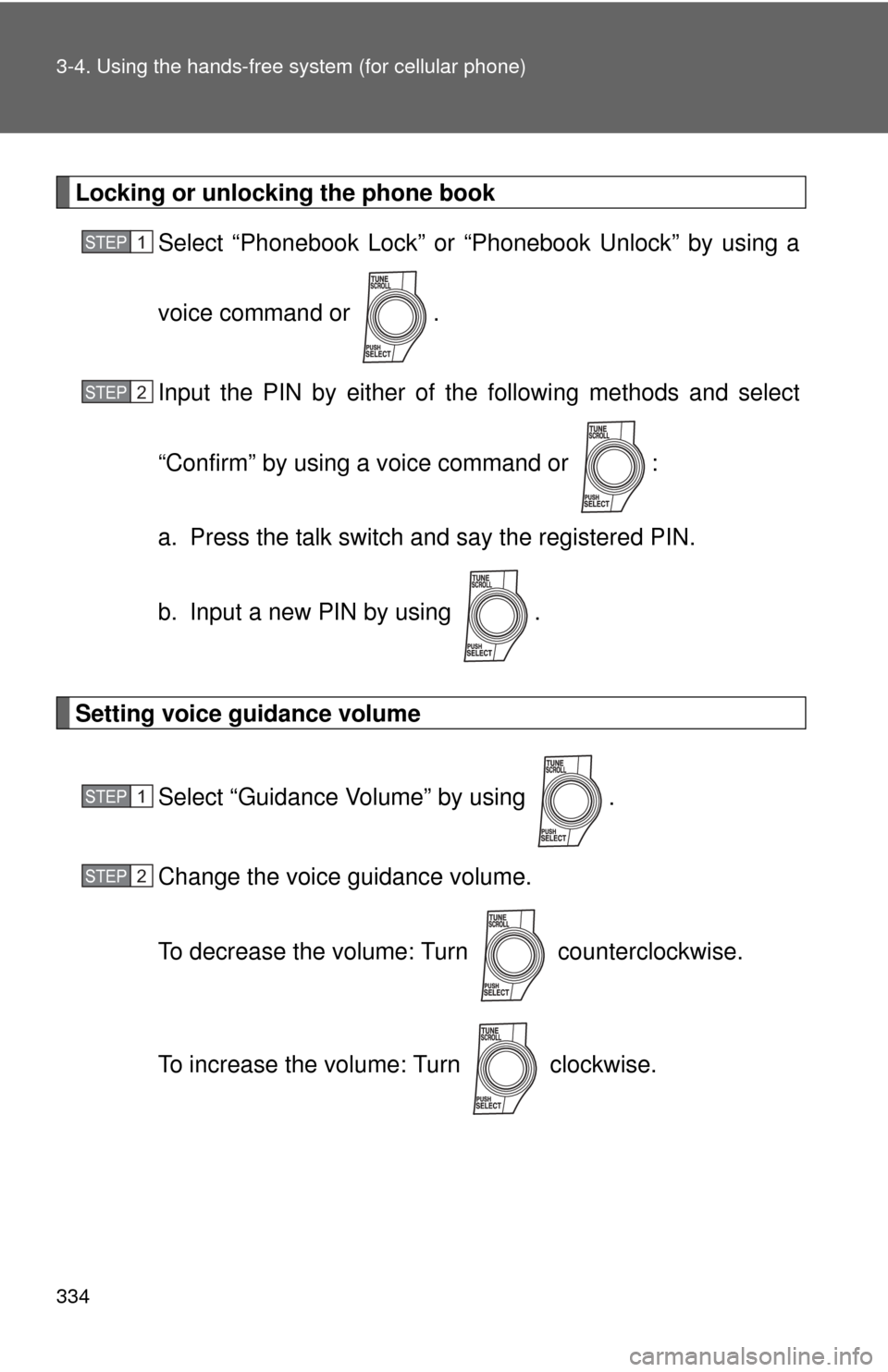
Locking or unlocking the phone bookSelect “Phonebook Lock” or “Phonebook Unlock” by using a
voice command or .
Input the PIN by either of the following methods and select
“Confirm” by using a voice command or :
a. Press the talk switch and say the registered PIN.
b. Input a new PIN by using .
Setting voice guidance volume
Select “Guidance Volume” by using .
Change the voice guidance volume.
To decrease the volume: Turn counterclockwise.
To increase the volume: Turn clockwise.
STEP1
STEP2
STEP1
STEP2
Page 359 of 580
359
3-7. Other interior features
3
Interior features
Clock
■The clock is displayed when
Vehicles with smart key system
The “ENGINE START STOP” switch is in ACCESSORY or IGNITION ON
mode. Vehicles without smart key system
The engine switch is in the “ACC” or “ON” position.
■ When the battery is disconnected
The time display will automatically be set to 1:00.
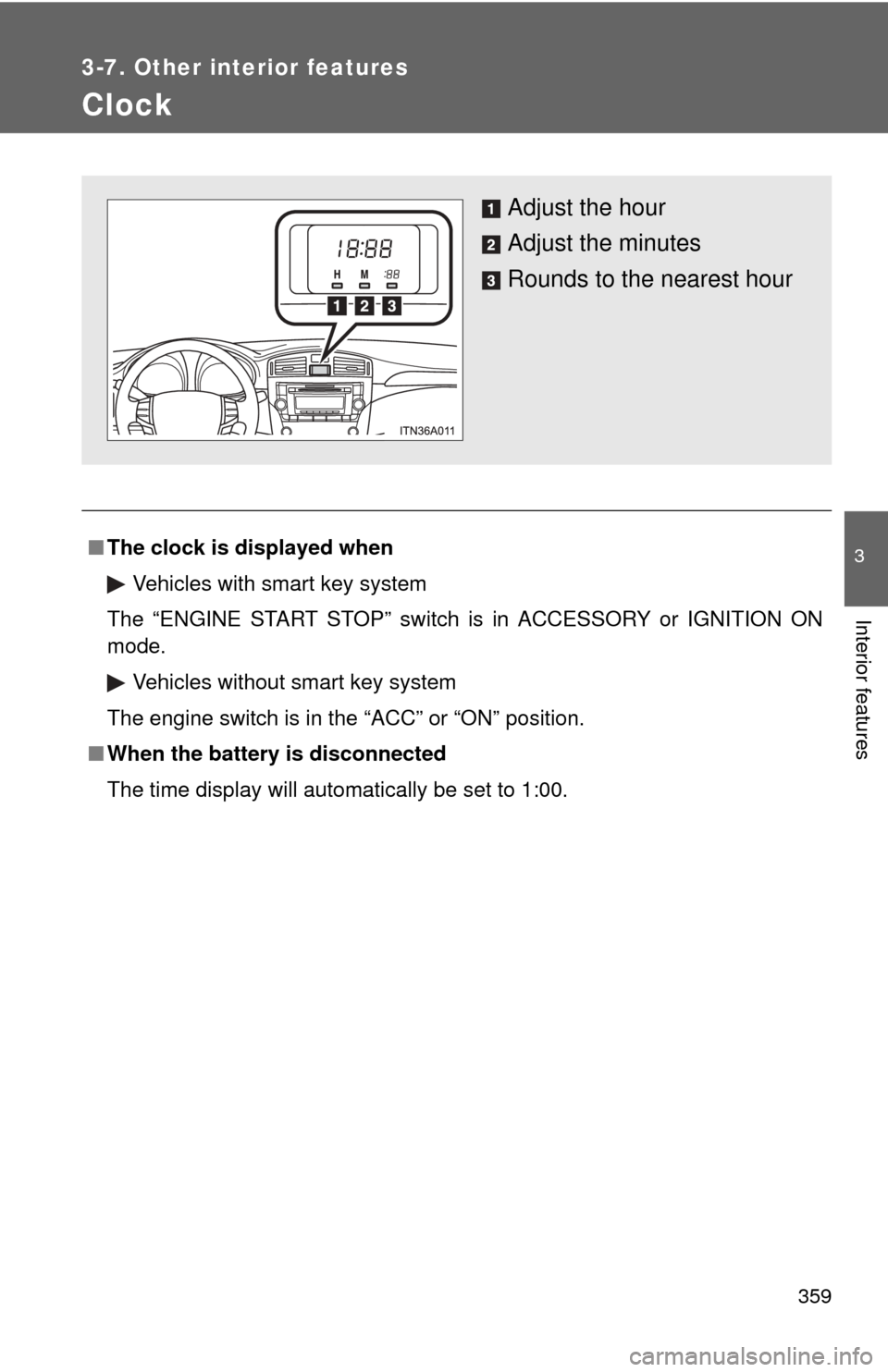
Adjust the hour
Adjust the minutes
Rounds to the nearest hour
Page 363 of 580
363
3-7. Other interior features
3
Interior features
Seat heaters/ventilators
: If equipped
The seat heaters and ventilators heat the seats and maintain good
airflow by blowing air from the seats.
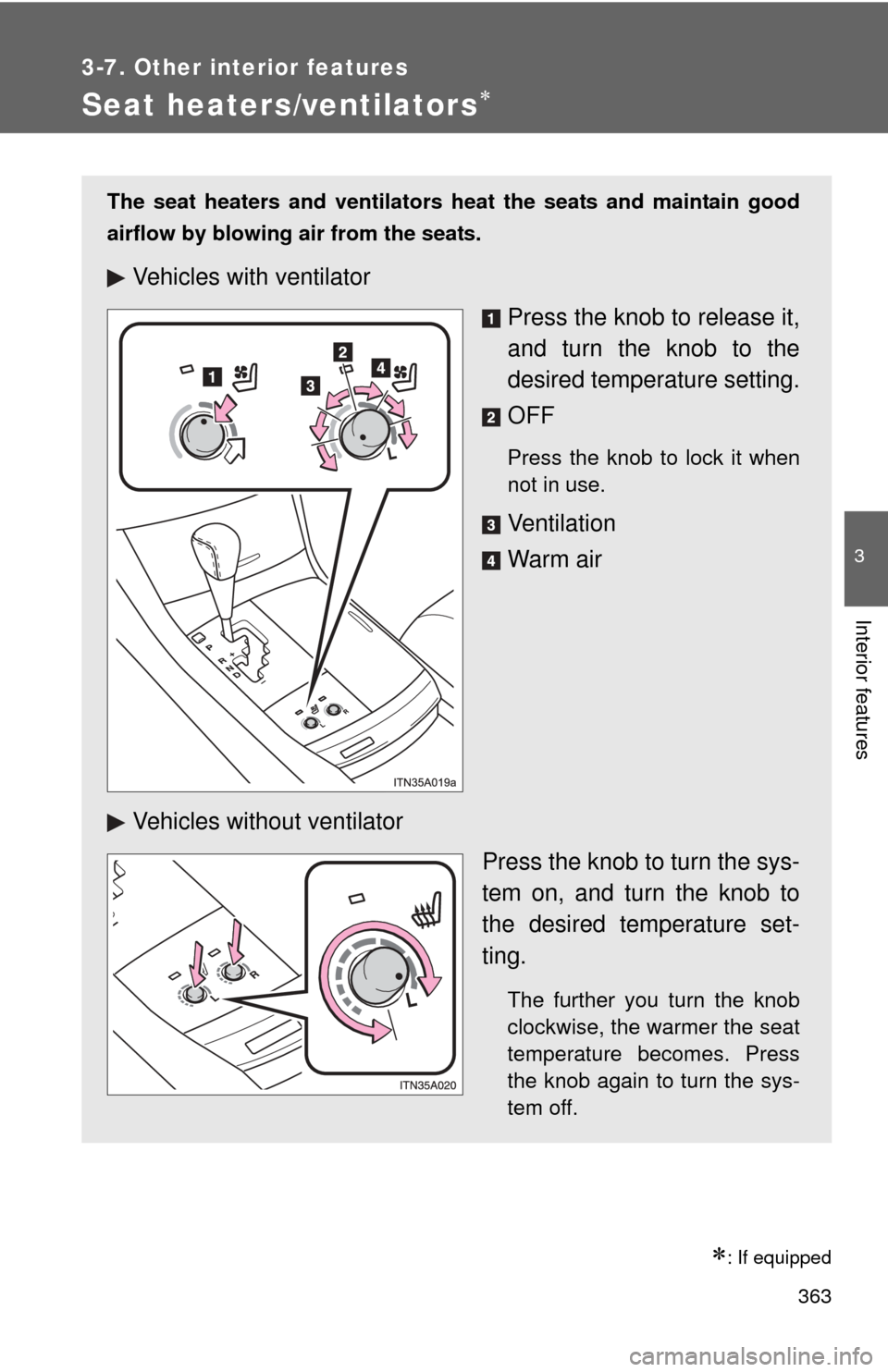
Vehicles with ventilatorPress the knob to release it,
and turn the knob to the
desired temperature setting.
OFF
Press the knob to lock it when
not in use.
Ve n t i l a t i o n
Warm air
Vehicles without ventilator Press the knob to turn the sys-
tem on, and turn the knob to
the desired temperature set-
ting.
The further you turn the knob
clockwise, the warmer the seat
temperature becomes. Press
the knob again to turn the sys-
tem off.
Page 409 of 580
4
Maintenance and care
409
4-3. Do-it-yourself maintenance
■
Adding engine oil
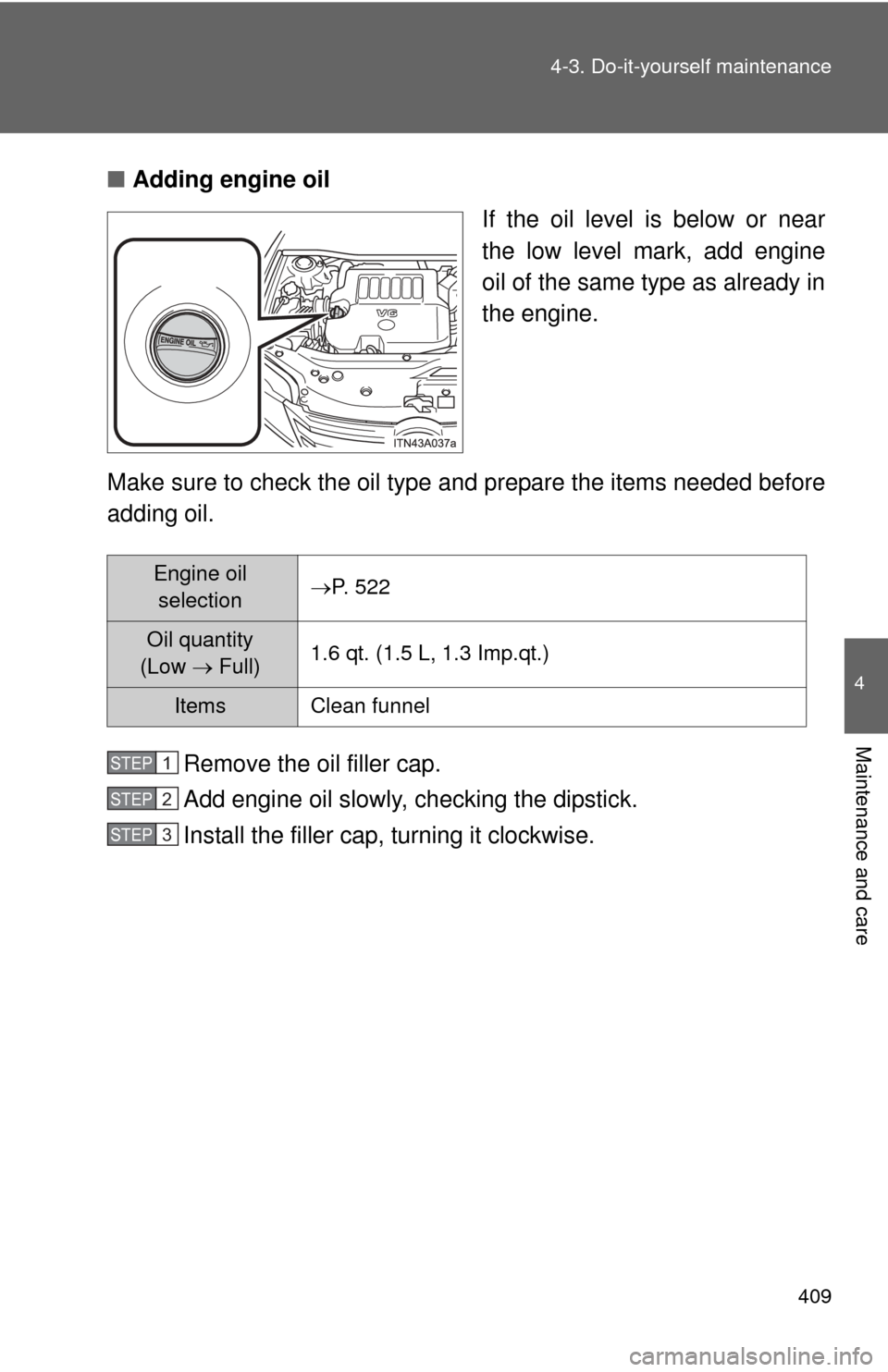
If the oil level is below or near
the low level mark, add engine
oil of the same type as already in
the engine.
Make sure to check the oil type and prepare the items needed before
adding oil.
Remove the oil filler cap.
Add engine oil slowly, checking the dipstick.
Install the filler cap, turning it clockwise.
Engine oil selectionP. 522
Oil quantity
(Low Full) 1.6 qt. (1.5 L, 1.3 Imp.qt.)
Items Clean funnel
STEP1
STEP2
STEP3
Page 416 of 580
416 4-3. Do-it-yourself maintenance
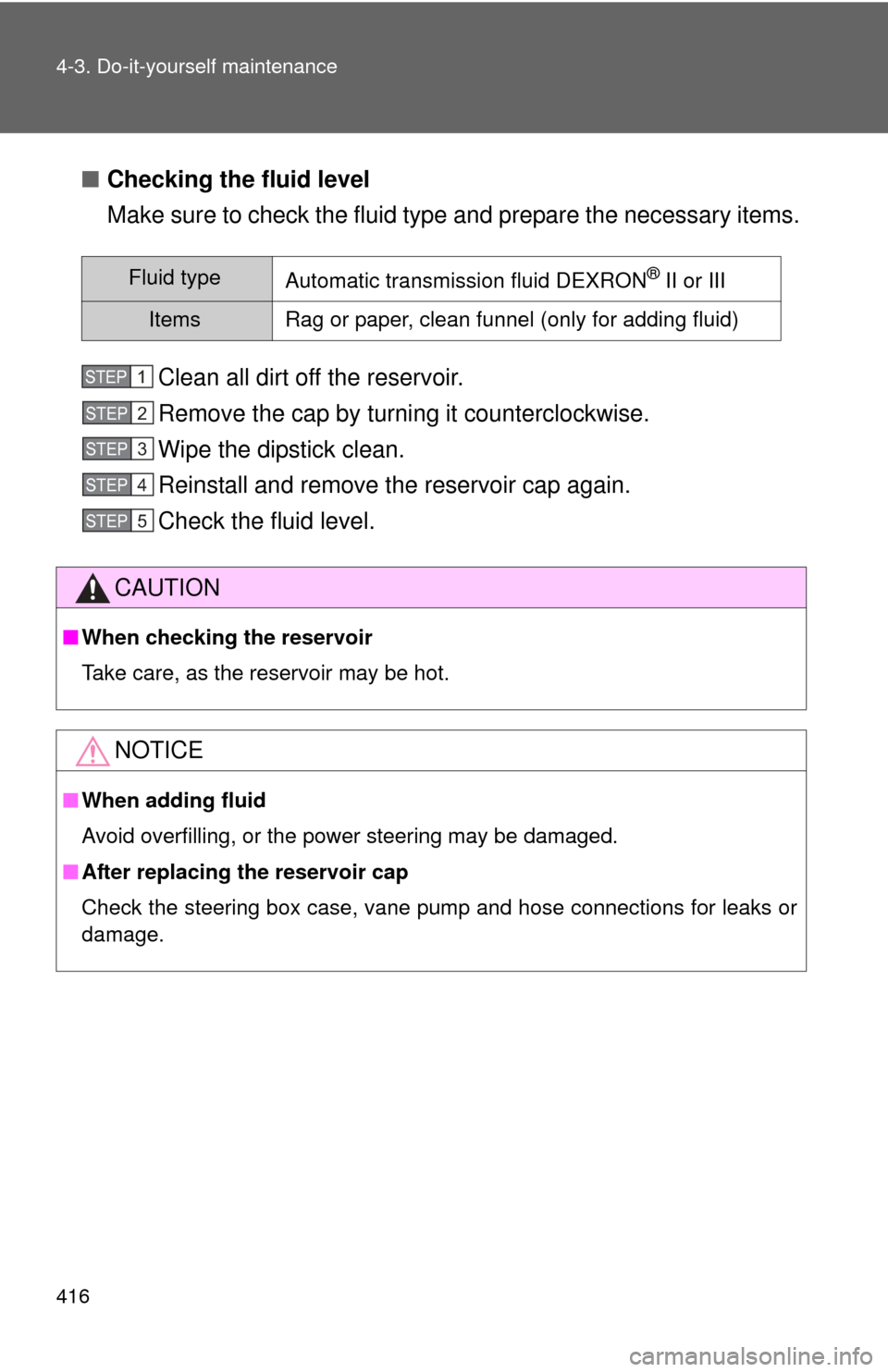
■Checking the fluid level
Make sure to check the fluid type and prepare the necessary items.
Clean all dirt off the reservoir.
Remove the cap by turning it counterclockwise.
Wipe the dipstick clean.
Reinstall and remove the reservoir cap again.
Check the fluid level.
Fluid typeAutomatic transmission fluid DEXRON® II or III
ItemsRag or paper, clean funnel (only for adding fluid)
CAUTION
■ When checking the reservoir
Take care, as the reservoir may be hot.
NOTICE
■When adding fluid
Avoid overfilling, or the power steering may be damaged.
■ After replacing the reservoir cap
Check the steering box case, vane pump and hose connections for leaks or
damage.
STEP1
STEP2
STEP3
STEP4
STEP5
Page 448 of 580

448 4-3. Do-it-yourself maintenance
FuseAmpereCircuit
21 EFI No.1 25 A Multiport fuel injection system/
sequential multiport fuel injection
system, fuel pump
22 HORN 10 A Horn
23 HEAD LH UPR 15 A Left-hand headlight (high beam)
24 HEAD RH UPR 15 A Right-hand headlight (high beam)
25 A/F 25 A Air fuel ratio sensor
26 WASHER 20 A Windshield washer
27 S-HORN 7.5 A Horn
28 DOME 7.5 A Gauges and meters, clock, front
personal lights, door courtesy
lights, garage door opener, rear
personal lights, trunk light
29 ECU-B 10 A Center display, multiplex
communication system
30 RAD No.1 15 A Audio system, center display,
navigation system
31 EFI No.2 10 A Multiport fuel injection system/
sequential multiport fuel injection
system
32 STOP No.2 7.5 A Stop lights, high mounted
stoplight, vehicle stability control
system, anti-lock brake system
33 HEAD RH LWR 15 A Right-hand headlight (low beam)
34 HEAD LH LWR 15 A Left-hand headlight (low beam)