engine TOYOTA AVALON 2017 XX40 / 4.G User Guide
[x] Cancel search | Manufacturer: TOYOTA, Model Year: 2017, Model line: AVALON, Model: TOYOTA AVALON 2017 XX40 / 4.GPages: 492, PDF Size: 7.17 MB
Page 68 of 492
681-2. Theft deterrent system
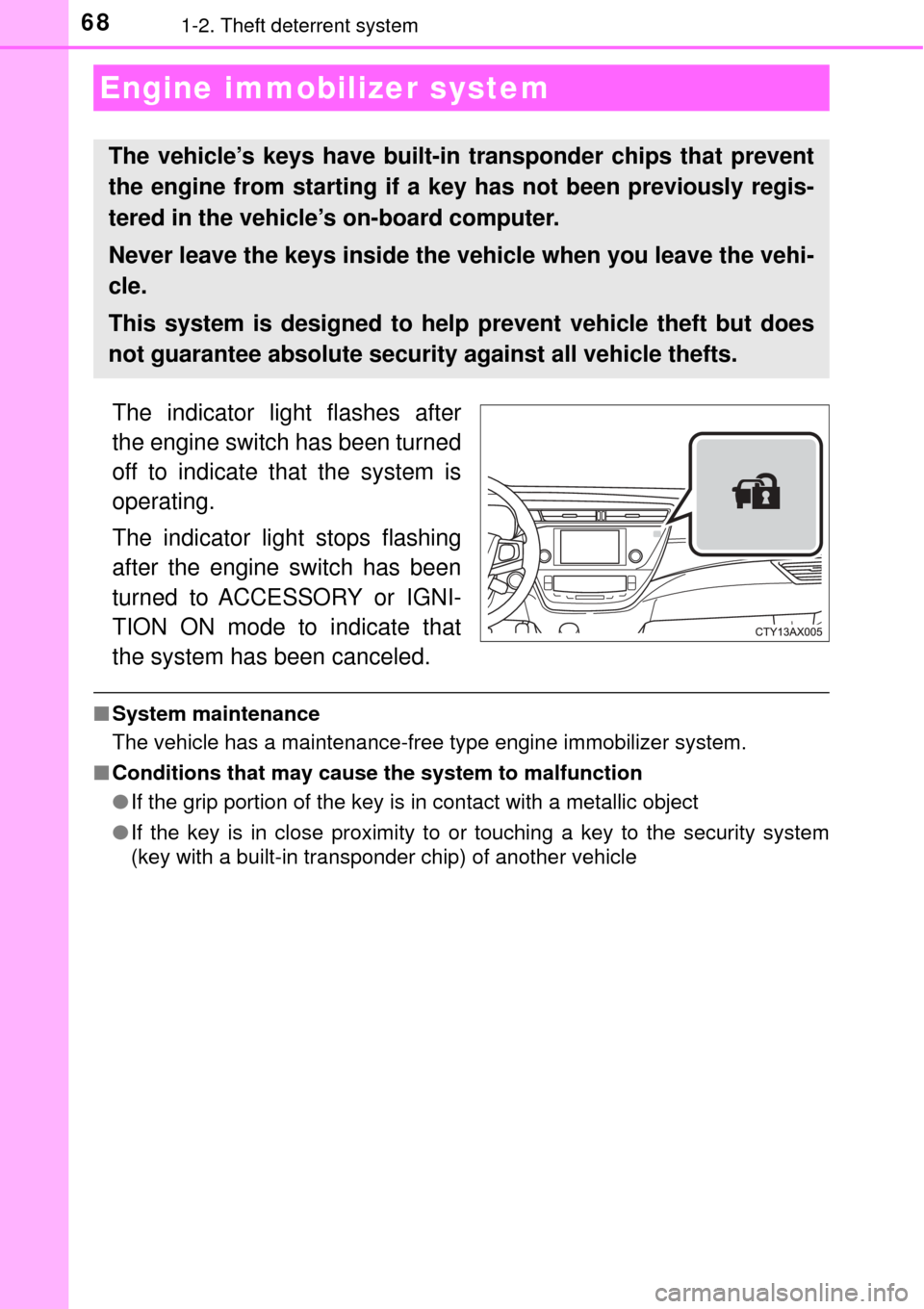
The indicator light flashes after
the engine switch has been turned
off to indicate that the system is
operating.
The indicator light stops flashing
after the engine switch has been
turned to ACCESSORY or IGNI-
TION ON mode to indicate that
the system has been canceled.
■System maintenance
The vehicle has a maintenance-free type engine immobilizer system.
■ Conditions that may cause the system to malfunction
●If the grip portion of the key is in contact with a metallic object
● If the key is in close proximity to or touching a key to the security system
(key with a built-in transponder chip) of another vehicle
Engine immobilizer system
The vehicle’s keys have built-in transponder chips that prevent
the engine from starting if a key has not been previously regis-
tered in the vehicle’s on-board computer.
Never leave the keys inside the vehicle when you leave the vehi-
cle.
This system is designed to help prevent vehicle theft but does
not guarantee absolute security against all vehicle thefts.
Page 69 of 492
691-2. Theft deterrent system
1
For safety and security
■Certifications for the en gine immobilizer system
For vehicles sold in the U.S.A.
FCC ID: NI4TMIMB-3
This device complies with part 15 of the FCC Rules. Operation is subject to
the following two conditions: (1) This device may not cause harmful interfer-
ence, and (2) this device must accept any interference received, including
interference that may cause undesired operation.
For vehicles sold in Canada
This device complies with Industry Canada licence-exempt RSS standard(s).
Operation is subject to the following two conditions: (1) this device may not
cause interference, and (2) this device must accept any interference, includ-
ing interference that may cause undesired operation of the device.
WARNING
■ Certifications for the engine immobilizer system
Changes or modifications not expre ssly approved by the party responsible
for compliance could void the user’s authority to operate the equipment.
NOTICE
■ To ensure the system operates correctly
Do not modify or remove the system. If modified or removed, the proper
operation of the system cannot be guaranteed.
Page 70 of 492
701-2. Theft deterrent system
The alarm uses light and sound to give an alert when an intrusion is
detected.
The alarm is triggered in the following situations when the alarm is
set:
●A locked door or trunk is unlocked or opened in any way other than
using the entry function, wireless remote control or mechanical key.
● The hood is opened.
● Some models: The window is tapped or broken.
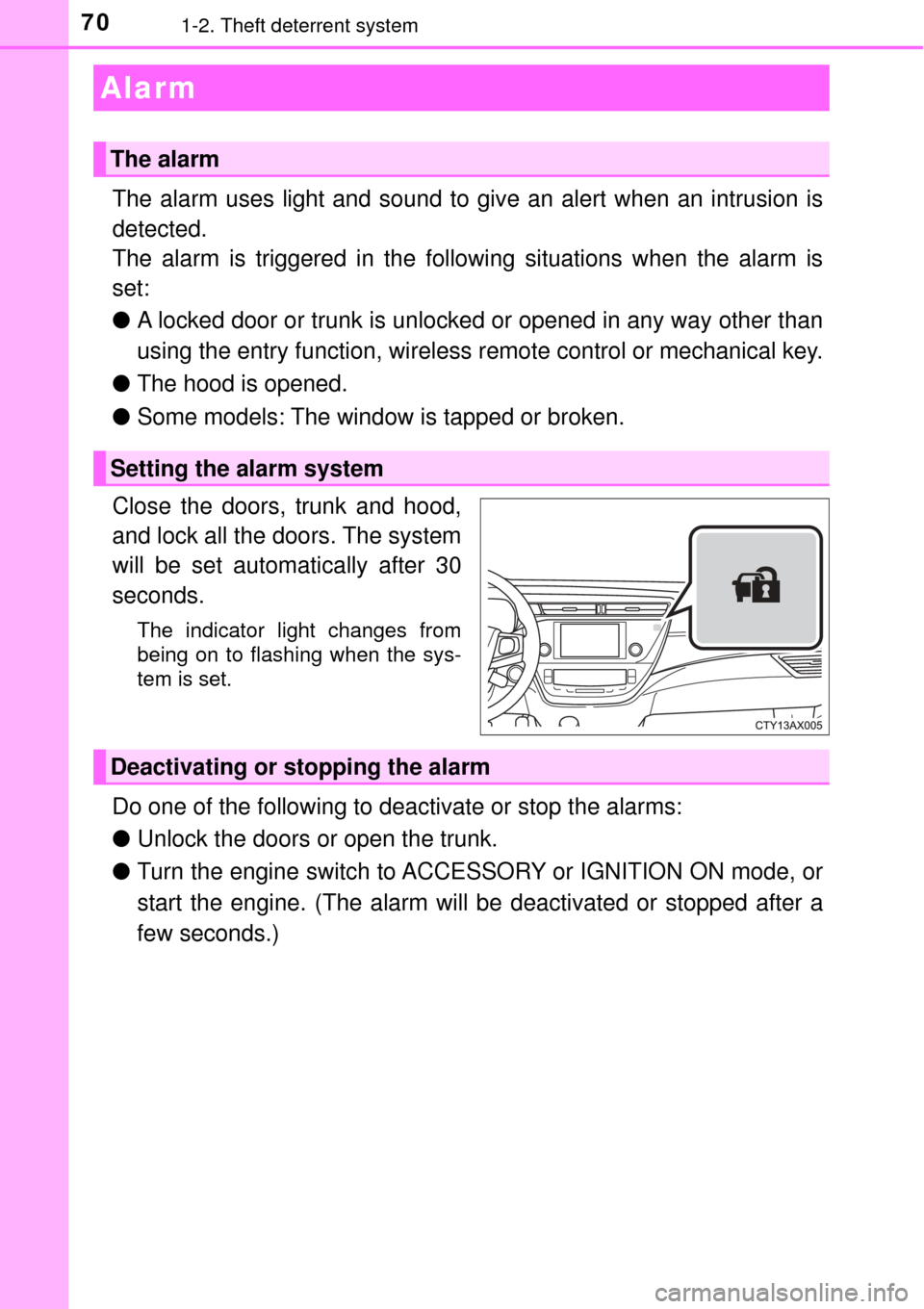
Close the doors, trunk and hood,
and lock all the doors. The system
will be set automatically after 30
seconds.
The indicator light changes from
being on to flashing when the sys-
tem is set.
Do one of the following to d eactivate or stop the alarms:
● Unlock the doors or open the trunk.
● Turn the engine switch to ACCESSORY or IGNITION ON mode, or
start the engine. (The alarm will be deactivated or stopped after a
few seconds.)
Alarm
The alarm
Setting the alarm system
Deactivating or stopping the alarm
Page 75 of 492
752. Instrument cluster
2
Instrument cluster
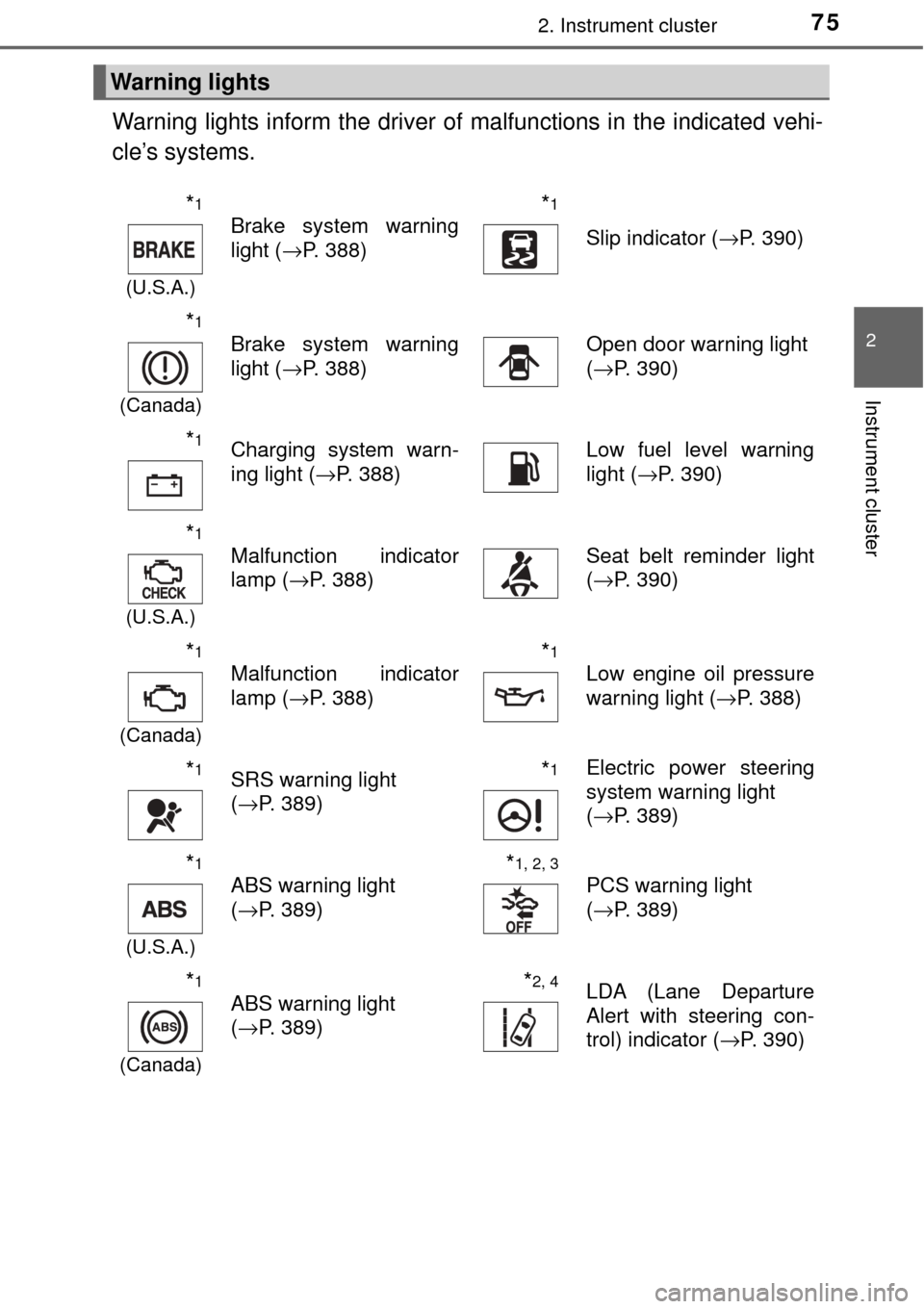
Warning lights inform the driver of malfunctions in the indicated vehi-
cle’s systems.
Warning lights
*1
(U.S.A.)
Brake system warning
light ( →P. 388)*1
Slip indicator ( →P. 390)
*1
(Canada)
Brake system warning
light (→P. 388)Open door warning light
(→P. 390)
*1Charging system warn-
ing light ( →P. 388)Low fuel level warning
light (→P. 390)
*1
(U.S.A.)
Malfunction indicator
lamp ( →P. 388)Seat belt reminder light
(→P. 390)
*1
(Canada)
Malfunction indicator
lamp ( →P. 388)*1
Low engine oil pressure
warning light ( →P. 388)
*1SRS warning light
(→P. 389)*1Electric power steering
system warning light
(→P. 389)
*1
(U.S.A.)
ABS warning light
(→P. 389)*1, 2, 3
PCS warning light
(→P. 389)
*1
(Canada)
ABS warning light
(→P. 389)*2, 4LDA (Lane Departure
Alert with steering con-
trol) indicator ( →P. 390)
Page 76 of 492
762. Instrument cluster
*1: These lights turn on when the engine switch is turned to IGNITION ONmode to indicate that a system check is being performed. They will turn off
after the engine is started, or after a few seconds. There may be a mal-
function in a system if a light does not come on, or turn off. Have the vehi-
cle inspected by your Toyota dealer.
*2: If equipped
*3: The light flashes to indicate a malfunction.
*4: This light illuminates on the multi-information display.
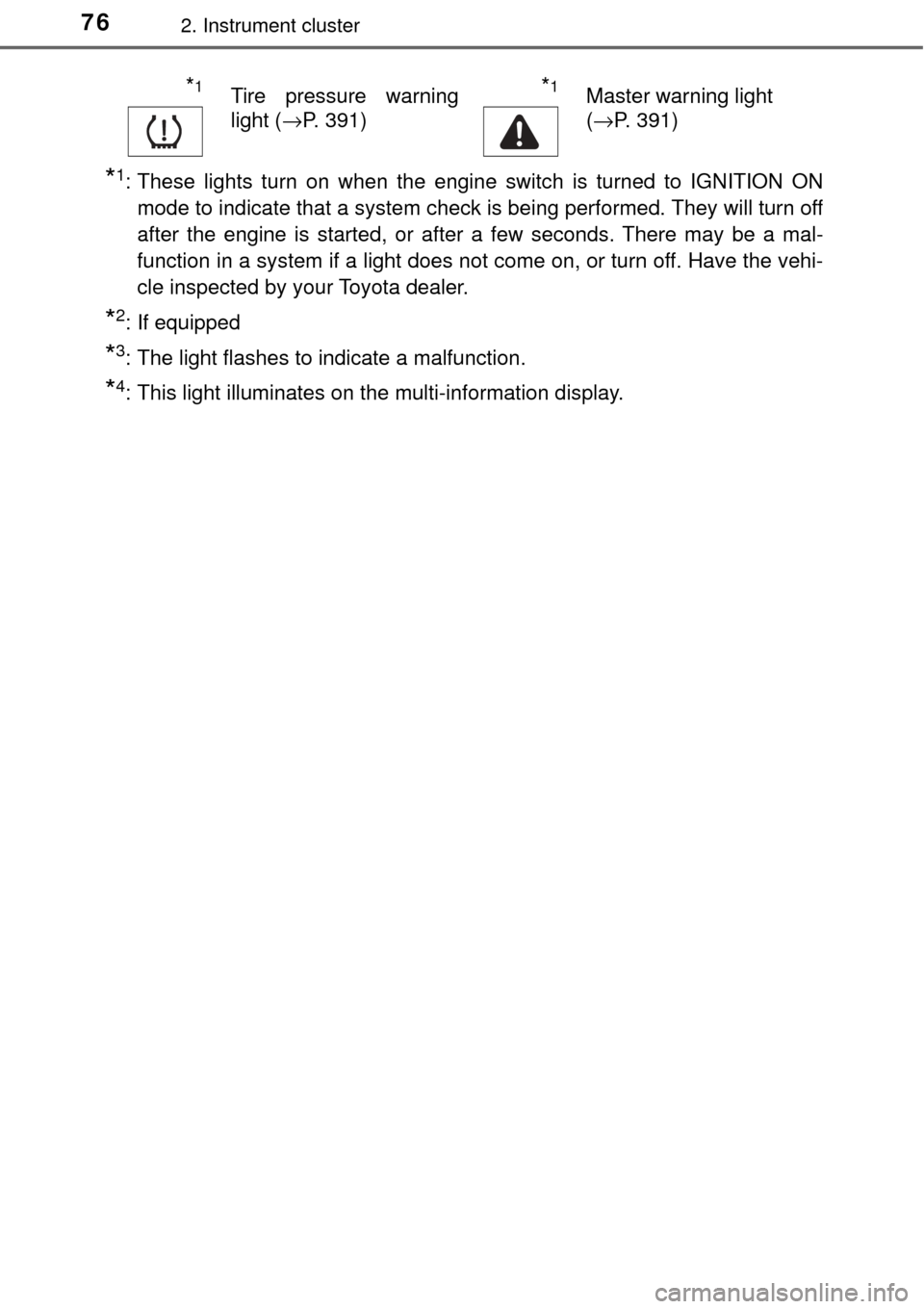
*1Tire pressure warning
light ( →P. 391)*1Master warning light
(→P. 391)
Page 78 of 492

782. Instrument cluster
*1: These lights turn on when the engine switch is turned to IGNITION ONmode to indicate that a system check is being performed. They will turn off
after the engine is started, or after a few seconds. There may be a mal-
function in a system if a light does not come on, or turn off. Have the vehi-
cle inspected by your Toyota dealer.
*2: The light flashes to indicate that the system is operating.
*3: This light illuminates on the center panel.
*4: If equipped
*5: This light illuminates on the multi-information display.
*6: The light turns on when the system is off.
WARNING
■ If a safety system warning light does not come on
Should a safety system light such as the ABS and SRS warning light not
come on when you start the engine, this could mean that these systems are
not available to help protect you in an accident, which could result in death
or serious injury. Have the vehicle inspected by your Toyota dealer immedi-
ately if this occurs.
Page 79 of 492
792. Instrument cluster
2
Instrument cluster
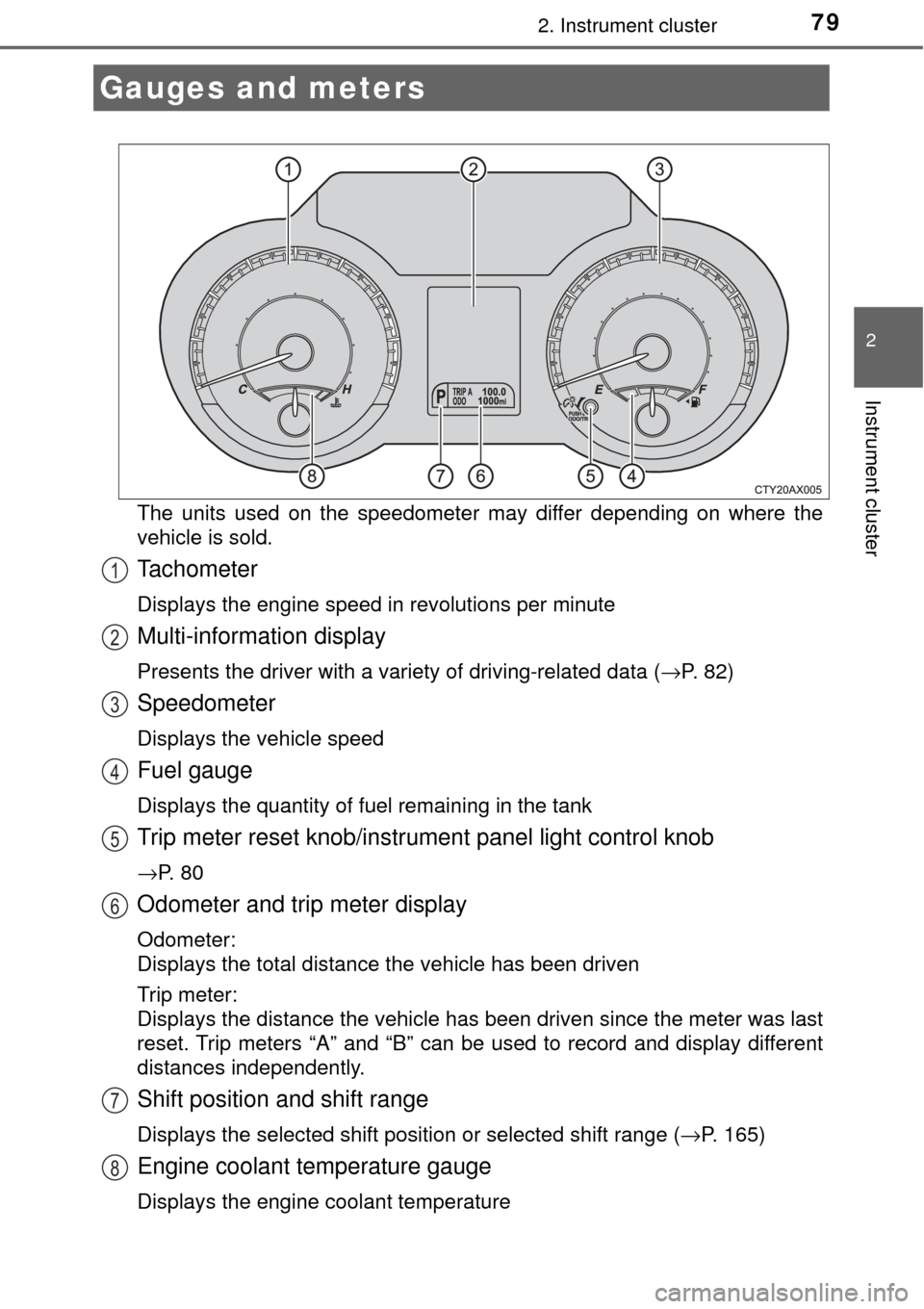
The units used on the speedometer may differ depending on where the
vehicle is sold.
Tachometer
Displays the engine speed in revolutions per minute
Multi-information display
Presents the driver with a variety of driving-related data (→P. 82)
Speedometer
Displays the vehicle speed
Fuel gauge
Displays the quantity of fuel remaining in the tank
Trip meter reset knob/instrument panel light control knob
→P. 8 0
Odometer and trip meter display
Odometer:
Displays the total distance the vehicle has been driven
Trip meter:
Displays the distance the vehicle has been driven since the meter was last
reset. Trip meters “A” and “B” can be used to record and display different
distances independently.
Shift position and shift range
Displays the selected shift position or selected shift range (→P. 165)
Engine coolant temperature gauge
Displays the engine coolant temperature
Gauges and meters
1
2
3
4
5
6
7
8
Page 81 of 492
812. Instrument cluster
2
Instrument cluster
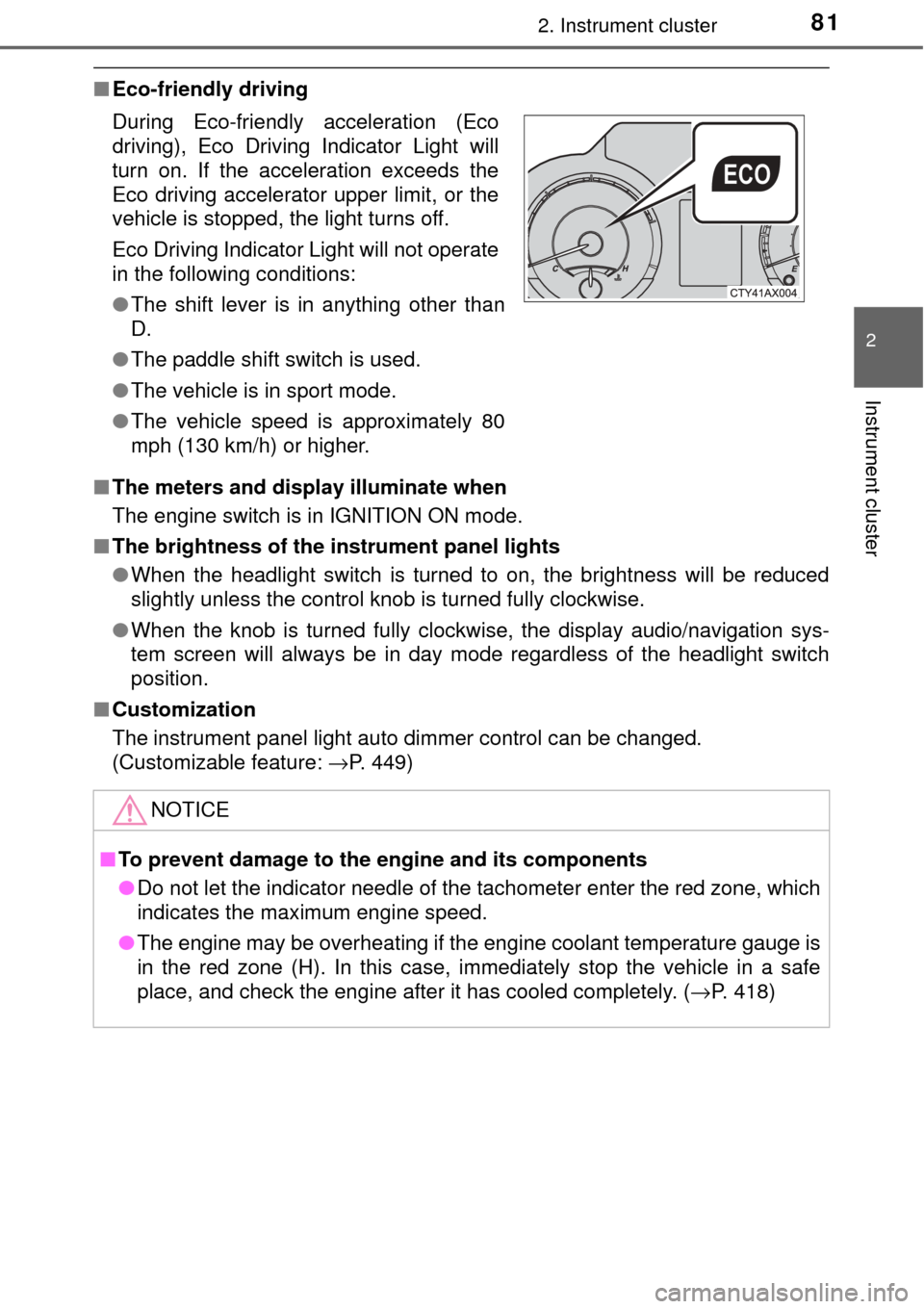
■Eco-friendly driving
■ The meters and display illuminate when
The engine switch is in IGNITION ON mode.
■ The brightness of the in strument panel lights
● When the headlight switch is turned to on, the brightness will be reduced
slightly unless the control knob is turned fully clockwise.
● When the knob is turned fully clockwise, the display audio/navigation sys-
tem screen will always be in day mode regardless of the headlight switch
position.
■ Customization
The instrument panel light auto dimmer control can be changed.
(Customizable feature: →P. 449)
During Eco-friendly acceleration (Eco
driving), Eco Driving Indicator Light will
turn on. If the acceleration exceeds the
Eco driving accelerator upper limit, or the
vehicle is stopped, the light turns off.
Eco Driving Indicator Light will not operate
in the following conditions:
●
The shift lever is in anything other than
D.
● The paddle shift switch is used.
● The vehicle is in sport mode.
● The vehicle speed is approximately 80
mph (130 km/h) or higher.
NOTICE
■To prevent damage to the engine and its components
● Do not let the indicator needle of the tachometer enter the red zone, which
indicates the maximum engine speed.
● The engine may be overheating if the engine coolant temperature gauge is
in the red zone (H). In this case, immediately stop the vehicle in a safe
place, and check the engine after it has cooled completely. (→ P. 418)
Page 83 of 492
832. Instrument cluster
2
Instrument cluster
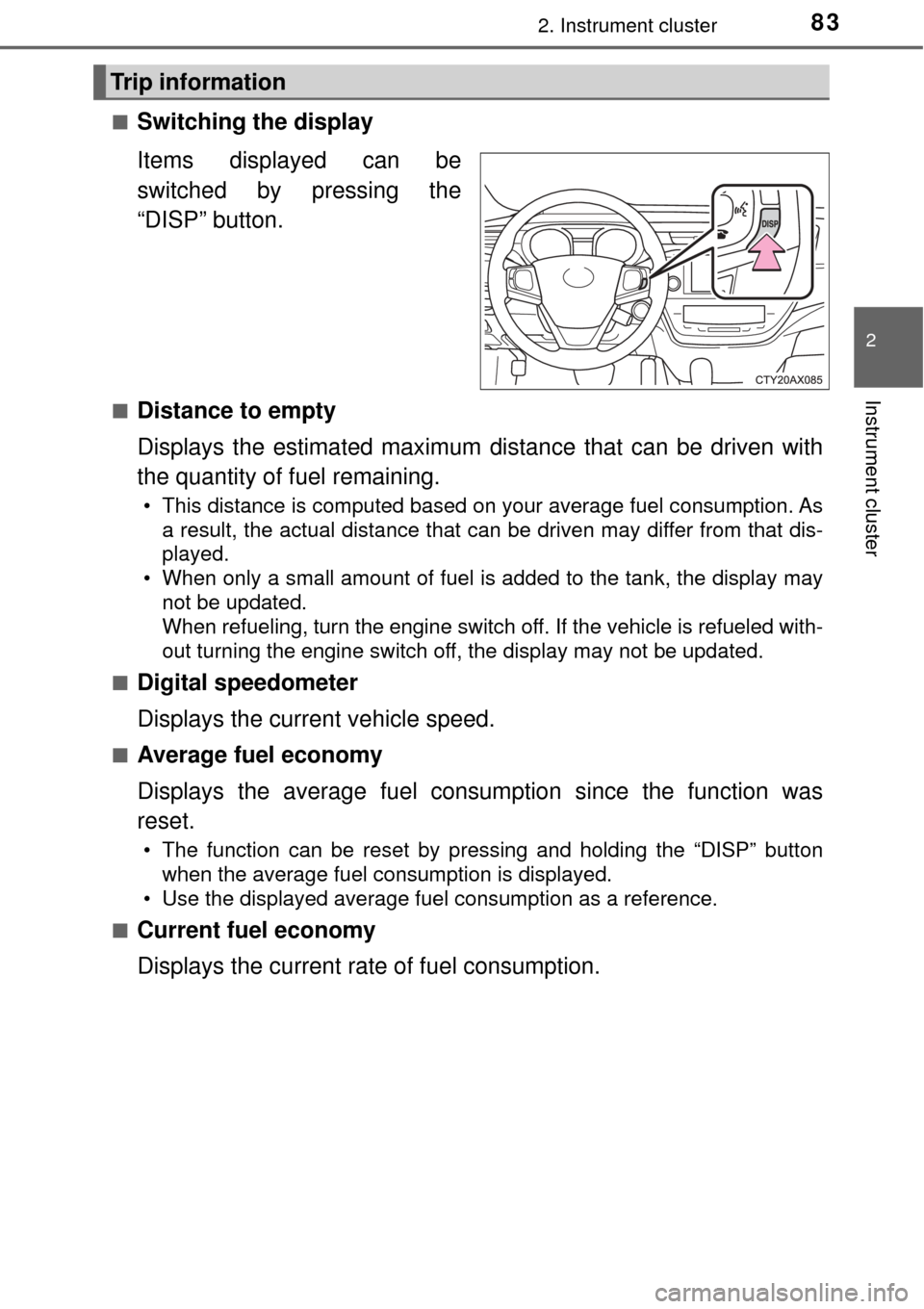
■Switching the display
Items displayed can be
switched by pressing the
“DISP” button.
■Distance to empty
Displays the estimated maximum distance that can be driven with
the quantity of fuel remaining.
• This distance is computed based on your average fuel consumption. Asa result, the actual distance that can be driven may differ from that dis-
played.
• When only a small amount of fuel is added to the tank, the display may
not be updated.
When refueling, turn the engine switch off. If the vehicle is refueled with-
out turning the engine switch off, the display may not be updated.
■
Digital speedometer
Displays the current vehicle speed.
■Average fuel economy
Displays the average fuel consum ption since the function was
reset.
• The function can be reset by pressing and holding the “DISP” button\
when the average fuel consumption is displayed.
• Use the displayed average fuel consumption as a reference.
■
Current fuel economy
Displays the current rate of fuel consumption.
Trip information
Page 87 of 492
872. Instrument cluster
2
Instrument cluster
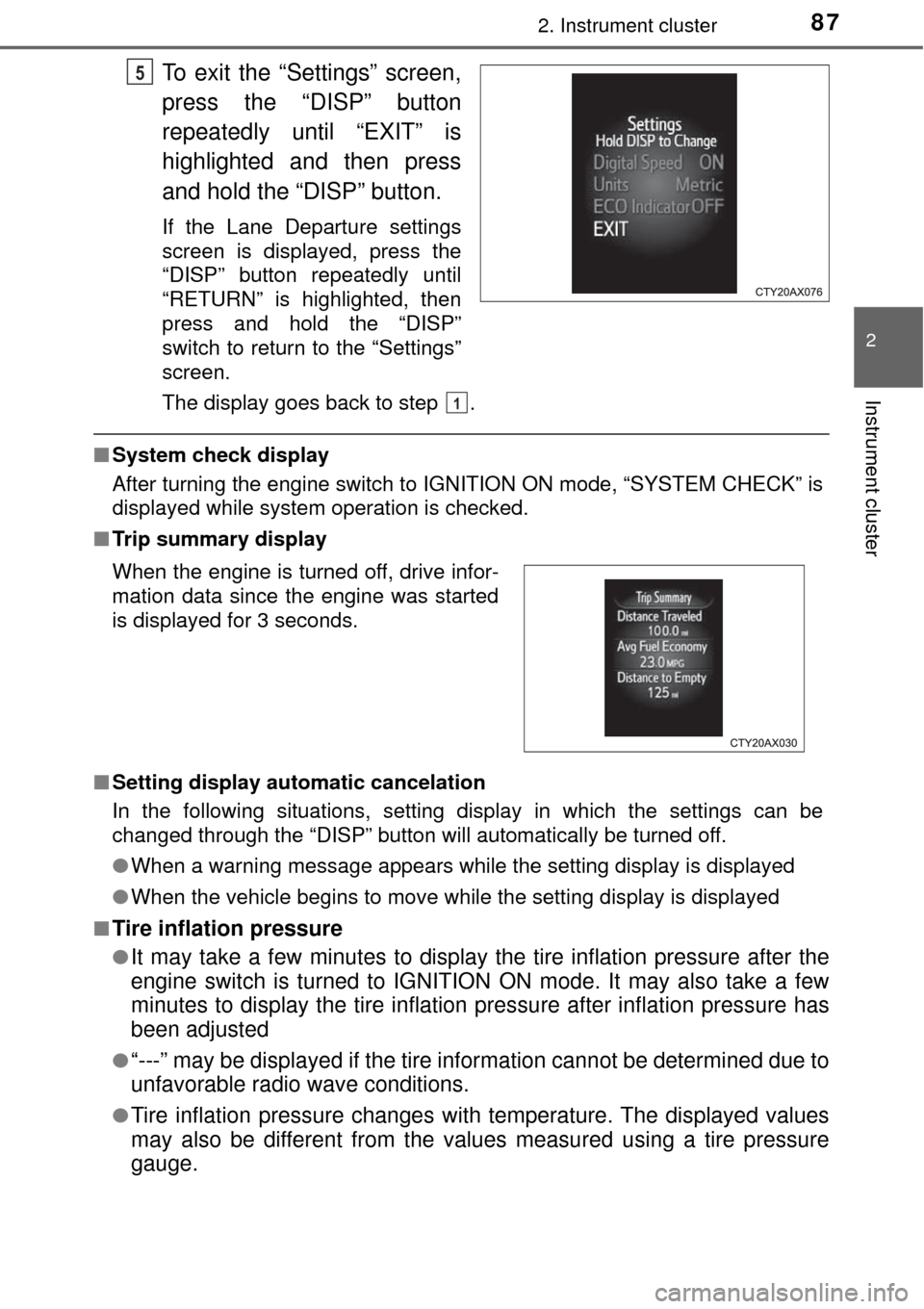
To exit the “Settings” screen,
press the “DISP” button
repeatedly until “EXIT” is
highlighted and then press
and hold the “DISP” button.
If the Lane Departure settings
screen is displayed, press the
“DISP” button repeatedly until
“RETURN” is highlighted, then
press and hold the “DISP”
switch to return to the “Settings”
screen.
The display goes back to step .
■System check display
After turning the engine switch to IGN ITION ON mode, “SYSTEM CHECK” is
displayed while system operation is checked.
■ Trip summary display
■ Setting display automatic cancelation
In the following situations, setting display in which the settings can b\
e
changed through the “DISP” button will automatically be turned off.
●When a warning message appears while the setting display is displayed
● When the vehicle begins to move while the setting display is displayed
■
Tire inflation pressure
●It may take a few minutes to display the tire inflation pressure after the
engine switch is turned to IGNITION ON mode. It may also take a few
minutes to display the tire inflation pressure after inflation pressure has
been adjusted
●“---” may be displayed if the tire information cannot be determined due to
unfavorable radio wave conditions.
●Tire inflation pressure changes with temperature. The displayed values
may also be different from the values measured using a tire pressure
gauge.
5
When the engine is turned off, drive infor-
mation data since the engine was started
is displayed for 3 seconds.
1