phone TOYOTA AVALON 2020 Accessories, Audio & Navigation (in English)
[x] Cancel search | Manufacturer: TOYOTA, Model Year: 2020, Model line: AVALON, Model: TOYOTA AVALON 2020Pages: 326, PDF Size: 7.79 MB
Page 66 of 326
66
3. OTHER SETTINGS
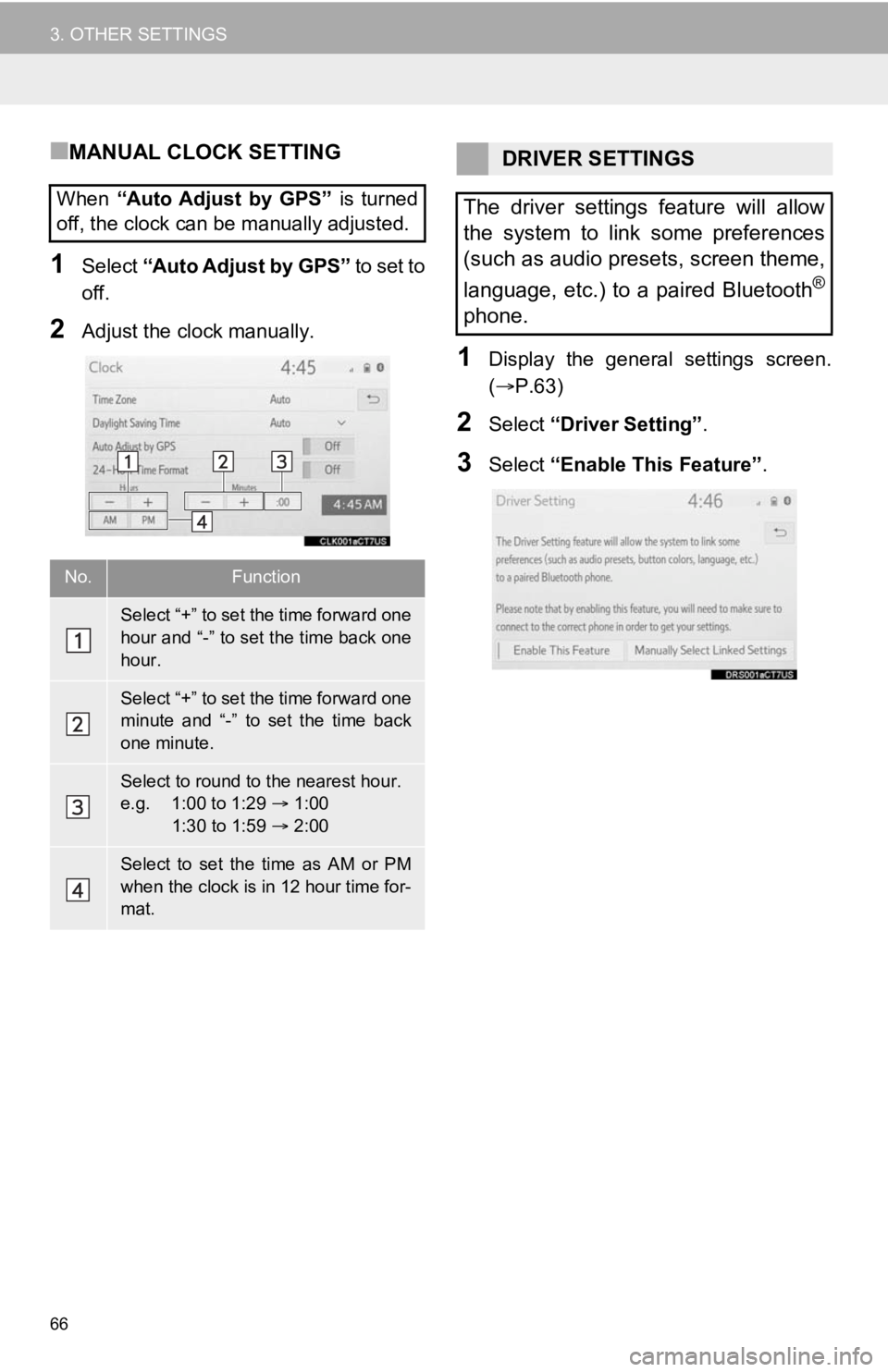
■MANUAL CLOCK SETTING
1Select “Auto Adjust by GPS” to set to
off.
2Adjust the clock manually.
1Display the general settings screen.
( P.63)
2Select “Driver Setting” .
3Select “Enable This Feature” .
When
“Auto Adjust by GPS” is turned
off, the clock can be manually adjusted.
No.Function
Select “+” to set the time forward one
hour and “-” to set the time back one
hour.
Select “+” to set the time forward one
minute and “-” to set the time back
one minute.
Select to round to the nearest hour.
e.g. 1:00 to 1:29 1:00
1:30 to 1:59 2:00
Select to set the time as AM or PM
when the clock is in 12 hour time for-
mat.
DRIVER SETTINGS
The driver settings feature will allow
the system to link some preferences
(such as audio presets, screen theme,
language, etc.) to a paired Bluetooth
®
phone.
Page 67 of 326
67
3. OTHER SETTINGS
BASIC FUNCTION
2
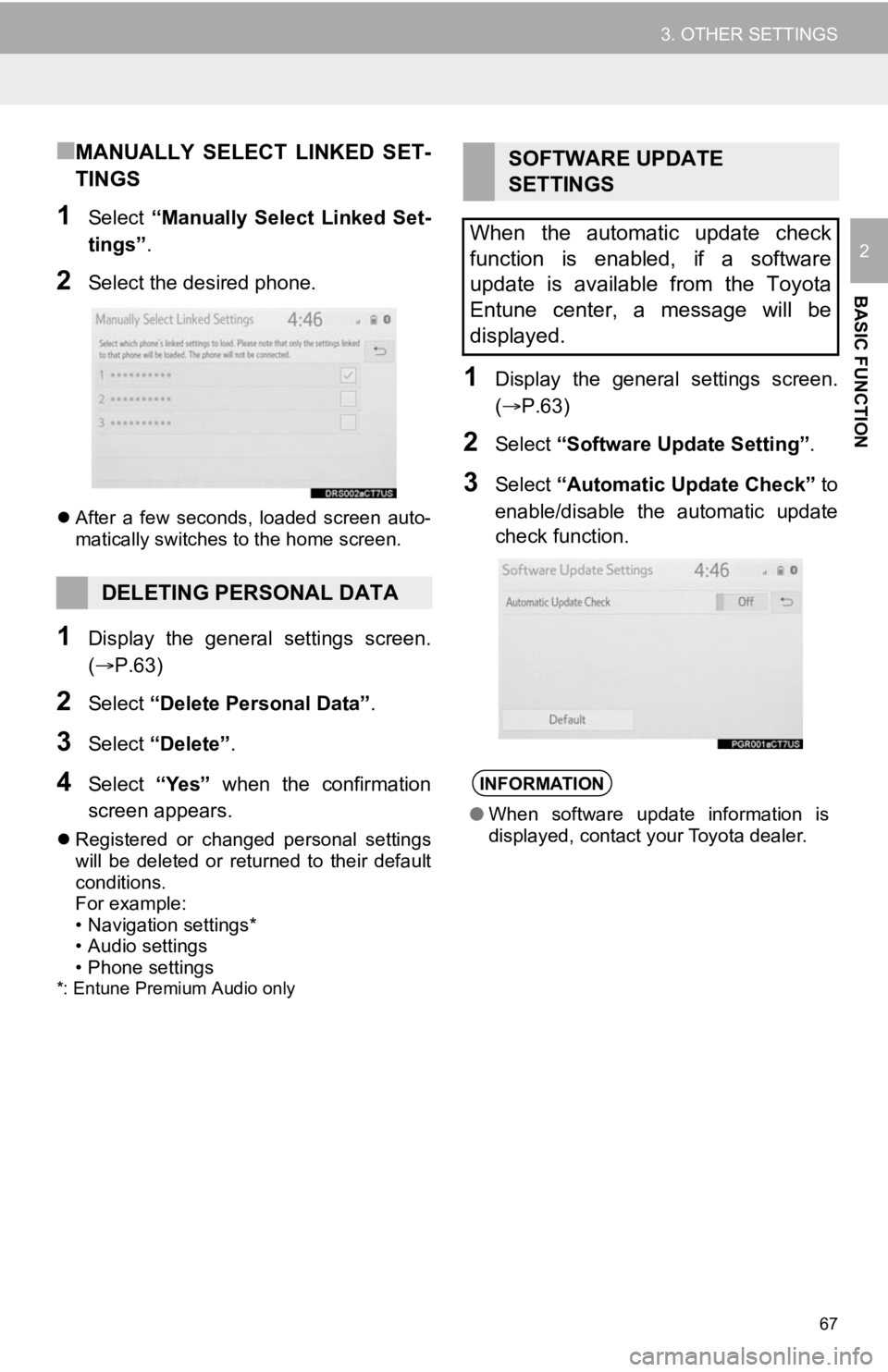
■MANUALLY SELECT LINKED SET-
TINGS
1Select “Manually Select Linked Set-
tings” .
2Select the desired phone.
After a few seconds, loaded screen auto-
matically switches to the home screen.
1Display the general settings screen.
(P.63)
2Select “Delete Personal Data” .
3Select “Delete” .
4Select “Yes” when the confirmation
screen appears.
Registered or changed personal settings
will be deleted or returned to their default
conditions.
For example:
• Navigation settings*
• Audio settings
• Phone settings
*: Entune Premium Audio only
1Display the general settings screen.
(P.63)
2Select “Software Upda te Setting”.
3Select “Automatic Update Check” to
enable/disable the automatic update
check function.
DELETING PERSONAL DATA
SOFTWARE UPDATE
SETTINGS
When the automatic update check
function is enabled, if a software
update is available from the Toyota
Entune center, a message will be
displayed.
INFORMATION
● When software update information is
displayed, contact your Toyota dealer.
Page 71 of 326
71
3. OTHER SETTINGS
BASIC FUNCTION
2
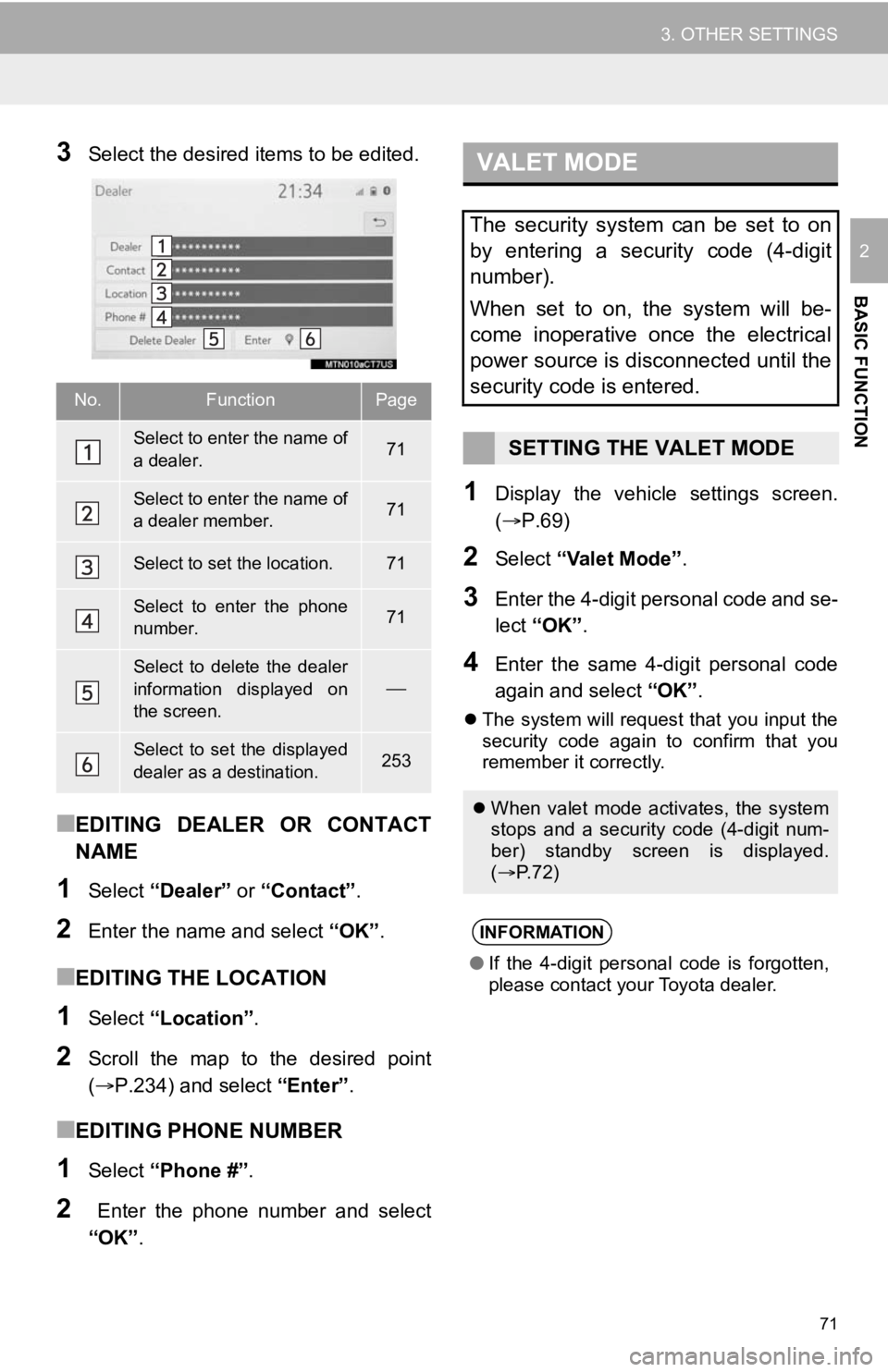
3Select the desired items to be edited.
■EDITING DEALER OR CONTACT
NAME
1Select “Dealer” or “Contact” .
2Enter the name and select “OK” .
■EDITING THE LOCATION
1Select “Location” .
2Scroll the map to the desired point
(P.234) and select “Enter”.
■EDITING PHONE NUMBER
1Select “Phone #” .
2 Enter the phone number and select
“OK”.
1Display the vehicle settings screen.
(P.69)
2Select “Valet Mode” .
3Enter the 4-digit personal code and se-
lect “OK” .
4Enter the same 4-digit personal code
again and select “OK”.
The system will request that you input the
security code again to confirm that you
remember it correctly.
No.FunctionPage
Select to enter the name of
a dealer.71
Select to enter the name of
a dealer member.71
Select to set the location.71
Select to enter the phone
number.71
Select to delete the dealer
information displayed on
the screen.
Select to set the displayed
dealer as a destination.253
VALET MODE
The security system can be set to on
by entering a security code (4-digit
number).
When set to on, the system will be-
come inoperative once the electrical
power source is disconnected until the
security code is entered.
SETTING THE VALET MODE
When valet mode activates, the system
stops and a security code (4-digit num-
ber) standby screen is displayed.
( P. 7 2 )
INFORMATION
●If the 4-digit personal code is forgotten,
please contact your Toyota dealer.
Page 72 of 326
72
3. OTHER SETTINGS
1Enter the 4-digit personal code and se-
lect “OK” .
1Display the vehicle settings screen.
(P.69)
2Select “Dealer Info” .
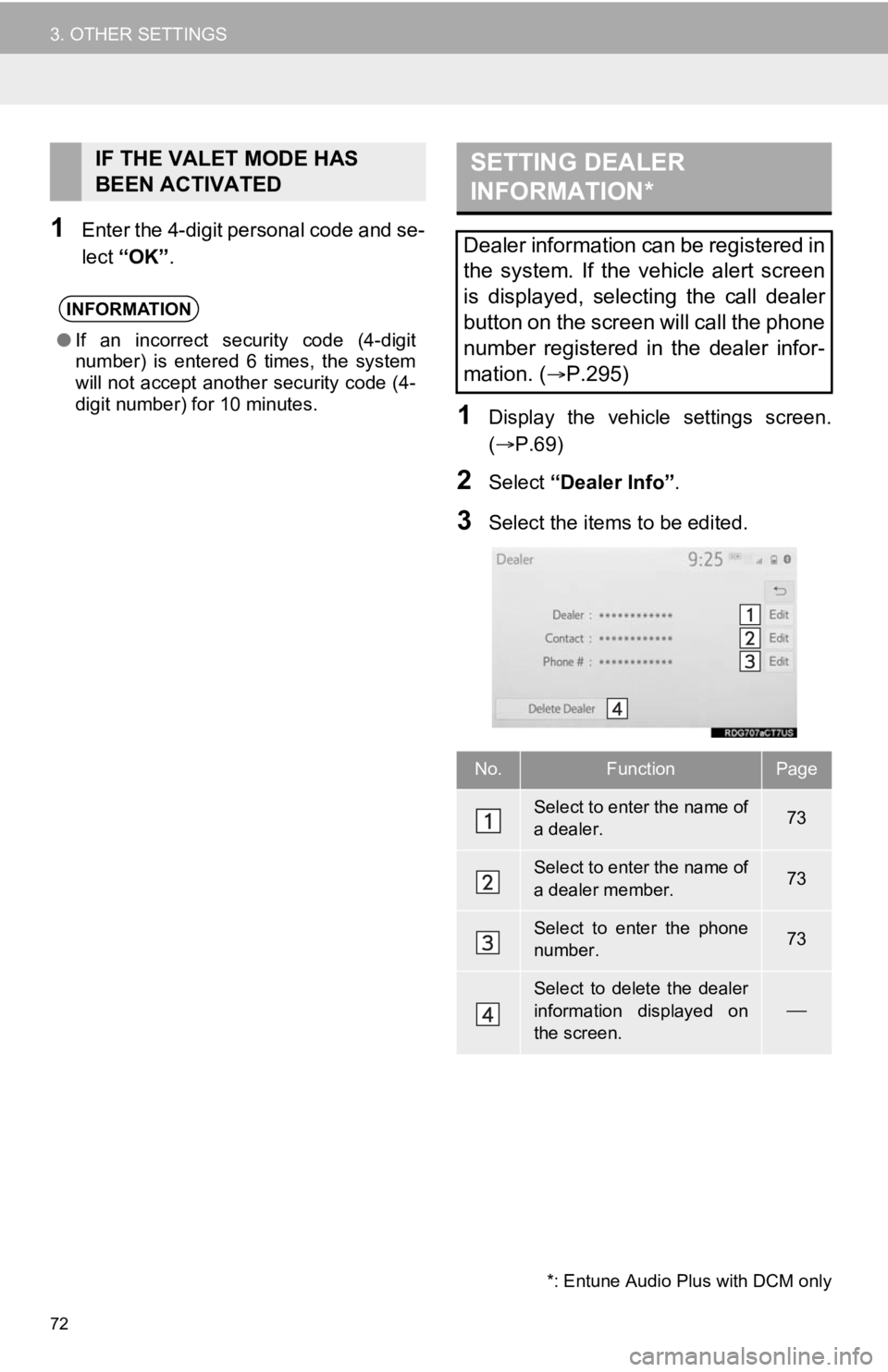
3Select the items to be edited.
IF THE VALET MODE HAS
BEEN ACTIVATED
INFORMATION
●If an incorrect security code (4-digit
number) is entered 6 times, the system
will not accept another security code (4-
digit number) for 10 minutes.
SETTING DEALER
INFORMATION*
Dealer information can be registered in
the system. If the vehicle alert screen
is displayed, selecting the call dealer
button on the screen will call the phone
number registered in the dealer infor-
mation. (
P.295)
No.FunctionPage
Select to enter the name of
a dealer.73
Select to enter the name of
a dealer member.73
Select to enter the phone
number.73
Select to delete the dealer
information displayed on
the screen.
*: Entune Audio Plus with DCM only
Page 73 of 326
73
3. OTHER SETTINGS
BASIC FUNCTION
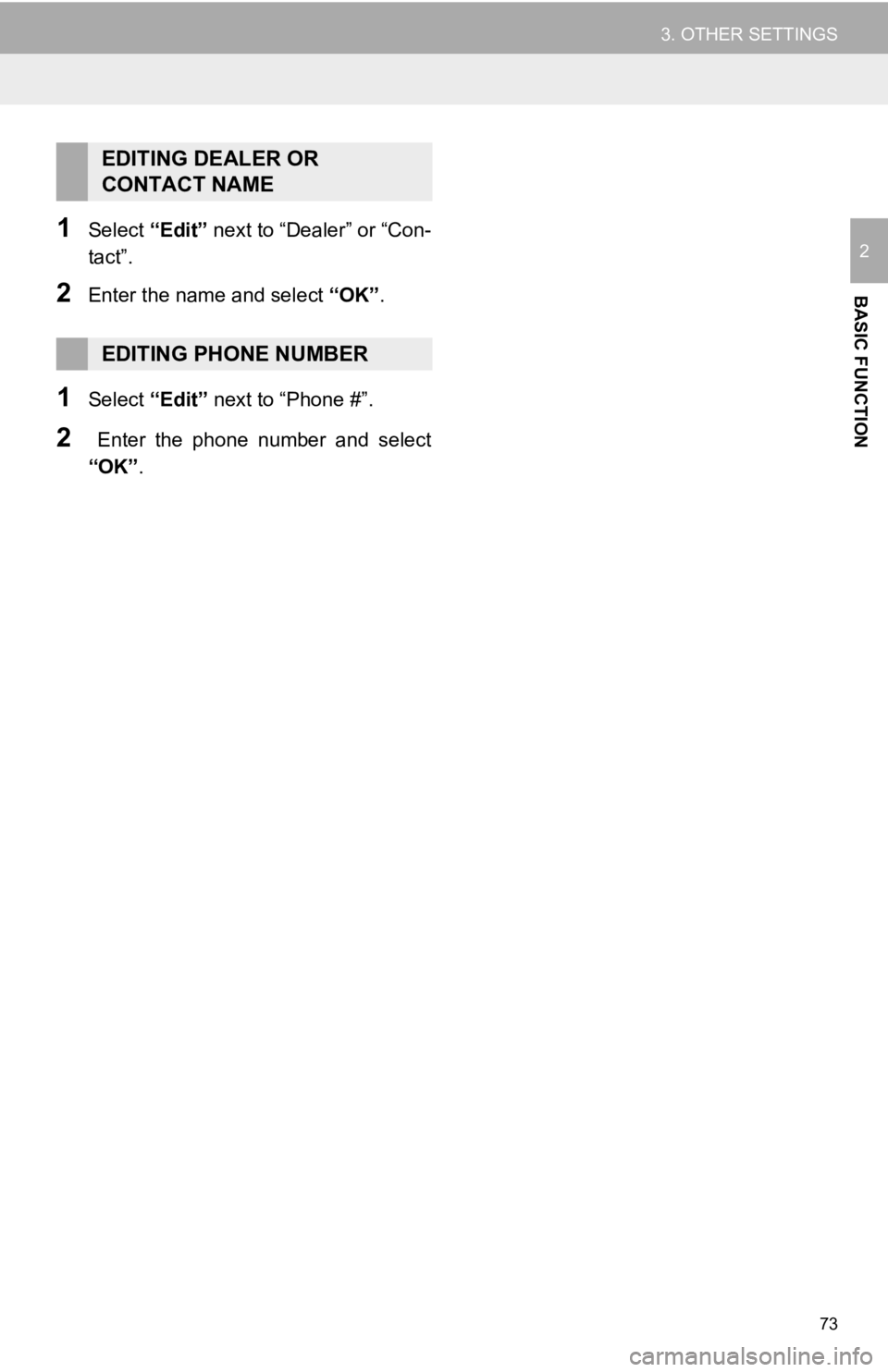
21Select “Edit” next to “Dealer” or “Con-
tact”.
2Enter the name and select “OK” .
1Select “Edit” next to “Phone #”.
2 Enter the phone number and select
“OK”.
EDITING DEALER OR
CONTACT NAME
EDITING PHONE NUMBER
Page 75 of 326
3
75
4
5
6
7
8
9
1
2
3
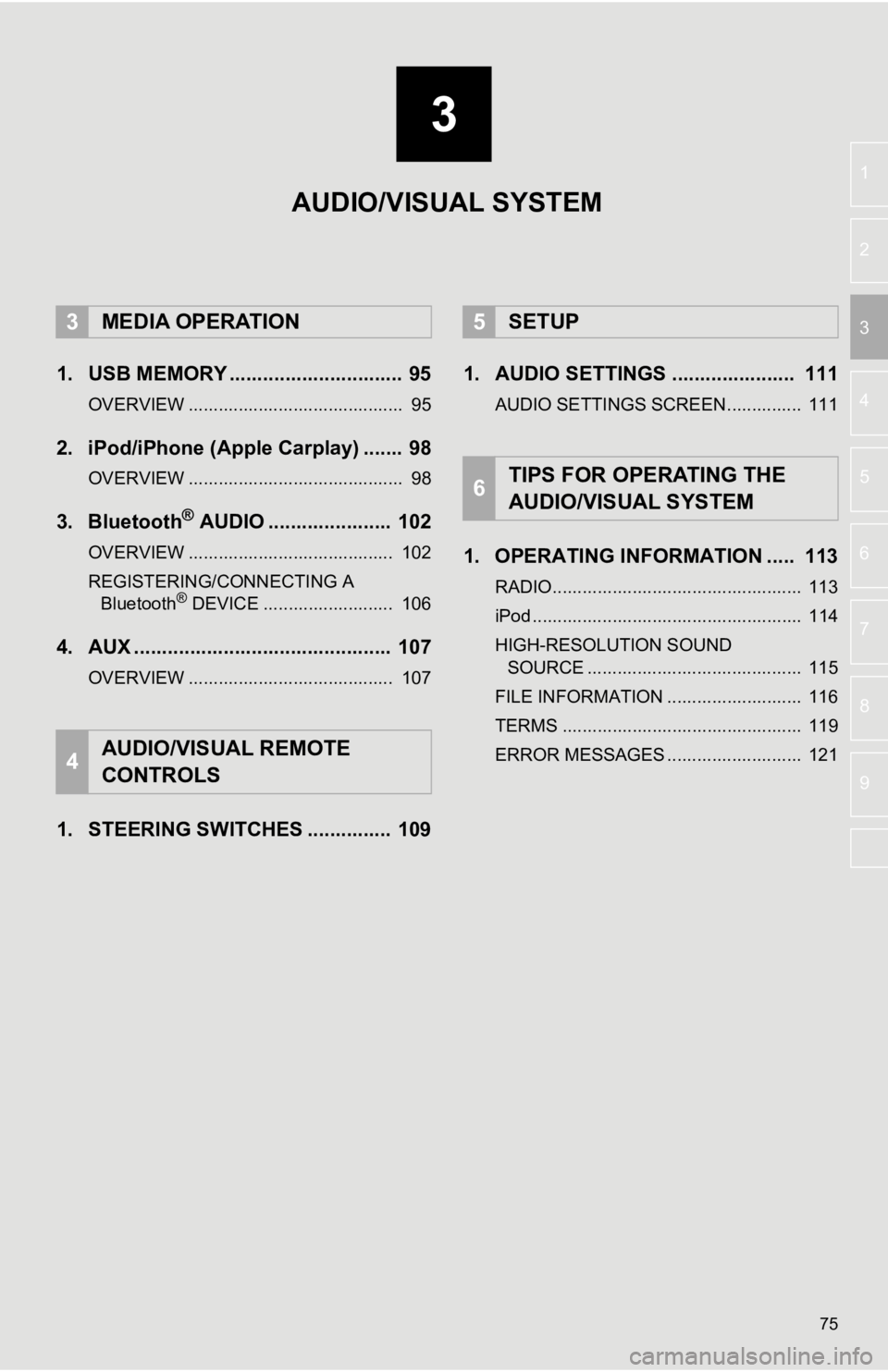
1. USB MEMORY ............................... 95
OVERVIEW ........................................... 95
2. iPod/iPhone (Apple Carplay) ....... 98
OVERVIEW ........................................... 98
3. Bluetooth® AUDIO ...................... 102
OVERVIEW ......................................... 102
REGISTERING/CONNECTING A Bluetooth
® DEVICE .......................... 106
4. AUX .............................................. 107
OVERVIEW ......................................... 107
1. STEERING SWITCHES ............... 109 1. AUDIO SETTINGS ...................... 111
AUDIO SETTINGS SCREEN............... 111
1. OPERATING INFORMATION ..... 113
RADIO.................................................. 113
iPod ...................................................... 114
HIGH-RESOLUTION SOUND
SOURCE ........................................... 115
FILE INFORMATION ........................... 116
TERMS ................................................ 119
ERROR MESSAGES ........................... 121
3MEDIA OPERATION
4AUDIO/VISUAL REMOTE
CONTROLS
5SETUP
6TIPS FOR OPERATING THE
AUDIO/VISUAL SYSTEM
AUDIO/VISUAL SYSTEM
Page 76 of 326
76
1. BASIC OPERATION
1. QUICK REFERENCE
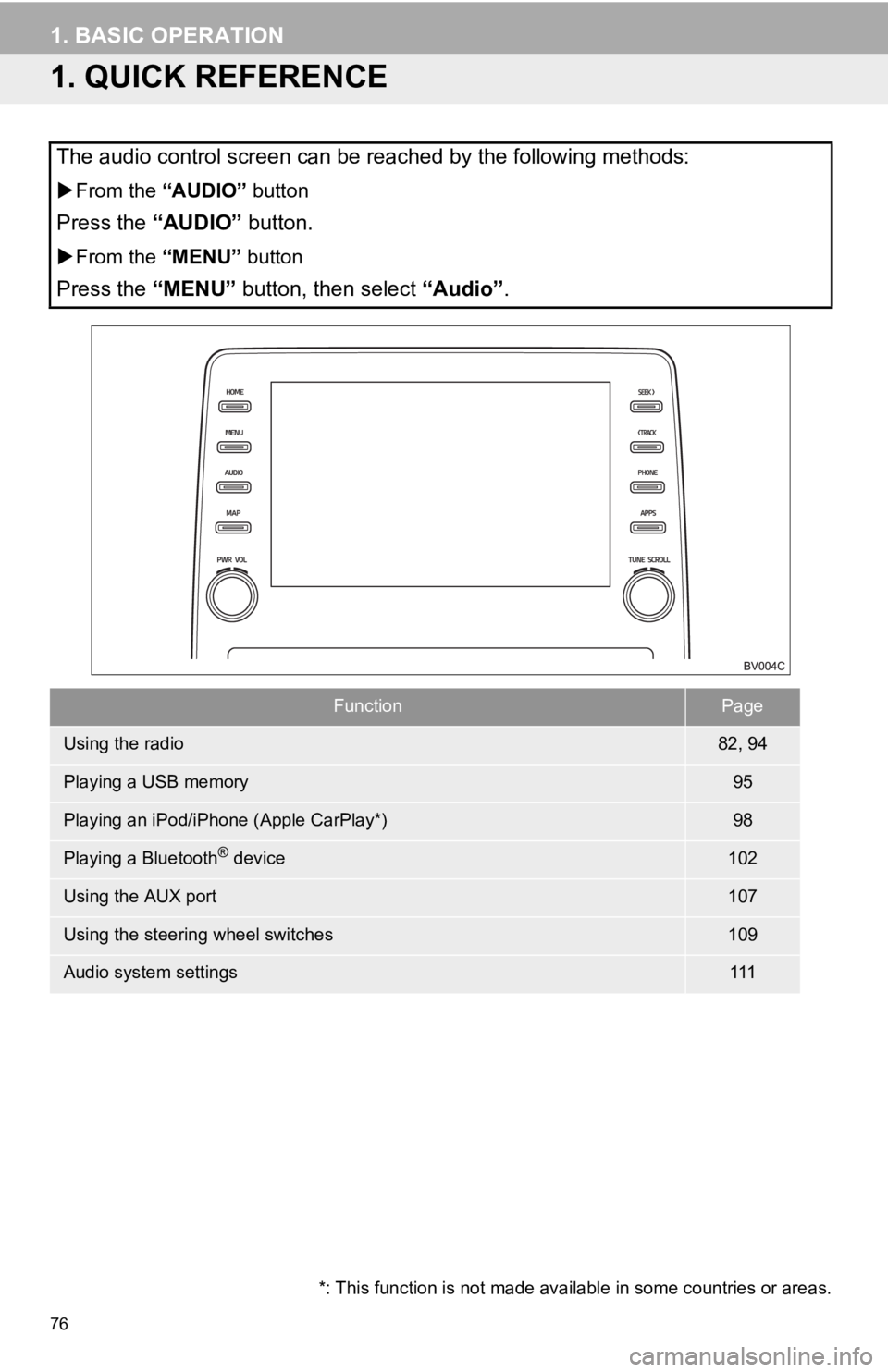
The audio control screen can be reached by the following methods:
From the “AUDIO” button
Press the “AUDIO” button.
From the “MENU” button
Press the “MENU” button, then select “Audio” .
FunctionPage
Using the radio82, 94
Playing a USB memory95
Playing an iPod/iPhone (Apple CarPlay*)98
Playing a Bluetooth® device102
Using the AUX port107
Using the steering wheel switches109
Audio system settings111
*: This function is not made avai lable in some countries or areas.
Page 85 of 326
85
2. RADIO OPERATION
AUDIO/VISUAL SYSTEM
31Select channels registered to smart fa-
vorites.
2Select “SXM Replay” *1 or “Radio Re-
play” *
2.
INFORMATION
●The system can stor e up to 20 minutes
of AM/FM and less than 60 minutes of
SXM. Cached data will be erased when
the radio mode or station is changed or
when the audio/visual system is turned
off.
● AM/FM: If noise or silence occurs during
the caching process, cache writing will
continue, with the noise or silence
recorded as is. In this case, the cached
broadcast will contain the noise or
silence when played back.
AUTOMATIC PLAYBACK OF
THE CACHE
If the radio broadcast is interrupted by
another audio output, such as an
incoming phone call, the system will
automatically cache the interrupted
portion and perform time-shift
playback when the interruption ends.
This function is available when “Auto
Pause” is set to on. ( P.87)
SMART FAVORITES (SXM)
Up to 20 channels can be registered as
presets in the cache. Caches the latest
less than 30 minutes for each channel.
For channel registration: P.112
INFORMATION
●When “SXM Tune Start” is turned on
( P.87), the current song is played from
the beginning when you select the chan-
nel.
● is displayed on the channels regis-
tered to smart favorites. ( P. 8 2 )
*1: Entune Audio Plus only
*2: Entune Premium Audio only
Page 94 of 326
94
2. RADIO OPERATION
2. INTERNET RADIO
1Display the audio source selection
screen. (P.77)
2Select the desired application screen
button.
The internet radio application screen is
displayed.
Perform operations according to the dis-
played application screen.
For the instrument panel operation
method: P. 7 7
If a compatible phone is already regis-
tered, it will be connected automatically.
LISTENING TO INTERNET
RADIO
One of Toyota Entune App Suite Con-
nect features is the ability to listen to in-
ternet radio. In order to use this
service, a compatible phone and the
system needs to be set up. For details:
P.300
INFORMATION
●Other applications can be activated
while listening to internet radio.
● Some parts of applications can be
adjusted using the switches on the
steering wheel.
● For additional information, refer to
http://www.toyota.com/Entune/
or call
1-800-331-4331 in the United States,
http://www.toyota.ca/entune
or call
1-888-869-6828 in Canada, and
http://www.toyotapr.com/entune
or call
1-877-855-8377 in Puerto Rico.
Page 98 of 326
98
3. MEDIA OPERATION
2. iPod/iPhone (Apple Carplay*)
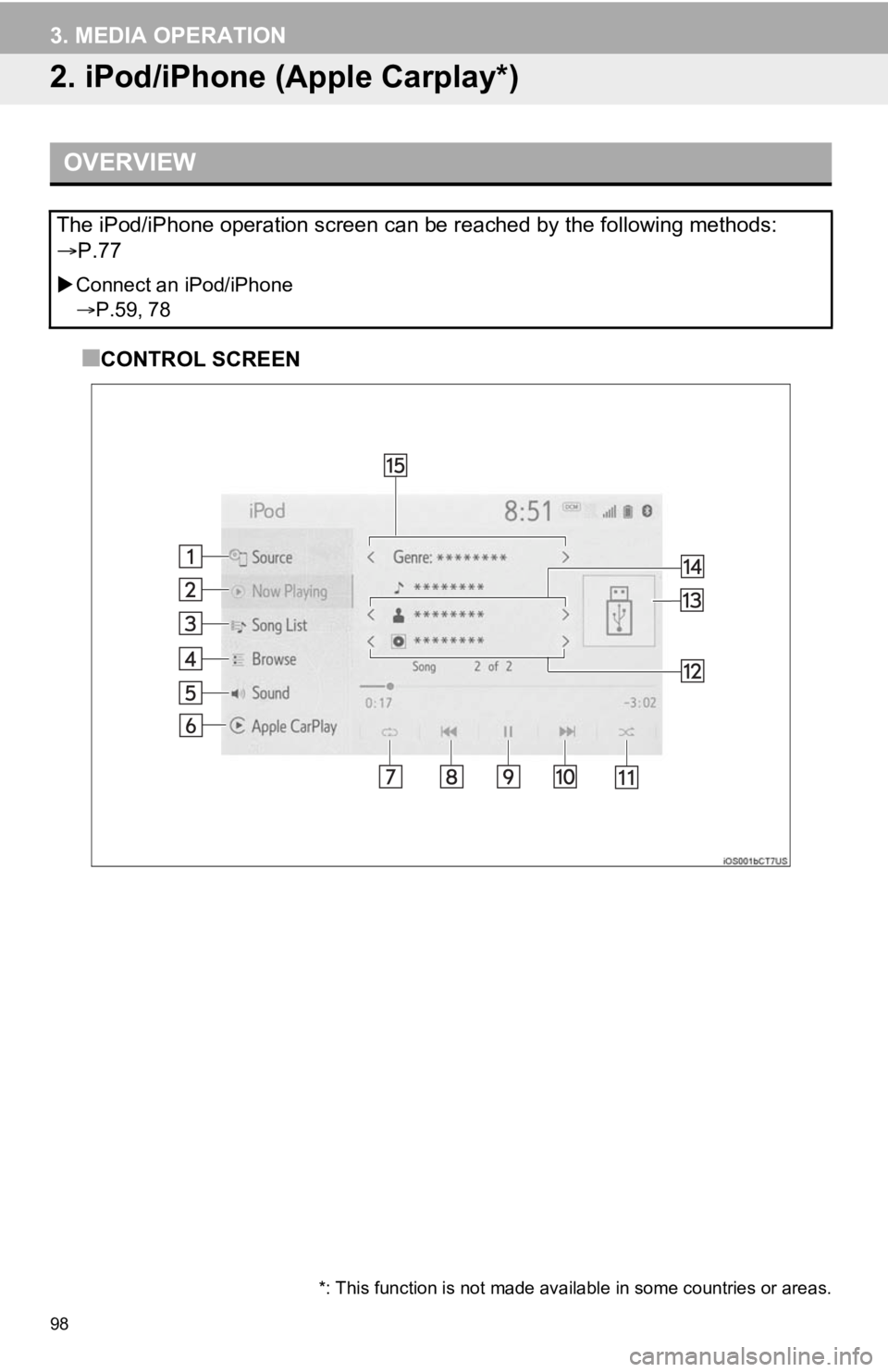
■CONTROL SCREEN
OVERVIEW
The iPod/iPhone operation screen can be reached by the following methods:
P.77
Connect an iPod/iPhone
P.59, 78
*: This function is not made avai lable in some countries or areas.