brake sensor TOYOTA AVALON 2022 User Guide
[x] Cancel search | Manufacturer: TOYOTA, Model Year: 2022, Model line: AVALON, Model: TOYOTA AVALON 2022Pages: 572, PDF Size: 9.42 MB
Page 312 of 572
3124-5. Using the driving support systems
■Situations in which the Intellige nt Clearance Sonar function ma y operate
even if there is no possibility of a collision
In some situations such as the following, the Intelligent Clear ance Sonar
function may operate even though there is no possibility of a c ollision.
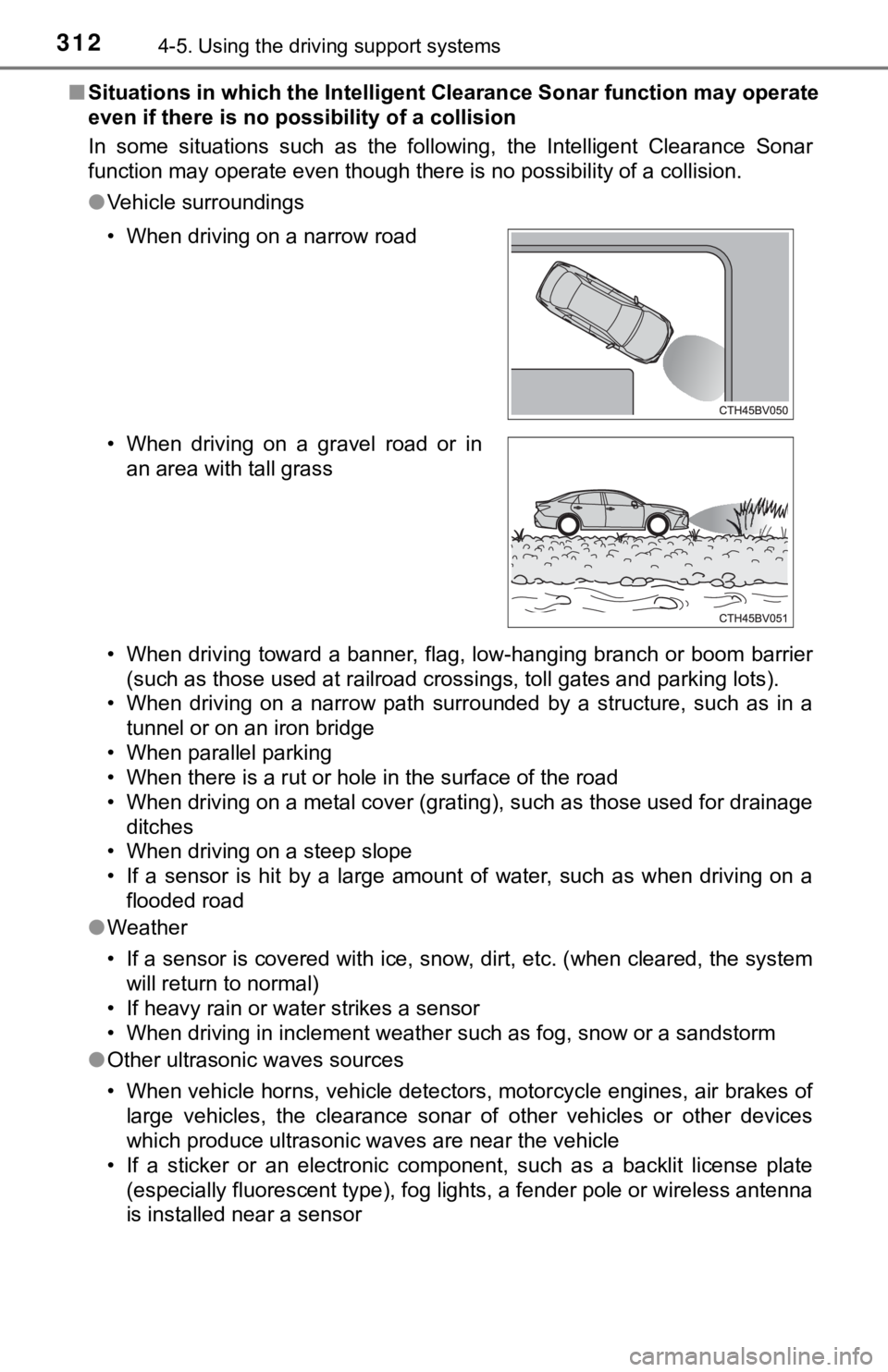
● Vehicle surroundings
• When driving toward a banner, flag, low-hanging branch or boom barrier
(such as those used at railroad crossings, toll gates and parki ng lots).
• When driving on a narrow path surrounded by a structure, such as in a
tunnel or on an iron bridge
• When parallel parking
• When there is a rut or hole in the surface of the road
• When driving on a metal cover (grating), such as those used fo r drainage
ditches
• When driving on a steep slope
• If a sensor is hit by a large amount of water, such as when driving on a flooded road
● Weather
• If a sensor is covered with ice, snow, dirt, etc. (when cleared, the system
will return to normal)
• If heavy rain or water strikes a sensor
• When driving in inclement weather such as fog, snow or a sands torm
● Other ultrasonic waves sources
• When vehicle horns, vehicle detectors, motorcycle engines, air brakes of
large vehicles, the clearance sonar of other vehicles or other devices
which produce ultrasonic waves are near the vehicle
• If a sticker or an electronic component, such as a backlit license plate (especially fluorescent type), fog lights, a fender pole or wir eless antenna
is installed near a sensor
• When driving on a narrow road
• When driving on a gravel road or in
an area with tall grass
Page 313 of 572
3134-5. Using the driving support systems
4
Driving
●Changes in the vehicle posture
• If the vehicle is significantly tilted
• If the front of the vehicle is raised or lowered due to the ca rried load
• If the orientation of a sensor has been changed due to a collision or other impact
■ If the Intelligent Clearance Sonar function operates unnecessar ily such
as at a railroad crossing
Even in the event that the Intelligent Clearance Sonar function operates
unnecessarily, such as at a railroad crossing, brake control will be canceled
after approximately 2 seconds, allowing you to proceed forward and leave the
area, Brake control can also be canceled by depressing the brak e pedal.
Depressing the accelerator pedal again will allow you to procee d forward and
leave the area.
■ Situations in which the Intell igent Clearance Sonar Brake funct ion may
not operate properly
In some situations such as the following, this function may not operate prop-
erly.
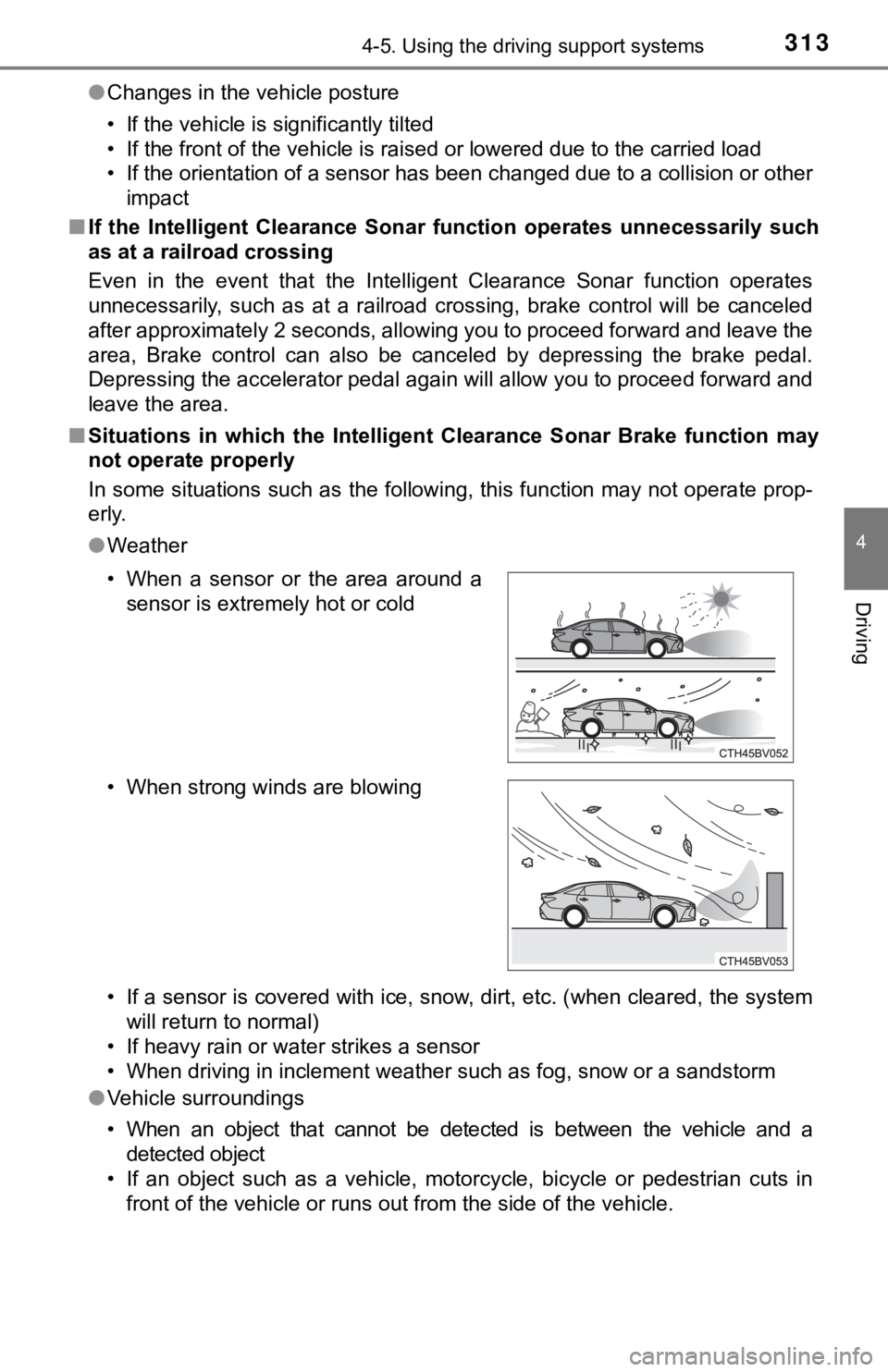
● Weather
• If a sensor is covered with ice, snow, dirt, etc. (when cleared, the system
will return to normal)
• If heavy rain or water strikes a sensor
• When driving in inclement weather such as fog, snow or a sands torm
● Vehicle surroundings
• When an object that cannot be detected is between the vehicle and a
detected object
• If an object such as a vehicle, motorcycle, bicycle or pedestrian cuts in front of the vehicle or runs out from the side of the vehicle.
• When a sensor or the area around a
sensor is extremely hot or cold
• When strong winds are blowing
Page 314 of 572

3144-5. Using the driving support systems
●Other ultrasonic waves sources
• When vehicle horns, vehicle detectors, motorcycle engines, air brakes of
large vehicles, the clearance sonar of other vehicles or other devices
which produce ultrasonic waves are near the vehicle
• If a sticker or an electronic component, such as a backlit license plate
(especially fluorescent type), fog lights, a fender pole or wir eless antenna
is installed near a sensor
● Changes in the vehicle posture
• If the vehicle is significantly tilted
• If the front of the vehicle is raised or lowered due to the ca rried load
• If the orientation of a sensor has been changed due to a collision or other impact
■ If a battery terminal has been disconnected and reconnected
The system needs to be initialized.
To initialize the system, drive the vehicle straight ahead for 5 seconds or more
at a speed of approximately 22 mph (35 km/h) or more.
■ If “ICS Unavailable” is displayed on the multi-information display and
the ICS OFF indicator is flashing
Initialization may not have been performed after a battery term inal was dis-
connected and reconnected. Initialize the system. ( P. 314)
If this message continues to be displayed even after initializa tion, have the
vehicle inspected by your Toyota dealer.
■ If “ICS Unavailable” and “Parking Assist Unavailable Clean Park ing
Assist Sensor” are displayed on th e multi-information display and the
ICS OFF indicator is flashing
● A sensor may be covered with ice, snow, dirt, etc. In this case , remove the
ice, snow, dirt, etc., from the sensor to return the system to normal. If this
message is shown even after removing dirt from the sensor, or s hown when
the sensor was not dirty to begin with, have the vehicle inspec ted at your
Toyota dealer.
● A sensor may be frozen. Once the ice melts, the system will ret urn to nor-
mal.
● Water may be continuously flowing over the sensor surface, such as in a
heavy rain. When the system determines that it is normal, the system will
return to normal.
Page 315 of 572

3154-5. Using the driving support systems
4
Driving
WARNING
■Limitations of the Intelligent Clearance Sonar system
Do not overly rely on the system, as doing so may lead to an accident.
● The driver is solely responsible for safe driving. Always drive carefully, tak-
ing care to observe your surroundings. The Intelligent Clearanc e Sonar
system is designed to provide support to lessen the severity of collisions.
However, it may not operate in some situations.
● The Intelligent Clearance Sonar system is not designed to stop the vehicle
completely. Additionally, even if the system has stopped the vehicle, it is
necessary to depress the brake pedal immediately as brake control will be
canceled after approximately 2 seconds.
■ To ensure the Intelligent Clearance Sonar system can operate pr operly
Observe the following precautions regarding the sensors ( P. 306). Failure
to do so may cause a sensor to not operate properly, and may cause an
accident.
● Do not modify, disassemble or paint the sensors.
● Do not replace a sensor with a part other than a genuine part.
● Do not subject a sensor or its surrounding area to a strong impact.
● Do not damage the sensors, and always keep them clean.
Observe the following precautions regarding the radar sensors ( P. 282).
Failure to do so may cause a radar sensor to not operate proper ly, and may
cause an accident.
● Do not modify, disassemble or paint the sensors.
● Do not replace a radar sensor with a part other than a genuine part.
● Do not subject a radar sensor or its surrounding area to a strong impact.
● Do not damage the radar sensors, and always keep the radar sensors and
their surrounding area on the bumper clean.
■ Handling the suspension
Do not modify the suspension, as changes to the height or inclination of the
vehicle may prevent the sensors from detecting objects correctly or cause
the system to not operate or operate unnecessarily.
Page 320 of 572
3204-5. Using the driving support systems
■Re-enabling the Rear Cross Traffic Auto Brake function
To re-enable the Rear Cross Traffic Auto Brake function when it is disabled
while it is operating, either enable the Intelligent Clearance Sonar system
again ( P. 306), or turn the engine switch off and then back to IGNITIO N ON
mode. When the function is disabled, the ICS OFF indicator will illuminate.
( P. 87)
If there is no longer a vehicle approaching from the right or l eft at the rear of
the vehicle when backing up, or if the traveling direction of the vehicle
changes (such as changing from backing up to moving forward), the system
will be re-enabled automatically. When the function is re-enabl ed, the ICS
OFF indicator will turn off.
■ Conditions under which the Rear Cross Traffic Auto Brake function will
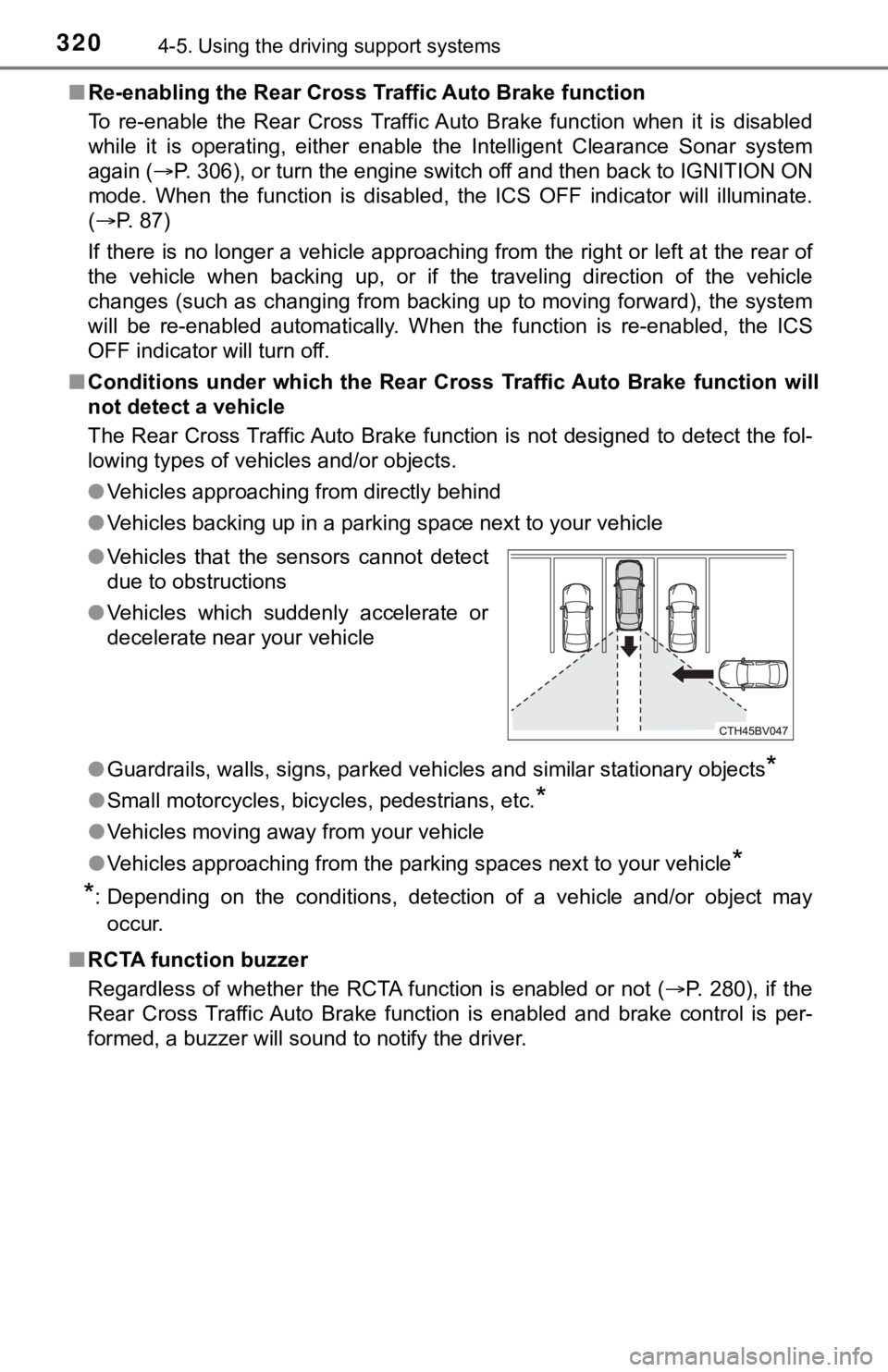
not detect a vehicle
The Rear Cross Traffic Auto Brake function is not designed to d etect the fol-
lowing types of vehicles and/or objects.
● Vehicles approaching from directly behind
● Vehicles backing up in a parking space next to your vehicle
● Guardrails, walls, signs, parked vehicles and similar stationar y objects
*
●Small motorcycles, bicycles, pedestrians, etc.*
●Vehicles moving away from your vehicle
● Vehicles approaching from the parking spaces next to your vehic le
*
*
: Depending on the conditions, detection of a vehicle and/or obj ect may
occur.
■ RCTA function buzzer
Regardless of whether the RCTA function is enabled or not ( P. 280), if the
Rear Cross Traffic Auto Brake function is enabled and brake con trol is per-
formed, a buzzer will sound to notify the driver. ● Vehicles that the sensors cannot detect
due to obstructions
● Vehicles which suddenly accelerate or
decelerate near your vehicle
Page 322 of 572
3224-5. Using the driving support systems
■Situations in which the Rear Cross Traffic Auto Brake function may not
operate properly
In some situations such as the following, this function may not operate prop-
erly.
● Objects and vehicles which the radar sensors are not designed t o detect
• Stationary objects
• Vehicles which are moving away from your vehicle
• Pedestrians, motorcycles, bicycles, etc.
*
• Objects which are extremely close to a radar sensor
• Vehicles which are approaching from the right or left at the r ear of the
vehicle at a traveling speed of less than approximately 5 mph ( 8 km/h)
• Vehicles which are approaching from the right or left at the r ear of the
vehicle at a traveling speed of more than approximately 15 mph (24 km/h)
*: Depending on conditions, detection of a vehicle and/or object may occur.
● Situations in which the radar sensors may not be able to detect an object
• When a sensor or the area around a sensor is extremely hot or cold
• If the rear bumper is covered with ice, snow, dirt, etc.
• If heavy rain or water strikes the vehicle
• When the detection area of a radar sensor is obstructed by an adjacent
vehicle
• If the vehicle is significantly tilted
• When equipment that may obstruct a sensor is installed, such a s a towing
eyelet, bumper protector (an additional trim strip, etc.), bicy cle carrier, or
snow plow
• If the suspension has been modified or tires of a size other than specified
are installed
• If the front of the vehicle is raised or lowered due to the ca rried load
• If a sticker or an electronic component, such as a backlit license plate
(especially fluorescent type), fog lights, a fender pole or wir eless antenna
is installed near a radar sensor
• If the orientation of a radar sensor has been changed due to a collision or
other impact or removal and installation
• When multiple vehicles are approaching with only a small gap between each vehicle
• When a vehicle is approaching at high speed
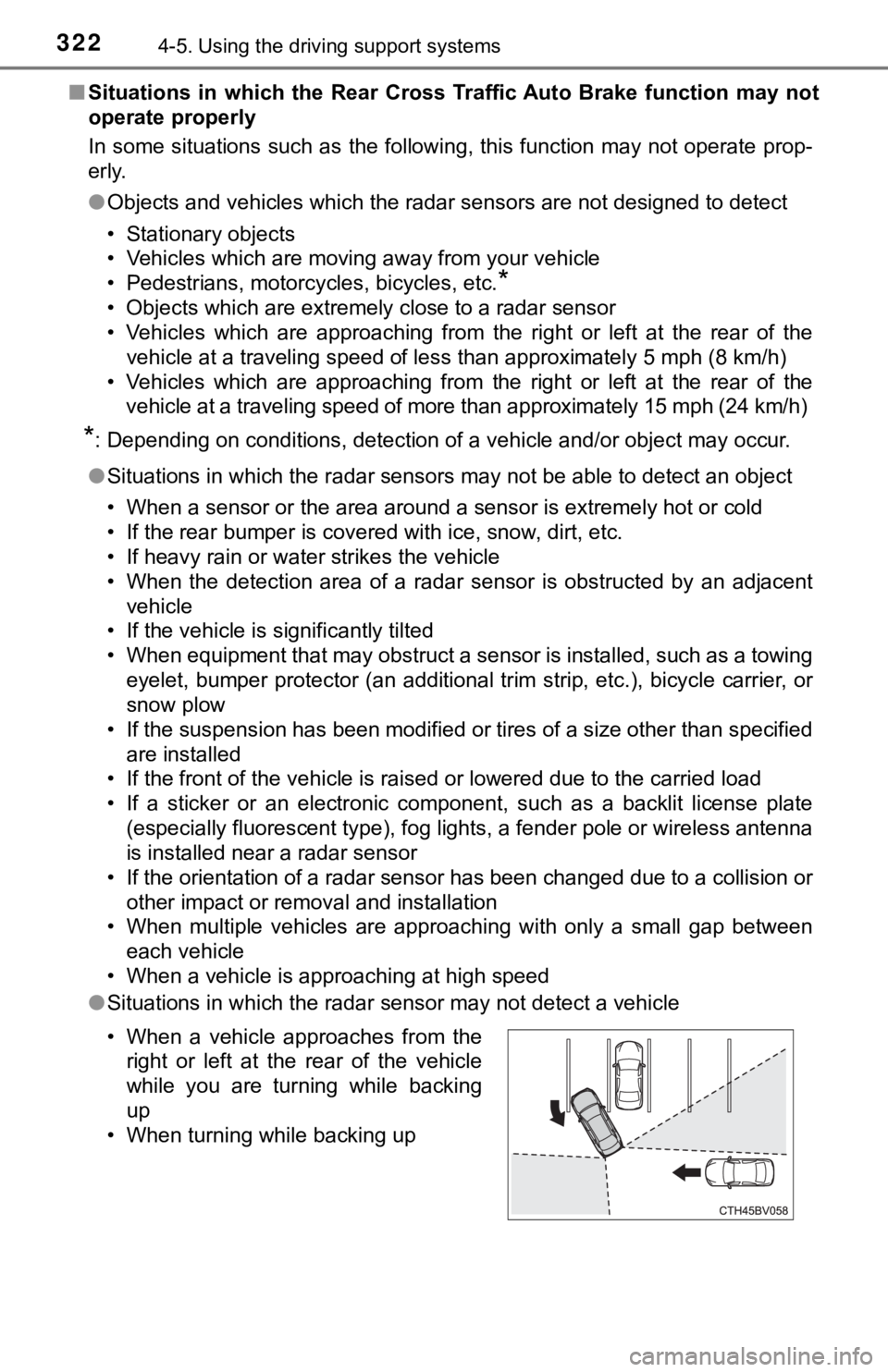
● Situations in which the radar sensor may not detect a vehicle
• When a vehicle approaches from the
right or left at the rear of the vehicle
while you are turning while backing
up
• When turning while backing up
Page 329 of 572
3294-5. Using the driving support systems
4
Driving
◆EPS (Electric Power Steering)
Employs an electric motor to reduce the amount of effort needed to
turn the steering wheel
◆Adaptive Variable Suspension System (if equipped)
By independently controlling the damping force of the shock
absorbers for each of the 4 wheels according to the road and dr iv-
ing conditions, this system helps riding comfort with superior vehi-
cle stability, and helps good vehicle posture ( P. 3 2 4 )
◆The Secondary Collision Brake
When the SRS airbag sensor detects a collision and the system
operates, the brakes and stop li ghts are automatically controlled to
reduce the vehicle speed and hel p reduce the possibility of further
damage due to a secondary collision.
◆Dynamic Torque Control AWD system (if equipped)
Automatically switches from fron t-wheel drive to all-wheel drive
(AWD) according to the driving conditions, helping to ensure re li-
able handling and stability. Ex amples of conditions where the s ys-
tem will switch to AWD are when cornering, going uphill, starting off
or accelerating, and when the road surface is slippery due to s now,
rain, etc.
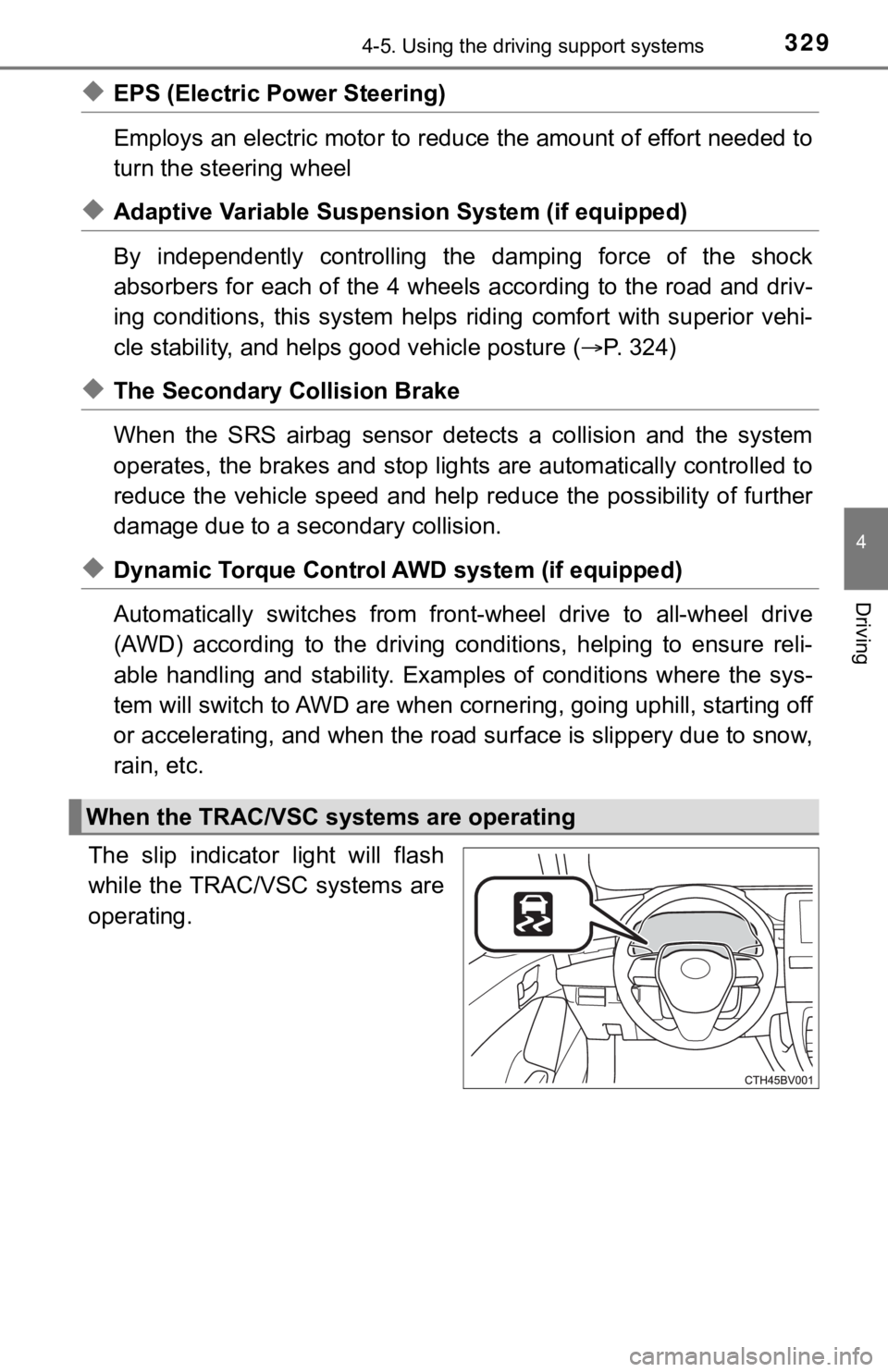
The slip indicator light will flash
while the TRAC/VSC systems are
operating.
When the TRAC/VSC systems are operating
Page 332 of 572

3324-5. Using the driving support systems
■Sounds and vibrations caused by the ABS, brake assist, VSC, TRA C and
hill-start assist control systems
● A sound may be heard from the engine compartment when the brake pedal
is depressed repeatedly, when the engine is started or just aft er the vehicle
begins to move. This sound does not indicate that a malfunction has
occurred in any of these systems.
● Any of the following conditions may occur when the above system s are
operating. None of these indicates that a malfunction has occur red.
• Vibrations may be felt through the vehicle body and steering.
• A motor sound may be heard also after the vehicle comes to a s top.
• The brake pedal may pulsate slightly after the ABS is activate d.
• The brake pedal may move down slightly after the ABS is activa ted.
■ EPS operation sound
When the steering wheel is operated, a motor sound (whirring so und) may be
heard. This does not indicate a malfunction.
■ Active Cornering Assist operation sounds and vibrations
When the Active Cornering Assist is operated, operation sounds and vibra-
tions may be generated from the brake system, but this is not a malfunction.
■ Automatic reactivation of TRAC and VSC systems
After turning the TRAC and VSC systems off, the systems will be automati-
cally re-enabled in the following situations:
● When the engine switch is turned off
● If only the TRAC system is turned off, the TRAC will turn on wh en vehicle
speed increases
If both the TRAC and VSC systems are turned off, automatic re-e nabling will
not occur when vehicle speed increases.
■ Operating conditions of Active Cornering Assist
The system operates when the following occurs.
●TRAC/VSC can operate
● The driver is attempting to accelerate while turning
● The system detects that the vehicle is sliding to the outer sid e
● The brake pedal is released
■ Secondary Collision Brake operating conditions
The system operates when the SRS airbag sensor detects a collis ion while
the vehicle is in motion.
However, the system does not operate in any of the following si tuations.
● The vehicle speed is below 6 mph (10 km/h)
● Components are damaged
Page 554 of 572
554What to do if... (Troubleshooting)
●The seat belt reminder light is flashing
Are the driver and the passenger wearing the seat belts? (P. 459)
●The parking brake indicator is on
Is the parking brake released? (P. 198)
Depending on the situation, other types of warning buzzer may also sound.
( P. 455, 465)
●Did anyone inside the vehicle open a door during setting the al arm?
The sensor detects it and the alarm sounds. ( P. 80)
Do one of the following to stop the alarm: • Unlock the doors.
• Open the trunk using the entry function or wireless remote con trol.
• Turn the engine switch to ACCESSORY or IGNITION ON mode, or st art
the engine.
●Is the message displayed on the multi-information display?
Check the message on the multi-information display. ( P. 465)
●When a warning light turns on or a warning message is displayed , refer to
P. 455, 465.
●Stop the vehicle in a safe place and replace the flat tire with the spare
tire. ( P. 470)
●Try the procedure for when the vehicle becomes stuck in mud, di rt, or
snow. ( P. 495)
A warning buzzer sounds during driving
An alarm is activated and the horn sounds
A warning buzzer sounds w hen leaving the vehicle
A warning light turns on or a warning message is displayed
When a problem has occurred If you have a flat tire
The vehicle becomes stuck
Page 566 of 572

566Alphabetical index
Seats ................................. 144, 146Adjustment .................... 144, 146
Adjustment precautions ................. 145, 147
Child seats/child restraint system installation . ............... 63
Cleaning................................ 389
Driving position memory ....... 148
Folding down the rear seatbacks ........................... 146
Front seat heaters................. 349
Head restraints ..................... 153
Power easy access system ......... ....................... 148
Properly sitting in the seat ...... 28
Rear seat heaters ................. 349
Seat ventilators ..................... 349
Secondary Collis ion Brake ..... 329
Sensor
Automatic headlight system ......... ....................... 206
Automatic High Beam
system ......... ....................... 208
Camera sensor ..................... 221
Inside rear view mirror .......... 158
Intuitive parking assist .......... 295
LTA (Lane Tracing Assist)................................. 243
Radar sensor ........................ 221 Service reminder
indicators ................................. 84
Shift lever ................................. 191
Automatic transmission ........ 191
If the shift lever cannot be shifted from P ................ 195
S mode ................................. 192
Shift lock system ..................... 194
Side airbags ............................... 37
Side marker lights ................... 204 Light switch ........................... 204
Replacing light bulbs ............ 441
Side mirrors ............................. 159
Adjusting and folding ............ 159
BSM (Blind Spot Monitor) ..... 279
Heaters ................................. 344
Side turn signal lights Replacing light bulbs ............ 441
Turn signal lever ................... 197
Smart key system .................... 137 Antenna location ................... 137
Entry functions .............. 127, 133
Starting the engine ............... 186
Snow tires ................................ 338
Spare tire .................................. 470 Inflation pressure .................. 506
Storage location.................... 471