headlights TOYOTA AVALON 2022 User Guide
[x] Cancel search | Manufacturer: TOYOTA, Model Year: 2022, Model line: AVALON, Model: TOYOTA AVALON 2022Pages: 572, PDF Size: 9.42 MB
Page 223 of 572

2234-5. Using the driving support systems
4
Driving
WARNING
●Do not subject the front camera to a strong impact.
● Do not change the installation position or direction of the front camera or
remove it.
● Do not disassemble the front camera.
● Do not modify any components of the vehicle around the front ca mera
(inside rear view mirror, etc.) or ceiling.
● Do not attach any accessories to the hood, front grille or front bumper that
may obstruct the front camera. Contact your Toyota dealer for details.
● If a surfboard or other long object is to be mounted on the roo f, make sure
that it will not obstruct the front camera.
● Do not modify the headlights or other lights.
Page 244 of 572

2444-5. Using the driving support systems
WARNING
■Situations unsuitable for LTA system
In the following situations, use the LTA switch to turn the system off. Failure
to do so may lead to an accident, resulting in death or serious injury.
● Vehicle is driven on a road surface which is slippery due to rainy weather,
fallen snow, freezing, etc.
● Vehicle is driven on a snow-covered road.
● White (yellow) lines are difficult to see due to rain, snow, fog, dust, etc.
● Vehicle is driven in a temporary lane or restricted lane due to construction
work.
● Vehicle is driven in a construction zone.
● A spare tire, tire chains, etc. are equipped.
● When the tires have been excessively worn, or when the tire inf lation pres-
sure is low.
● During emergency towing
■ Preventing LTA system malfunctions and operations performed by
mistake
● Do not modify the headlights or place stickers, etc. on the sur face of the
lights.
● Do not modify the suspension etc. If the suspension etc. needs to be
replaced, contact your Toyota dealer.
● Do not install or place anything on the hood or grille. Also, d o not install a
grille guard (bull bars, kangaroo bar, etc.).
● If your windshield needs repairs, contact your Toyota dealer.
Page 247 of 572
2474-5. Using the driving support systems
4
Driving
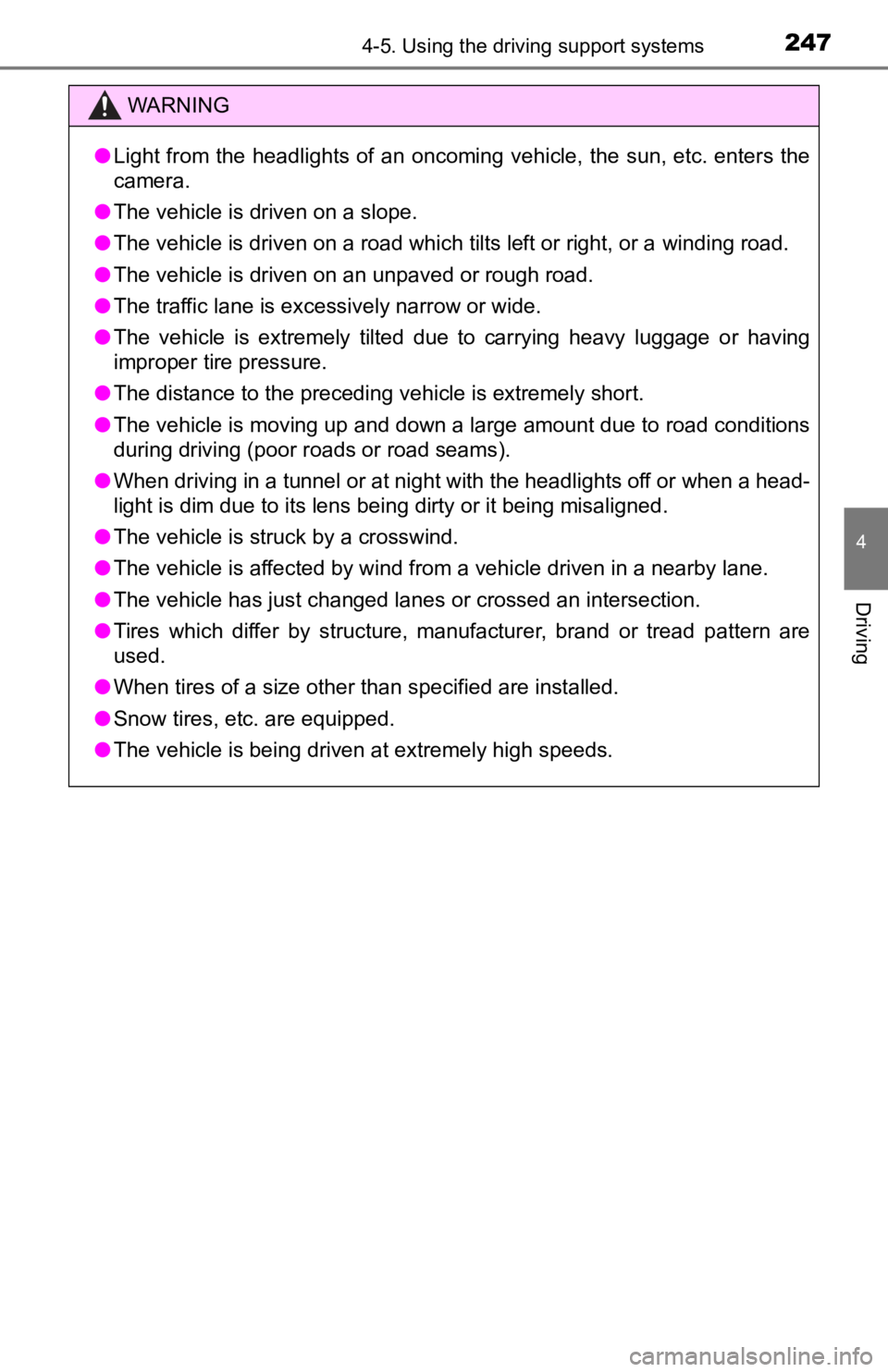
WARNING
●Light from the headlights of an oncoming vehicle, the sun, etc. enters the
camera.
● The vehicle is driven on a slope.
● The vehicle is driven on a road which tilts left or right, or a winding road.
● The vehicle is driven on an unpaved or rough road.
● The traffic lane is excessively narrow or wide.
● The vehicle is extremely tilted due to carrying heavy luggage o r having
improper tire pressure.
● The distance to the preceding vehicle is extremely short.
● The vehicle is moving up and down a large amount due to road conditions
during driving (poor r oads or road seams).
● When driving in a tunnel or at night with the headlights off or when a head-
light is dim due to its lens being dirty or it being misaligned.
● The vehicle is struck by a crosswind.
● The vehicle is affected by wind from a vehicle driven in a nearby lane.
● The vehicle has just changed lanes or crossed an intersection.
● Tires which differ by structure, manufacturer, brand or tread p attern are
used.
● When tires of a size other than specified are installed.
● Snow tires, etc. are equipped.
● The vehicle is being driven at extremely high speeds.
Page 293 of 572
2934-5. Using the driving support systems
4
Driving
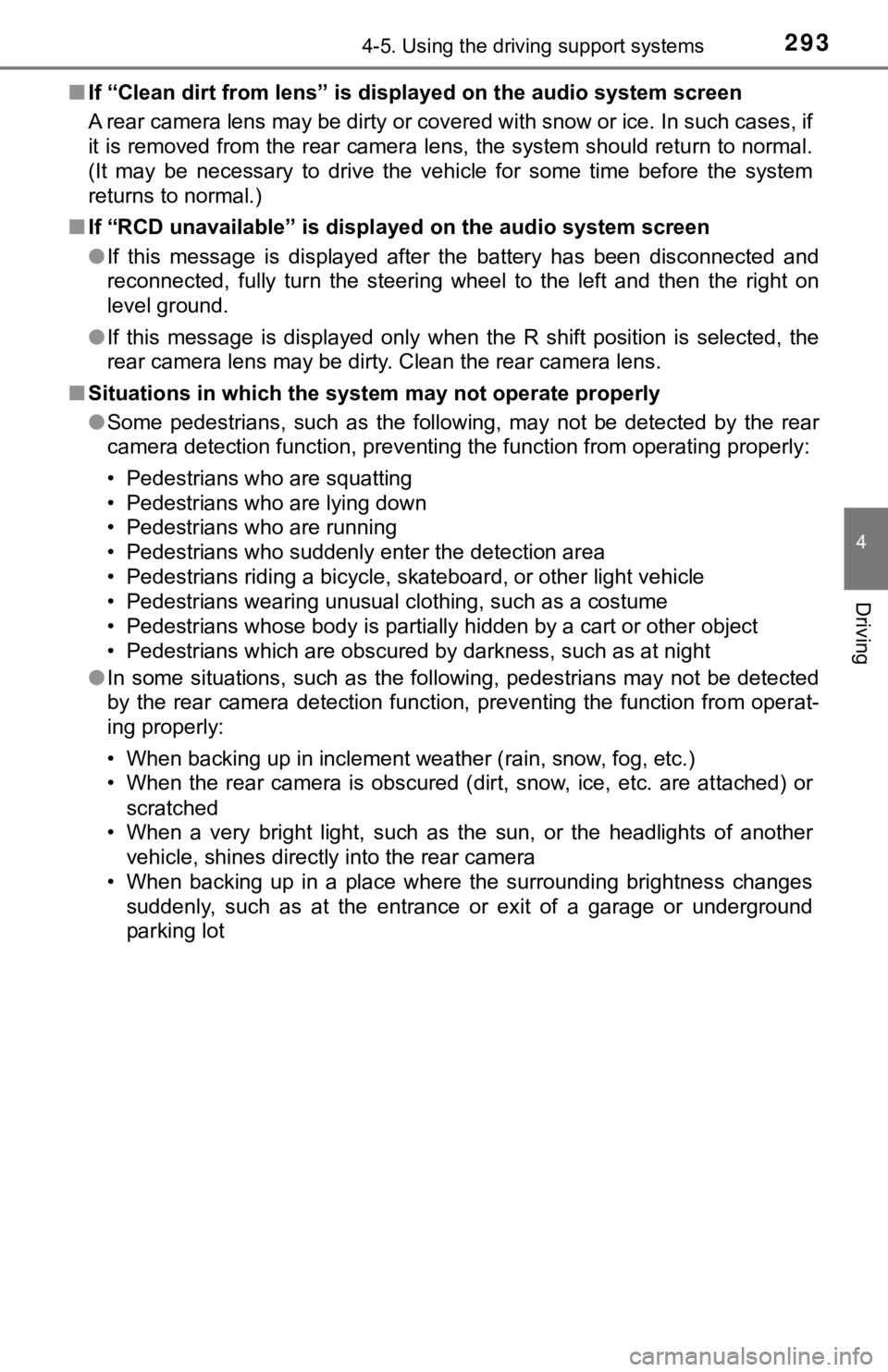
■If “Clean dirt from lens” is dis played on the audio system screen
A rear camera lens may be dirty or covered with snow or ice. In such cases, if
it is removed from the rear camera lens, the system should retu rn to normal.
(It may be necessary to drive the vehicle for some time before the system
returns to normal.)
■ If “RCD unavailable” is displ ayed on the audio system screen
● If this message is displayed after the battery has been disconnected and
reconnected, fully turn the steering wheel to the left and then the right on
level ground.
● If this message is displayed only when the R shift position is selected, the
rear camera lens may be dirty. Clean the rear camera lens.
■ Situations in which the syst em may not operate properly
● Some pedestrians, such as the following, may not be detected by the rear
camera detection function, preventing the function from operati ng properly:
• Pedestrians who are squatting
• Pedestrians who are lying down
• Pedestrians who are running
• Pedestrians who suddenly enter the detection area
• Pedestrians riding a bicycle, skateboard, or other light vehic le
• Pedestrians wearing unusual clothing, such as a costume
• Pedestrians whose body is partially hidden by a cart or other object
• Pedestrians which are obscured by darkness, such as at night
● In some situations, such as the following, pedestrians may not be detected
by the rear camera detection function, preventing the function from operat-
ing properly:
• When backing up in inclement weather (rain, snow, fog, etc.)
• When the rear camera is obscured (dirt, snow, ice, etc. are at tached) or
scratched
• When a very bright light, such as the sun, or the headlights o f another
vehicle, shines directly into the rear camera
• When backing up in a place where the surrounding brightness ch anges
suddenly, such as at the entrance or exit of a garage or underg round
parking lot
Page 490 of 572

4907-2. Steps to take in an emergency
■Starting the engine when t he battery is discharged
The engine cannot be started by push-starting.
■ To prevent battery discharge
●Turn off the headlights and the audio system while the engine is off.
● Turn off any unnecessary electrical components when the vehicle is running
at a low speed for an extended period, such as in heavy traffic .
■ When the battery is r emoved or discharged
● Information stored in the ECU is cleared. When the battery is d epleted, have
the vehicle inspected at your Toyota dealer.
● Some systems may require initialization. ( P. 533)
■ When removing the battery terminals
When the battery terminals are removed, the information stored in the ECU is
cleared. Before removing the battery terminals, contact your Toyota dealer.
■ Charging the battery
The electricity stored in the battery will discharge gradually even when the
vehicle is not in use, due to natural discharge and the draining effects of cer-
tain electrical appliances. If the vehicle is left for a long t ime, the battery may
discharge, and the engine may be unable to start. (The battery recharges
automatically during driving.)
■ When recharging or replacing the battery
●In some cases, it may not be possible to unlock the doors using the smart
key system when the battery is discharged. Use the wireless rem ote control
or the mechanical key to lock or unlock the doors.
● The engine may not start on the first attempt after the battery has recharged
but will start normally after the second attempt. This is not a malfunction.
● The engine switch mode is memorized by the vehicle. When the ba ttery is
reconnected, the system will return to the mode it was in befor e the battery
was discharged. Before disconnecting the battery, turn the engine switch off.
If you are unsure what mode the engine switch was in before the battery dis-
charged, be especially careful when reconnecting the battery.
■ When replacing the battery
●Use a battery that conforms to European regulations.
● Use a battery that the case size is same as the previous one (L N3), 20 hour
rate capacity (20HR) is equivalent (70Ah) or greater, and perfo rmance rating
(CCA) is equivalent (603A) or greater.
• If the sizes differ, the battery cannot be properly secured.
• If the 20 hour rate capacity is low, even if the time period w here the vehi-
cle is not used is a short time, the battery may discharge and the engine
may not be able to start.
● For details, consult your Toyota dealer.
Page 504 of 572
5048-1. Specifications
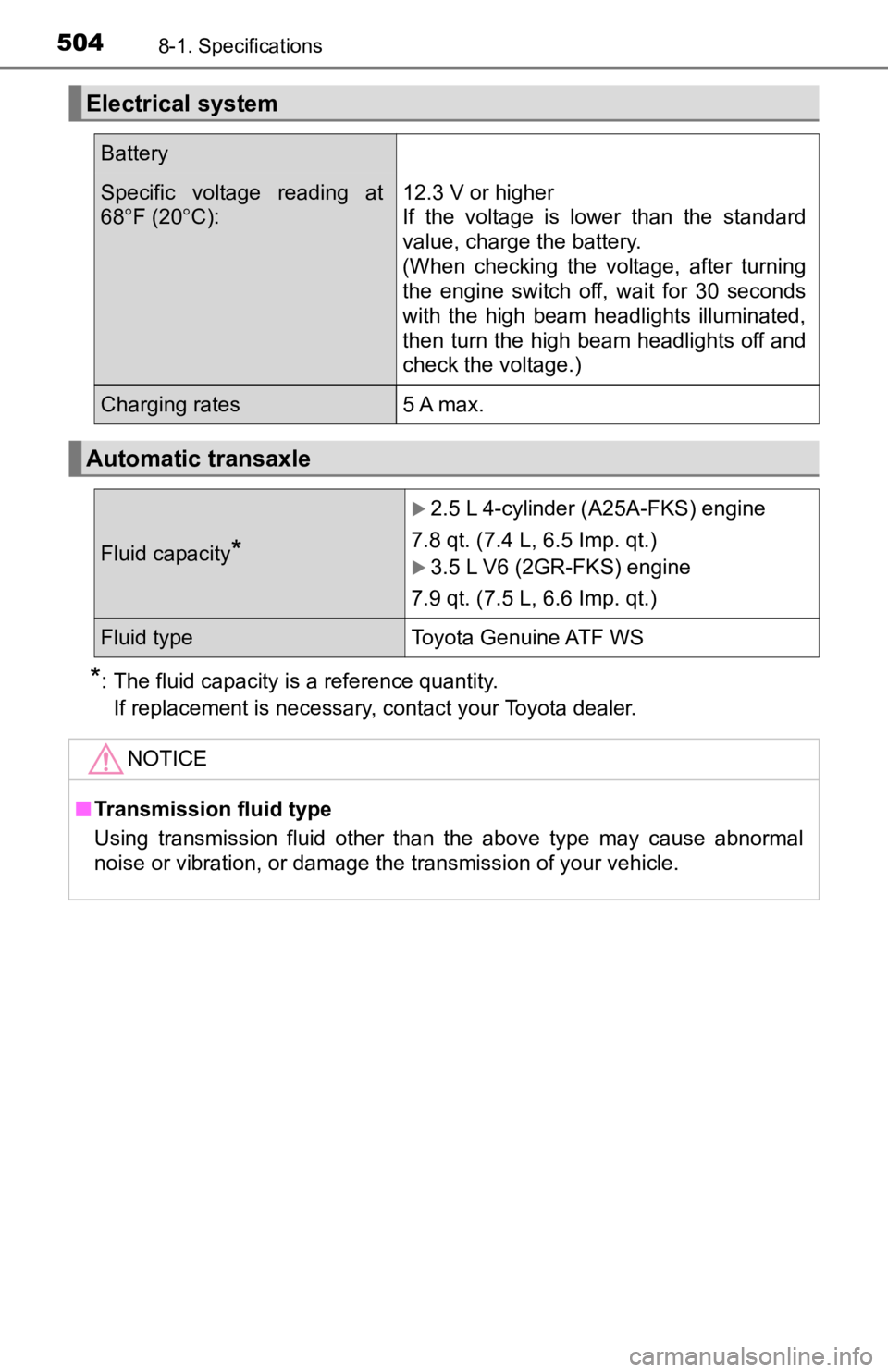
*: The fluid capacity is a reference quantity. If replacement is necessary, contact your Toyota dealer.
Electrical system
Battery
Specific voltage reading at
68 F (20 C):12.3 V or higher
If the voltage is lower than the standard
value, charge the battery.
(When checking the voltage, after turning
the engine switch off, wait for 30 seconds
with the high beam headlights illuminated,
then turn the high beam headlights off and
check the voltage.)
Charging rates5 A max.
Automatic transaxle
Fluid capacity*
2.5 L 4-cylinder ( A25A-FKS) engine
7.8 qt. (7.4 L, 6.5 Imp. qt.)
3.5 L V6 (2GR-FKS) engine
7.9 qt. (7.5 L, 6.6 Imp. qt.)
Fluid type Toyota Genuine ATF WS
NOTICE
■Transmission fluid type
Using transmission fluid other than the above type may cause abnormal
noise or vibration, or damage the transmission of your vehicle.
Page 530 of 572
5308-2. Customization
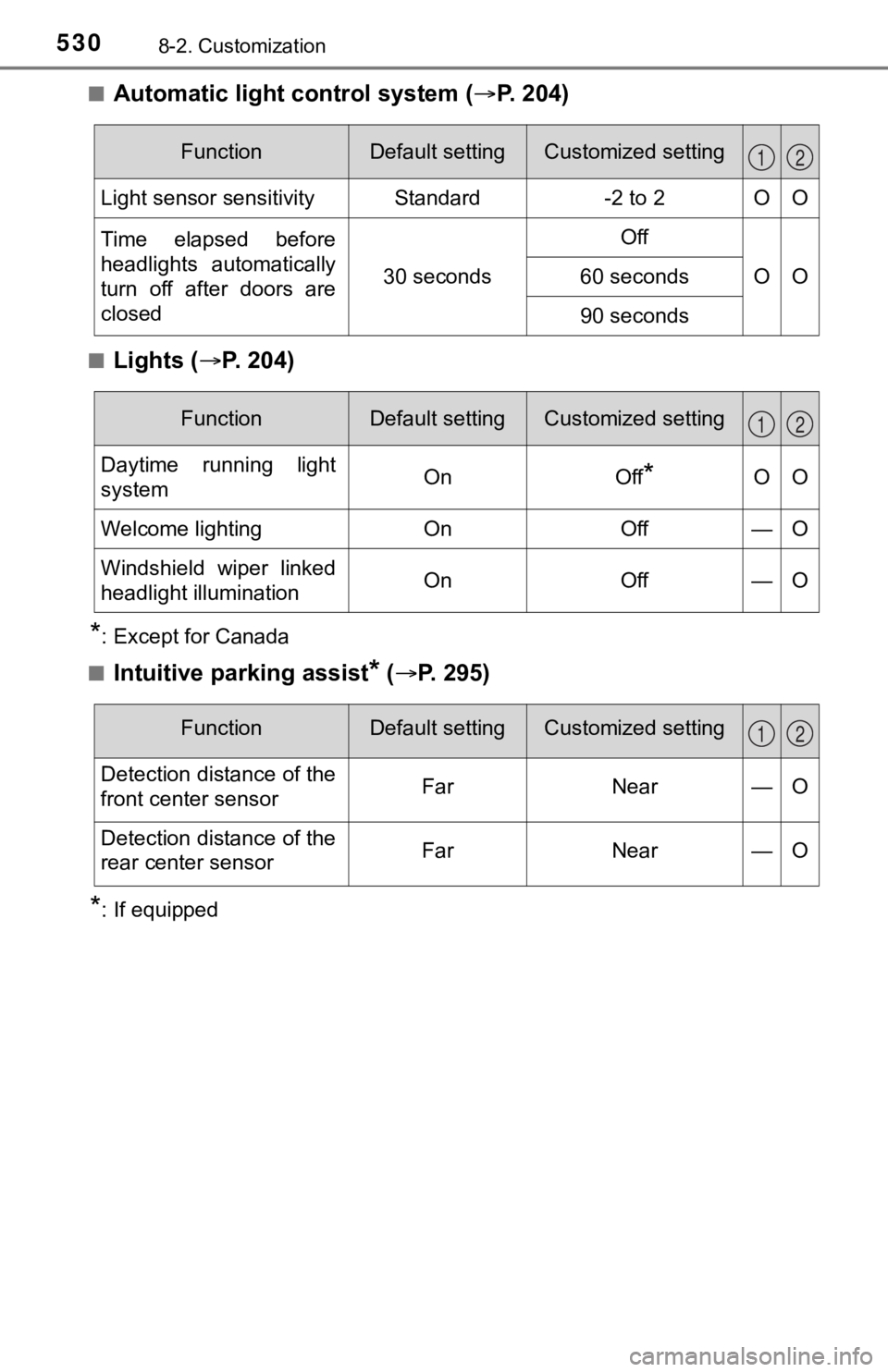
■Automatic light control system (P. 204)
■Lights ( P. 2 0 4 )
*: Except for Canada
■
Intuitive parking assist* ( P. 295)
*: If equipped
FunctionDefault settingCustomized setting
Light sensor sensitivityStandard-2 to 2OO
Time elapsed before
headlights automatically
turn off after doors are
closed
30 seconds
Off
OO60 seconds
90 seconds
12
FunctionDefault settingCustomized setting
Daytime running light
systemOnOff*OO
Welcome lightingOnOff—O
Windshield wiper linked
headlight illuminationOnOff—O
12
FunctionDefault settingCustomized setting
Detection distance of the
front center sensorFarNear—O
Detection distance of the
rear center sensorFarNear—O
12
Page 561 of 572
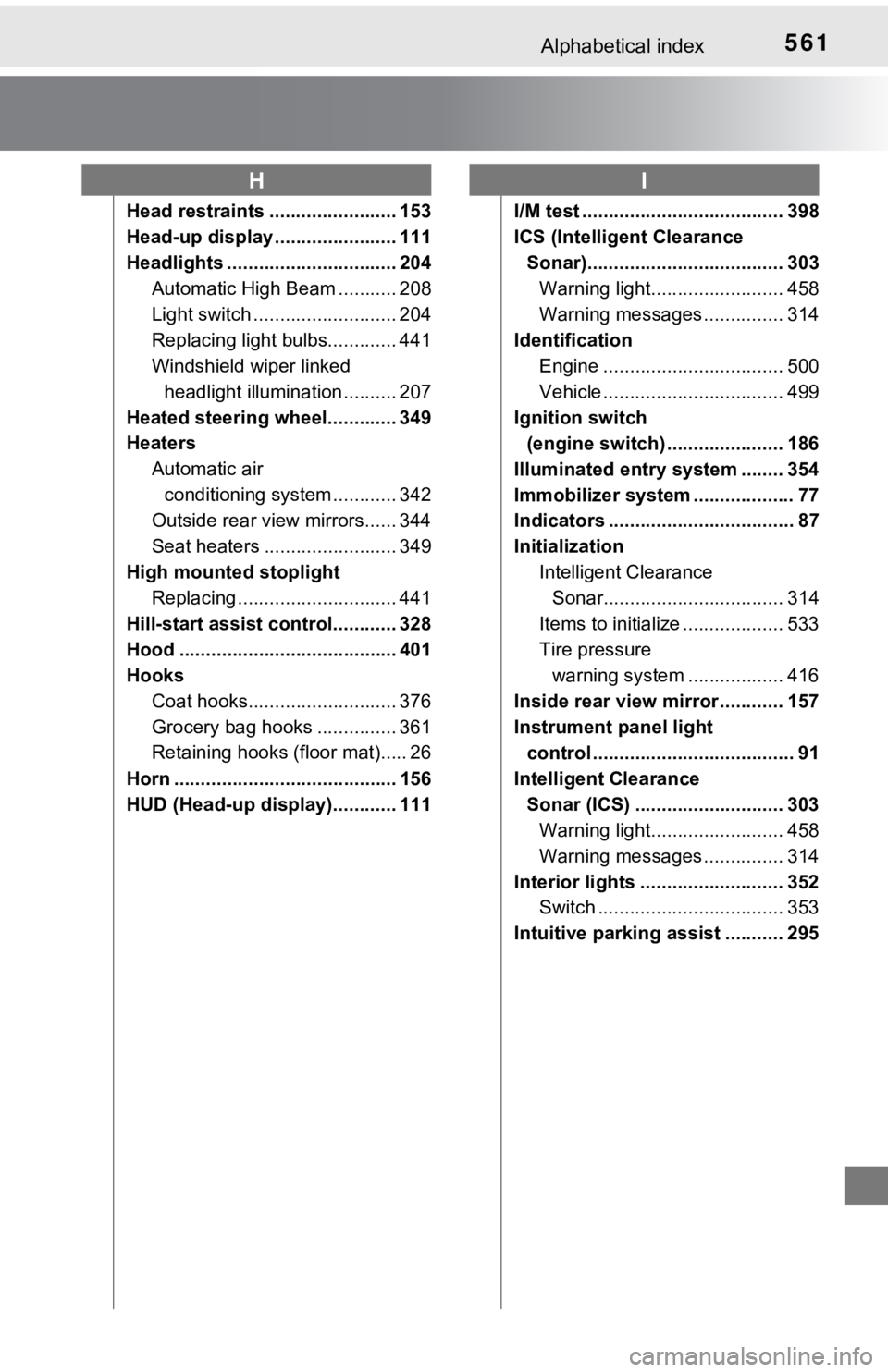
561Alphabetical index
Head restraints ........................ 153
Head-up display ....................... 111
Headlights ................................ 204Automatic High Beam ........... 208
Light switch ........................... 204
Replacing light bulbs............. 441
Windshield wiper linked
headlight illumination .......... 207
Heated steering wheel............. 349
Heaters Automatic air conditioning system ............ 342
Outside rear view mirrors...... 344
Seat heaters ......................... 349
High mounted stoplight Replacing .............................. 441
Hill-start assist control............ 328
Hood ......................................... 401
Hooks Coat hooks............................ 376
Grocery bag hooks ............... 361
Retaining hooks (floor mat)..... 26
Horn .......................................... 156
HUD (Head-up display)............ 111 I/M test ...................................... 398
ICS (Intelligent Clearance
Sonar)..................................... 303 Warning light......................... 458
Warning messages ............... 314
Identification Engine .................................. 500
Vehicle .................................. 499
Ignition switch (engine switch) ...................... 186
Illuminated entry system ........ 354
Immobilizer system ................... 77
Indicators ................................... 87
Initialization Intelligent Clearance Sonar.................................. 314
Items to initialize ................... 533
Tire pressure warning system .... .............. 416
Inside rear view mirror ............ 157
Instrument panel light control ...................................... 91
Intelligent Clearance Sonar (ICS) ............................ 303 Warning light......................... 458
Warning messages ............... 314
Interior lights ........................... 352 Switch ................................... 353
Intuitive parking assist ........... 295
HI