fuses TOYOTA AVENSIS 2005 Service Owner's Manual
[x] Cancel search | Manufacturer: TOYOTA, Model Year: 2005, Model line: AVENSIS, Model: TOYOTA AVENSIS 2005Pages: 5135, PDF Size: 95.28 MB
Page 3878 of 5135
± DIAGNOSTICSSFI SYSTEM (1AZ±FE)
05±175
AVENSIS REPAIR MANUAL (RM1018E)
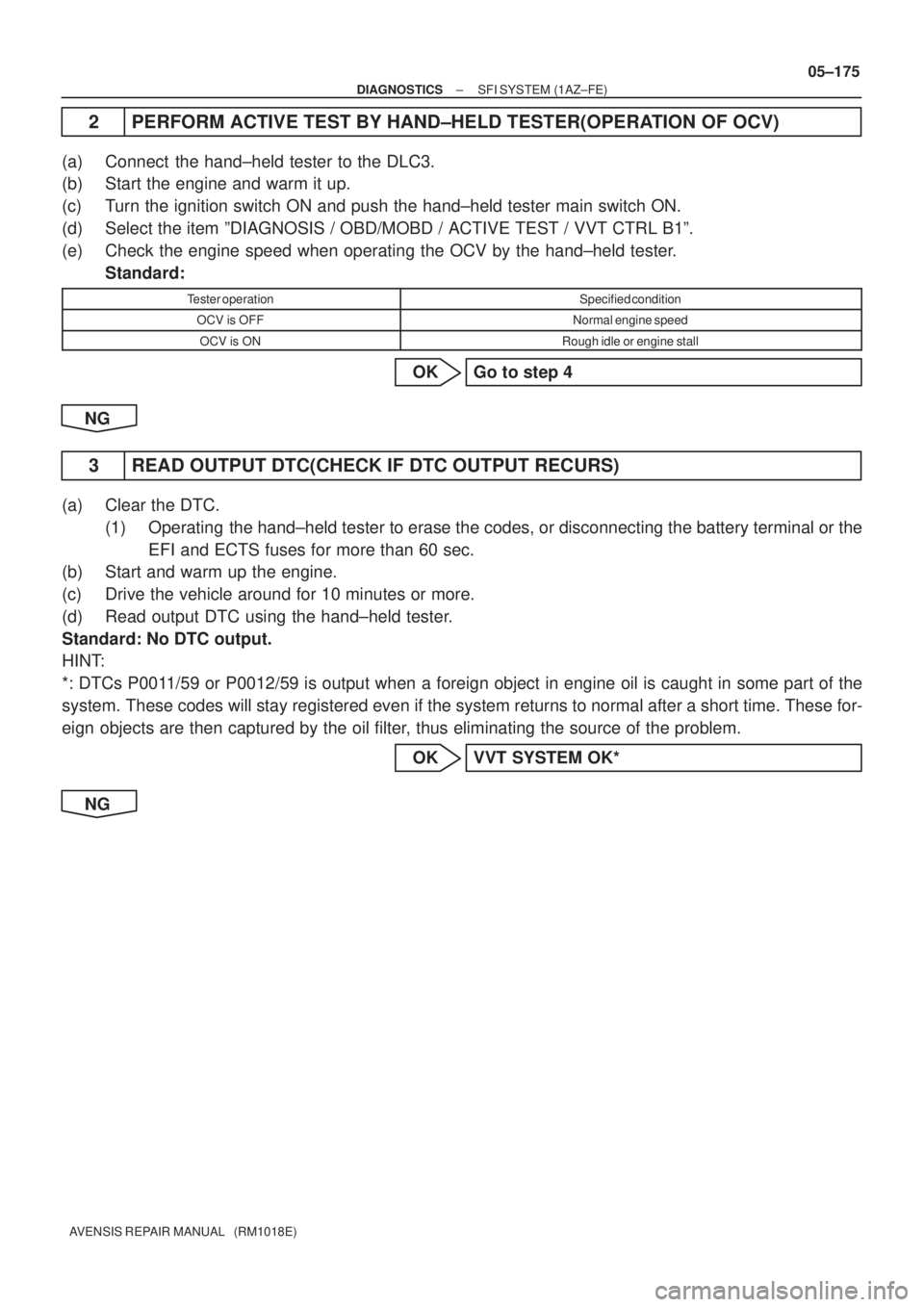
2 PERFORM ACTIVE TEST BY HAND±HELD TESTER(OPERATION OF OCV)
(a) Connect the hand±held tester to the DLC3.
(b) Start the engine and warm it up.
(c) Turn the ignition switch ON and push the hand±held tester main switch ON.
(d) Select the item ºDIAGNOSIS / OBD/MOBD / ACTIVE TEST / VVT CTRL B1º.
(e) Check the engine speed when operating the OCV by the hand±held tester.
Standard:
Tester operationSpecified condition
OCV is OFFNormal engine speed
OCV is ONRough idle or engine stall
OK Go to step 4
NG
3 READ OUTPUT DTC(CHECK IF DTC OUTPUT RECURS)
(a) Clear the DTC.
(1) Operating the hand±held tester to erase the codes, or disconnecting the battery terminal or the
EFI and ECTS fuses for more than 60 sec.
(b) Start and warm up the engine.
(c) Drive the vehicle around for 10 minutes or more.
(d) Read output DTC using the hand±held tester.
Standard: No DTC output.
HINT:
*: DTCs P0011/59 or P0012/59 is output when a foreign object in engine oil is caught in some part of the
system. These codes will stay registered even if the system returns to normal after a short time. These for-
eign objects are then captured by the oil filter, thus eliminating the source of the problem.
OK VVT SYSTEM OK*
NG
Page 3880 of 5135
±
DIAGNOSTICS SFI SYSTEM(1AZ±FE)
05±177
AVENSIS REPAIR MANUAL (RM1018E)
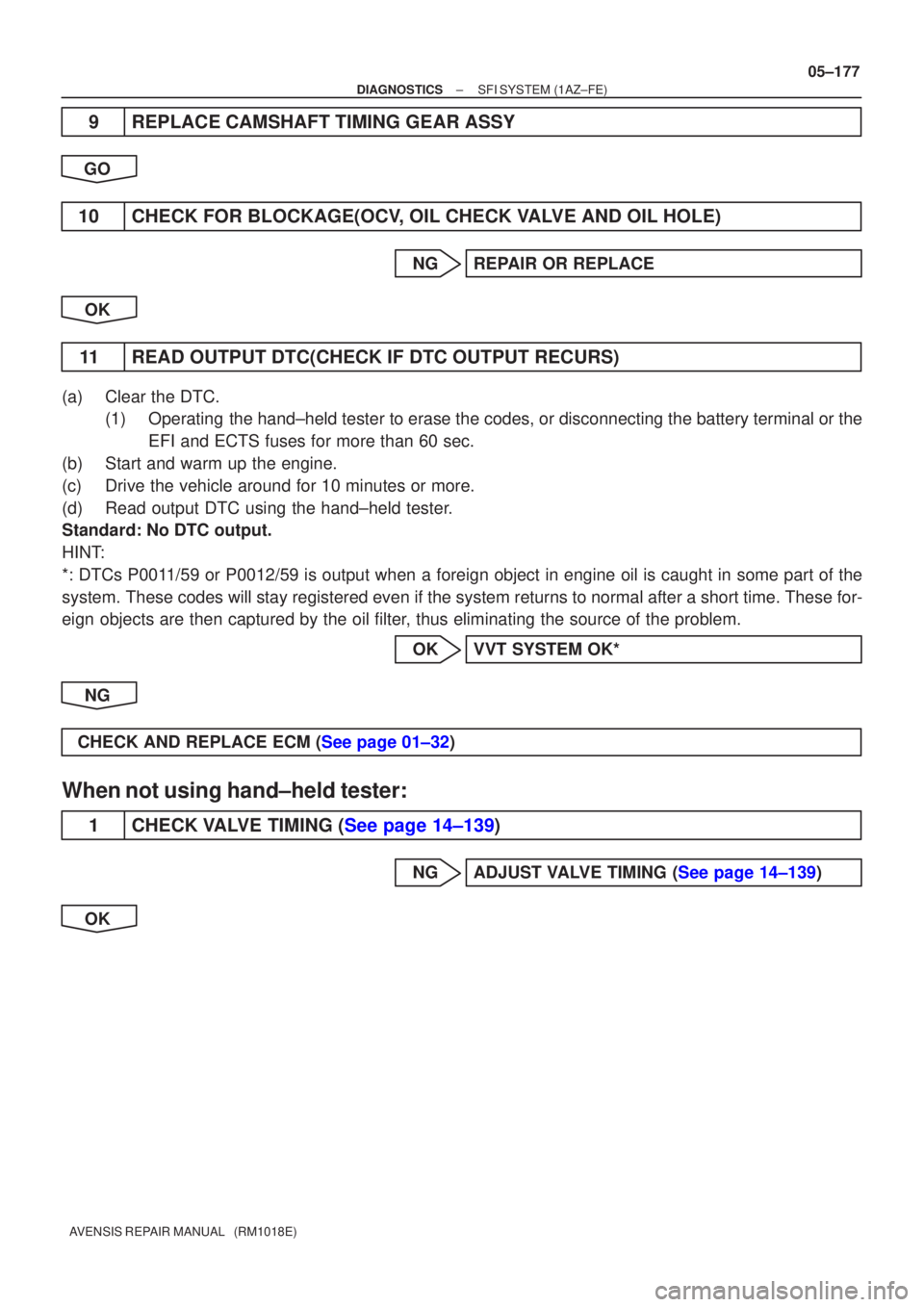
9REPLACE CAMSHAFT TIMING GEAR ASSY
GO
10CHECK FOR BLOCKAGE(OCV, OIL CHECK VALVE AND OIL HOLE)
NGREPAIR OR REPLACE
OK
11READ OUTPUT DTC(CHECK IF DTC OUTPUT RECURS)
(a)Clear the DTC. (1)Operating the hand±held tester to erase the codes, or disconnecting the batter\
y terminal or the
EFI and ECTS fuses for more than 60 sec.
(b)Start and warm up the engine.
(c)Drive the vehicle around for 10 minutes or more.
(d)Read output DTC using the hand±held tester.
Standard: No DTC output.
HINT:
*: DTCs P0011/59 or P0012/59 is output when a foreign object in engine oil is caught\
in some part of the
system. These codes will stay registered even if the system returns to normal a\
fter a short time. These for-
eign objects are then captured by the oil filter, thus eliminating the source of the problem.
OKVVT SYSTEM OK*
NG
CHECK AND REPLACE ECM (See page 01±32)
When not using hand±held tester:
1CHECK VALVE TIMING (See page 14±139)
NGADJUST VALVE TIMING (See page 14±139)
OK
Page 3881 of 5135
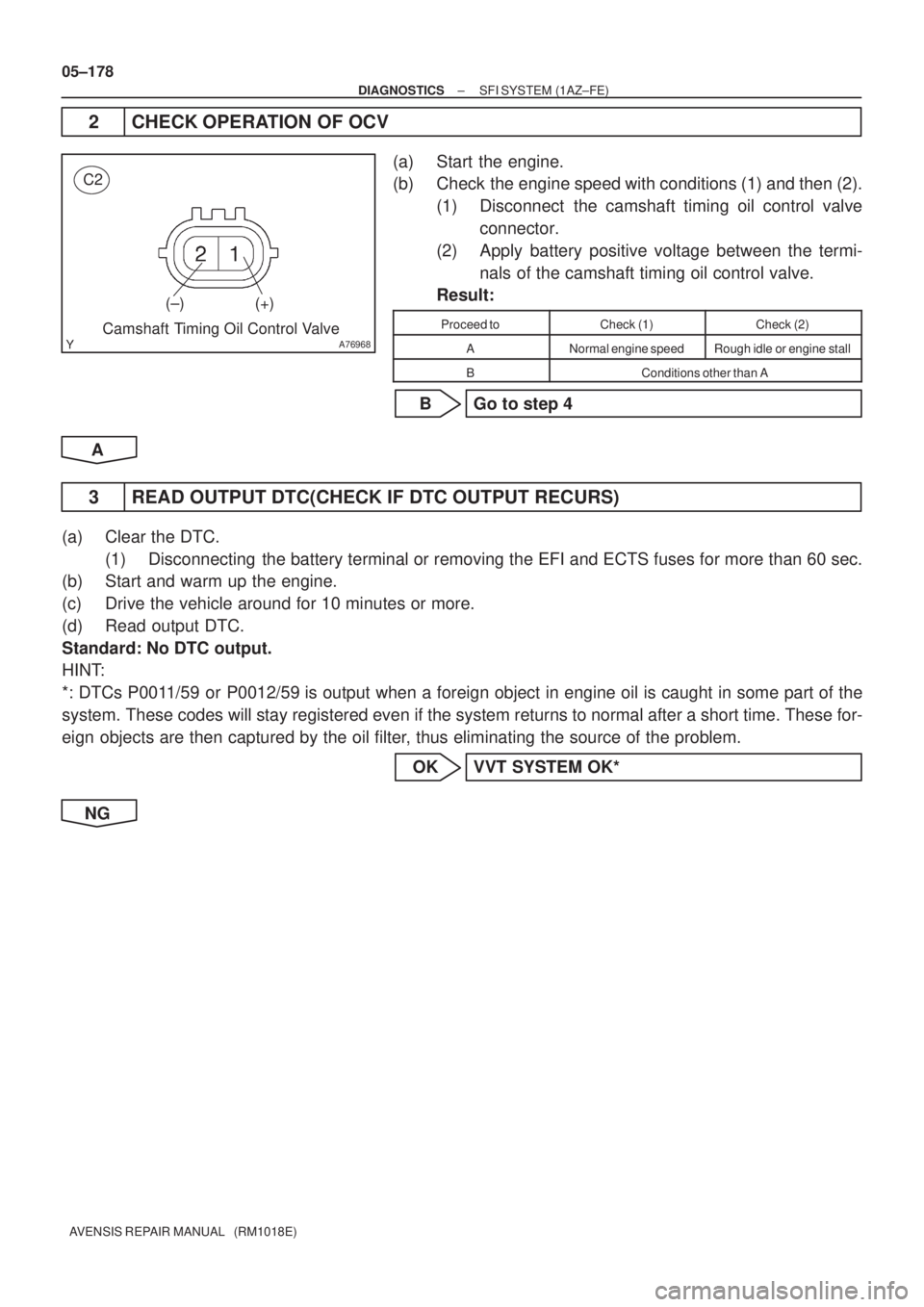
A76968
C2
(±) (+)
Camshaft Timing Oil Control Valve
05±178
± DIAGNOSTICSSFI SYSTEM (1AZ±FE)
AVENSIS REPAIR MANUAL (RM1018E)
2 CHECK OPERATION OF OCV
(a) Start the engine.
(b) Check the engine speed with conditions (1) and then (2).
(1) Disconnect the camshaft timing oil control valve
connector.
(2) Apply battery positive voltage between the termi-
nals of the camshaft timing oil control valve.
Result:
Proceed toCheck (1)Check (2)
ANormal engine speedRough idle or engine stall
BConditions other than A
B Go to step 4
A
3 READ OUTPUT DTC(CHECK IF DTC OUTPUT RECURS)
(a) Clear the DTC.
(1) Disconnecting the battery terminal or removing the EFI and ECTS fuses for more than 60 sec.
(b) Start and warm up the engine.
(c) Drive the vehicle around for 10 minutes or more.
(d) Read output DTC.
Standard: No DTC output.
HINT:
*: DTCs P0011/59 or P0012/59 is output when a foreign object in engine oil is caught in some part of the
system. These codes will stay registered even if the system returns to normal after a short time. These for-
eign objects are then captured by the oil filter, thus eliminating the source of the problem.
OK VVT SYSTEM OK*
NG
Page 3883 of 5135
05±180
±
DIAGNOSTICS SFI SYSTEM(1AZ±FE)
AVENSIS REPAIR MANUAL (RM1018E)
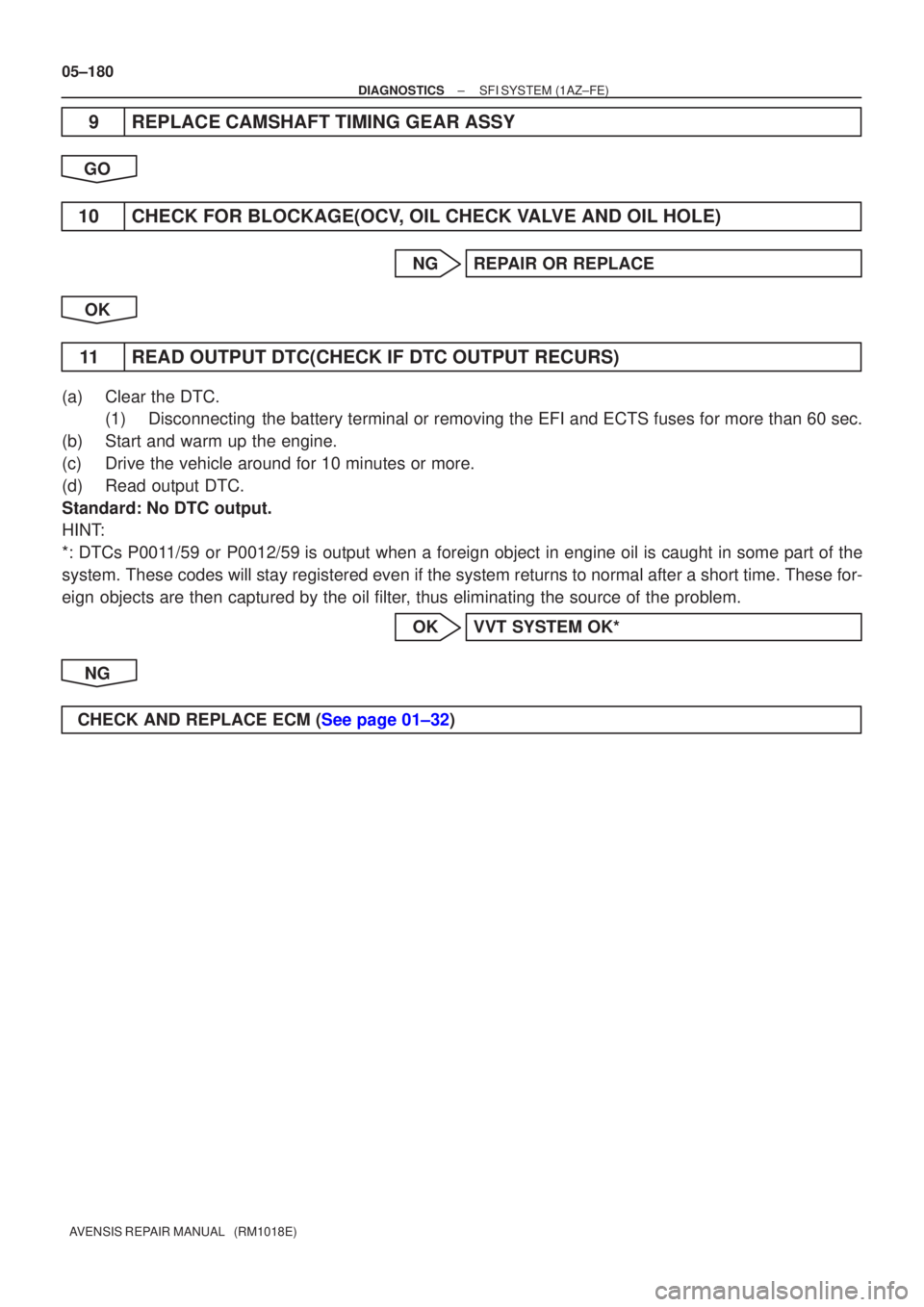
9REPLACE CAMSHAFT TIMING GEAR ASSY
GO
10CHECK FOR BLOCKAGE(OCV, OIL CHECK VALVE AND OIL HOLE)
NGREPAIR OR REPLACE
OK
11READ OUTPUT DTC(CHECK IF DTC OUTPUT RECURS)
(a)Clear the DTC. (1)Disconnecting the battery terminal or removing the EFI and ECTS fuses for more than 6\
0 sec.
(b)Start and warm up the engine.
(c)Drive the vehicle around for 10 minutes or more.
(d)Read output DTC.
Standard: No DTC output.
HINT:
*: DTCs P0011/59 or P0012/59 is output when a foreign object in engine oil is caught in some part of \
the
system. These codes will stay registered even if the system returns to normal a\
fter a short time. These for-
eign objects are then captured by the oil filter, thus eliminating the source of the problem.
OKVVT SYSTEM OK*
NG
CHECK AND REPLACE ECM (See page 01±32)
Page 4538 of 5135
![TOYOTA AVENSIS 2005 Service Owners Manual − DIAGNOSTICSELECTRONIC CONTROLLED AUTOMATIC
TRANSAXLE [ECT] (U151E)05−559
AVENSIS Supplement (RM1045E)
2. DTC CLEAR
(a) When using the hand−held tester:
Clearing the DTCs.
(1) Connect the handâ](/img/14/57441/w960_57441-4537.png "TOYOTA AVENSIS 2005 Service Owners Manual − DIAGNOSTICSELECTRONIC CONTROLLED AUTOMATIC
TRANSAXLE [ECT] (U151E)05−559
AVENSIS Supplement (RM1045E)
2. DTC CLEAR
(a) When using the hand−held tester:
Clearing the DTCs.
(1) Connect the handâ")
− DIAGNOSTICSELECTRONIC CONTROLLED AUTOMATIC
TRANSAXLE [ECT] (U151E)05−559
AVENSIS Supplement (RM1045E)
2. DTC CLEAR
(a) When using the hand−held tester:
Clearing the DTCs.
(1) Connect the hand−held tester to the DLC3.
(2) Turn the ignition switch to the ON position. (Do not
start the engine start)
(3) Use the hand−held tester to check the DTCs and
freeze frame data and then write them down. For
the hand−held tester, select the item: DIAGNOSIS
/ OBD/MOBD / DTC INFO / CLEAR CODES.
HINT:
If you need help with the hand−held tester, refer to its instruction
book.
(b) When not using the hand−held tester:
Clearing the DTCs.
(1) Disconnecting the battery terminal or remove the
EFI and THROTTLE fuses from the engine room
R/B for 60 seconds or more. But if you disconnect
the battery terminal, you should do the ”INITIALIZE
” procedure.
Page 4746 of 5135

190V6−01
Z11580A80938A82936
Type A:
Type B:
BlueWhite
Red Green DarkClear or
light yellow
B00543
B00540
19−6
− STARTING & CHARGINGCHARGING SYSTEM (2AZ−FSE)
AVENSIS Supplement (RM1045E)
ON−VEHICLE INSPECTION
1. INSPECT BATTERY (EXCEPT MAINTENANCE−FREE
BATTERY)
(a) Check the battery electrolyte level.
(1) Check the electrolyte quantity of each cell.
If the electrolyte quantity is below the recommended amount,
add distilled water.
(b) Check the indicator as shown in the illustration.
HINT:
Indicator colorConditionType AType BCondition
GreenBlueOK
DarkWhiteCharging necessary
Clear or light yellowRedReplace
2. INSPECT BATTERY TERMINALS, FUSIBLE LINK AND FUSES
(a) Visually check the battery terminals.
(1) Check that the battery terminals are not loosened or corroded.
(b) Visually check the fusible link and fuses.
(1) Check that there is continuity of the fusible links, high−current fuses and regular fuses.
3. INSPECT V−RIBBED BELT
(a) Visually check the belt for excessive wear, frayed cords
etc.
SIf any defects are found, replace the v−ribbed belt.
SCracks on the rib side of the belt are considered ac-
ceptable.
If the belt has chunks missing from the ribs, it should
be replaced.
(b) Check that the belt fits properly in the ribbed grooves.
Confirm that the belt has not slipped out of the groove on the
bottom of the pulley by hand.
4. VISUALLY CHECK GENERATOR WIRING
(a) Check that the wiring is in good condition.
5. LISTEN FOR ABNORMAL NOISES FROM GENERATOR
(a) Check that no abnormal noise is heard from the generator while the engine is running.
6. INSPECT CHARGE WARNING LIGHT CIRCUIT
Page 4993 of 5135
![TOYOTA AVENSIS 2005 Service Owners Manual 05KAW–02
G30859
Intelligent
Tester II
DLC3
–
DIAGNOSTICS ELECTRONIC CONTROLLED AUTOMATIC
TRANSAXLE [ECT] (U341E) (From February, 2004)05–239
AVENSIS REPAIR MANUAL SUPPLEMENT
(RM1098E)
DTC CHEC](/img/14/57441/w960_57441-4992.png "TOYOTA AVENSIS 2005 Service Owners Manual 05KAW–02
G30859
Intelligent
Tester II
DLC3
–
DIAGNOSTICS ELECTRONIC CONTROLLED AUTOMATIC
TRANSAXLE [ECT] (U341E) (From February, 2004)05–239
AVENSIS REPAIR MANUAL SUPPLEMENT
(RM1098E)
DTC CHEC")
05KAW–02
G30859
Intelligent
Tester II
DLC3
–
DIAGNOSTICS ELECTRONIC CONTROLLED AUTOMATIC
TRANSAXLE [ECT] (U341E) (From February, 2004)05–239
AVENSIS REPAIR MANUAL SUPPLEMENT
(RM1098E)
DTC CHECK/CLEAR
1. CHECK DTC WITH INTELLIGENT TESTER II
DTCs which are stored in the ECM can be displayed with the
Intelligent Tester II and generic OBD scantool.
These scan tools can display pending DTCs and current DTCs.
Some DTC aren’t stored if the ECM doesn’t detect a malfunc-
tion during consecutive driving. However, the detected mal-
function during once driving is stored as pending DTC.
(a) Connect the Intelligent Tester II to the Data Link Connec-
tor 3 (DLC3).
(b) Turn the ignition switch ON.
(c) Enter the following menus: Enter/ Power train/ Engine and ECT/ DTC/ Current (or Pending).
(d) Confirm the DTCs and freeze frame data and then write
them down.
(e) See page 05–245 to confirm the details of the DTCs.
NOTICE:
When simulating a symptom with the scan tool to check the
DTCs, use normal mode. For codes on DIAGNOSTIC
TROUBLE CODE CHART subject to ”2–trip detection log-
ic”, perform the following actions.
Turn the ignition switch OFF after the symptom is simulated
once. Then repeat the simulation process again. When the
problem has been simulated twice, the MIL illuminates and the
DTCs are recorded in the ECM.
2. CLEAR DTC WITH INTELLIGENT TESTER II
(a) Connect the Intelligent Tester II to the DLC3.
(b) Turn the ignition switch ON.
(c) Enter the following menus: Enter/ Power train/ Engine and ECT/ DTC/ Clear.
3. CLEAR DTC WITHOUT INTELLIGENT TESTER II
Disconnecting the battery terminal or remove the EFI and
ETCS fuses from the engine room R/B for 60 seconds or more.
But if you disconnect the battery terminal, you should do the
”INITIALIZE” procedure.