light TOYOTA AVENSIS 2012 Owners Manual
[x] Cancel search | Manufacturer: TOYOTA, Model Year: 2012, Model line: AVENSIS, Model: TOYOTA AVENSIS 2012Pages: 772, PDF Size: 34.43 MB
Page 333 of 772
333
2-4. Using other driving systems
2
When driving
AVENSIS_EE (OM20B44E)
PCS (Pre-Crash Safety)
: If equipped
When the radar sensor detects possibility of a frontal collision, the
pre-crash safety systems such as the brakes and seat belts are
automatically engaged to lessen impact and injuries to occupants
as well as vehicle damage.
Pre-crash seat belts
If the pre-crash sensor detects that a collision is unavoidable,
the pre-crash safety system will retract the seat belt before the
collision occurs.
The same will happen if the driver makes an emergency braking
or loses control of the vehicle. (P. 110)
However, when the VSC system is disabled, the system will not
operate in the event of skidding.
Pre-crash brake assist
When there is a high possibility of a frontal collision, the system
applies greater braking force in relation to how strongly the
brake pedal is depressed.
Pre-crash braking
When there is a high possibility of a frontal collision, the system
warns the driver using a warning light, warning display and
buzzer. If the system determines that a collision is unavoidable,
the brakes are automatically applied to reduce the collision
speed. Pre-crash braking can be disabled using the pre-crash
braking OFF switch.
Page 334 of 772
334 2-4. Using other driving systems
AVENSIS_EE (OM20B44E)
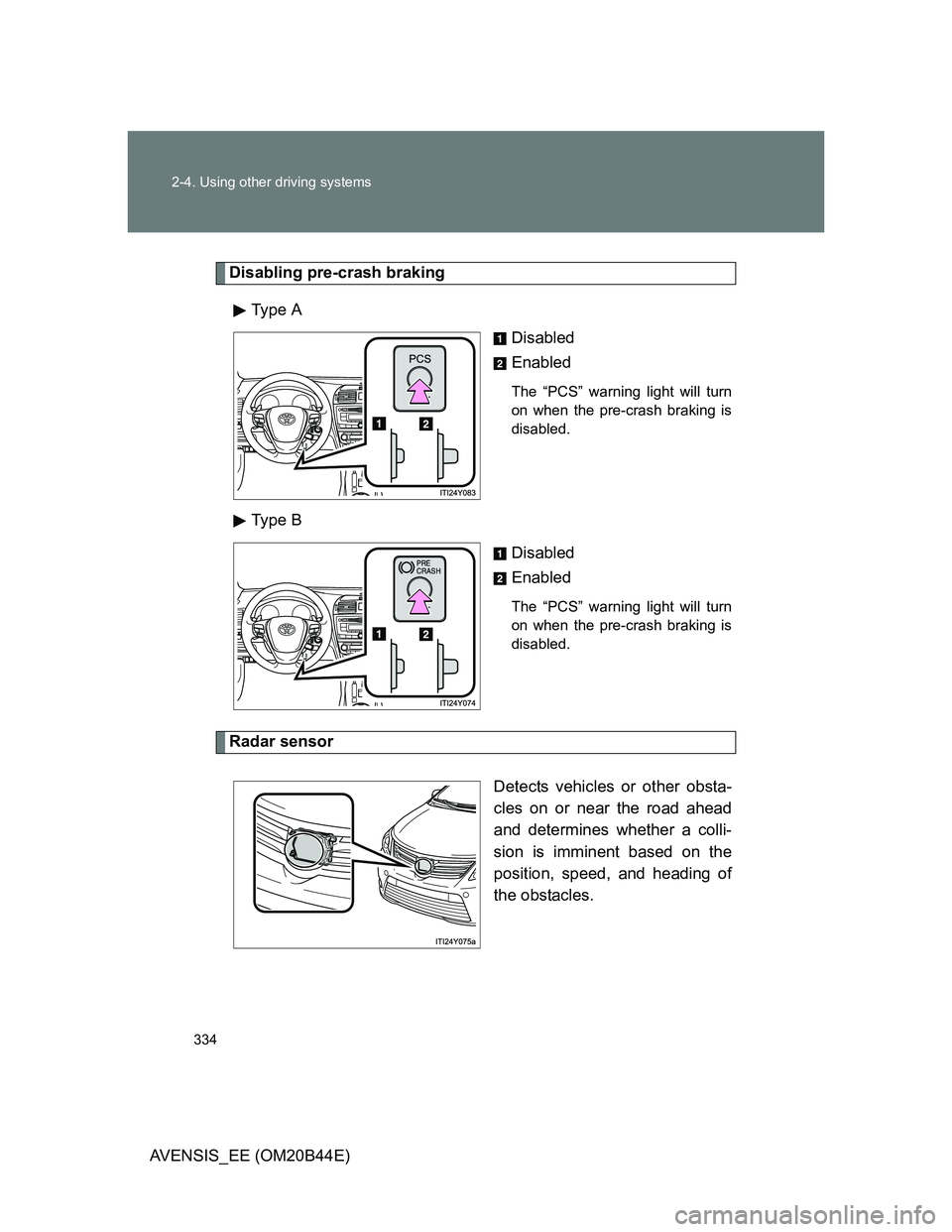
Disabling pre-crash braking
Type A
Disabled
Enabled
The “PCS” warning light will turn
on when the pre-crash braking is
disabled.
Type B
Disabled
Enabled
The “PCS” warning light will turn
on when the pre-crash braking is
disabled.
Radar sensor
Detects vehicles or other obsta-
cles on or near the road ahead
and determines whether a colli-
sion is imminent based on the
position, speed, and heading of
the obstacles.
Page 337 of 772
337 2-4. Using other driving systems
2
When driving
AVENSIS_EE (OM20B44E)
Situations in which the pre-crash safety system does not function
properly
The system may not function effectively in situations such as the following:
On roads with sharp bends or uneven surfaces
If a vehicle suddenly moves in front of your vehicle, such as at an inter-
section
If a vehicle suddenly cuts in front of your vehicle, such as when overtak-
ing
In inclement weather such as heavy rain, fog, snow or sand storms
When your vehicle is skidding with the VSC system off
When the axis of the radar is out of adjustment
When an extreme change in vehicle height occurs
When there is a malfunction in the system
Warning lights and/or warning messages will turn on or flash. (P. 624)
Page 340 of 772
340 2-4. Using other driving systems
AVENSIS_EE (OM20B44E)
CAUTION
Handling the radar sensor
Observe the following to ensure the pre-crash safety system can function
effectively.
Keep the sensor and grille cover clean at all time.
Clean the sensor and grille cover with a soft cloth so you do not mark or
damage them.
Do not subject the sensor or surrounding area to a strong impact.
If the sensor moves even slightly off position, the system may become
inaccurate or malfunction. If the sensor or surrounding area is subject to a
strong impact, always have the area inspected and adjusted by any autho-
rized Toyota dealer or repairer, or another duly qualified and equipped pro-
fessional.
Do not disassemble the sensor.
Do not attach accessories or stickers to the sensor, grille cover or sur-
rounding area.
Do not modify or paint the sensor and grille cover.
Limitations of the pre-crash safety system
Do not rely on the pre-crash safety system. Always drive safely, taking care
to observe your surroundings and checking for any obstacles or other road
hazards.
Failure to do so may cause an accident resulting in death or serious injury.
Page 352 of 772
352 2-5. Driving information
AVENSIS_EE (OM20B44E)
Tire information
Ensure that your vehicle’s tires are properly inflated. (P. 739)
Increase the air pressure of the trailer tires in accordance with the total
trailer weight and according to the values recommended by the manufac-
turer of your trailer.
Trailer lights
Check that the turn signal lights and stoplights are operating correctly every
time you hitch up the trailer. Directly wiring up to your vehicle may damage
the electrical system and stop the lights from functioning correctly.
Break-in schedule
Toyota recommends that vehicles fitted with new power train components
should not be used for towing trailers for the first 800 km (500 miles).
Maintenance
Maintenance must be performed more frequently when using the vehicle
for towing due to the greater weight burden placed on the vehicle com-
pared to normal driving.
Retighten all bolts securing the hitching ball and bracket after towing for
approximately 1000 km (600 miles).
Page 354 of 772
354 2-5. Driving information
AVENSIS_EE (OM20B44E)
Guidance
Your vehicle will handle differently when towing a trailer. In order to
avoid accident, death or serious injury, keep the following in mind
when towing:
Checking connections between trailer and lights
Stop the vehicle and check the operation of the connection
between the trailer and lights after driving for a brief period as well
as before setting off.
Practicing driving with a coupled trailer
Get the feel for turning, stopping and reversing with the trailer
coupled by practicing in an area with no or light traffic.
When reversing with a coupled trailer, hold the section of the
steering wheel nearest to you and rotate clockwise to turn the
trailer left or counterclockwise to turn right. Always rotate gradu-
ally to prevent steering error. Have someone guide you when
reversing to lessen the risk of accident.
Increasing vehicle-to-vehicle distance
At a speed of 10 km/h (6 mph), the distance to the vehicle running
ahead of you should be equivalent to or greater than the combined
length of your vehicle and trailer. Avoid sudden braking that may
cause skidding. Otherwise, the vehicle may spin out of control.
This is especially true when driving on wet or slippery road sur-
faces.
Page 359 of 772
3Interior features
359
AVENSIS_EE (OM20B44E)
3-2. Using the audio system
Audio system types .......... 383
Using the radio ................. 391
Using the CD player ......... 398
Playing back MP3
and WMA discs............... 406
Operating an iPod............. 416
Operating a USB
memory........................... 426
Optimal use of the
audio system .................. 436
Using the AUX port ........... 438
Using the steering
wheel audio switches...... 439
Bluetooth
® audio/phone.... 442
Using the Bluetooth®
audio/phone .................... 449
Operating a Bluetooth
®
enabled portable
player .............................. 455
Making a phone call.......... 459
Using the “SET UP” menu
(“Bluetooth” menu).......... 465
Using the “SET UP”
menu (“TEL” menu) ........ 471
3-3. Using the interior lights
Interior lights list................ 478
• Personal/interior light
main switch ..................... 479
• Personal/interior lights .... 479
• Personal lights ................ 4803-4. Using the storage features
List of storage features ..... 481
• Glove box ....................... 482
• Console box.................... 483
• Overhead console .......... 484
• Cup holders .................... 485
• Bottle holders.................. 486
• Coin box ......................... 488
3-5. Other interior features
Sun visors ......................... 489
Vanity mirror ..................... 490
Ashtray.............................. 491
Cigarette lighter ................ 492
Power outlet ...................... 493
Seat heaters ..................... 494
Armrest ............................. 496
Trunk/luggage
compartment storage
extension ........................ 497
Panoramic roof shade
(wagon)........................... 498
Rear sunshade
(sedan) ........................... 501
Rear side sunshades
(sedan) ........................... 502
Floor mats ......................... 503
Trunk features (sedan) ..... 505
Luggage compartment
features (wagon)............. 507
Page 378 of 772
378
3-1. Using the air conditioning system and defogger
AVENSIS_EE (OM20B44E)
Power heater
: If equipped
Power heater can be operated when
The engine is running.
The outside temperature is low.
The engine coolant temperature is low.
Normal characteristics of power heater operation
The following cases do not indicate a malfunction.
When the power heater is turned on or off, some white smoke and a
slight odor may be emitted from the power heater exhaust that is located
under the floor.
When the power heater is being used under extremely cold conditions,
vapor may be visible from its exhaust.
When the power heater is turned off, you may hear a sound in the engine
compartment for about 2 minutes until the power heater turns off com-
pletely.
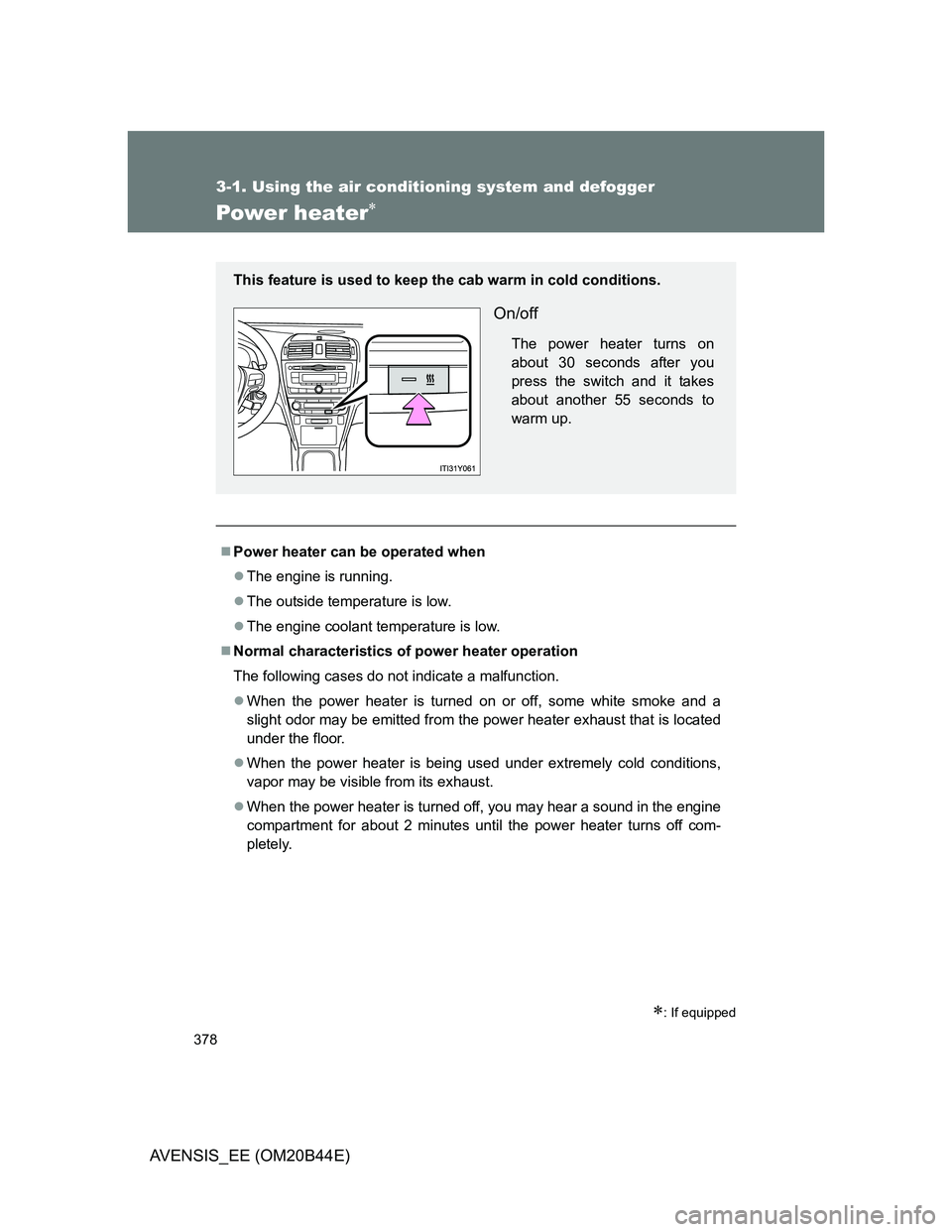
This feature is used to keep the cab warm in cold conditions.
On/off
The power heater turns on
about 30 seconds after you
press the switch and it takes
about another 55 seconds to
warm up.
Page 405 of 772
405 3-2. Using the audio system
3
Interior features
AVENSIS_EE (OM20B44E)
NOTICE
CD player precautions
Failure to follow the precautions below may result in serious damage to the
CDs or the player itself.
Do not insert anything other than CDs into the CD slot.
Do not apply oil to the CD player.
Store CDs away from direct sunlight.
Never try to disassemble any part of the CD player.
Page 478 of 772
478
AVENSIS_EE (OM20B44E)
3-3. Using the interior lights
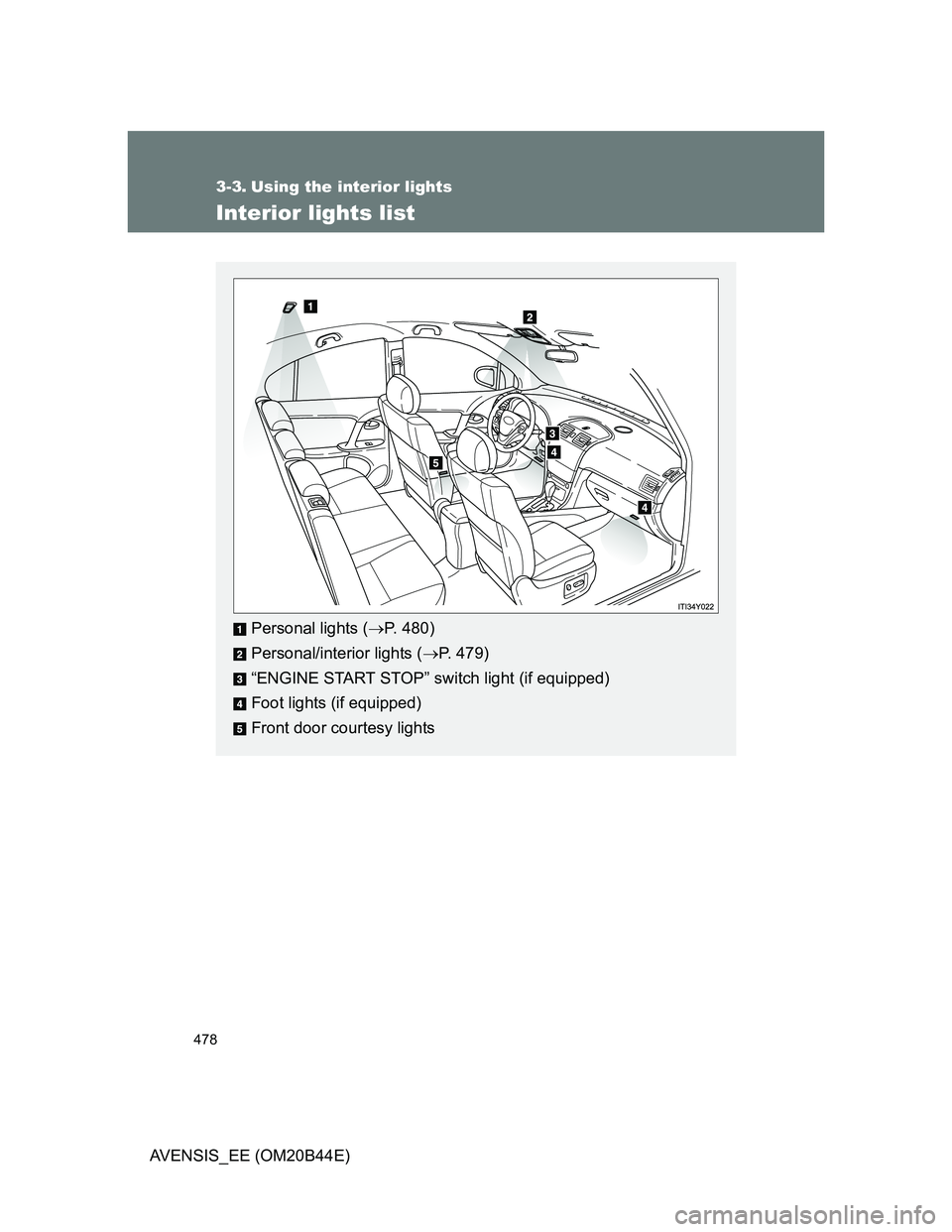
Interior lights list
Personal lights (P. 480)
Personal/interior lights (P. 479)
“ENGINE START STOP” switch light (if equipped)
Foot lights (if equipped)
Front door courtesy lights