stop start TOYOTA AVENSIS 2012 Owners Manual
[x] Cancel search | Manufacturer: TOYOTA, Model Year: 2012, Model line: AVENSIS, Model: TOYOTA AVENSIS 2012Pages: 772, PDF Size: 34.43 MB
Page 703 of 772
5
703 5-2. Steps to take in an emergency
When trouble arises
AVENSIS_EE (OM20B44E)
Changing “ENGINE START STOP” switch modes and starting the
engine
Vehicles with a Multidrive or automatic transmission: Shift the
shift lever to “P” and apply the brakes.
Vehicles with a manual transmission: Shift the shift lever to
“N” and depress the clutch pedal.
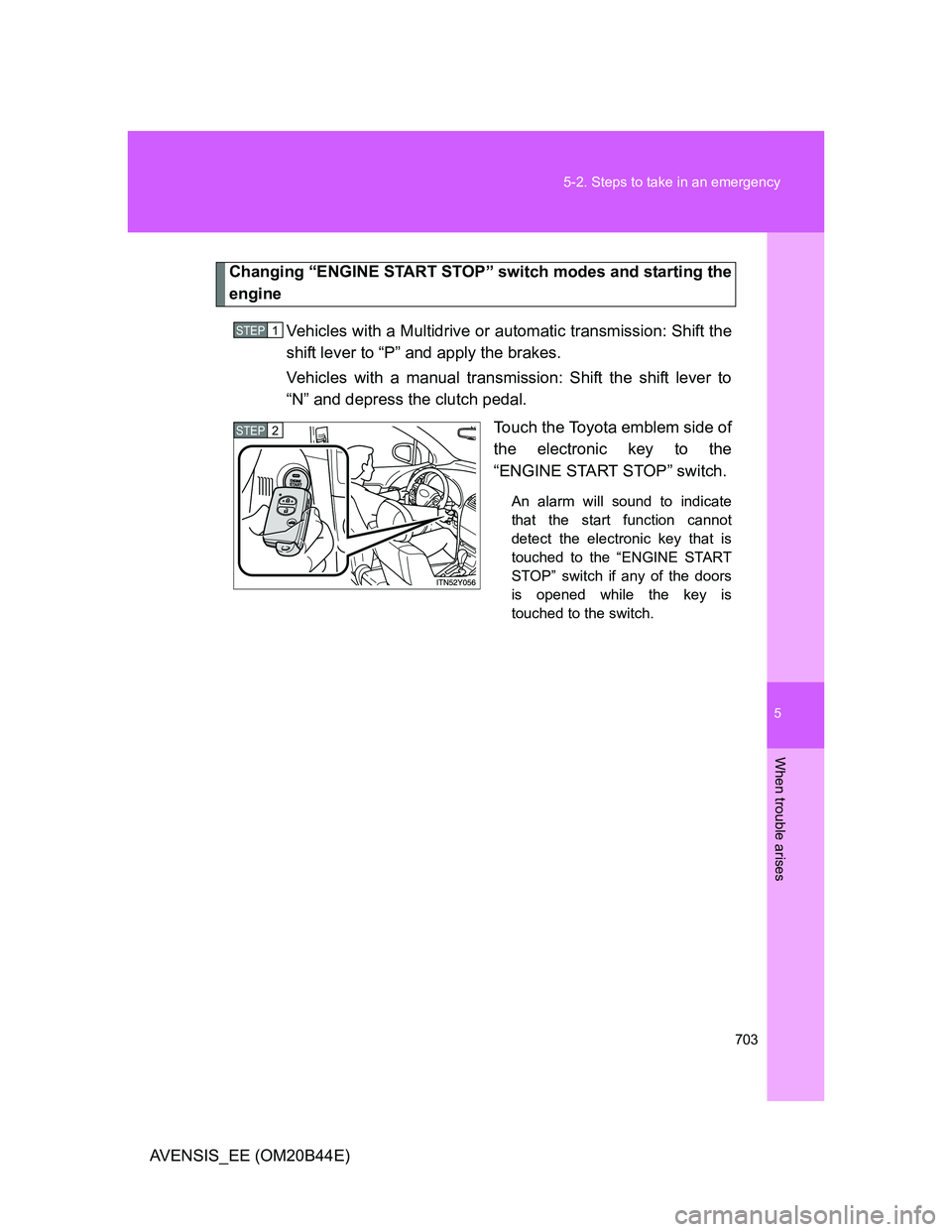
Touch the Toyota emblem side of
the electronic key to the
“ENGINE START STOP” switch.
An alarm will sound to indicate
that the start function cannot
detect the electronic key that is
touched to the “ENGINE START
STOP” switch if any of the doors
is opened while the key is
touched to the switch.
STEP1
STEP2
Page 704 of 772
704 5-2. Steps to take in an emergency
AVENSIS_EE (OM20B44E)To change “ENGINE START STOP” switch modes: Within 10
seconds of the buzzer sounding, release the brake pedal
(Multidrive or automatic transmission) or clutch pedal (manual
transmission) and press the “ENGINE START STOP” switch.
Modes can be changed each time the switch is pressed.
(P. 212)
To start the engine: Press the “ENGINE START STOP” switch
within 10 seconds after the buzzer sounds, keeping the brake
pedal (Multidrive or automatic transmission) or clutch pedal
(manual transmission) depressed.
In the event that the “ENGINE START STOP” switch still cannot be
operated, contact any authorized Toyota dealer or repairer, or another
duly qualified and equipped professional.
Stopping the engine
Shift the shift lever to “P” (Multidrive or automatic transmission) or “N” (man-
ual transmission) and press the “ENGINE START STOP” switch as you nor-
mally do when stopping the engine.
Replacing the key battery
As this procedure is a temporary measure, it is recommended that the elec-
tronic key battery be replaced immediately when the battery depletes.
(P. 564)
Alarm
Using the mechanical key to lock the doors will not set the alarm system.
If a door is unlocked using the mechanical key when the alarm system is set,
the alarm may be triggered. (P. 146)
STEP3
Page 707 of 772
5
707 5-2. Steps to take in an emergency
When trouble arises
AVENSIS_EE (OM20B44E)
Start the engine of the second vehicle. Increase the engine
speed slightly and maintain at that level for approximately 5
minutes to recharge the battery of your vehicle.
Vehicles with smart entry & start system: Open and close
any of the doors with the “ENGINE START STOP” switch
OFF.
Vehicles with smart entry & start system: Maintain the
engine speed of the second vehicle and turn the “ENGINE
START STOP” switch to IGNITION ON mode, then start the
vehicle’s engine.
Vehicles without smart entry & start system: Maintain the
engine speed of the second vehicle and turn the engine
switch to the “ON” position, then start the vehicle’s engine.
Once the vehicle’s engine has started, remove the jumper
cables in the exact reverse order in which they were con-
nected.
Once the engine starts, have the vehicle checked at any autho-
rized Toyota dealer or repairer, or another duly qualified and
equipped professional, as soon as possible.STEP2
STEP3
STEP4
STEP5
Page 710 of 772
710
5-2. Steps to take in an emergency
AVENSIS_EE (OM20B44E)
If your vehicle overheats
If your engine overheats:
Stop the vehicle in a safe place and turn off the air condi-
tioning system.
Check to see if steam is coming out from under the hood.
If you see steam:
Stop the engine. Carefully lift the hood after the steam
subsides and then restart the engine.
If you do not see steam:
Leave the engine running and carefully lift the hood.
Check to see if the cooling fan is operating.
If the fan is operating:
Wait until the engine coolant temperature gauge begins
to fall and then stop the engine.
If the fan is not operating:
Stop the engine and call any authorized Toyota dealer or
repairer, or another duly qualified and equipped profes-
sional.
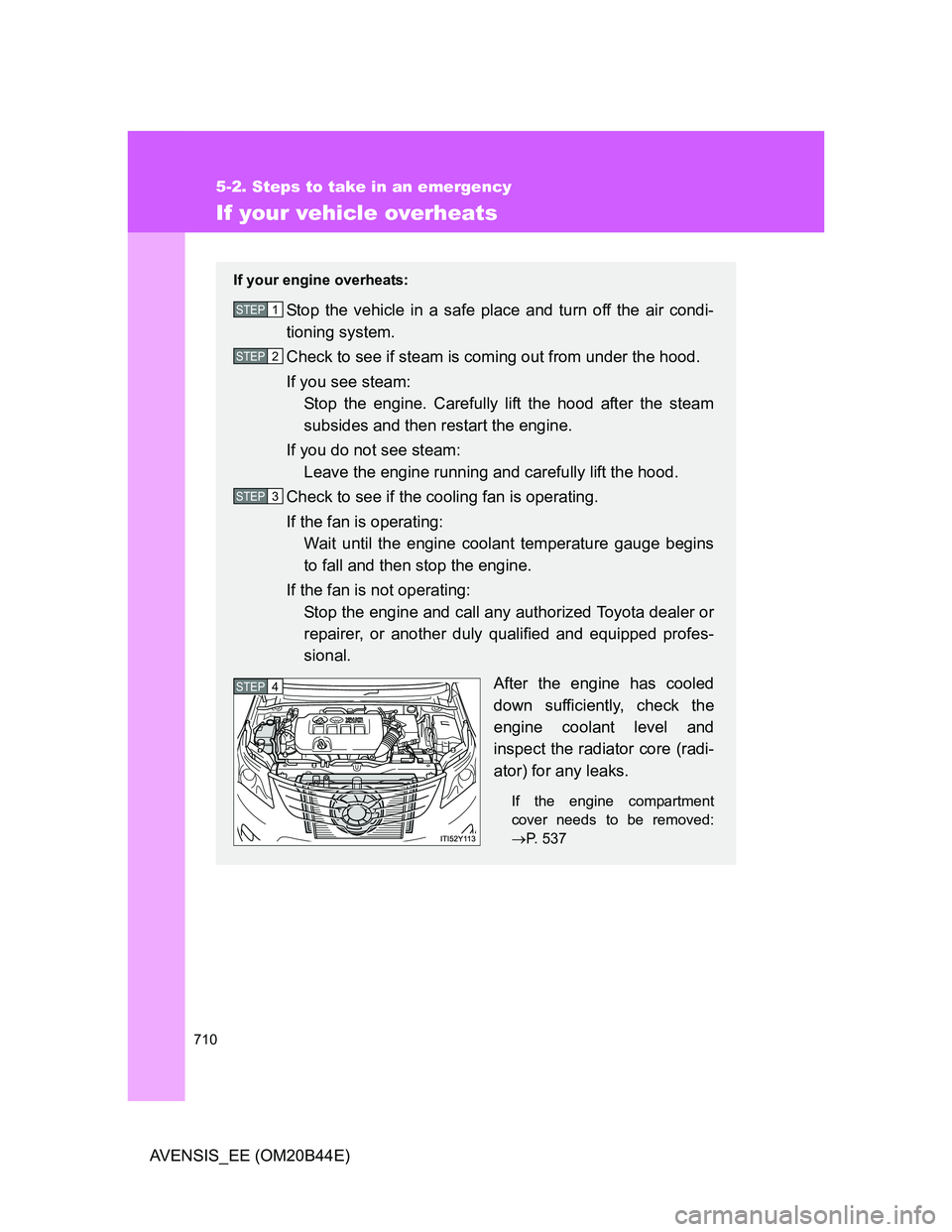
After the engine has cooled
down sufficiently, check the
engine coolant level and
inspect the radiator core (radi-
ator) for any leaks.
If the engine compartment
cover needs to be removed:
P. 537
STEP1
STEP2
STEP3
STEP4
Page 714 of 772
714
5-2. Steps to take in an emergency
AVENSIS_EE (OM20B44E)
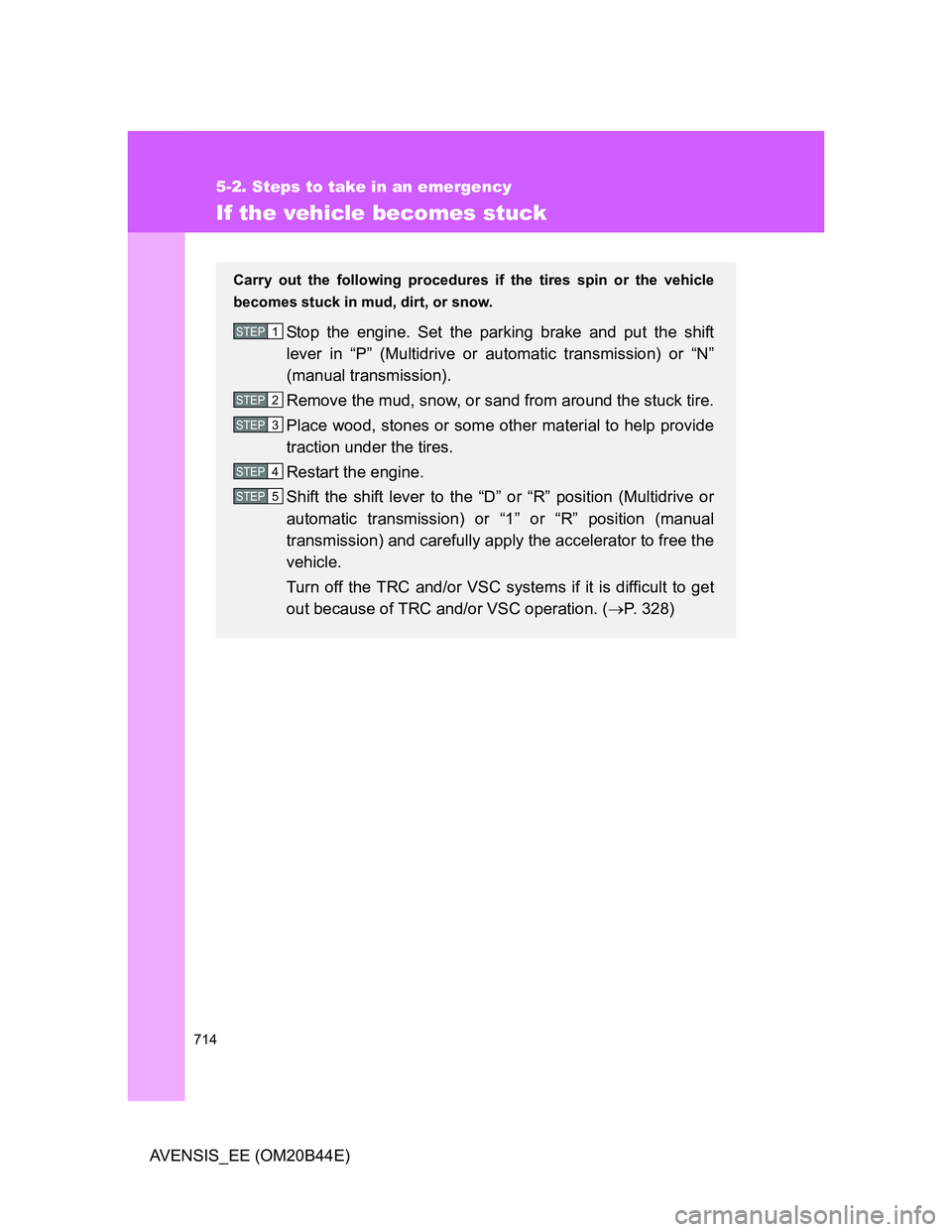
If the vehicle becomes stuck
Carry out the following procedures if the tires spin or the vehicle
becomes stuck in mud, dirt, or snow.
Stop the engine. Set the parking brake and put the shift
lever in “P” (Multidrive or automatic transmission) or “N”
(manual transmission).
Remove the mud, snow, or sand from around the stuck tire.
Place wood, stones or some other material to help provide
traction under the tires.
Restart the engine.
Shift the shift lever to the “D” or “R” position (Multidrive or
automatic transmission) or “1” or “R” position (manual
transmission) and carefully apply the accelerator to free the
vehicle.
Turn off the TRC and/or VSC systems if it is difficult to get
out because of TRC and/or VSC operation. (P. 328)STEP1
STEP2
STEP3
STEP4
STEP5
Page 716 of 772
716
5-2. Steps to take in an emergency
AVENSIS_EE (OM20B44E)
If your vehicle has to be stopped in an emergency
Only in an emergency, such as if it becomes impossible to stop the
vehicle in the normal way, stop the vehicle using the following pro-
cedure:
Steadily step on the brake pedal with both feet and firmly
depress it.
Do not pump the brake pedal repeatedly as this will increase the
effort required to slow the vehicle.
Shift the shift lever to “N”.
If the shift lever is shifted to “N”
After slowing down, stop the vehicle in a safe place by the
road.
Stop the engine.
If the shift lever cannot be shifted to “N”
Keep depressing the brake pedal with both feet to reduce
vehicle speed as much as possible.
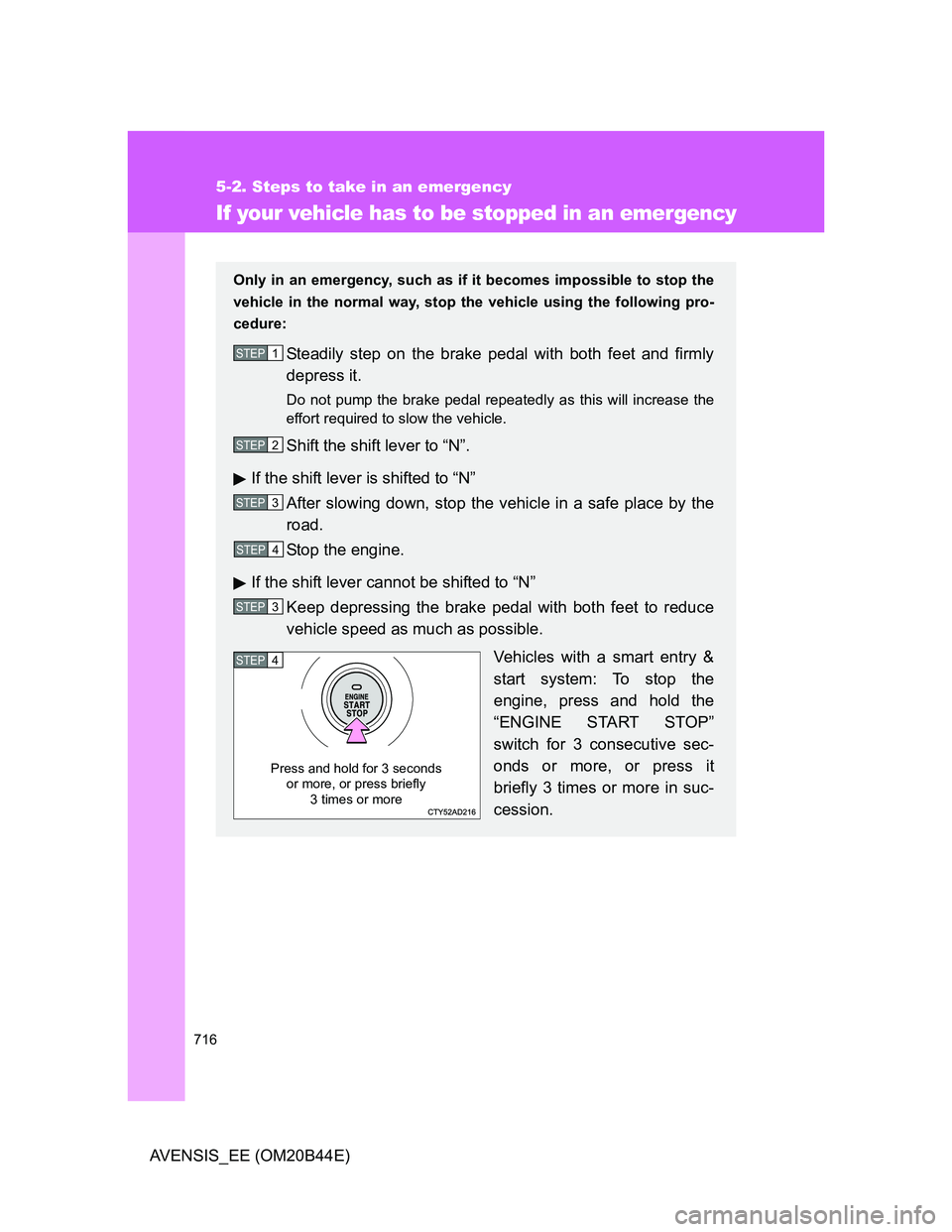
Vehicles with a smart entry &
start system: To stop the
engine, press and hold the
“ENGINE START STOP”
switch for 3 consecutive sec-
onds or more, or press it
briefly 3 times or more in suc-
cession.
STEP1
STEP2
STEP3
STEP4
STEP3
STEP4
Press and hold for 3 seconds
or more, or press briefly
3 times or more
Page 717 of 772
5
717 5-2. Steps to take in an emergency
When trouble arises
AVENSIS_EE (OM20B44E)
CAUTION
If the engine has to be turned off while driving
Power assist for the brakes and steering wheel will be lost, making the
brake pedal harder to depress and the steering wheel heavier to turn.
Decelerate as much as possible before turning off the engine.
Vehicles without smart entry & start system: Never attempt to remove the
key, as doing so will lock the steering wheel.
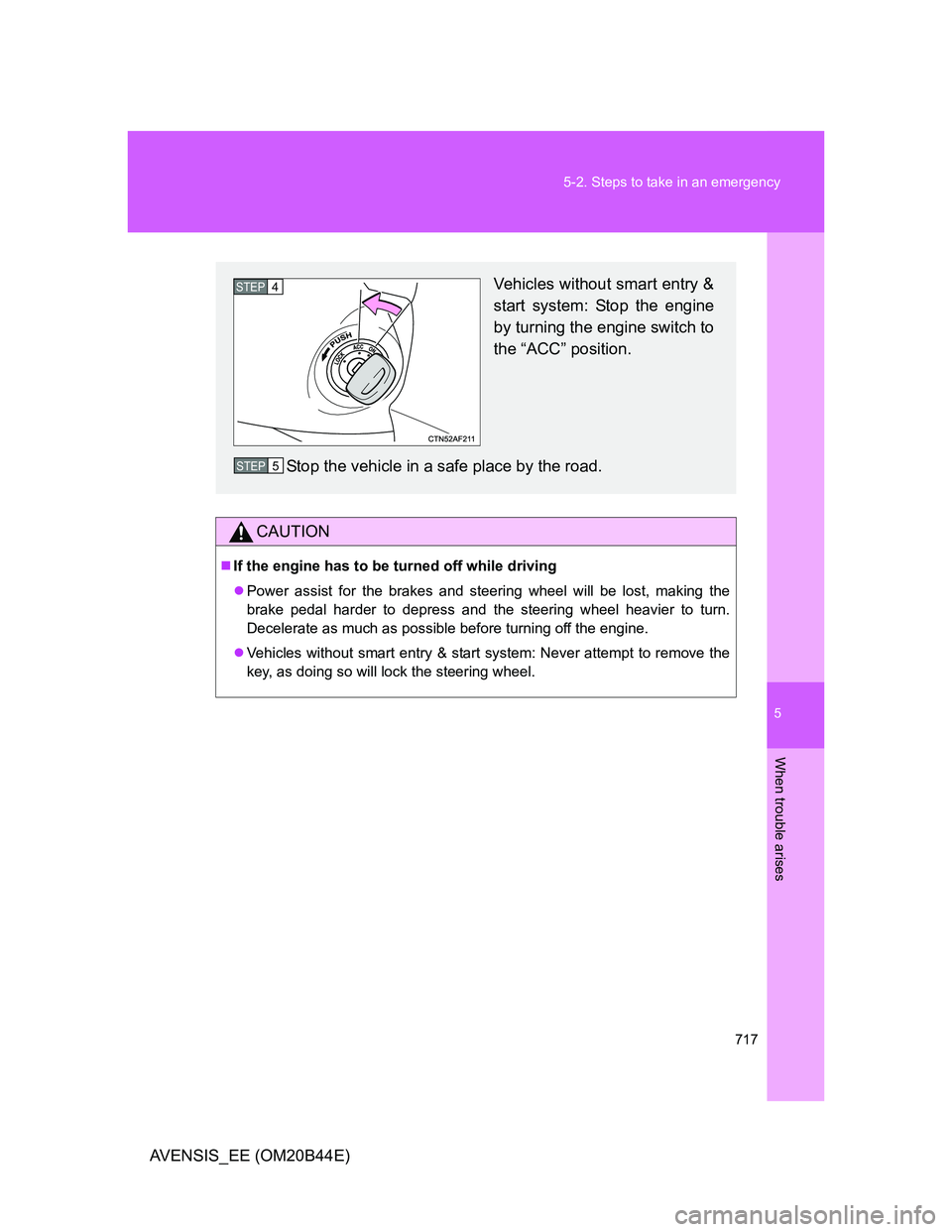
Vehicles without smart entry &
start system: Stop the engine
by turning the engine switch to
the “ACC” position.
Stop the vehicle in a safe place by the road.STEP4
STEP5
Page 751 of 772
751 6-2. Customization
6
Vehicle specifications
AVENSIS_EE (OM20B44E)
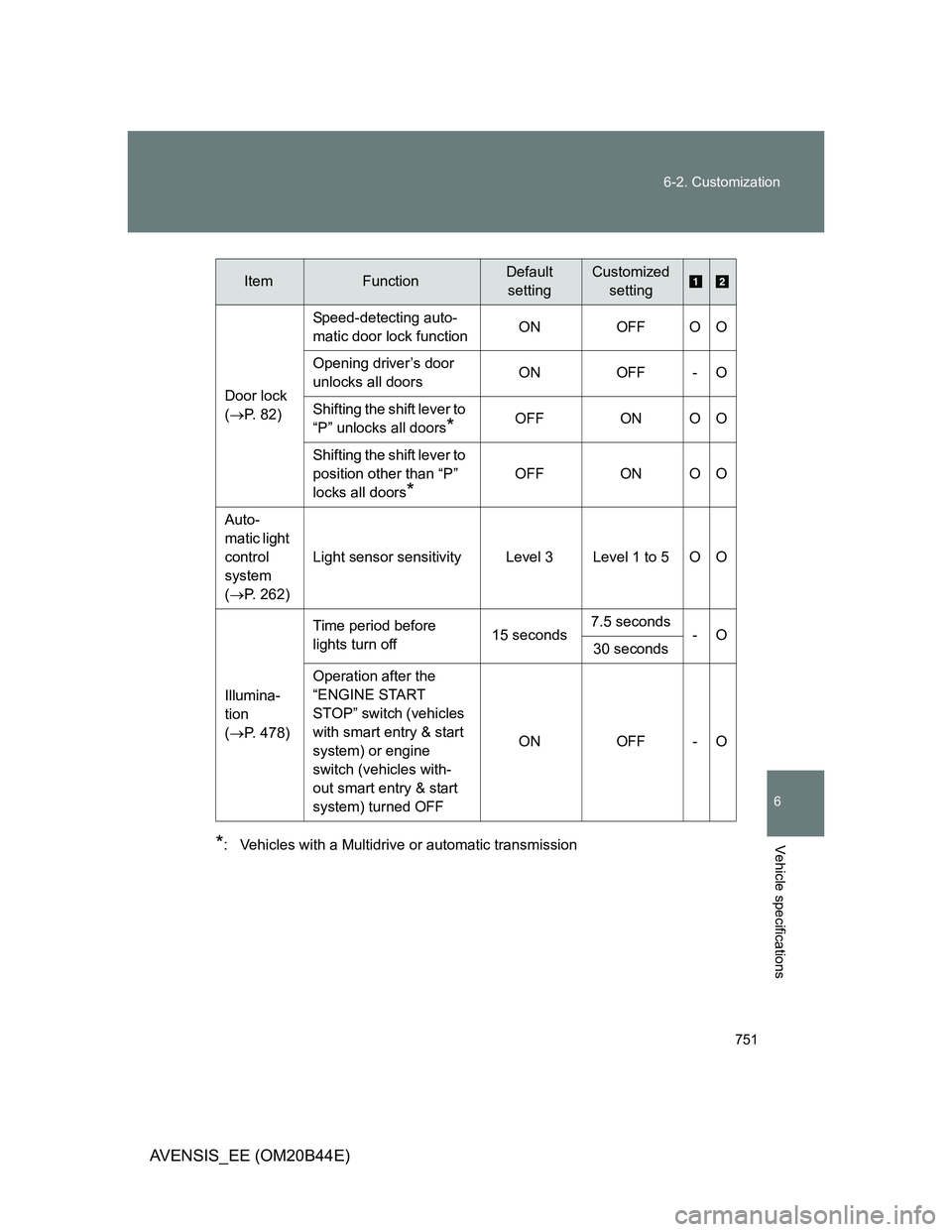
*: Vehicles with a Multidrive or automatic transmissionDoor lock
(P. 82)Speed-detecting auto-
matic door lock functionON OFF O O
Opening driver’s door
unlocks all doorsON OFF - O
Shifting the shift lever to
“P” unlocks all doors
*OFF ON O O
Shifting the shift lever to
position other than “P”
locks all doors
*
OFF ON O O
Auto-
matic light
control
system
(P. 262)Light sensor sensitivity Level 3 Level 1 to 5 O O
Illumina-
tion
(P. 478)Time period before
lights turn off15 seconds7.5 seconds
-O
30 seconds
Operation after the
“ENGINE START
STOP” switch (vehicles
with smart entry & start
system) or engine
switch (vehicles with-
out smart entry & start
system) turned OFFON OFF - O
ItemFunctionDefault
settingCustomized
setting
Page 759 of 772
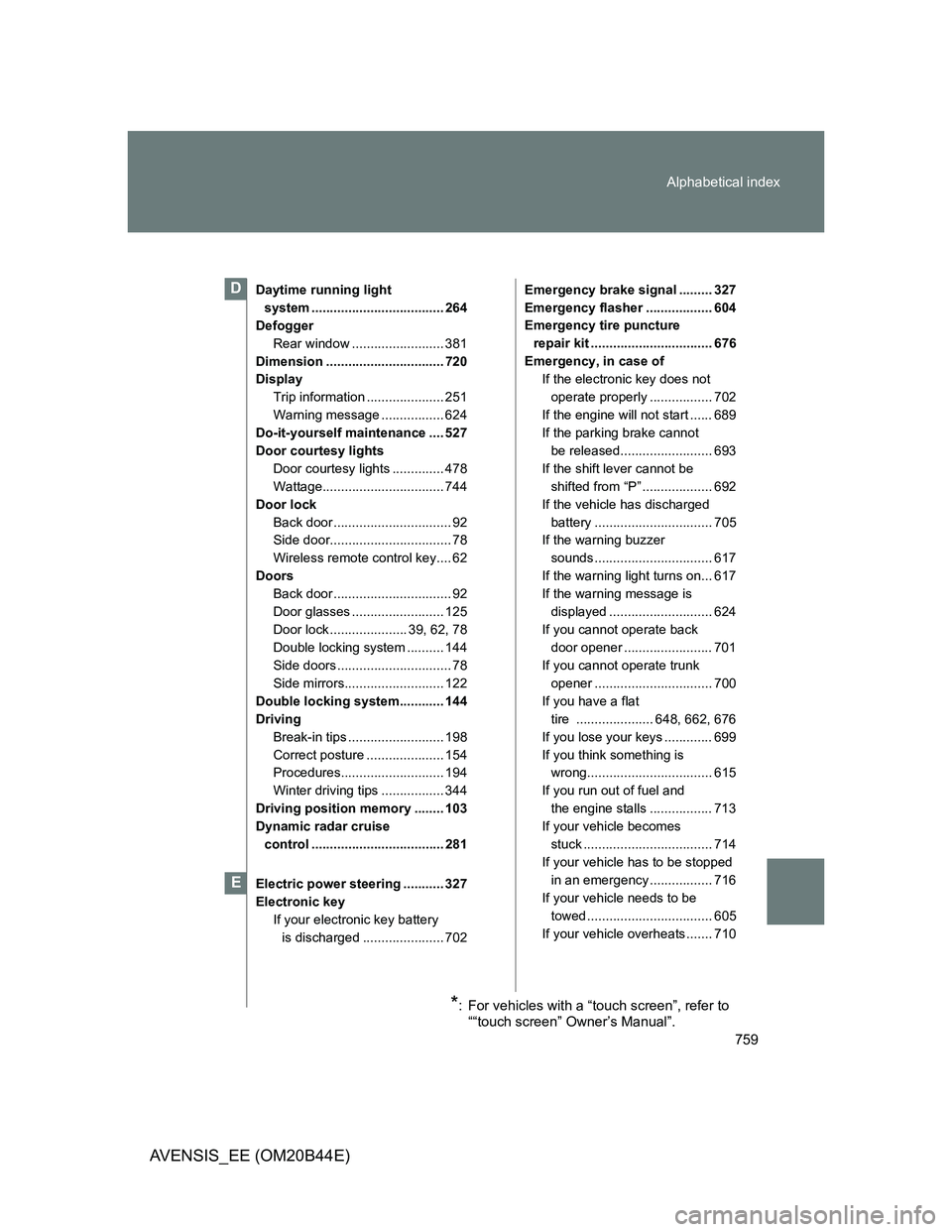
759 Alphabetical index
AVENSIS_EE (OM20B44E)
Daytime running light
system .................................... 264
Defogger
Rear window ......................... 381
Dimension ................................ 720
Display
Trip information ..................... 251
Warning message ................. 624
Do-it-yourself maintenance .... 527
Door courtesy lights
Door courtesy lights .............. 478
Wattage................................. 744
Door lock
Back door ................................ 92
Side door................................. 78
Wireless remote control key.... 62
Doors
Back door ................................ 92
Door glasses ......................... 125
Door lock ..................... 39, 62, 78
Double locking system .......... 144
Side doors ............................... 78
Side mirrors........................... 122
Double locking system............ 144
Driving
Break-in tips .......................... 198
Correct posture ..................... 154
Procedures............................ 194
Winter driving tips ................. 344
Driving position memory ........ 103
Dynamic radar cruise
control .................................... 281
Electric power steering ........... 327
Electronic key
If your electronic key battery
is discharged ...................... 702Emergency brake signal ......... 327
Emergency flasher .................. 604
Emergency tire puncture
repair kit ................................. 676
Emergency, in case of
If the electronic key does not
operate properly ................. 702
If the engine will not start ...... 689
If the parking brake cannot
be released......................... 693
If the shift lever cannot be
shifted from “P” ................... 692
If the vehicle has discharged
battery ................................ 705
If the warning buzzer
sounds ................................ 617
If the warning light turns on... 617
If the warning message is
displayed ............................ 624
If you cannot operate back
door opener ........................ 701
If you cannot operate trunk
opener ................................ 700
If you have a flat
tire ..................... 648, 662, 676
If you lose your keys ............. 699
If you think something is
wrong.................................. 615
If you run out of fuel and
the engine stalls ................. 713
If your vehicle becomes
stuck ................................... 714
If your vehicle has to be stopped
in an emergency ................. 716
If your vehicle needs to be
towed .................................. 605
If your vehicle overheats ....... 710D
E
*: For vehicles with a “touch screen”, refer to
““touch screen” Owner’s Manual”.