snow TOYOTA AVENSIS 2012 User Guide
[x] Cancel search | Manufacturer: TOYOTA, Model Year: 2012, Model line: AVENSIS, Model: TOYOTA AVENSIS 2012Pages: 772, PDF Size: 34.43 MB
Page 302 of 772
302 2-4. Using other driving systems
AVENSIS_EE (OM20B44E)
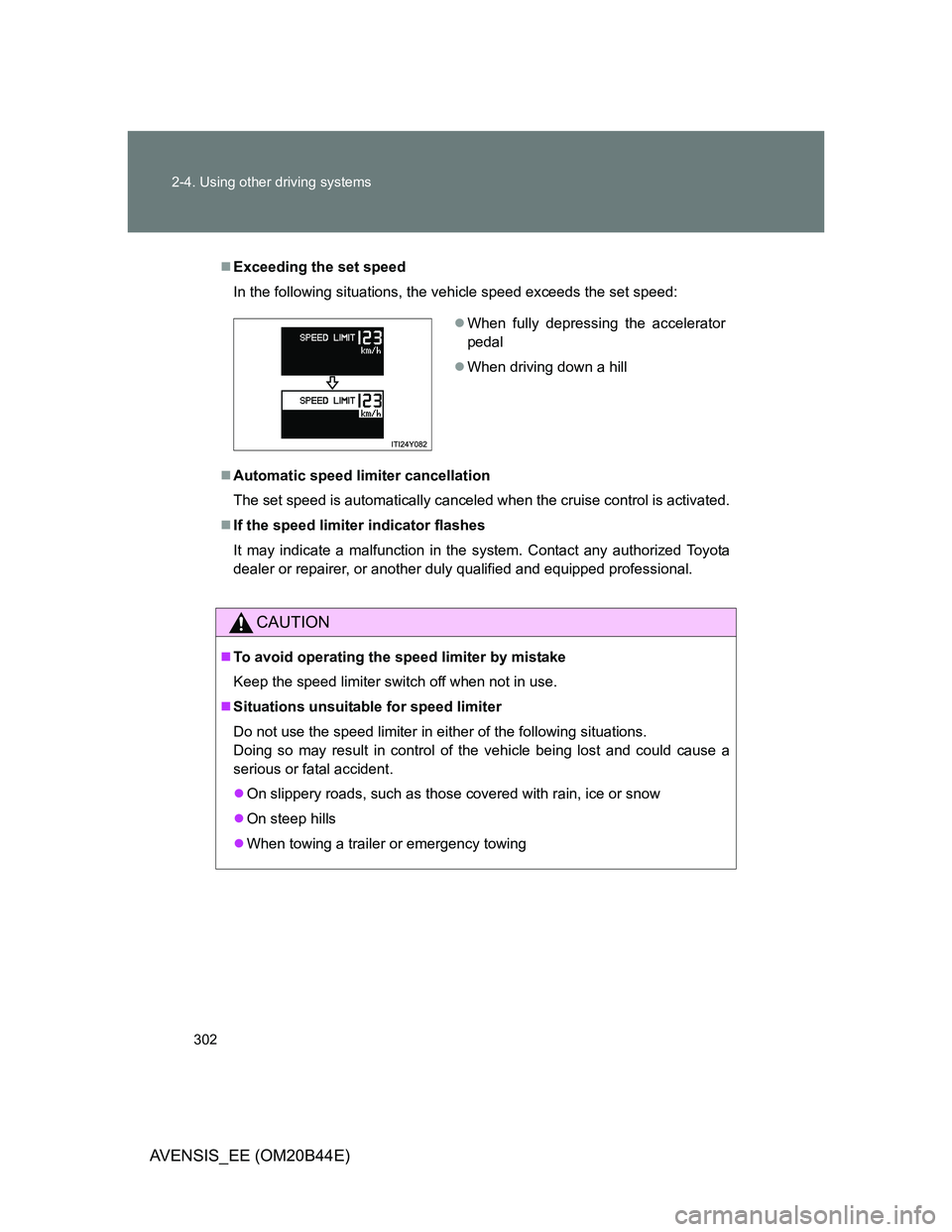
Exceeding the set speed
In the following situations, the vehicle speed exceeds the set speed:
Automatic speed limiter cancellation
The set speed is automatically canceled when the cruise control is activated.
If the speed limiter indicator flashes
It may indicate a malfunction in the system. Contact any authorized Toyota
dealer or repairer, or another duly qualified and equipped professional.
CAUTION
To avoid operating the speed limiter by mistake
Keep the speed limiter switch off when not in use.
Situations unsuitable for speed limiter
Do not use the speed limiter in either of the following situations.
Doing so may result in control of the vehicle being lost and could cause a
serious or fatal accident.
On slippery roads, such as those covered with rain, ice or snow
On steep hills
When towing a trailer or emergency towing
When fully depressing the accelerator
pedal
When driving down a hill
Page 306 of 772
306 2-4. Using other driving systems
AVENSIS_EE (OM20B44E)
The Toyota parking assist-sensor can be operated when
Vehicles with smart entry & start system
The “ENGINE START STOP” switch is in IGNITION ON mode, and the
shift lever is in the “R” position.
Vehicles without smart entry & start system
The engine switch is in the “ON” position, and the shift lever is in the “R”
position.
Sensor detection information
Certain vehicle conditions and the surrounding environment may affect
the ability of the sensor to correctly detect obstacles. Particular instances
where this may occur are listed below.
• There is dirt, snow or ice on the sensor. (Wiping the sensor will resolve
this problem.)
• The sensor is frozen. (Thawing the sensor will resolve this problem.)
• The sensor is covered in any way.
• In harsh sunlight or intense cold weather.
• When driving on bumpy, sloped or gravel roads, or over grass.
• If there is something producing ultrasonic waves nearby, such as
another vehicle’s horn, motorcycle engine noise, air braking sound
from heavy-duty vehicles, or another vehicle using the park assist sys-
tem.
• In heavy rain, or if water is splashed on the sensors.
• The vehicle is leaning considerably to one side.
• If a commercial fender pole or radio antenna is installed.
• If moving towards a high curb or a curb corner.
• If towing eyelet is installed on your vehicle.
• The bumper or sensor receives a strong impact.
• A non-genuine Toyota suspension (lowered suspension etc.) is
installed.
In addition to the examples above, there are instances in which, because of
their shapes, signs and other objects may be judged by the sensor to be
closer than they are.
Page 307 of 772
307 2-4. Using other driving systems
2
When driving
AVENSIS_EE (OM20B44E)
The shape of the obstacle may prevent the sensor from detecting it. Pay
particular attention to the following obstacles.
• Thin objects such as wire, fencing or rope.
• Objects that absorb sound waves, such as cotton or snow.
• Objects with sharp corners.
• Low objects.
• Objects where the upper section projects out over the lower section.
CAUTION
When using the Toyota parking assist-sensor
Observe the following precautions.
Failing to do so may result in the vehicle being unable to be driven safely
and possibly cause an accident.
Do not use the sensor at speeds in excess of 10 km/h (6 mph).
Do not install accessories within the sensors’ detection areas.
NOTICE
When washing the vehicle
Do not apply intensive bursts of water or steam to the sensor area.
Doing so may result in the sensor malfunctioning.
Page 313 of 772
313 2-4. Using other driving systems
2
When driving
AVENSIS_EE (OM20B44E)
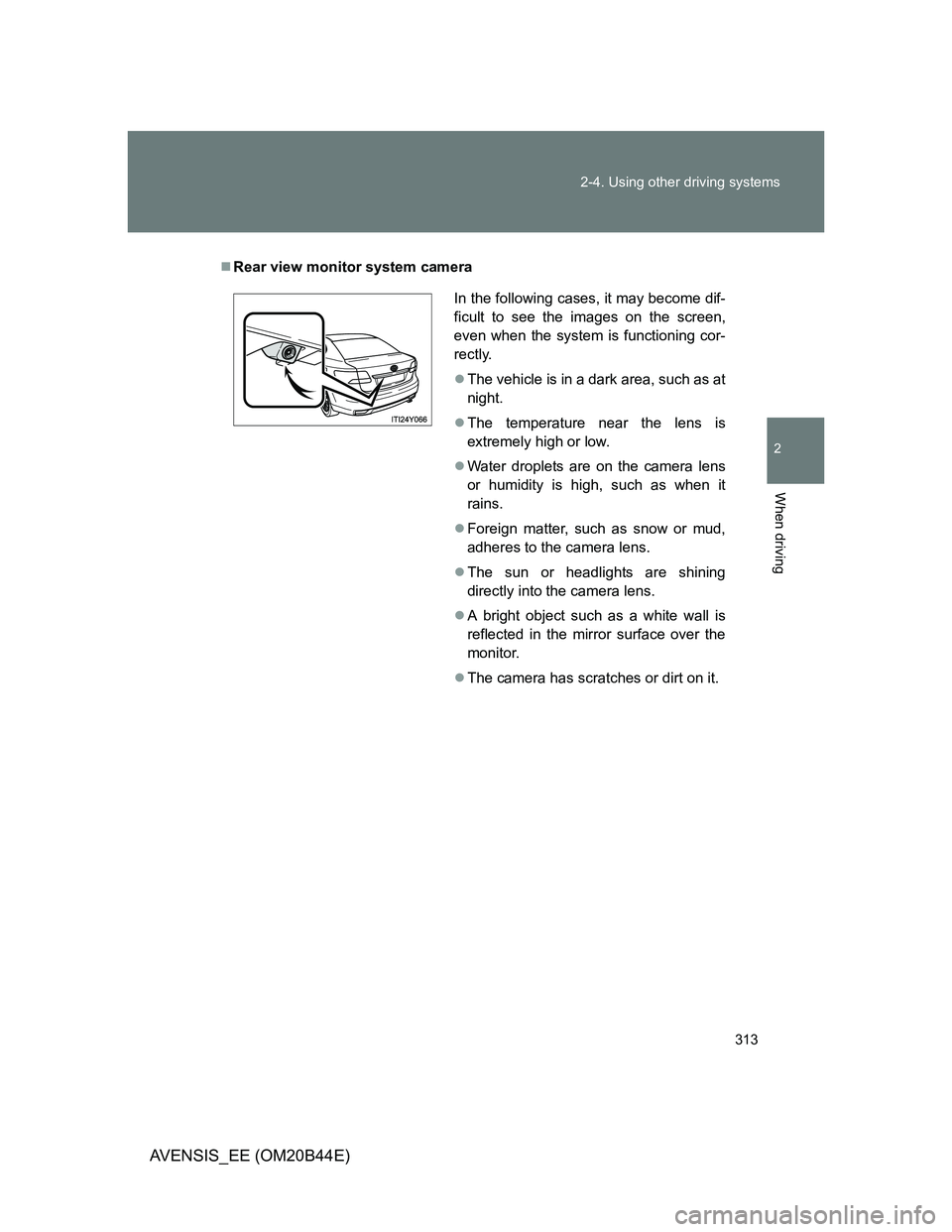
Rear view monitor system camera
In the following cases, it may become dif-
ficult to see the images on the screen,
even when the system is functioning cor-
rectly.
The vehicle is in a dark area, such as at
night.
The temperature near the lens is
extremely high or low.
Water droplets are on the camera lens
or humidity is high, such as when it
rains.
Foreign matter, such as snow or mud,
adheres to the camera lens.
The sun or headlights are shining
directly into the camera lens.
A bright object such as a white wall is
reflected in the mirror surface over the
monitor.
The camera has scratches or dirt on it.
Page 317 of 772
317 2-4. Using other driving systems
2
When driving
AVENSIS_EE (OM20B44E)
NOTICE
Camera precautions
As the camera has a water proof construction, do not detach, disassemble
or modify it. This may cause incorrect operation.
Do not subject the camera to a strong impact.
If the camera lens becomes dirty, it cannot transmit a clear image. If water
droplets, snow, or mud adhere to the lens, rinse with water and wipe with a
soft cloth. If the lens is extremely dirty, wash it with a mild cleanser and
rinse. Do not rub hard.
Do not allow organic solvent, car wax, window cleaner or glass coat to
adhere to the camera. If this happens, wipe it off as soon as possible.
Do not strongly rub the camera lens. If the camera lens is scratched, it
cannot transmit a clear image.
When washing the vehicle, do not apply intensive bursts of water to the
camera or camera area. Doing so may result in the camera malfunction.
When replacing tires, please consult any authorized Toyota dealer or
repairer, or another duly qualified and equipped professional. If you
replace the tires, the area displayed on the screen may change.
Page 324 of 772
324 2-4. Using other driving systems
AVENSIS_EE (OM20B44E)
CAUTION
Turn the LKA off while driving in any of the following conditions
Do not use LKA in any of the following situations.
Otherwise, the system may not function correctly and could result in an acci-
dent.
When driving with snow tires, tire chains, a spare tire, or similar equip-
ment.
When driving with non-standard parts or aftermarket equipment installed.
(including modified tires and suspensions, etc.)
When towing a trailer.
When there are objects or structures along the roadside that might be mis-
interpreted as lane markers (such as guardrails, curb, reflector posts, etc.).
When there are wheel ruts, icy trademarks, etc. or if snow remains on the
road surface.
When there are shadows on the road running parallel with lane markers,
or if a shadow covers the lane markers.
When there are visible lines on the pavement from road repairs, or if the
remains of old lane markers are still visible on the road.
When driving on slippery roads, such as those covered with rain, ice or
snow.
When driving in a lane other than the driving or passing lanes on a freeway
or highway.
When driving on a road with lane closures due to maintenance, or when
driving in a temporary lane.
When driving on winding roads or roads that are rough or uneven.
Page 325 of 772
325 2-4. Using other driving systems
2
When driving
AVENSIS_EE (OM20B44E)
NOTICE
In the following situations, the LKA will not work, or will not perform
reliably
When lane markers are interrupted or are not present, such as before a
tollbooth.
When lane markers are only on one side of the road.
When driving on a sharp curve.
When lanes are extremely narrow or extremely wide.
When the vehicle leans to one side an unusual amount due to a heavy
load or improper tire inflation pressure.
When the following distance between your vehicle and the vehicle ahead
is extremely short.
When the lane markers are broken or “Raised pavement marker”.
When lane markers are obscured or partially obscured by sand, dirt, etc.
When driving on a particularly bright road surface, such as concrete.
When driving on a road surface that is bright due to reflected light.
When driving in a location where the light level changes rapidly, such as
the entrance to or exit from a tunnel.
When sunlight or the headlights of oncoming vehicles are shining directly
into the camera lens.
When driving on roads that are branching or merging.
When pavement lane markers are difficult to see due to rain, snow, fog,
etc.
When driving on a road surface that is wet due to rain, previous rainfall,
standing water, etc.
When the vehicle experiences strong up-and-down motion such as when
driving on an extremely rough road or on a seam in the pavement.
When headlight brightness is reduced due to dirt on the lenses, or when
the headlights are misaligned.
When driving with a strong crosswind.
Page 326 of 772
326 2-4. Using other driving systems
AVENSIS_EE (OM20B44E)
NOTICE
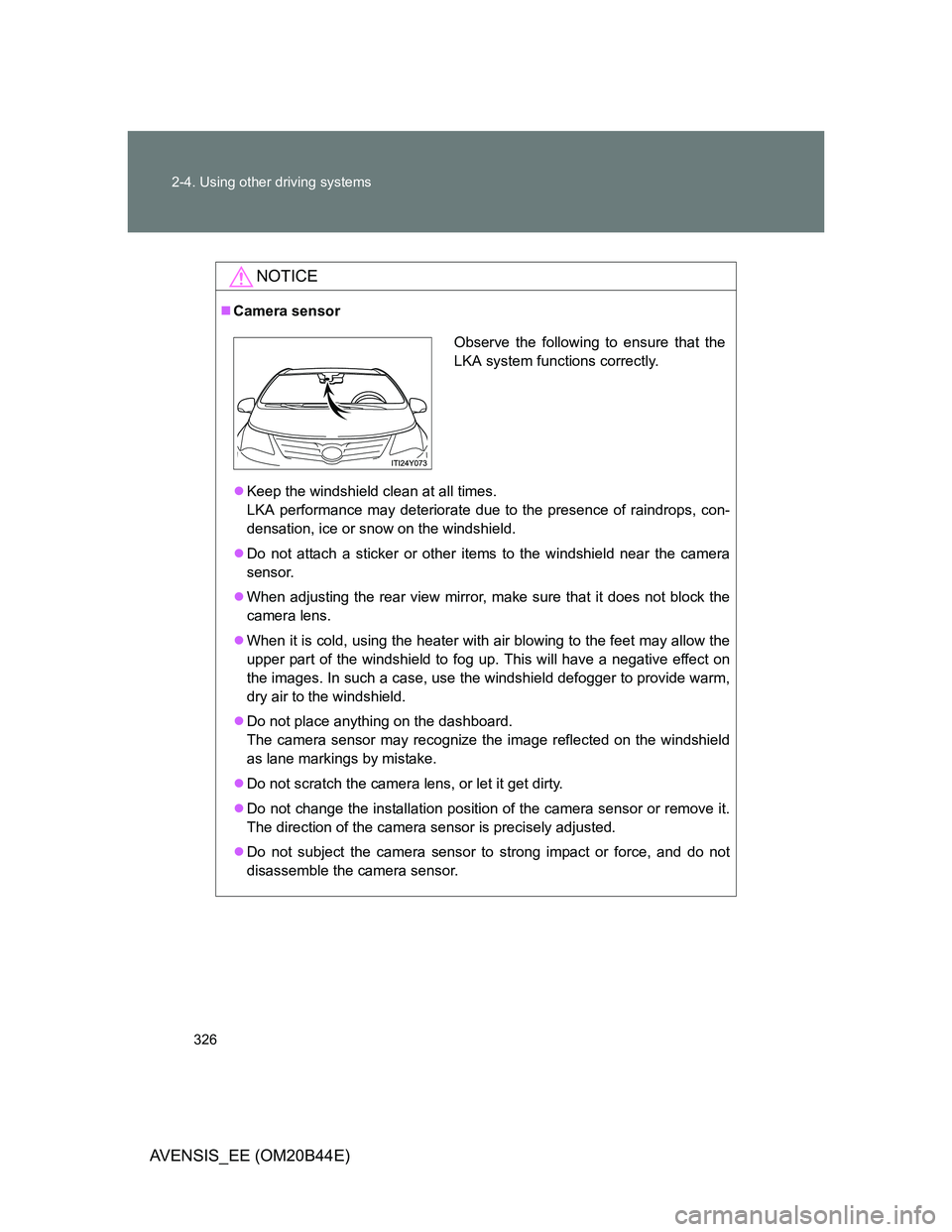
Camera sensor
Keep the windshield clean at all times.
LKA performance may deteriorate due to the presence of raindrops, con-
densation, ice or snow on the windshield.
Do not attach a sticker or other items to the windshield near the camera
sensor.
When adjusting the rear view mirror, make sure that it does not block the
camera lens.
When it is cold, using the heater with air blowing to the feet may allow the
upper part of the windshield to fog up. This will have a negative effect on
the images. In such a case, use the windshield defogger to provide warm,
dry air to the windshield.
Do not place anything on the dashboard.
The camera sensor may recognize the image reflected on the windshield
as lane markings by mistake.
Do not scratch the camera lens, or let it get dirty.
Do not change the installation position of the camera sensor or remove it.
The direction of the camera sensor is precisely adjusted.
Do not subject the camera sensor to strong impact or force, and do not
disassemble the camera sensor.
Observe the following to ensure that the
LKA system functions correctly.
Page 328 of 772
328 2-4. Using other driving systems
AVENSIS_EE (OM20B44E)
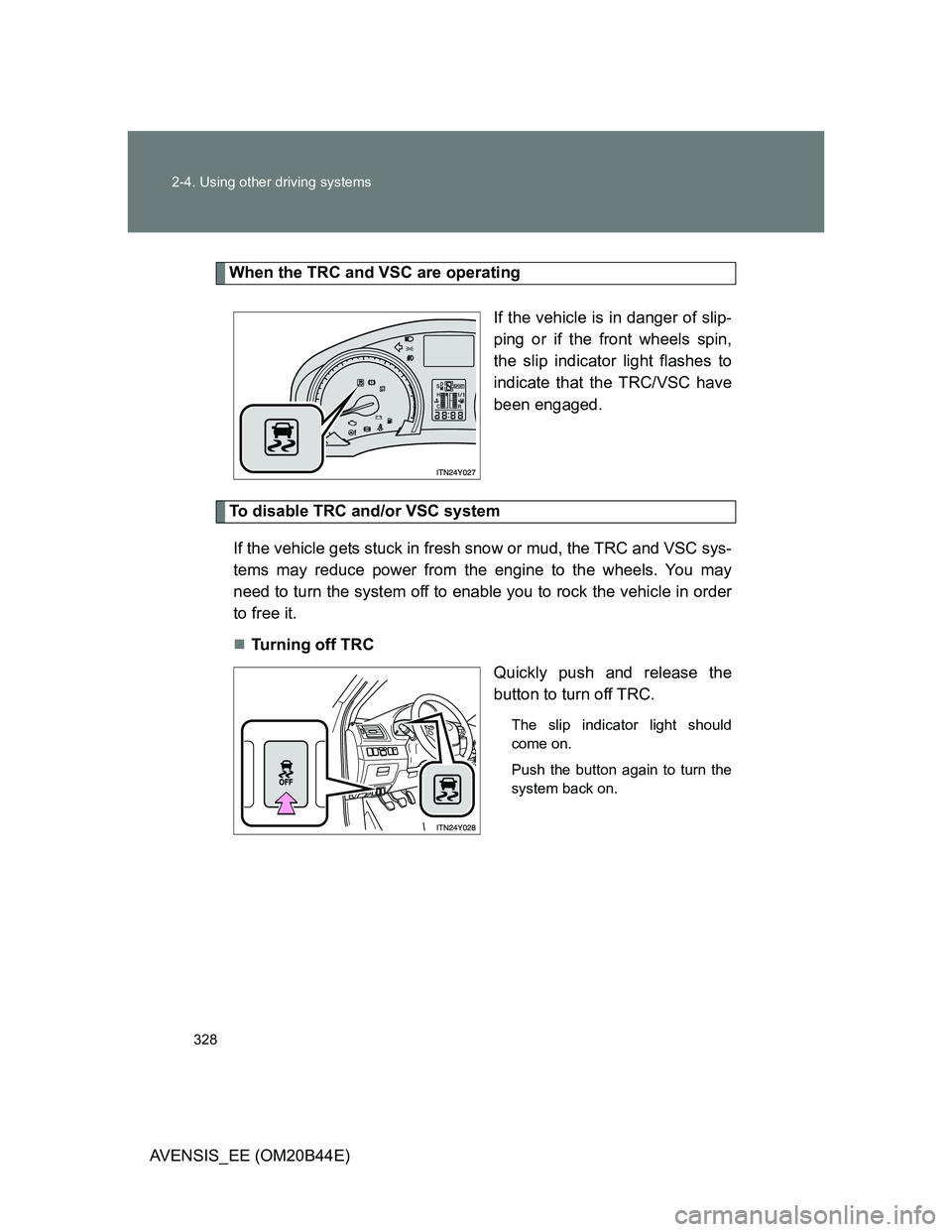
When the TRC and VSC are operating
If the vehicle is in danger of slip-
ping or if the front wheels spin,
the slip indicator light flashes to
indicate that the TRC/VSC have
been engaged.
To disable TRC and/or VSC system
If the vehicle gets stuck in fresh snow or mud, the TRC and VSC sys-
tems may reduce power from the engine to the wheels. You may
need to turn the system off to enable you to rock the vehicle in order
to free it.
Turning off TRC
Quickly push and release the
button to turn off TRC.
The slip indicator light should
come on.
Push the button again to turn the
system back on.
Page 331 of 772
331 2-4. Using other driving systems
2
When driving
AVENSIS_EE (OM20B44E)
CAUTION
Any of the following conditions may result in an accident which could cause
death or serious injury:
The ABS does not operate effectively when
The limits of tire gripping performance have been exceeded.
The vehicle hydroplanes while driving at high speed on a wet or slick road.
Stopping distance when the ABS is operating may exceed that of nor-
mal conditions
The ABS is not designed to shorten the vehicle’s stopping distance. Always
maintain a safe distance from the vehicle in front of you in the following situ-
ations:
When driving on dirt, gravel or snow-covered roads
When driving with tire chains
When driving over bumps in the road
When driving over roads with potholes or roads with uneven roads
TRC may not operate effectively when
Directional control and power may not be achievable while driving on slip-
pery road surfaces, even if the TRC is operating.
Do not drive the vehicle in conditions where stability and power may be lost.
When the VSC is activated
The slip indicator light flashes. Always drive carefully.
Reckless driving may cause an accident. Exercise particular care when the
indicator light flashes.