display TOYOTA AVENSIS 2012 Owner's Manual
[x] Cancel search | Manufacturer: TOYOTA, Model Year: 2012, Model line: AVENSIS, Model: TOYOTA AVENSIS 2012Pages: 772, PDF Size: 34.43 MB
Page 251 of 772
251 2-2. Instrument cluster
2
When driving
AVENSIS_EE (OM20B44E)
Trip information
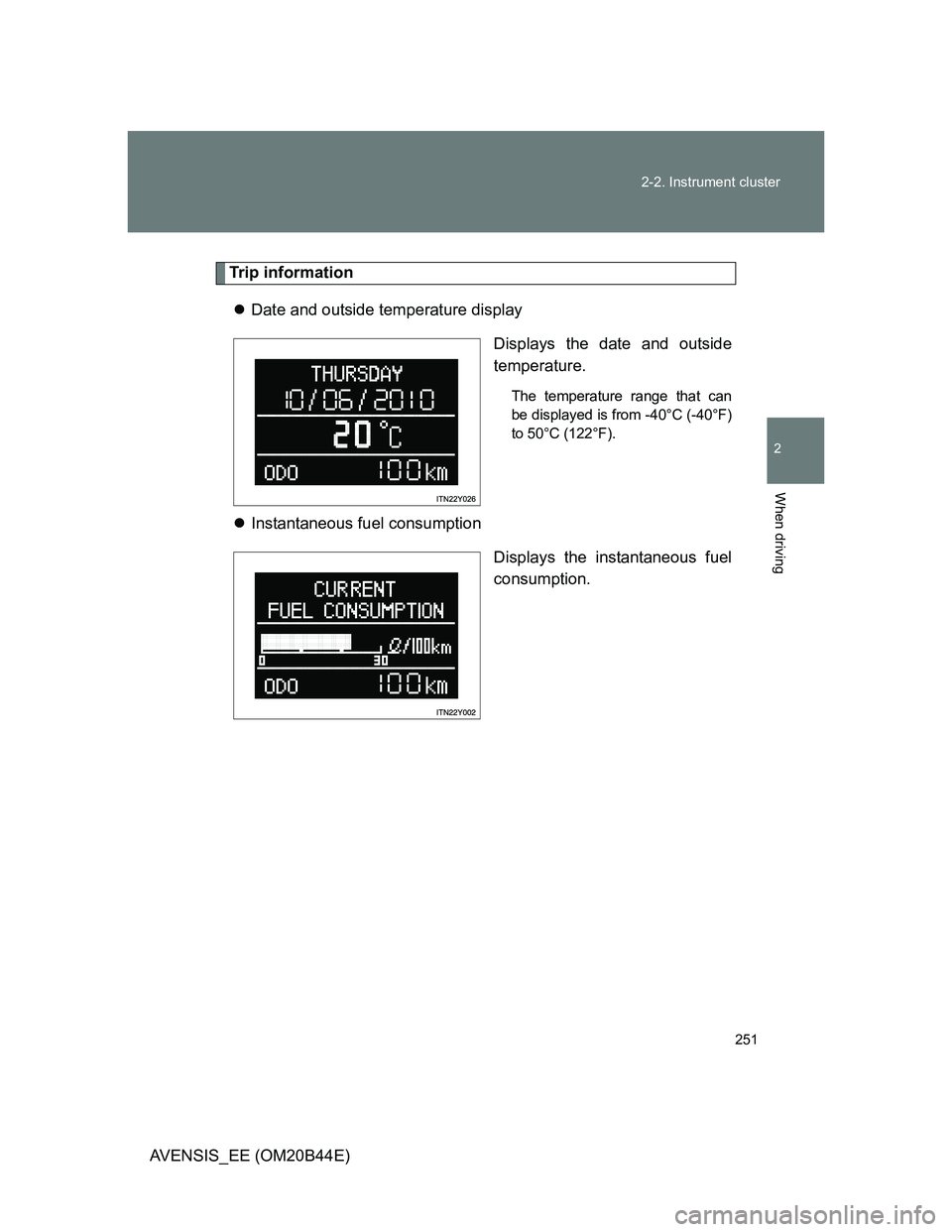
Date and outside temperature display
Displays the date and outside
temperature.
The temperature range that can
be displayed is from -40°C (-40°F)
to 50°C (122°F).
Instantaneous fuel consumption
Displays the instantaneous fuel
consumption.
Page 252 of 772
252 2-2. Instrument cluster
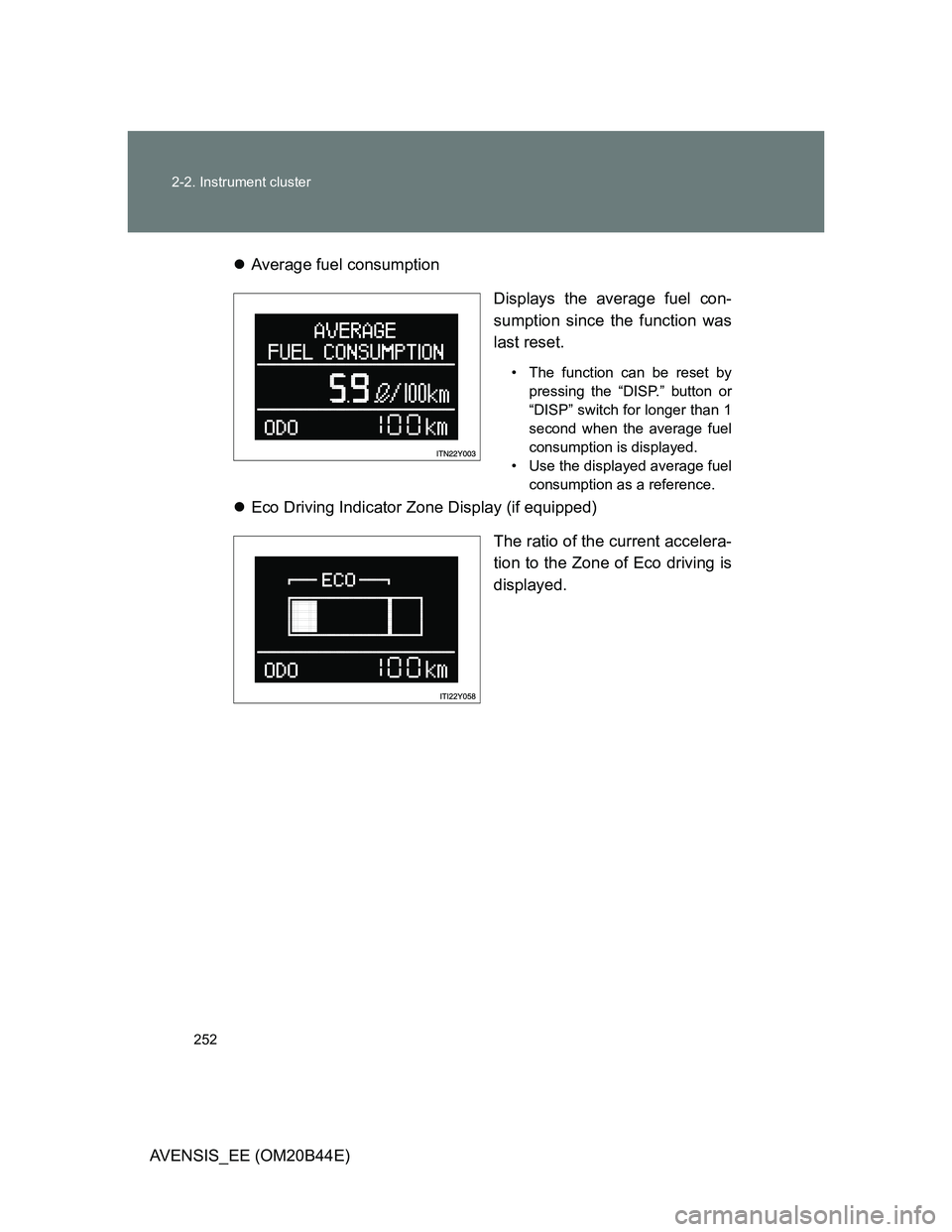
AVENSIS_EE (OM20B44E)Average fuel consumption
Displays the average fuel con-
sumption since the function was
last reset.
• The function can be reset by
pressing the “DISP.” button or
“DISP” switch for longer than 1
second when the average fuel
consumption is displayed.
• Use the displayed average fuel
consumption as a reference.
Eco Driving Indicator Zone Display (if equipped)
The ratio of the current accelera-
tion to the Zone of Eco driving is
displayed.
Page 253 of 772
253 2-2. Instrument cluster
2
When driving
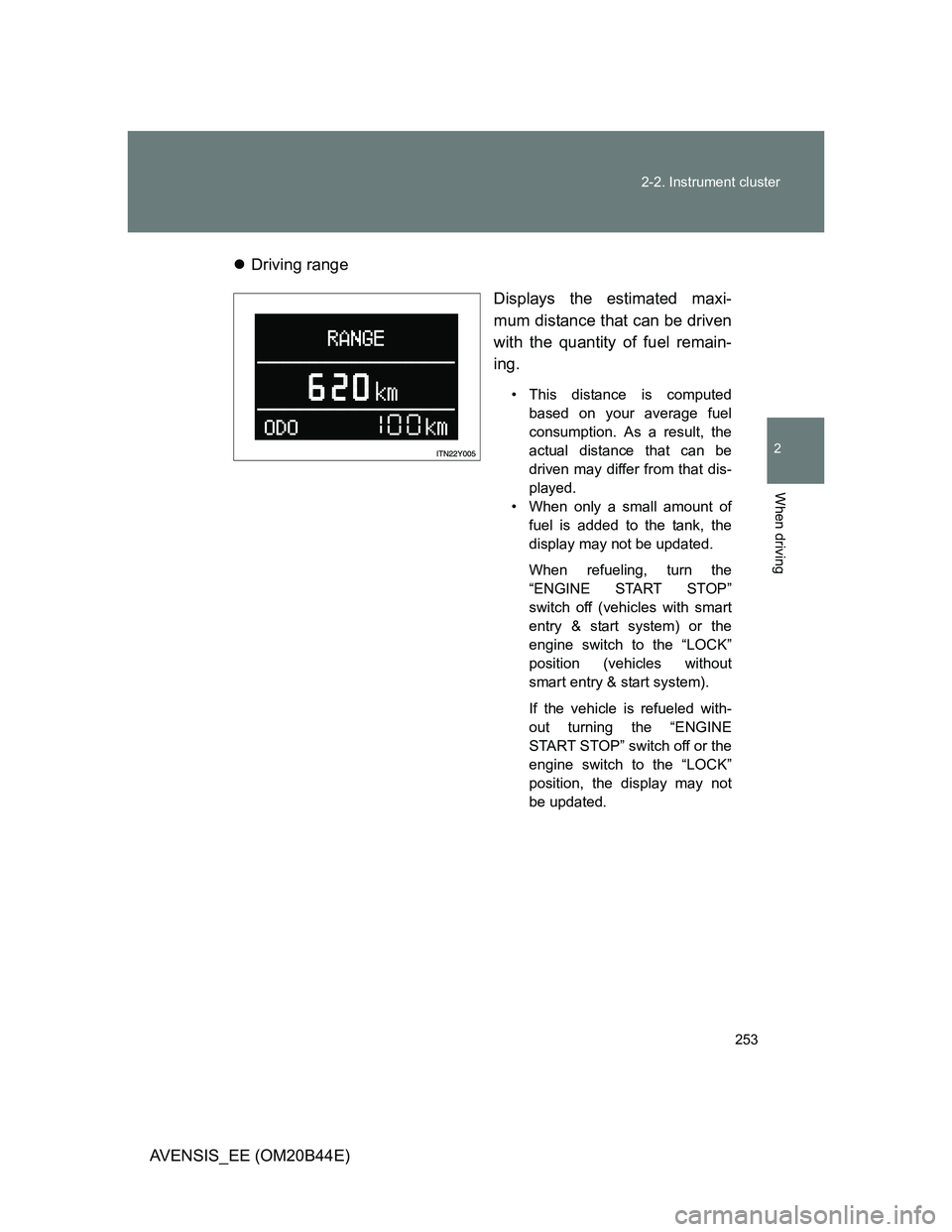
AVENSIS_EE (OM20B44E)Driving range
Displays the estimated maxi-
mum distance that can be driven
with the quantity of fuel remain-
ing.
• This distance is computed
based on your average fuel
consumption. As a result, the
actual distance that can be
driven may differ from that dis-
played.
• When only a small amount of
fuel is added to the tank, the
display may not be updated.
When refueling, turn the
“ENGINE START STOP”
switch off (vehicles with smart
entry & start system) or the
engine switch to the “LOCK”
position (vehicles without
smart entry & start system).
If the vehicle is refueled with-
out turning the “ENGINE
START STOP” switch off or the
engine switch to the “LOCK”
position, the display may not
be updated.
Page 254 of 772
254 2-2. Instrument cluster
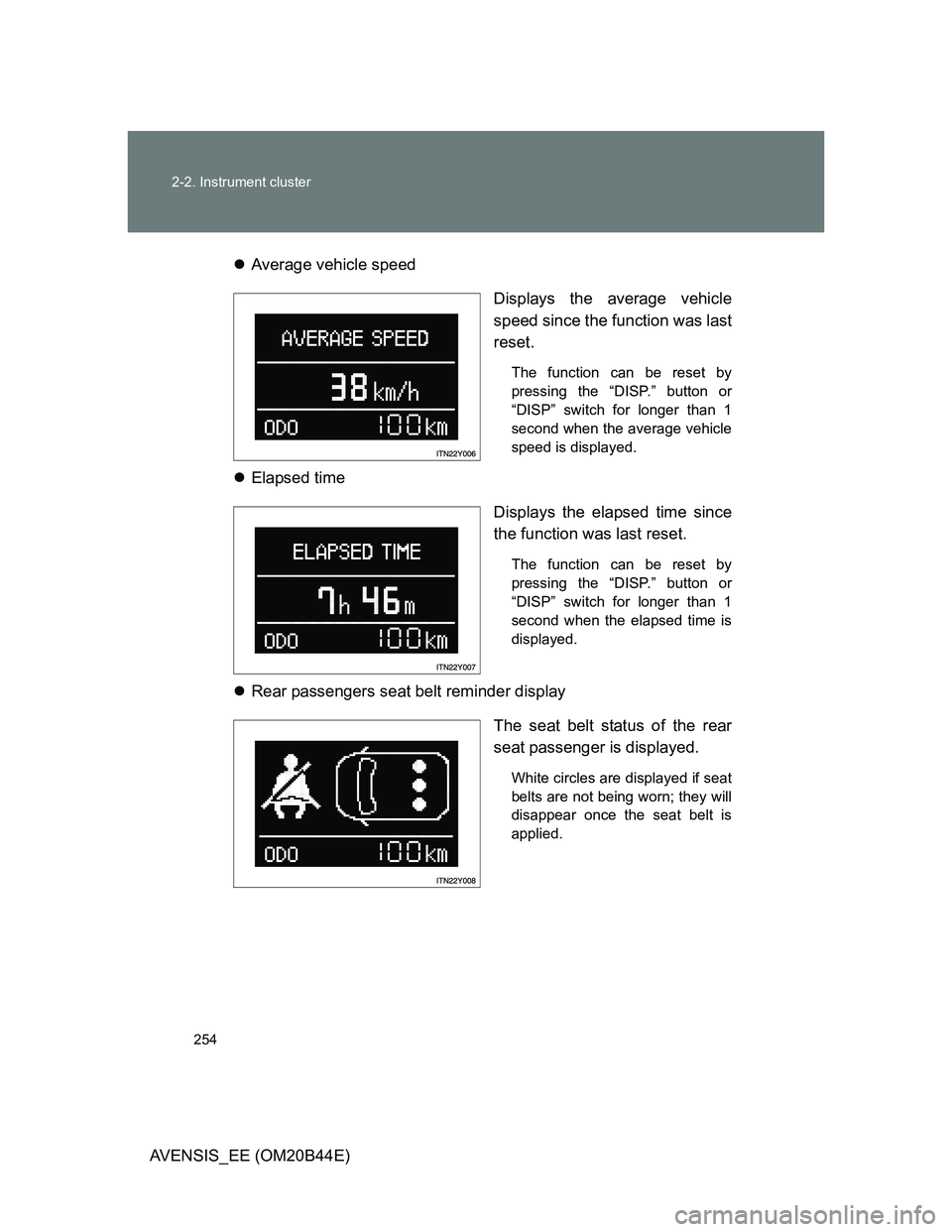
AVENSIS_EE (OM20B44E)Average vehicle speed
Displays the average vehicle
speed since the function was last
reset.
The function can be reset by
pressing the “DISP.” button or
“DISP” switch for longer than 1
second when the average vehicle
speed is displayed.
Elapsed time
Displays the elapsed time since
the function was last reset.
The function can be reset by
pressing the “DISP.” button or
“DISP” switch for longer than 1
second when the elapsed time is
displayed.
Rear passengers seat belt reminder display
The seat belt status of the rear
seat passenger is displayed.
White circles are displayed if seat
belts are not being worn; they will
disappear once the seat belt is
applied.
Page 255 of 772
255 2-2. Instrument cluster
2
When driving
AVENSIS_EE (OM20B44E)
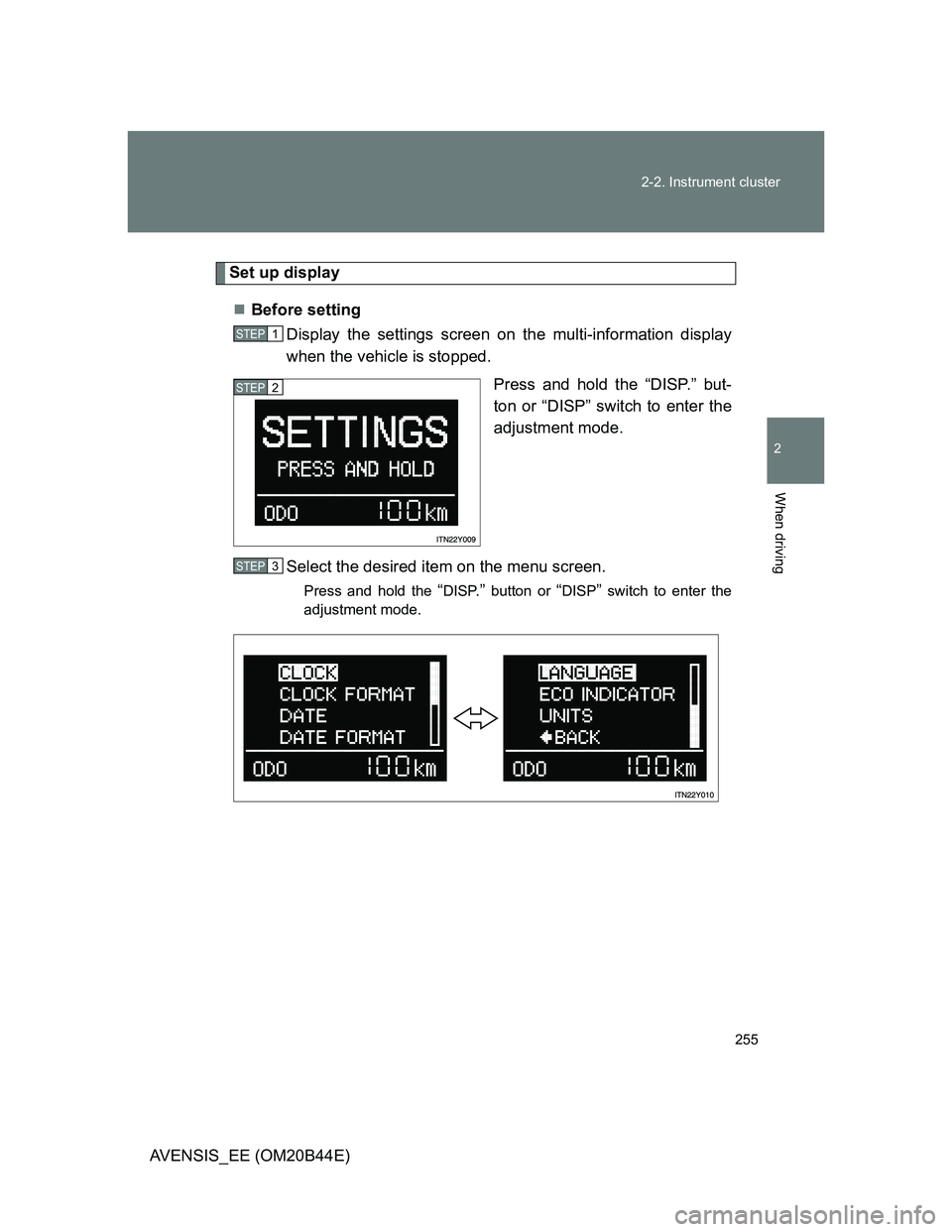
Set up display
Before setting
Display the settings screen on the multi-information display
when the vehicle is stopped.
Press and hold the “DISP.” but-
ton or “DISP” switch to enter the
adjustment mode.
Select the desired item on the menu screen.
Press and hold the “DISP.” button or “DISP” switch to enter the
adjustment mode.
STEP1
STEP2
STEP3
Page 259 of 772
259 2-2. Instrument cluster
2
When driving
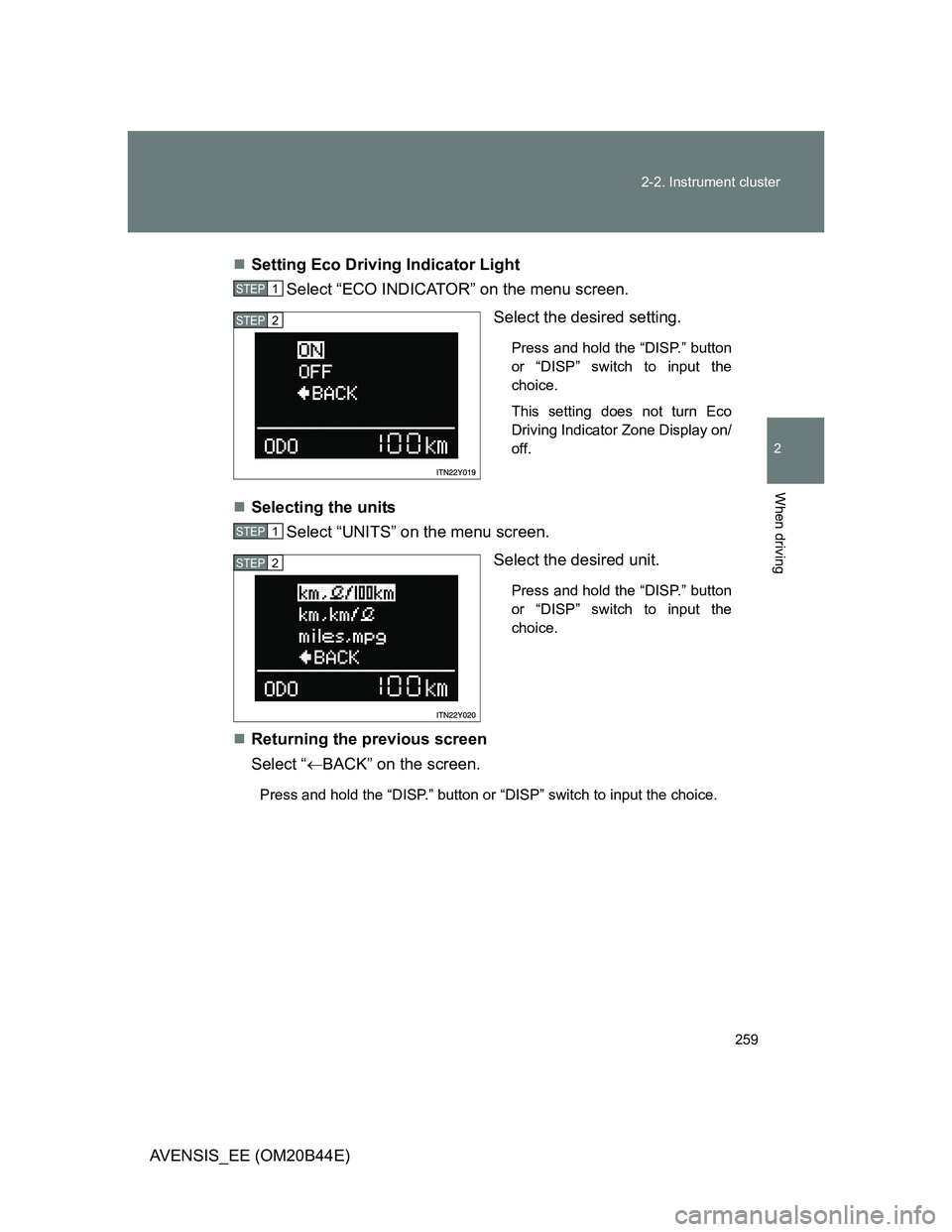
AVENSIS_EE (OM20B44E)Setting Eco Driving Indicator Light
Select “ECO INDICATOR” on the menu screen.
Select the desired setting.
Press and hold the “DISP.” button
or “DISP” switch to input the
choice.
This setting does not turn Eco
Driving Indicator Zone Display on/
off.
Selecting the units
Select “UNITS” on the menu screen.
Select the desired unit.
Press and hold the “DISP.” button
or “DISP” switch to input the
choice.
Returning the previous screen
Select “BACK” on the screen.
Press and hold the “DISP.” button or “DISP” switch to input the choice.
STEP1
STEP2
STEP1
STEP2
Page 260 of 772
260 2-2. Instrument cluster
AVENSIS_EE (OM20B44E)
Eco Driving Indicator Zone Display (if equipped)
The Eco-friendly acceleration operation (Eco-friendly driving) range is dis-
played along with the current amount of acceleration. If the accelerator
pedal is depressed down too far and Zone of Eco driving is exceeded, the
right-hand side of the bar-graph will begin to flash.
Also, it will not be operated if the following conditions are met while driving:
The shift position is anything other than “D”
The vehicle is being driven in “SPORT” mode
If equipped, the paddle shift switch is operated while the shift position is
“D”
The vehicle speed is approximately 130 km/h (80 mph) or higher.
Rear seat belt reminder buzzer
The rear seat belts reminder sounds to alert the rear passenger that his/her
seat belt is not fastened. The buzzer sounds for 30 seconds after the vehi-
cle has reached a speed of at least 20 km/h (12 mph). Then, if the seat belt
is still unfastened, the buzzer will sound in a different tone for 90 more sec-
onds.
Outside temperature display
In the following situations, the correct outside temperature may not be
displayed, or the display may take longer than normal to change.
• When stopped, or driving at low speeds (less than 20 km/h [12 mph])
• When the outside temperature has changed suddenly (at the entrance/
exit of a garage, tunnel, etc.)
When “--” is displayed, the system may be malfunctioning.
Take your vehicle to any authorized Toyota dealer or repairer, or another
duly qualified and equipped professional.
Page 261 of 772
261 2-2. Instrument cluster
2
When driving
AVENSIS_EE (OM20B44E)
Customization that can be configured at any authorized Toyota dealer
or repairer, or another duly qualified and equipped professional
Settings (on/off operation of Eco Driving Indicator Zone Display) can be
changed. (P. 752)
Liquid crystal display
Small spots or light spots may appear on the display. This phenomenon is
characteristic of liquid crystal displays, and there is no problem to continue
using the display.
NOTICE
The multi-information display at low temperatures
Allow the interior of the vehicle to warm up before using the liquid crystal
information display. At extremely low temperatures, the information display
monitor may respond slowly, and display changes may be delayed.
Page 281 of 772
281
2-4. Using other driving systems
2
When driving
AVENSIS_EE (OM20B44E)
Dynamic radar cruise control
: If equipped
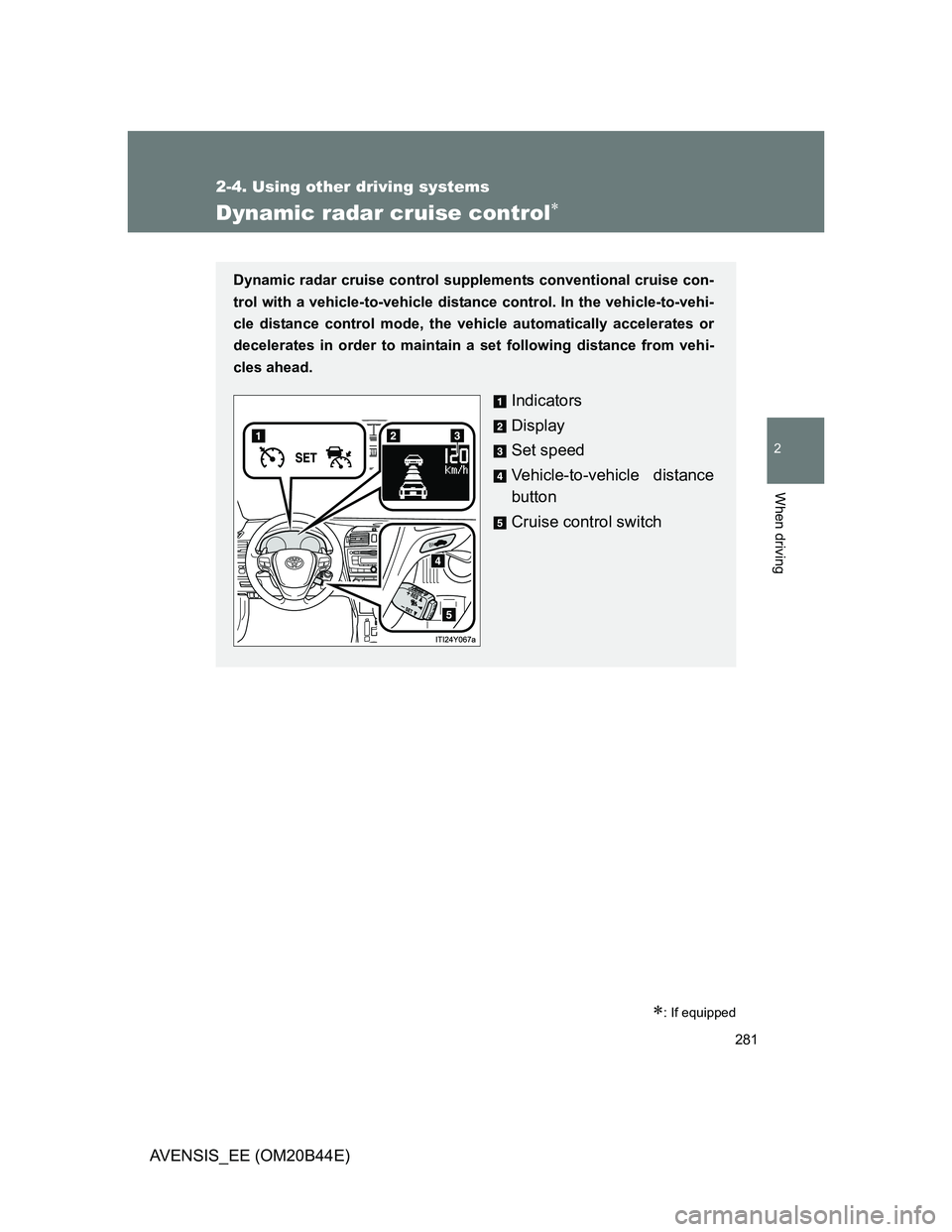
Dynamic radar cruise control supplements conventional cruise con-
trol with a vehicle-to-vehicle distance control. In the vehicle-to-vehi-
cle distance control mode, the vehicle automatically accelerates or
decelerates in order to maintain a set following distance from vehi-
cles ahead.
Indicators
Display
Set speed
Vehicle-to-vehicle distance
button
Cruise control switch
Page 283 of 772
283 2-4. Using other driving systems
2
When driving
AVENSIS_EE (OM20B44E)
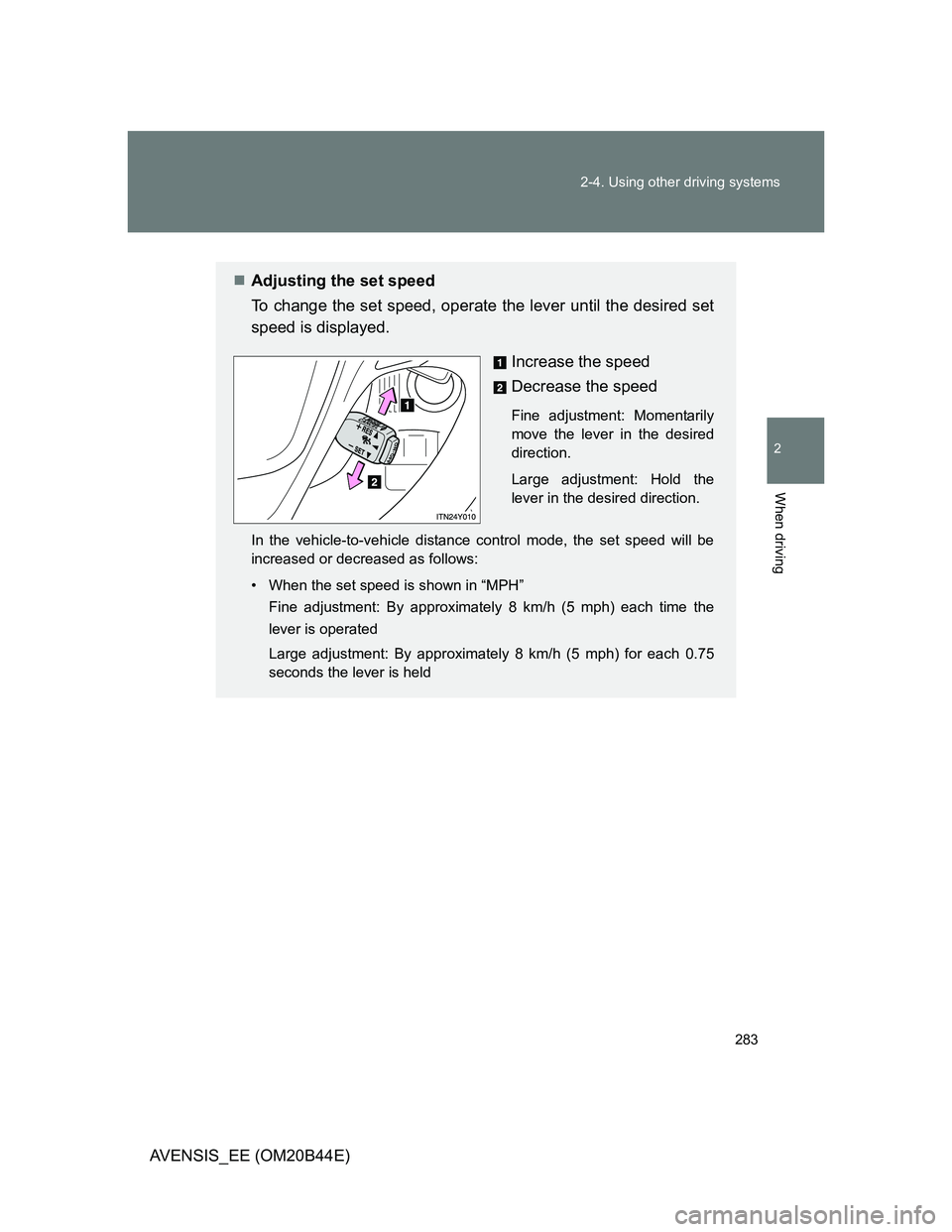
Adjusting the set speed
To change the set speed, operate the lever until the desired set
speed is displayed.
Increase the speed
Decrease the speed
Fine adjustment: Momentarily
move the lever in the desired
direction.
Large adjustment: Hold the
lever in the desired direction.
In the vehicle-to-vehicle distance control mode, the set speed will be
increased or decreased as follows:
• When the set speed is shown in “MPH”
Fine adjustment: By approximately 8 km/h (5 mph) each time the
lever is operated
Large adjustment: By approximately 8 km/h (5 mph) for each 0.75
seconds the lever is held