reset TOYOTA AVENSIS 2014 Owners Manual (in English)
[x] Cancel search | Manufacturer: TOYOTA, Model Year: 2014, Model line: AVENSIS, Model: TOYOTA AVENSIS 2014Pages: 776, PDF Size: 33.54 MB
Page 95 of 776
95
1
1-3. Adjustable components (seats, mirrors, steering wheel)
Before driving
AVENSIS_OM_OM20B88E_(EE)
Driving position memor y system
: If equipped
Your preferred driving position (the position of the driver’s seat and
steering wheel) can be entered into the computer’s memory and
recalled with the touch of a button.
Two different driving positions can be entered into memory.
Entering a position to memory
Vehicles with smart entry & start system: Turn the “ENGINE
START STOP” switch to IGNITION ON mode.
Vehicles without smart entry & start system: Turn the
engine switch to the “ON” position.
Adjust the driver’s seat and steering wheel to the desired
positions.
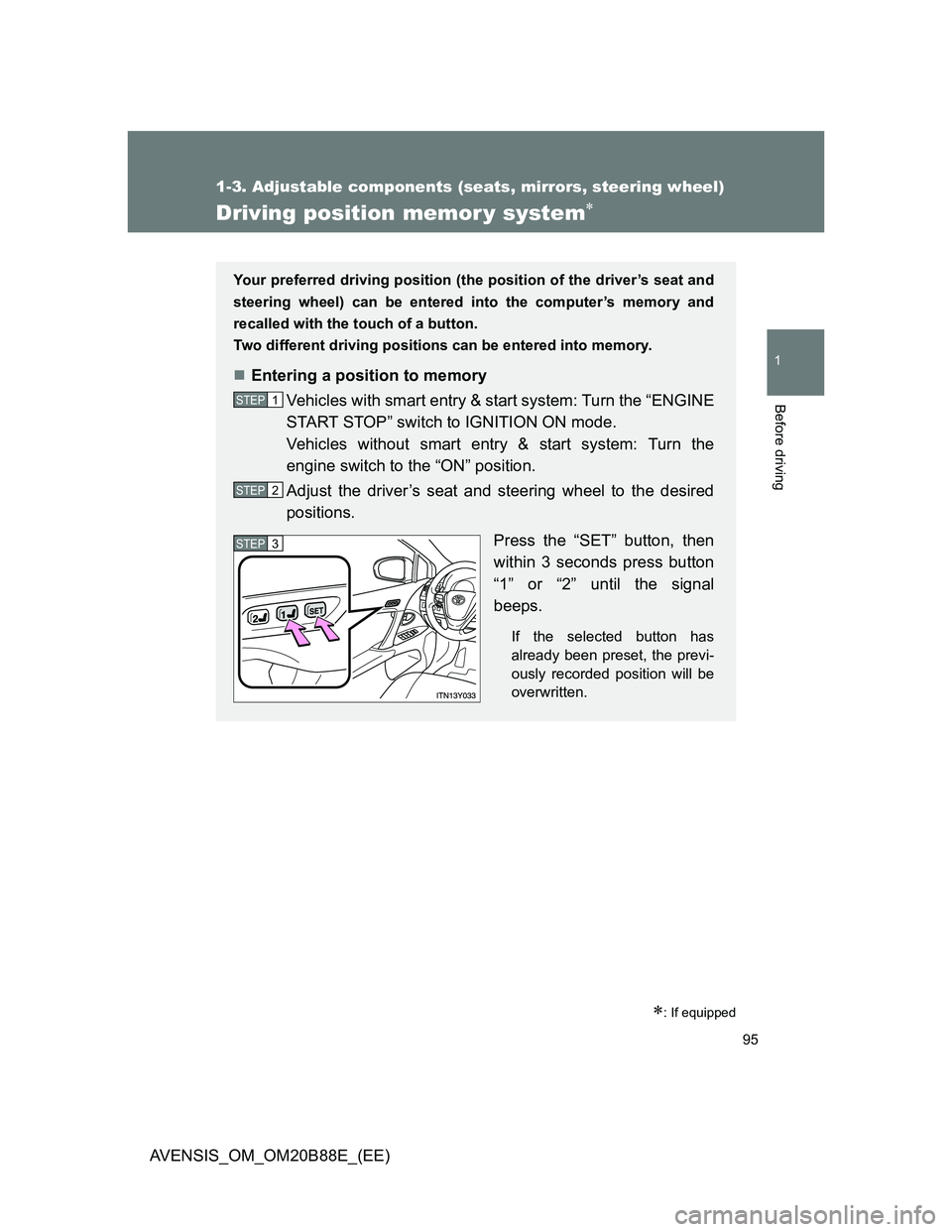
Press the “SET” button, then
within 3 seconds press button
“1” or “2” until the signal
beeps.
If the selected button has
already been preset, the previ-
ously recorded position will be
overwritten.
STEP1
STEP2
STEP3
Page 232 of 776
232
AVENSIS_OM_OM20B88E_(EE)
2-2. Instrument cluster
Gauges and meters
Vehicles with smart entry & start system
The following gauges, meters and displays illuminate when the
“ENGINE START STOP” switch is in IGNITION ON mode.
Vehicles without smart entry & start system
The following gauges, meters and displays illuminate when the
engine switch is in the “ON” position.
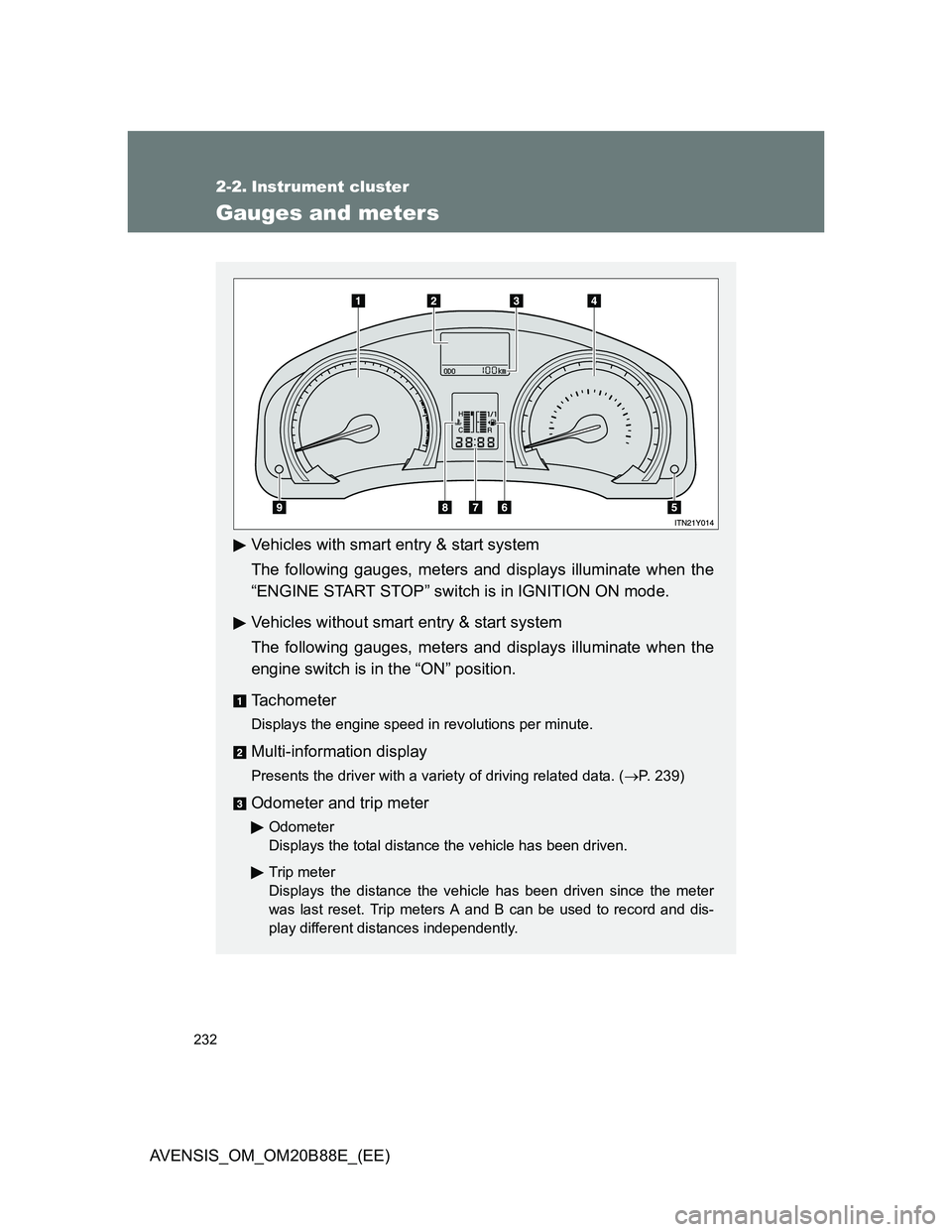
Tachometer
Displays the engine speed in revolutions per minute.
Multi-information display
Presents the driver with a variety of driving related data. (P. 239)
Odometer and trip meter
Odometer
Displays the total distance the vehicle has been driven.
Trip meter
Displays the distance the vehicle has been driven since the meter
was last reset. Trip meters A and B can be used to record and dis-
play different distances independently.
Page 233 of 776
233 2-2. Instrument cluster
2
When driving
AVENSIS_OM_OM20B88E_(EE)
Speedometer
Displays the vehicle speed.
“DISP.”/instrument panel light control button
Press: Switches the multi-information display.
Turn: To adjust the brightness of the instrument panel light. (P. 234)
Fuel gauge
Displays the quantity of fuel remaining in the tank.
Clock
Displays the time.
Engine coolant temperature gauge
Displays the engine coolant temperature.
Odometer/trip meter and trip meter reset button
Switches between odometer and trip meter displays. Pushing and hold-
ing the button will reset the trip meter when the trip meter is being dis-
played.
Page 242 of 776
242 2-2. Instrument cluster
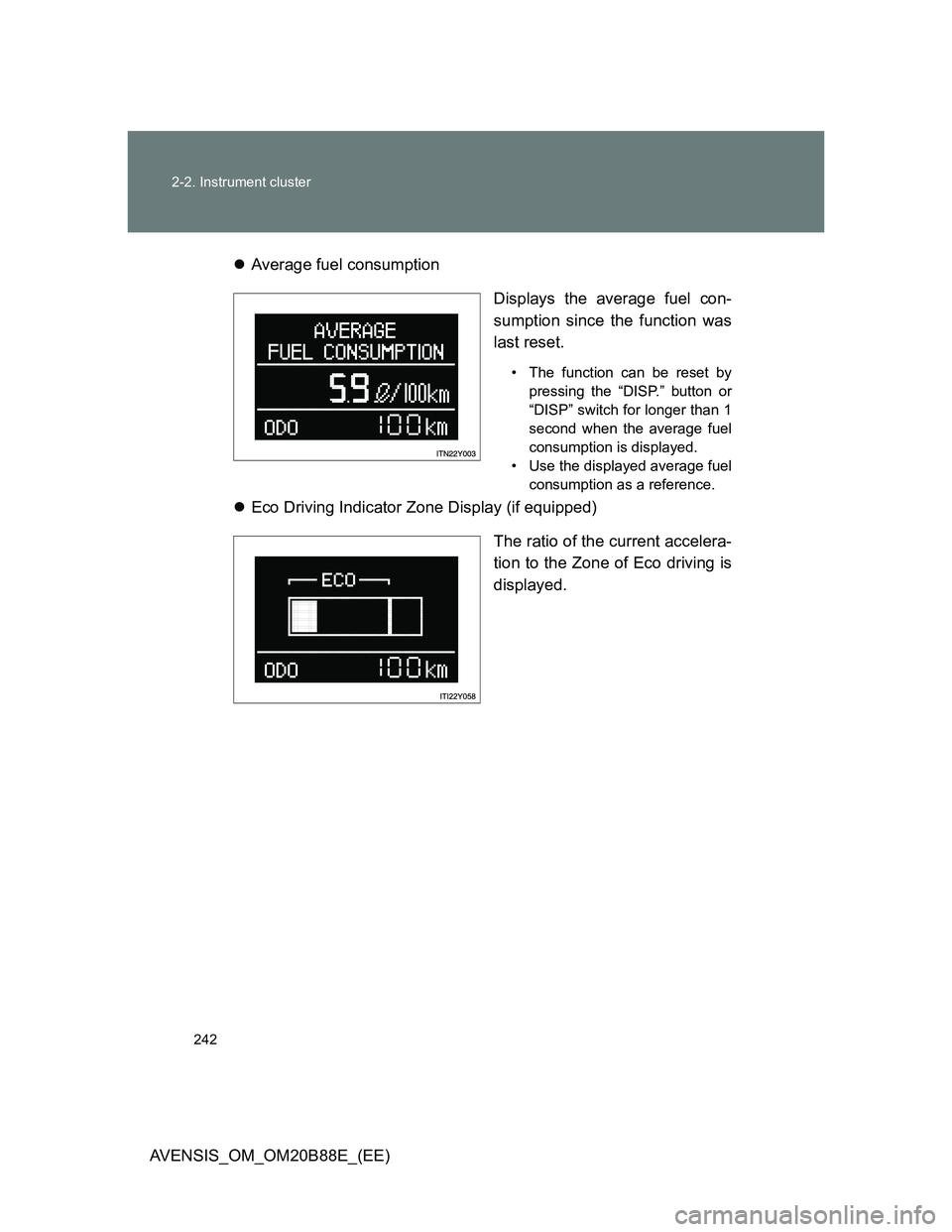
AVENSIS_OM_OM20B88E_(EE)Average fuel consumption
Displays the average fuel con-
sumption since the function was
last reset.
• The function can be reset by
pressing the “DISP.” button or
“DISP” switch for longer than 1
second when the average fuel
consumption is displayed.
• Use the displayed average fuel
consumption as a reference.
Eco Driving Indicator Zone Display (if equipped)
The ratio of the current accelera-
tion to the Zone of Eco driving is
displayed.
Page 244 of 776
244 2-2. Instrument cluster
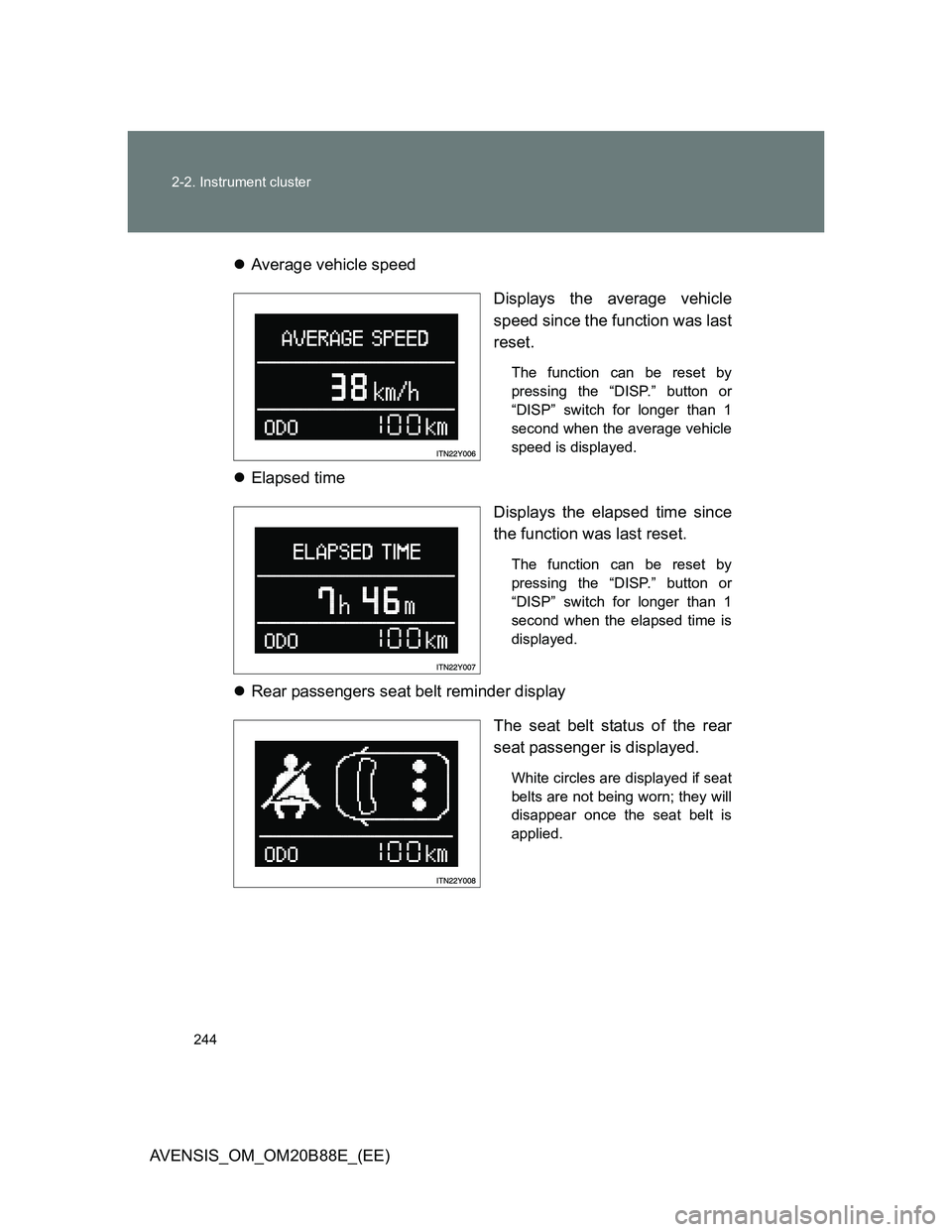
AVENSIS_OM_OM20B88E_(EE)Average vehicle speed
Displays the average vehicle
speed since the function was last
reset.
The function can be reset by
pressing the “DISP.” button or
“DISP” switch for longer than 1
second when the average vehicle
speed is displayed.
Elapsed time
Displays the elapsed time since
the function was last reset.
The function can be reset by
pressing the “DISP.” button or
“DISP” switch for longer than 1
second when the elapsed time is
displayed.
Rear passengers seat belt reminder display
The seat belt status of the rear
seat passenger is displayed.
White circles are displayed if seat
belts are not being worn; they will
disappear once the seat belt is
applied.
Page 271 of 776
271 2-4. Using other driving systems
2
When driving
AVENSIS_OM_OM20B88E_(EE)
Automatic cruise control cancelation
Cruise control will stop maintaining the vehicle speed in any of the following
situations.
Actual vehicle speed falls more than approximately 16 km/h (10 mph)
below the preset vehicle speed.
At this time, the memorized set speed is not retained.
Actual vehicle speed is below approximately 40 km/h (25 mph).
VSC is activated.
Speed limiter is activated (if equipped).
If the cruise control indicator light flashes
Press the “ON-OFF” button once to deactivate the system, and then press
the button again to reactivate the system.
If the cruise control speed cannot be set or if the cruise control cancels
immediately after being activated, there may be a malfunction in the cruise
control system. Have the vehicle inspected by any authorized Toyota dealer
or repairer, or another duly qualified and equipped professional.
Page 385 of 776
![TOYOTA AVENSIS 2014 Owners Manual (in English) 385 3-2. Using the audio system
3
Interior features
AVENSIS_OM_OM20B88E_(EE)
Setting station presets
Search for desired stations by turning or pressing
or .
Press and hold the button (from [1] t](/img/14/48325/w960_48325-384.png "TOYOTA AVENSIS 2014 Owners Manual (in English) 385 3-2. Using the audio system
3
Interior features
AVENSIS_OM_OM20B88E_(EE)
Setting station presets
Search for desired stations by turning or pressing
or .
Press and hold the button (from [1] t")
385 3-2. Using the audio system
3
Interior features
AVENSIS_OM_OM20B88E_(EE)
Setting station presets
Search for desired stations by turning or pressing
or .
Press and hold the button (from [1] to [6]) the
station is to be set to until you hear a beep.
Scanning radio stations (type C only)
Scanning the preset radio stations
Press and hold until you hear a beep.
When the desired station is reached, press once
again.
Scanning all radio stations within range
Press .
All stations with reception will be played for 5 seconds each.
When the desired station is reached, press once
again.
STEP1
STEP2
STEP1
STEP2
STEP1
STEP2
Page 389 of 776
389 3-2. Using the audio system
3
Interior features
AVENSIS_OM_OM20B88E_(EE)
EON (Enhanced Other Network) system (for traffic announcement
function)
If the RDS station (with EON data) you are listening to is not broadcasting a
traffic information program and the audio system is in the TA (traffic
announcement) mode, the radio will be switched automatically to a station
broadcasting a traffic information program in the EON AF list when traffic
information begins.
When the battery is disconnected
Stations presets are erased.
Reception sensitivity
Maintaining perfect radio reception at all times is difficult due to the con-
tinually changing position of the antenna, differences in signal strength
and surrounding objects, such as trains, transmitters, etc.
Sedan: The radio antenna is mounted inside the rear window. To main-
tain clear radio reception, do not attach metallic window tinting or other
metallic objects to the antenna wire mounted inside the rear window.
Wagon: The radio antennas are mounted inside the rear quarter window
and on the rear roof. To maintain clear radio reception, do not attach
metallic window tinting or other metallic objects to the antenna wire
mounted inside the rear quarter window. The rear roof antenna can be
removed from the base by turning.
Digital Audio Broadcast (DAB) radio
The optional radio antenna and tuner are necessary for the use of Digital
Audio Broadcast (DAB) radio.
Page 415 of 776
415 3-2. Using the audio system
3
Interior features
AVENSIS_OM_OM20B88E_(EE)
iPod functions
When an iPod is connected and the audio source is changed to iPod
mode, the iPod will resume play from the same point in which it was last
used.
Depending on the iPod that is connected to the system, certain functions
may not be available. If a function is unavailable due to a malfunction (as
opposed to a system specification), disconnecting the device and recon-
necting it once again may resolve the problem.
While connected to the system, the iPod cannot be operated with its own
controls. It is necessary to use the controls of the vehicle’s audio system
instead.
iPod problems
To resolve most problems encountered when using your iPod, disconnect
your iPod from the vehicle iPod connection and reset it.
For instructions on how to reset your iPod, refer to your iPod Owner’s Man-
ual.
Display
P. 394
Error messages
“ERROR”: This indicates a problem in the iPod or its connection.
“NO SONGS”: This indicates that there is no music data in the iPod.
“NO PLAYLIST”: This indicates that some available songs are not found in
a selected playlist.
“UPDATE YOUR iPOD”: This indicates that the version of the iPod is not
compatible. Upgrade your iPod software to the lat-
est version.
Page 432 of 776
432 3-2. Using the audio system
AVENSIS_OM_OM20B88E_(EE)
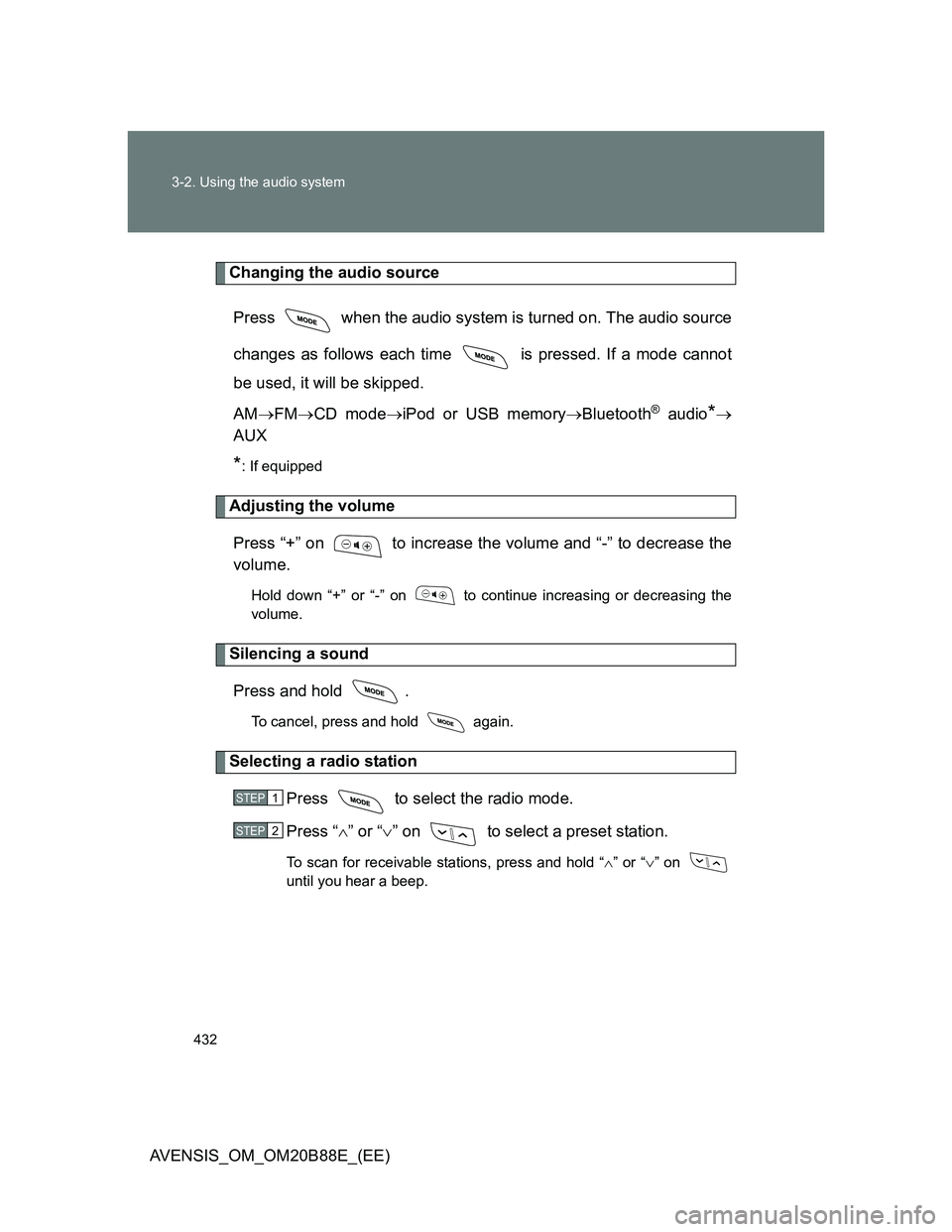
Changing the audio source
Press when the audio system is turned on. The audio source
changes as follows each time is pressed. If a mode cannot
be used, it will be skipped.
AMFMCD modeiPod or USB memoryBluetooth
® audio*
AUX
*: If equipped
Adjusting the volume
Press “+” on to increase the volume and “-” to decrease the
volume.
Hold down “+” or “-” on to continue increasing or decreasing the
volume.
Silencing a sound
Press and hold .
To cancel, press and hold again.
Selecting a radio station
Press to select the radio mode.
Press “” or “” on to select a preset station.
To scan for receivable stations, press and hold “” or “” on
until you hear a beep.
STEP1
STEP2