lock TOYOTA AVENSIS 2018 Owners Manual
[x] Cancel search | Manufacturer: TOYOTA, Model Year: 2018, Model line: AVENSIS, Model: TOYOTA AVENSIS 2018Pages: 660, PDF Size: 63.16 MB
Page 373 of 660
![TOYOTA AVENSIS 2018 Owners Manual 3735-7. “SETUP” menu
5
Audio system
AVENSIS_OM_OM20C79E_(EE)
Select “Delete Phonebook” using the tune/scroll knob. (P. 364)
Select the desired phonebook using the knob and press
[YES].
Sel](/img/14/66864/w960_66864-372.png "TOYOTA AVENSIS 2018 Owners Manual 3735-7. “SETUP” menu
5
Audio system
AVENSIS_OM_OM20C79E_(EE)
Select “Delete Phonebook” using the tune/scroll knob. (P. 364)
Select the desired phonebook using the knob and press
[YES].
Sel")
3735-7. “SETUP” menu
5
Audio system
AVENSIS_OM_OM20C79E_(EE)
Select “Delete Phonebook” using the tune/scroll knob. (P. 364)
Select the desired phonebook using the knob and press
[YES].
Select “Call Volume” using the tune/scroll knob. (P. 364)
Change the call volume.
To decrease the volume: Turn the knob counterclockwise.
To increase the volume: Turn the knob clockwise.
Select “Ring tone Volume” using the tune/scroll knob. (P. 364)
Change the ring tone volume.
To decrease the volume: Turn the knob counterclockwise.
To increase the volume: Turn the knob clockwise.
Select “Ring tone” using the tune/scroll knob. (P. 364)
Using the knob, select a ring tone [1 - 3]. To set the selected ring
tone, press the knob.
Select “Transfer history” using the tune/scroll knob (P. 364) and
press [YES].
■Phone number
Up to 1000 names can be stored.
■Call history
Up to 10 numbers can be stored in each of the outgoing, incoming and
missed call history memories.
■Limitation of number of digits
A phone number that exceeds 24 digits cannot be registered.
Deleting another cellular phone’s phonebook
Setting call volume
Setting ring tone volume
Setting ring tone
Transferring call histories
1
2
1
2
1
2
1
2
Page 380 of 660
3805-9. Bluetooth® Phone
AVENSIS_OM_OM20C79E_(EE)
Receiving a phone call
Press the off-hook switch.
Press the on-hook switch.
Press the off-hook switch.
Pressing the off-hook switch again returns you to the previous call.
To decrease the volume: Turn the power/volume knob counterclock-
wise.
To increase the volume: Turn the power/volume knob clockwise.
Answering the phone
Refusing the call
Receiving a call when on another call
Adjusting the ring tone volume when receiving a call
Page 381 of 660
381
5
5-9. Bluetooth® Phone
Audio system
AVENSIS_OM_OM20C79E_(EE)
Speaking on the phone
A call can be transferred between the cellular phone and system while
dialing, receiving a call, or during a call. Use one of the following
methods:
a. Operate the cellular phone.
Refer to the manual that comes with the cellular phone for the operation
of the phone.
b. Press the * [PHONE].
*: This operation can be performed only when transferring a call from the
cellular phone to the system during a call.
Press [MUTE].
Press [0-9] and using the tune/scroll knob input the desired
digits.
• To send the input digits press [SEND].
• When finished, press [EXIT] to return to the previous
screen.
To decrease the volume: Turn the power/volume knob counterclock-
wise.
To increase the volume: Turn the power/volume knob clockwise.
Transferring a call
Muting your voice
Inputting digits
Setting call volume
Page 393 of 660
3936-1. Using the air conditioning system and defogger
AVENSIS_OM_OM20C79E_(EE)
6
Interior features
■Adjusting the temperature setting (vehicles without air condi-
tioning system)
Turn the temperature control dial clockwise (warm) or counter-
clockwise (cool).
This system will supply only ambient te mperature air if the dial is turned
counterclockwise (cool).
■Adjusting the temperature setting (vehicles with air condition-
ing system)
Turn the temperature control dial clockwise (warm) or counterclock-
wise (cool).
If is not pressed, the system will blow ambient temperature
air or heated air.
■Adjusting the fan speed
Turn the fan speed control dial clockwise (increase) or counter-
clockwise (decrease).
Press or to turn the fan off.
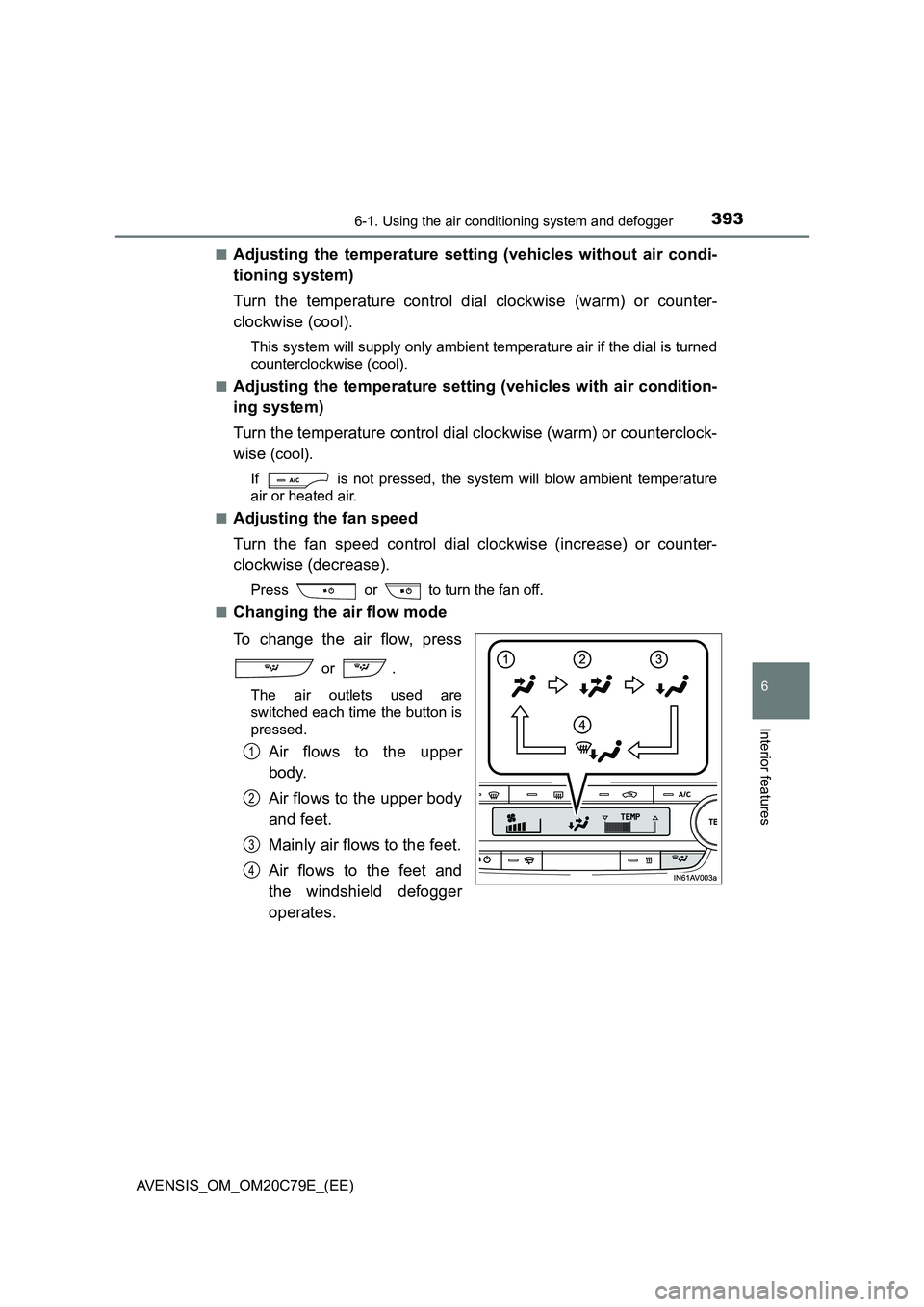
■Changing the air flow mode
To change the air flow, press
or .
The air outlets used are
switched each time the button is
pressed.
Air flows to the upper
body.
Air flows to the upper body
and feet.
Mainly air flows to the feet.
Air flows to the feet and
the windshield defogger
operates.
1
2
3
4
Page 397 of 660
3976-1. Using the air conditioning system and defogger
AVENSIS_OM_OM20C79E_(EE)
6
Interior features
■When an odor comes from the air conditioning system while the engine
is stopped due to the Stop & Start system (vehicles with Stop & Start
system)
Press the Stop & Start cancel switch to restart the engine.
■ Air conditioning filter
P. 491
WARNING
■To prevent the windshield from fogging up
● Do not use during cool air operation in extremely humid
weather. The difference between the temperature of the outside air and
that of the windshield can cause the outer surface of the windshield to fog
up, blocking your vision.
■ To prevent burns
● Do not touch the rear view mirror surfaces when the outside rear view mir-
ror defoggers are on.
● Do not touch the glass at the lower part of the windshield or to the side of
the front pillars when the windshield wiper de-icer is on. (vehicles with
windshield wiper de-icer)
NOTICE
■ To prevent battery discharge
Do not leave the air conditioning syst em on longer than necessary when the
engine is stopped.
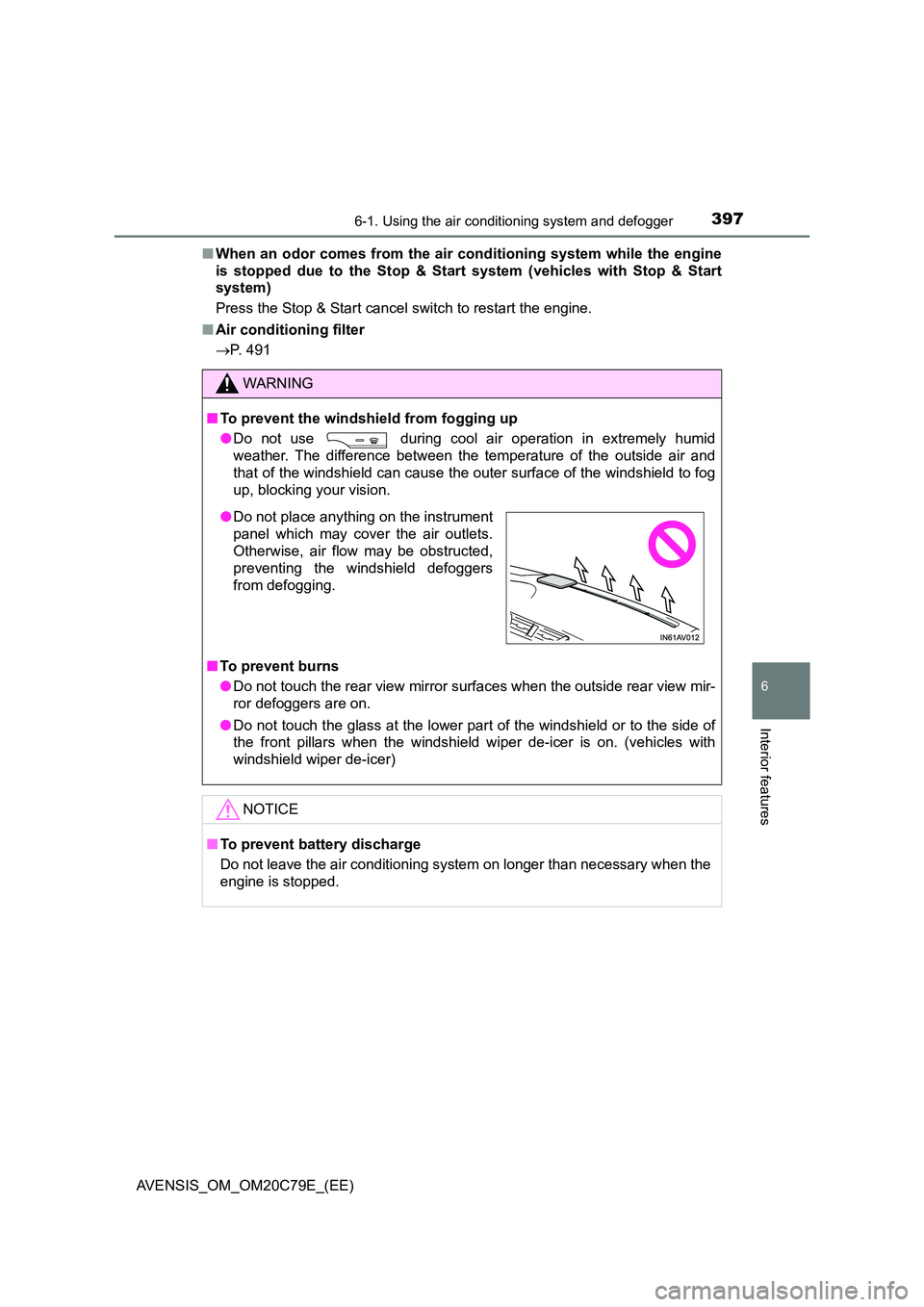
● Do not place anything on the instrument
panel which may cover the air outlets.
Otherwise, air flow may be obstructed,
preventing the windshield defoggers
from defogging.
Page 404 of 660
4046-1. Using the air conditioning system and defogger
AVENSIS_OM_OM20C79E_(EE)
■ When an odor comes from the air conditioning system while the engine
is stopped due to the Stop & Start system (vehicles with Stop & Start
system)
Press the Stop & Start cancel switch to restart the engine.
■ Air conditioning filter
P. 491
WARNING
■To prevent the windshield from fogging up
● Do not use during cool air operation in extremely humid
weather. The difference between the temperature of the outside air and
that of the windshield can cause the outer surface of the windshield to fog
up, blocking your vision.
■ To prevent burns
● Do not touch the rear view mirror surfaces when the outside rear view mir-
ror defoggers are on.
● Do not touch the glass at the lower part of the windshield or to the side of
the front pillars when the windshield wiper de-icer is on. (vehicles with
windshield wiper de-icer)
NOTICE
■ To prevent battery discharge
Do not leave the air conditioning syst em on longer than necessary when the
engine is stopped.
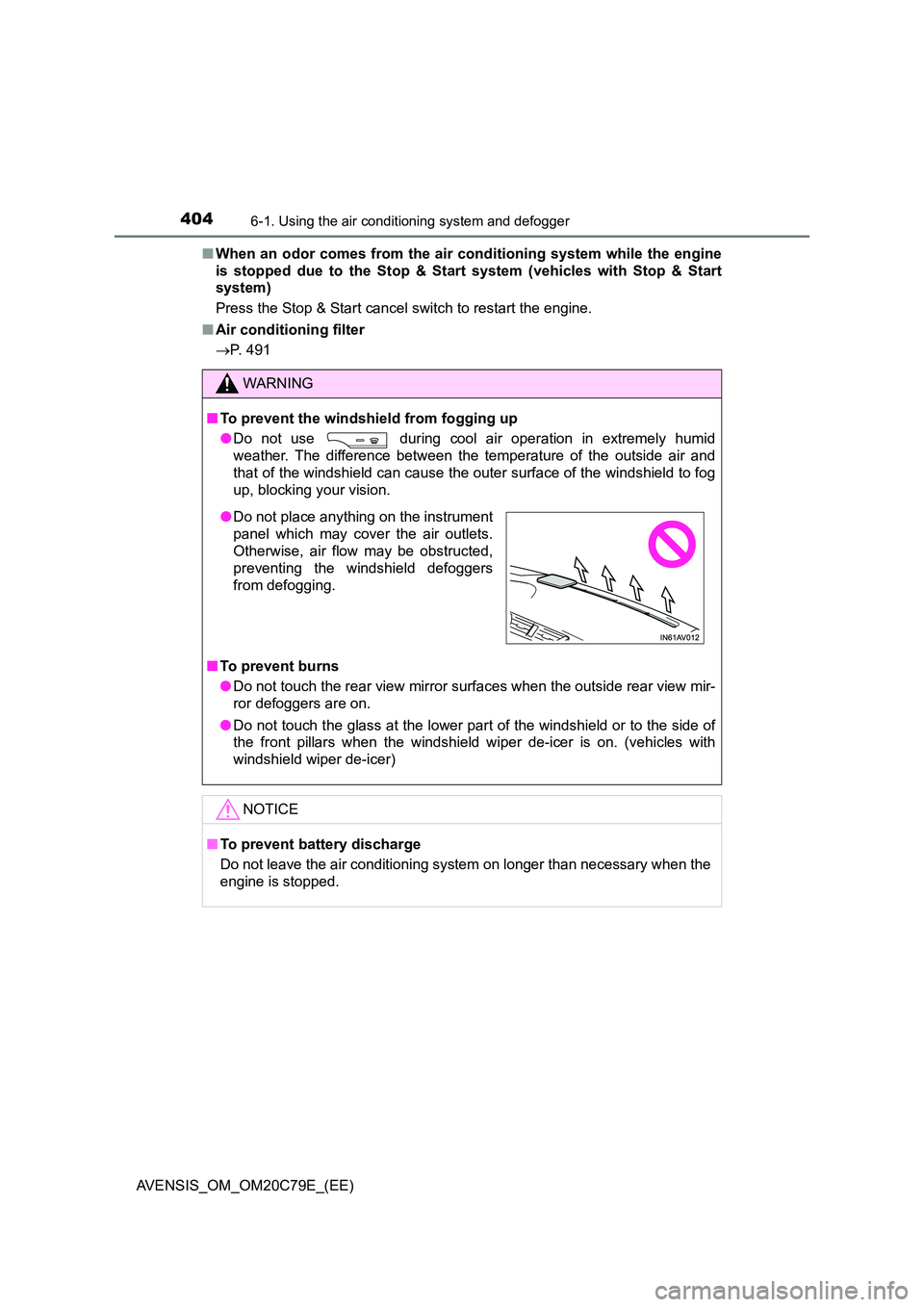
● Do not place anything on the instrument
panel which may cover the air outlets.
Otherwise, air flow may be obstructed,
preventing the windshield defoggers
from defogging.
Page 411 of 660
4116-2. Using the interior lights
AVENSIS_OM_OM20C79E_(EE)
6
Interior features
■Illuminated entry system
Vehicles without smart entry & start system
The lights automatically turn on/off according to the engine switch position,
whether the doors are locked/unlocked, and whether the doors are open/
closed.
Vehicles with smart entry & start system
The lights automatically turn on/off according to engine switch mode, the
presence of the electronic key, whether the doors are locked/unlocked, and
whether the doors are open/closed.
■To prevent the battery from being discharged
If the following lights remain on when the engine switch is turned off, the lights
will go off automatically after 20 minutes:
●Personal lights
●Personal/interior lights
■Customization
Settings (e.g. The time elapsed before lights turn off) can be changed.
(Customizable features P. 636)
NOTICE
To prevent battery discharge, do not leave the lights on longer than neces-
sary when the engine is not running.
Page 413 of 660
4136-3. Using the storage features
AVENSIS_OM_OM20C79E_(EE)
6
Interior features
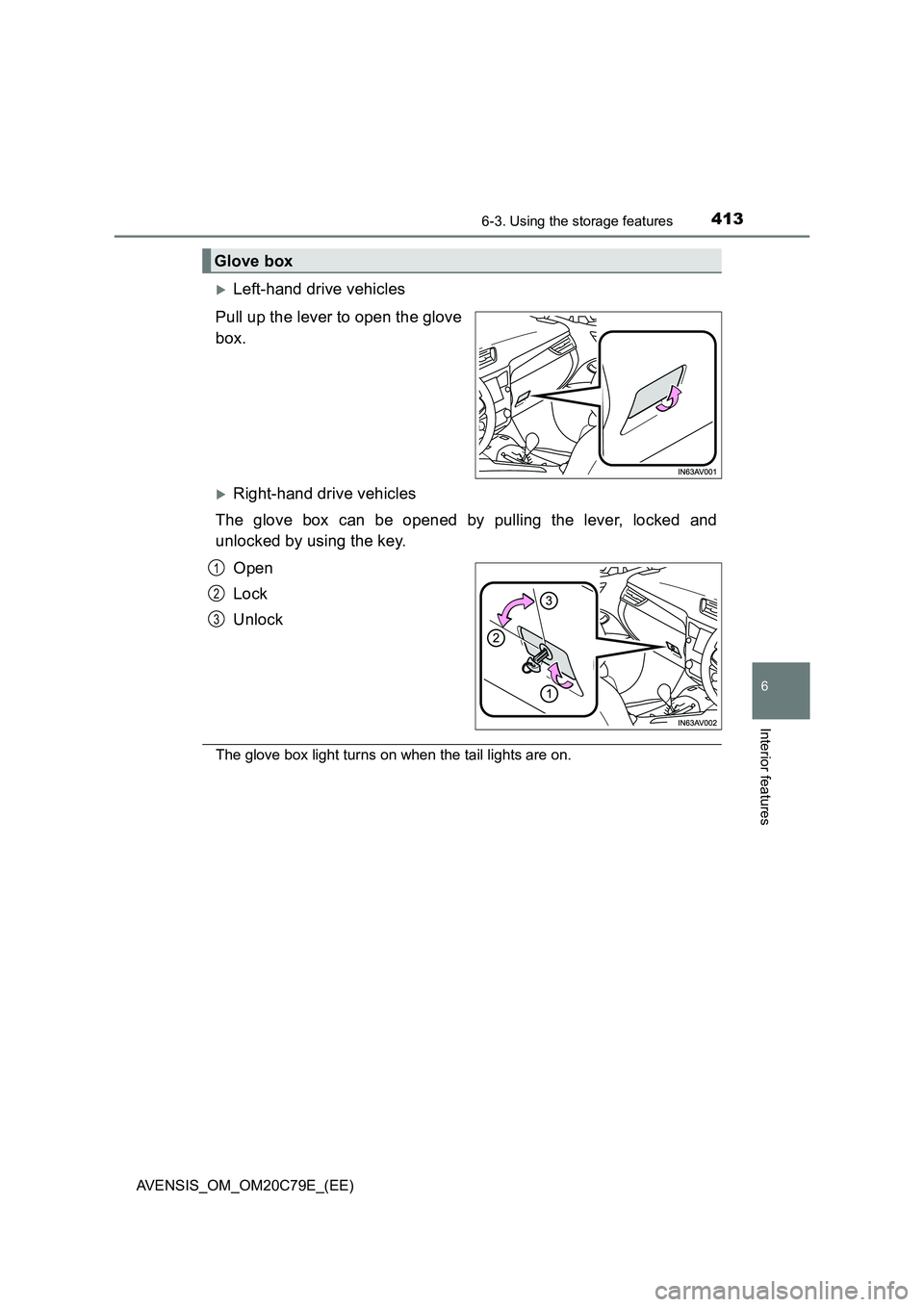
Left-hand drive vehicles
Pull up the lever to open the glove
box.
Right-hand drive vehicles
The glove box can be opened by pulling the lever, locked and
unlocked by using the key.
Open
Lock
Unlock
The glove box light turns on when the tail lights are on.
Glove box
1
2
3
Page 414 of 660
4146-3. Using the storage features
AVENSIS_OM_OM20C79E_(EE)
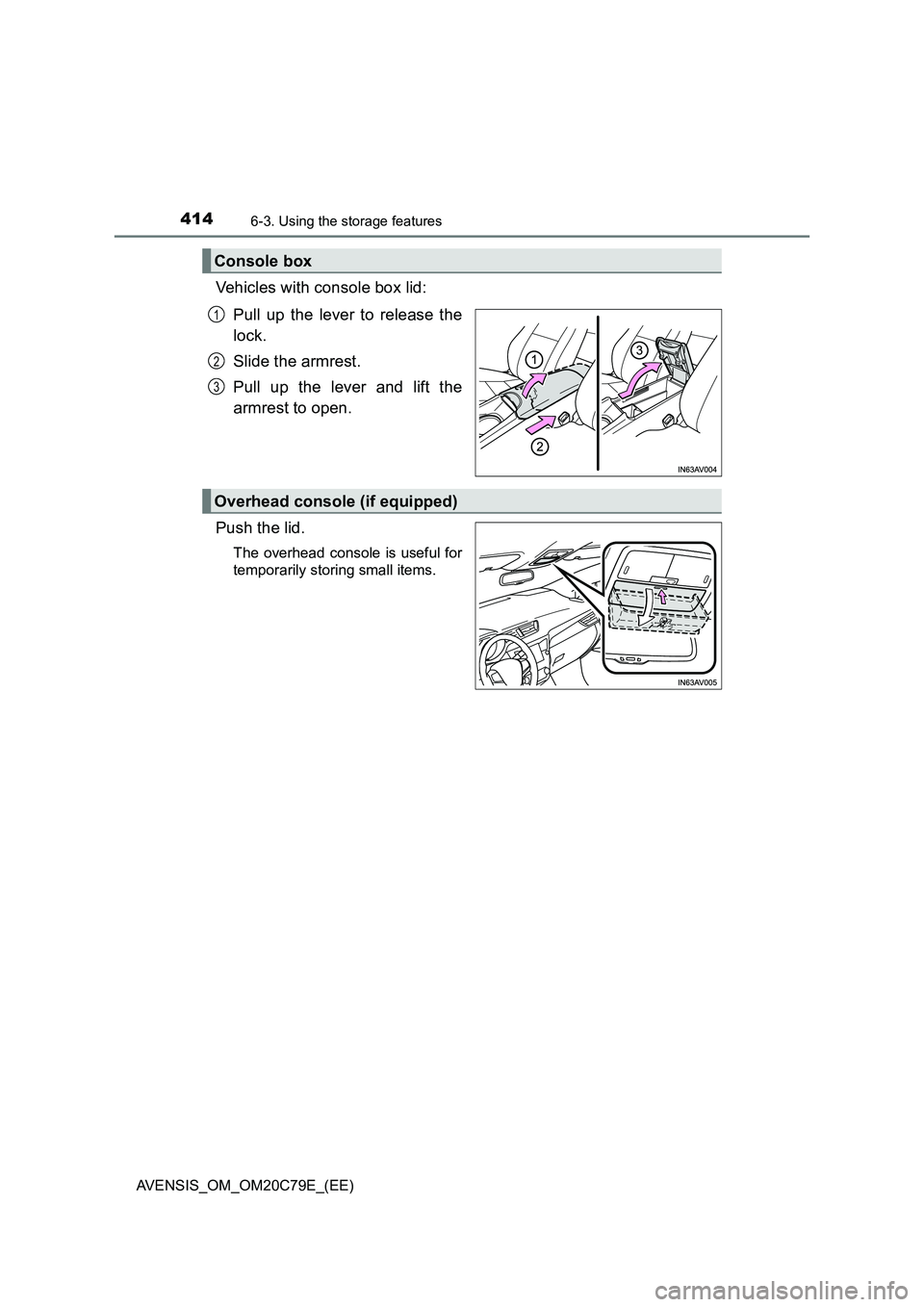
Vehicles with console box lid:
Pull up the lever to release the
lock.
Slide the armrest.
Pull up the lever and lift the
armrest to open.
Push the lid.
The overhead console is useful for
temporarily storing small items.
Console box
1
2
3
Overhead console (if equipped)
Page 448 of 660
4487-3. Do-it-yourself maintenance
AVENSIS_OM_OM20C79E_(EE)
WARNING
The engine compartment contains many mechanisms and fluids that may
move suddenly, become hot, or become el ectrically energized. To avoid death
or serious injury observe the following precautions.
■ When working on the engine compartment
● Keep hands, clothing, and tools away from the moving fan and engine
drive belt.
● Be careful not to touch the engine, radiator, exhaust manifold, etc. right
after driving as they may be hot. Oil and other fluids may also be hot.
● Do not leave anything that may burn easily, such as paper or rags, in the
engine compartment.
● Do not smoke, cause sparks or expose an open flame to fuel or the bat-
tery. Fuel and battery fumes are flammable.
● Be extremely cautious when working on the battery. It contains poisonous
and corrosive sulfuric acid.
● Take care because brake fluid can harm your hands or eyes and damage
painted surfaces.
If fluid gets on your hands or in your eyes, flush the affected area with
clean water immediately.
If you still experience discomfort, see a doctor.
■ When working near the electric cooling fan or radiator grille
Vehicles without smart entry & start system
Be sure the engine switch is in the “LOCK” position.
With the engine switch in the “ON” position, the electric cooling fan may
automatically start to run if the air conditioning is on and/or the coolant tem-
perature is high. ( P. 463)
Vehicles with smart entry & start system
Be sure the engine switch is off.
With the engine switch in IGNITION ON mode, the electric cooling fan may
automatically start to run if the air conditioning is on and/or the coolant tem-
perature is high. ( P. 463)
■ Safety glasses
Wear safety glasses to prevent flying or falling material, fluid spray, etc.
from getting in the eyes.