ECU TOYOTA AVENSIS 2018 Owner's Guide
[x] Cancel search | Manufacturer: TOYOTA, Model Year: 2018, Model line: AVENSIS, Model: TOYOTA AVENSIS 2018Pages: 660, PDF Size: 63.16 MB
Page 74 of 660
741-2. Child safety
AVENSIS_OM_OM20C79E_(EE)
■i-Size child restraint systems fastened with ISOFIX (ECE
R129) - Compatibility table
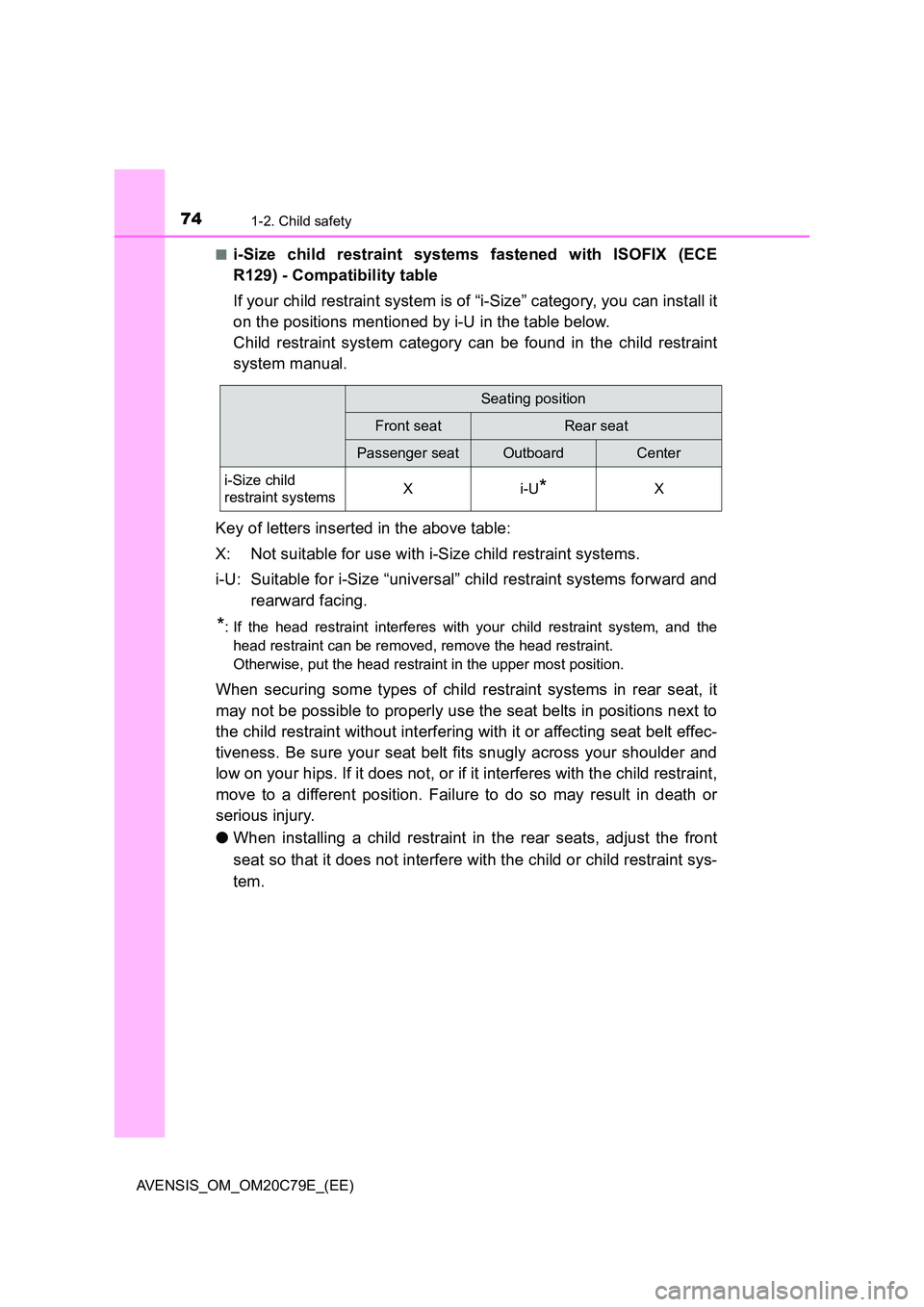
If your child restraint system is of “i-Size” category, you can install it
on the positions mentioned by i-U in the table below.
Child restraint system category can be found in the child restraint
system manual.
Key of letters inserted in the above table:
X: Not suitable for use with i-Size child restraint systems.
i-U: Suitable for i-Size “universal” child restraint systems forward and
rearward facing.
*: If the head restraint interferes with your child restraint system, and the
head restraint can be removed, remove the head restraint.
Otherwise, put the head restraint in the upper most position.
When securing some types of child restraint systems in rear seat, it
may not be possible to properly use the seat belts in positions next to
the child restraint without interfering with it or affecting seat belt effec-
tiveness. Be sure your seat belt fits snugly across your shoulder and
low on your hips. If it does not, or if it interferes with the child restraint,
move to a different position. Failure to do so may result in death or
serious injury.
● When installing a child restraint in the rear seats, adjust the front
seat so that it does not interfere with the child or child restraint sys-
tem.
Seating position
Front seatRear seat
Passenger seatOutboardCenter
i-Size child
restraint systemsXi-U*X
Page 75 of 660
751-2. Child safety
1
AVENSIS_OM_OM20C79E_(EE)
For safety and security
■Installation with ISOFIX rigid anchor (ISOFIX child restraint
system)
Install the child restraint system in accordance to the operation
manual enclosed with the child restraint system.
If the head restraint interferes with the child restraint system
installation and the head restraint can be removed, remove the
head restraint. Otherwise, put the head restraint in the upper
most position. ( P. 172)
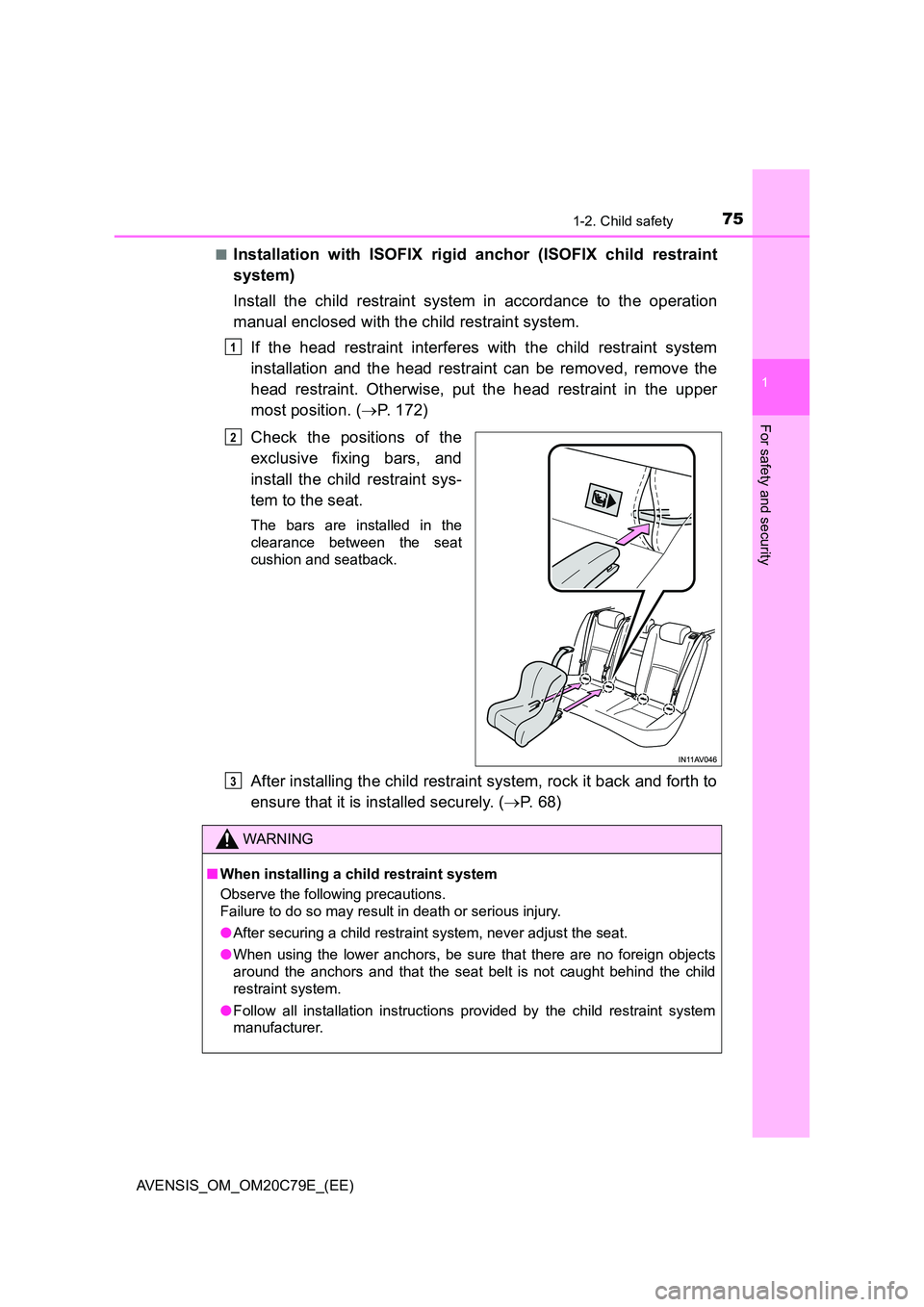
Check the positions of the
exclusive fixing bars, and
install the child restraint sys-
tem to the seat.
The bars are installed in the
clearance between the seat
cushion and seatback.
After installing the child restraint system, rock it back and forth to
ensure that it is installed securely. ( P. 6 8 )
1
2
WARNING
■When installing a child restraint system
Observe the following precautions.
Failure to do so may result in death or serious injury.
● After securing a child restraint system, never adjust the seat.
● When using the lower anchors, be sure that there are no foreign objects
around the anchors and that the seat belt is not caught behind the child
restraint system.
● Follow all installation instructions provided by the child restraint system
manufacturer.
3
Page 77 of 660
771-2. Child safety
1
AVENSIS_OM_OM20C79E_(EE)
For safety and security
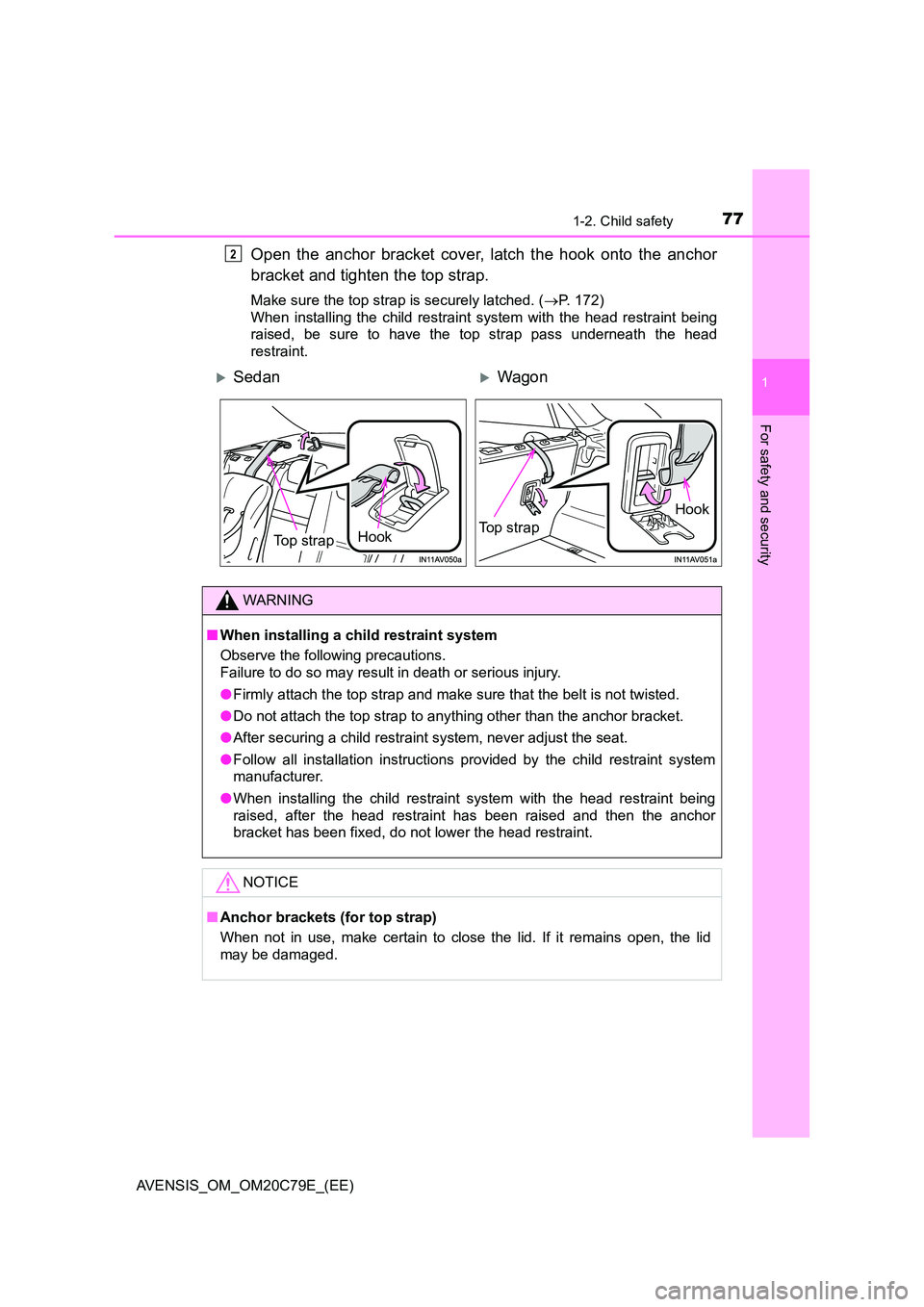
Open the anchor bracket cover, latch the hook onto the anchor
bracket and tighten the top strap.
Make sure the top strap is securely latched. ( P. 172)
When installing the child restraint system with the head restraint being
raised, be sure to have the top strap pass underneath the head
restraint.
2
SedanWagon
Hook Top strap
Hook
Top strap
WARNING
■ When installing a child restraint system
Observe the following precautions.
Failure to do so may result in death or serious injury.
● Firmly attach the top strap and make sure that the belt is not twisted.
● Do not attach the top strap to anything other than the anchor bracket.
● After securing a child restraint system, never adjust the seat.
● Follow all installation instructions provided by the child restraint system
manufacturer.
● When installing the child restraint system with the head restraint being
raised, after the head restraint has been raised and then the anchor
bracket has been fixed, do not lower the head restraint.
NOTICE
■ Anchor brackets (for top strap)
When not in use, make certain to close the lid. If it remains open, the lid
may be damaged.
Page 78 of 660
781-3. Theft deterrent system
AVENSIS_OM_OM20C79E_(EE)
Engine immobilizer system
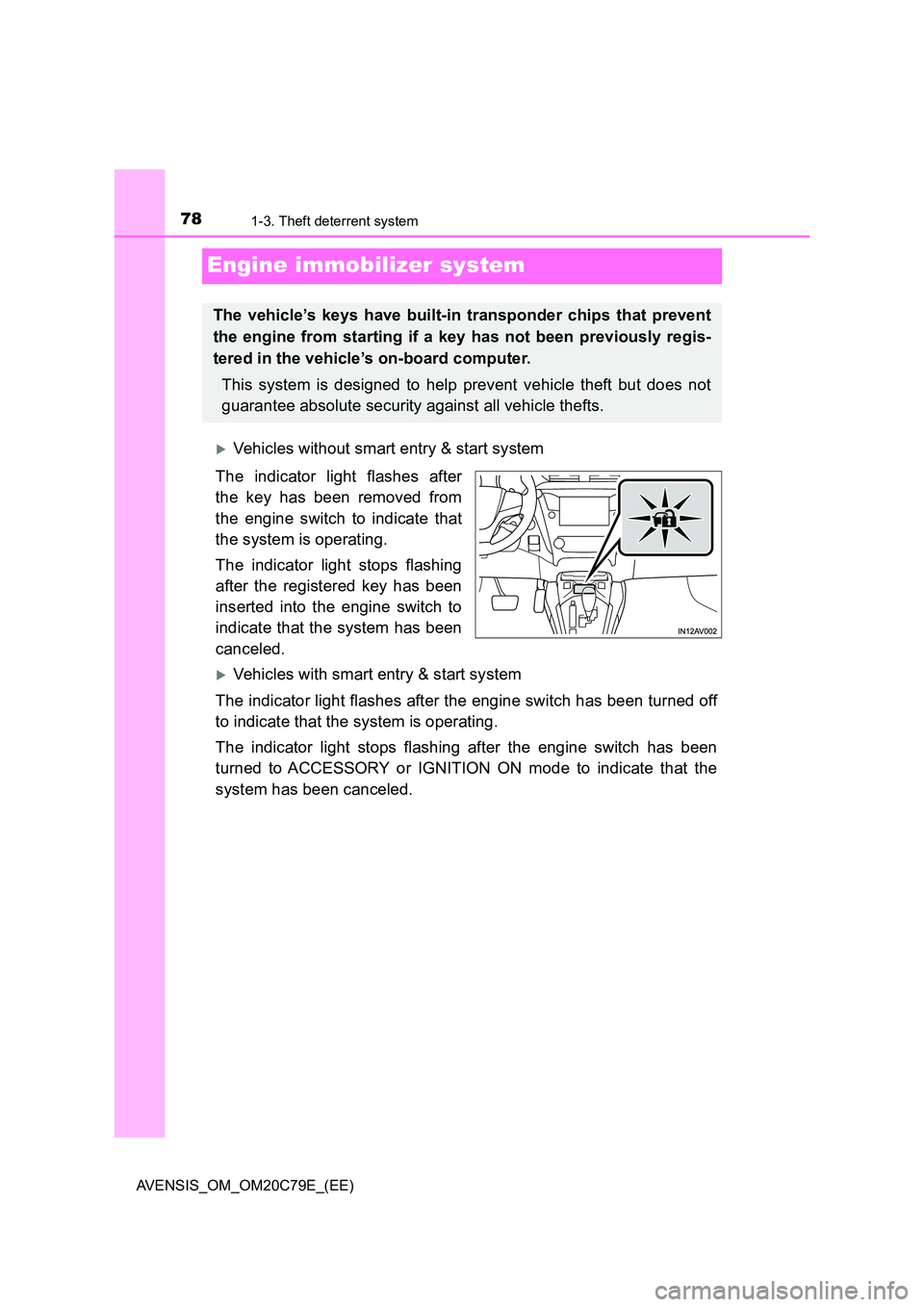
Vehicles without smart entry & start system
The indicator light flashes after
the key has been removed from
the engine switch to indicate that
the system is operating.
The indicator light stops flashing
after the registered key has been
inserted into the engine switch to
indicate that the system has been
canceled.
Vehicles with smart entry & start system
The indicator light flashes after the engine switch has been turned off
to indicate that the system is operating.
The indicator light stops flashing after the engine switch has been
turned to ACCESSORY or IGNITION ON mode to indicate that the
system has been canceled.
The vehicle’s keys have built-in transponder chips that prevent
the engine from starting if a key has not been previously regis-
tered in the vehicle’s on-board computer.
This system is designed to help prevent vehicle theft but does not
guarantee absolute security against all vehicle thefts.
Page 79 of 660
791-3. Theft deterrent system
1
AVENSIS_OM_OM20C79E_(EE)
For safety and security
■System maintenance
The vehicle has a maintenance-free type engine immobilizer system.
■ Conditions that may cause the system to malfunction
● If the grip portion of the key is in contact with a metallic object
● If the key is in close proximity to or touching a key to the security system
(key with a built-in transponder chip) of another vehicle
Page 81 of 660
811-3. Theft deterrent system
1
AVENSIS_OM_OM20C79E_(EE)
For safety and security
Page 83 of 660
831-3. Theft deterrent system
1
AVENSIS_OM_OM20C79E_(EE)
For safety and security
■Certifications for the engine immobilizer system (vehicles with smart
entry & start system)
Page 85 of 660
851-3. Theft deterrent system
1
AVENSIS_OM_OM20C79E_(EE)
For safety and security
Page 87 of 660
87
1
1-3. Theft deterrent system
AVENSIS_OM_OM20C79E_(EE)
For safety and security
Double locking system
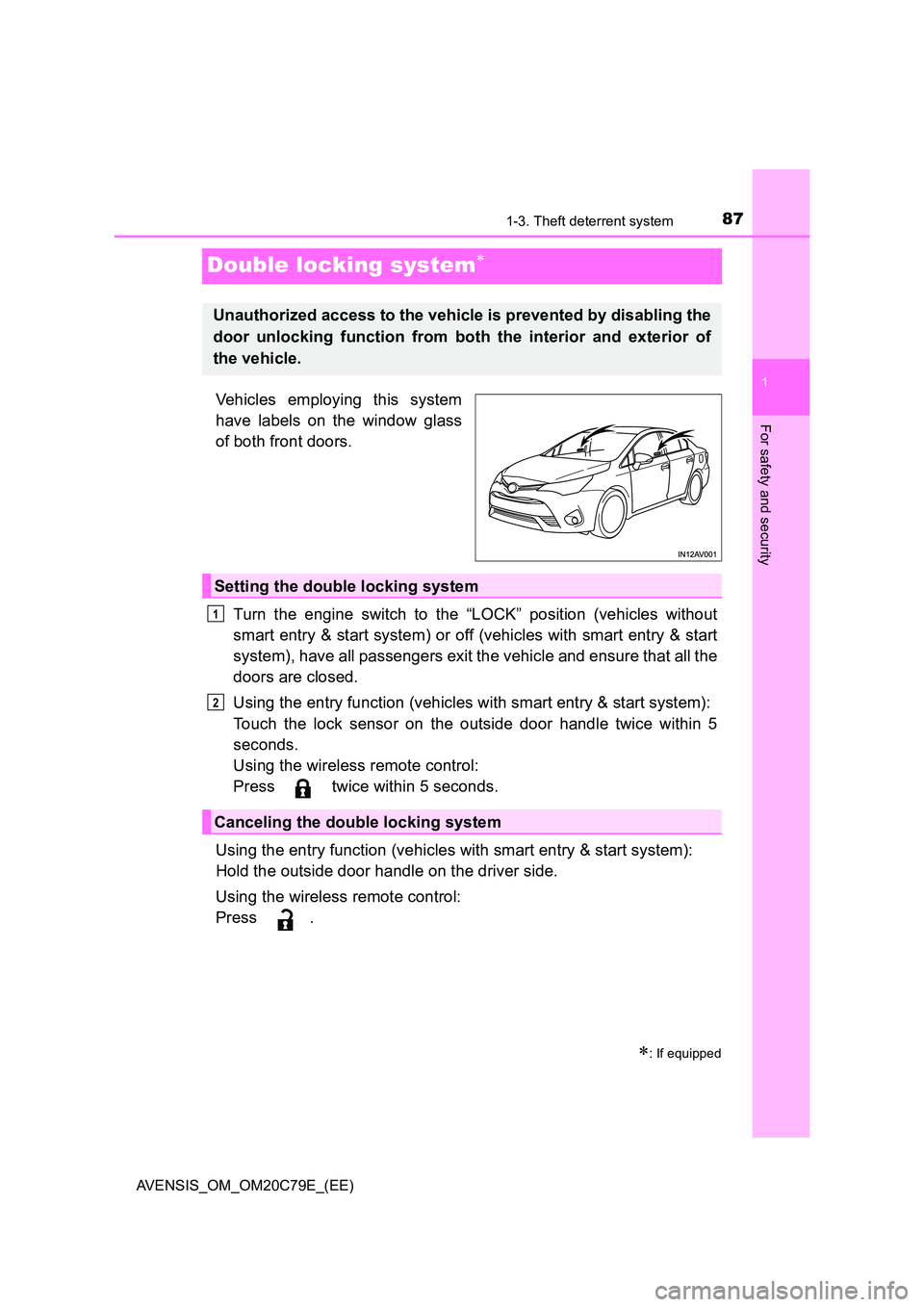
Vehicles employing this system
have labels on the window glass
of both front doors.
Turn the engine switch to the “LOCK” position (vehicles without
smart entry & start system) or off (vehicles with smart entry & start
system), have all passengers exit the vehicle and ensure that all the
doors are closed.
Using the entry function (vehicles with smart entry & start system):
Touch the lock sensor on the outside door handle twice within 5
seconds.
Using the wireless remote control:
Press twice within 5 seconds.
Using the entry function (vehicles with smart entry & start system):
Hold the outside door handle on the driver side.
Using the wireless remote control:
Press .
: If equipped
Unauthorized access to the vehicle is prevented by disabling the
door unlocking function from both the interior and exterior of
the vehicle.
Setting the double locking system
Canceling the double locking system
1
2
Page 89 of 660
89
1
1-3. Theft deterrent system
AVENSIS_OM_OM20C79E_(EE)
For safety and security
Alarm
The alarm uses light and sound to give an alert when an intrusion is
detected.
The alarm is triggered in the following situations when the alarm is
being set:
● A locked door or trunk/back door is unlocked or opened in any way
other than using the entry function (vehicles with smart entry & start
system) or wireless remote control. (The doors will lock again auto-
matically.)
● The hood is opened.
● If equipped, the intrusion sensor detects something moving inside
the vehicle. (An intruder gets in the vehicle.)
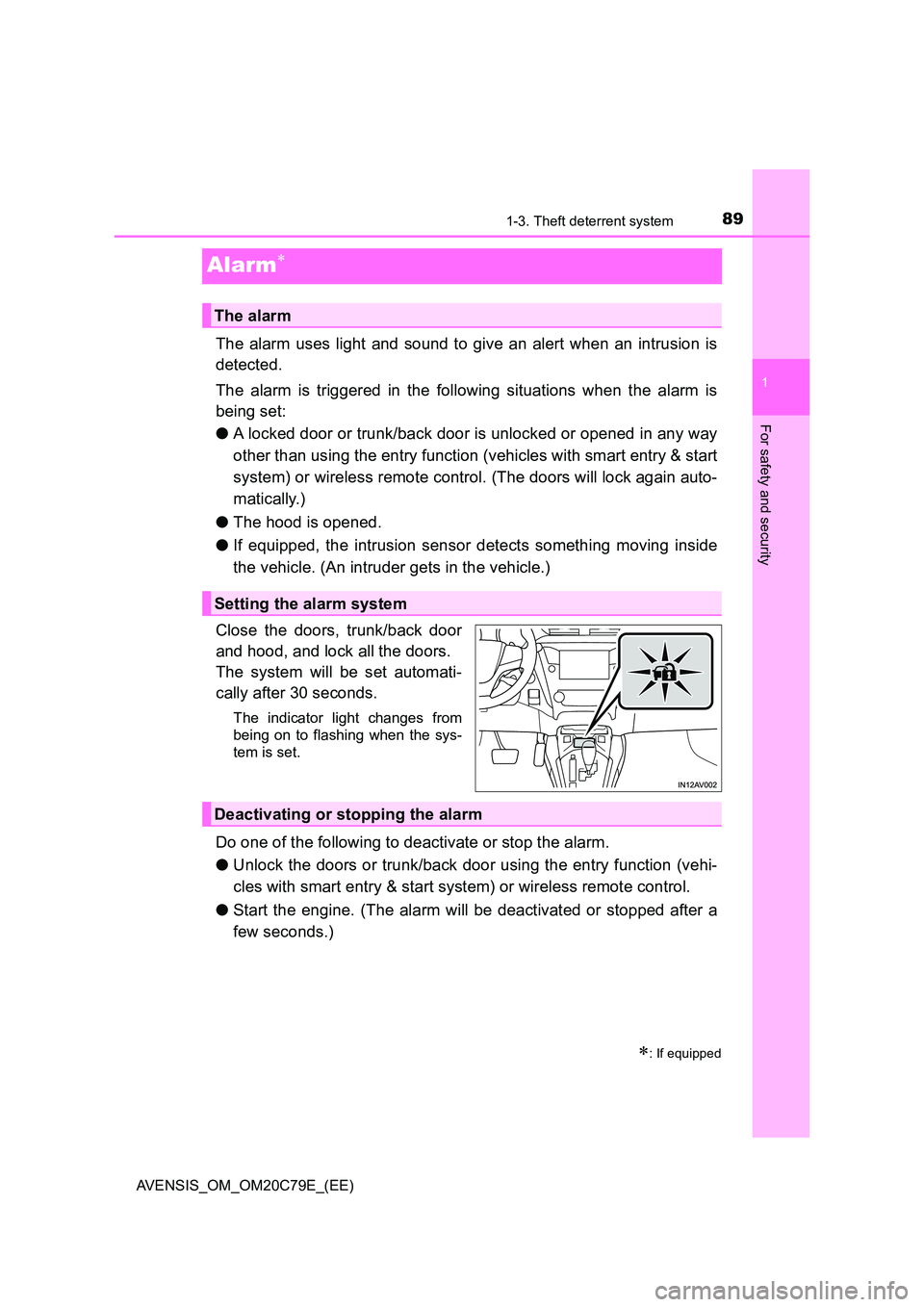
Close the doors, trunk/back door
and hood, and lock all the doors.
The system will be set automati-
cally after 30 seconds.
The indicator light changes from
being on to flashing when the sys-
tem is set.
Do one of the following to deactivate or stop the alarm.
● Unlock the doors or trunk/back door using the entry function (vehi-
cles with smart entry & start system) or wireless remote control.
● Start the engine. (The alarm will be deactivated or stopped after a
few seconds.)
: If equipped
The alarm
Setting the alarm system
Deactivating or stopping the alarm