audio TOYOTA AYGO 2013 Owners Manual (in English)
[x] Cancel search | Manufacturer: TOYOTA, Model Year: 2013, Model line: AYGO, Model: TOYOTA AYGO 2013Pages: 372, PDF Size: 14.28 MB
Page 1 of 372
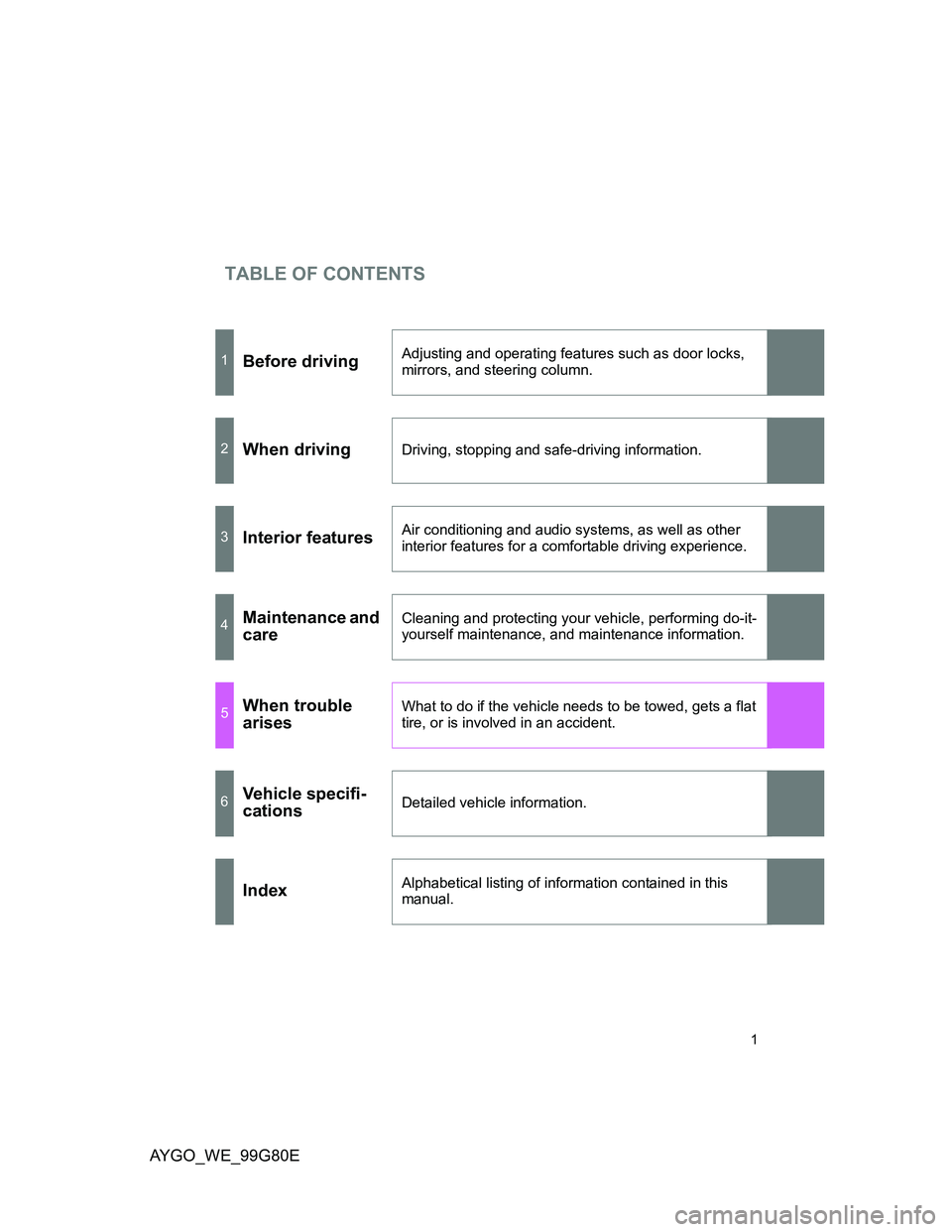
TABLE OF CONTENTS
AYGO_WE_99G80E
1
1Before drivingAdjusting and operating features such as door locks,
mirrors, and steering column.
2When drivingDriving, stopping and safe-driving information.
3Interior featuresAir conditioning and audio systems, as well as other
interior features for a comfortable driving experience.
4Maintenance and
careCleaning and protecting your vehicle, performing do-it-
yourself maintenance, and maintenance information.
5When trouble
arisesWhat to do if the vehicle needs to be towed, gets a flat
tire, or is involved in an accident.
6Vehicle specifi-
cationsDetailed vehicle information.
IndexAlphabetical listing of information contained in this
manual.
Page 3 of 372
1
2
3
4
5
6
AYGO_WE_99G80E
3
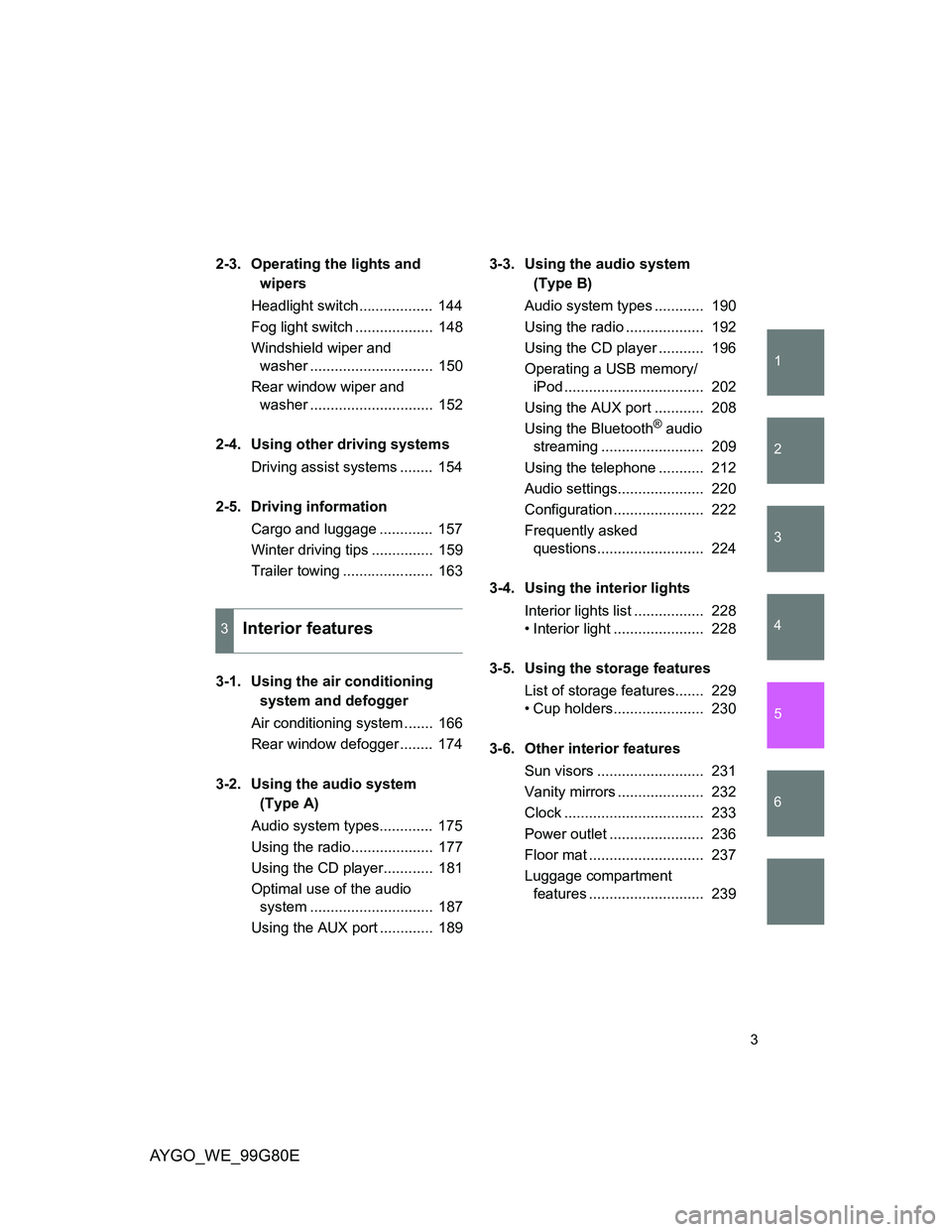
2-3. Operating the lights and
wipers
Headlight switch.................. 144
Fog light switch ................... 148
Windshield wiper and
washer .............................. 150
Rear window wiper and
washer .............................. 152
2-4. Using other driving systems
Driving assist systems ........ 154
2-5. Driving information
Cargo and luggage ............. 157
Winter driving tips ............... 159
Trailer towing ...................... 163
3-1. Using the air conditioning
system and defogger
Air conditioning system ....... 166
Rear window defogger ........ 174
3-2. Using the audio system
(Type A)
Audio system types............. 175
Using the radio.................... 177
Using the CD player............ 181
Optimal use of the audio
system .............................. 187
Using the AUX port ............. 1893-3. Using the audio system
(Type B)
Audio system types ............ 190
Using the radio ................... 192
Using the CD player ........... 196
Operating a USB memory/
iPod .................................. 202
Using the AUX port ............ 208
Using the Bluetooth
® audio
streaming ......................... 209
Using the telephone ........... 212
Audio settings..................... 220
Configuration ...................... 222
Frequently asked
questions.......................... 224
3-4. Using the interior lights
Interior lights list ................. 228
• Interior light ...................... 228
3-5. Using the storage features
List of storage features....... 229
• Cup holders...................... 230
3-6. Other interior features
Sun visors .......................... 231
Vanity mirrors ..................... 232
Clock .................................. 233
Power outlet ....................... 236
Floor mat ............................ 237
Luggage compartment
features ............................ 239
3Interior features
Page 15 of 372
AYGO_WE_99G80E
15
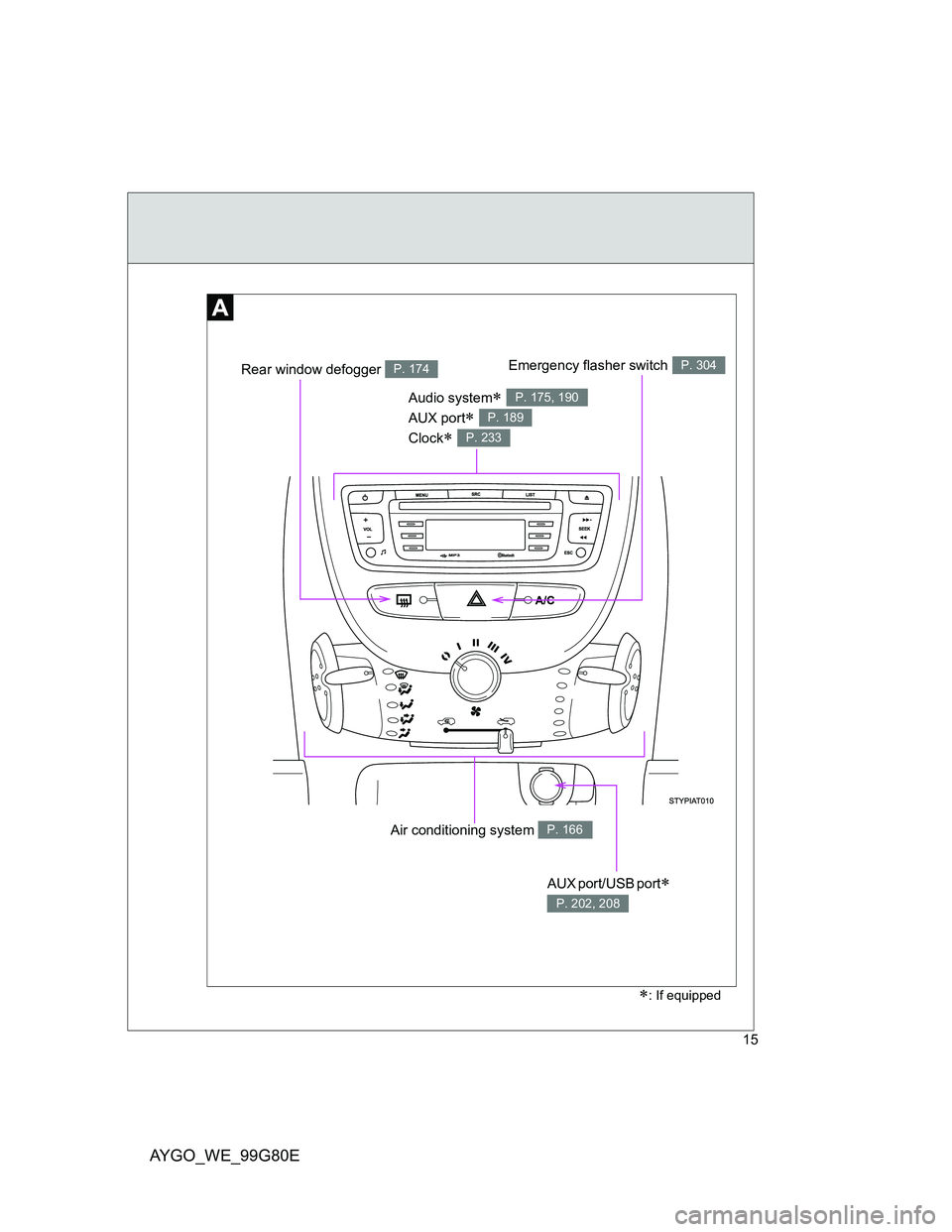
Air conditioning system P. 166
Audio system
AUX port
Clock
P. 175, 190
P. 189
P. 233
AUX port/USB port
P. 202, 208
: If equipped
Emergency flasher switchP. 304Rear window defogger P. 174
Page 24 of 372
AYGO_WE_99G80E
24
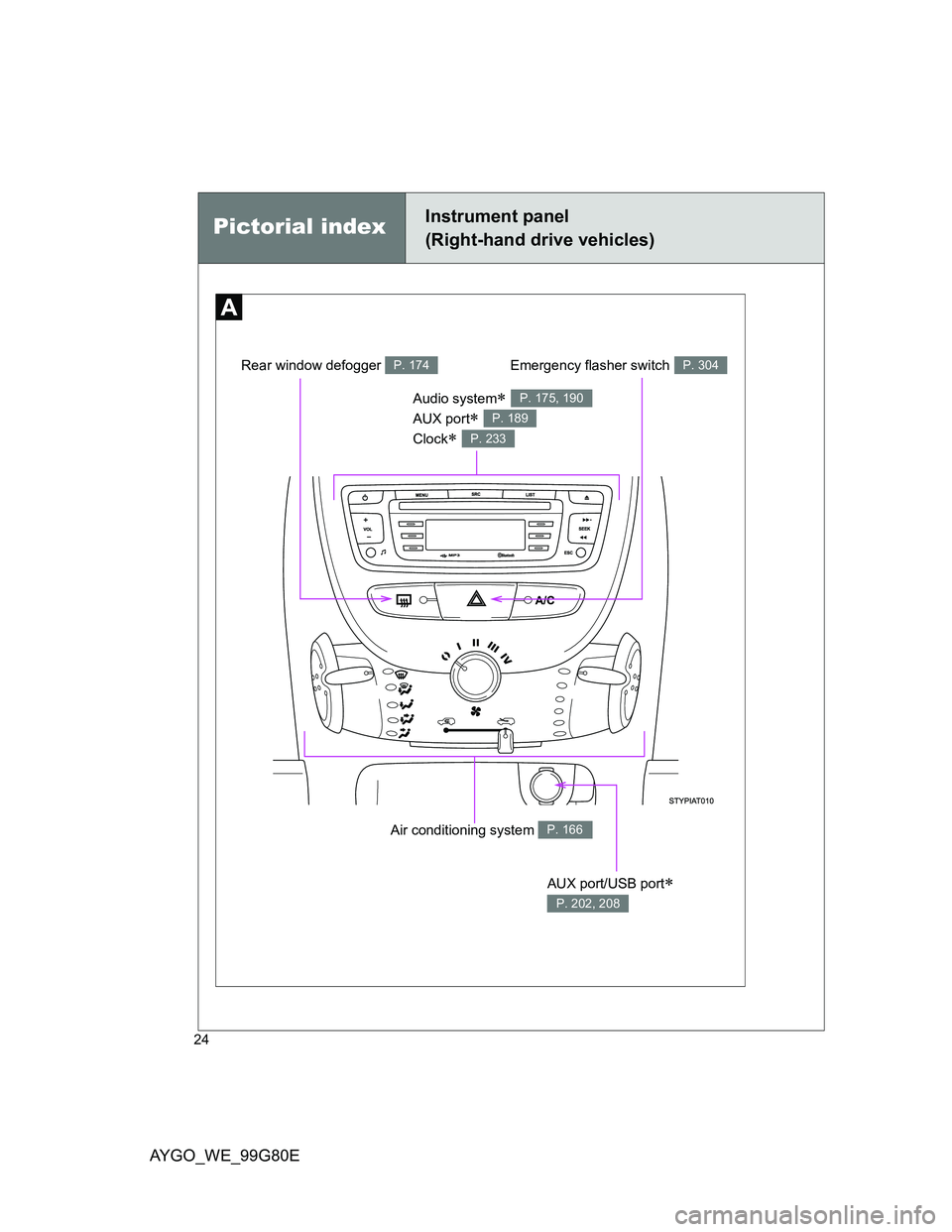
Pictorial indexInstrument panel
(Right-hand drive vehicles)
Air conditioning system P. 166
Audio system
AUX port
Clock
P. 175, 190
P. 189
P. 233
AUX port/USB port
P. 202, 208
Emergency flasher switchP. 304Rear window defogger P. 174
Page 126 of 372
126
2-1. Driving procedures
AYGO_WE_99G80E
Engine (ignition) switch
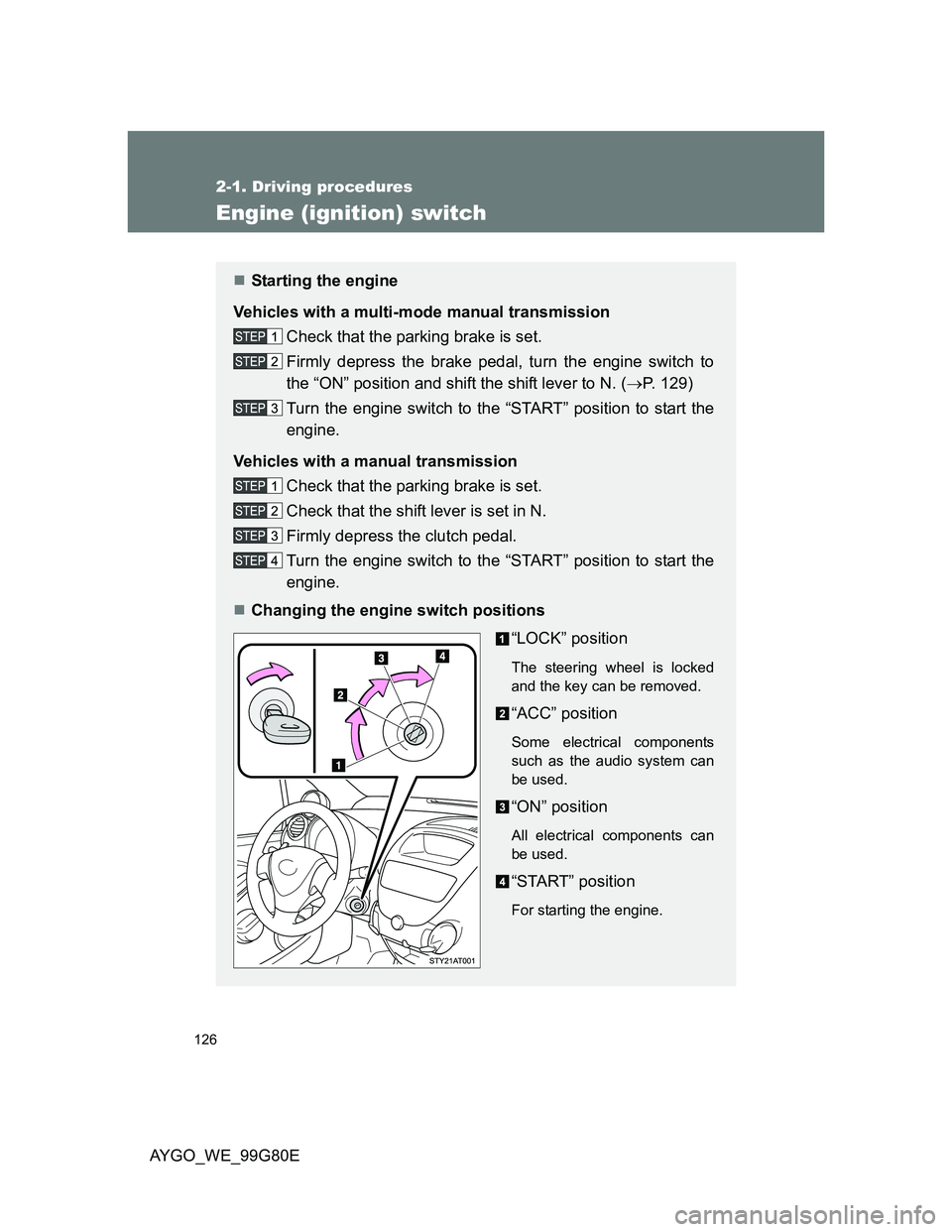
Starting the engine
Vehicles with a multi-mode manual transmission
Check that the parking brake is set.
Firmly depress the brake pedal, turn the engine switch to
the “ON” position and shift the shift lever to N. (P. 129)
Turn the engine switch to the “START” position to start the
engine.
Vehicles with a manual transmission
Check that the parking brake is set.
Check that the shift lever is set in N.
Firmly depress the clutch pedal.
Turn the engine switch to the “START” position to start the
engine.
Changing the engine switch positions
“LOCK” position
The steering wheel is locked
and the key can be removed.
“ACC” position
Some electrical components
such as the audio system can
be used.
“ON” position
All electrical components can
be used.
“START” position
For starting the engine.
Page 165 of 372
3Interior features
165
AYGO_WE_99G80E
3-1. Using the air conditioning
system and defogger
Air conditioning system..... 166
Rear window defogger...... 174
3-2. Using the audio system
(Type A)
Audio system types .......... 175
Using the radio ................. 177
Using the CD player ......... 181
Optimal use of the audio
system ............................ 187
Using the AUX port ........... 189
3-3. Using the audio system
(Type B)
Audio system types .......... 190
Using the radio ................. 192
Using the CD player ......... 196
Operating a USB memory/
iPod ................................ 202
Using the AUX port ........... 208
Using the Bluetooth
® audio
streaming ........................ 209
Using the telephone.......... 212
Audio settings ................... 220
Configuration .................... 222
Frequently asked
questions ........................ 2243-4. Using the interior lights
Interior lights list ................ 228
• Interior light ..................... 228
3-5. Using the storage features
List of storage features ..... 229
• Cup holders .................... 230
3-6. Other interior features
Sun visors ......................... 231
Vanity mirrors.................... 232
Clock ................................. 233
Power outlet ...................... 236
Floor mat........................... 237
Luggage compartment
features........................... 239
Page 175 of 372
175
3
Interior features
AYGO_WE_99G80E
3-2. Using the audio system (Type A)
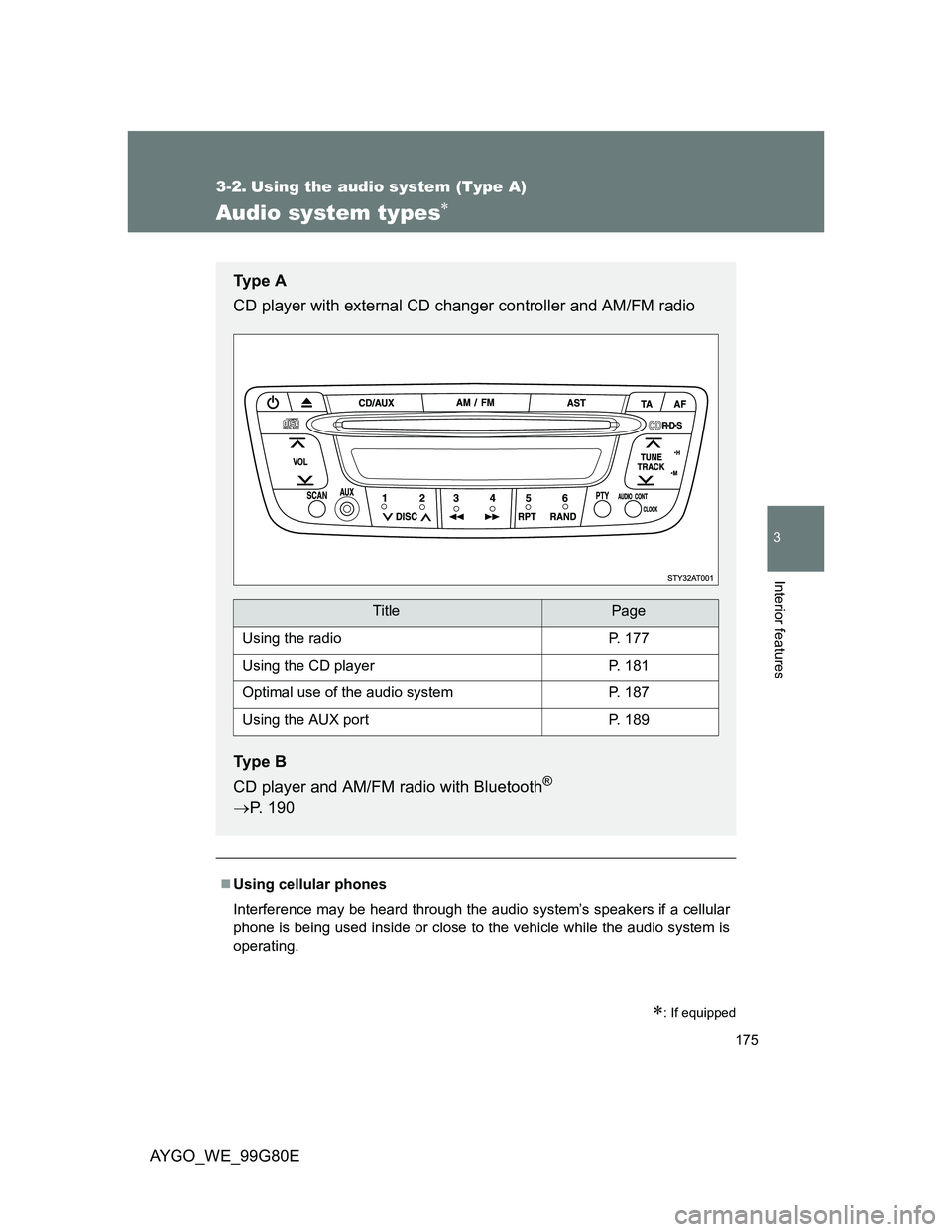
Audio system types
: If equipped
Using cellular phones
Interference may be heard through the audio system’s speakers if a cellular
phone is being used inside or close to the vehicle while the audio system is
operating.
Ty p e A
CD player with external CD changer controller and AM/FM radio
Ty p e B
CD player and AM/FM radio with Bluetooth
®
P. 190
TitlePage
Using the radioP. 177
Using the CD playerP. 181
Optimal use of the audio systemP. 187
Using the AUX portP. 189
Page 176 of 372
176 3-2. Using the audio system (Type A)
AYGO_WE_99G80E
NOTICE
To prevent battery discharge
Do not leave the audio system on longer than necessary when the engine is
stopped.
To avoid damaging the audio system
Take care not to spill drinks or other fluids over the audio system.
Page 177 of 372
177
3-2. Using the audio system (Type A)
3
Interior features
AYGO_WE_99G80E
Using the radio
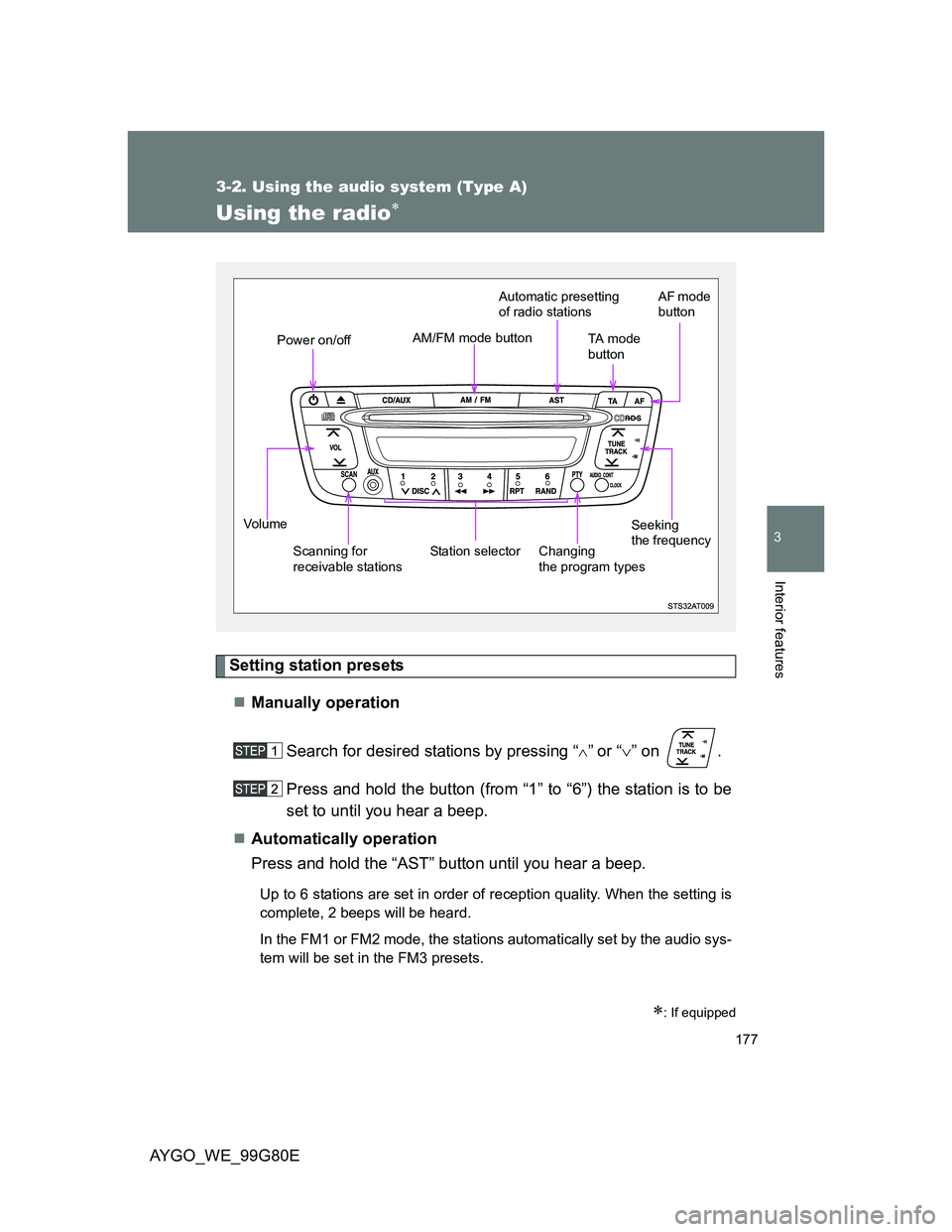
Setting station presets
Manually operation
Search for desired stations by pressing “
”or “” on .
Press and hold the button (from “1” to “6”) the station is to be
set to until you hear a beep.
Automatically operation
Press and hold the “AST” button until you hear a beep.
Up to 6 stations are set in order of reception quality. When the setting is
complete, 2 beeps will be heard.
In the FM1 or FM2 mode, the stations automatically set by the audio sys-
tem will be set in the FM3 presets.
: If equipped
Vo l u m e
Scanning for
receivable stationsStation selectorSeeking
the frequency AM/FM mode button
Power on/offTA m o d e
button
Changing
the program types
AF mode
buttonAutomatic presetting
of radio stations
Page 178 of 372
178 3-2. Using the audio system (Type A)
AYGO_WE_99G80E
Scanning radio stations
Scanning the preset radio stations
Press and hold the “SCAN” button until you hear a beep.
Preset stations will be played for 5 seconds each.
When the desired station is reached, press the button again.
Scanning all the radio stations within range
Press the “SCAN” button.
All the stations with reception will be played for 5 seconds each.
When the desired station is reached, press the button again.
RDS (Radio Data System)
This feature allows your radio to receive station and program informa-
tion (classical, news, etc.) from radio stations which broadcast this
information.
Listening to stations of the same network
Press the “AF” button.
AF-ON, REG-OFF modes: A station among those of the same
network with strong reception is
selected.
AF-ON, REG-ON modes: A station among those of the same
network with strong reception and
broadcasting the same program is
selected.
Each time the “AF” button is pressed, the mode changes in the following
order: AF-ON, REG-OFF AF-ON, REG-ON AF-OFF, REG-OFF.