engine TOYOTA AYGO 2019 (in English) Owner's Manual
[x] Cancel search | Manufacturer: TOYOTA, Model Year: 2019, Model line: AYGO, Model: TOYOTA AYGO 2019Pages: 504, PDF Size: 67.32 MB
Page 105 of 504
1052. Instrument cluster
2
Instrument cluster
AYGO_OM_Europe_OM99R19E
■Average fuel consumption
Displays the average fuel consumption since the function was
reset.
• The function can be reset by pushing one of the “DISP” buttons for lon-
ger than 1 second when the average fuel consumption is displayed.
• Use the displayed average fuel consumption as a reference.
■Driving range
Displays the estimated approximate distance that can be driven
with the quantity of fuel remaining.
• This distance is computed based on your average fuel consumption. As
a result, the actual distance that can be driven may differ from that dis-
played.
• When only a small amount of fuel is added to the tank, the display may
not be updated.
When refueling, turn the engine switch to the “LOCK” position (vehicles
without a smart entry & start system) or off (vehicles with a smart entry
& start system). If the vehicle is refueled without turning the engine
switch to the “LOCK” position or off, the display may not be updated.
• The display shows “LoFUEL” when the remaining is very low.
■Average vehicle speed
Displays the average vehicle speed since the function was reset.
The function can be reset by pushing one of the “DISP” button for longer
than 1 second when the average vehicle speed is displayed.
■Instrument cluster light control
Displays the instrument cluster light control display.
• This screen is only displayed when the tail lights are on.
• The brightness of the instrument cluster light can be adjusted.
( P. 106)
Page 107 of 504
1072. Instrument cluster
2
Instrument cluster
AYGO_OM_Europe_OM99R19E
■When disconnecting and reconnecting battery terminals
The following information data will be reset:
● Trip meters “A” and “B”
● Stop & Start system total operation time (if equipped)
● Average fuel consumption
● Average vehicle speed
■ Liquid crystal display
Small spots or light spots may appear on the display. This phenomenon is
characteristic of liquid crystal displays, and there is no problem continuing to
use the display.
WARNING
■ The information display at low temperatures (vehicles with a multi-
mode manual transmission)
Allow the interior of the vehicle to warm up before using the liquid crystal
information display. At extremely low temperatures, the information display
monitor may respond slowly, and display changes may be delayed.
For example, there is a lag between the driver's shifting and the new gear
number appearing on the display. This lag could cause the driver to down-
shift again, causing rapid and exce ssive engine braking and possibly an
accident resulting in death or serious injury.
■ Cautions during setting up the display
As the engine needs to be operating during setting up the display, ensure
that the vehicle is parked in a place with adequate ventilation. In a closed
area such as a garage, exhaust gases including harmful carbon monoxide
(CO) may collect and enter the vehicle. This may lead to death or a serious
health hazard.
NOTICE
■ The information display at low temperatures (vehicles with a manual
transmission)
Allow the interior of the vehicle to warm up before using the liquid crystal
information display. At extremely low temperatures, the information display
monitor may respond slowly, and display changes may be delayed.
Page 121 of 504
1213-2. Opening, closing and locking the doors
3
Operation of each component
AYGO_OM_Europe_OM99R19E
Move the inside lock button to the lock position.
Close the door while pulling the door handle.
Vehicles with a power door lock system
Vehicles without a smart entry & start system:
The door cannot be locked if the key is in the engine switch.
Vehicles with a smart entry & start system:
The door cannot be locked if the engine switch is in ACCESSORY or
IGNITION ON mode, or the electronic key is left inside the vehicle.
The key may not be detected correctly and the door may be locked.
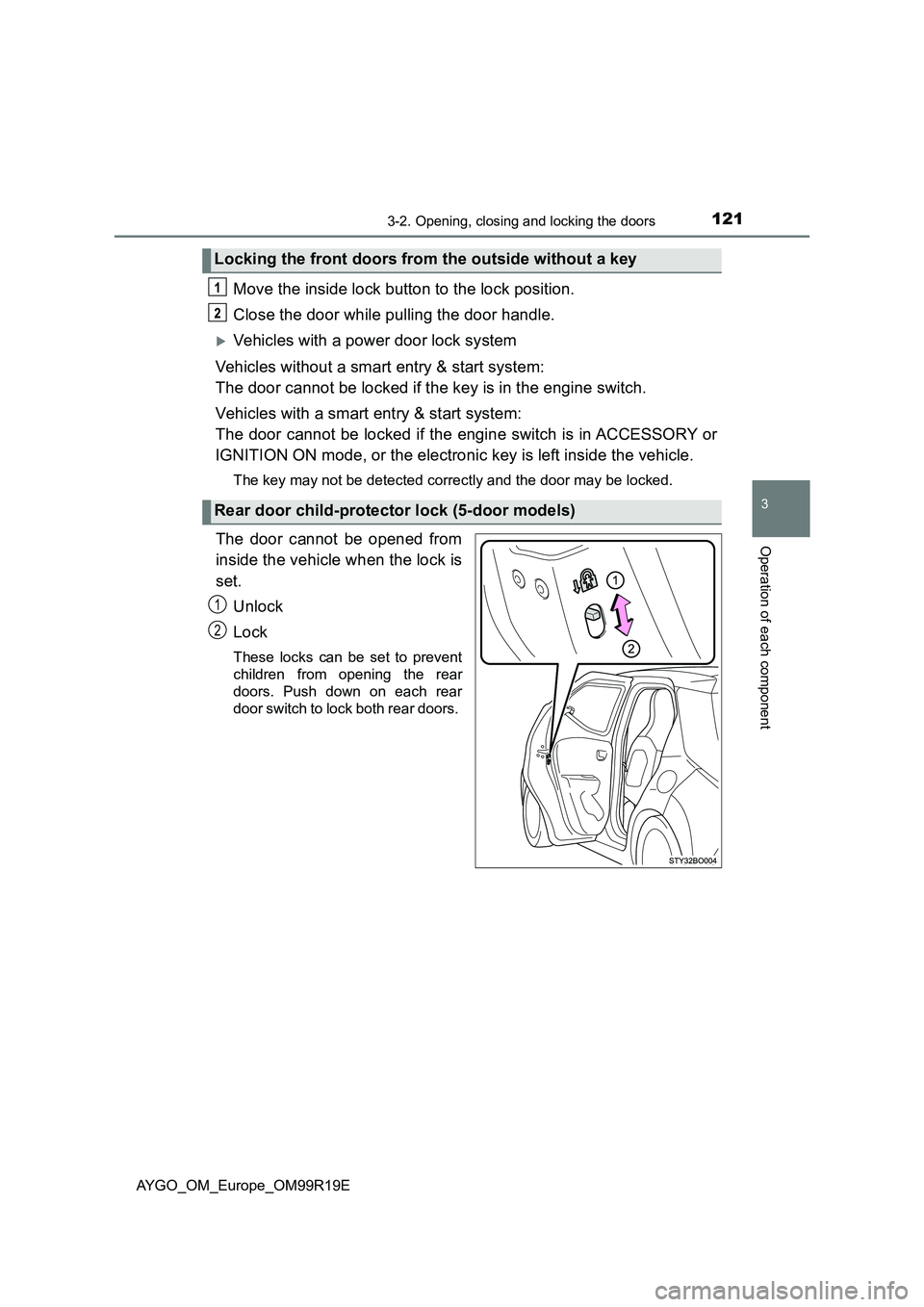
The door cannot be opened from
inside the vehicle when the lock is
set. Unlock
Lock
These locks can be set to prevent
children from opening the rear
doors. Push down on each rear
door switch to lock both rear doors.
Locking the front doors from the outside without a key
Rear door child-protector lock (5-door models)
1
2
Page 129 of 504
129
3
3-2. Opening, closing and locking the doors
Operation of each component
AYGO_OM_Europe_OM99R19E
Smart entry & start system
●Locks and unlocks the side doors ( P. 1 1 9 )
● Locks and unlocks the back door ( P. 123)
● Starts the engine ( P. 185)
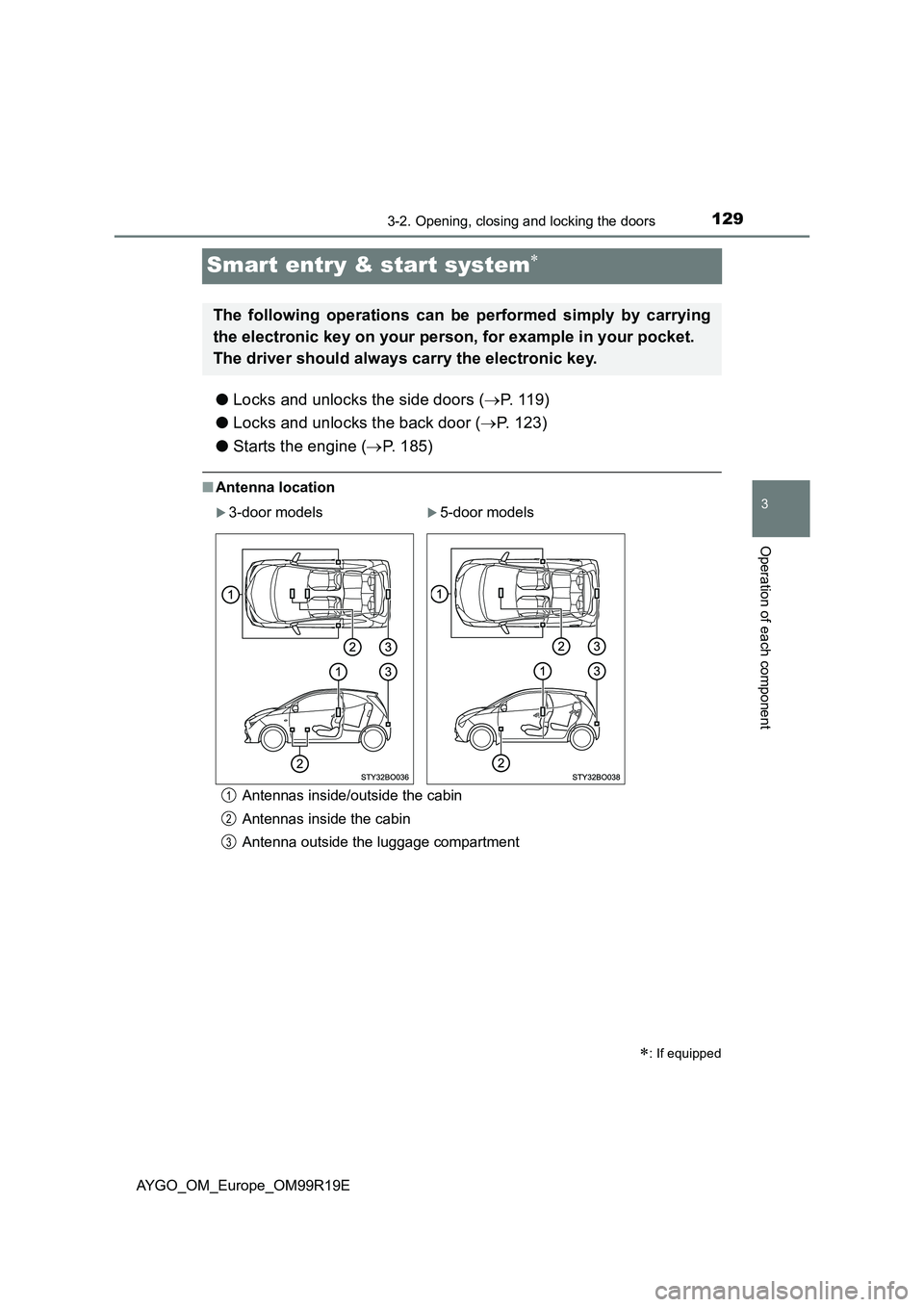
■Antenna location
Antennas inside/outside the cabin
Antennas inside the cabin
Antenna outside the luggage compartment
: If equipped
The following operations can be performed simply by carrying
the electronic key on your person, for example in your pocket.
The driver should always carry the electronic key.
3-door models5-door models
1
2
3
Page 130 of 504
1303-2. Opening, closing and locking the doors
AYGO_OM_Europe_OM99R19E■
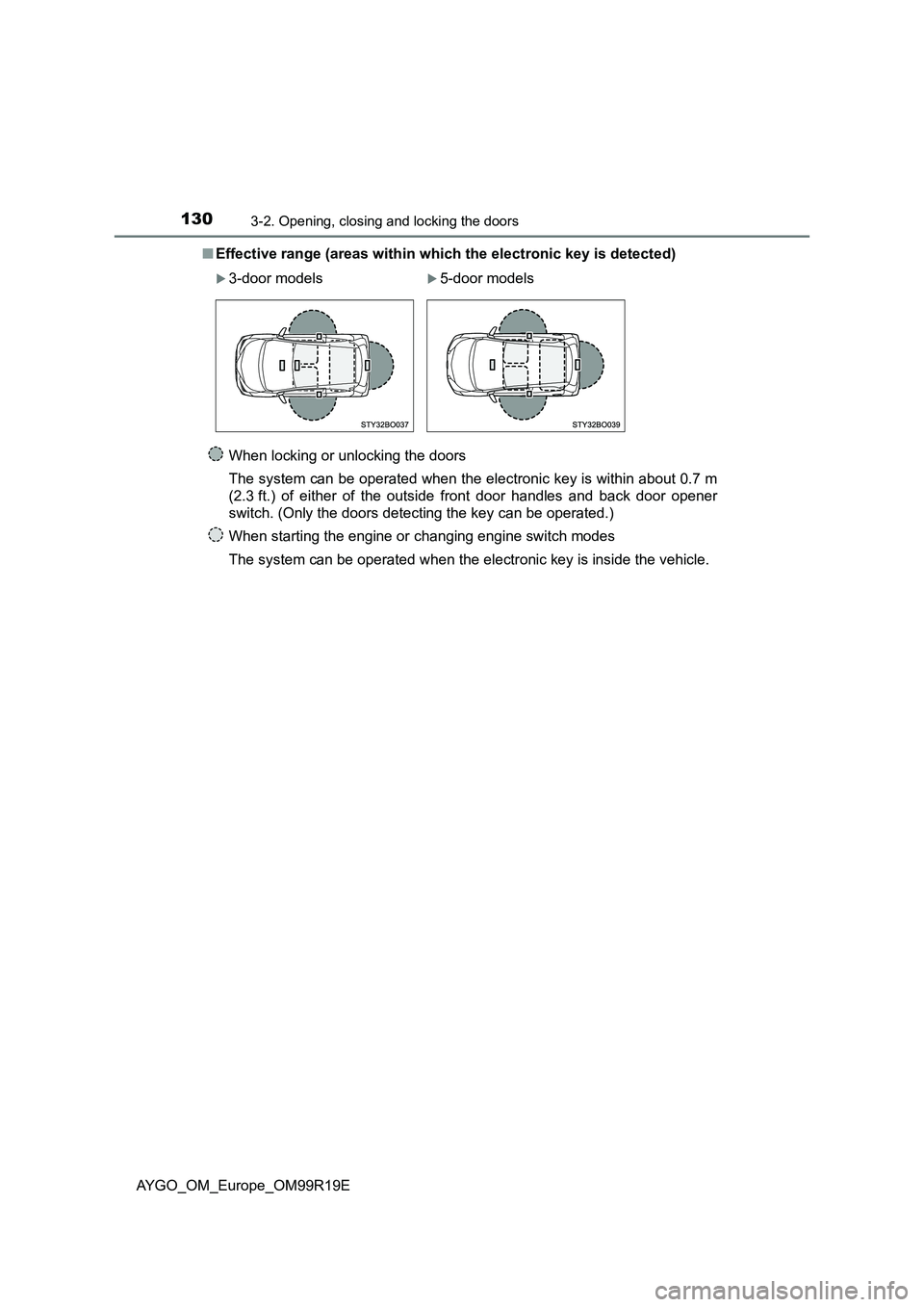
Effective range (areas within which the electronic key is detected)
When locking or unlocking the doors
The system can be operated when the electronic key is within about 0.7 m
(2.3 ft.) of either of the outside front door handles and back door opener
switch. (Only the doors detecting the key can be operated.)
When starting the engine or changing engine switch modes
The system can be operated when the electronic key is inside the vehicle.
3-door models5-door models
Page 131 of 504
1313-2. Opening, closing and locking the doors
3
Operation of each component
AYGO_OM_Europe_OM99R19E
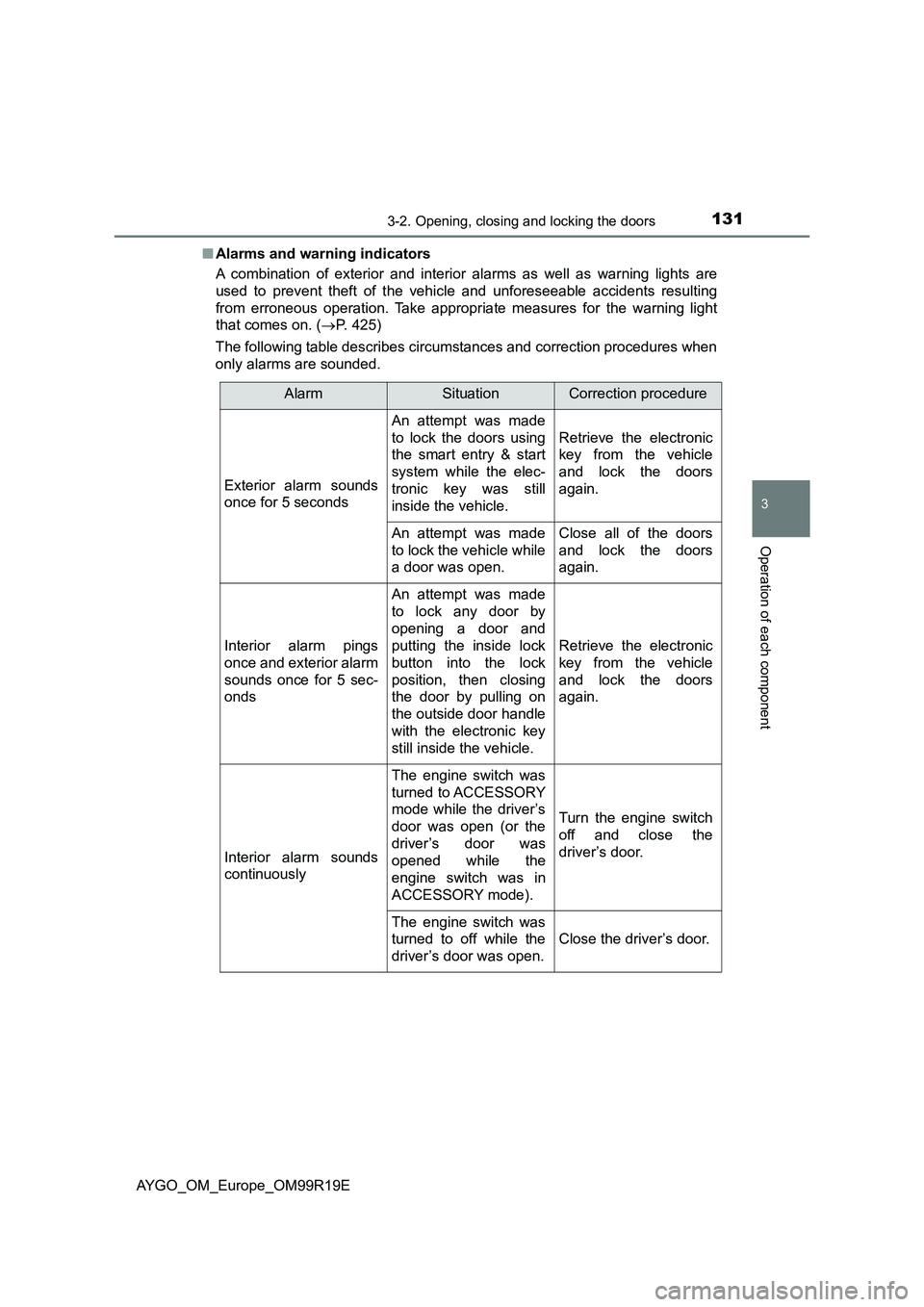
■ Alarms and warning indicators
A combination of exterior and interior alarms as well as warning lights are
used to prevent theft of the vehicle and unforeseeable accidents resulting
from erroneous operation. Take appropria te measures for the warning light
that comes on. ( P. 425)
The following table describes circumstances and correction procedures when
only alarms are sounded.
AlarmSituationCorrection procedure
Exterior alarm sounds
once for 5 seconds
An attempt was made
to lock the doors using
the smart entry & start
system while the elec-
tronic key was still
inside the vehicle.
Retrieve the electronic
key from the vehicle
and lock the doors
again.
An attempt was made
to lock the vehicle while
a door was open.
Close all of the doors
and lock the doors
again.
Interior alarm pings
once and exterior alarm
sounds once for 5 sec-
onds
An attempt was made
to lock any door by
opening a door and
putting the inside lock
button into the lock
position, then closing
the door by pulling on
the outside door handle
with the electronic key
still inside the vehicle.
Retrieve the electronic
key from the vehicle
and lock the doors
again.
Interior alarm sounds
continuously
The engine switch was
turned to ACCESSORY
mode while the driver’s
door was open (or the
driver’s door was
opened while the
engine switch was in
ACCESSORY mode).
Turn the engine switch
off and close the
driver’s door.
The engine switch was
turned to off while the
driver’s door was open.
Close the driver’s door.
Page 132 of 504
1323-2. Opening, closing and locking the doors
AYGO_OM_Europe_OM99R19E
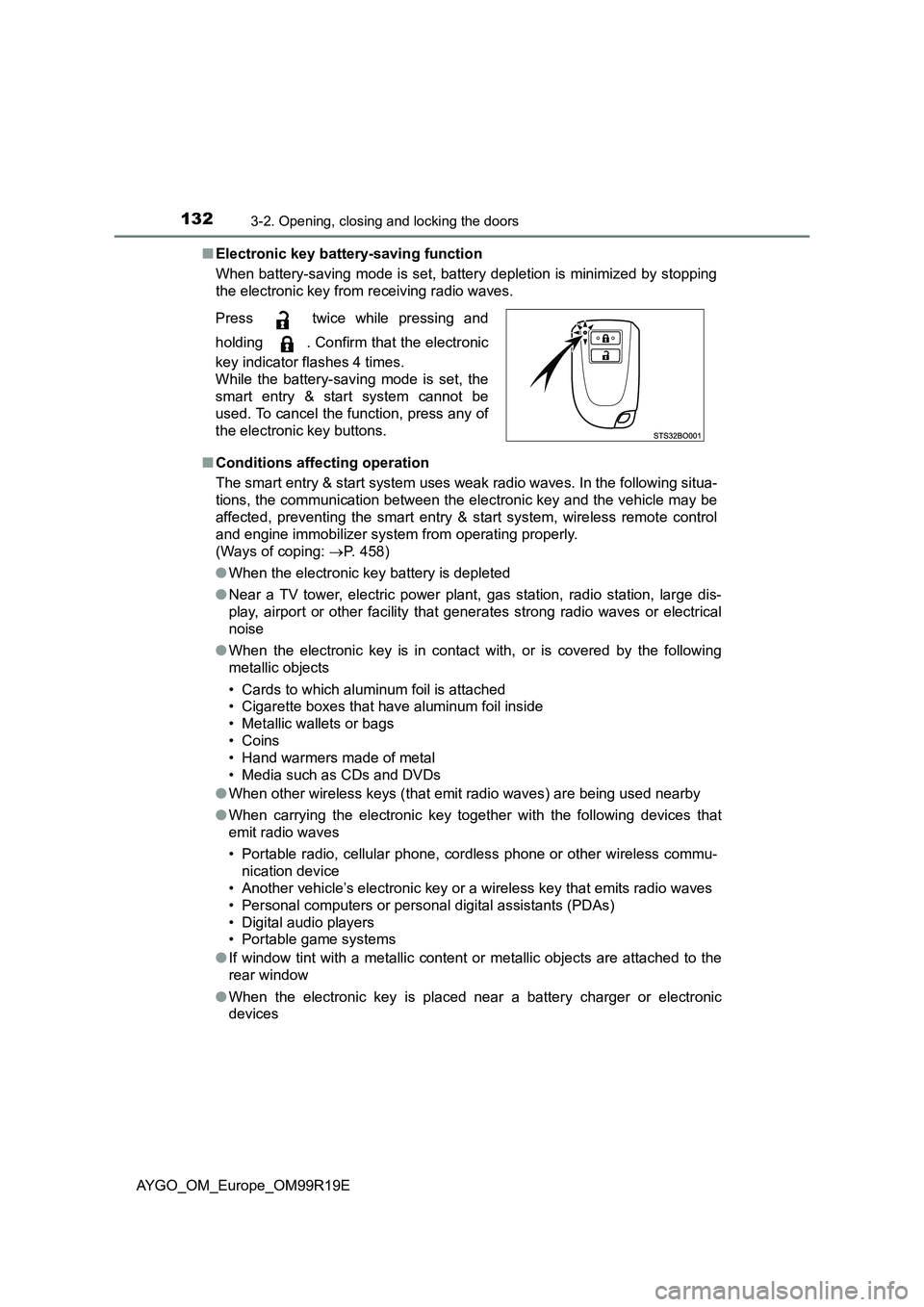
■ Electronic key battery-saving function
When battery-saving mode is set, battery depletion is minimized by stopping
the electronic key from receiving radio waves.
■ Conditions affecting operation
The smart entry & start system uses weak radio waves. In the following situa-
tions, the communication between the el ectronic key and the vehicle may be
affected, preventing the smart entry & start system, wireless remote control
and engine immobilizer system from operating properly.
(Ways of coping: P. 458)
● When the electronic key battery is depleted
● Near a TV tower, electric power plant, gas station, radio station, large dis-
play, airport or other facility that generates strong radio waves or electrical
noise
● When the electronic key is in contact with, or is covered by the following
metallic objects
• Cards to which aluminum foil is attached
• Cigarette boxes that have aluminum foil inside
• Metallic wallets or bags
• Coins
• Hand warmers made of metal
• Media such as CDs and DVDs
● When other wireless keys (that emit radio waves) are being used nearby
● When carrying the electronic key together with the following devices that
emit radio waves
• Portable radio, cellular phone, cordless phone or other wireless commu-
nication device
• Another vehicle’s electronic key or a wireless key that emits radio waves
• Personal computers or pers onal digital assistants (PDAs)
• Digital audio players
• Portable game systems
● If window tint with a metallic content or metallic objects are attached to the
rear window
● When the electronic key is placed near a battery charger or electronic
devices
Press twice while pressing and
holding . Confirm that the electronic
key indicator flashes 4 times.
While the battery-saving mode is set, the
smart entry & start system cannot be
used. To cancel the function, press any of
the electronic key buttons.
Page 133 of 504
1333-2. Opening, closing and locking the doors
3
Operation of each component
AYGO_OM_Europe_OM99R19E
■ Note for the entry function
● Even when the electronic key is within the effective range (detection areas),
the system may not operate properly in the following cases:
• The electronic key is too close to the window or outside door handle, near
the ground, or in a high place w hen the doors are locked or unlocked.
• The electronic key is on the instrument panel, luggage cover (if equipped)
or floor, or in the door pockets or glove box when the engine is started or
engine switch modes are changed.
● As long as the electronic key is within the effective range, the doors may be
locked or unlocked by anyone. However, only the doors detecting the elec-
tronic key can be used to unlock the vehicle.
Depending on the situation, even when the electronic key in the vicinity of
opposite side door to the door to be unlocked, the electronic key may be
detected and the door unlocks.
● If the wireless remote control is used to lock the doors when the electronic
key is near the vehicle, there is a possibility that the door may not be
unlocked by the entry function. (Use the wireless remote control to unlock
the doors.)
■ Note for the unlocking function
● There are cases when pulling the door handle while pressing the Lock/
Unlock button that the door will not unlock. In those cases, after returning
the door handle to the original position, press the Lock/Unlock button once
again and check that the doors unlock before pulling the door handle.
● If there is another electronic key in the detection area, it may take slightly
longer for the doors to unlock after the Lock/Unlock button is pressed.
■ When the vehicle is not driven for extended periods
● To prevent theft of the vehicle, do not leave the electronic key within 2 m
(6 ft.) of the vehicle.
● The smart entry & start system can be deactivated in advance. (P. 485)
■ To operate the system properly
Make sure to carry the electronic key when operating the system. Do not get
the electronic key too close to the vehicle when operating the system from the
outside of the vehicle.
Depending on the position and holding condition of the electronic key, the key
may not be detected correctly and the system may not operate properly. (The
alarm may go off accidentally, or the door lock prevention function may not
operate.)
Page 134 of 504
1343-2. Opening, closing and locking the doors
AYGO_OM_Europe_OM99R19E
■ If the smart entry & start system does not operate properly
● Locking and unlocking the doors: Use the mechanical key. (P. 458)
● Starting the engine: P. 459
■ Electronic key battery depletion
● The standard battery life is 1 to 2 years.
● If the battery becomes low, an alarm will sound in the cabin when the engine
stops. ( P. 426)
● As the electronic key always receives radio waves, the battery will become
depleted even if the electronic key is not used. The following symptoms indi-
cate that the electronic key battery may be depleted. Replace the battery
when necessary. ( P. 383)
• The smart entry & start system or the wireless remote control does not
operate.
• The detection area becomes smaller.
• The LED indicator on the key surface does not turn on.
● To avoid serious deterioration, do not leave the electronic key within 1 m
(3 ft.) of the following electrical appliances that produce a magnetic field:
•TVs
• Personal computers
• Cellular phones, cordless phones and battery chargers
• Recharging cellular phones or cordless phones
• Table lamps
• Induction cookers
■ Customization that can be configured at any authorized Toyota retailer
or Toyota authorized repairer, or any reliable repairer
Settings (e.g. smart entry & start system) can be changed.
(Customizable features: P. 485)
■ If the smart entry & start system has been deactivated in a customized
setting
● Locking and unlocking the doors:
Use the wireless remote control or mechanical key. ( P. 111, 458)
● Starting the engine and changing engine switch modes: P. 459
● Stopping the engine: P. 186
Page 162 of 504
1623-4. Adjusting the steering wheel and mirrors
AYGO_OM_Europe_OM99R19E
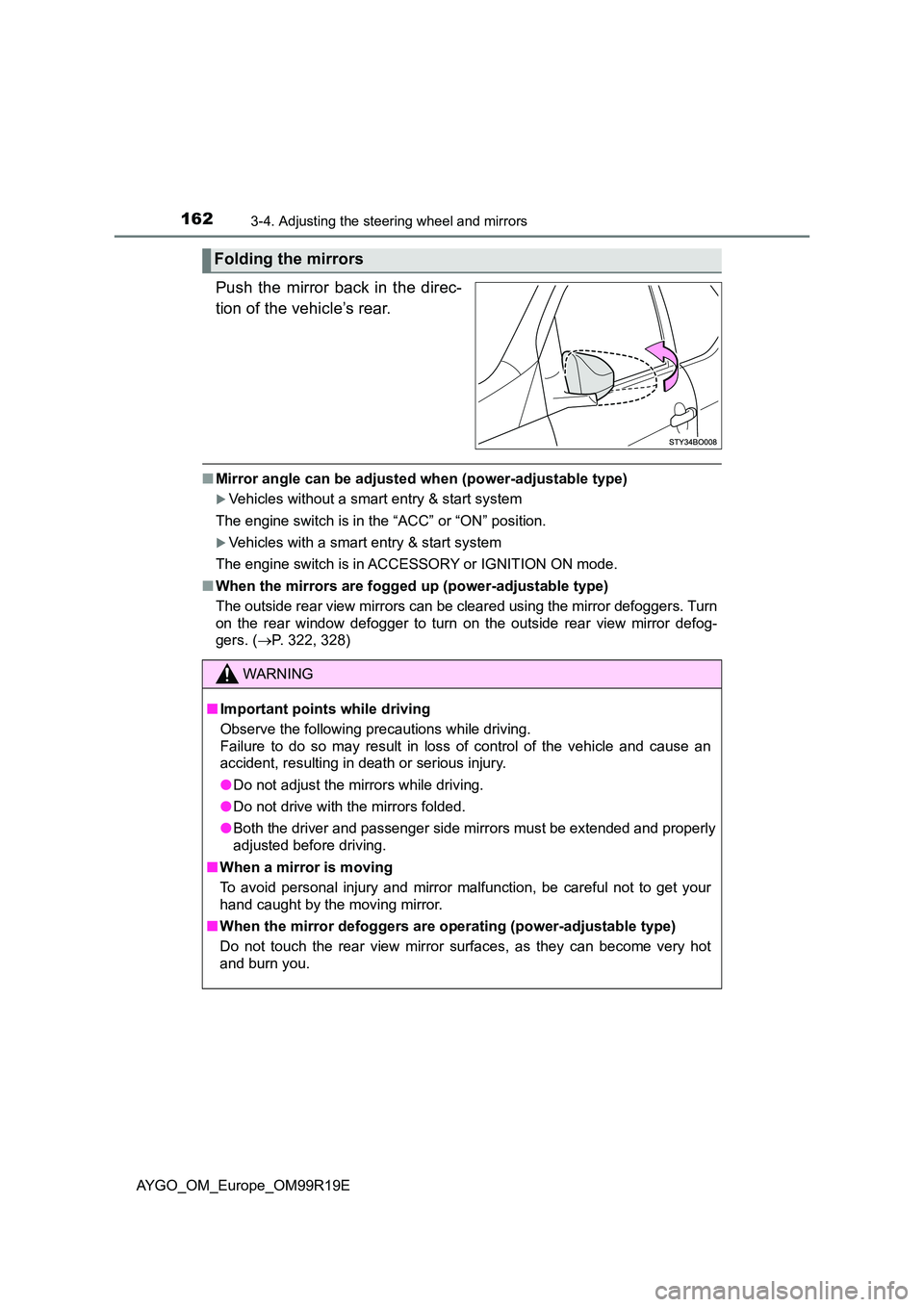
Push the mirror back in the direc-
tion of the vehicle’s rear.
■ Mirror angle can be adjusted when (power-adjustable type)
Vehicles without a smart entry & start system
The engine switch is in the “ACC” or “ON” position.
Vehicles with a smart entry & start system
The engine switch is in ACCESSORY or IGNITION ON mode.
■ When the mirrors are fogged up (power-adjustable type)
The outside rear view mirrors can be cleared using the mirror defoggers. Turn
on the rear window defogger to turn on the outside rear view mirror defog-
gers. ( P. 322, 328)
Folding the mirrors
WARNING
■Important points while driving
Observe the following precautions while driving.
Failure to do so may result in loss of control of the vehicle and cause an
accident, resulting in death or serious injury.
● Do not adjust the mirrors while driving.
● Do not drive with the mirrors folded.
● Both the driver and passenger side mirrors must be extended and properly
adjusted before driving.
■ When a mirror is moving
To avoid personal injury and mirror malfunction, be careful not to get your
hand caught by the moving mirror.
■ When the mirror defoggers are operating (power-adjustable type)
Do not touch the rear view mirror surfaces, as they can become very hot
and burn you.