outside temperature TOYOTA BZ4X 2022 (in English) Owner's Manual
[x] Cancel search | Manufacturer: TOYOTA, Model Year: 2022, Model line: BZ4X, Model: TOYOTA BZ4X 2022Pages: 674, PDF Size: 120.02 MB
Page 427 of 674
425
6
Owners Manual_Europe_M42D76_en
6-1. Using the air conditioning system and defogger
Interior features
This function automatically controls
the air conditioning airflow so that
priority is given to the front seats.
Unnecessary air conditioning is
suppressed, contributing to
increased electricity consumption
efficiency.
Front seat concentrated airflow
mode operates in the following situ-
ations.
No passengers are detected in
the rear seats
The windshield defogger is not
operating
While operating, illuminates.
■Manually turning front seat
concentrated airflow mode
on/off
In front seat concentrated airflow
mode, directing airflow to the front
seats only and to all seats can be
switched via switch operation.
When the mode has been switched
manually, automatic airflow control
stops operating.
Press on the air conditioning
operation panel and switch the air-
flow.
Indicator illuminated: Airflow to
the front seats only
Indicator off: Airflow to all the
seats
■Operation of automatic airflow con- trol
●In order to maintain a comfortable interior, airflow may be directed to seats without passengers immediately
after the EV system is started and at other times depending on the outside temperature.
●After the EV system is started, if pas-sengers move around inside or
enter/exit the vehicle, the system can- not accurately detect the presence of passengers and automatic airflow
control will not operate.
■Operation of manual airflow control
Even if the function is manually switched to directing airflow to only the front
seats, when a rear seat is occupied, it may automatically direct airflow to all seats.
■To return to automatic airflow con-
trol
1 With the indicator off, turn the power switch off.
2 After 60 minutes or more elapse, turn the power switch to ON.
WARNING
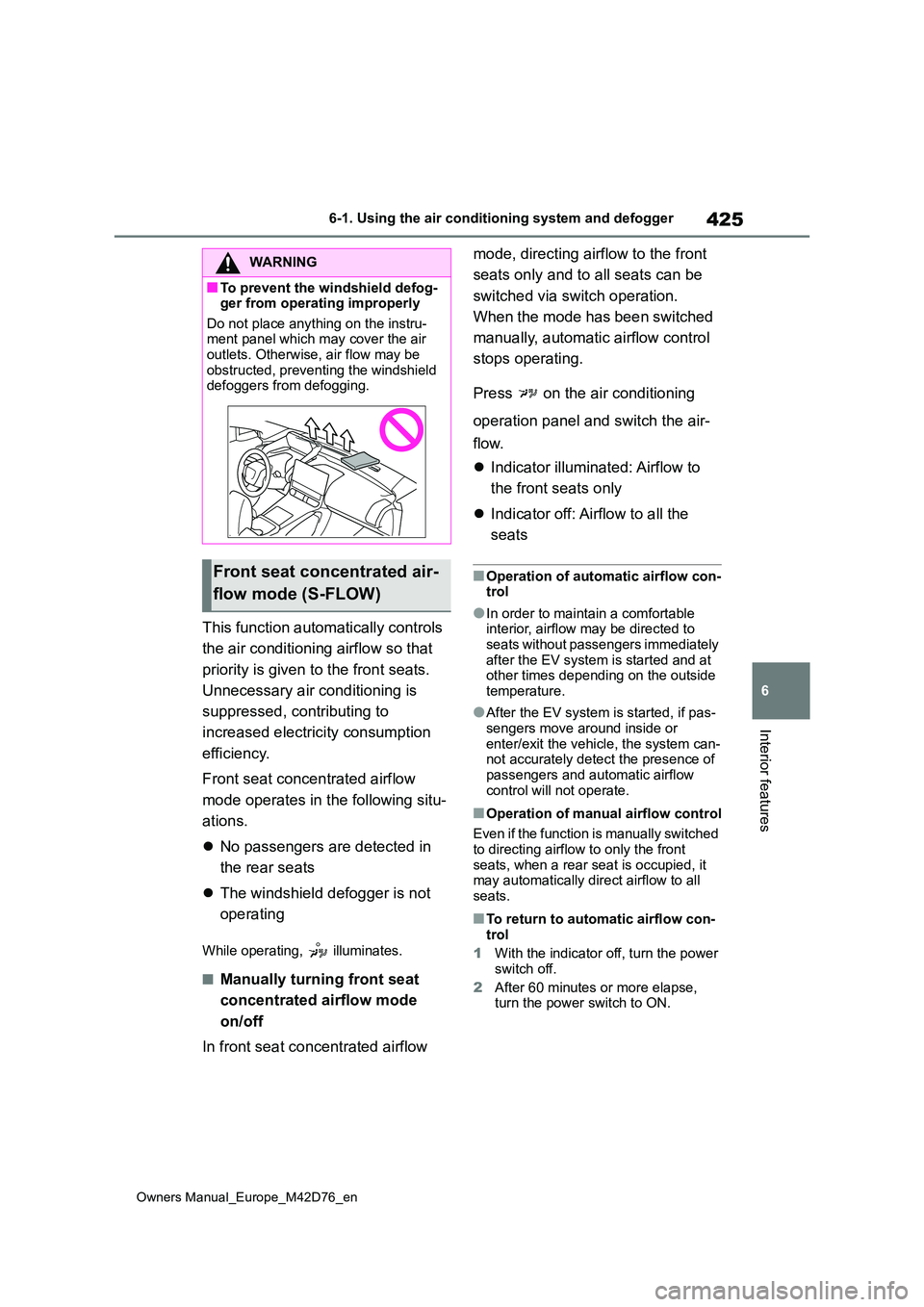
■To prevent the windshield defog-ger from operating improperly
Do not place anything on the instru- ment panel which may cover the air outlets. Otherwise, air flow may be
obstructed, preventing the windshield defoggers from defogging.
Front seat concentrated air-
flow mode (S-FLOW)
Page 428 of 674
426
Owners Manual_Europe_M42D76_en
6-1. Using the air conditioning system and defogger
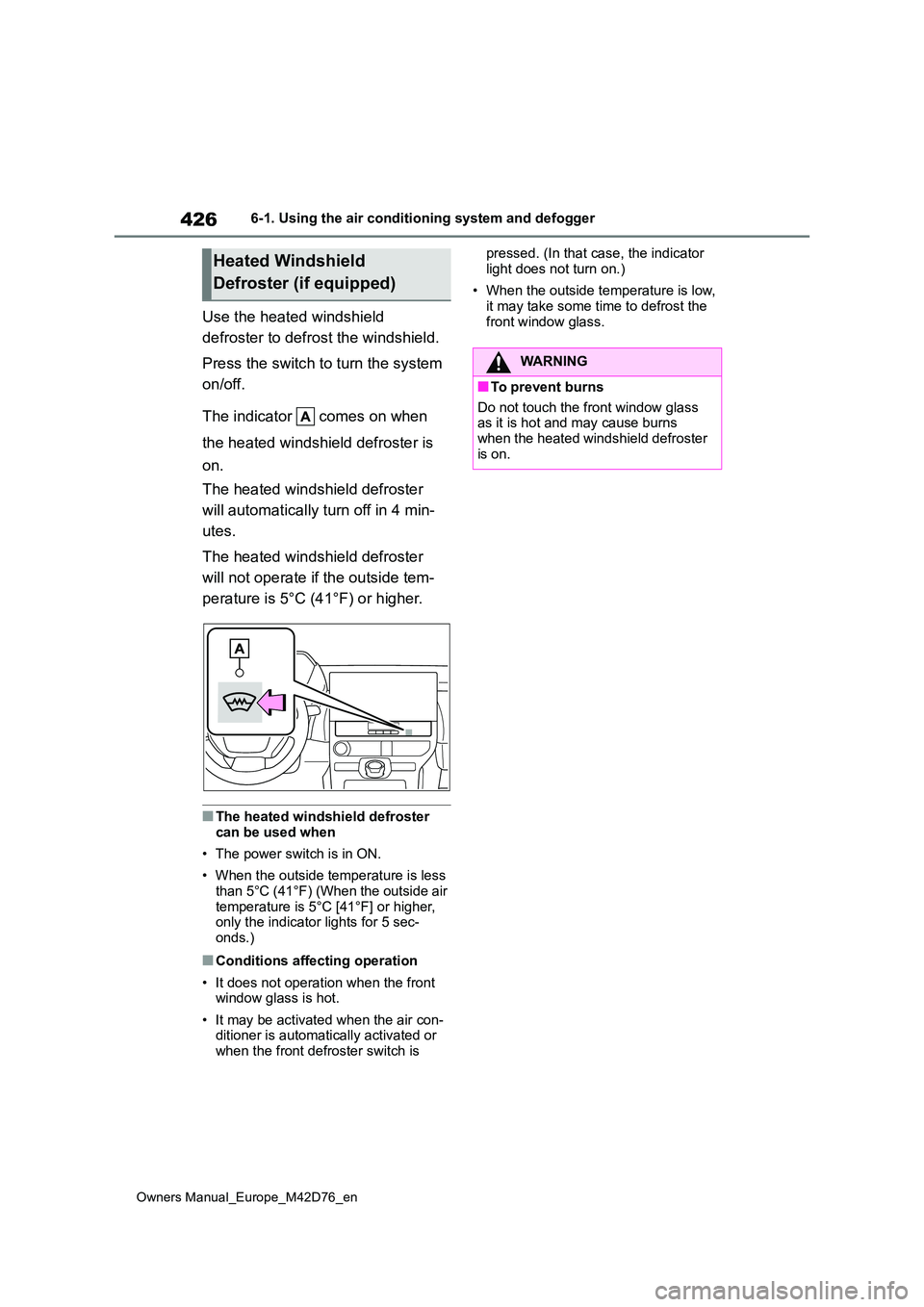
Use the heated windshield
defroster to defrost the windshield.
Press the switch to turn the system
on/off.
The indicator comes on when
the heated windshield defroster is
on.
The heated windshield defroster
will automatically turn off in 4 min-
utes.
The heated windshield defroster
will not operate if the outside tem-
perature is 5°C (41°F) or higher.
■The heated windshield defroster
can be used when
• The power switch is in ON.
• When the outside temperature is less than 5°C (41°F) (When the outside air
temperature is 5°C [41°F] or higher, only the indicator lights for 5 sec-onds.)
■Conditions affecting operation
• It does not operation when the front window glass is hot.
• It may be activated when the air con- ditioner is automatically activated or
when the front defroster switch is
pressed. (In that case, the indicator
light does not turn on.)
• When the outside temperature is low,
it may take some time to defrost the front window glass.
Heated Windshield
Defroster (if equipped)
WARNING
■To prevent burns
Do not touch the front window glass as it is hot and may cause burns when the heated windshield defroster
is on.
Page 430 of 674
428
Owners Manual_Europe_M42D76_en
6-1. Using the air conditioning system and defogger
normal air conditioning operation. Also,
the outside of the windshield may fog up due to the outside temperature, humidity or air conditioning set temperature.
■Security feature
Any unlocked doors will be automatically locked when the system is operating. The emergency flashers flash to indicate
that the doors have been locked.
■Conditions affecting operation
P. 2 0 4
■While the Remote Air Conditioning System is operating
●Depending on the operating condition of the Remote Air Conditioning Sys-
tem, the electric fan may spin and an operating noise may be heard.However, this does not indicate a mal-
function.
●The Remote Air Conditioning System
may stop operating temporarily if other features that use electricity (for example, the seat heater, lights, wind-
shield wipers) are in operation or if the charge level of the 12-volt battery becomes low.
●The headlights, windshield wiper, meter, etc. will not operate.
●The intrusion sensor will automatically be canceled.
■Electronic key battery depletion
P. 1 8 2
■When the electronic key battery is fully depleted
P. 4 9 9
■Customization
Setting (e.g. Operation using “A/C” on the wireless remote control) can be changed. (Customizable features:
P.572)
WARNING
■Precautions for the Remote Air Conditioning System
●Do not use the system if people are in the vehicle.Even when the system is in use, the
internal temperature may still reach a high or low level due to features such as the automatic shut-off. Chil-
dren and pets left inside the vehicle may suffer heatstroke dehydration or hypothermia, or could result in
death or serious injury.
●Depending on the surrounding envi-
ronment, signals from the wireless switch may transmit further than expected. Pay appropriate attention
to the vehicle’s surroundings and use the switch only when neces-sary.
●Do not operate “A/C” if the hood is open. The air conditioning may
operate unintentionally and objects may be drawn into the electrical cooling fan.
NOTICE
■To prevent the traction battery
from being discharged through incorrect operation
Use “A/C” only when necessary.
Page 451 of 674
449
6
Owners Manual_Europe_M42D76_en
6-4. Using the other interior features
Interior features
■The wireless charger can be oper- ated when
The power switch is in ACC or ON.
■Portable devices that can be charged
●Portable devices compatible with the Qi wireless charging standard can be charged by the wireless charger. How-
ever, compatibility with all devices which meet the Qi wireless charging
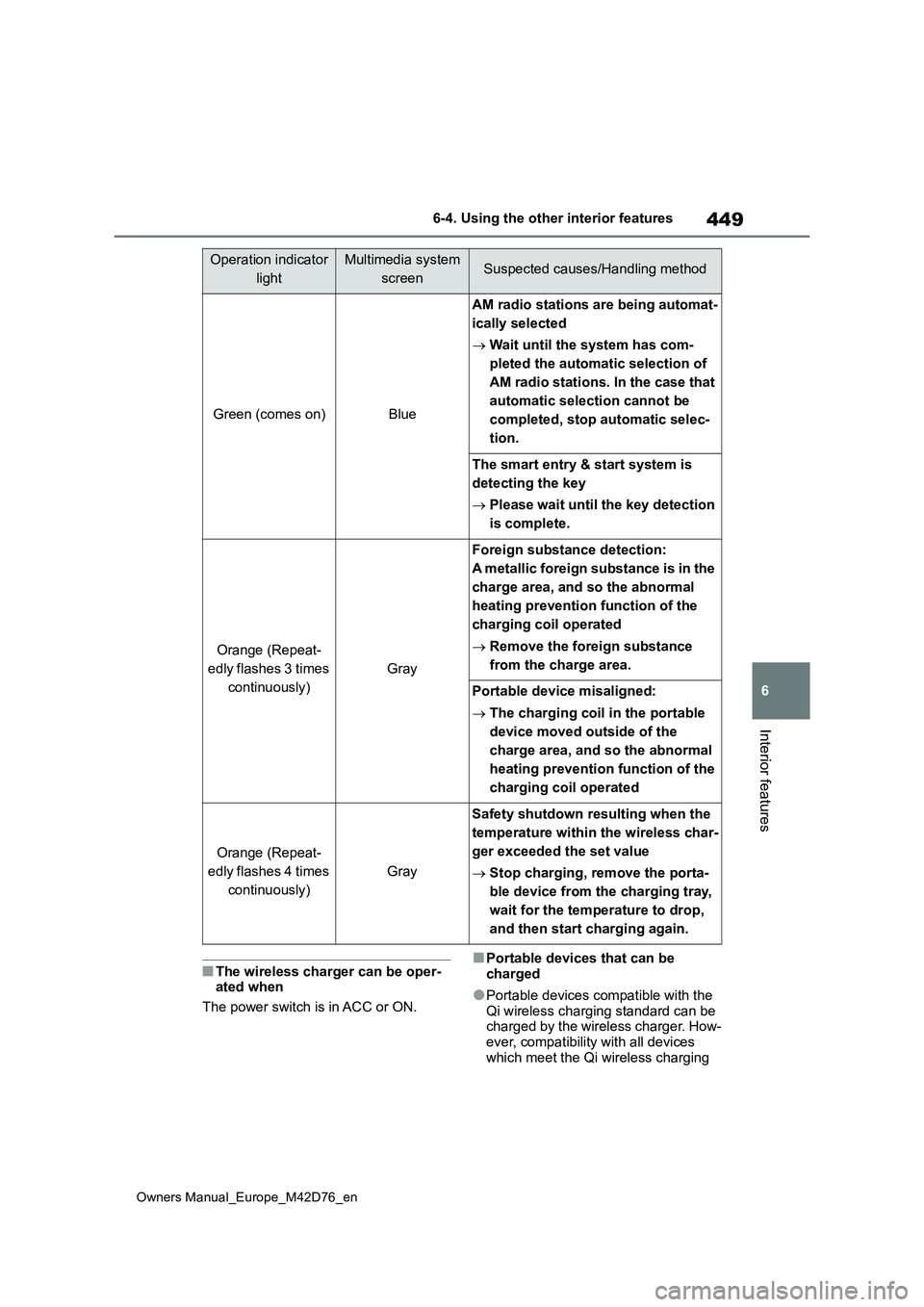
Green (comes on)Blue
AM radio stations are being automat-
ically selected
Wait until the system has com-
pleted the automatic selection of
AM radio stations. In the case that
automatic selection cannot be
completed, stop automatic selec-
tion.
The smart entry & start system is
detecting the key
Please wait until the key detection
is complete.
Orange (Repeat-
edly flashes 3 times
continuously)
Gray
Foreign substance detection:
A metallic foreign substance is in the
charge area, and so the abnormal
heating prevention function of the
charging coil operated
Remove the foreign substance
from the charge area.
Portable device misaligned:
The charging coil in the portable
device moved outside of the
charge area, and so the abnormal
heating prevention function of the
charging coil operated
Orange (Repeat-
edly flashes 4 times
continuously)
Gray
Safety shutdown resulting when the
temperature within the wireless char-
ger exceeded the set value
Stop charging, remove the porta-
ble device from the charging tray,
wait for the temperature to drop,
and then start charging again.
Operation indicator
light
Multimedia system
screenSuspected causes/Handling method
Page 453 of 674
451
6
Owners Manual_Europe_M42D76_en
6-4. Using the other interior features
Interior features
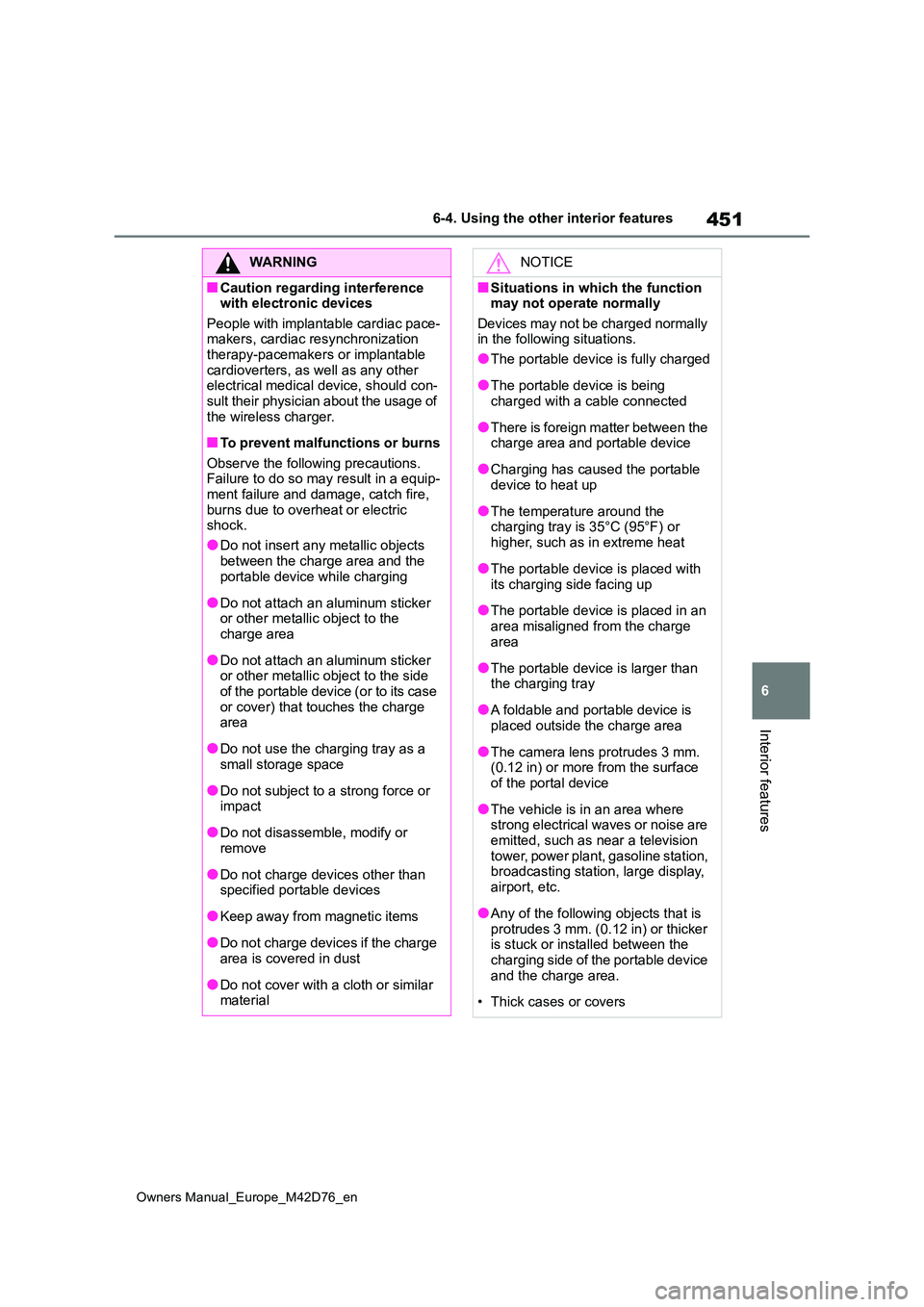
WARNING
■Caution regarding interference with electronic devices
People with implantable cardiac pace- makers, cardiac resynchronization therapy-pacemakers or implantable
cardioverters, as well as any other electrical medical device, should con-sult their physician about the usage of
the wireless charger.
■To prevent malfunctions or burns
Observe the following precautions. Failure to do so may result in a equip-ment failure and damage, catch fire,
burns due to overheat or electric shock.
●Do not insert any metallic objects
between the charge area and the portable device while charging
●Do not attach an aluminum sticker or other metallic object to the charge area
●Do not attach an aluminum sticker or other metallic object to the side
of the portable device (or to its case or cover) that touches the charge area
●Do not use the charging tray as a small storage space
●Do not subject to a strong force or impact
●Do not disassemble, modify or remove
●Do not charge devices other than specified portable devices
●Keep away from magnetic items
●Do not charge devices if the charge area is covered in dust
●Do not cover with a cloth or similar material
NOTICE
■Situations in which the function may not operate normally
Devices may not be charged normally in the following situations.
●The portable device is fully charged
●The portable device is being charged with a cable connected
●There is foreign matter between the charge area and portable device
●Charging has caused the portable device to heat up
●The temperature around the charging tray is 35°C (95°F) or
higher, such as in extreme heat
●The portable device is placed with
its charging side facing up
●The portable device is placed in an
area misaligned from the charge area
●The portable device is larger than the charging tray
●A foldable and portable device is placed outside the charge area
●The camera lens protrudes 3 mm. (0.12 in) or more from the surface of the portal device
●The vehicle is in an area where strong electrical waves or noise are
emitted, such as near a television tower, power plant, gasoline station, broadcasting station, large display,
airport, etc.
●Any of the following objects that is
protrudes 3 mm. (0.12 in) or thicker is stuck or installed between the charging side of the portable device
and the charge area.
• Thick cases or covers
Page 458 of 674
456
Owners Manual_Europe_M42D76_en
7-1. Maintenance and care
7-1.Mainte nance a nd care
Working from top to bottom, lib-
erally apply water to the vehicle
body, wheel wells and underside
of the vehicle to remove any dirt
and dust.
Wash the vehicle body using a
sponge or soft cloth, such as a
chamois.
For hard-to-remove marks, use
car wash soap and rinse thor-
oughly with water.
Wipe away any water.
Wax the vehicle when the water-
proof coating deteriorates.
If water does not bead on a clean sur-
face, apply wax when the vehicle body
is cool.
■Self-restoring coat
The vehicle body has a self-restoring coating that is resistant to small surface scratches caused in a car wash, etc.
●The coating lasts for 5 to 8 years from when the vehicle is delivered from the
plant.
●The restoration time differs depending
on the depth of the scratch and out- side temperature. The restoration time may become shorter when the coating
is warmed by applying warm water.
●Deep scratches caused by keys,
coins, etc., cannot be restored.
●Do not use wax that contain abra- sives.
■Automatic car washes
●Before washing the vehicle:• Fold the mirrors
• Turn off the power back door (if equipped)
Start washing from the front of the vehi-
cle. Extend the mirrors before driving.
●Brushes used in automatic car washes may scratch the vehicle sur-face, parts (wheel, etc.) and harm
your vehicle’s paint.
●Rear spoiler (if equipped) may not be
washable in some automatic car washes. There may also be an increased risk of damage to vehicle.
●When the shift position needs to be held in N, refer to P.251.
■High pressure car washes
As water may enter the cabin, do not bring the nozzle tip near the gaps around the doors or perimeter of the
windows, or spray these areas continu- ously.
■Note for a smart entry & start sys-tem
●If the door handle becomes wet while the electronic key is within the effec-
tive range, the door may lock and unlock repeatedly. In that case, follow the following correction procedures to
wash the vehicle: • Place the key in a position 2 m (6 ft.) or more separate from the vehicle
while the vehicle is being washed. (Take care to ensure that the key is not stolen.)
• Set the electronic key to battery-sav- ing mode to disable the smart entry & start system ( P.204)
●If the electronic key is inside the vehi- cle and a door handle becomes wet
during a car wash, a buzzer may sound outside the vehicle and “Key Detected In Vehicle” may be shown
Cleaning and protecting
the vehicle exterior
Perform cleaning in a manner
appropriate to each compo-
nent and its material.
Cleaning instructions
Page 480 of 674
478
Owners Manual_Europe_M42D76_en
7-3. Do-it-yourself maintenance
transmitters to detect low tire infla-
tion pressure before serious prob-
lems arise.
The tire pressure warning system
of this vehicle adopts a 2-type
warning system.
When “Adjust Pressure” is dis-
played (Normal Warning)
A warning with the tire pressure warn-
ing light and warning buzzer when
there is an unknown level of low tire
pressure with the appearance of the tire
due to natural air leakage as well as the
pressure lowering due to changes in
the pressure according to the outside
temperature.
When “Immediately Check tyre
when Safe” is displayed (Emer-
gency Warning)
A warning with the tire pressure warn-
ing light and warning buzzer when
there is a known level of low tire pres-
sure with the appearance of the tire due
to pressure suddenly lowering.
However, the system may not be able
to detect sudden tire ruptures (bursting,
etc.).
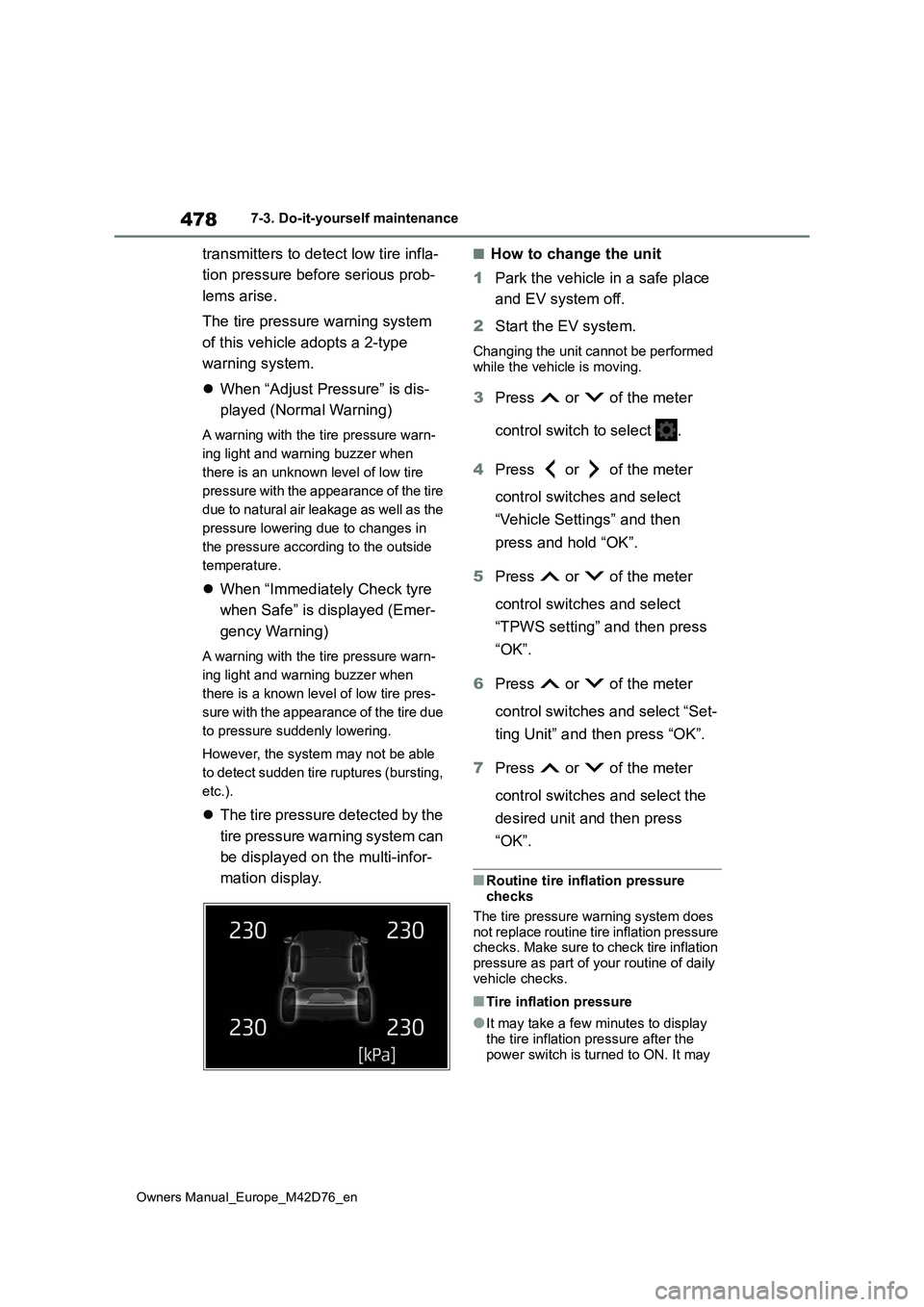
The tire pressure detected by the
tire pressure warning system can
be displayed on the multi-infor-
mation display.
■How to change the unit
1 Park the vehicle in a safe place
and EV system off.
2 Start the EV system.
Changing the unit cannot be performed
while the vehicle is moving.
3 Press or of the meter
control switch to select .
4 Press or of the meter
control switches and select
“Vehicle Settings” and then
press and hold “OK”.
5 Press or of the meter
control switches and select
“TPWS setting” and then press
“OK”.
6 Press or of the meter
control switches and select “Set-
ting Unit” and then press “OK”.
7 Press or of the meter
control switches and select the
desired unit and then press
“OK”.
■Routine tire inflation pressure checks
The tire pressure warning system does
not replace routine tire inflation pressure checks. Make sure to check tire inflation pressure as part of your routine of daily
vehicle checks.
■Tire inflation pressure
●It may take a few minutes to display
the tire inflation pressure after the power switch is turned to ON. It may
Page 519 of 674
517
8
Owners Manual_Europe_M42D76_en
8-2. Steps to take in an emergency
When trouble arises
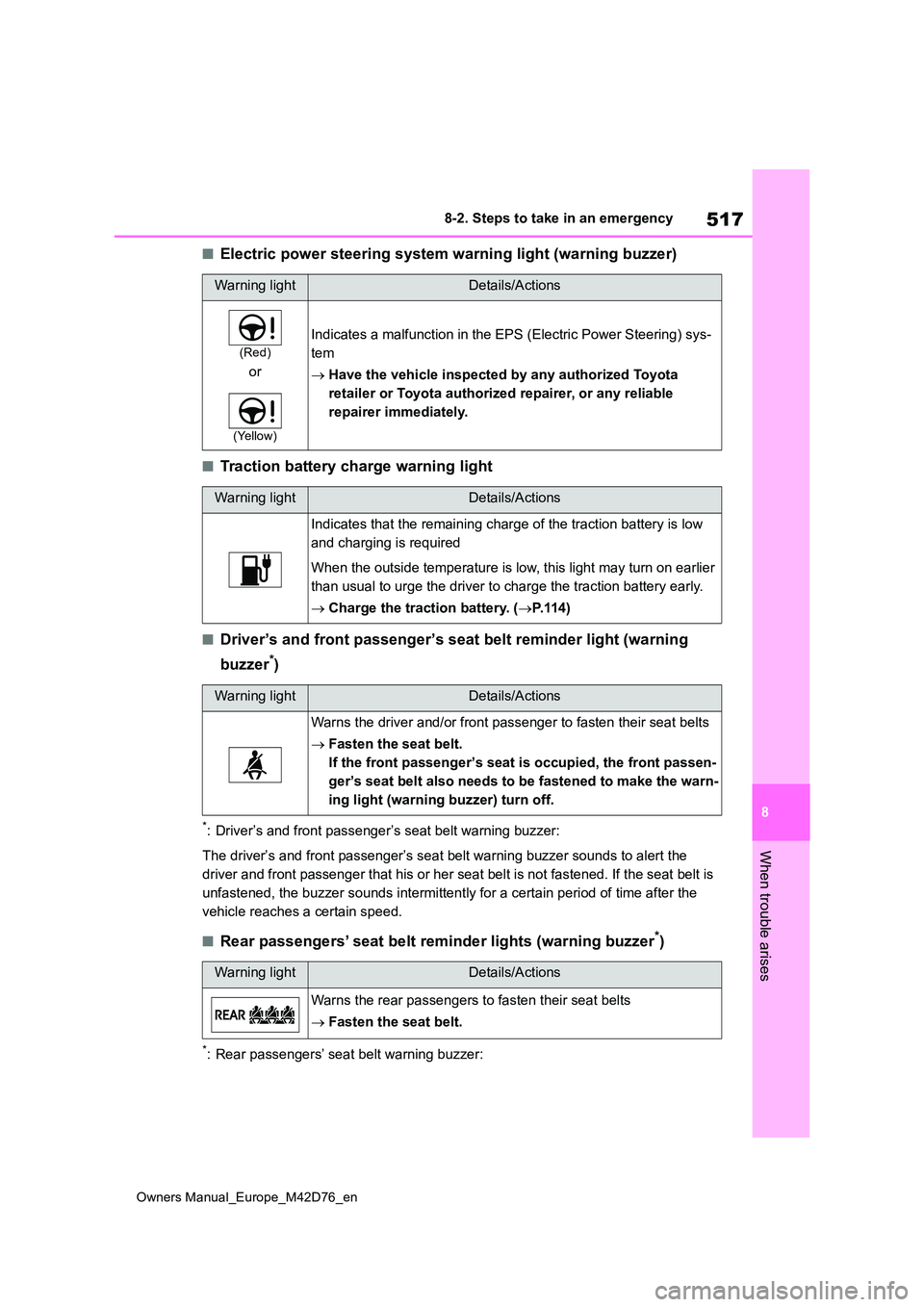
■Electric power steering system warning light (warning buzzer)
■Traction battery charge warning light
■Driver’s and front passenger’s seat belt reminder light (warning
buzzer*)
*: Driver’s and front passenger’s seat belt warning buzzer:
The driver’s and front passenger’s seat belt warning buzzer sou nds to alert the
driver and front passenger that his or her seat belt is not fas tened. If the seat belt is
unfastened, the buzzer sounds intermittently for a certain peri od of time after the
vehicle reaches a certain speed.
■Rear passengers’ seat belt reminder lights (warning buzzer*)
*: Rear passengers’ seat belt warning buzzer:
Warning lightDetails/Actions
(Red)
or
(Yellow)
Indicates a malfunction in the EPS (Electric Power Steering) sy s-
tem
Have the vehicle inspected by any authorized Toyota
retailer or Toyota authorized repairer, or any reliable
repairer immediately.
Warning lightDetails/Actions
Indicates that the remaining charge of the traction battery is low
and charging is required
When the outside temperature is low, this light may turn on ear lier
than usual to urge the driver to charge the traction battery ea rly.
Charge the traction battery. (P. 1 1 4 )
Warning lightDetails/Actions
Warns the driver and/or front passenger to fasten their seat belts
Fasten the seat belt.
If the front passenger’s seat is occupied, the front passen-
ger’s seat belt also needs to be fastened to make the warn-
ing light (warning buzzer) turn off.
Warning lightDetails/Actions
Warns the rear passengers to fasten their seat belts
Fasten the seat belt.
Page 528 of 674
526
Owners Manual_Europe_M42D76_en
8-2. Steps to take in an emergency
vehicles, etc., nearby.
■If “System Stopped Front Radar Sensor Out of Temp. Range Wait
until Normal Temperature” is dis- played
Indicates one of the following systems is
disabled.
●PCS (Pre-Collision System)
●LDA (Lane Departure Alert)
●LTA (Lane Tracing Assist)
●AHB (Automatic High Beam) (if
equipped)
●AHS (Adaptive High-beam System) (if
equipped)
●Dynamic radar cruise control
●Speed limiter (if equipped)
●RSA (Road Sign Assist)
Follow the following correction methods.
• The temperature of the radar sensor is outside of the operating range. Wait for the temperature to become appro-
priate.
■If “System Stopped Front Radar In Self Calibration See Owner’s Man-ual” is displayed
Indicates one of the following systems is disabled.
●PCS (Pre-Collision System)
●LDA (Lane Departure Alert)
●LTA (Lane Tracing Assist)
●AHB (Automatic High Beam) (if equipped)
●AHS (Adaptive High-beam System) (if equipped)
●Dynamic radar cruise control
●Speed limiter (if equipped)
●RSA (Road Sign Assist)
Follow the following correction methods.
• Check if there is any foreign matter attached to the radar sensor or radar
sensor cover and clean them if neces- sary ( P.277)
• The radar sensor may be misaligned
and will be adjusted automatically while driving. Continue driving for a while.
■If “Cruise Control Unavailable See
Owner’s Manual” is displayed
Indicates one of the following systems is disabled.
●Dynamic radar cruise control
●Cruise control
A message is displayed when the driv-
ing assist switch is pushed repeatedly.
Press the driving assist switch quickly
and firmly.
■If “Speed Limiter Unavailable See
Owner’s Manual” is displayed (if equipped)
This message may be displayed when
the shift position is in R.
Shift the shift position to D.
A message is displayed when the driv-
ing assist switch is pushed repeatedly.
Press the driving assist switch quickly and firmly.
■If “Driver Monitor Unavailable See
Owner’s Manual” is displayed
The lens of the driver monitor camera may be dirty.
When there is dirt on the camera lens, clean it with a dry, soft cloth so as not to damage it.
■If “System Stopped Driver Monitor
Out of Temperature” is displayed
Indicates one of the following systems is disabled.
●Driver Monitor
The temperature of the driver monitor is
outside of the operating range. Wait for
the temperature to become appropriate.
Page 533 of 674
531
8
Owners Manual_Europe_M42D76_en
8-2. Steps to take in an emergency
When trouble arises
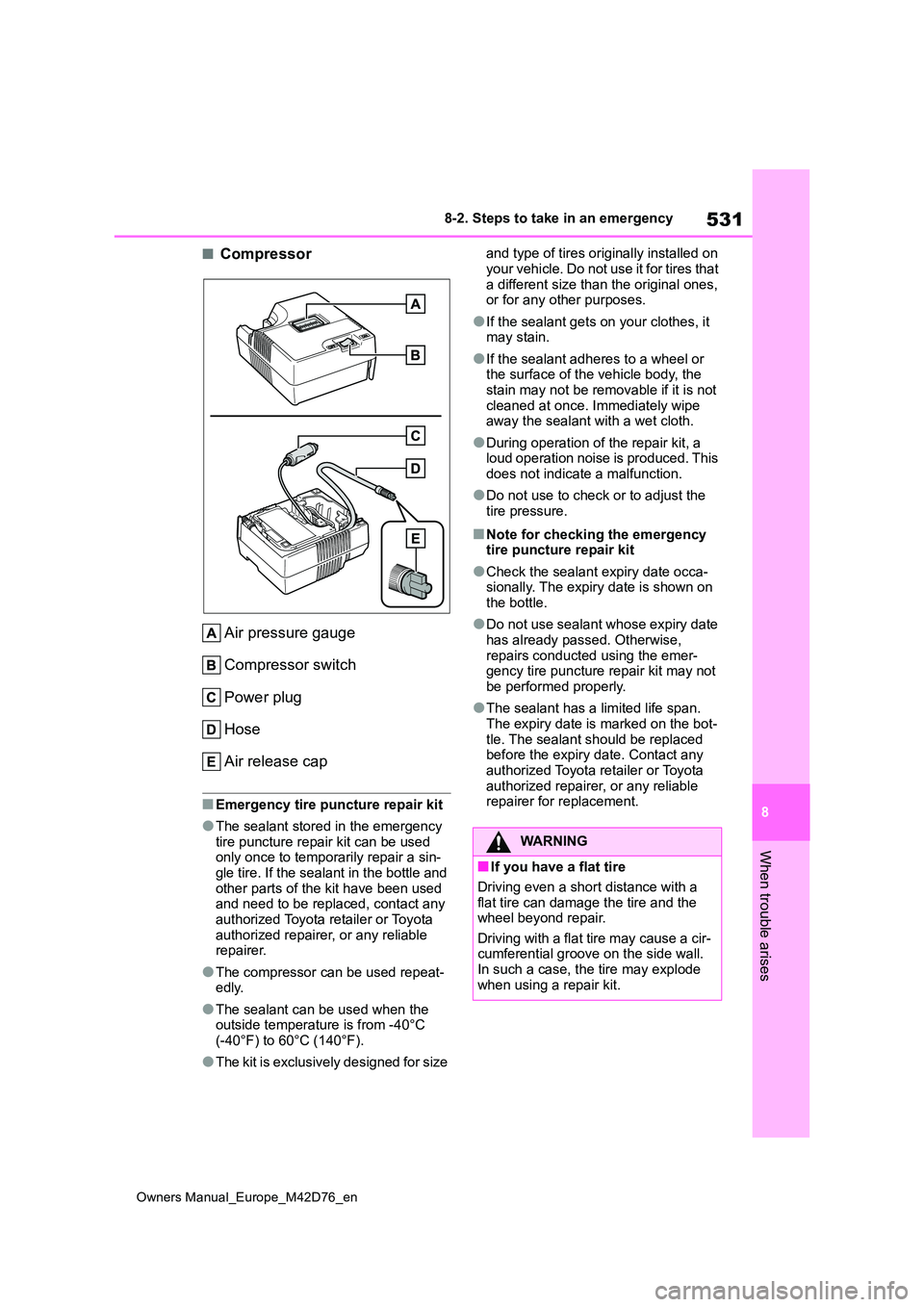
■Compressor
Air pressure gauge
Compressor switch
Power plug
Hose
Air release cap
■Emergency tire puncture repair kit
●The sealant stored in the emergency tire puncture repair kit can be used only once to temporarily repair a sin-
gle tire. If the sealant in the bottle and other parts of the kit have been used and need to be replaced, contact any
authorized Toyota retailer or Toyota authorized repairer, or any reliable repairer.
●The compressor can be used repeat-edly.
●The sealant can be used when the outside temperature is from -40°C
(-40°F) to 60°C (140°F).
●The kit is exclusively designed for size
and type of tires originally installed on
your vehicle. Do not use it for tires that a different size than the original ones, or for any other purposes.
●If the sealant gets on your clothes, it may stain.
●If the sealant adheres to a wheel or the surface of the vehicle body, the
stain may not be removable if it is not cleaned at once. Immediately wipe away the sealant with a wet cloth.
●During operation of the repair kit, a loud operation noise is produced. This
does not indicate a malfunction.
●Do not use to check or to adjust the
tire pressure.
■Note for checking the emergency tire puncture repair kit
●Check the sealant expiry date occa-sionally. The expiry date is shown on the bottle.
●Do not use sealant whose expiry date has already passed. Otherwise,
repairs conducted using the emer- gency tire puncture repair kit may not be performed properly.
●The sealant has a limited life span. The expiry date is marked on the bot-
tle. The sealant should be replaced before the expiry date. Contact any authorized Toyota retailer or Toyota
authorized repairer, or any reliable repairer for replacement.
WARNING
■If you have a flat tire
Driving even a short distance with a flat tire can damage the tire and the wheel beyond repair.
Driving with a flat tire may cause a cir- cumferential groove on the side wall. In such a case, the tire may explode
when using a repair kit.