intrusion TOYOTA BZ4X 2022 Owners Manual (in English)
[x] Cancel search | Manufacturer: TOYOTA, Model Year: 2022, Model line: BZ4X, Model: TOYOTA BZ4X 2022Pages: 674, PDF Size: 120.02 MB
Page 24 of 674
22
Owners Manual_Europe_M42D76_en
Pictorial index
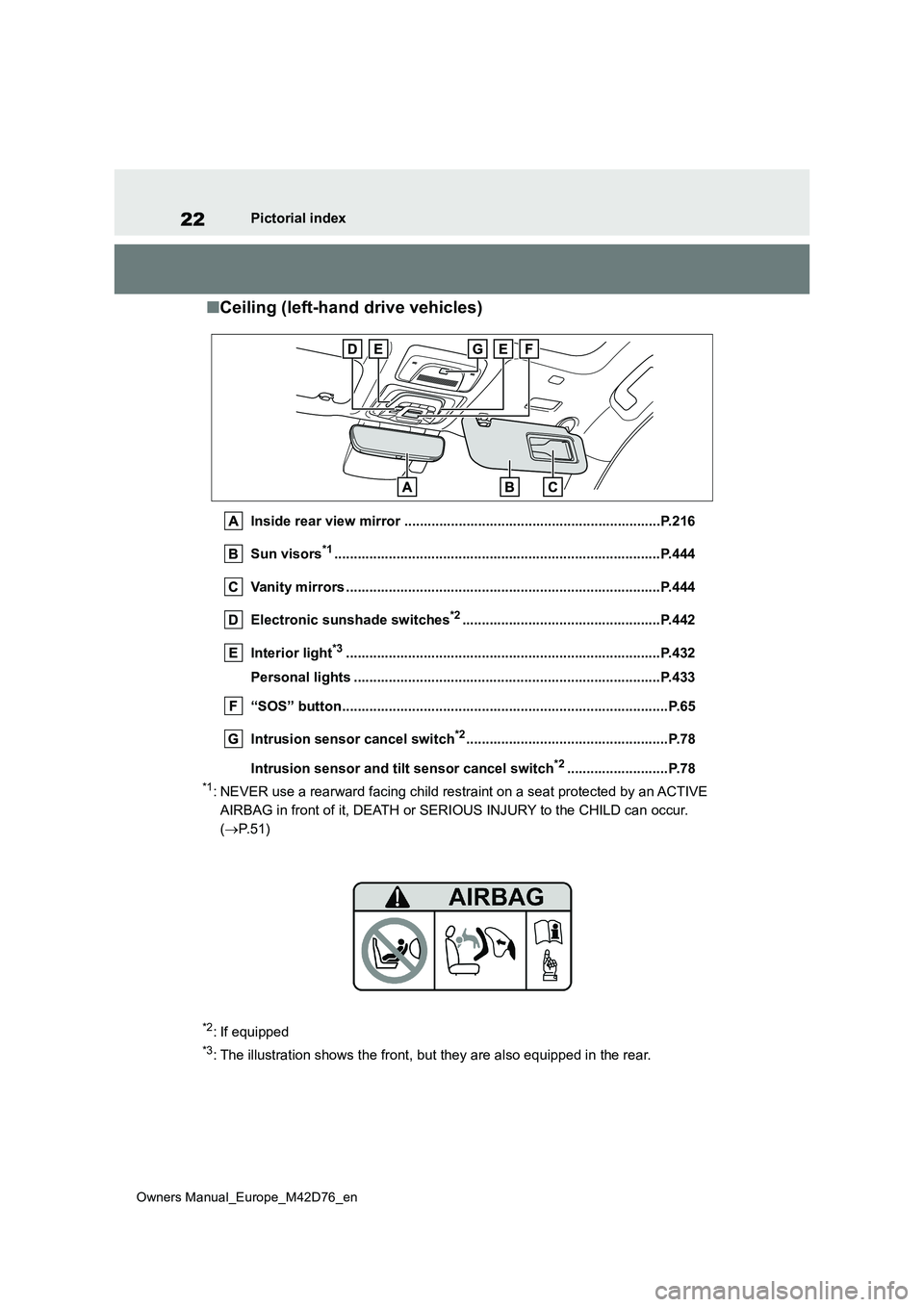
■Ceiling (left-hand drive vehicles)
Inside rear view mirror ..................................................................P.216
Sun visors*1............................................................... .....................P.444
Vanity mirrors ................................................. ................................P.444
Electronic sunshade switches*2...................................................P.442
Interior light*3............................................................... ..................P.432
Personal lights ................................................ ...............................P.433
“SOS” button................................................... .................................P.65
Intrusion sensor cancel switch*2....................................................P.78
Intrusion sensor and tilt sensor cancel switch*2..........................P.78
*1: NEVER use a rearward facing child restraint on a seat protecte d by an ACTIVE
AIRBAG in front of it, DEATH or SERIOUS INJURY to the CHILD can occur.
( P.51)
*2: If equipped
*3: The illustration shows the front, but they are also equipped in the rear.
Page 31 of 674
29
Owners Manual_Europe_M42D76_en
Pictorial index
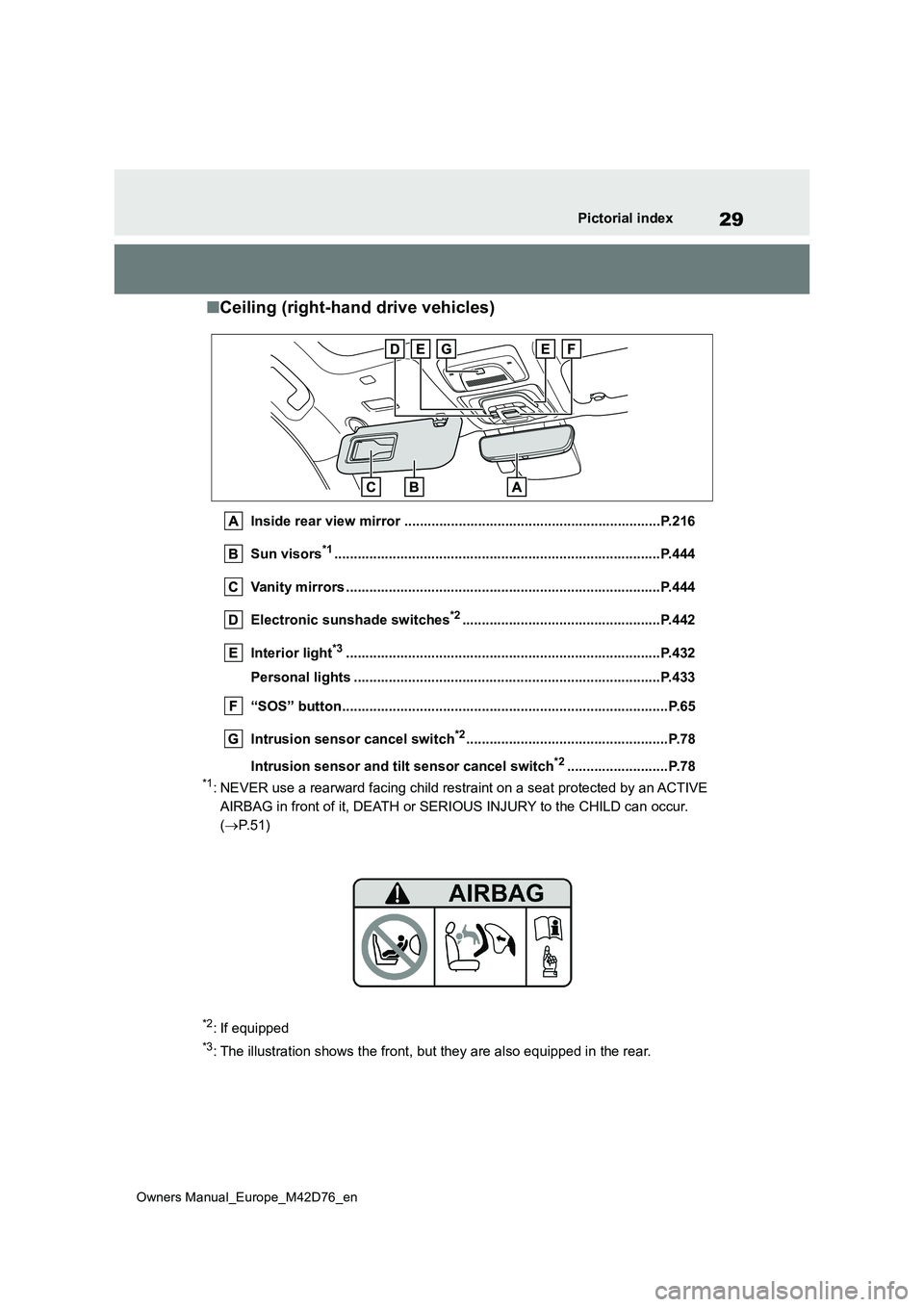
■Ceiling (right-hand drive vehicles)
Inside rear view mirror ..................................................................P.216
Sun visors*1............................................................... .....................P.444
Vanity mirrors ................................................. ................................P.444
Electronic sunshade switches*2...................................................P.442
Interior light*3............................................................... ..................P.432
Personal lights ................................................ ...............................P.433
“SOS” button................................................... .................................P.65
Intrusion sensor cancel switch*2....................................................P.78
Intrusion sensor and tilt sensor cancel switch*2..........................P.78
*1: NEVER use a rearward facing child restraint on a seat protecte d by an ACTIVE
AIRBAG in front of it, DEATH or SERIOUS INJURY to the CHILD can occur.
( P.51)
*2: If equipped
*3: The illustration shows the front, but they are also equipped in the rear.
Page 79 of 674
77
1
Owners Manual_Europe_M42D76_en
1-4. Theft deterrent system
For safety and security
*: If equipped
■Items to check before locking
the vehicle
To prevent unexpected triggering of
the alarm and vehicle theft, make
sure of the following.
Nobody is in the vehicle.
The windows are closed before
the alarm is set.
No valuables or other personal
items are left in the vehicle.
■Setting
Close the doors and hood, and lock
all the doors using the entry func-
tion or wireless remote control. The
system will be set automatically
after 30 seconds.
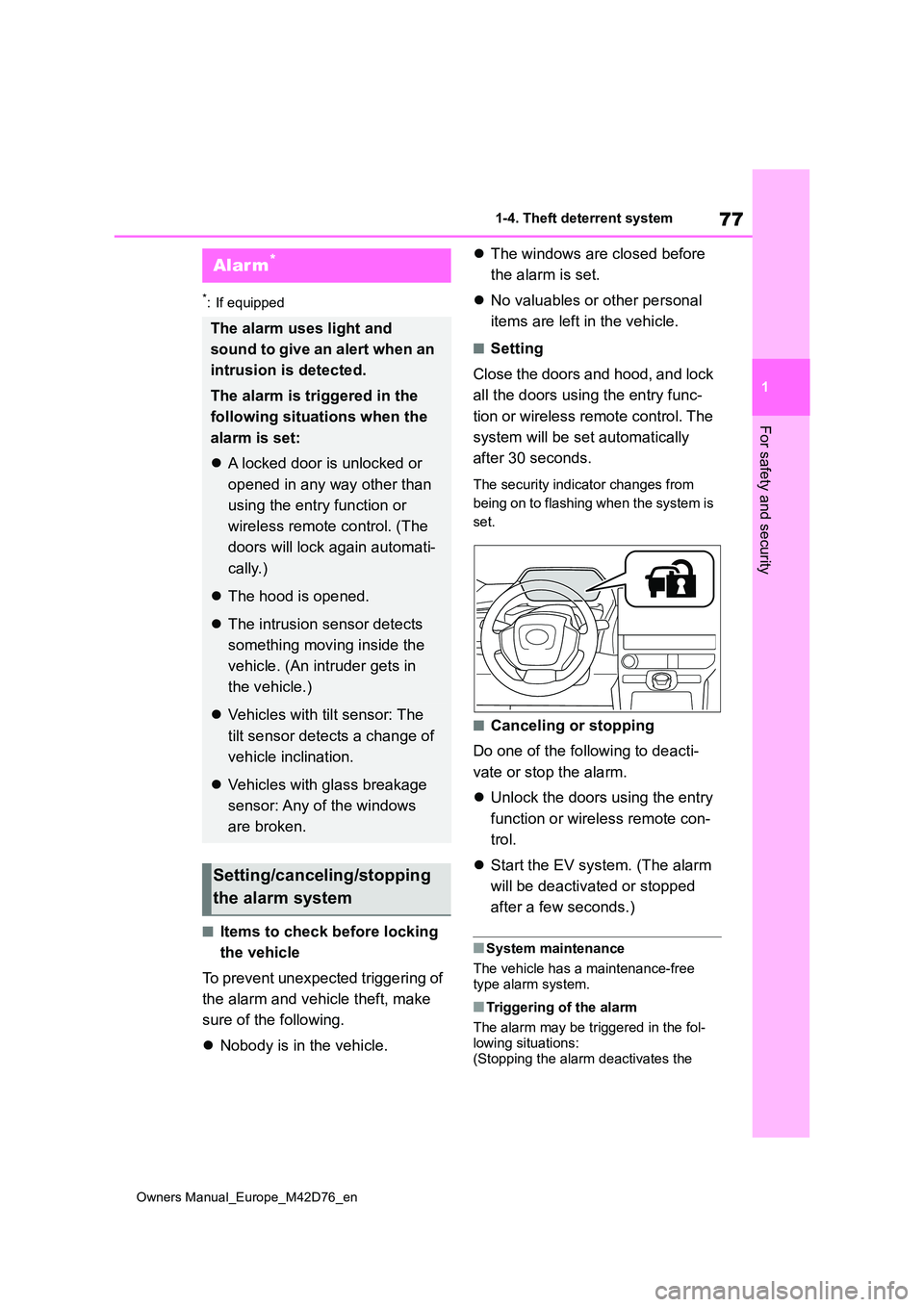
The security indicator changes from
being on to flashing when the system is
set.
■Canceling or stopping
Do one of the following to deacti-
vate or stop the alarm.
Unlock the doors using the entry
function or wireless remote con-
trol.
Start the EV system. (The alarm
will be deactivated or stopped
after a few seconds.)
■System maintenance
The vehicle has a maintenance-free type alarm system.
■Triggering of the alarm
The alarm may be triggered in the fol-
lowing situations: (Stopping the alarm deactivates the
Alarm*
The alarm uses light and
sound to give an alert when an
intrusion is detected.
The alarm is triggered in the
following situations when the
alarm is set:
A locked door is unlocked or
opened in any way other than
using the entry function or
wireless remote control. (The
doors will lock again automati-
cally.)
The hood is opened.
The intrusion sensor detects
something moving inside the
vehicle. (An intruder gets in
the vehicle.)
Vehicles with tilt sensor: The
tilt sensor detects a change of
vehicle inclination.
Vehicles with glass breakage
sensor: Any of the windows
are broken.
Setting/canceling/stopping
the alarm system
Page 80 of 674
78
Owners Manual_Europe_M42D76_en
1-4. Theft deterrent system
alarm system.)
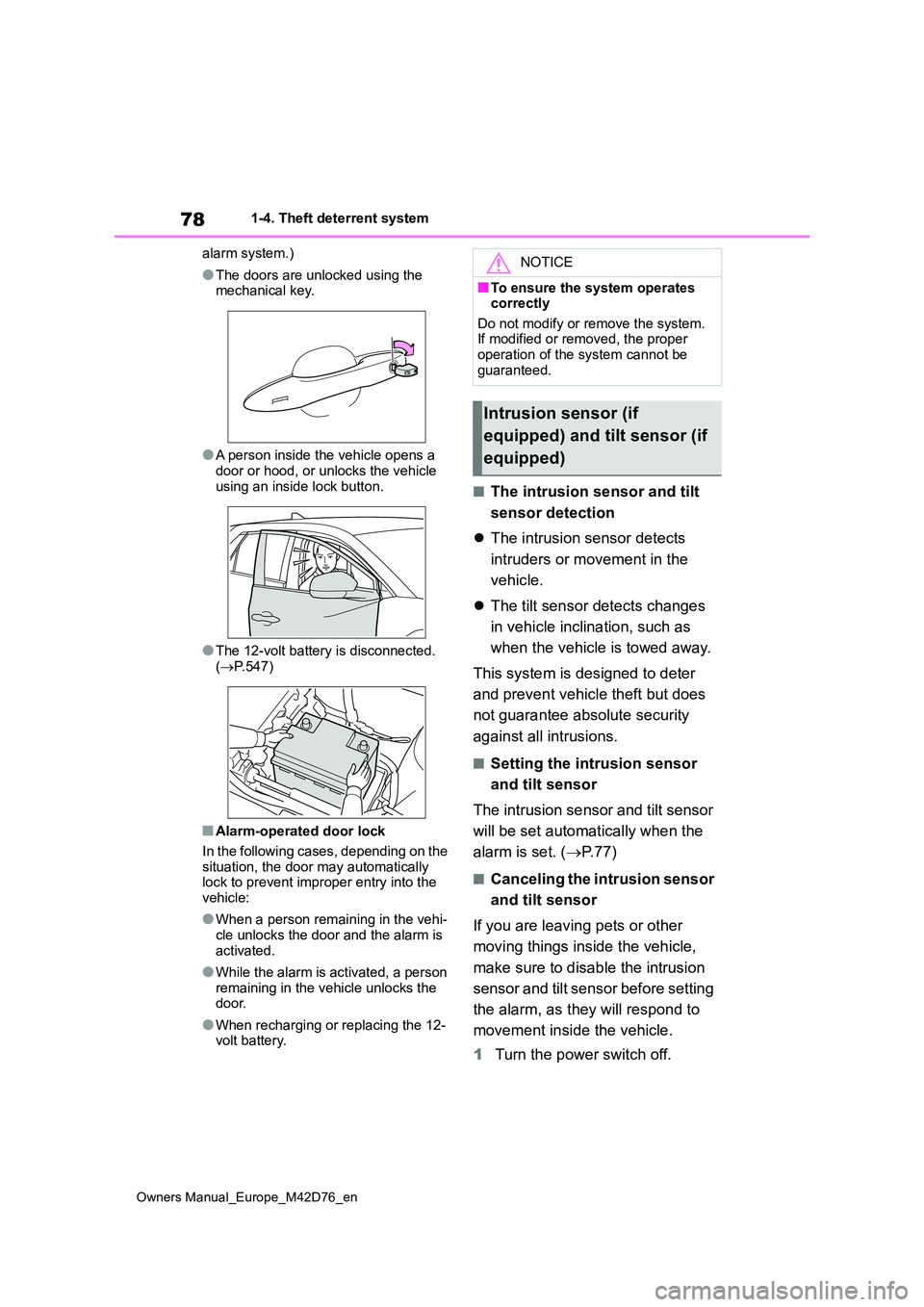
●The doors are unlocked using the mechanical key.
●A person inside the vehicle opens a door or hood, or unlocks the vehicle
using an inside lock button.
●The 12-volt battery is disconnected.
( P.547)
■Alarm-operated door lock
In the following cases, depending on the situation, the door may automatically lock to prevent improper entry into the
vehicle:
●When a person remaining in the vehi-
cle unlocks the door and the alarm is activated.
●While the alarm is activated, a person remaining in the vehicle unlocks the door.
●When recharging or replacing the 12-volt battery.
■The intrusion sensor and tilt
sensor detection
The intrusion sensor detects
intruders or movement in the
vehicle.
The tilt sensor detects changes
in vehicle inclination, such as
when the vehicle is towed away.
This system is designed to deter
and prevent vehicle theft but does
not guarantee absolute security
against all intrusions.
■Setting the intrusion sensor
and tilt sensor
The intrusion sensor and tilt sensor
will be set automatically when the
alarm is set. ( P. 7 7 )
■Canceling the intrusion sensor
and tilt sensor
If you are leaving pets or other
moving things inside the vehicle,
make sure to disable the intrusion
sensor and tilt sensor before setting
the alarm, as they will respond to
movement inside the vehicle.
1 Turn the power switch off.
NOTICE
■To ensure the system operates correctly
Do not modify or remove the system. If modified or removed, the proper operation of the system cannot be
guaranteed.
Intrusion sensor (if
equipped) and tilt sensor (if
equipped)
Page 81 of 674
79
1
Owners Manual_Europe_M42D76_en
1-4. Theft deterrent system
For safety and security
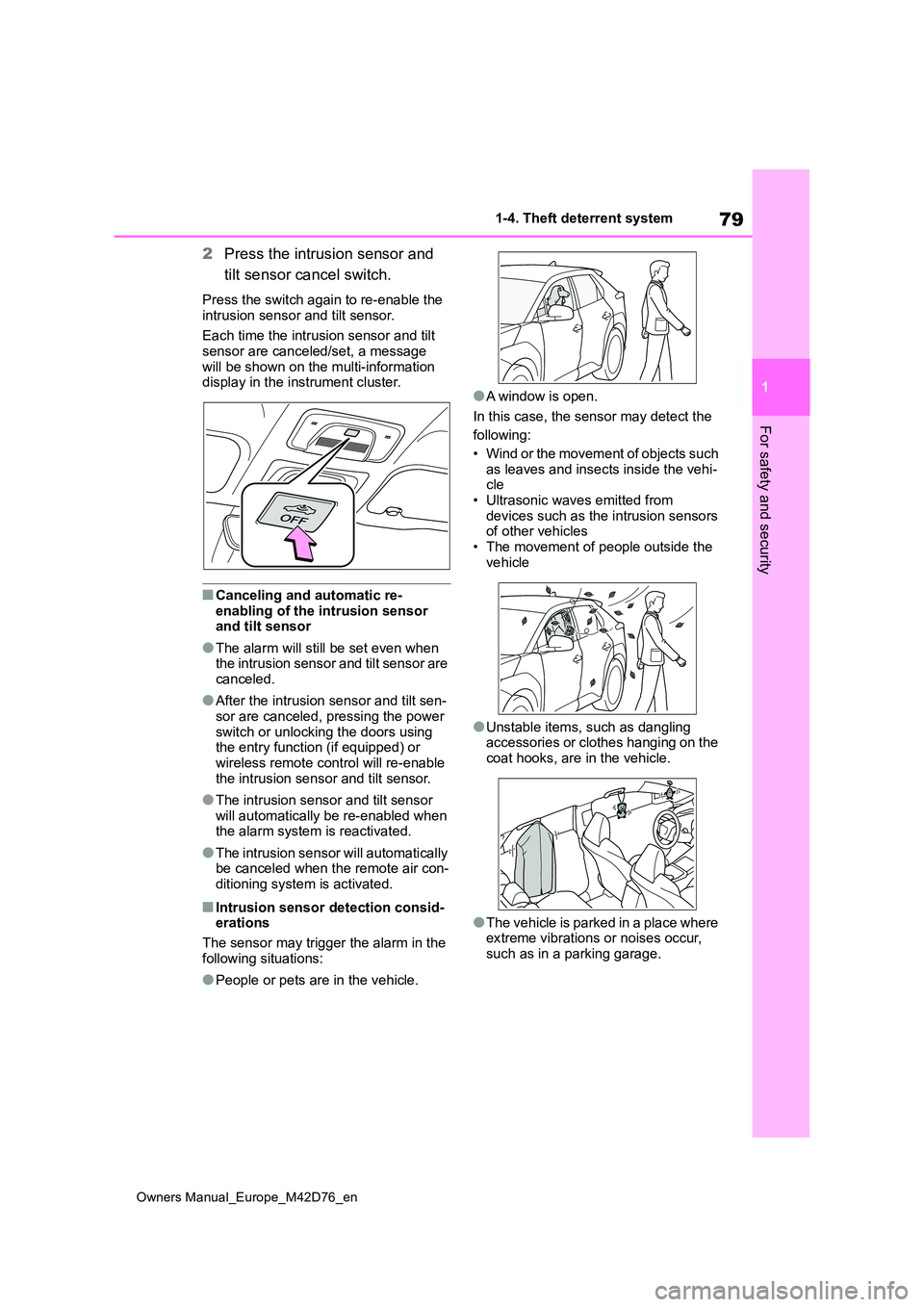
2Press the intrusion sensor and
tilt sensor cancel switch.
Press the switch again to re-enable the
intrusion sensor and tilt sensor.
Each time the intrusion sensor and tilt sensor are canceled/set, a message
will be shown on the multi-information display in the instrument cluster.
■Canceling and automatic re-
enabling of the intrusion sensor and tilt sensor
●The alarm will still be set even when the intrusion sensor and tilt sensor are canceled.
●After the intrusion sensor and tilt sen-sor are canceled, pressing the power
switch or unlocking the doors using the entry function (if equipped) or wireless remote control will re-enable
the intrusion sensor and tilt sensor.
●The intrusion sensor and tilt sensor
will automatically be re-enabled when the alarm system is reactivated.
●The intrusion sensor will automatically be canceled when the remote air con-ditioning system is activated.
■Intrusion sensor detection consid-erations
The sensor may trigger the alarm in the
following situations:
●People or pets are in the vehicle.
●A window is open.
In this case, the sensor may detect the
following:
• Wind or the movement of objects such as leaves and insects inside the vehi-cle
• Ultrasonic waves emitted from devices such as the intrusion sensors of other vehicles
• The movement of people outside the vehicle
●Unstable items, such as dangling accessories or clothes hanging on the coat hooks, are in the vehicle.
●The vehicle is parked in a place where extreme vibrations or noises occur,
such as in a parking garage.
Page 82 of 674
80
Owners Manual_Europe_M42D76_en
1-4. Theft deterrent system
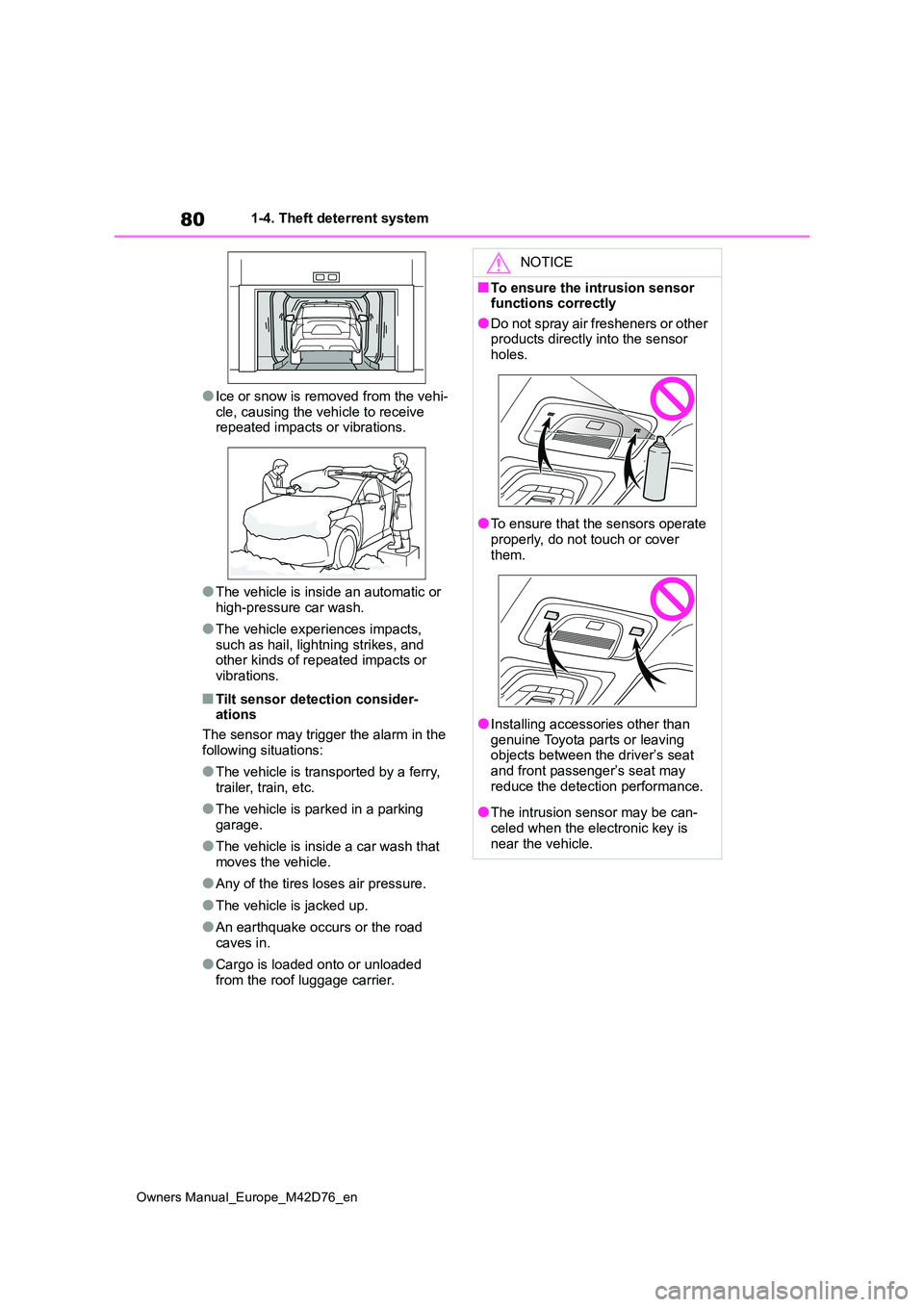
●Ice or snow is removed from the vehi-
cle, causing the vehicle to receive repeated impacts or vibrations.
●The vehicle is inside an automatic or high-pressure car wash.
●The vehicle experiences impacts, such as hail, lightning strikes, and other kinds of repeated impacts or
vibrations.
■Tilt sensor detection consider- ations
The sensor may trigger the alarm in the
following situations:
●The vehicle is transported by a ferry,
trailer, train, etc.
●The vehicle is parked in a parking
garage.
●The vehicle is inside a car wash that
moves the vehicle.
●Any of the tires loses air pressure.
●The vehicle is jacked up.
●An earthquake occurs or the road caves in.
●Cargo is loaded onto or unloaded from the roof luggage carrier.
NOTICE
■To ensure the intrusion sensor functions correctly
●Do not spray air fresheners or other products directly into the sensor holes.
●To ensure that the sensors operate properly, do not touch or cover
them.
●Installing accessories other than
genuine Toyota parts or leaving objects between the driver’s seat and front passenger’s seat may
reduce the detection performance.
●The intrusion sensor may be can-
celed when the electronic key is near the vehicle.
Page 187 of 674
185
4
Owners Manual_Europe_M42D76_en
4-2. Opening, closing and locking the doors
Before driving
4-2.Opening, closing and lo cking th e d oors
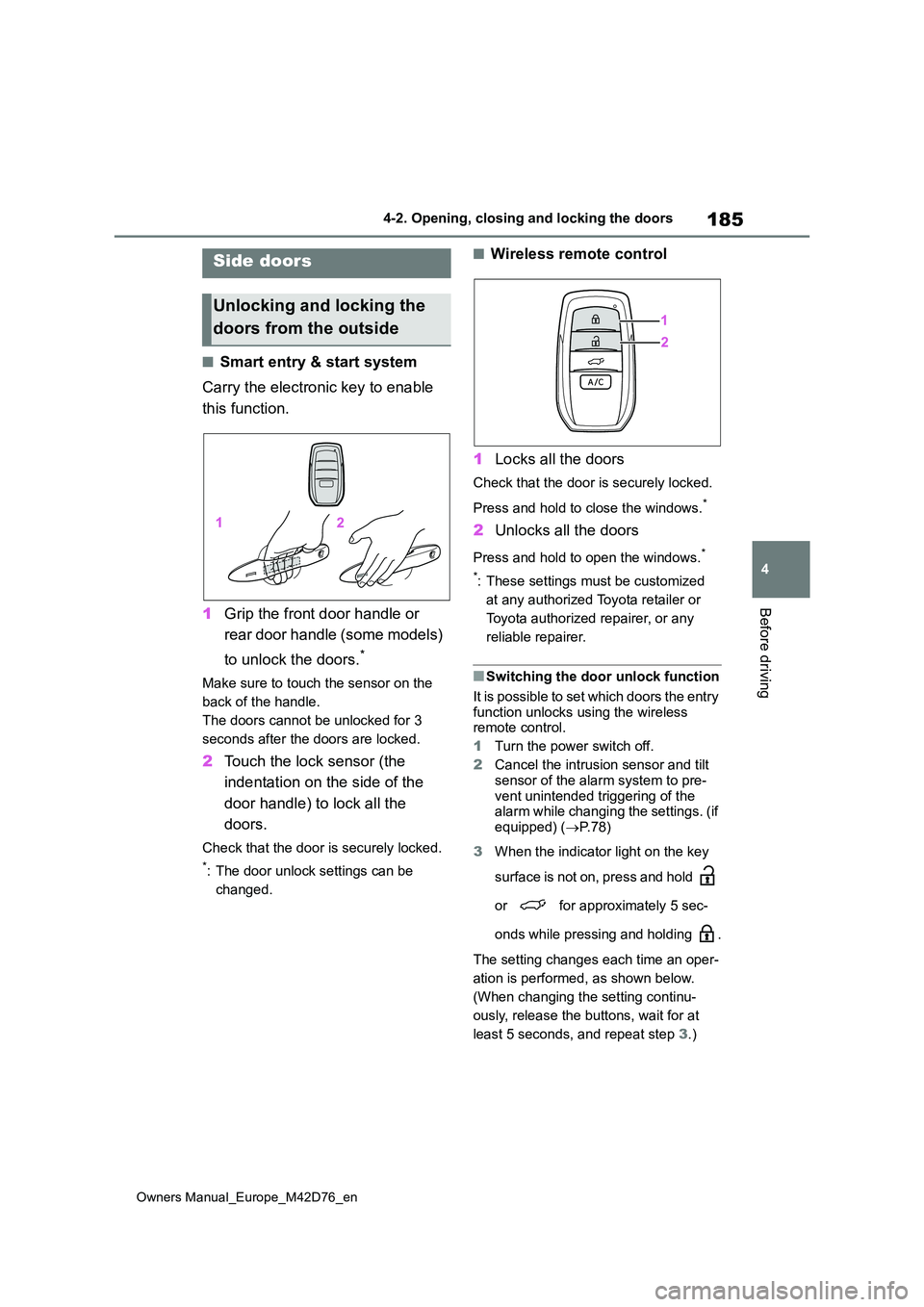
■Smart entry & start system
Carry the electronic key to enable
this function.
1 Grip the front door handle or
rear door handle (some models)
to unlock the doors.*
Make sure to touch the sensor on the
back of the handle.
The doors cannot be unlocked for 3
seconds after the doors are locked.
2 Touch the lock sensor (the
indentation on the side of the
door handle) to lock all the
doors.
Check that the door is securely locked.
*: The door unlock settings can be
changed.
■Wireless remote control
1 Locks all the doors
Check that the door is securely locked.
Press and hold to close the windows.*
2 Unlocks all the doors
Press and hold to open the windows.*
*: These settings must be customized
at any authorized Toyota retailer or
Toyota authorized repairer, or any
reliable repairer.
■Switching the door unlock function
It is possible to set which doors the entry function unlocks using the wireless remote control.
1 Turn the power switch off.
2 Cancel the intrusion sensor and tilt
sensor of the alarm system to pre- vent unintended triggering of the alarm while changing the settings. (if
equipped) ( P. 7 8 )
3 When the indicator light on the key
surface is not on, press and hold
or for approximately 5 sec-
onds while pressing and holding .
The setting changes each time an oper-
ation is performed, as shown below.
(When changing the setting continu-
ously, release the buttons, wait for at
least 5 seconds, and repeat step 3.)
Side doors
Unlocking and locking the
doors from the outside
Page 430 of 674
428
Owners Manual_Europe_M42D76_en
6-1. Using the air conditioning system and defogger
normal air conditioning operation. Also,
the outside of the windshield may fog up due to the outside temperature, humidity or air conditioning set temperature.
■Security feature
Any unlocked doors will be automatically locked when the system is operating. The emergency flashers flash to indicate
that the doors have been locked.
■Conditions affecting operation
P. 2 0 4
■While the Remote Air Conditioning System is operating
●Depending on the operating condition of the Remote Air Conditioning Sys-
tem, the electric fan may spin and an operating noise may be heard.However, this does not indicate a mal-
function.
●The Remote Air Conditioning System
may stop operating temporarily if other features that use electricity (for example, the seat heater, lights, wind-
shield wipers) are in operation or if the charge level of the 12-volt battery becomes low.
●The headlights, windshield wiper, meter, etc. will not operate.
●The intrusion sensor will automatically be canceled.
■Electronic key battery depletion
P. 1 8 2
■When the electronic key battery is fully depleted
P. 4 9 9
■Customization
Setting (e.g. Operation using “A/C” on the wireless remote control) can be changed. (Customizable features:
P.572)
WARNING
■Precautions for the Remote Air Conditioning System
●Do not use the system if people are in the vehicle.Even when the system is in use, the
internal temperature may still reach a high or low level due to features such as the automatic shut-off. Chil-
dren and pets left inside the vehicle may suffer heatstroke dehydration or hypothermia, or could result in
death or serious injury.
●Depending on the surrounding envi-
ronment, signals from the wireless switch may transmit further than expected. Pay appropriate attention
to the vehicle’s surroundings and use the switch only when neces-sary.
●Do not operate “A/C” if the hood is open. The air conditioning may
operate unintentionally and objects may be drawn into the electrical cooling fan.
NOTICE
■To prevent the traction battery
from being discharged through incorrect operation
Use “A/C” only when necessary.
Page 490 of 674
488
Owners Manual_Europe_M42D76_en
7-3. Do-it-yourself maintenance
Moment”
10 If the specified tire inflation pres-
sure of the wheel set installed
differs from that of the previous
set, it will be necessary to per-
form the tire inflation pressure
setting procedure of the tire
pressure warning system.
If the specified tire inflation pressure is
the same, it will not be necessary to perform the tire inflation pressure set-ting procedure.
11 Register the position of each
wheel.
Stop the vehicle in a safe place
on a hard, flat surface.
Set the parking brake.
Shift the shift position to P.
Turn off the intrusion sensor and
tilt sensor (if equipped) ( P. 7 8 )
Stop the EV system.
Vehicles with power back door:
Turn off the power back door
system. ( P. 2 0 2 )
■Tools
As your vehicle is equipped with an
emergency tire puncture repair kit, the following tools for replacing a tire are not included with your vehicle. They can be
purchased at any authorized Toyota retailer or Toyota authorized repairer, or any reliable repairer.
●Jack
●Jack handle
Replacing the tire
When raising your vehicle with
a jack, position the jack cor-
rectly.
Improper placement may dam-
age your vehicle or cause
injury.
If necessary tire replacement
seems difficult to perform,
contact any authorized Toyota
retailer or Toyota authorized
repairer, or any reliable
repairer.
Before jacking up the vehi-
cle
Page 587 of 674
585
Owners Manual_Europe_M42D76_en
Alphabetical Index
Retaining hooks (floor mat) .......... 32
Horn ............................................... 215
I
Identification
Electric motor (traction motor).... 555
Vehicle ....................................... 554
If the charging port lids cannot be
opened ........................................ 541
If your vehicle overheats ............. 549
Ignition switch (Power switch) .... 243
Auto power off function .............. 246
Changing power switch modes .. 246
If your vehicle has to be stopped in
an emergency .......................... 506
Starting the EV system .............. 243
Illuminated entry system ............. 431
Immobilizer system ........................ 75
Indicators ...................................... 169
Charging cable ........................... 102
Charging indicator ........................ 97
Charging indicator (CCID).......... 102
Error warning indicator ............... 102
Power indicator .......................... 102
Initialization
Electronic sunshade................... 442
Items to initialize ........................ 574
Parking Support Brake ............... 356
Power back door ........................ 198
Power window ............................ 219
Inside door handle lights ............. 431
Inside rear view mirror ................. 216
Interior lights ................................ 431
Intrusion sensor ............................. 78
Intrusion sensor and tilt sensor.... 78
ISOFIX lower anchorage ................ 62
J
Jack
Positioning a floor jack ............... 468
Vehicle-equipped jack ................ 489
Jack handle ...................................489
Jam protection function
Power back door ........................ 196
Power windows .......................... 219
K
Keyless entry ................................ 203
Smart entry & start system ......... 203
Wireless remote control ............. 183
Keys ............................................... 182
Battery-saving function............... 204
Electronic key .............................182
If the electronic key does not operate
properly .................................... 542
If you lose your keys ..................541
Key number plate .......................182
Keyless entry...................... 183, 203
Mechanical key .................. 182, 184
Power switch .............................. 243
Replacing the battery ................. 499
Warning buzzer .......................... 203
Wireless remote control ............. 183
L
Lane Departure Alert (LDA) ......... 299
Operation ...................................299
Warning lights.............................518
Lane Tracing Assist (LTA) ............294
Operation ...................................294
Warning lights.............................518
Language (multi-information dis-
play) ............................................. 178
LDA (Lane Departure Alert).......... 299
Operation ...................................299
Warning lights.............................518
Lever
Auxiliary catch lever ................... 467
Hood lock release lever.............. 467
Turn signal lever ......................... 253