key battery TOYOTA BZ4X 2022 Owners Manual (in English)
[x] Cancel search | Manufacturer: TOYOTA, Model Year: 2022, Model line: BZ4X, Model: TOYOTA BZ4X 2022Pages: 674, PDF Size: 120.02 MB
Page 3 of 674
1
6
5
4
3
2
8
7
9
Owners Manual_Europe_M42D76_en
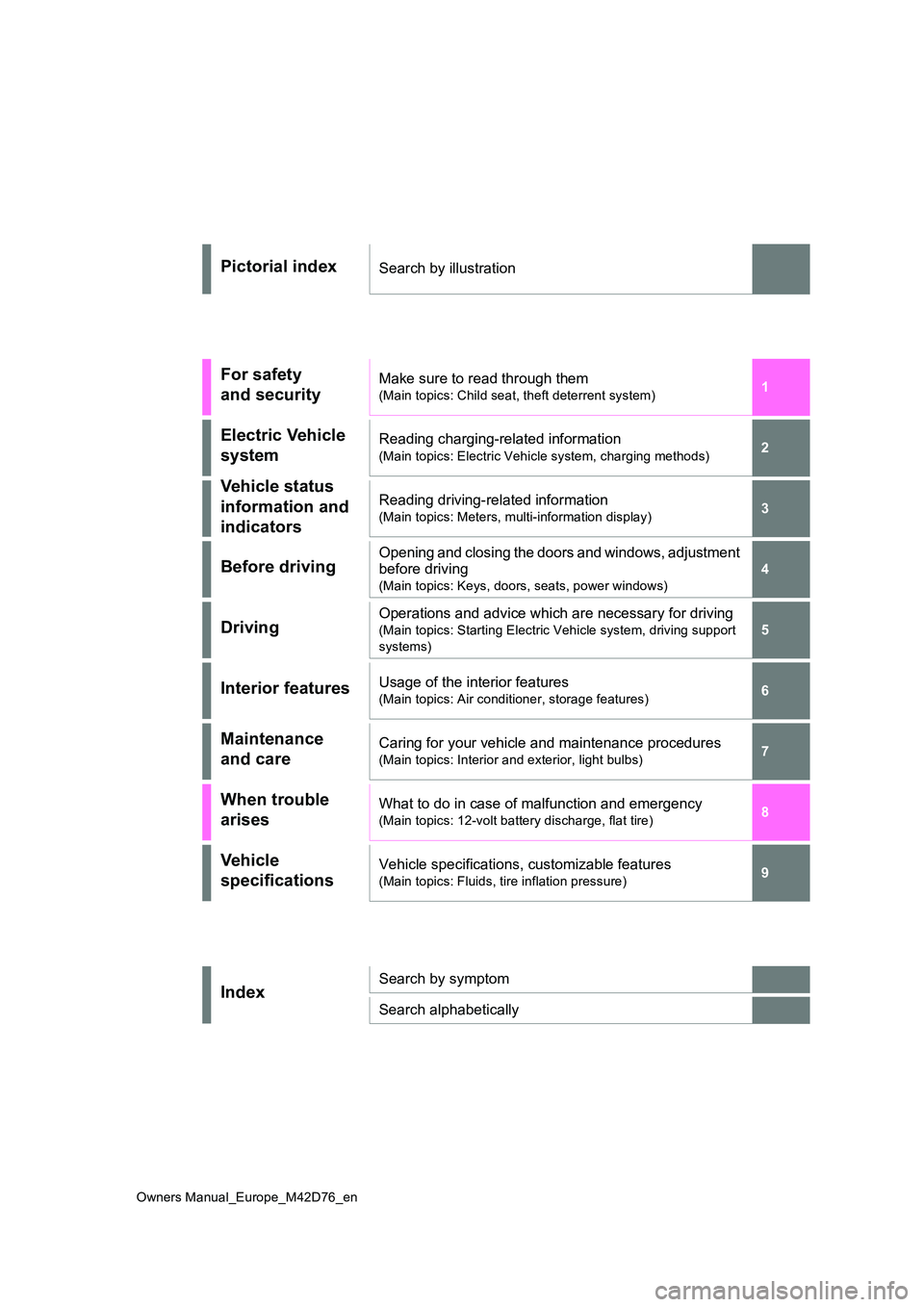
Pictorial indexSearch by illustration
For safety
and security
Make sure to read through them
(Main topics: Child seat, theft deterrent system)
Electric Vehicle
system
Reading charging-related information
(Main topics: Electric Vehicle system, charging methods)
Vehicle status
information and
indicators
Reading driving-related information
(Main topics: Meters, multi-information display)
Before drivingOpening and closing the doors and windows, adjustment
before driving
(Main topics: Keys, doors, seats, power windows)
DrivingOperations and advice which are necessary for driving
(Main topics: Starting Electric Vehicle system, driving support
systems)
Interior featuresUsage of the interior features
(Main topics: Air conditioner, storage features)
Maintenance
and care
Caring for your vehicle and maintenance procedures
(Main topics: Interior and exterior, light bulbs)
When trouble
arises
What to do in case of malfunction and emergency
(Main topics: 12-volt battery discharge, flat tire)
Vehicle
specifications
Vehicle specifications, customizable features
(Main topics: Fluids, tire inflation pressure)
IndexSearch by symptom
Search alphabetically
Page 4 of 674
2
Owners Manual_Europe_M42D76_en
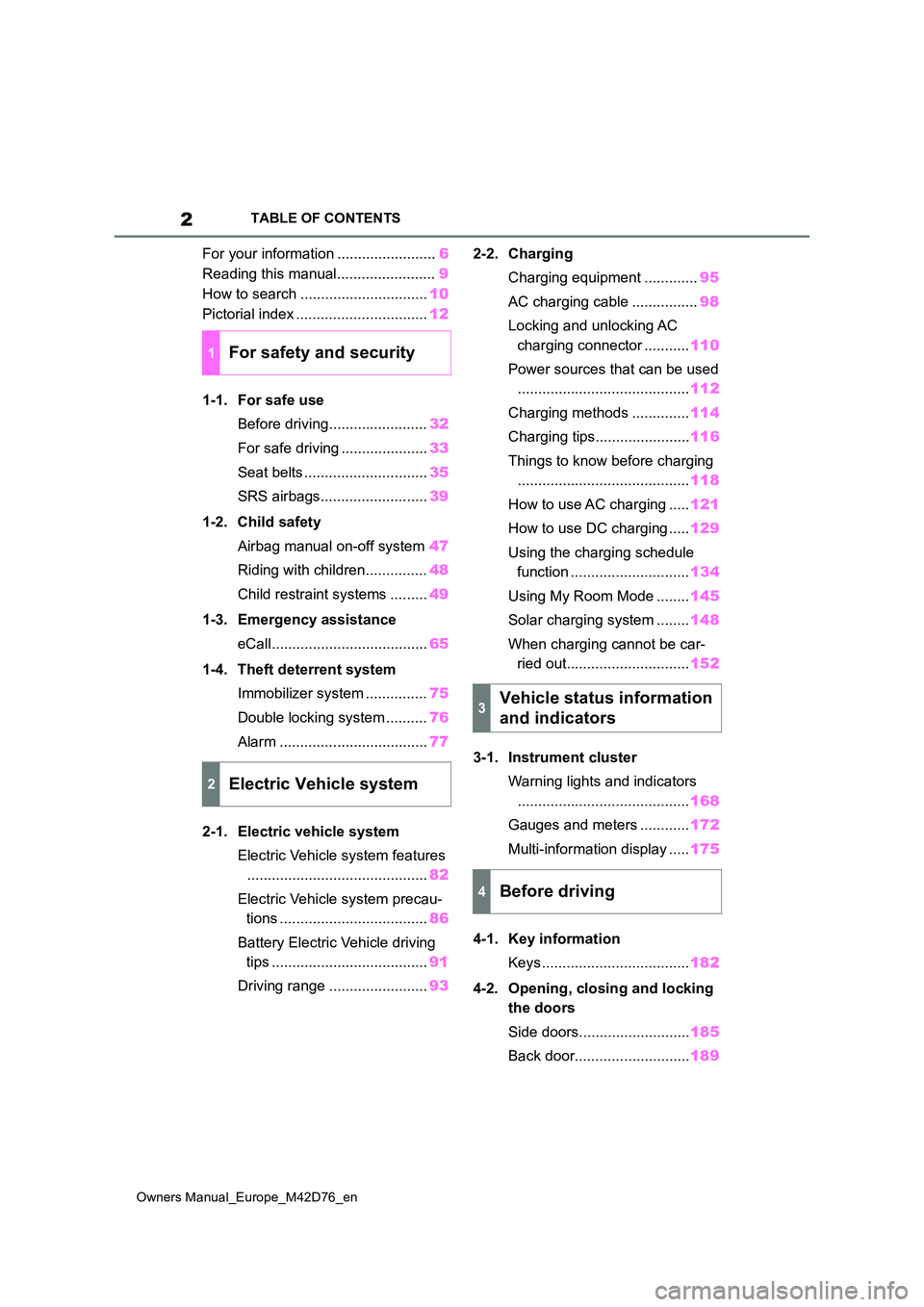
TABLE OF CONTENTS
For your information ........................6
Reading this manual........................ 9
How to search ............................... 10
Pictorial index ................................ 12
1-1. For safe use
Before driving........................ 32
For safe driving ..................... 33
Seat belts .............................. 35
SRS airbags.......................... 39
1-2. Child safety
Airbag manual on-off system 47
Riding with children............... 48
Child restraint systems ......... 49
1-3. Emergency assistance
eCall...................................... 65
1-4. Theft deterrent system
Immobilizer system ............... 75
Double locking system .......... 76
Alarm .................................... 77
2-1. Electric vehicle system
Electric Vehicle system features
............................................ 82
Electric Vehicle system precau-
tions .................................... 86
Battery Electric Vehicle driving
tips ...................................... 91
Driving range ........................ 93
2-2. Charging
Charging equipment ............. 95
AC charging cable ................ 98
Locking and unlocking AC
charging connector ........... 110
Power sources that can be used
.......................................... 112
Charging methods .............. 114
Charging tips....................... 116
Things to know before charging
.......................................... 118
How to use AC charging ..... 121
How to use DC charging ..... 129
Using the charging schedule
function ............................. 134
Using My Room Mode ........ 145
Solar charging system ........ 148
When charging cannot be car-
ried out.............................. 152
3-1. Instrument cluster
Warning lights and indicators
.......................................... 168
Gauges and meters ............ 172
Multi-information display ..... 175
4-1. Key information
Keys .................................... 182
4-2. Opening, closing and locking
the doors
Side doors........................... 185
Back door............................ 189
1For safety and security
2Electric Vehicle system
3Vehicle status information
and indicators
4Before driving
Page 7 of 674
5
Owners Manual_Europe_M42D76_en
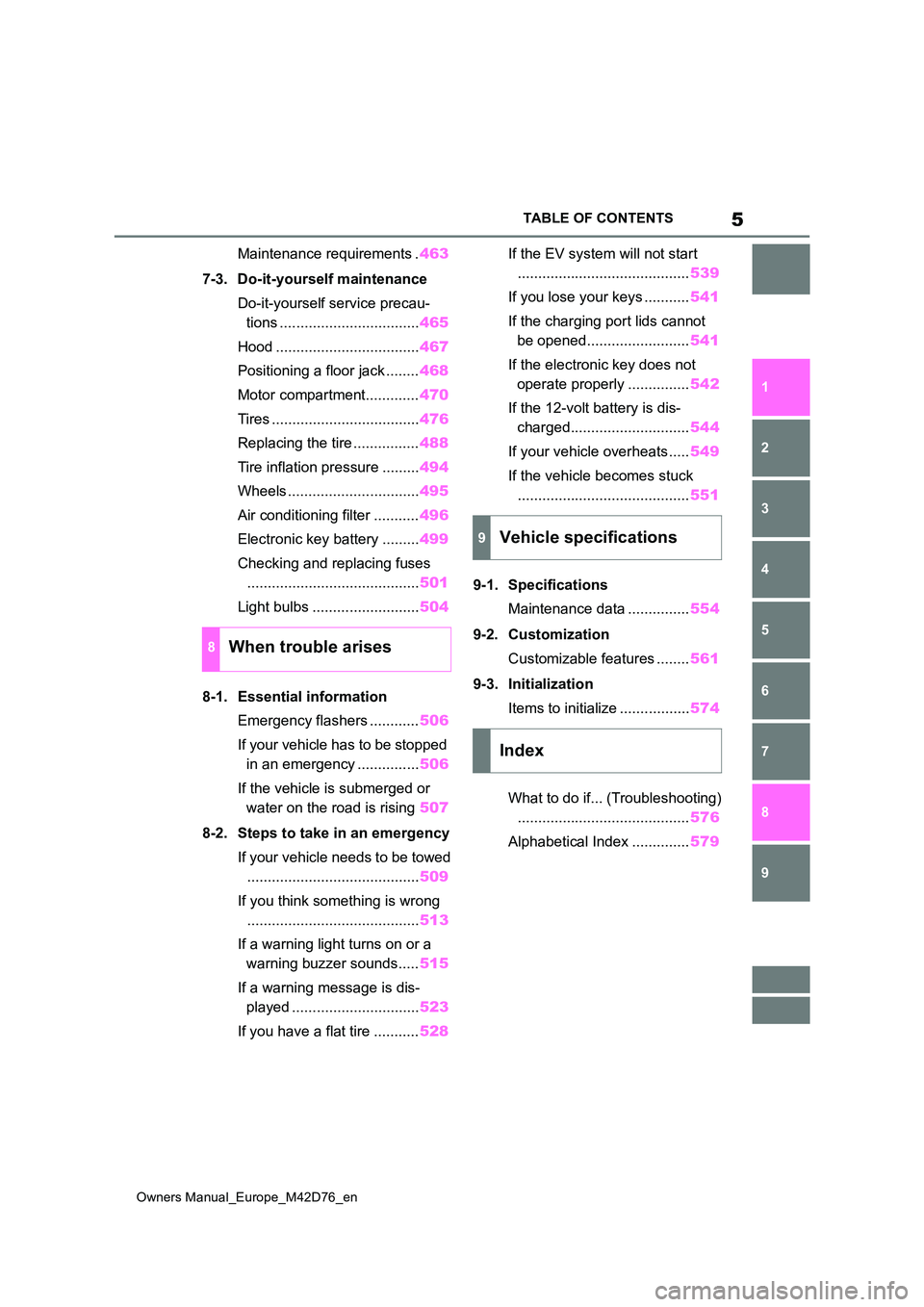
TABLE OF CONTENTS
1
6
5
4
3
2
8
7
9
Maintenance requirements . 463
7-3. Do-it-yourself maintenance
Do-it-yourself service precau-
tions .................................. 465
Hood ................................... 467
Positioning a floor jack ........ 468
Motor compartment............. 470
Tires .................................... 476
Replacing the tire ................ 488
Tire inflation pressure ......... 494
Wheels ................................ 495
Air conditioning filter ........... 496
Electronic key battery ......... 499
Checking and replacing fuses
.......................................... 501
Light bulbs .......................... 504
8-1. Essential information
Emergency flashers ............ 506
If your vehicle has to be stopped
in an emergency ............... 506
If the vehicle is submerged or
water on the road is rising 507
8-2. Steps to take in an emergency
If your vehicle needs to be towed
.......................................... 509
If you think something is wrong
.......................................... 513
If a warning light turns on or a
warning buzzer sounds..... 515
If a warning message is dis-
played ............................... 523
If you have a flat tire ........... 528
If the EV system will not start
.......................................... 539
If you lose your keys ........... 541
If the charging port lids cannot
be opened......................... 541
If the electronic key does not
operate properly ............... 542
If the 12-volt battery is dis-
charged............................. 544
If your vehicle overheats ..... 549
If the vehicle becomes stuck
.......................................... 551
9-1. Specifications
Maintenance data ............... 554
9-2. Customization
Customizable features ........ 561
9-3. Initialization
Items to initialize ................. 574
What to do if... (Troubleshooting)
.......................................... 576
Alphabetical Index .............. 579
8When trouble arises
9Vehicle specifications
Index
Page 80 of 674
78
Owners Manual_Europe_M42D76_en
1-4. Theft deterrent system
alarm system.)
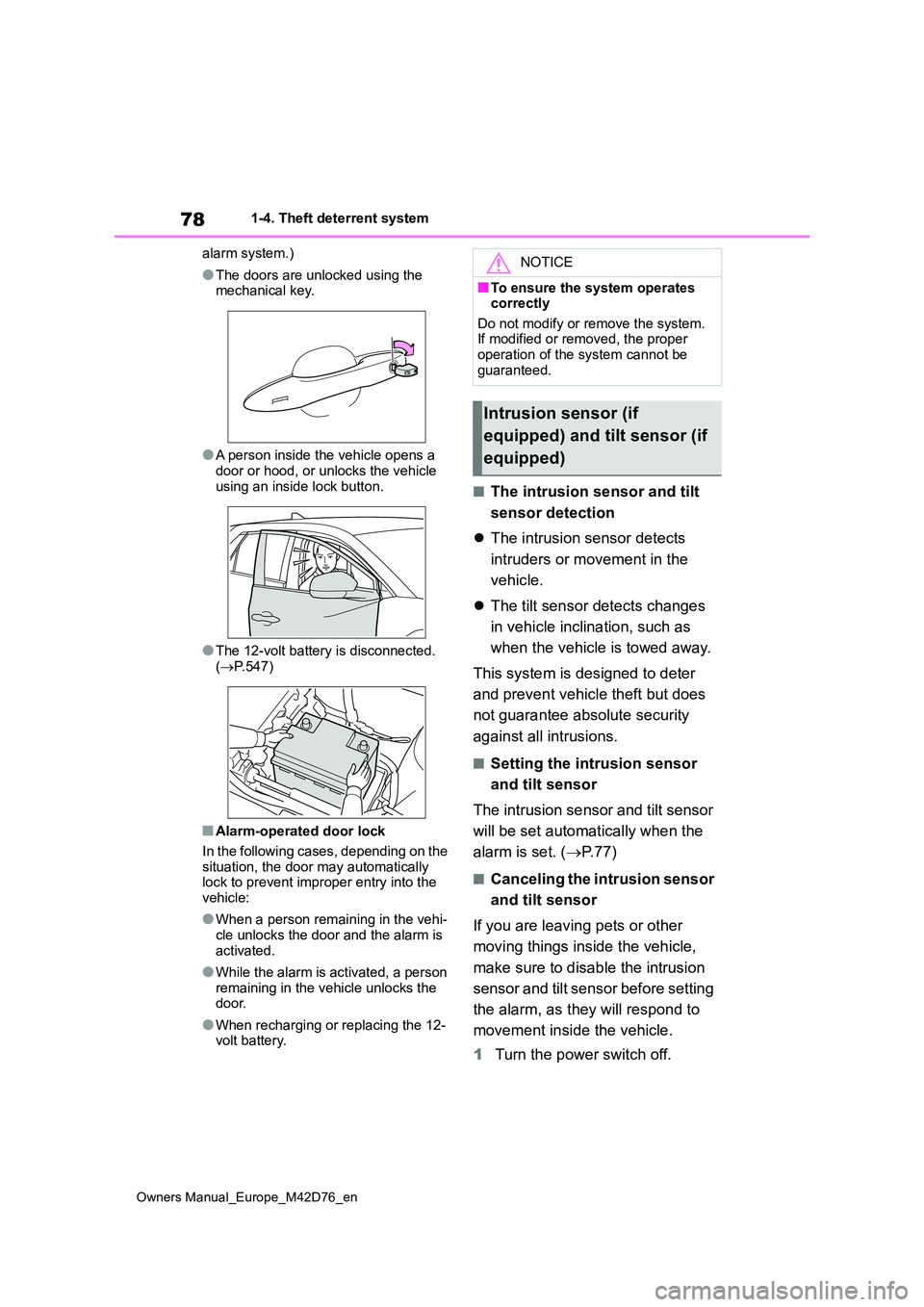
●The doors are unlocked using the mechanical key.
●A person inside the vehicle opens a door or hood, or unlocks the vehicle
using an inside lock button.
●The 12-volt battery is disconnected.
( P.547)
■Alarm-operated door lock
In the following cases, depending on the situation, the door may automatically lock to prevent improper entry into the
vehicle:
●When a person remaining in the vehi-
cle unlocks the door and the alarm is activated.
●While the alarm is activated, a person remaining in the vehicle unlocks the door.
●When recharging or replacing the 12-volt battery.
■The intrusion sensor and tilt
sensor detection
The intrusion sensor detects
intruders or movement in the
vehicle.
The tilt sensor detects changes
in vehicle inclination, such as
when the vehicle is towed away.
This system is designed to deter
and prevent vehicle theft but does
not guarantee absolute security
against all intrusions.
■Setting the intrusion sensor
and tilt sensor
The intrusion sensor and tilt sensor
will be set automatically when the
alarm is set. ( P. 7 7 )
■Canceling the intrusion sensor
and tilt sensor
If you are leaving pets or other
moving things inside the vehicle,
make sure to disable the intrusion
sensor and tilt sensor before setting
the alarm, as they will respond to
movement inside the vehicle.
1 Turn the power switch off.
NOTICE
■To ensure the system operates correctly
Do not modify or remove the system. If modified or removed, the proper operation of the system cannot be
guaranteed.
Intrusion sensor (if
equipped) and tilt sensor (if
equipped)
Page 135 of 674
133
2
Owners Manual_Europe_M42D76_en
2-2. Charging
Electric Vehicle system
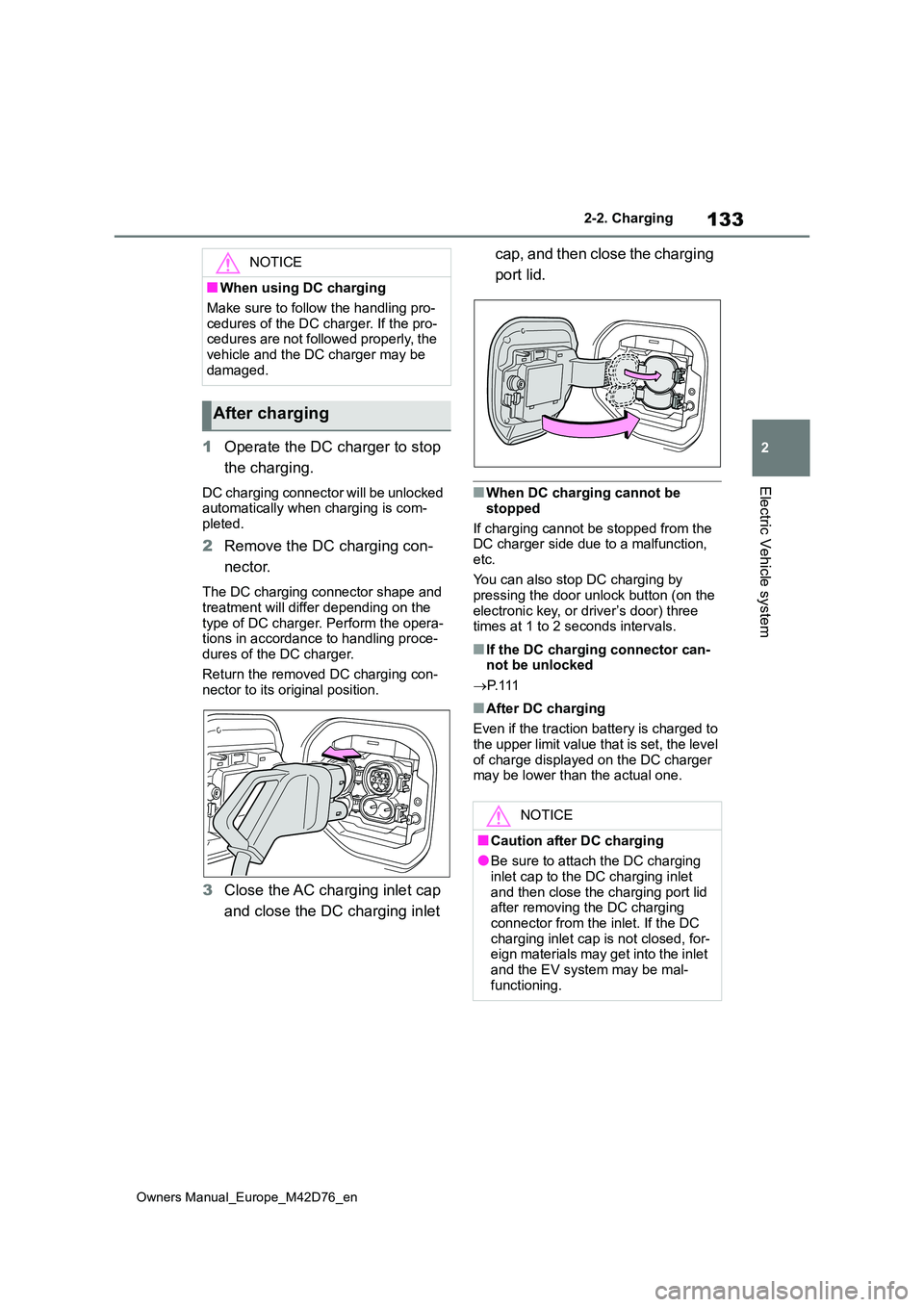
1Operate the DC charger to stop
the charging.
DC charging connector will be unlocked automatically when charging is com-
pleted.
2 Remove the DC charging con-
nector.
The DC charging connector shape and
treatment will differ depending on the type of DC charger. Perform the opera-tions in accordance to handling proce-
dures of the DC charger.
Return the removed DC charging con- nector to its original position.
3 Close the AC charging inlet cap
and close the DC charging inlet
cap, and then close the charging
port lid.
■When DC charging cannot be
stopped
If charging cannot be stopped from the DC charger side due to a malfunction,
etc.
You can also stop DC charging by pressing the door unlock button (on the
electronic key, or driver’s door) three times at 1 to 2 seconds intervals.
■If the DC charging connector can-not be unlocked
P. 1 1 1
■After DC charging
Even if the traction battery is charged to the upper limit value that is set, the level
of charge displayed on the DC charger may be lower than the actual one.
NOTICE
■When using DC charging
Make sure to follow the handling pro-
cedures of the DC charger. If the pro- cedures are not followed properly, the vehicle and the DC charger may be
damaged.
After charging
NOTICE
■Caution after DC charging
●Be sure to attach the DC charging inlet cap to the DC charging inlet
and then close the charging port lid after removing the DC charging connector from the inlet. If the DC
charging inlet cap is not closed, for- eign materials may get into the inlet and the EV system may be mal-
functioning.
Page 184 of 674
182
Owners Manual_Europe_M42D76_en
4-1. Key information
4-1.Key info rmation
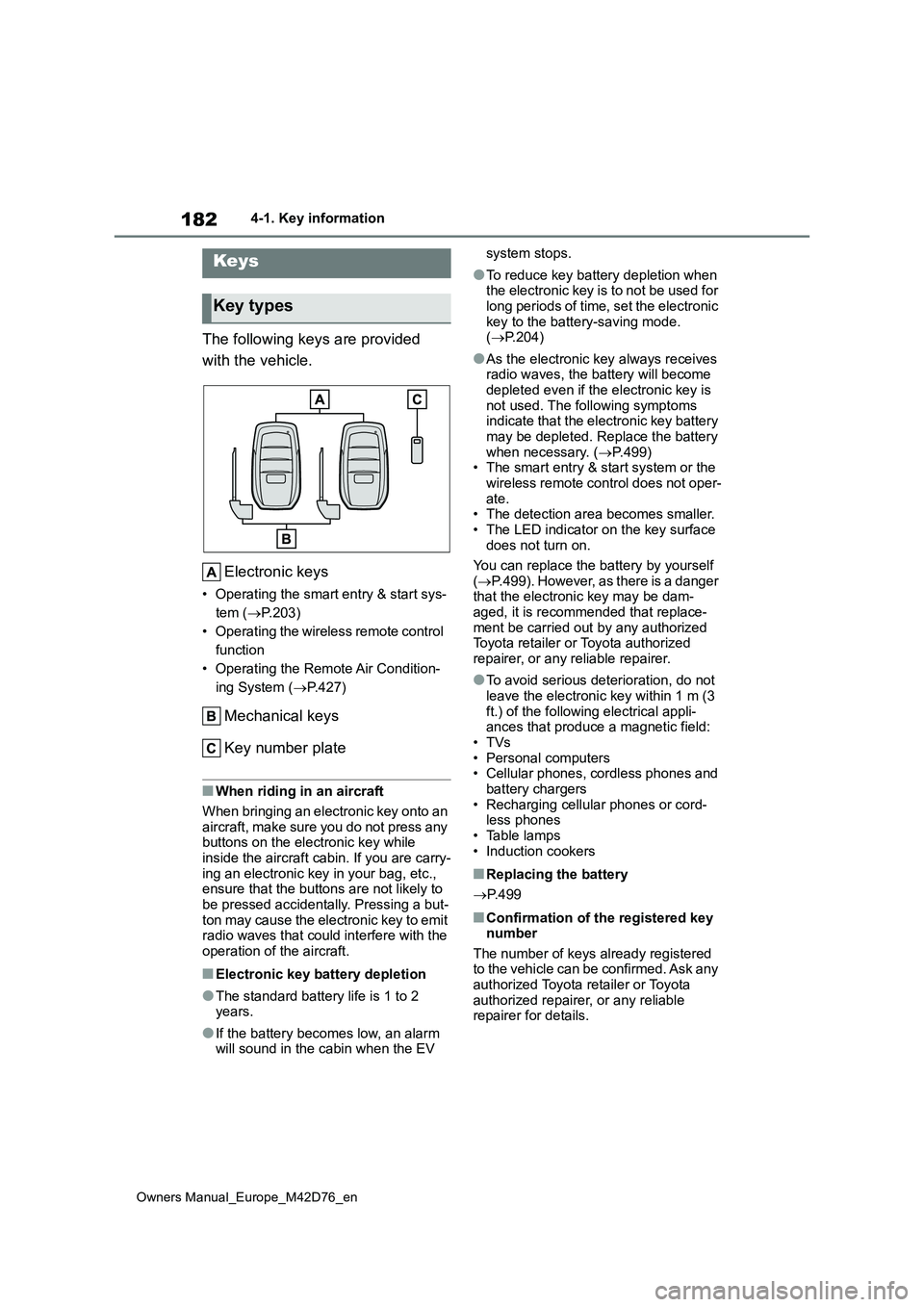
The following keys are provided
with the vehicle.
Electronic keys
• Operating the smart entry & start sys-
tem ( P.203)
• Operating the wireless remote control
function
• Operating the Remote Air Condition-
ing System ( P.427)
Mechanical keys
Key number plate
■When riding in an aircraft
When bringing an electronic key onto an
aircraft, make sure you do not press any buttons on the electronic key while inside the aircraft cabin. If you are carry-
ing an electronic key in your bag, etc., ensure that the buttons are not likely to be pressed accidentally. Pressing a but-
ton may cause the electronic key to emit radio waves that could interfere with the operation of the aircraft.
■Electronic key battery depletion
●The standard battery life is 1 to 2 years.
●If the battery becomes low, an alarm will sound in the cabin when the EV
system stops.
●To reduce key battery depletion when the electronic key is to not be used for
long periods of time, set the electronic key to the battery-saving mode. ( P.204)
●As the electronic key always receives radio waves, the battery will become
depleted even if the electronic key is not used. The following symptoms indicate that the electronic key battery
may be depleted. Replace the battery when necessary. ( P.499) • The smart entry & start system or the
wireless remote control does not oper- ate.• The detection area becomes smaller.
• The LED indicator on the key surface does not turn on.
You can replace the battery by yourself
( P.499). However, as there is a danger that the electronic key may be dam-aged, it is recommended that replace-
ment be carried out by any authorized Toyota retailer or Toyota authorized repairer, or any reliable repairer.
●To avoid serious deterioration, do not leave the electronic key within 1 m (3
ft.) of the following electrical appli- ances that produce a magnetic field:•TVs
• Personal computers • Cellular phones, cordless phones and battery chargers
• Recharging cellular phones or cord- less phones• Table lamps
• Induction cookers
■Replacing the battery
P. 4 9 9
■Confirmation of the registered key number
The number of keys already registered to the vehicle can be confirmed. Ask any authorized Toyota retailer or Toyota
authorized repairer, or any reliable repairer for details.
Keys
Key types
Page 186 of 674
184
Owners Manual_Europe_M42D76_en
4-1. Key information
ing System (P.427)
*1: These settings must be customized
at any authorized Toyota retailer or
Toyota authorized repairer, or any
reliable repairer.
*2: If equipped
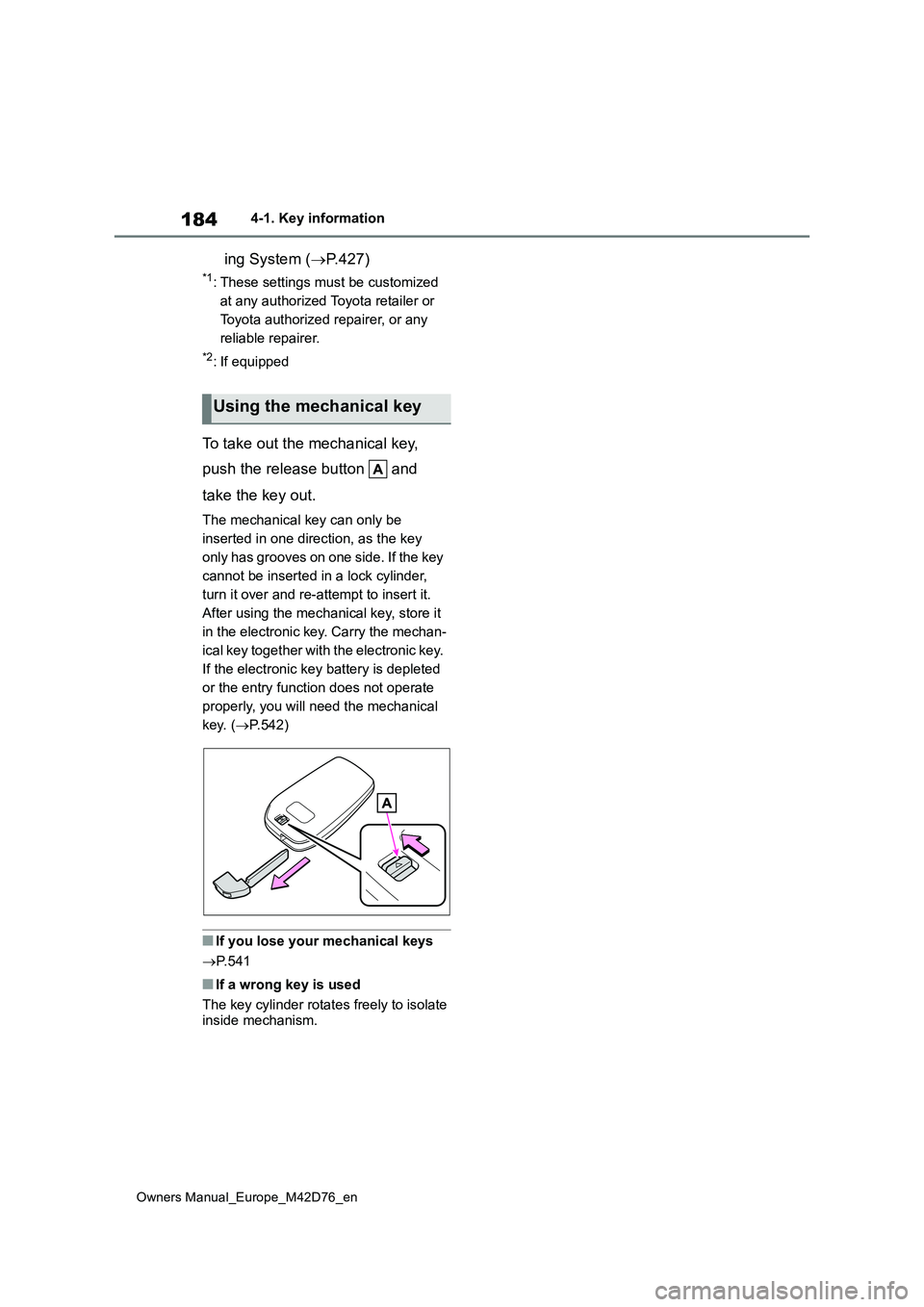
To take out the mechanical key,
push the release button and
take the key out.
The mechanical key can only be
inserted in one direction, as the key
only has grooves on one side. If the key
cannot be inserted in a lock cylinder,
turn it over and re-attempt to insert it.
After using the mechanical key, store it
in the electronic key. Carry the mechan-
ical key together with the electronic key.
If the electronic key battery is depleted
or the entry function does not operate
properly, you will need the mechanical
key. ( P.542)
■If you lose your mechanical keys
P. 5 4 1
■If a wrong key is used
The key cylinder rotates freely to isolate inside mechanism.
Using the mechanical key
Page 189 of 674
187
4
Owners Manual_Europe_M42D76_en
4-2. Opening, closing and locking the doors
Before driving
■Conditions affecting the operation
of the smart entry & start system or wireless remote control
P. 2 0 4
■If the smart entry & start system or
the wireless remote control does not operate properly
●Use the mechanical key to lock and unlock the doors. ( P.542)
●Replace the key battery with a new one if it is depleted. ( P.499)
■If the 12-volt battery is discharged
The doors cannot be locked and
unlocked using the smart entry & start system or wireless remote control. Lock or unlock the doors using the mechani-
cal key. ( P.542)
■Rear seat reminder function
●In order to remind you not to forget
luggage, etc., on the rear seat, when the power switch is turned off after any of the following conditions is met,
a buzzer will sound and a message will be displayed on the multi-informa-tion display for approximately 6 sec-
onds. • The EV system is started within 10 minutes after opening and closing a
rear door. • A rear door has been opened and closed after the EV system was
started.
However, if a rear door is opened and then closed within approximately 2 sec-
onds, the rear seat reminder function may not operate.
●The rear seat reminder function deter-mines that luggage, etc., has been placed on a rear seat based on open-
ing and closing of a rear door. There- fore, depending on the situation, the rear seat reminder function may not
operate and you may still forget lug- gage, etc., on the rear seat, or it may operate unnecessarily.
●The rear seat reminder function can be enabled/disabled. ( P.561)
■Customization
Settings (e.g. unlocking function using a key) can be changed. (Customizable features: P.564)
WARNING
■To prevent an accident
Observe the following precautions while driving the vehicle.
Failure to do so may result in a door opening and an occupant falling out, resulting in death or serious injury.
●Ensure that all doors are properly closed and locked.
●Do not pull the inside handle of the doors while driving.Be especially careful for the front
doors, as the doors may be opened even if the inside lock buttons are in locked position.
●Set the rear door child-protector locks when children are seated in
the rear seats.
■When opening or closing a door
Check the surroundings of the vehicle such as whether the vehicle is on an incline, whether there is enough
space for a door to open and whether a strong wind is blowing. When open-ing or closing the door, hold the door
handle tightly to prepare for any unpredictable movement.
■When using the wireless remote control and operating the power windows
Operate the power window after checking to make sure that there is no possibility of any passenger having
any of their body parts caught in the window. Also, do not allow children to operate the wireless remote control. It
is possible for children and other pas- sengers to get caught in the power window.
Page 206 of 674
204
Owners Manual_Europe_M42D76_en
4-2. Opening, closing and locking the doors
●When an exterior alarm sounds once
for 5 seconds
●When an interior alarm pings repeat- edly
■If “Key Detected In Vehicle” is shown on the multi-information display
An attempt was made to lock the doors using the smart entry & start system while the electronic key was still inside
the vehicle. Retrieve the electronic key from the vehicle and lock the doors again.
■Battery-saving function
The battery-saving function will be acti- vated in order to prevent the electronic key battery and the 12-volt battery from
being discharged while the vehicle is not in operation for a long time.
●In the following situations, the smart entry & start system may take some time to unlock the doors.
• The electronic key has been left in an
area of approximately 2 m (6 ft.) of the
outside of the vehicle for 10 minutes or longer.• The smart entry & start system has
not been used for 5 days or longer.
●If the smart entry & start system has
not been used for 14 days or longer, the doors cannot be unlocked at any doors except the driver’s door. In this
case, take hold of the driver’s door handle, or use the wireless remote control or the mechanical key, to
unlock the doors.
■Turning an electronic key to bat- tery-saving mode
●When battery-saving mode is set, bat-tery depletion is minimized by stop-ping the electronic key from receiving
radio waves.
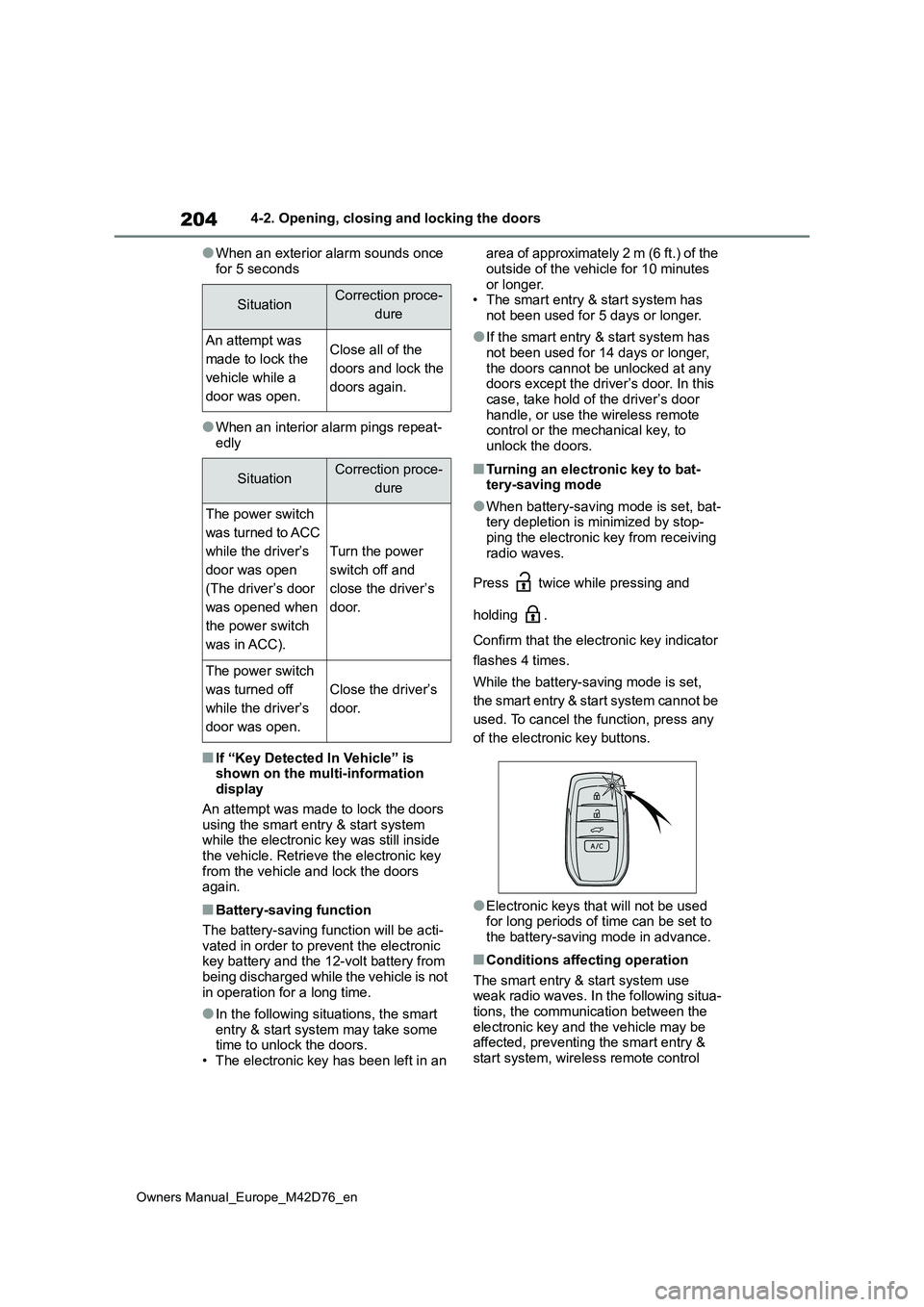
Press twice while pressing and
holding .
Confirm that the electronic key indicator
flashes 4 times.
While the battery-saving mode is set,
the smart entry & start system cannot be
used. To cancel the function, press any
of the electronic key buttons.
●Electronic keys that will not be used for long periods of time can be set to the battery-saving mode in advance.
■Conditions affecting operation
The smart entry & start system use weak radio waves. In the following situa-tions, the communication between the
electronic key and the vehicle may be affected, preventing the smart entry & start system, wireless remote control
SituationCorrection proce-
dure
An attempt was
made to lock the
vehicle while a
door was open.
Close all of the
doors and lock the
doors again.
SituationCorrection proce-
dure
The power switch
was turned to ACC
while the driver’s
door was open
(The driver’s door
was opened when
the power switch
was in ACC).
Turn the power
switch off and
close the driver’s
door.
The power switch
was turned off
while the driver’s
door was open.
Close the driver’s
door.
Page 207 of 674
205
4
Owners Manual_Europe_M42D76_en
4-2. Opening, closing and locking the doors
Before driving
and immobilizer system from operating
properly. (Ways of coping: P.542)
●When the electronic key battery is
depleted
●Near a TV tower, electric power plant,
gas station, radio station, large dis- play, airport or other facility that gen-erates strong radio waves or electrical
noise
●When carrying a portable radio, cellu-
lar phone, cordless phone or other wireless communication device
●When the electronic key is in contact with, or is covered by the following metallic objects
• Cards to which aluminum foil is attached• Cigarette boxes that have aluminum
foil inside • Metallic wallets or bags• Coins
• Hand warmers made of metal • Media such as CDs and DVDs
●When other wireless keys (that emit radio waves) are being used nearby
●When carrying the electronic key together with the following devices that emit radio waves
• Another vehicle’s electronic key or a wireless key that emits radio waves• Personal computers or personal digi-
tal assistants (PDAs) • Digital audio players• Portable game systems
●If window tint with a metallic content or metallic objects are attached to the
rear window
●When the electronic key is placed
near a battery charger or electronic devices
●When the vehicle is parked in a pay parking spot where radio waves are emitted
■Note for the entry function
●Even when the electronic key is within the effective range (detection areas),
the system may not operate properly in the following cases:
• The electronic key is too close to the
window or outside door handle, near the ground, or in a high place when the doors are locked or unlocked.
• The electronic key is on the instru- ment panel, luggage room, floor, or in the door pockets or glove box when
the EV system is started or power switch modes are changed.
●Do not leave the electronic key on top of the instrument panel or near the door pockets when exiting the vehicle.
Depending on the radio wave recep- tion conditions, it may be detected by the antenna outside the cabin and the
door will become lockable from the outside, possibly trapping the elec-tronic key inside the vehicle.
●As long as the electronic key is within the effective range, the doors may be
locked or unlocked by anyone. How- ever, only the doors detecting the electronic key can be used to unlock
the vehicle.
●Even if the electronic key is not inside
the vehicle, it may be possible to start the EV system if the electronic key is near the window.
●The doors may unlock if a large amount of water splashes on the door
handle, such as in the rain or in a car wash when the electronic key is within the effective range. (The doors will
automatically be locked after approxi- mately 30 seconds if the doors are not opened and closed.)
●When the lock operation is performed using the lock sensor, recognition sig-
nals will be shown up to two consecu- tive times. After this, no recognition signals will be given.
●If the wireless remote control is used to lock the doors when the electronic
key is near the vehicle, there is a pos- sibility that the door may not be unlocked by the entry function. (Use
the wireless remote control to unlock the doors.)
●Touching the door lock sensor while wearing gloves may delay or prevent