change key battery TOYOTA C-HR 2019 Owners Manual (in English)
[x] Cancel search | Manufacturer: TOYOTA, Model Year: 2019, Model line: C-HR, Model: TOYOTA C-HR 2019Pages: 532, PDF Size: 10.35 MB
Page 108 of 532

1083-1. Key information
C-HR_OM_USA_OM10569U■
Key battery depletion
Vehicles without a smart key system
If the wireless remote control function does not operate, the b attery may be
depleted. Replace the battery when necessary. ( P. 386)
Vehicles with a smart key system
● The standard battery life is 1 to 2 years.
● If the battery becomes low, an alarm will sound in the cabin wh en the engine
stops. ( P. 386)
● As the electronic key always receives radio waves, the battery will become
depleted even if the electronic key is not used. The following symptoms indi-
cate that the electronic key battery may be depleted. Replace the battery
when necessary. ( P. 386)
• The smart key system or the wireless remote control does not o perate.
• The detection area becomes smaller.
• The LED indicator on the key surface does not turn on.
The battery can be exchanged by the users. ( P. 386) However, as there
may be damage to the key when exchanging, it is recommended to have
the battery exchanged at your Toyota Dealer.
● To avoid serious deterioration, do not leave the electronic key within 3 ft.
(1 m) of the following electrical appliances that produce a magnetic field:
•TVs
• Personal computers
• Cellular phones, cordless phones and battery chargers
• Recharging cellular phones or cordless phones
• Table lamps
• Induction cookers
■ When the key battery is fully depleted
P. 386
■ Confirmation of the registered key number (vehicles with a smar t key
system)
The number of keys already registered to the vehicle can be confirmed. Ask
your Toyota dealer for details.
■ Customization
Settings (e.g. wireless remote control system) can be changed.
(Customizable features: P. 486)
Page 178 of 532
1784-2. Driving procedures
C-HR_OM_USA_OM10569U■
Steering lock
After turning the engine switch off and opening and closing the doors, the
steering wheel will be locked due to the steering lock function. Operating the
engine switch again automatically cancels the steering lock.
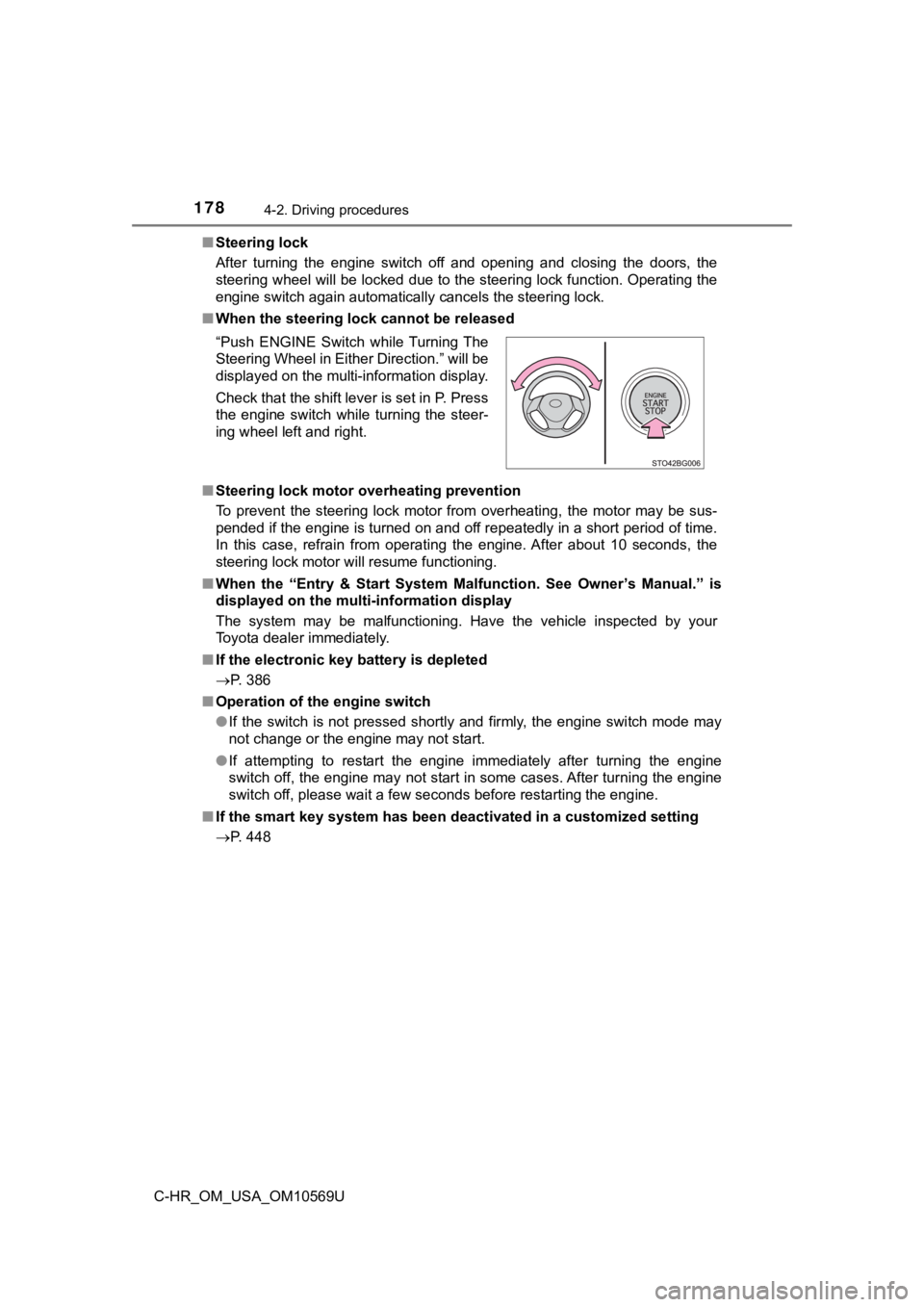
■ When the steering lock cannot be released
■ Steering lock motor overheating prevention
To prevent the steering lock motor from overheating, the motor may be sus-
pended if the engine is turned on and off repeatedly in a short period of time.
In this case, refrain from operating the engine. After about 10 seconds, the
steering lock motor will resume functioning.
■ When the “Entry & Start System M alfunction. See Owner’s Manual.” is
displayed on the multi-information display
The system may be malfunctioning. Have the vehicle inspected by your
Toyota dealer immediately.
■ If the electronic key battery is depleted
P. 386
■ Operation of the engine switch
●If the switch is not pressed shortly and firmly, the engine swi tch mode may
not change or the engine may not start.
● If attempting to restart the engine immediately after turning t he engine
switch off, the engine may not start in some cases. After turni ng the engine
switch off, please wait a few seconds before restarting the eng ine.
■ If the smart key system has been d eactivated in a customized setting
P. 448 “Push ENGINE Switch while Turning The
Steering Wheel in Either Direction.” will be
displayed on the multi-information display.
Check that the shift lever is set in P. Press
the engine switch while turning the steer-
ing wheel left and right.
Page 199 of 532
1994-3. Operating the lights and wipers
4
Driving
C-HR_OM_USA_OM10569U■
Battery-saving function
In the following conditions, the headlights and the other remai ning lights will
go off automatically after 20 minutes in order to prevent the v ehicle battery
from being discharged:
● The headlights and/or tail lights are on.
● Vehicles without a smart key system: The engine switch is turne d to the
“ACC” position or turned off.
Vehicles with a smart key system: The engine switch is turned t o ACCES-
SORY mode or turned off.
● The light switch is in or .
This function will be canceled in any of the following situatio ns:
● Vehicles without a smart key system: The engine switch is turne d to the
“ON” position.
Vehicles with a smart key system: The engine switch is turned t o IGNITION
ON.
● When the light switch is operated.
● When the door is opened or closed.
■ Customization
Settings (e.g. light sensor sensitivity) can be changed.
(Customizable features: P. 486)
NOTICE
■To prevent battery discharge
Do not leave the lights on longer than necessary when the engin e is not
running.
Page 304 of 532
3045-2. Using the interior lights
C-HR_OM_USA_OM10569U
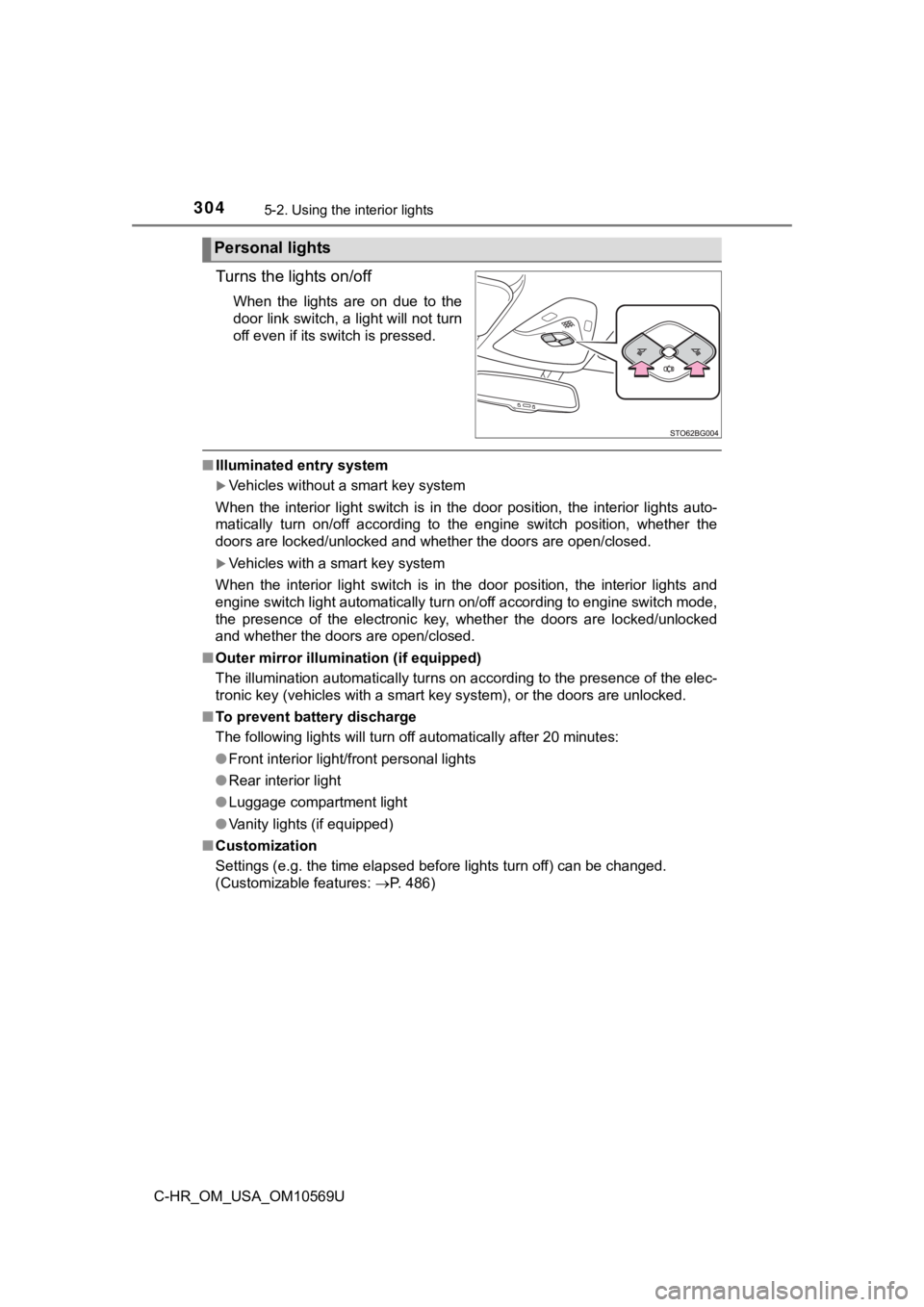
Turns the lights on/off
When the lights are on due to the
door link switch, a light will not turn
off even if its switch is pressed.
■Illuminated entry system
Vehicles without a smart key system
When the interior light switch is in the door position, the int erior lights auto-
matically turn on/off according to the engine switch position, whether the
doors are locked/unlocked and whether the doors are open/closed .
Vehicles with a smart key system
When the interior light switch is in the door position, the int erior lights and
engine switch light automatically turn on/off according to engine switch mode,
the presence of the electronic key, whether the doors are locke d/unlocked
and whether the doors are open/closed.
■ Outer mirror illumination (if equipped)
The illumination automatically turns on according to the presen ce of the elec-
tronic key (vehicles with a smart key system), or the doors are unlocked.
■ To prevent battery discharge
The following lights will turn off automatically after 20 minut es:
● Front interior light/front personal lights
● Rear interior light
● Luggage compartment light
● Vanity lights (if equipped)
■ Customization
Settings (e.g. the time elapsed before lights turn off) can be changed.
(Customizable features: P. 486)
Personal lights
Page 450 of 532

4507-2. Steps to take in an emergency
C-HR_OM_USA_OM10569U
■Stopping the engine
Set the parking brake, shift the shift lever to P and press the engine switch as
you normally do when stopping the engine.
■ Replacing the key battery
As the above procedure is a temporary measure, it is recommende d that the
electronic key battery be replaced immediately when the battery is depleted.
( P. 386)
■ Changing engine switch modes
Release the brake pedal and press the engine switch in step ab ove. The
engine does not start and modes will be changed each time the s witch is
pressed. ( P. 176)
■ When the electronic key does not work properly
●Make sure that the smart key system and push button start has n ot been
deactivated in the customization setting. If it is off, turn th e function on.
(Customizable features: P. 486)
● Check if battery-saving mode is set. If it is set, cancel the f unction.
( P. 127)
WARNING
■ When using the mechanical key and operating the power windows
Operate the power window after checking to make sure that there is no pos-
sibility of any passenger having any of their body parts caught in the side
window.
Also, do not allow children to operate the mechanical key. It is possible for
children and other passengers to get caught in the power window .
3