mirror TOYOTA C-HR 2020 (in English) Owner's Manual
[x] Cancel search | Manufacturer: TOYOTA, Model Year: 2020, Model line: C-HR, Model: TOYOTA C-HR 2020Pages: 536, PDF Size: 11.99 MB
Page 270 of 536
2704-5. Using the driving support systems
C-HR_OM_USA_OM10634U
Press “” or “” of the meter control switches, select .
Press “ ” or “ ” of the meter control switches, select .
Press “ ” or “ ” of the meter control switches, select .
When the BSM function is disabled, the BSM OFF indicator ( P. 89) illu-
minates.
(Each time the engine switch is turned off then changed to ON, the BSM
function will be enabled automatically.)
■ The outside rear view mirror indicators visibility
When under strong sunlight, the outside rear view mirror indica tor may be dif-
ficult to see.
■ When “Blind Spot Monitor Unavaila ble.” is shown on the multi-informa-
tion display
Water, snow mud, etc., may be built up in the vicinity of the s ensor area of
bumper ( P. 272).
Removing the water, snow, mud, etc., from the vicinity of the s ensor area
bumper should return it to normal.
Also, the sensor may not function normally when used in extreme ly hot or
cold weather.
■ When “Blind Spot Monitor System M alfunction. Visit Your Dealer.” is
shown on the multi-information display
There may be a sensor malfunction or misaligned. Have the vehicle
inspected by your Toyota dealer.
■ Customization
Some functions can be customized. ( P. 496)
Turning the BSM function on/off
1
2
3
Page 273 of 536
2734-5. Using the driving support systems
4
Driving
C-HR_OM_USA_OM10634U
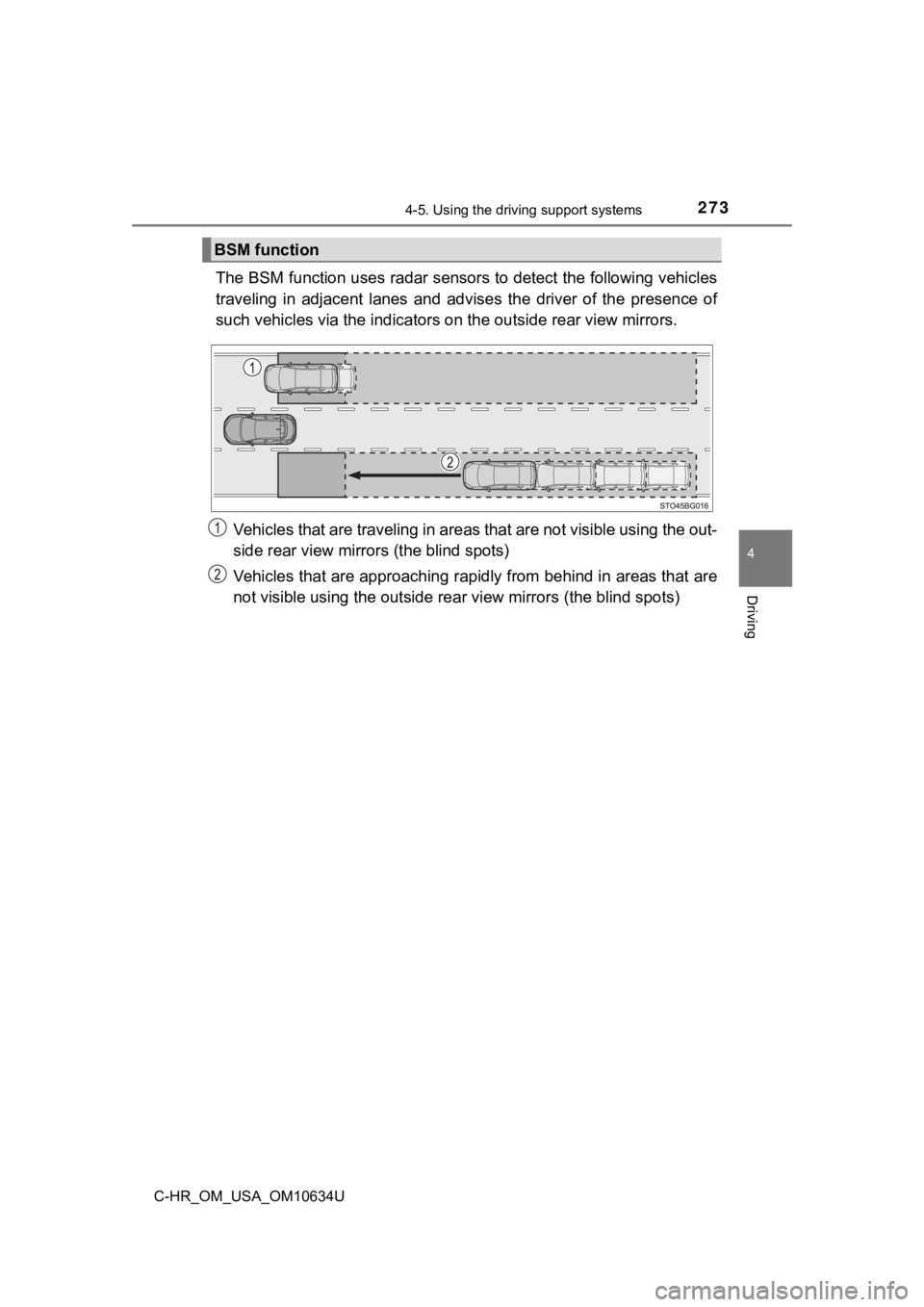
The BSM function uses radar sensors to detect the following vehicles
traveling in adjacent lanes and ad vises the driver of the presence of
such vehicles via the indicators on the out side rear view mirrors.
Vehicles that are traveling in areas that are not visible using the out-
side rear view mirrors (the blind spots)
Vehicles that are approaching rapidly from behind in areas that are
not visible using the outside re ar view mirrors (the blind spots)
BSM function
Page 274 of 536
2744-5. Using the driving support systems
C-HR_OM_USA_OM10634U
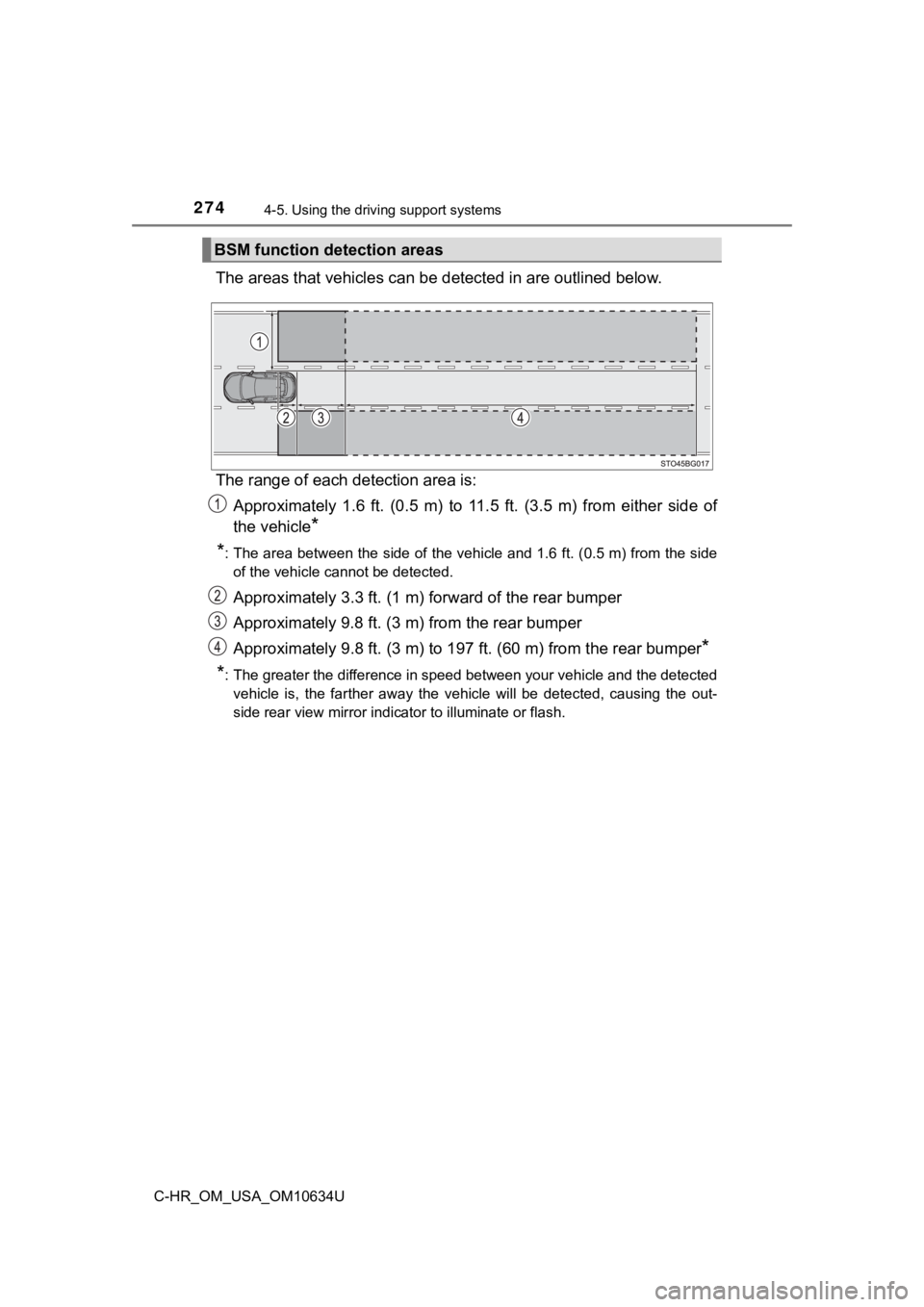
The areas that vehicles can be detected in are outlined below.
The range of each detection area is: Approximately 1.6 ft. (0.5 m) to 11.5 ft. (3.5 m) from either s ide of
the vehicle
*
*
: The area between the side of the vehicle and 1.6 ft. (0.5 m) f rom the side
of the vehicle cannot be detected.
Approximately 3.3 ft. (1 m) f orward of the rear bumper
Approximately 9.8 ft. (3 m) from the rear bumper
Approximately 9.8 ft. (3 m) to 19 7 ft. (60 m) from the rear bumper
*
*
: The greater the difference in speed between your vehicle and t he detected
vehicle is, the farther away the vehicle will be detected, causing the out-
side rear view mirror indicator to illuminate or flash.
BSM function detection areas
Page 278 of 536
2784-5. Using the driving support systems
C-HR_OM_USA_OM10634U
RCTA (Rear Cross Traffic Alert)
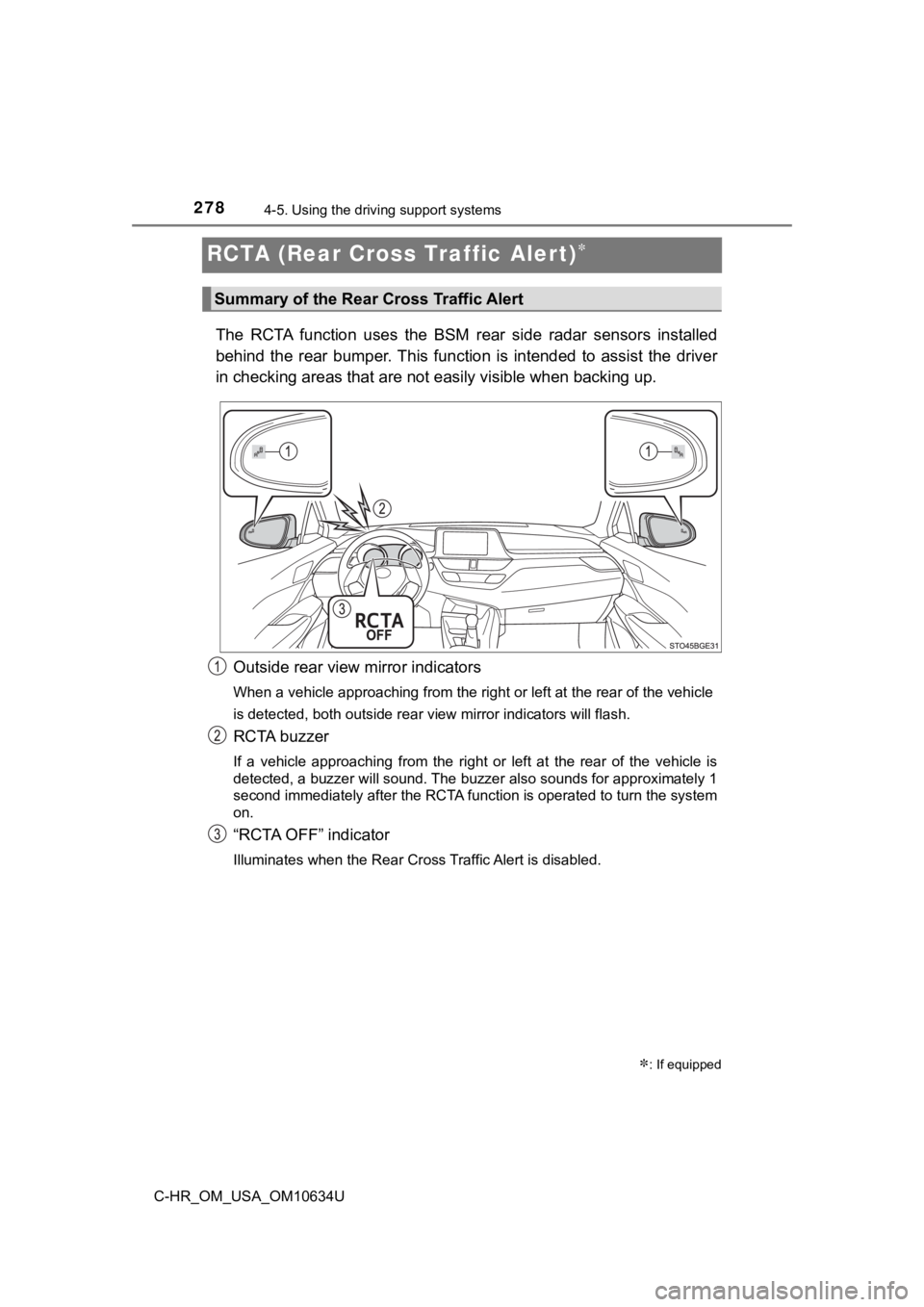
The RCTA function uses the BSM rear side radar sensors installe d
behind the rear bumper. This function is intended to assist the driver
in checking areas that are not easily visible when backing up.
Outside rear view mirror indicators
When a vehicle approaching from the right or left at the rear of the vehicle
is detected, both outside rear view mirror indicators will flas h.
RCTA buzzer
If a vehicle approaching from the right or left at the rear of the vehicle is
detected, a buzzer will sound. The buzzer also sounds for appro ximately 1
second immediately after the RCTA function is operated to turn the system
on.
“RCTA OFF” indicator
Illuminates when the Rear Cross Traffic Alert is disabled.
Summary of the Rear Cross Traffic Alert
: If equipped
Page 279 of 536
2794-5. Using the driving support systems
4
Driving
C-HR_OM_USA_OM10634U
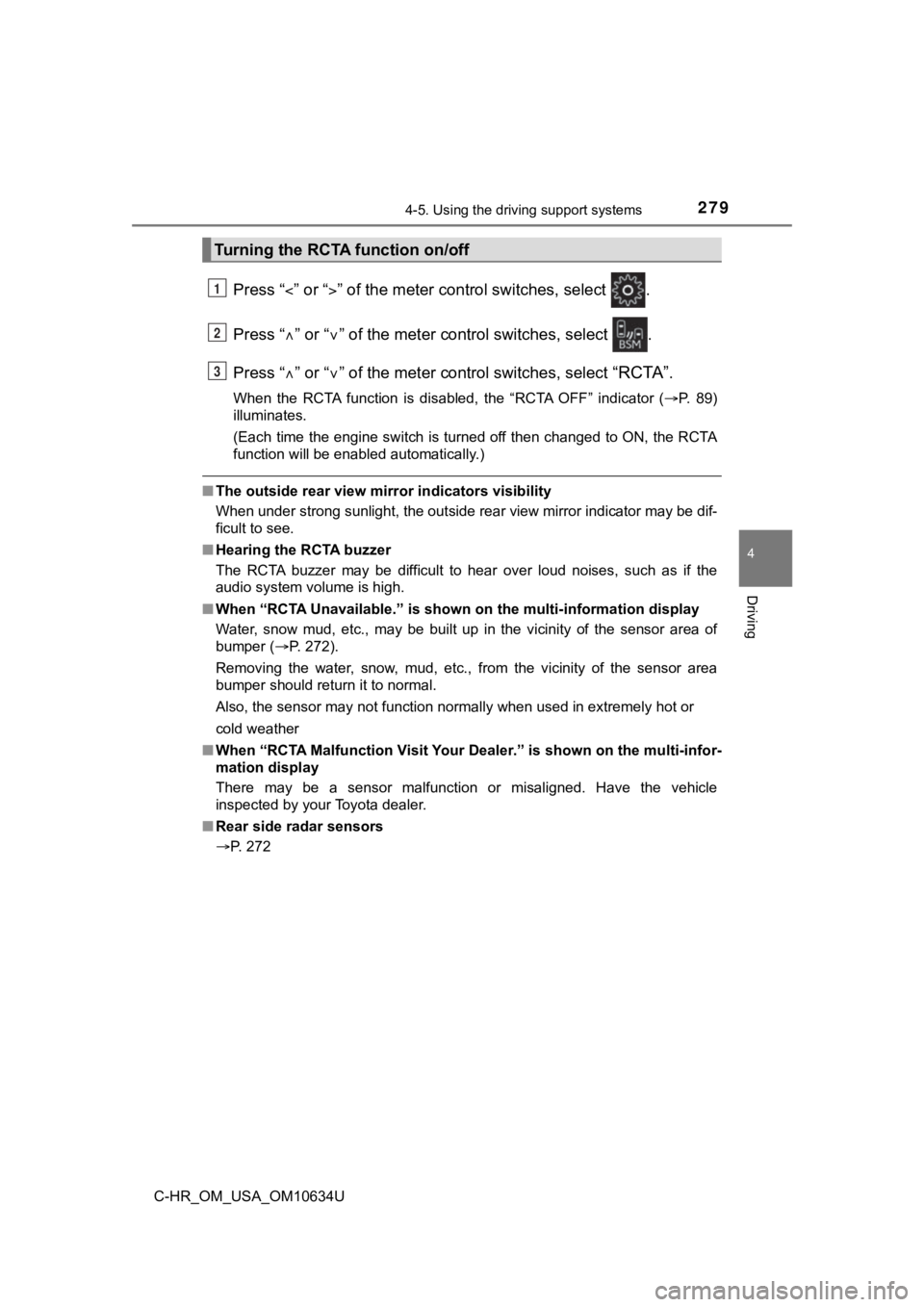
Press “” or “” of the meter control switches, select .
Press “ ” or “ ” of the meter control switches, select .
Press “ ” or “ ” of the meter control switches, select
“RCTA”.
When the RCTA function is disabled, the “RCTA OFF” indicator ( P. 89)
illuminates.
(Each time the engine switch is turned off then changed to ON, the RCTA
function will be enabled automatically.)
■ The outside rear view mirror indicators visibility
When under strong sunlight, the outside rear view mirror indica tor may be dif-
ficult to see.
■ Hearing the RCTA buzzer
The RCTA buzzer may be difficult to hear over loud noises, such as if the
audio system volume is high.
■ When “RCTA Unavailable.” is shown on the multi-information display
Water, snow mud, etc., may be built up in the vicinity of the s ensor area of
bumper ( P. 272).
Removing the water, snow, mud, etc., from the vicinity of the s ensor area
bumper should return it to normal.
Also, the sensor may not function normally when used in extremely hot or
cold weather
■ When “RCTA Malfunction Visit You r Dealer.” is shown on the multi-infor-
mation display
There may be a sensor malfunction or misaligned. Have the vehicle
inspected by your Toyota dealer.
■ Rear side radar sensors
P. 272
Turning the RCTA function on/off
1
2
3
Page 280 of 536
2804-5. Using the driving support systems
C-HR_OM_USA_OM10634U
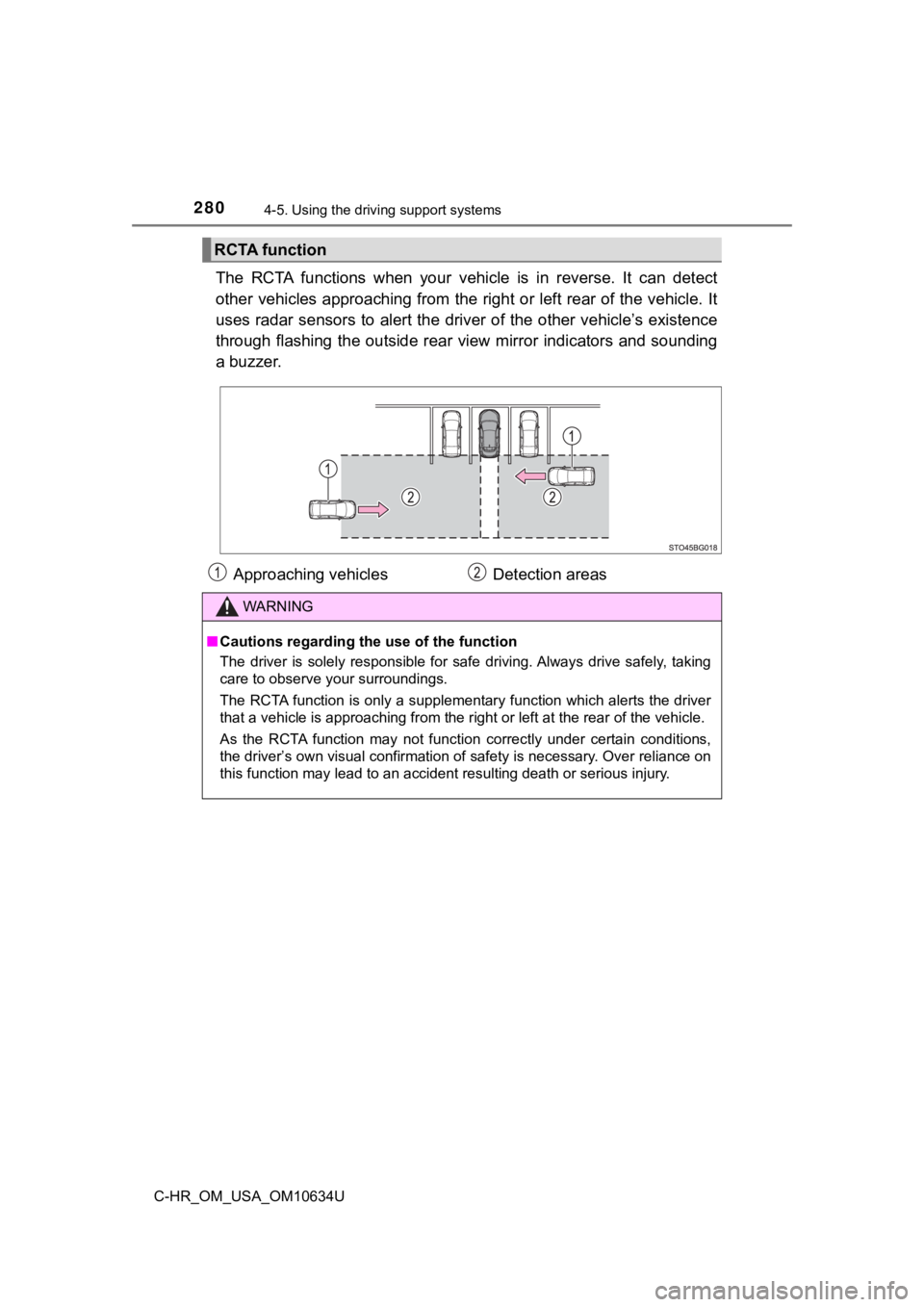
The RCTA functions when your vehicle is in reverse. It can dete ct
other vehicles approaching from the right or left rear of the v ehicle. It
uses radar sensors to alert the driver of the other vehicle’s existence
through flashing the outside rear view mirror indicators and so unding
a buzzer.
RCTA function
Approaching vehicles Detection areas
WARNING
■Cautions regarding the use of the function
The driver is solely responsible for safe driving. Always drive safely, taking
care to observe your surroundings.
The RCTA function is only a supplementary function which alerts the driver
that a vehicle is approaching from the right or left at the rea r of the vehicle.
As the RCTA function may not function correctly under certain c onditions,
the driver’s own visual confirmation of safety is necessary. Ov er reliance on
this function may lead to an accident resulting death or seriou s injury.
Page 297 of 536
297
5Interior features
C-HR_OM_USA_OM10634U5-1. Using the air conditioning
system and defogger
Air conditioning system ..... 298
Heated steering wheel/ seat heaters .................... 306
5-2. Using the interior lights Interior lights list ................ 308• Interior lights ................. 309
• Personal lights .............. 310
5-3. Using the storage features
List of storage features ..... 311 • Glove box...................... 312
• Console box .................. 312
• Bottle holders ................ 313
• Cup holders .................. 314
Luggage compartment features ........................... 315
5-4. Using the other interior features
Other interior features ....... 321 • Sun visors ..................... 321
• Vanity mirrors................ 321
• Power outlet .................. 322
• Assist grips ................... 323
Page 301 of 536
3015-1. Using the air conditioning system and defogger
5
Interior features
C-HR_OM_USA_OM10634U■
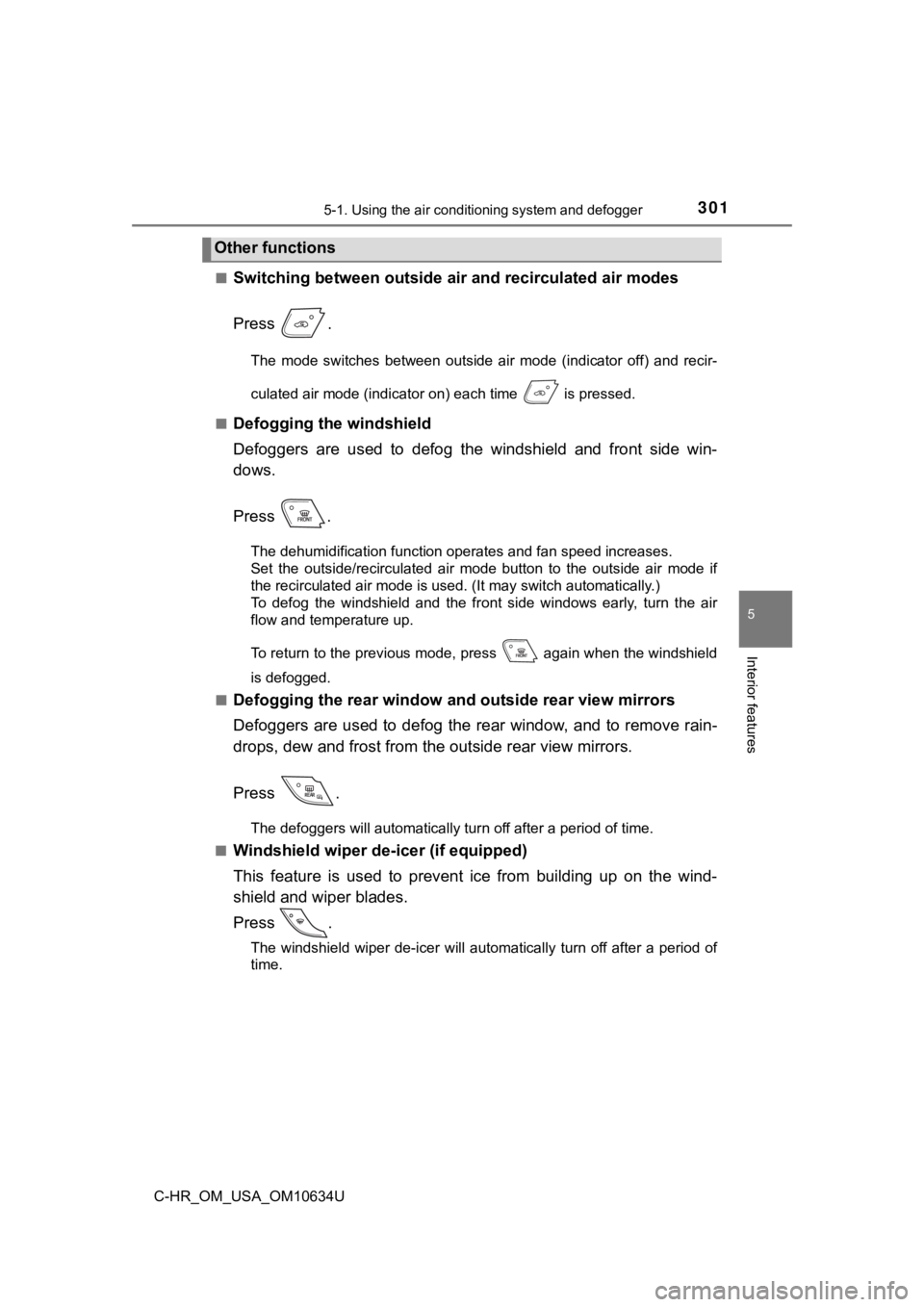
Switching between outside air
and recirculated air modes
Press .
The mode switches between outside air mode (indicator off) and recir-
culated air mode (indicator on) each time is pressed.
■
Defogging the windshield
Defoggers are used to defog the windshield and front side win-
dows.
Press .
The dehumidification function operates and fan speed increases.
Set the outside/recirculated air mode button to the outside air mode if
the recirculated air mode is used. (It may switch automatically .)
To defog the windshield and the front side windows early, turn the air
flow and temperature up.
To return to the previous mode, press again when the windshiel d
is defogged.
■
Defogging the rear window and outside rear view mirrors
Defoggers are used to defog the rear window, and to remove rain -
drops, dew and frost from the outside rear view mirrors.
Press .
The defoggers will automatically turn off after a period of tim e.
■
Windshield wiper de -icer (if equipped)
This feature is used to prevent ice from building up on the win d-
shield and wiper blades.
Press .
The windshield wiper de-icer will automatically turn off after a period of
time.
Other functions
Page 305 of 536
3055-1. Using the air conditioning system and defogger
5
Interior features
C-HR_OM_USA_OM10634U
WARNING
■To prevent the windshield from fogging up
● Do not use during cool air operation in extremely humid weathe r.
The difference between the temperature of the outside air and t hat of the
windshield can cause the outer surface of the windshield to fog up, block-
ing your vision.
■ To prevent burns
● Do not touch the rear view mirror surfaces when the outside rear view mir-
ror defoggers are on.
● Do not touch the glass at the lower part of the windshield or t o the side of
the front pillars when the windshield wiper de-icer is on.
NOTICE
■ To prevent battery discharge
Do not leave the air conditioning system on longer than necessa ry when the
engine is stopped.
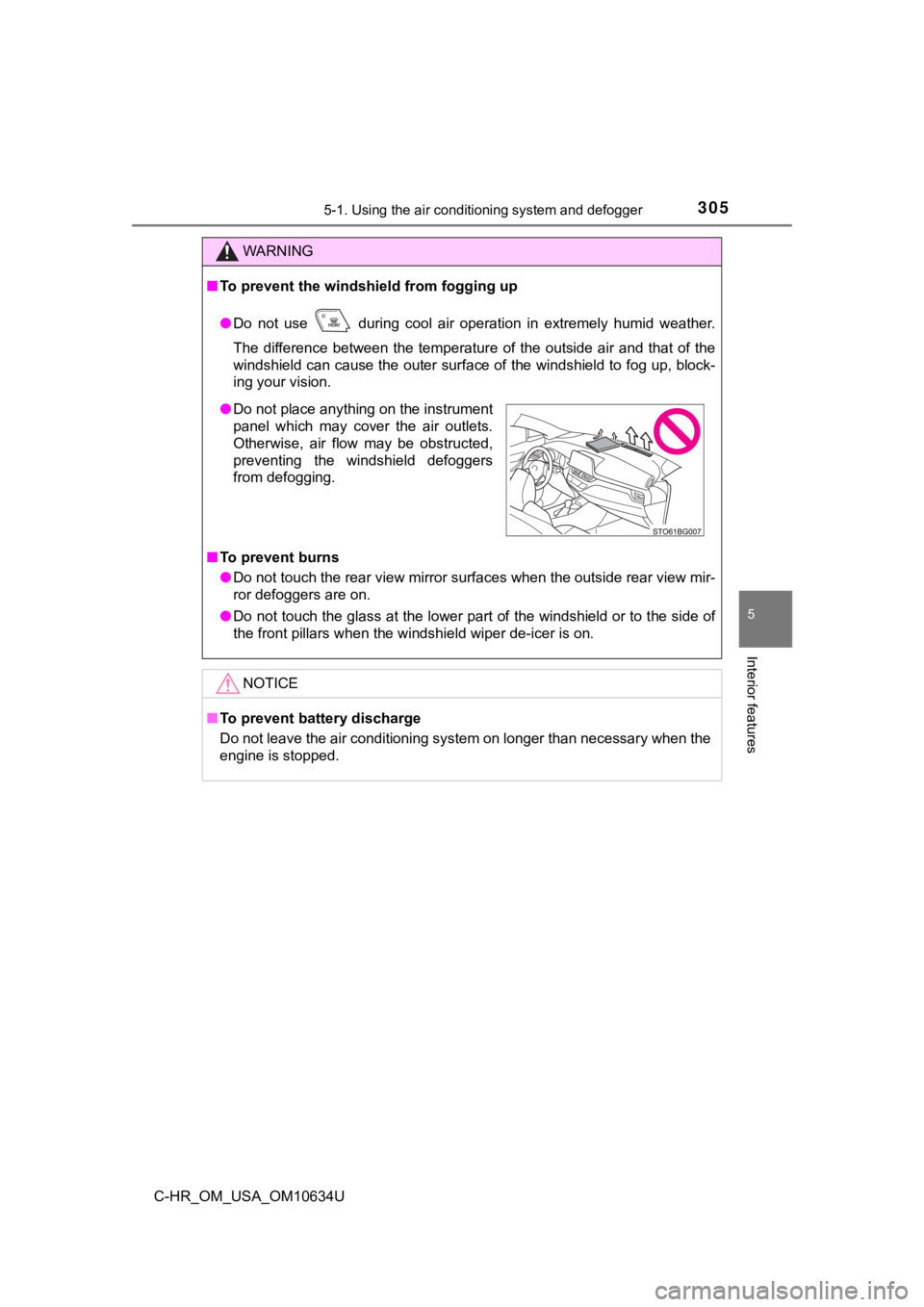
● Do not place anything on the instrument
panel which may cover the air outlets.
Otherwise, air flow may be obstructed,
preventing the windshield defoggers
from defogging.
Page 310 of 536
3105-2. Using the interior lights
C-HR_OM_USA_OM10634U
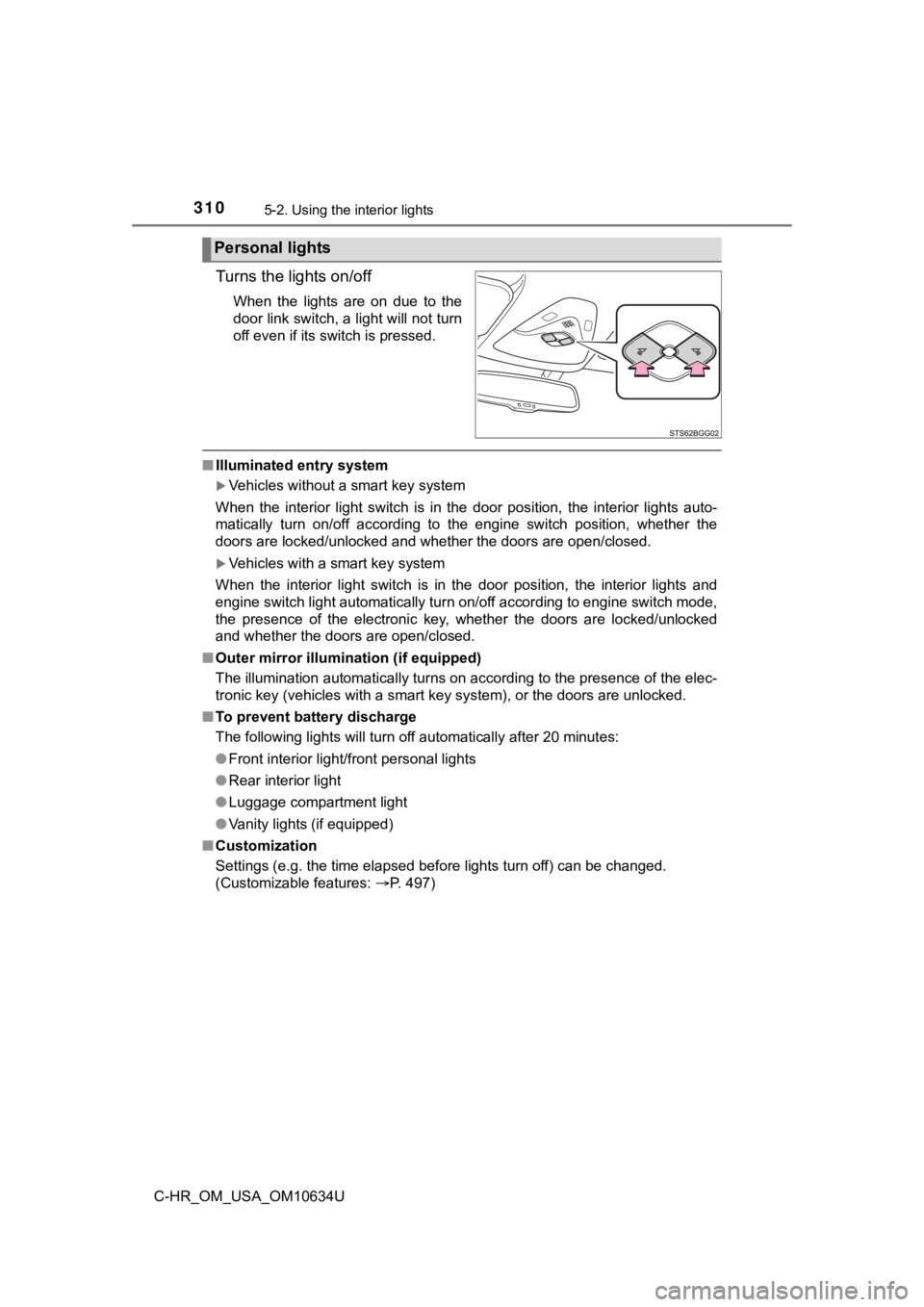
Turns the lights on/off
When the lights are on due to the
door link switch, a light will not turn
off even if its switch is pressed.
■Illuminated entry system
Vehicles without a smart key system
When the interior light switch is in the door position, the int erior lights auto-
matically turn on/off according to the engine switch position, whether the
doors are locked/unlocked and whether the doors are open/closed .
Vehicles with a smart key system
When the interior light switch is in the door position, the int erior lights and
engine switch light automatically turn on/off according to engine switch mode,
the presence of the electronic key, whether the doors are locke d/unlocked
and whether the doors are open/closed.
■ Outer mirror illumination (if equipped)
The illumination automatically turns on according to the presen ce of the elec-
tronic key (vehicles with a smart key system), or the doors are unlocked.
■ To prevent battery discharge
The following lights will turn off automatically after 20 minut es:
● Front interior light/front personal lights
● Rear interior light
● Luggage compartment light
● Vanity lights (if equipped)
■ Customization
Settings (e.g. the time elapsed before lights turn off) can be changed.
(Customizable features: P. 497)
Personal lights