change wheel TOYOTA C-HR 2022 User Guide
[x] Cancel search | Manufacturer: TOYOTA, Model Year: 2022, Model line: C-HR, Model: TOYOTA C-HR 2022Pages: 818, PDF Size: 113.75 MB
Page 504 of 818
5024-5. Using the driving support systems
C-HR_HV_OM_Europe_OM10720E
Assume an ordinary posture for backing up, rest your hands
lightly on the steering wheel without applying any force, direc tly
confirm the safety of the area to the rear and around the vehic le,
confirm that there are no obstacles in the parking space, and
slowly back up while adjusting your speed by depressing the
brake pedal.
● When backing up too quickly, a sharp beeping sound is emit-
ted and assist control is stopped. (P. 495)
● When the vehicle cannot be cleanly entered within the target
parking spot on the first try and multi-turn maneuvering is nec -
essary, proceed to step .
When multi-turn maneuvering is not necessary, proceed to
step .
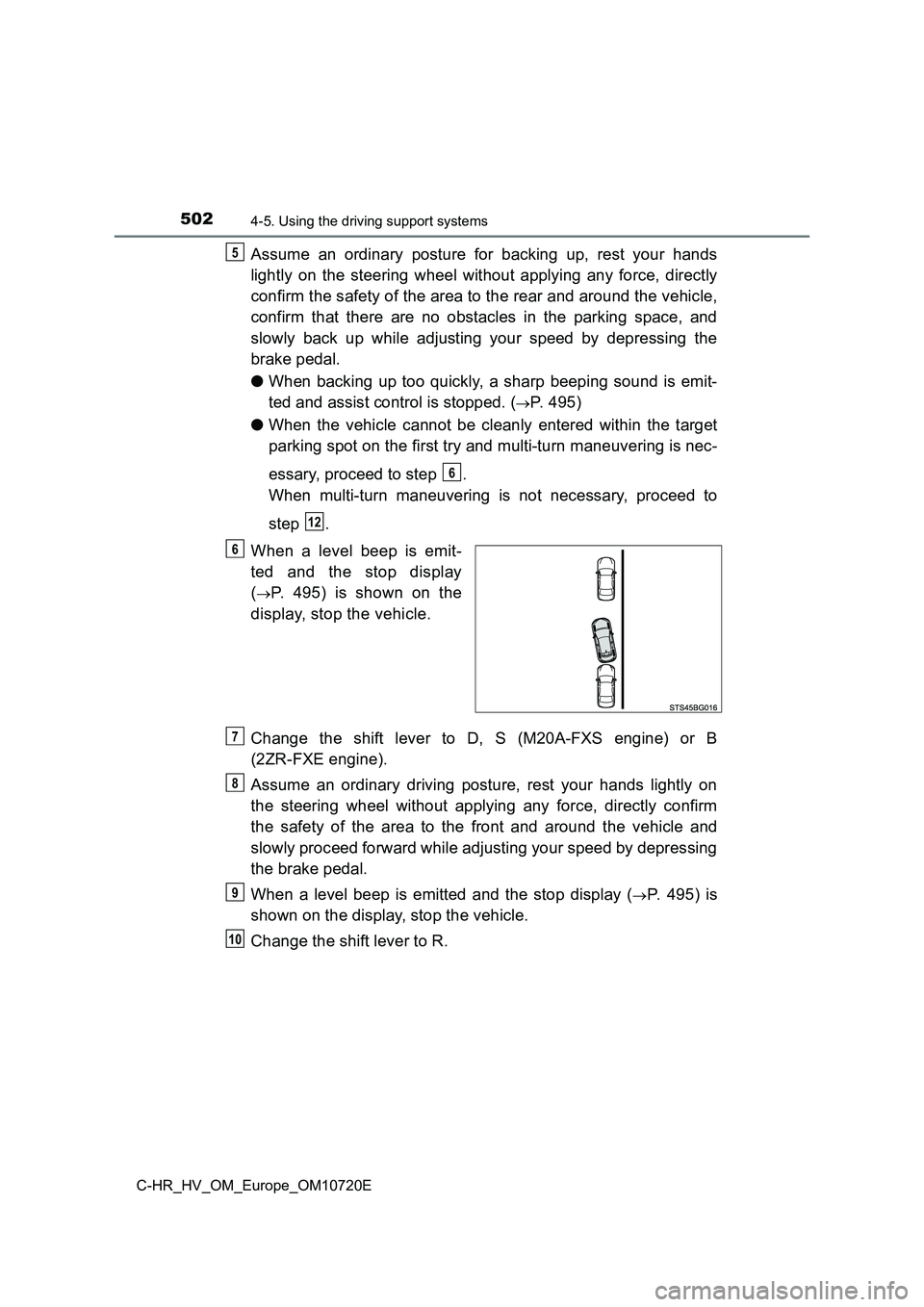
When a level beep is emit-
ted and the stop display
(P. 495) is shown on the
display, stop the vehicle.
Change the shift lever to D, S (M20A-FXS engine) or B
(2ZR-FXE engine).
Assume an ordinary driving posture, rest your hands lightly on
the steering wheel without applying any force, directly confirm
the safety of the area to the front and around the vehicle and
slowly proceed forward while adjusting your speed by depressing
the brake pedal.
When a level beep is emitted and the stop display (P. 4 9 5 ) i s
shown on the display, stop the vehicle.
Change the shift lever to R.
5
6
12
6
7
8
9
10
Page 508 of 818
5064-5. Using the driving support systems
C-HR_HV_OM_Europe_OM10720E
■Function summary
When departing from a parallel parking position, select the dir ection
you would like to depart in, and steering wheel operation assis t con-
trol will be provided to guide the vehicle to a position from w hich
you can take off.
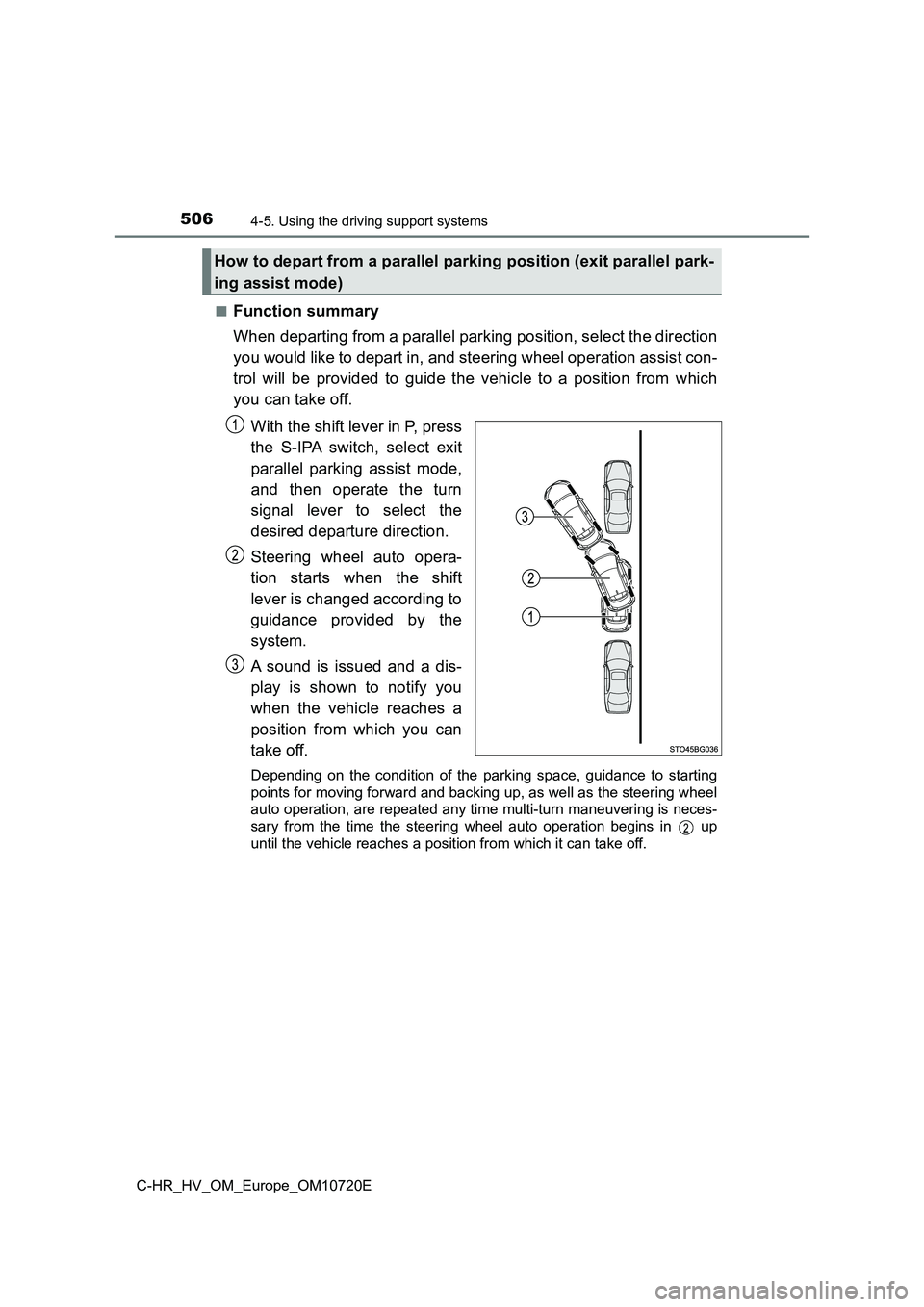
With the shift lever in P, press
the S-IPA switch, select exit
parallel parking assist mode,
and then operate the turn
signal lever to select the
desired departure direction.
Steering wheel auto opera-
tion starts when the shift
lever is changed according to
guidance provided by the
system.
A sound is issued and a dis-
play is shown to notify you
when the vehicle reaches a
position from which you can
take off.
Depending on the condition of the parking space, guidance to st arting
points for moving forward and backing up, as well as the steeri ng wheel
auto operation, are repeated any time multi-turn maneuvering is neces-
sary from the time the steering wheel auto operation begins in up
until the vehicle reaches a posit ion from which it can take off.
How to depart from a parallel parking position (exit parallel park-
ing assist mode)
Page 509 of 818
5074-5. Using the driving support systems
4
Driving
C-HR_HV_OM_Europe_OM10720E
■Using the exit parallel parking assist mode to depart
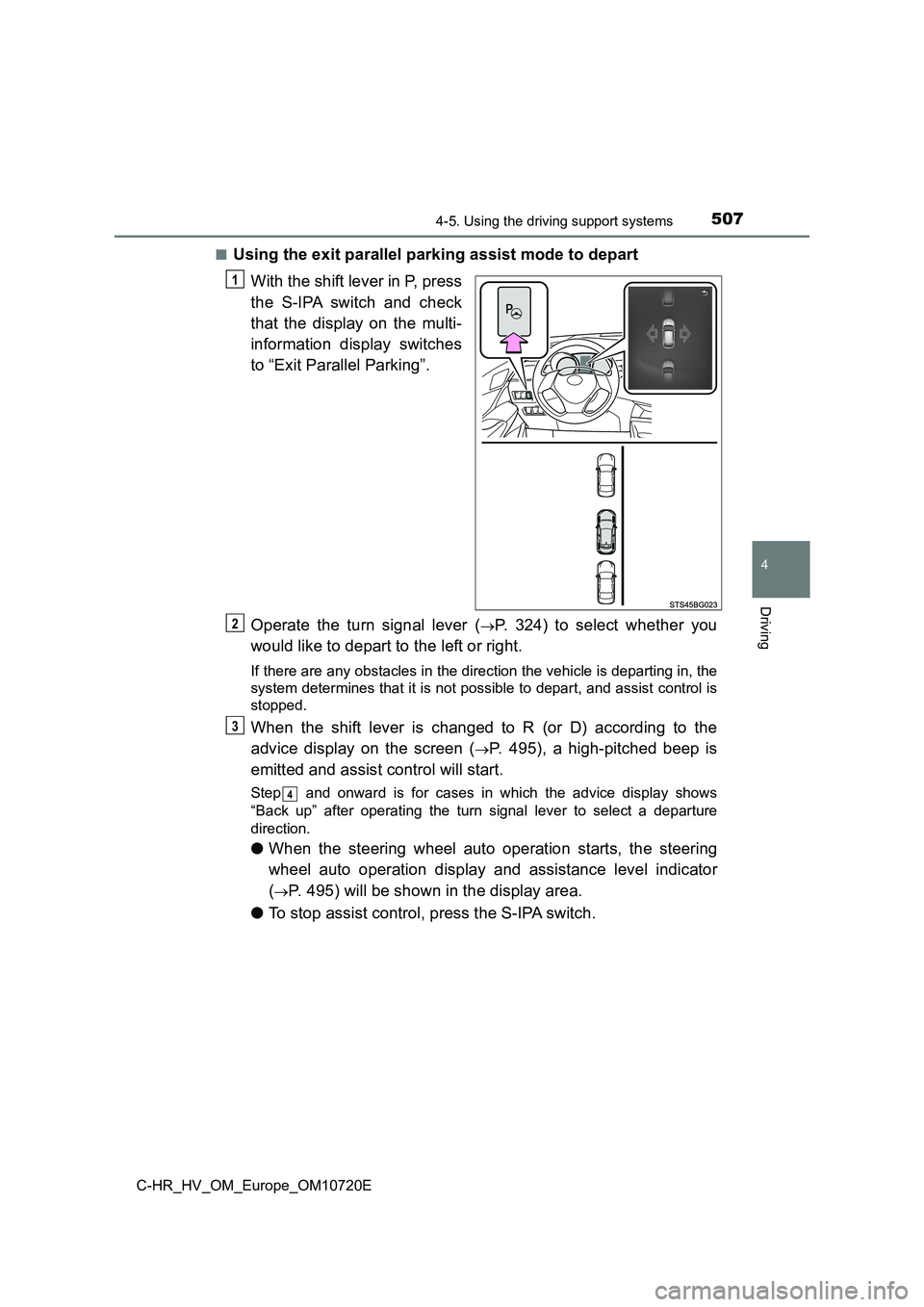
With the shift lever in P, press
the S-IPA switch and check
that the display on the multi-
information display switches
to “Exit Parallel Parking”.
Operate the turn signal lever (P. 324) to select whether you
would like to depart to the left or right.
If there are any obstacles in the direction the vehicle is depa rting in, the
system determines that it is not possible to depart, and assist control is
stopped.
When the shift lever is changed to R (or D) according to the
advice display on the screen (P. 495), a high-pitched beep is
emitted and assist control will start.
Step and onward is for cases in which the advice display shows
“Back up” after operating the turn signal lever to select a dep arture
direction.
● When the steering wheel auto operation starts, the steering
wheel auto operation display and assistance level indicator
(P. 495) will be shown in the display area.
● To stop assist control, press the S-IPA switch.
1
2
3
4
Page 510 of 818
5084-5. Using the driving support systems
C-HR_HV_OM_Europe_OM10720E
Assume an ordinary posture for backing up, rest your hands
lightly on the steering wheel without applying any force, direc tly
confirm the safety of the area to the rear and around the vehic le
and slowly back up while adjusting your speed by depressing the
brake pedal.
● When backing up too quickly, a sharp beeping sound is emit-
ted and assist control is stopped. (P. 495)
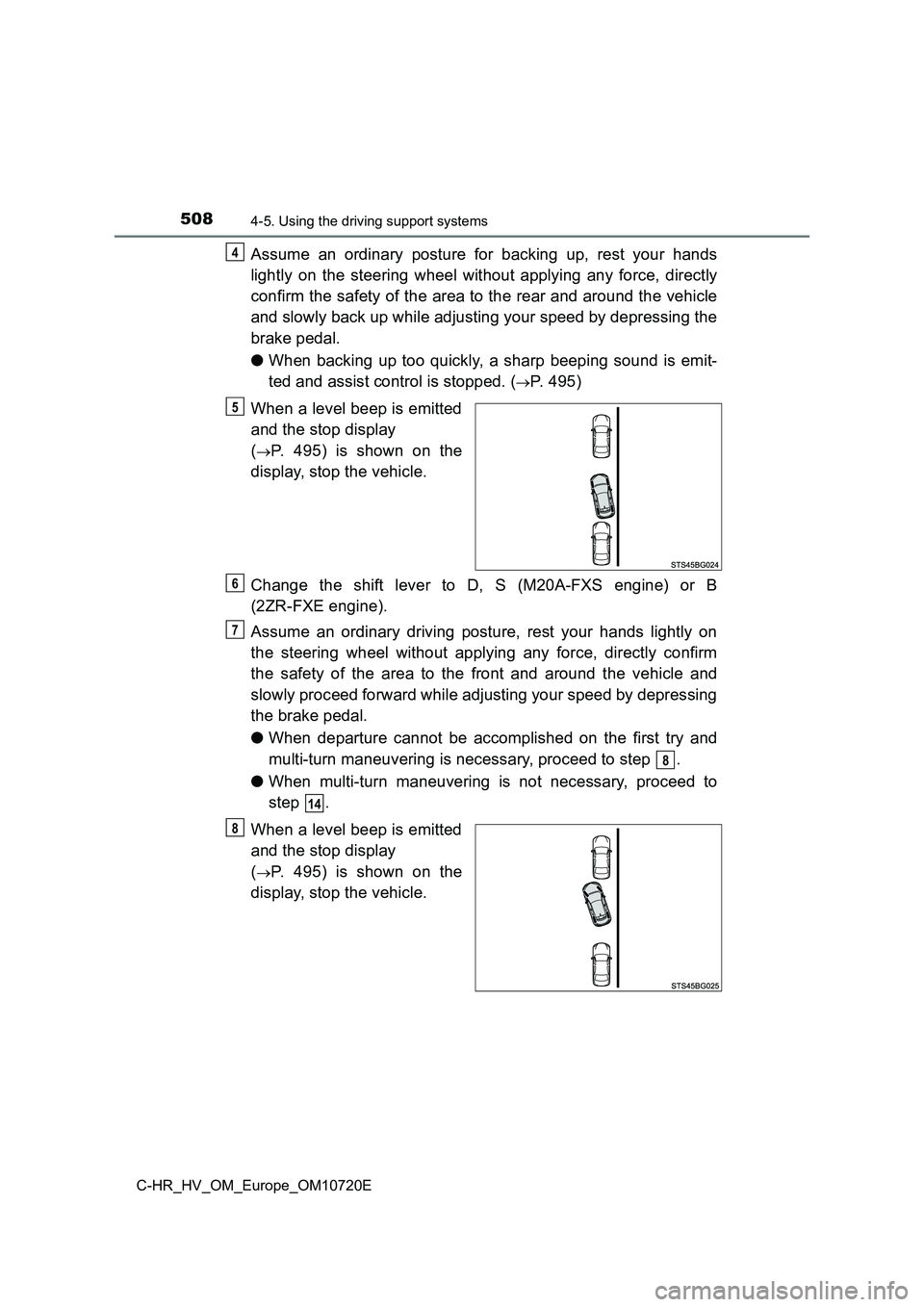
When a level beep is emitted
and the stop display
(P. 495) is shown on the
display, stop the vehicle.
Change the shift lever to D, S (M20A-FXS engine) or B
(2ZR-FXE engine).
Assume an ordinary driving posture, rest your hands lightly on
the steering wheel without applying any force, directly confirm
the safety of the area to the front and around the vehicle and
slowly proceed forward while adjusting your speed by depressing
the brake pedal.
● When departure cannot be accomplished on the first try and
multi-turn maneuvering is necessary, proceed to step .
● When multi-turn maneuvering is not necessary, proceed to
step .
When a level beep is emitted
and the stop display
(P. 495) is shown on the
display, stop the vehicle.
4
5
6
7
8
14
8
Page 511 of 818
5094-5. Using the driving support systems
4
Driving
C-HR_HV_OM_Europe_OM10720E
Change the shift lever to R.
Assume an ordinary posture for backing up, rest your hands
lightly on the steering wheel without applying any force, direc tly
confirm the safety of the area to the rear and around the vehic le
and slowly back up while adjusting your speed by depressing the
brake pedal.
Depending on the condition of the parking space, steps to may
need to be repeated.
When a level beep is emitted
and the stop display
(P. 495) is shown on the
display, stop the vehicle.
Change the shift lever to D, S (M20A-FXS engine) or B
(2ZR-FXE engine).
Assume an ordinary driving posture, rest your hands lightly on
the steering wheel without applying any force, directly confirm
the safety of the area to the front and around the vehicle and
slowly proceed forward while adjusting your speed by depressing
the brake pedal.
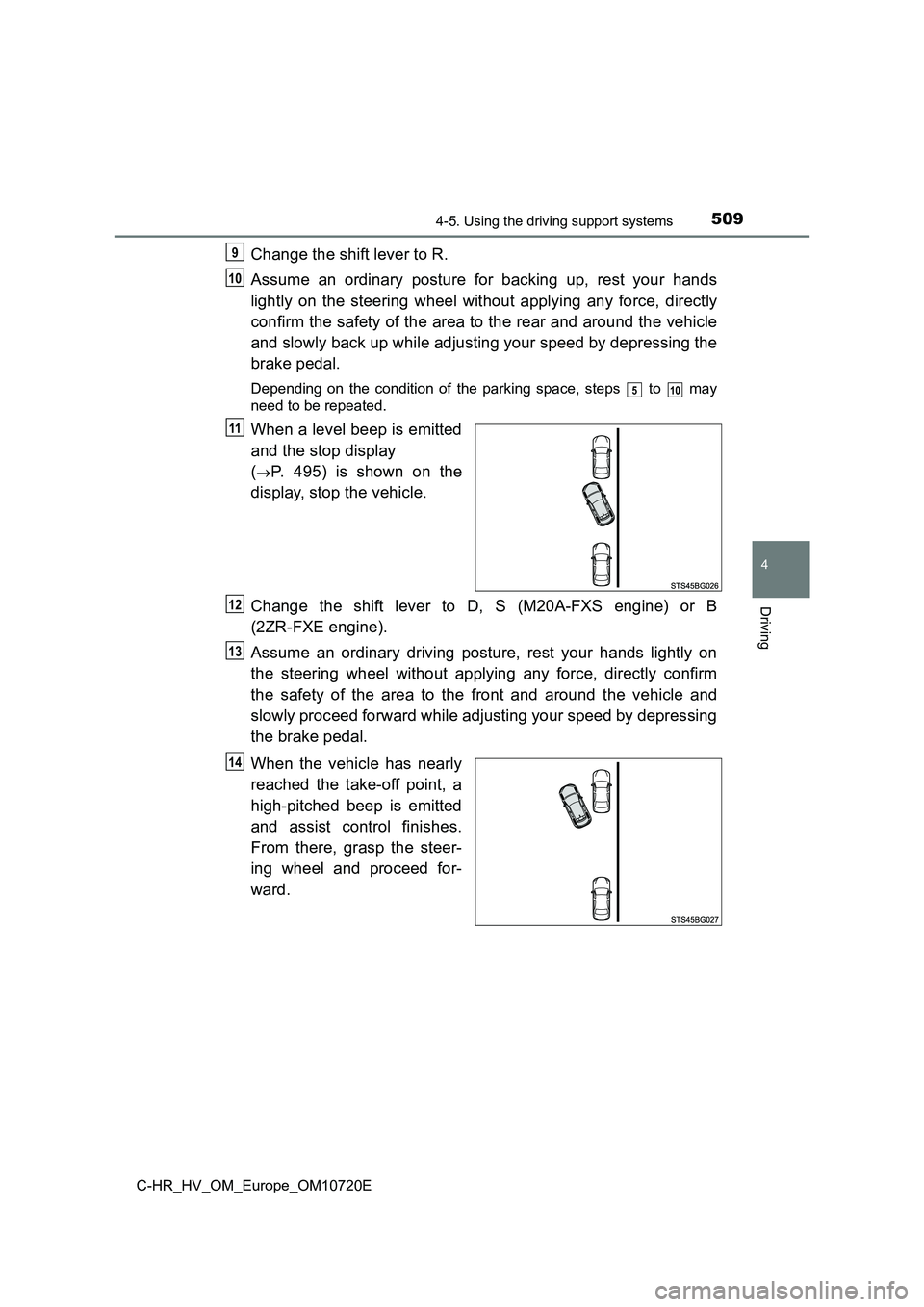
When the vehicle has nearly
reached the take-off point, a
high-pitched beep is emitted
and assist control finishes.
From there, grasp the steer-
ing wheel and proceed for-
ward.
9
10
510
11
12
13
14
Page 517 of 818
5154-5. Using the driving support systems
4
Driving
C-HR_HV_OM_Europe_OM10720E
Change the shift lever to R.
Assume an ordinary posture for backing up, rest your hands
lightly on the steering wheel without applying any force, direc tly
confirm the safety of the area to the rear and around the vehic le,
confirm that there are no obstacles in the parking space, and
slowly back up while adjusting your speed by depressing the
brake pedal.
● When the vehicle cannot be cleanly entered within the target
parking spot on the first try and multi-turn maneuvering is nec -
essary, proceed to step .
● When multi-turn maneuvering is not necessary, proceed to
step .
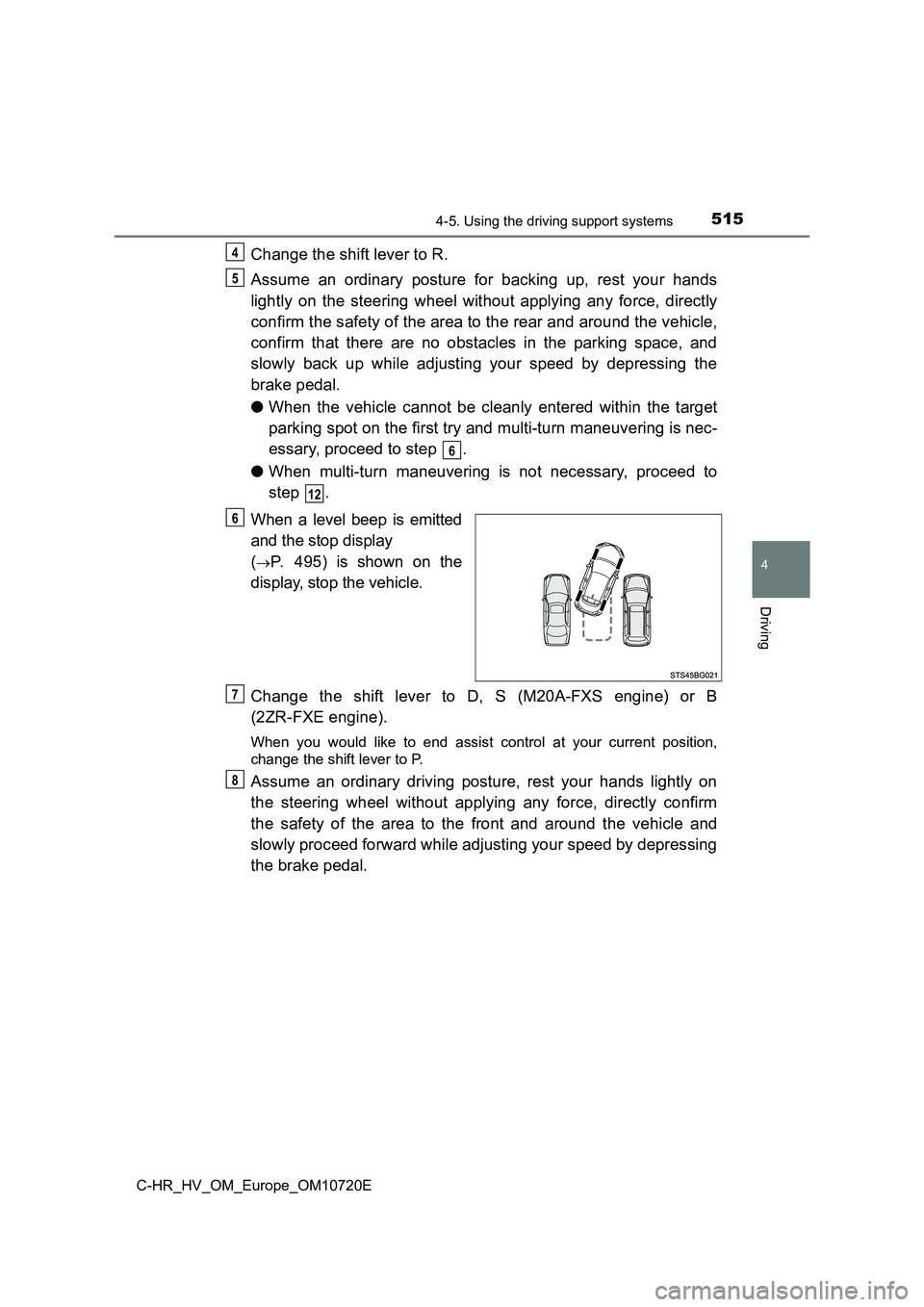
When a level beep is emitted
and the stop display
(P. 495) is shown on the
display, stop the vehicle.
Change the shift lever to D, S (M20A-FXS engine) or B
(2ZR-FXE engine).
When you would like to end assist control at your current posit ion,
change the shift lever to P.
Assume an ordinary driving posture, rest your hands lightly on
the steering wheel without applying any force, directly confirm
the safety of the area to the front and around the vehicle and
slowly proceed forward while adjusting your speed by depressing
the brake pedal.
4
5
6
12
6
7
8
Page 518 of 818
5164-5. Using the driving support systems
C-HR_HV_OM_Europe_OM10720E
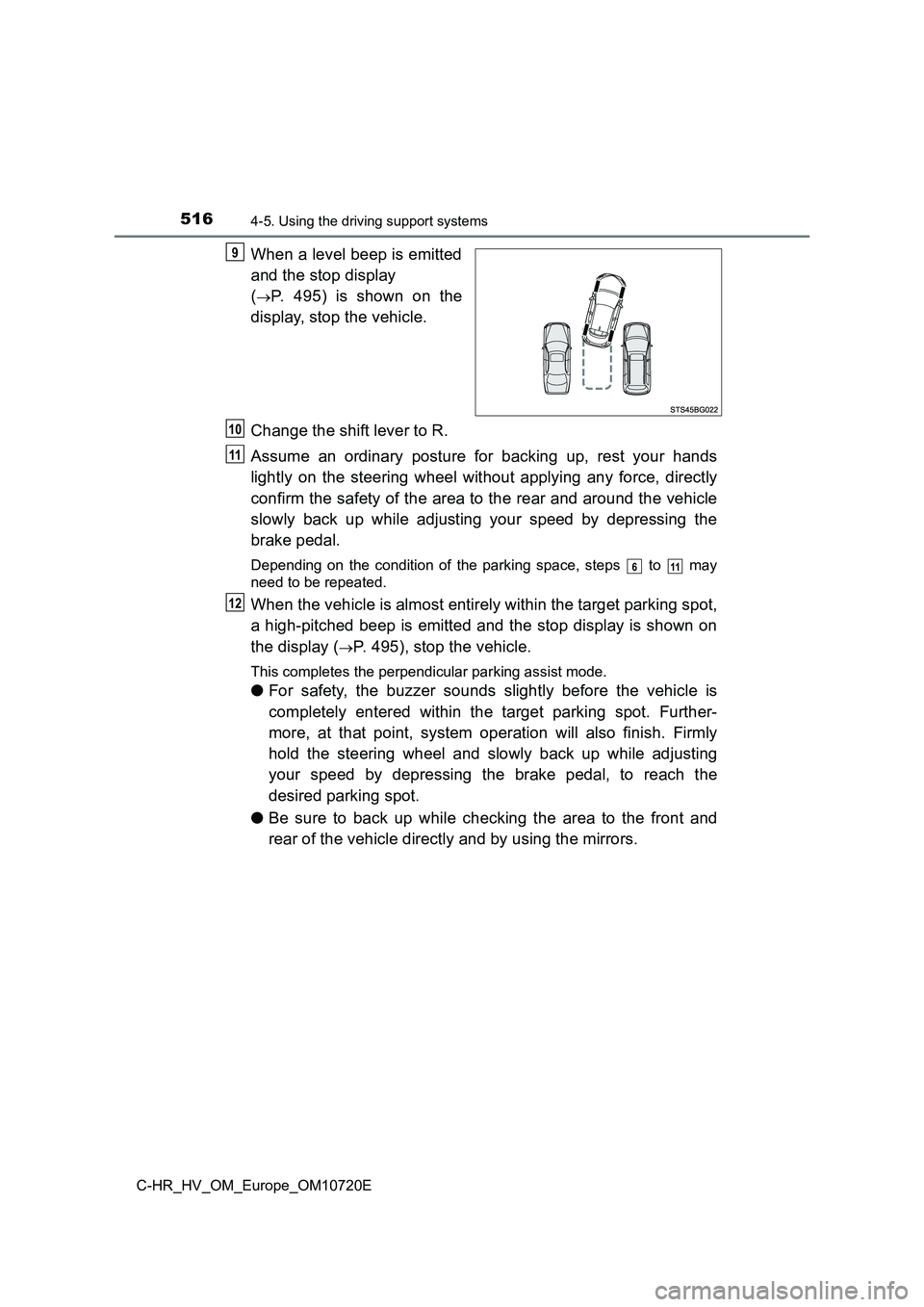
When a level beep is emitted
and the stop display
(P. 495) is shown on the
display, stop the vehicle.
Change the shift lever to R.
Assume an ordinary posture for backing up, rest your hands
lightly on the steering wheel without applying any force, direc tly
confirm the safety of the area to the rear and around the vehic le
slowly back up while adjusting your speed by depressing the
brake pedal.
Depending on the condition of the parking space, steps to may
need to be repeated.
When the vehicle is almost entirely within the target parking s pot,
a high-pitched beep is emitted and the stop display is shown on
the display (P. 495), stop the vehicle.
This completes the perpendicular parking assist mode.
● For safety, the buzzer sounds slightly before the vehicle is
completely entered within the target parking spot. Further-
more, at that point, system operation will also finish. Firmly
hold the steering wheel and slowly back up while adjusting
your speed by depressing the brake pedal, to reach the
desired parking spot.
● Be sure to back up while checking the area to the front and
rear of the vehicle directly and by using the mirrors.
9
10
11
611
12
Page 560 of 818
5585-1. Using the air conditioning system and defogger
C-HR_HV_OM_Europe_OM10720E
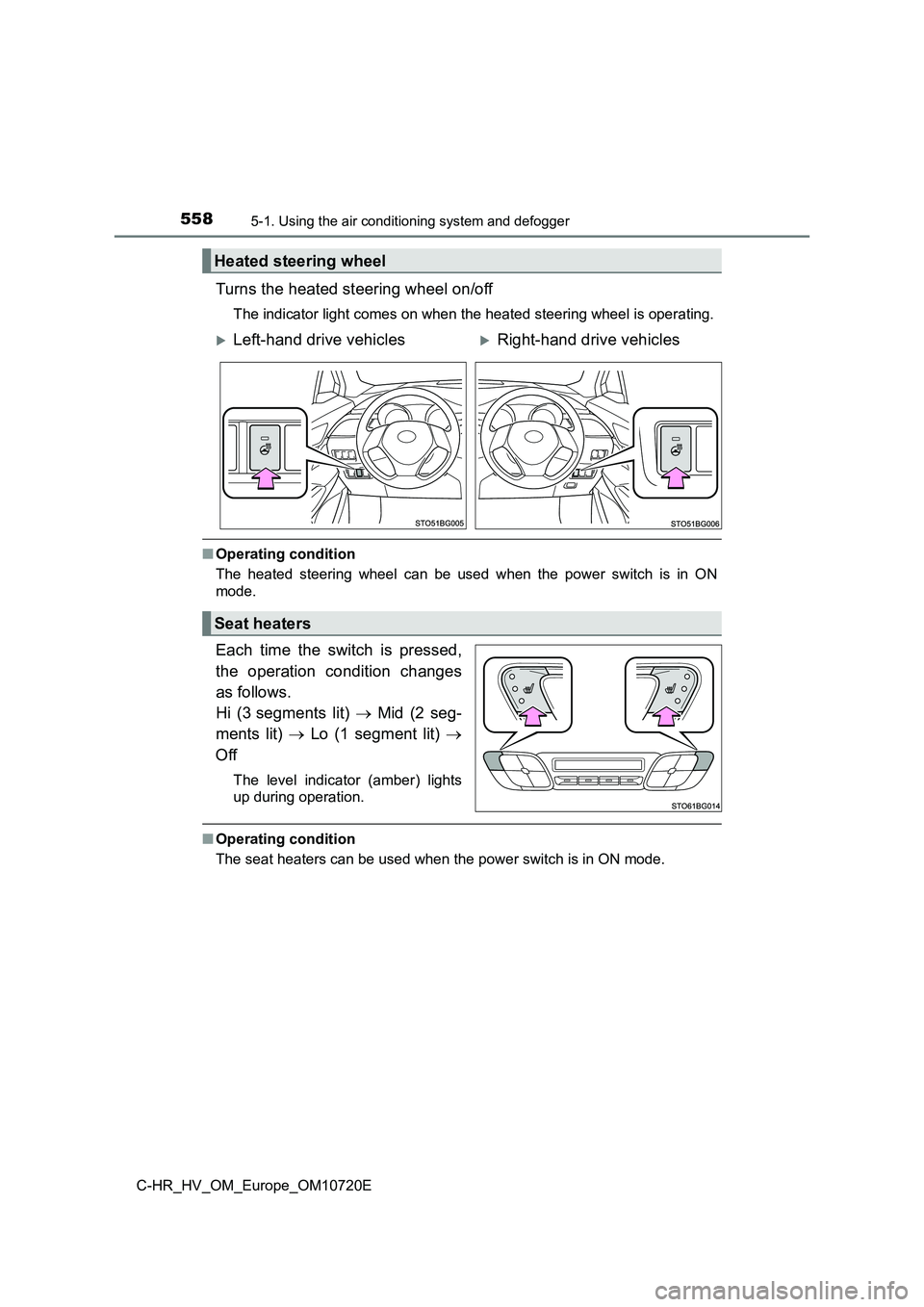
Turns the heated steering wheel on/off
The indicator light comes on when the heated steering wheel is operating.
■Operating condition
The heated steering wheel can be used when the power switch is in ON
mode.
Each time the switch is pressed,
the operation condition changes
as follows.
Hi (3 segments lit) Mid (2 seg-
ments lit) Lo (1 segment lit)
Off
The level indicator (amber) lights
up during operation.
■ Operating condition
The seat heaters can be used when the power switch is in ON mod e.
Heated steering wheel
Left-hand drive vehiclesRight-hand drive vehicles
Seat heaters
Page 620 of 818
6186-3. Do-it-yourself maintenance
C-HR_HV_OM_Europe_OM10720E
Your vehicle is equipped with a tire pressure warning system that uses
tire pressure warning valves and transmitters to detect low tir e infla-
tion pressure before serious problems arise.
If the tire pressure drops below a predetermined level, the dri ver is
warned by a warning light. ( P. 686)
◆Installing tire pressure warning valves and transmitters
When replacing tires or wheels, tire pressure warning valves an d
transmitters must also be installed.
When new tire pressure warning valves and transmitters are
installed, new ID codes must be registered in the tire pressure
warning computer and the tire pressure warning system must be
initialized. Have tire pressure warning valve and transmitter I D
codes registered by any authorized Toyota retailer or Toyota au tho-
rized repairer, or any reliable repairer. ( P. 620)
◆Initializing the tire pressure warning system
When the tire size is changed, the tire pressure warning system
must be initialized.
When the tire pressure warning system is initialized, the curre nt tire
inflation pressure is set as the benchmark pressure.
Tire pressure warning system
Page 624 of 818
6226-3. Do-it-yourself maintenance
C-HR_HV_OM_Europe_OM10720E
■ The initialization operation
● Make sure to carry out initialization after adjusting the tire inflation pressure.
Also, make sure the tires are cold before carrying out initiali zation or tire
inflation pressure adjustment.
● If you have accidentally turned the power switch off during initialization, it is
not necessary to press the reset switch again as initialization will restart
automatically when the power switch has been turned to ON mode for the
next time.
● If you accidentally press the reset switch when initialization is not necessary,
adjust the tire inflation pressure to the specified level when the tires are
cold, and conduct initialization again.
■ Warning performance of the tire pressure warning system
The warning of the tire pressure warning system will change in accordance
with the conditions under which it was initialized. For this re ason, the system
may give a warning even if the tire pressure does not reach a l ow enough
level, or if the pressure is higher than the pressure that was adjusted to when
the system was initialized.
■ When initialization of the tire pressure warning system has failed
Initialization can be completed in a few minutes. However, in t he following
cases, the settings have not been recorded and the system will not operate
properly. If repeated attempts to record tire inflation pressur e settings are
unsuccessful, have the vehicle inspected by any authorized Toyo ta retailer or
Toyota authorized repairer, or any reliable repairer as soon as possible.
● When operating the initialization of the system, the tire pressure warning
light does not flash 3 times and the setting message does not a ppear on the
multi-information display.
● After driving for a certain period of time since the initialization has been
completed, the warning light comes on after blinking for 1 minu te.
■ Registering ID codes
The ID codes of the tire pressure warning valve and transmitter s for two sets
of wheels can be registered.
It is not necessary to register the ID codes when replacing nor mal tires with
snow tires, if the ID codes for the wheels of both normal tires and snow tires
are registered beforehand.
For information about changing ID codes, ask any authorized Toy ota retailer
or Toyota authorized repairer, or any reliable repairer.