lock TOYOTA C-HR 2023 Owner's Guide
[x] Cancel search | Manufacturer: TOYOTA, Model Year: 2023, Model line: C-HR, Model: TOYOTA C-HR 2023Pages: 814, PDF Size: 112.62 MB
Page 169 of 814
1672. Instrument cluster
2
Instrument cluster
C-HR_HEV_OM_Europe_OM10764E
■ Engine speed
On Hybrid Electric Vehicles, engine speed is precisely controll ed in order to
help improve fuel efficiency and reduce exhaust emissions, etc.
There are times when the engine speed that is displayed may dif fer even
when vehicle operation and driving conditions are the same.
■ Outside temperature display
● In the following situations, the correct outside temperature may not be dis-
played, or the display may take longer than normal to change.
• When stopped, or driving at low speeds (less than 25 km/h [16 mph])
• When the outside temperature has changed suddenly (at the entr ance/
exit of a garage, tunnel, etc.)
● When “--” is displayed, the system may be malfunctioning.
Take your vehicle to any authorized Toyota retailer or Toyota a uthorized
repairer, or any reliable repairer.
■ Adjusting the clock (if equipped)
The clocks can be adjusted on the multimedia system screen.
Refer to “Navigation and multimedia system Owner’s manual” or “ Multimedia
owner’s manual”.
NOTICE
■ To prevent damage to the engine and its components
The engine may be overheating if the engine coolant temperature gauge is
in the red zone (“H”). In this case, immediately stop the vehic le in a safe
place, and check the engine after it has cooled completely. ( P. 755)
Page 187 of 814
185
3
Operation of
each component
C-HR_HEV_OM_Europe_OM10764E
3-1. Key information
Keys ................................... 186
3-2. Opening, closing and
locking the doors
Side doors.......................... 191
Back door........................... 199
Smart entry & start
system ............................. 205
3-3. Adjusting the seats
Front seats ......................... 260
Rear seats ......................... 262
Head restraints .................. 264
3-4. Adjusting the steering
wheel and mirrors
Steering wheel ................... 268
Inside rear view mirror ....... 270
Outside rear view
mirrors ............................. 272
3-5. Opening and closing the
windows
Power windows .................. 275
Page 188 of 814
1863-1. Key information
C-HR_HEV_OM_Europe_OM10764E
Keys
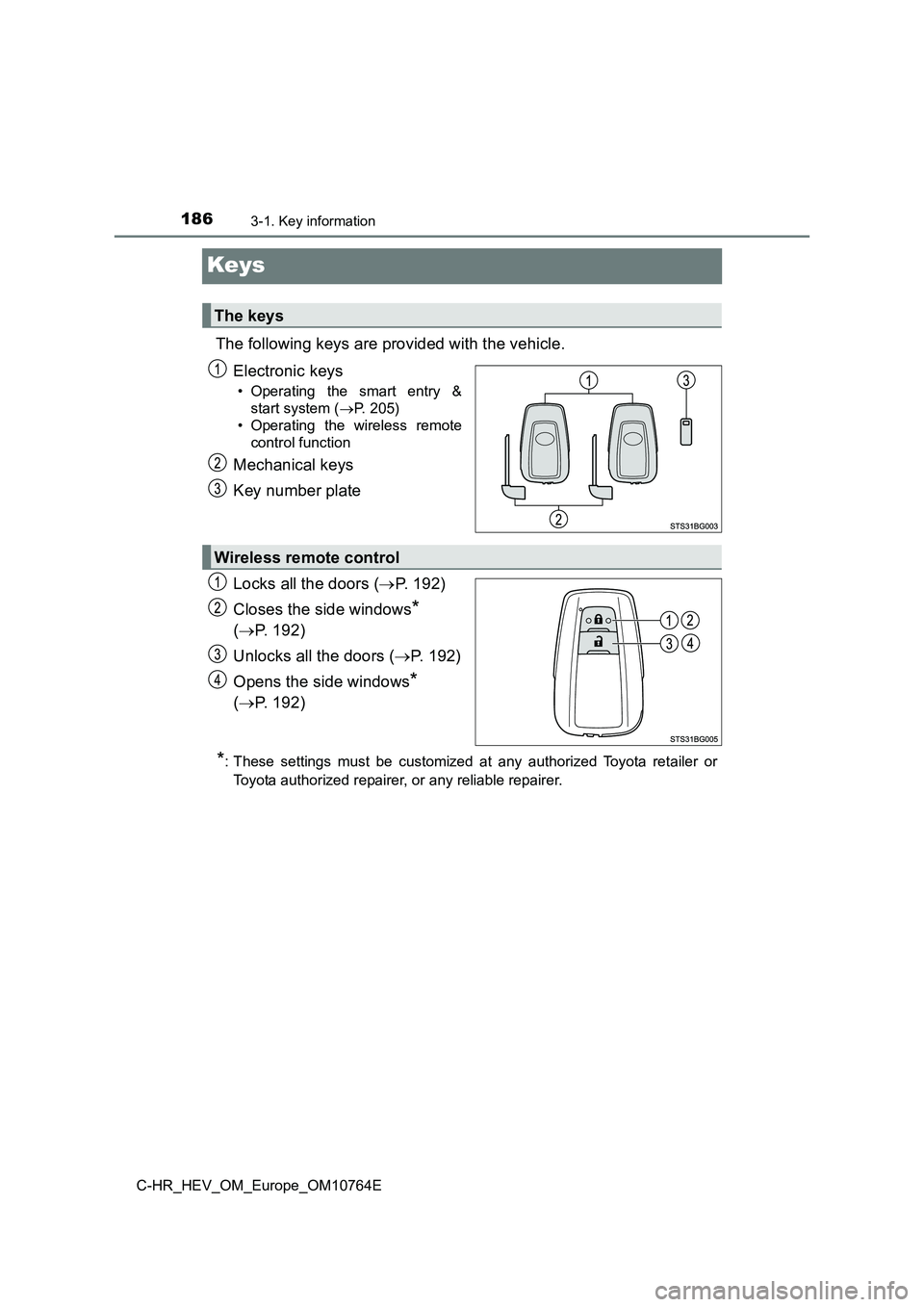
The following keys are provided with the vehicle.
Electronic keys
• Operating the smart entry &
start system ( P. 205)
• Operating the wireless remote
control function
Mechanical keys
Key number plate
Locks all the doors ( P. 192)
Closes the side windows*
( P. 192)
Unlocks all the doors ( P. 1 9 2 )
Opens the side windows*
( P. 192)
*: These settings must be customized at any authorized Toyota retailer or
Toyota authorized repairer, or any reliable repairer.
The keys
Wireless remote control
Page 189 of 814
1873-1. Key information
3
Operation of each component
C-HR_HEV_OM_Europe_OM10764E
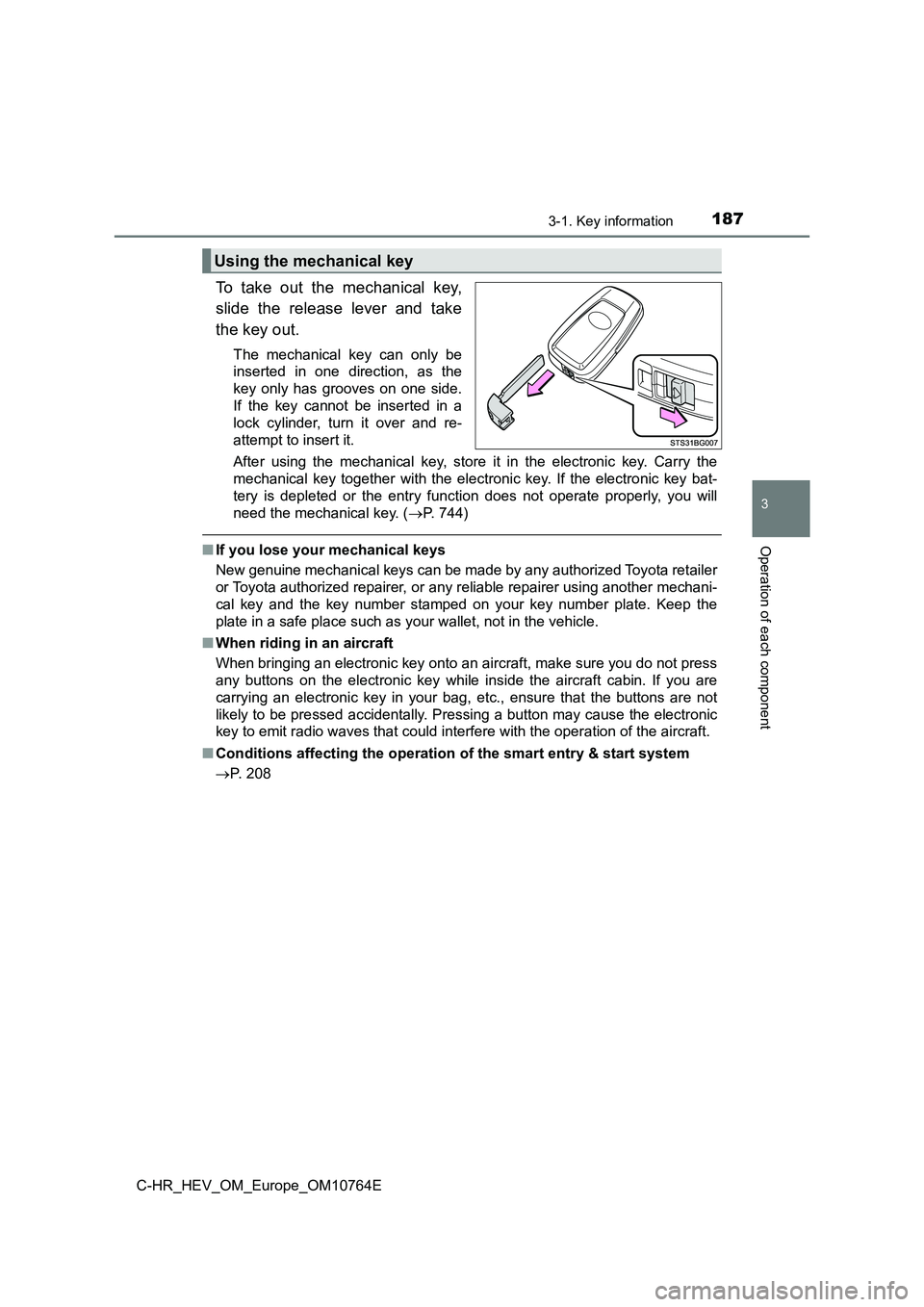
To take out the mechanical key,
slide the release lever and take
the key out.
The mechanical key can only be
inserted in one direction, as the
key only has grooves on one side.
If the key cannot be inserted in a
lock cylinder, turn it over and re-
attempt to insert it.
After using the mechanical key, store it in the electronic key. Carry the
mechanical key together with the electronic key. If the electro nic key bat-
tery is depleted or the entry function does not operate properl y, you will
need the mechanical key. ( P. 744)
■If you lose your mechanical keys
New genuine mechanical keys can be made by any authorized Toyot a retailer
or Toyota authorized repairer, or any reliable repairer using a nother mechani-
cal key and the key number stamped on your key number plate. Ke ep the
plate in a safe place such as your wallet, not in the vehicle.
■ When riding in an aircraft
When bringing an electronic key onto an aircraft, make sure you do not press
any buttons on the electronic key while inside the aircraft cab in. If you are
carrying an electronic key in your bag, etc., ensure that the b uttons are not
likely to be pressed accidentally. Pressing a button may cause the electronic
key to emit radio waves that could interfere with the operation of the aircraft.
■ Conditions affecting the operation of the smart entry & start system
P. 208
Using the mechanical key
Page 193 of 814
191
3
3-2. Opening, closing and locking the doors
Operation of each component
C-HR_HEV_OM_Europe_OM10764E
Side doors
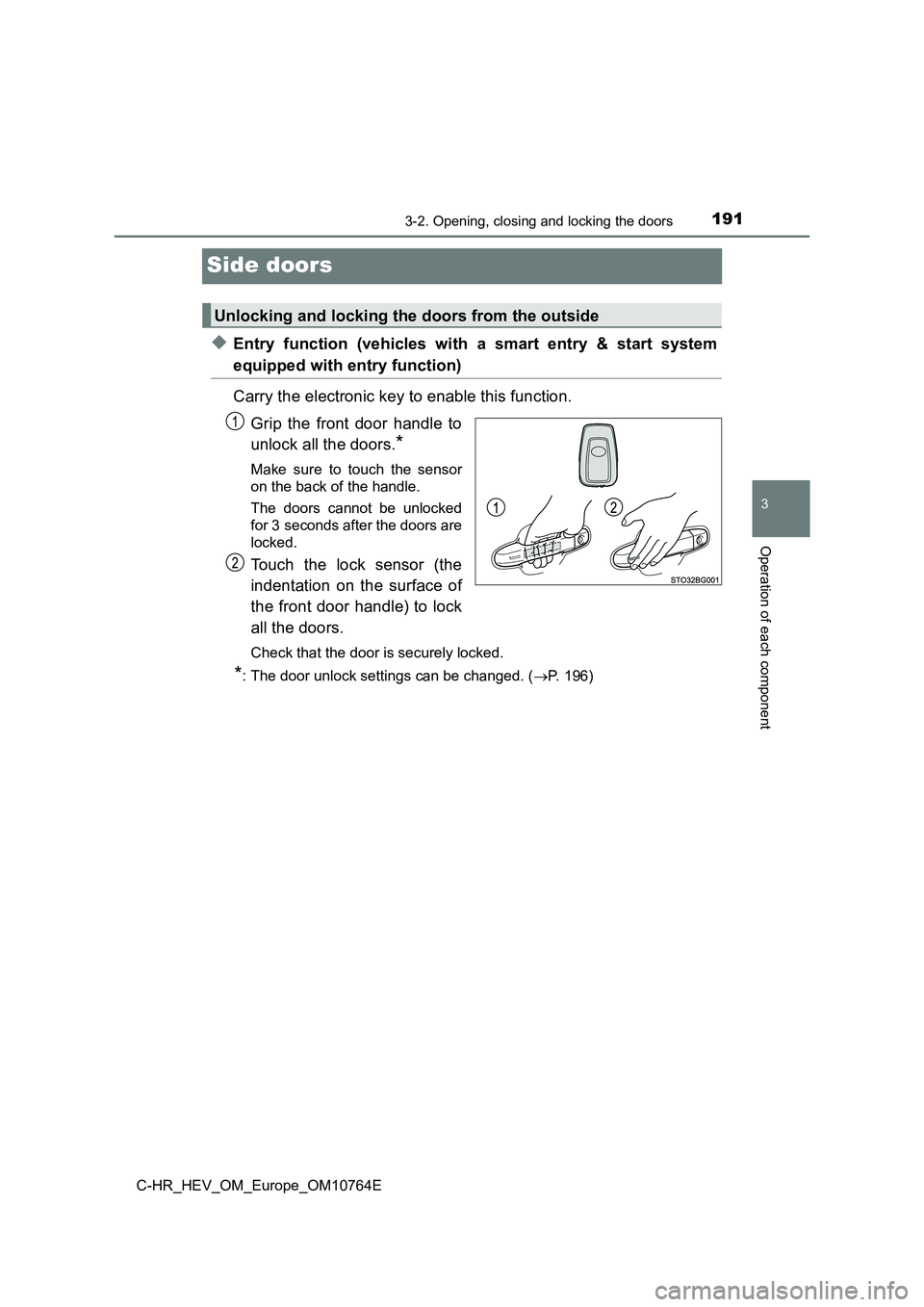
◆Entry function (vehicles with a smart entry & start system
equipped with entry function)
Carry the electronic key to enable this function.
Grip the front door handle to
unlock all the doors.*
Make sure to touch the sensor
on the back of the handle.
The doors cannot be unlocked
for 3 seconds after the doors are
locked.
Touch the lock sensor (the
indentation on the surface of
the front door handle) to lock
all the doors.
Check that the door is securely locked.
*: The door unlock settings can be changed. ( P. 196)
Unlocking and locking the doors from the outside
Page 194 of 814
1923-2. Opening, closing and locking the doors
C-HR_HEV_OM_Europe_OM10764E
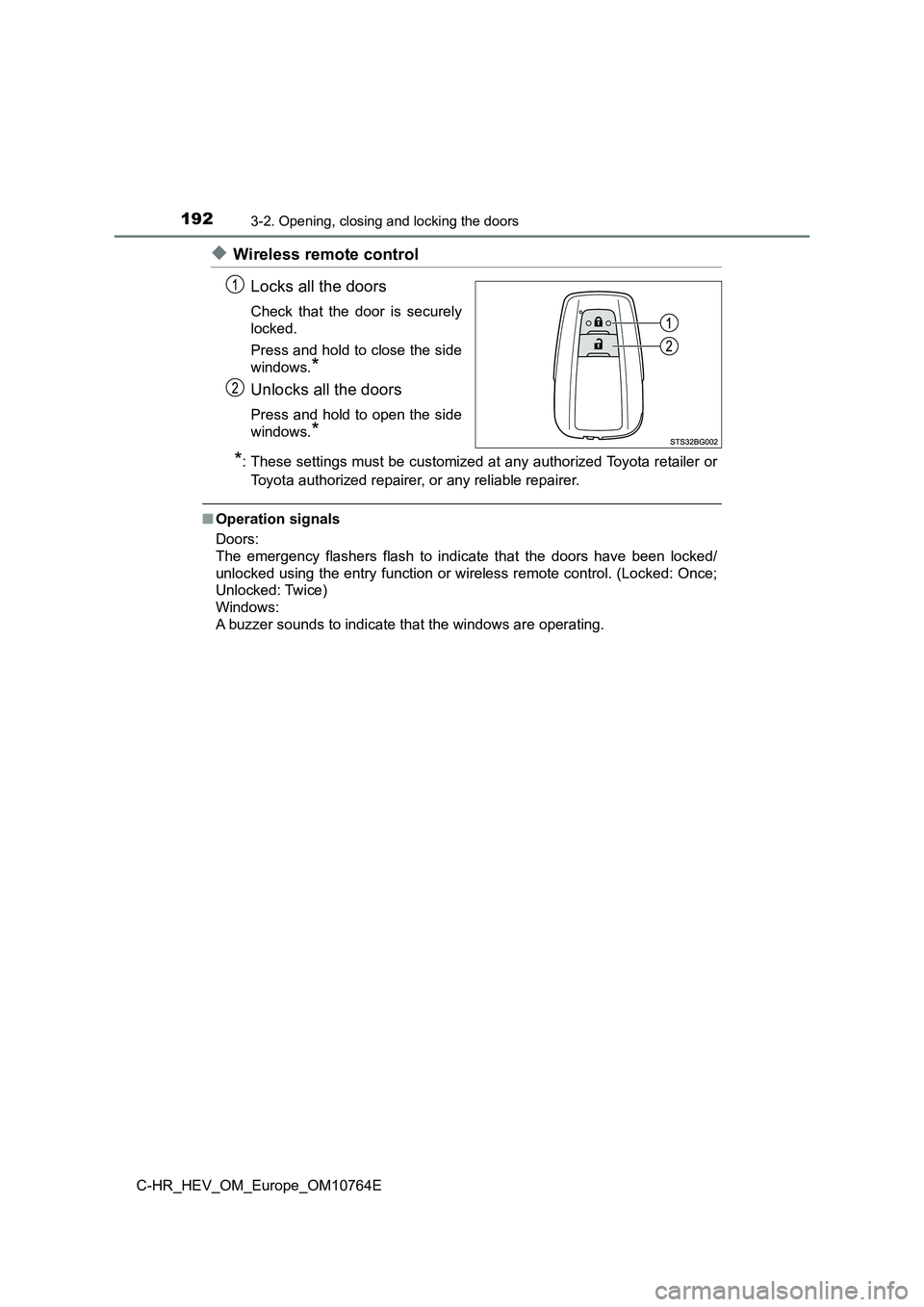
◆Wireless remote control
Locks all the doors
Check that the door is securely
locked.
Press and hold to close the side
windows.*
Unlocks all the doors
Press and hold to open the side
windows.*
*: These settings must be customized at any authorized Toyota ret ailer or
Toyota authorized repairer, or any reliable repairer.
■Operation signals
Doors:
The emergency flashers flash to indicate that the doors have be en locked/
unlocked using the entry function or wireless remote control. ( Locked: Once;
Unlocked: Twice)
Windows:
A buzzer sounds to indicate that the windows are operating.
Page 195 of 814
1933-2. Opening, closing and locking the doors
3
Operation of each component
C-HR_HEV_OM_Europe_OM10764E
■ Security feature
If a door is not opened within approximately 30 seconds after t he vehicle is
unlocked, the security feature automatically locks the vehicle again.
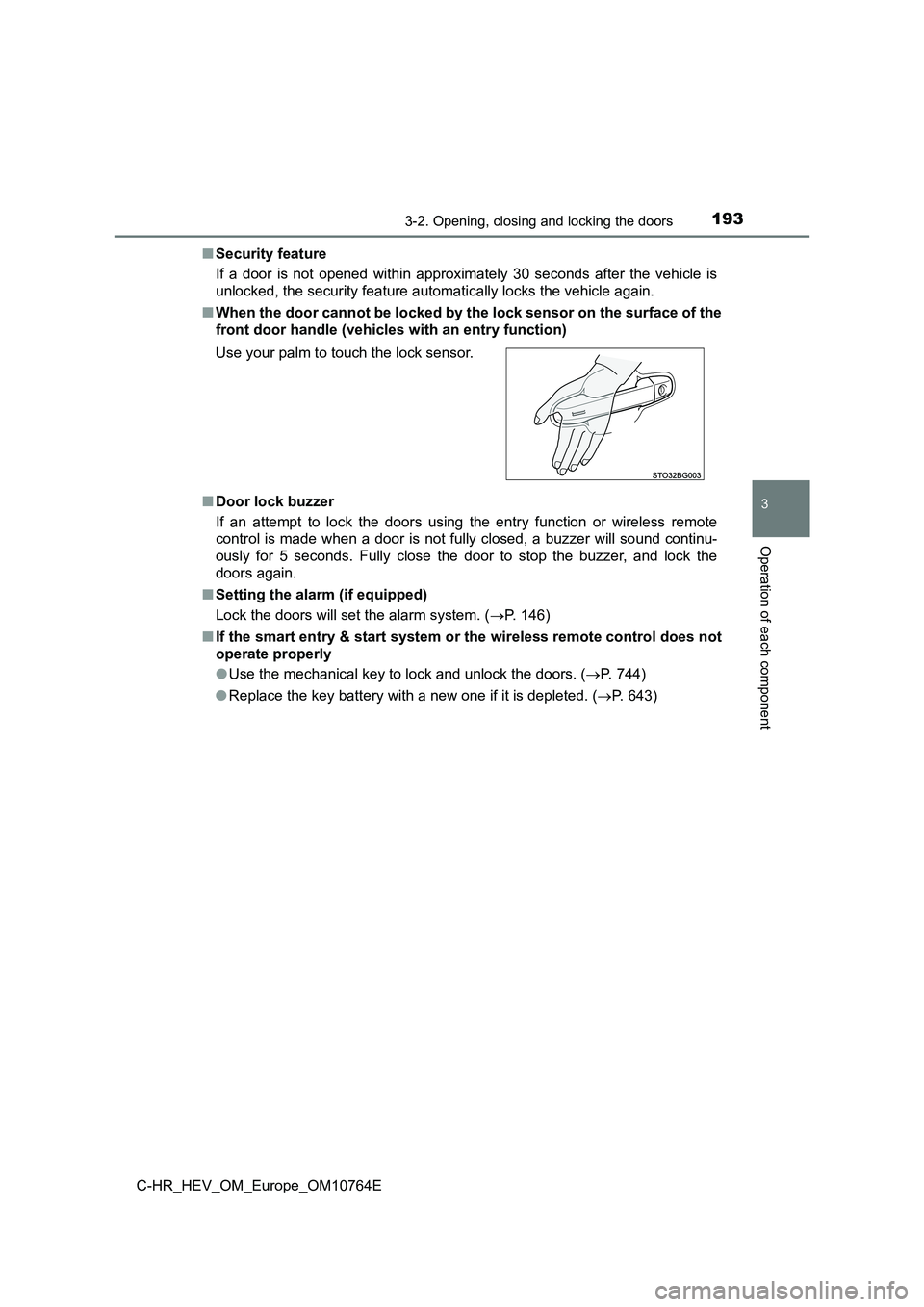
■ When the door cannot be locked by the lock sensor on the surface of the
front door handle (vehicl es with an entry function)
■ Door lock buzzer
If an attempt to lock the doors using the entry function or wir eless remote
control is made when a door is not fully closed, a buzzer will sound continu-
ously for 5 seconds. Fully close the door to stop the buzzer, a nd lock the
doors again.
■ Setting the alarm (if equipped)
Lock the doors will set the alarm system. ( P. 146)
■ If the smart entry & start system or the wireless remote control does not
operate properly
● Use the mechanical key to lock and unlock the doors. (P. 744)
● Replace the key battery with a new one if it is depleted. (P. 643)
Use your palm to touch the lock sensor.
Page 196 of 814
1943-2. Opening, closing and locking the doors
C-HR_HEV_OM_Europe_OM10764E
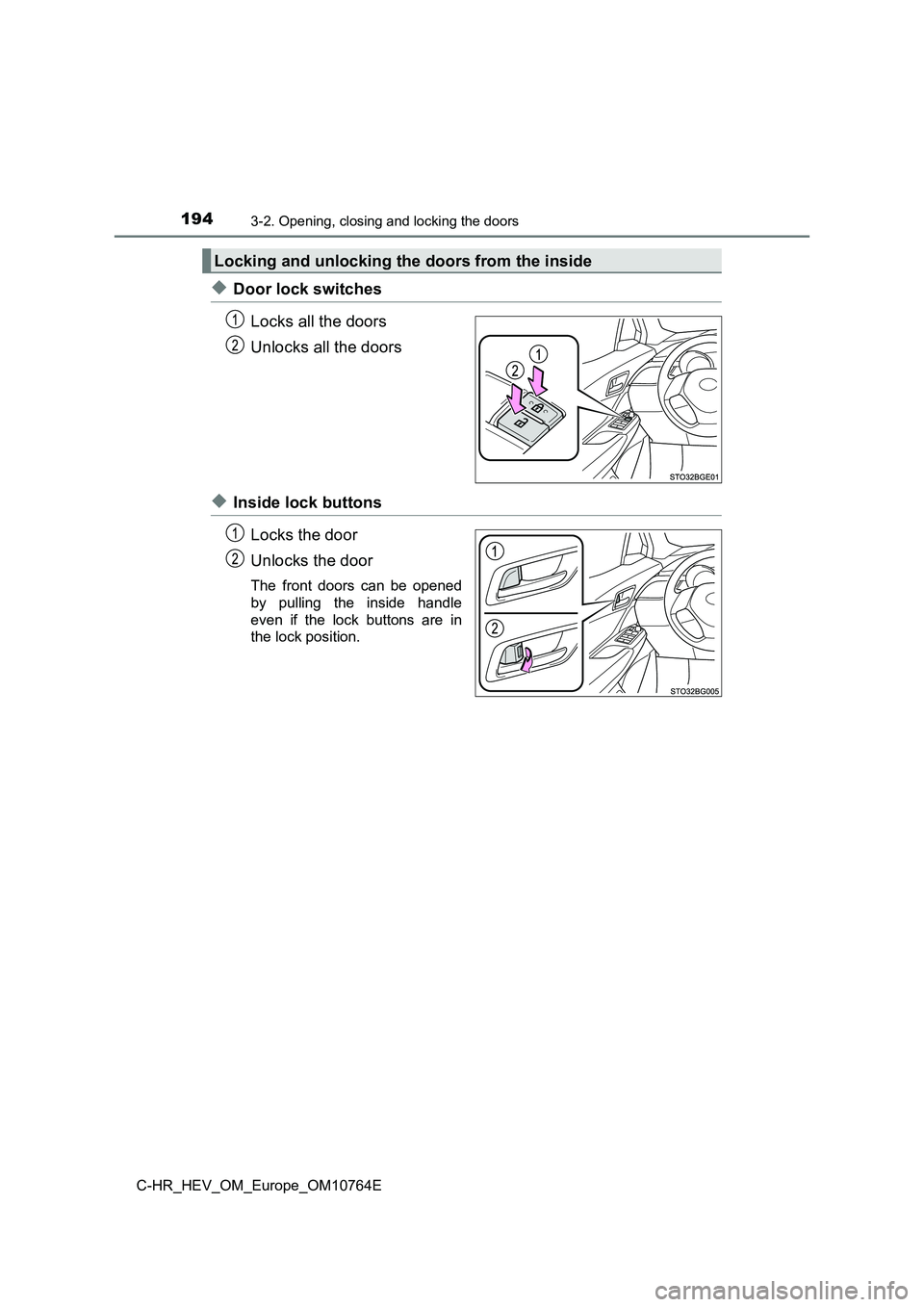
◆Door lock switches
Locks all the doors
Unlocks all the doors
◆Inside lock buttons
Locks the door
Unlocks the door
The front doors can be opened
by pulling the inside handle
even if the lock buttons are in
the lock position.
Locking and unlocking the doors from the inside
Page 197 of 814
1953-2. Opening, closing and locking the doors
3
Operation of each component
C-HR_HEV_OM_Europe_OM10764E
Move the inside lock button to the lock position.
Close the door while pulling the door handle.
The door cannot be locked if the power switch is in ACCESSORY o r
ON mode, or the electronic key is left inside the vehicle.
The key may not be detected correctly and the door may be locke d.
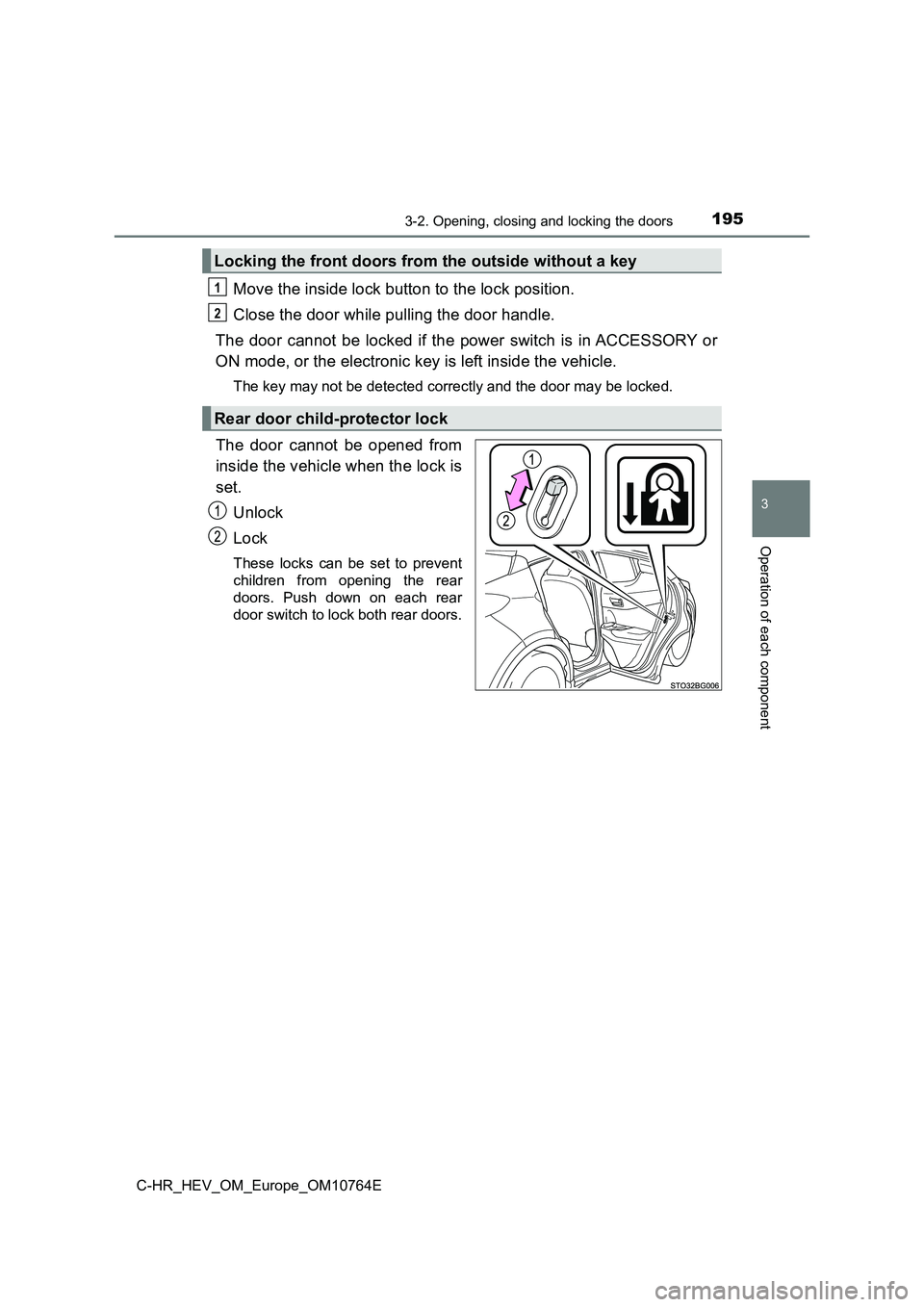
The door cannot be opened from
inside the vehicle when the lock is
set.
Unlock
Lock
These locks can be set to prevent
children from opening the rear
doors. Push down on each rear
door switch to lock both rear doors.
Locking the front doors from the outside without a key
Rear door child-protector lock
1
2
Page 198 of 814
1963-2. Opening, closing and locking the doors
C-HR_HEV_OM_Europe_OM10764E
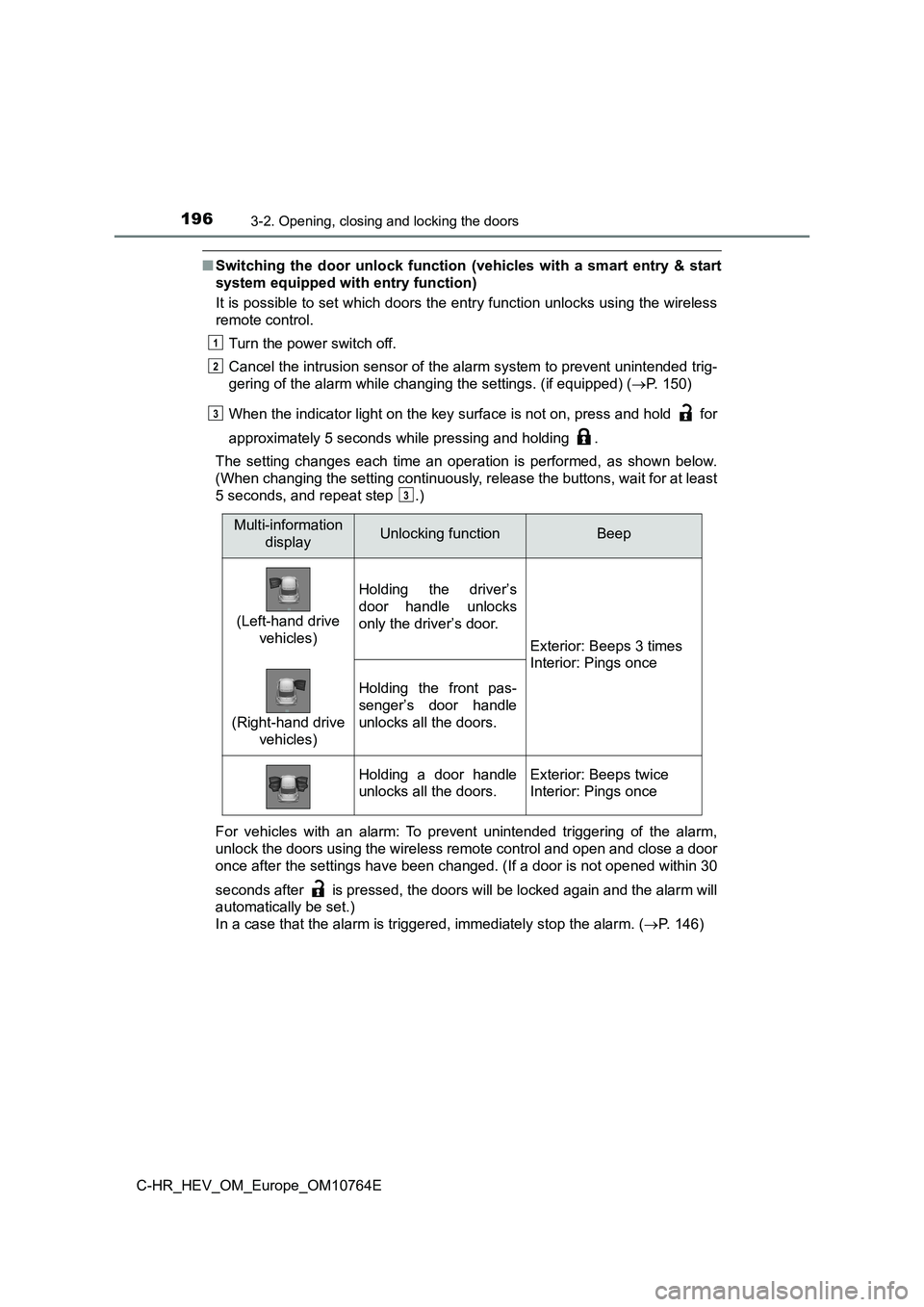
■Switching the door unlock function (vehicles with a smart entry & start
system equipped with entry function)
It is possible to set which doors the entry function unlocks us ing the wireless
remote control.
Turn the power switch off.
Cancel the intrusion sensor of the alarm system to prevent unin tended trig-
gering of the alarm while c hanging the settings. (if equipped) (P. 150)
When the indicator light on the key surface is not on, press an d hold for
approximately 5 seconds while pressing and holding .
The setting changes each time an operation is performed, as sho wn below.
(When changing the setting continuously, release the buttons, w ait for at least
5 seconds, and repeat step .)
For vehicles with an alarm: To prevent unintended triggering of the alarm,
unlock the doors using the wireless remote control and open and close a door
once after the settings have been changed. (If a door is not op ened within 30
seconds after is pressed, the doors will be locked again and t he alarm will
automatically be set.)
In a case that the alarm is triggered, immediately stop the ala rm. (P. 146)
1
2
3
3
Multi-information
displayUnlocking functionBeep
(Left-hand drive
vehicles)
Holding the driver’s
door handle unlocks
only the driver’s door.
Exterior: Beeps 3 times
Interior: Pings once
(Right-hand drive
vehicles)
Holding the front pas-
senger’s door handle
unlocks all the doors.
Holding a door handle
unlocks all the doors.
Exterior: Beeps twice
Interior: Pings once