warning TOYOTA C-HR 2023 Workshop Manual
[x] Cancel search | Manufacturer: TOYOTA, Model Year: 2023, Model line: C-HR, Model: TOYOTA C-HR 2023Pages: 814, PDF Size: 112.62 MB
Page 166 of 814
1642. Instrument cluster
C-HR_HEV_OM_Europe_OM10764E
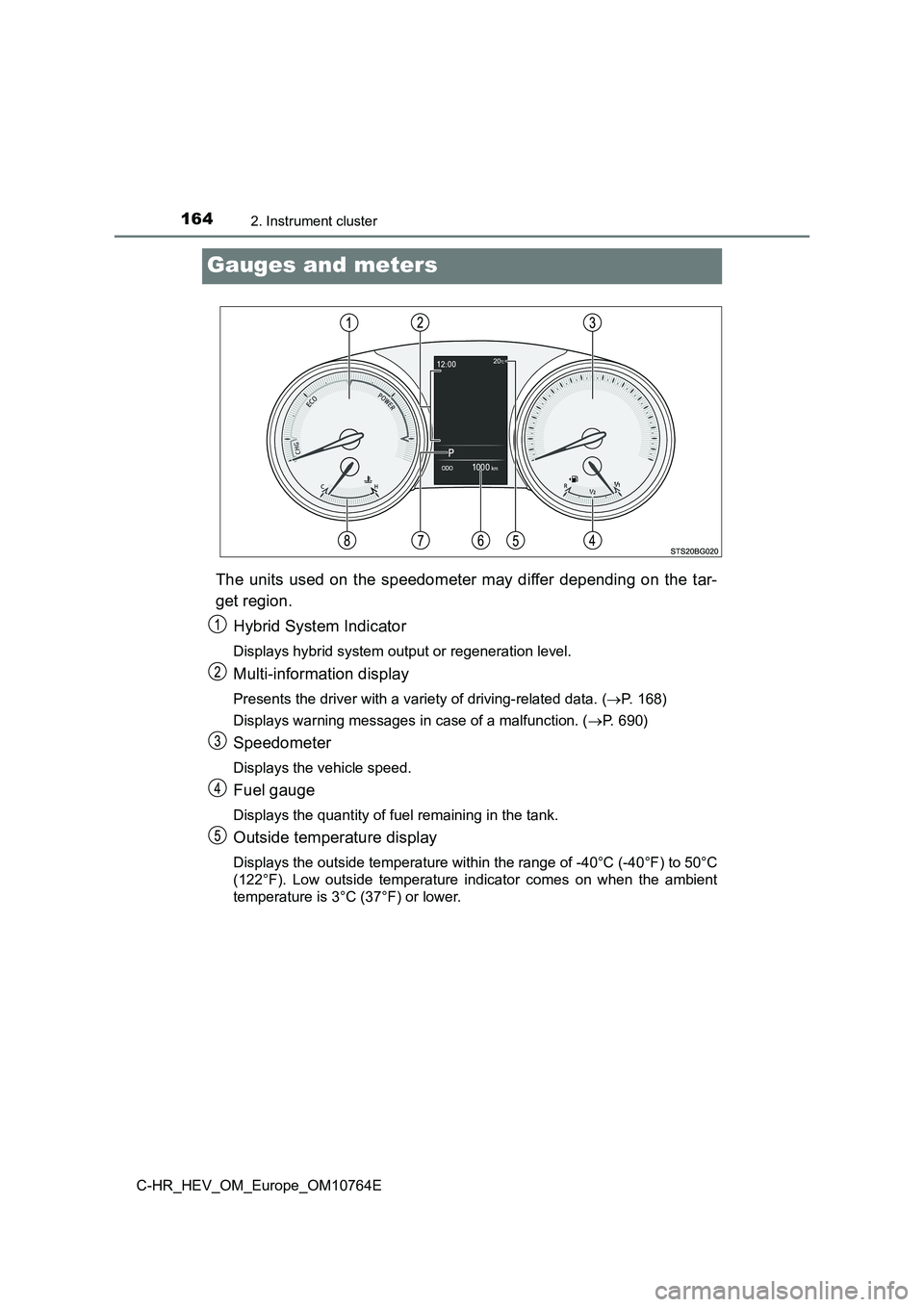
Gauges and meters
The units used on the speedometer may differ depending on the tar-
get region.
Hybrid System Indicator
Displays hybrid system output or regeneration level.
Multi-information display
Presents the driver with a variety of driving-related data. ( P. 168)
Displays warning messages in case of a malfunction. ( P. 690)
Speedometer
Displays the vehicle speed.
Fuel gauge
Displays the quantity of fuel remaining in the tank.
Outside temperature display
Displays the outside temperature within the range of -40°C (-40°F) to 50°C
(122°F). Low outside temperature indicator comes on when the am bient
temperature is 3°C (37°F) or lower.
Page 170 of 814
1682. Instrument cluster
C-HR_HEV_OM_Europe_OM10764E
Multi-information display
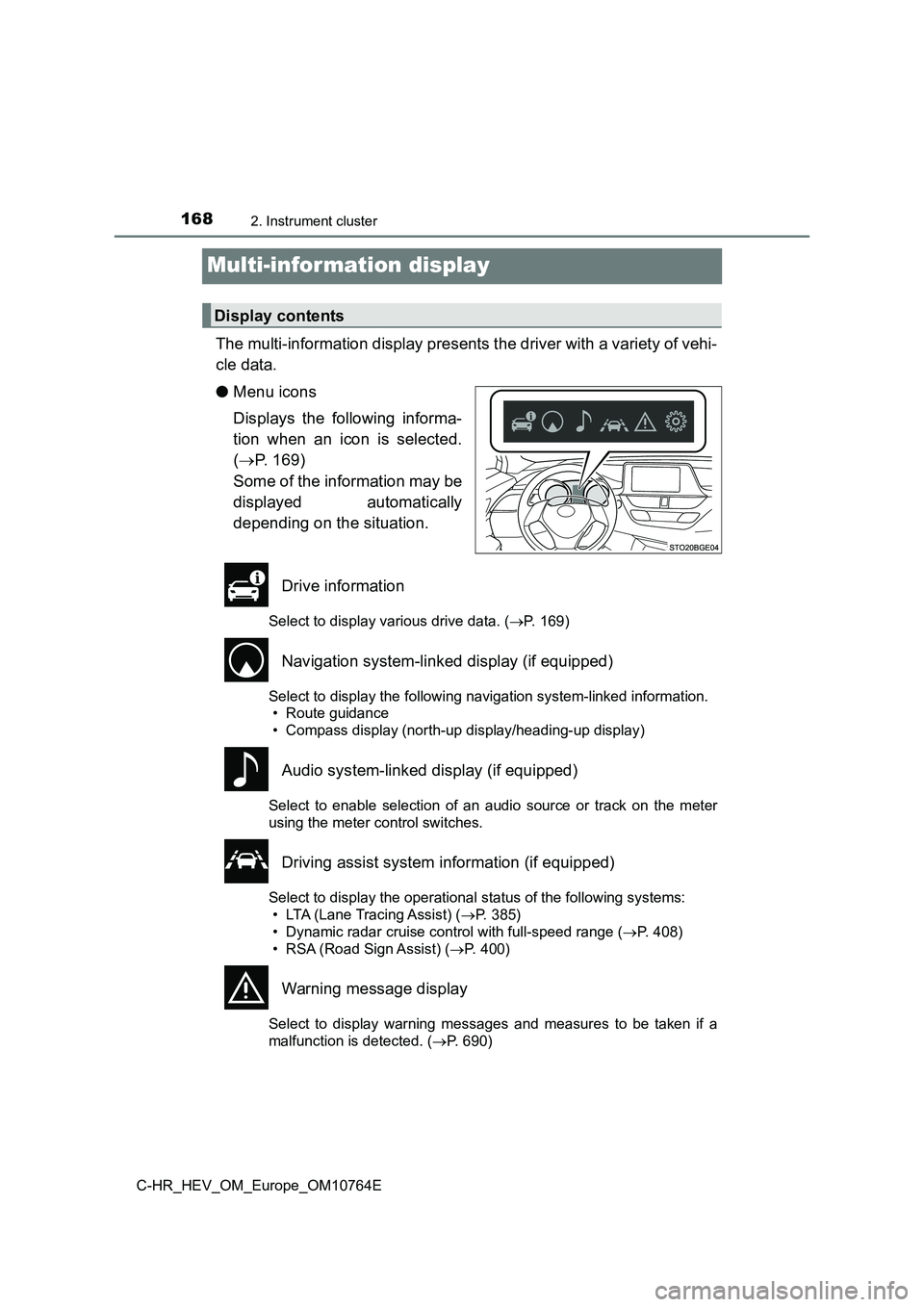
The multi-information display presents the driver with a variety of vehi-
cle data.
● Menu icons
Displays the following informa-
tion when an icon is selected.
( P. 169)
Some of the information may be
displayed automatically
depending on the situation.
Drive information
Select to display various drive data. ( P. 169)
Navigation system-linked display (if equipped)
Select to display the following navigation system-linked information.
• Route guidance
• Compass display (north-up display/heading-up display)
Audio system-linked display (if equipped)
Select to enable selection of an audio source or track on the m eter
using the meter control switches.
Driving assist system information (if equipped)
Select to display the operational status of the following syste ms:
• LTA (Lane Tracing Assist) ( P. 385)
• Dynamic radar cruise control with full-speed range ( P. 408)
• RSA (Road Sign Assist) ( P. 400)
Warning message display
Select to display warning messages and measures to be taken if a
malfunction is detected. ( P. 690)
Display contents
Page 174 of 814
1722. Instrument cluster
C-HR_HEV_OM_Europe_OM10764E
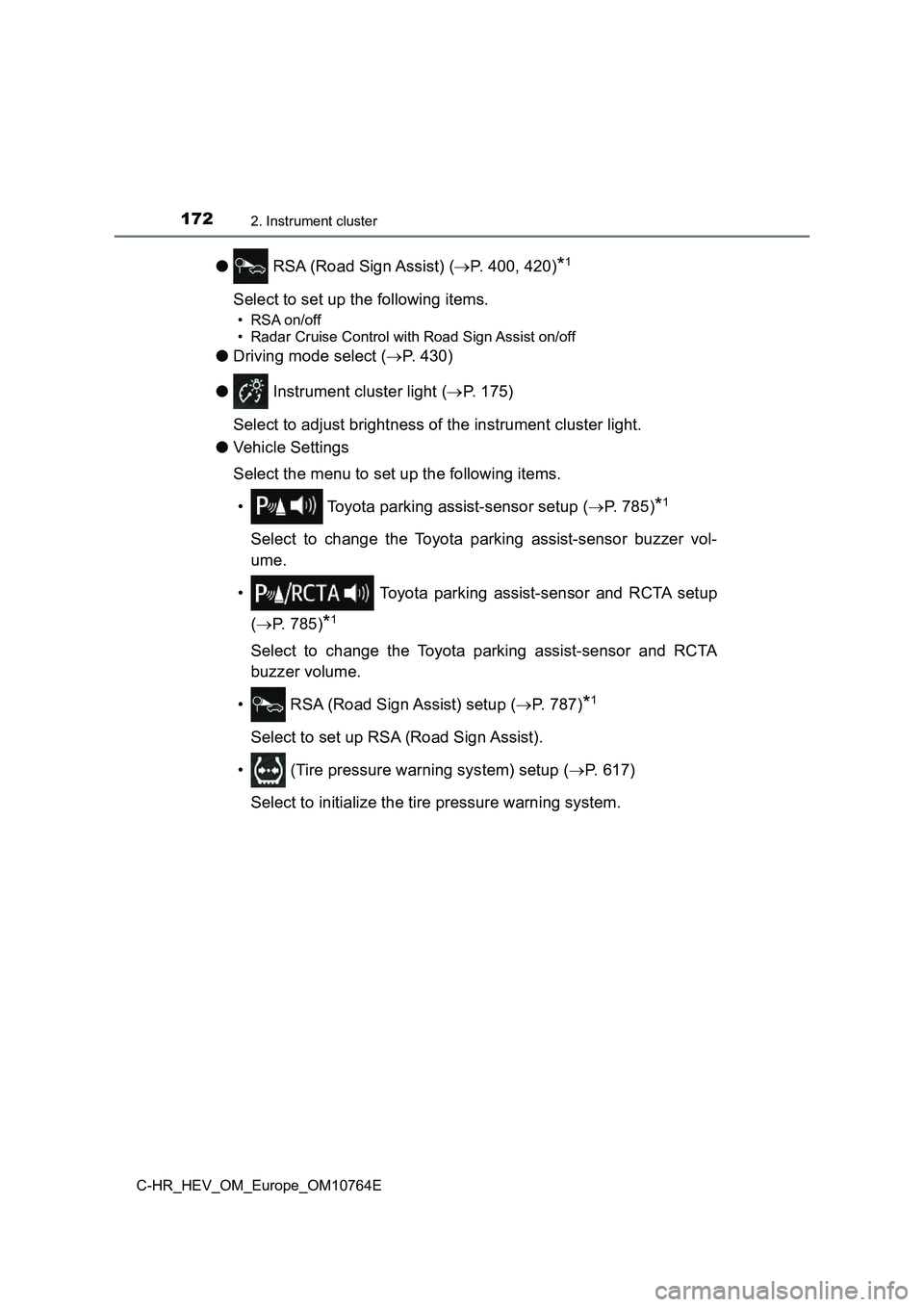
● RSA (Road Sign Assist) (P. 400, 420)*1
Select to set up the following items.
• RSA on/off
• Radar Cruise Control with Road Sign Assist on/off
● Driving mode select (P. 430)
● Instrument cluster light (P. 175)
Select to adjust brightness of the instrument cluster light.
● Vehicle Settings
Select the menu to set up the following items.
• Toyota parking assist-sensor setup ( P. 785)*1
Select to change the Toyota parking assist-sensor buzzer vol-
ume.
• Toyota parking assist-sensor and RCTA setup
( P. 785)*1
Select to change the Toyota parking assist-sensor and RCTA
buzzer volume.
• RSA (Road Sign Assist) setup ( P. 7 8 7 )*1
Select to set up RSA (Road Sign Assist).
• (Tire pressure warning system) setup ( P. 617)
Select to initialize the tire pressure warning system.
Page 176 of 814
1742. Instrument cluster
C-HR_HEV_OM_Europe_OM10764E
■Setting items
● “Meter Settings” and “Vehicle Settings” setting items are not selectable
during driving and cannot be operated.
Also, the settings screen is temporarily canceled in the follow ing situations.
• A warning message is displayed.
• The vehicle starts off.
● Settings for functions not equipped to the vehicle are not displayed.
● When a function is turned off, the related settings for that function are not
selectable.
■ Pop-up display
In some situations, such as when a switch operation is performe d, a pop-up
display will be temporarily disp layed on the multi-information display.
The pop-up display function can be set on/off.
■ Liquid crystal display
Small spots or light spots may appear on the display. This phen omenon is
characteristic of liquid crystal displays, and there is no prob lem continuing to
use the display.
■ When disconnecting and reconnecting 12-volt battery terminals
The drive information will be reset.
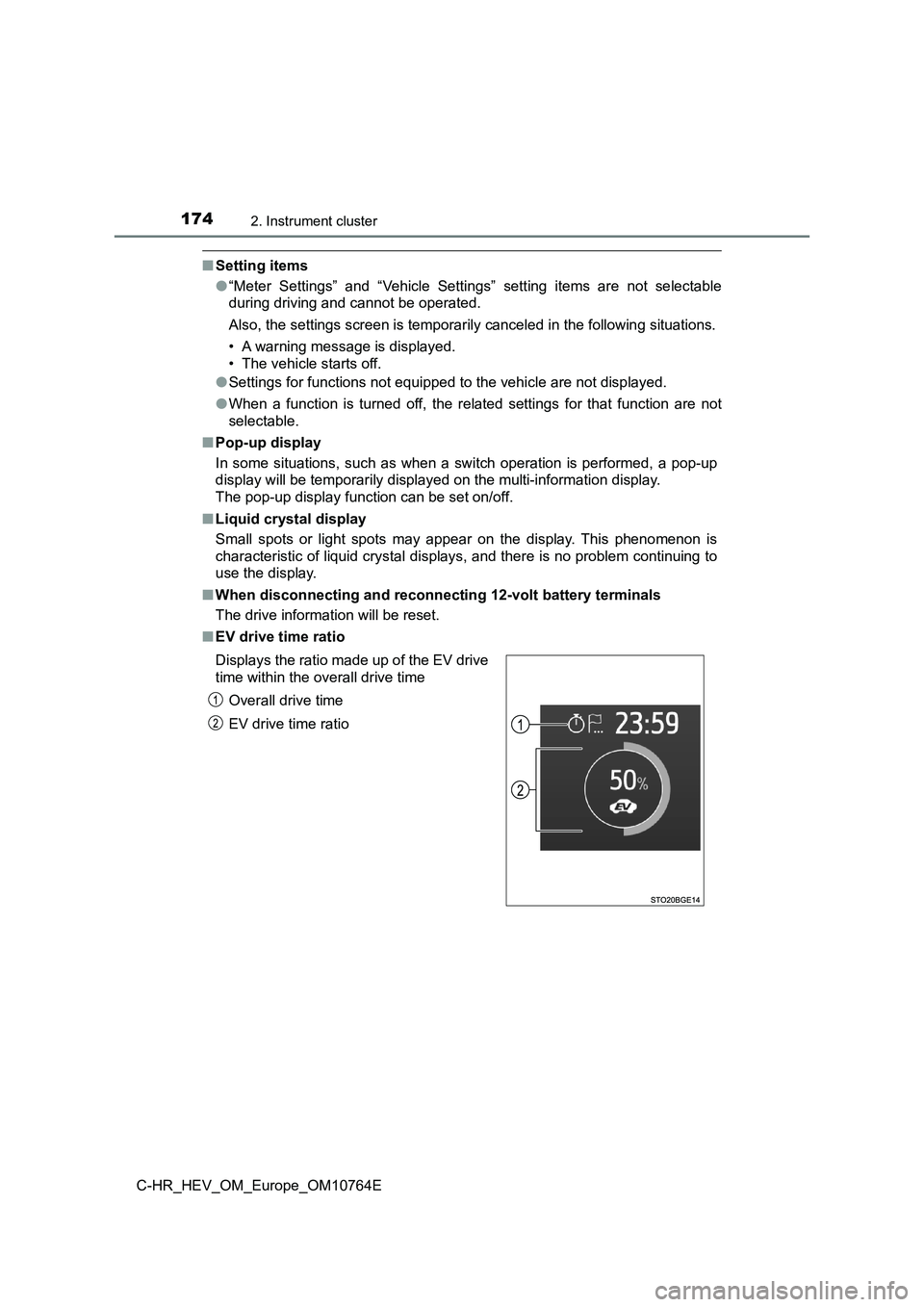
■ EV drive time ratio
Displays the ratio made up of the EV drive
time within the overall drive time
Overall drive time
EV drive time ratio
Page 178 of 814
1762. Instrument cluster
C-HR_HEV_OM_Europe_OM10764E
■ Ending display
When the power switch is turned off, each of the following will be displayed
on the multi-information display, and will extinguish after app roximately 30
seconds.
● Elapsed time/EV drive time ratio
● Distance
● Average fuel consumption
WARNING
■Cautions during setting up the display
As the engine needs to be running during setting up the display , ensure that
the vehicle is parked in a place with adequate ventilation. In a closed area
such as a garage, exhaust gases including harmful carbon monoxi de (CO)
may collect and enter the vehicle. This may lead to death or a serious
health hazard.
NOTICE
■ During setting up the display
To prevent 12-volt battery discharge, ensure that the hybrid sy stem is oper-
ating while setting up the display features.
Page 181 of 814
1792. Instrument cluster
2
Instrument cluster
C-HR_HEV_OM_Europe_OM10764E
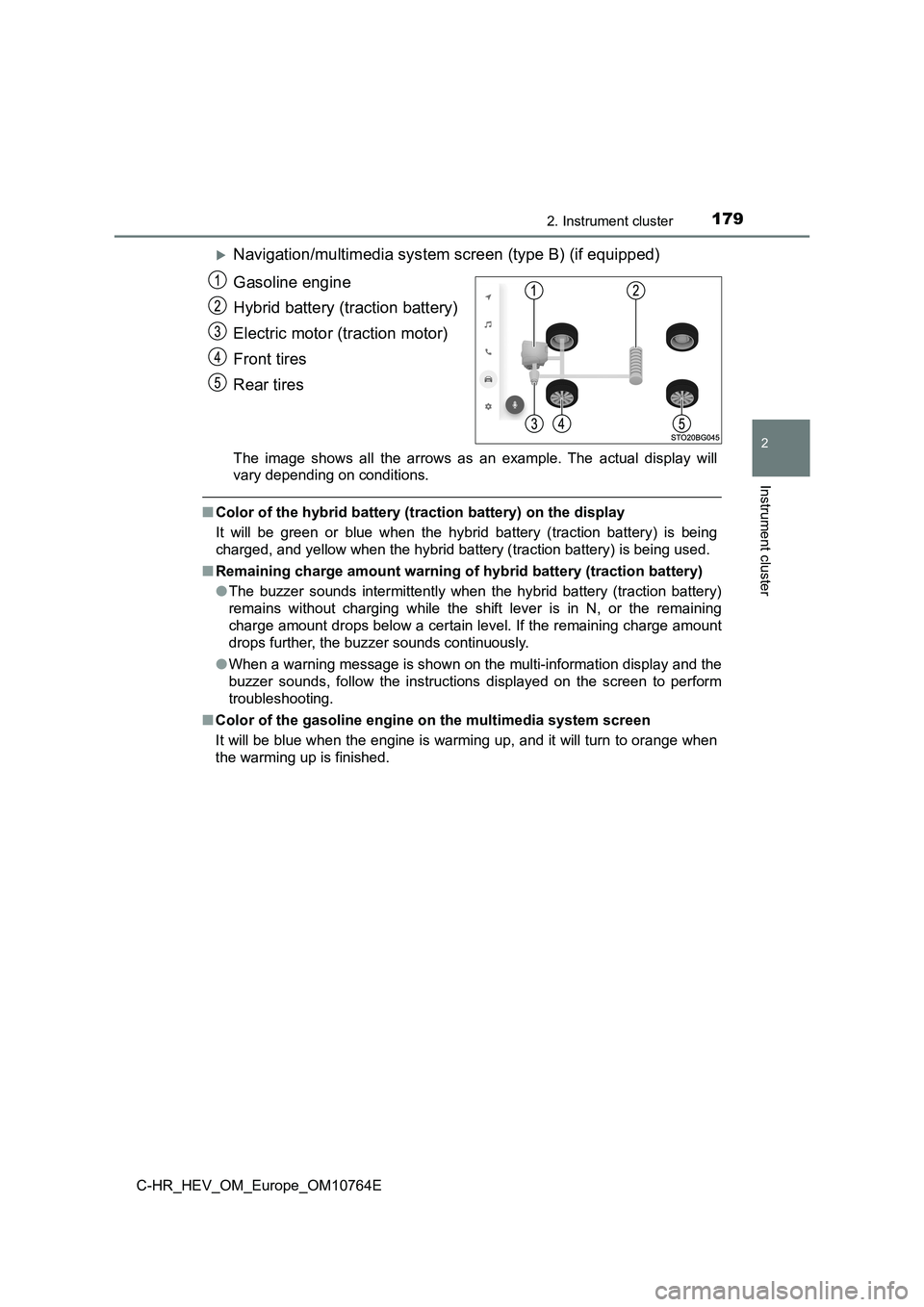
Navigation/multimedia system screen (type B) (if equipped)
Gasoline engine
Hybrid battery (traction battery)
Electric motor (traction motor)
Front tires
Rear tires
The image shows all the arrows as an example. The actual displa y will
vary depending on conditions.
■ Color of the hybrid battery (traction battery) on the display
It will be green or blue when the hybrid battery (traction batt ery) is being
charged, and yellow when the hybrid battery (traction battery) is being used.
■ Remaining charge amount warning of hybrid battery (traction battery)
● The buzzer sounds intermittently when the hybrid battery (traction battery)
remains without charging while the shift lever is in N, or the remaining
charge amount drops below a certain level. If the remaining cha rge amount
drops further, the buzzer sounds continuously.
● When a warning message is shown on the multi-information display and the
buzzer sounds, follow the instructions displayed on the screen to perform
troubleshooting.
■ Color of the gasoline engine on the multimedia system screen
It will be blue when the engine is warming up, and it will turn to orange when
the warming up is finished.
Page 199 of 814
1973-2. Opening, closing and locking the doors
3
Operation of each component
C-HR_HEV_OM_Europe_OM10764E
■ Open door warning buzzer
If the vehicle speed reaches 5 km/h (3 mph), a buzzer sounds to indicate that
the door(s) is not fully closed.
The open door(s) is displayed on the multi-information display.
■ Conditions affecting the operation of the smart entry & start system
P. 208
■ Customization
Some functions can be changed. ( P. 779)
WARNING
■To prevent an accident
Observe the following precautions while driving the vehicle.
Failure to do so may result in a door opening and an occupant f alling out,
resulting in death or serious injury.
● Ensure that all doors are properly closed and locked.
● Do not pull the inside handle of the doors while driving.
Be especially careful for the front doors, as the doors may be opened even
if the inside lock buttons are in locked position.
● Set the rear door child-protector locks when children are seated in the rear
seats.
Page 200 of 814
1983-2. Opening, closing and locking the doors
C-HR_HEV_OM_Europe_OM10764E
WARNING
■When opening or closing a door
Check the surroundings of the vehicle such as whether the vehic le is on an
incline, whether there is enough space for a door to open and w hether a
strong wind is blowing. When opening or closing the door, hold the door
handle tightly to prepare for any unpredictable movement.
■ When using the wireless remote control and operating the power win-
dows
Operate the power window after checking to make sure that there is no pos-
sibility of any passenger having any of their body parts caught in the side
window. Also, do not allow children to operate the wireless rem ote control. It
is possible for children and other passengers to get caught in the power
window.
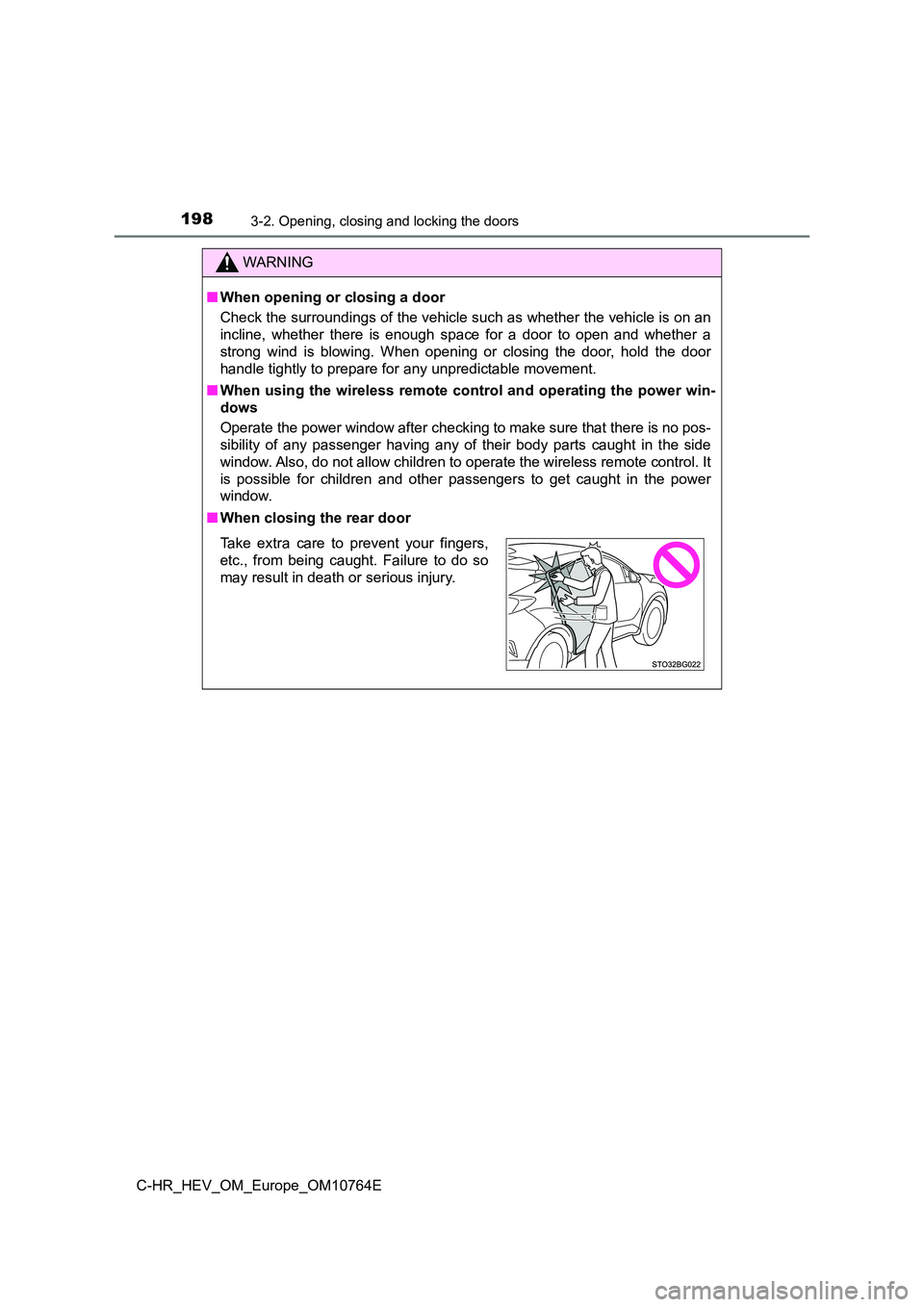
■ When closing the rear door
Take extra care to prevent your fingers,
etc., from being caught. Failure to do so
may result in death or serious injury.
Page 202 of 814
2003-2. Opening, closing and locking the doors
C-HR_HEV_OM_Europe_OM10764E
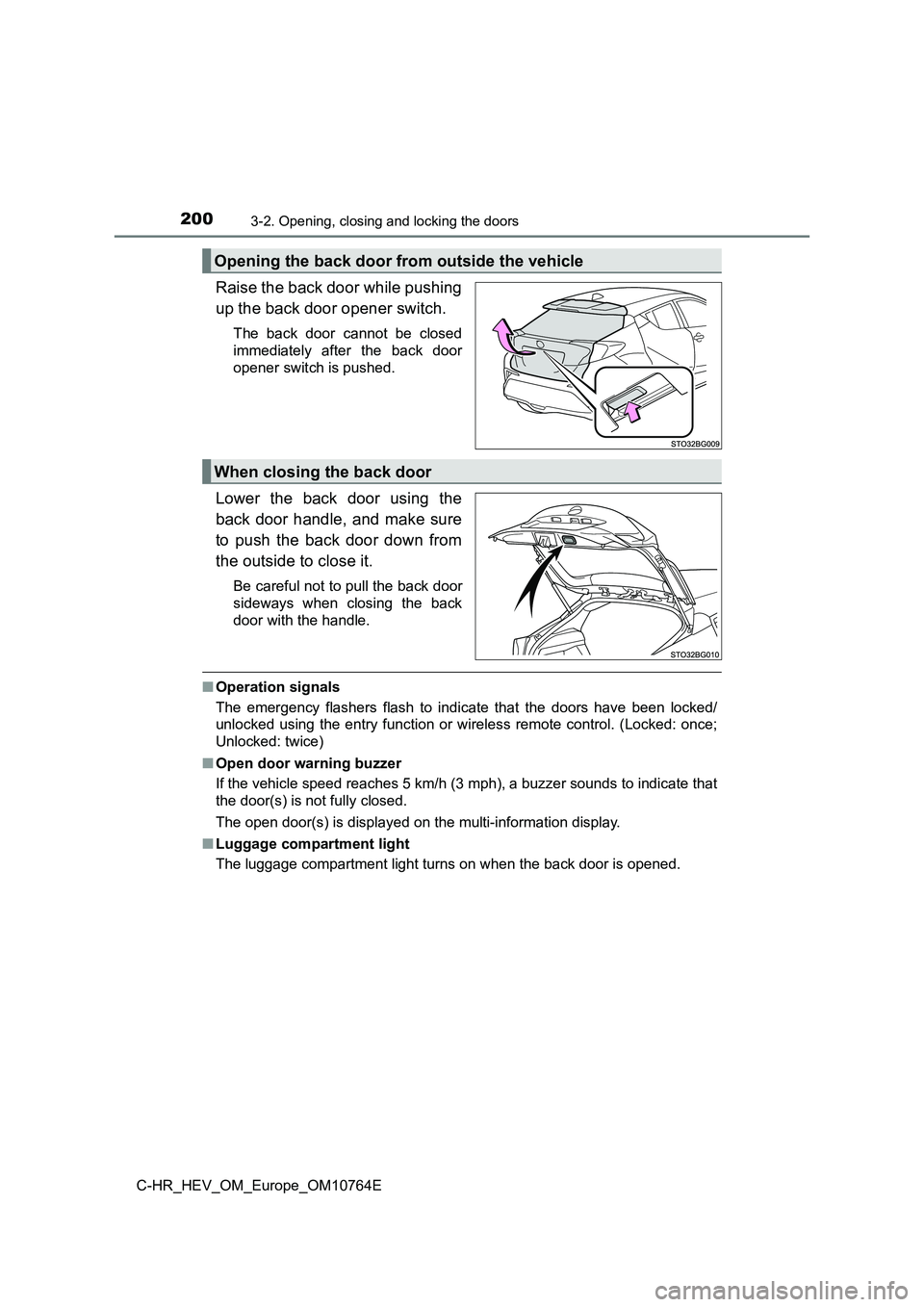
Raise the back door while pushing
up the back door opener switch.
The back door cannot be closed
immediately after the back door
opener switch is pushed.
Lower the back door using the
back door handle, and make sure
to push the back door down from
the outside to close it.
Be careful not to pull the back door
sideways when closing the back
door with the handle.
■ Operation signals
The emergency flashers flash to indicate that the doors have be en locked/
unlocked using the entry function or wireless remote control. ( Locked: once;
Unlocked: twice)
■ Open door warning buzzer
If the vehicle speed reaches 5 km/h (3 mph), a buzzer sounds to indicate that
the door(s) is not fully closed.
The open door(s) is displayed on the multi-information display.
■ Luggage compartment light
The luggage compartment light turns on when the back door is op ened.
Opening the back door from outside the vehicle
When closing the back door
Page 204 of 814
2023-2. Opening, closing and locking the doors
C-HR_HEV_OM_Europe_OM10764E
WARNING
■Caution while driving
● Keep the back door closed while driving.
If the back door is left open, it may hit near-by objects while driving or lug-
gage may be unexpectedly thrown out, causing an accident.
In addition, exhaust gases may enter the vehicle, causing death or a seri-
ous health hazard. Make sure to close the back door before driv ing.
● Before driving the vehicle, make sure that the back door is fully closed. If
the back door is not fully closed, it may open unexpectedly whi le driving,
causing an accident.
● Never let anyone sit in the luggage compartment. In the event of sudden
braking or a collision, they are susceptible to death or seriou s injury.
■ When children are in the vehicle
Observe the following precautions.
Failure to do so may result in death or serious injury.
● Do not allow children to play in the luggage compartment.
If a child is accidentally locked in the luggage compartment, t hey could
have heat exhaustion or other injuries.
● Do not allow a child to open or close the back door.
Doing so may cause the back door to move unexpectedly, or cause the
child’s hands, head, or neck to be caught by the closing back d oor.