alarm TOYOTA C_HR HYBRID 2016 Owners Manual
[x] Cancel search | Manufacturer: TOYOTA, Model Year: 2016, Model line: C_HR HYBRID, Model: TOYOTA C_HR HYBRID 2016Pages: 712, PDF Size: 49.31 MB
Page 2 of 712
TABLE OF CONTENTS2
C-HR_HV_OM_Europe_OM10538E
For your information .......................8
Reading this manual.....................12
How to search ..............................13
Pictorial index ...............................14
1-1. For safe use
Before driving.......................34
For safety drive ....................36
Seat belts .............................38
SRS airbags.........................43
Exhaust gas precautions .....56
1-2. Child safety
Airbag manual on-off
system ...............................57
Riding with children..............60
Child restraint systems ........61
1-3. Hybrid system
Hybrid system features ........87
Hybrid system
precautions ........................92
1-4. Theft deterrent system
Immobilizer system ..............99
Double locking system .......104
Alarm .................................106
Theft prevention labels ......114
2. Instrument cluster
Warning lights and
indicators......................... 116
Gauges and meters........... 125
Multi-information
display ............................. 129
Energy monitor/
consumption screen ........ 138
1For safety and security
2Instrument cluster
Page 33 of 712

33
1For safety and security
C-HR_HV_OM_Europe_OM10538E
1-1. For safe use
Before driving....................... 34
For safety drive .................... 36
Seat belts ............................. 38
SRS airbags......................... 43
Exhaust gas precautions ..... 56
1-2. Child safety
Airbag manual on-off
system ............................... 57
Riding with children.............. 60
Child restraint systems ........ 61
1-3. Hybrid system
Hybrid system features ........ 87
Hybrid system
precautions ........................ 92
1-4. Theft deterrent system
Immobilizer system .............. 99
Double locking system ....... 104
Alarm ................................. 106
Theft prevention labels ...... 114
Page 106 of 712
1061-4. Theft deterrent system
C-HR_HV_OM_Europe_OM10538E
Alarm
The alarm uses light and sound to give an alert when an intrusion is
detected.
The alarm is triggered in the following situations when the alarm is
set:
● A locked door or back door is unlocked or opened in any way other
than using the entry function (if equipped) or wireless remote con-
trol. (The doors will lock again automatically.)
● The hood is opened.
● Vehicles with the intrusion sensor: The intrusion sensor detects
something moving inside the vehicle. (An intruder gets in the vehi-
cle.)
● Vehicles with the glass breakage sensor: The back door window is
tapped or broken.
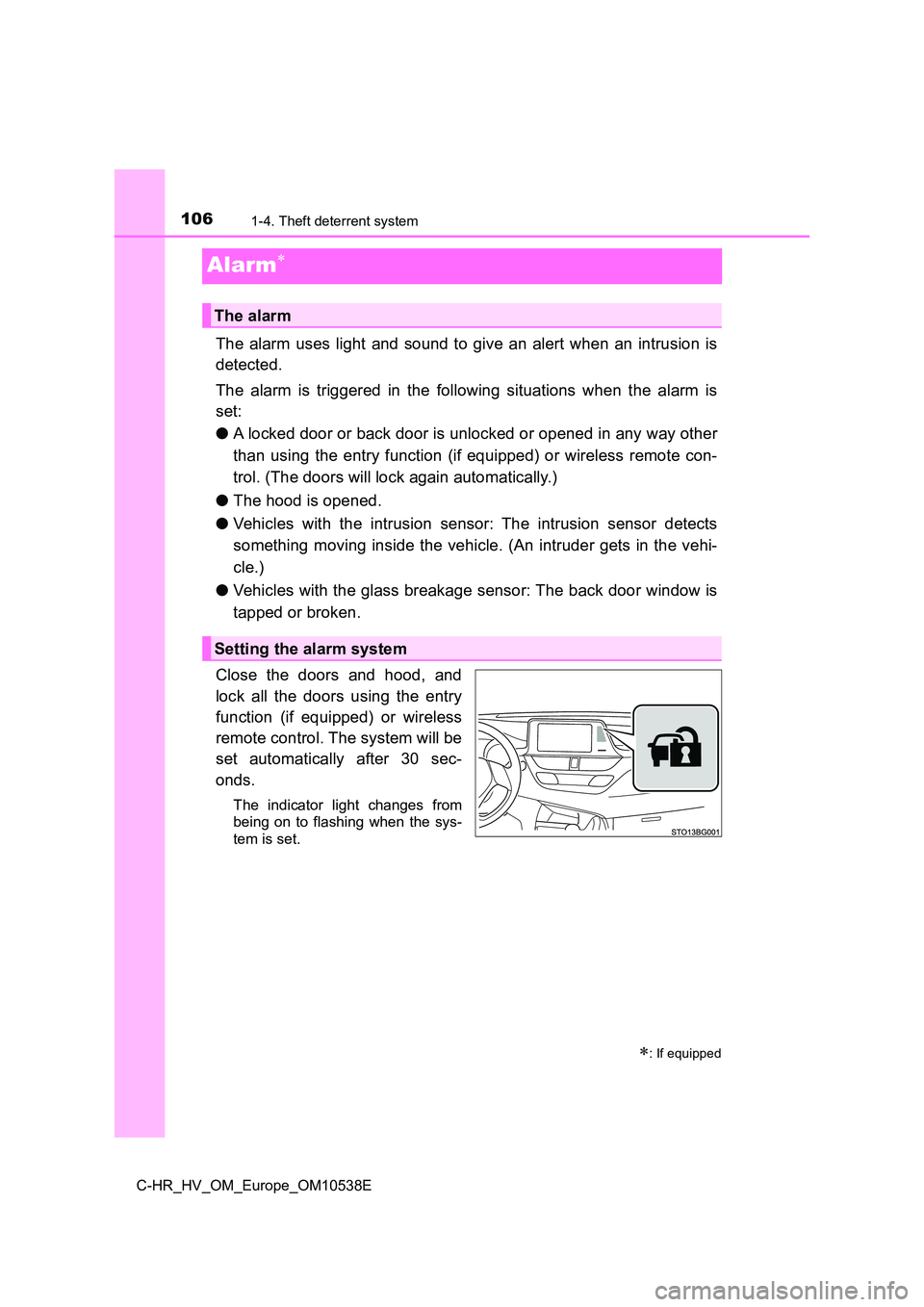
Close the doors and hood, and
lock all the doors using the entry
function (if equipped) or wireless
remote control. The system will be
set automatically after 30 sec-
onds.
The indicator light changes from
being on to flashing when the sys-
tem is set.
: If equipped
The alarm
Setting the alarm system
Page 107 of 712
1071-4. Theft deterrent system
1
For safety and security
C-HR_HV_OM_Europe_OM10538E
Do one of the following to deactivate or stop the alarm.
● Unlock the doors using the entry function (if equipped) or wireless
remote control.
● Start the hybrid system. (The alarm will be deactivated or stopped
after a few seconds.)
■ System maintenance
The vehicle has a maintenance-free type alarm system.
■ Items to check before locking the vehicle
To prevent unexpected triggering of the alarm and vehicle theft, make sure of
the following.
● Nobody is in the vehicle.
● The side windows are closed before the alarm is set.
● No valuables or other personal items are left in the vehicle.
Deactivating or stopping the alarm
Page 108 of 712
1081-4. Theft deterrent system
C-HR_HV_OM_Europe_OM10538E
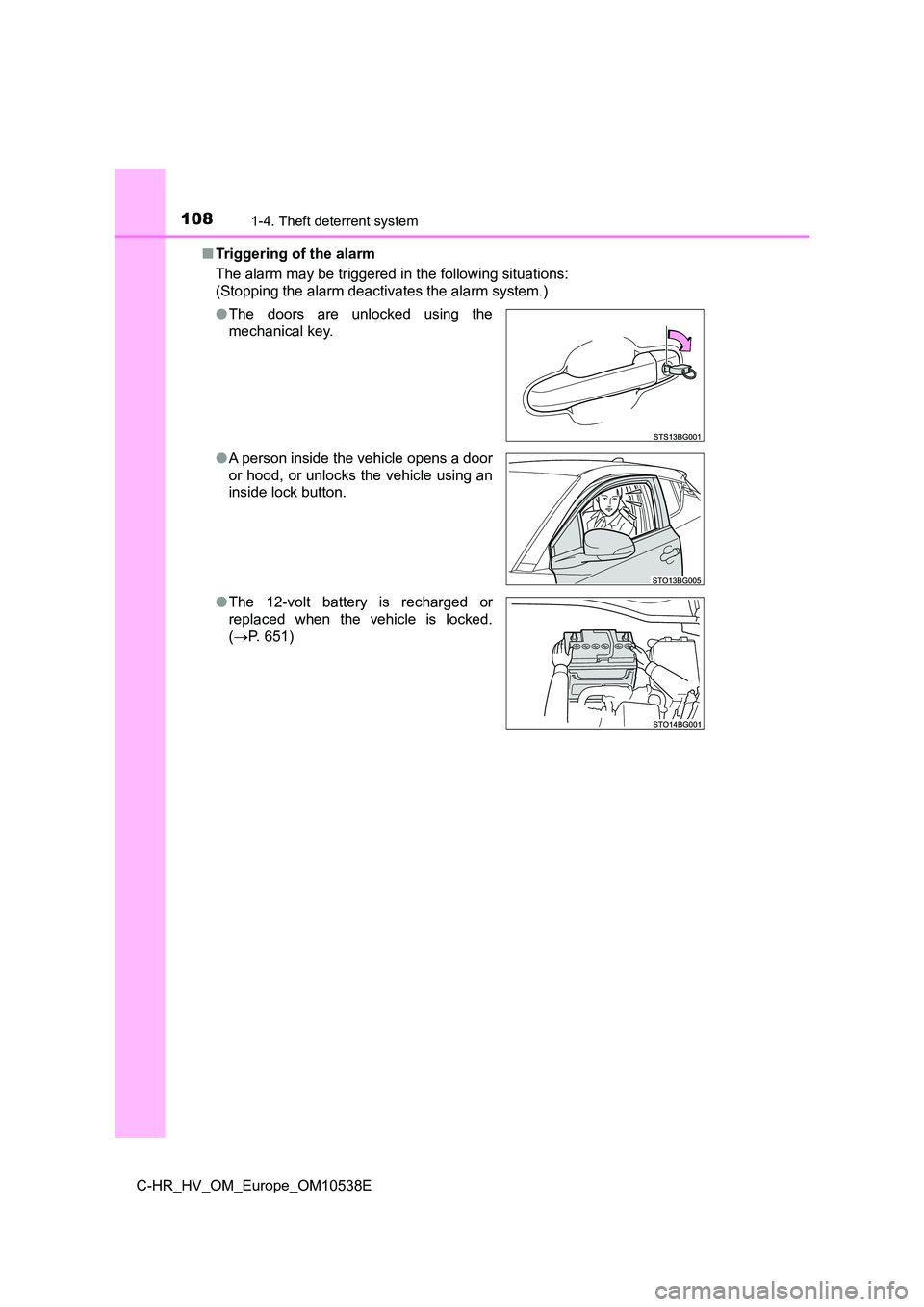
■ Triggering of the alarm
The alarm may be triggered in the following situations:
(Stopping the alarm deactivates the alarm system.)
● The doors are unlocked using the
mechanical key.
● A person inside the vehicle opens a door
or hood, or unlocks the vehicle using an
inside lock button.
● The 12-volt battery is recharged or
replaced when the vehicle is locked.
( P. 651)
Page 109 of 712
1091-4. Theft deterrent system
1
For safety and security
C-HR_HV_OM_Europe_OM10538E
■ Alarm-operated door lock
In the following cases, depending on the situation, the door may automatically
lock to prevent improper entry into the vehicle:
● When a person remaining in the vehicle unlocks the door and the alarm is
activated.
● While the alarm is activated, a person remaining in the vehicle unlocks the
door.
● When recharging or replacing the 12-volt battery
NOTICE
■To ensure the system operates correctly
Do not modify or remove the system. If modified or removed, the proper
operation of the system cannot be guaranteed.
Page 110 of 712
1101-4. Theft deterrent system
C-HR_HV_OM_Europe_OM10538E
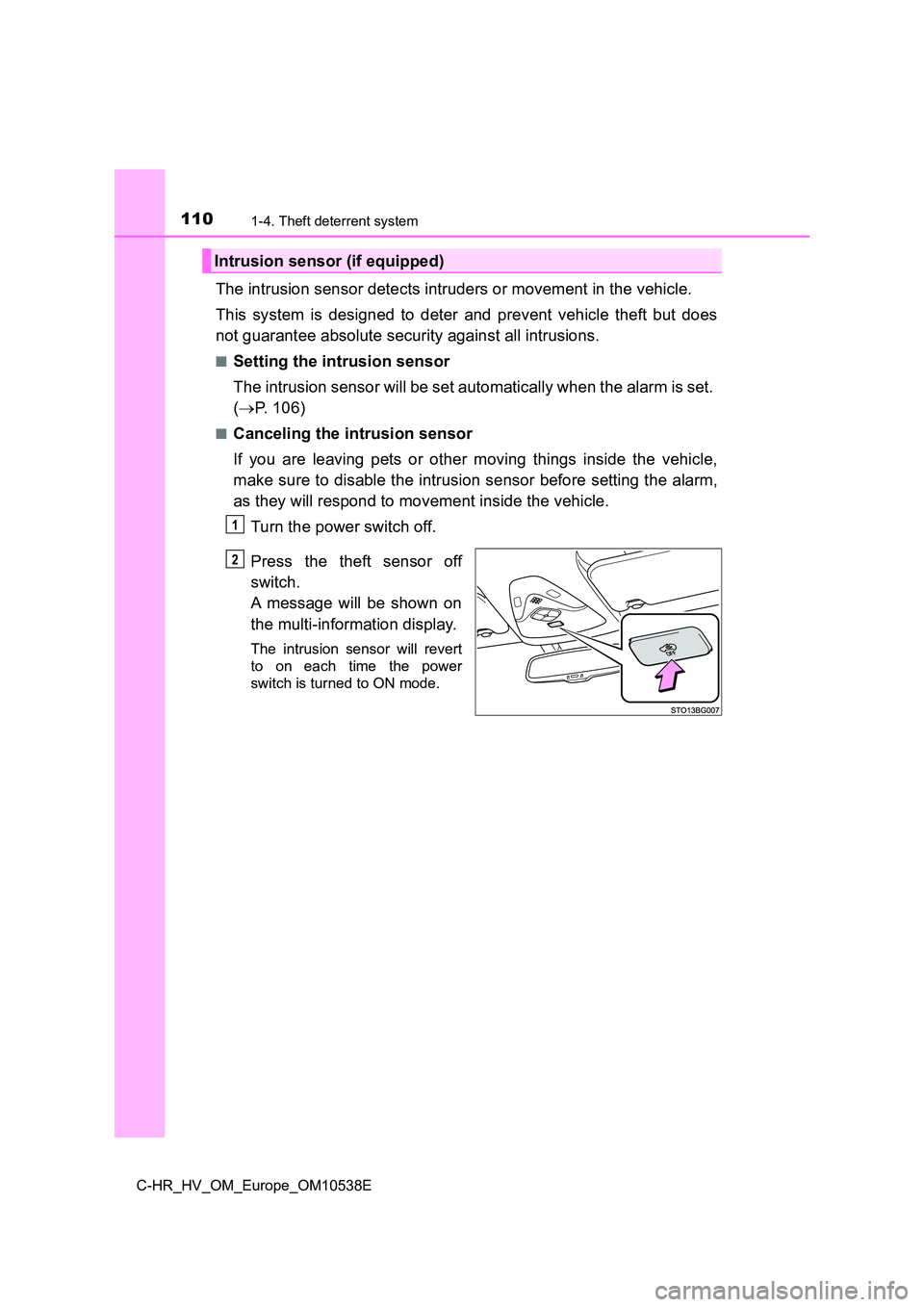
The intrusion sensor detects intruders or movement in the vehicle.
This system is designed to deter and prevent vehicle theft but does
not guarantee absolute security against all intrusions.
■Setting the intrusion sensor
The intrusion sensor will be set automatically when the alarm is set.
( P. 106)
■Canceling the intrusion sensor
If you are leaving pets or other moving things inside the vehicle,
make sure to disable the intrusion sensor before setting the alarm,
as they will respond to movement inside the vehicle.
Turn the power switch off.
Press the theft sensor off
switch.
A message will be shown on
the multi-information display.
The intrusion sensor will revert
to on each time the power
switch is turned to ON mode.
Intrusion sensor (if equipped)
1
2
Page 111 of 712
1111-4. Theft deterrent system
1
For safety and security
C-HR_HV_OM_Europe_OM10538E
■Canceling and automatic re-enabling of the intrusion sensor
● The alarm will still be set even when the intrusion sensor is canceled.
● After the intrusion sensor is canceled, pressing the power switch or unlock-
ing the doors using the entry function (if equipped) or wireless remote con-
trol will re-enable the intrusion sensor.
● The intrusion sensor will automatically be re-enabled when the alarm sys-
tem is deactivated.
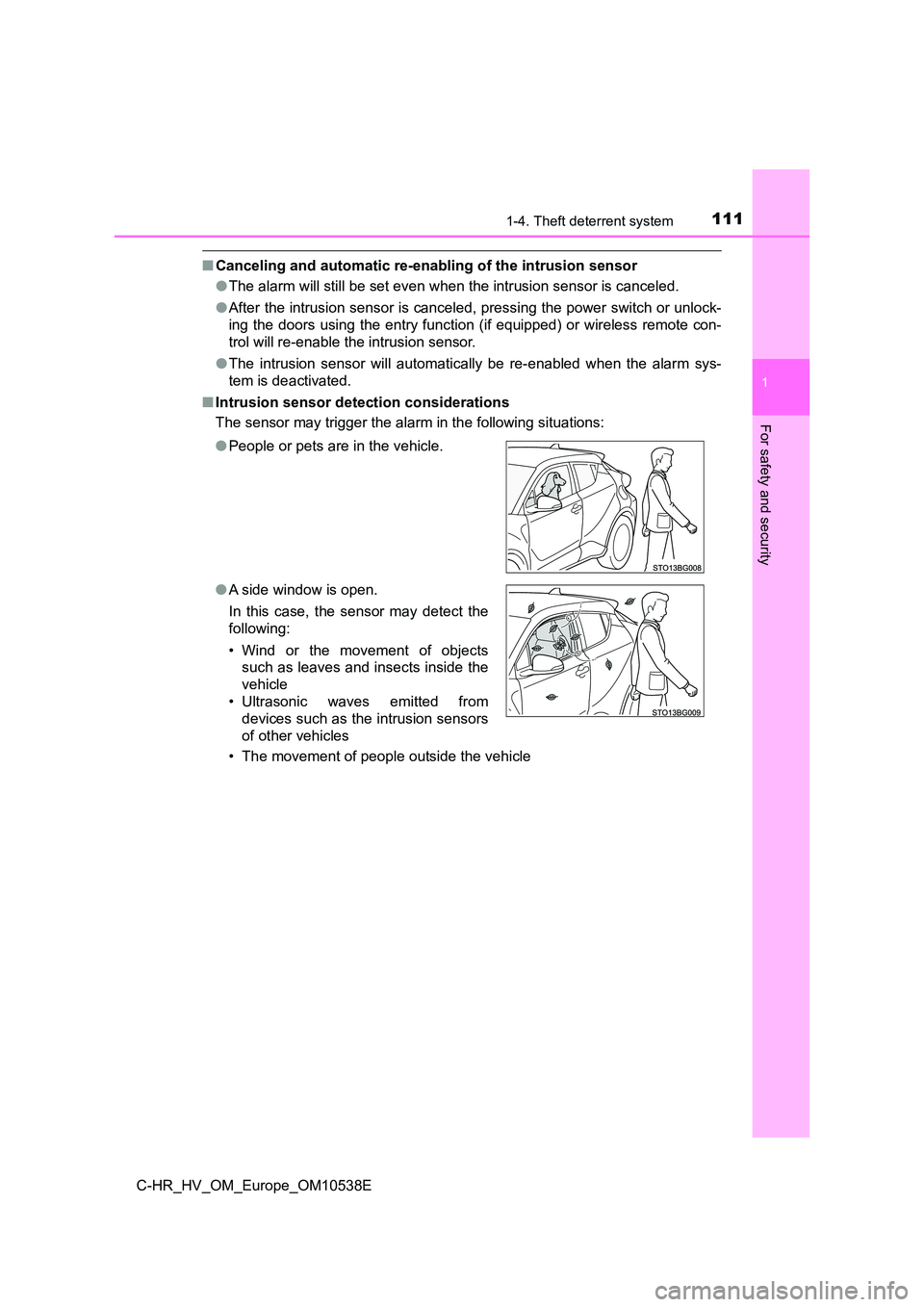
■ Intrusion sensor detection considerations
The sensor may trigger the alar m in the following situations:
• The movement of people outside the vehicle
● People or pets are in the vehicle.
● A side window is open.
In this case, the sensor may detect the
following:
• Wind or the movement of objects
such as leaves and insects inside the
vehicle
• Ultrasonic waves emitted from
devices such as the intrusion sensors
of other vehicles
Page 146 of 712
1463-1. Key information
C-HR_HV_OM_Europe_OM10538E
■ Electronic key battery depletion
● The standard battery life is 1 to 2 years.
● If the battery becomes low, an alarm will sound in the cabin and a message
will be displayed on the multi-information display when the hybrid system
stops.
● As the electronic key always receives radio waves, the battery will become
depleted even if the electronic key is not used. The following symptoms indi-
cate that the electronic key battery may be depleted. Replace the battery
when necessary. ( P. 561)
• The smart entry & start system or the wireless remote control does not
operate.
• The detection area becomes smaller.
• The LED indicator on the key surface does not turn on.
The battery can be exchanged by the users. ( P. 561) However, as there
may be damage to the key when exchanging, it is recommended to have
the battery exchanged at any authorized Toyota retailer or Toyota autho-
rized repairer, or any reliable repairer.
● To avoid serious deterioration, do not leave the electronic key within 1 m
(3 ft.) of the following electrical appliances that produce a magnetic field:
•TVs
• Personal computers
• Cellular phones, cordless phones and battery chargers
• Recharging cellular phones or cordless phones
• Table lamps
• Induction cookers
Page 151 of 712
1513-2. Opening, closing and locking the doors
3
Operation of each component
C-HR_HV_OM_Europe_OM10538E
■ Security feature
If a door is not opened within approximately 30 seconds after the vehicle is
unlocked, the security feature automatically locks the vehicle again.
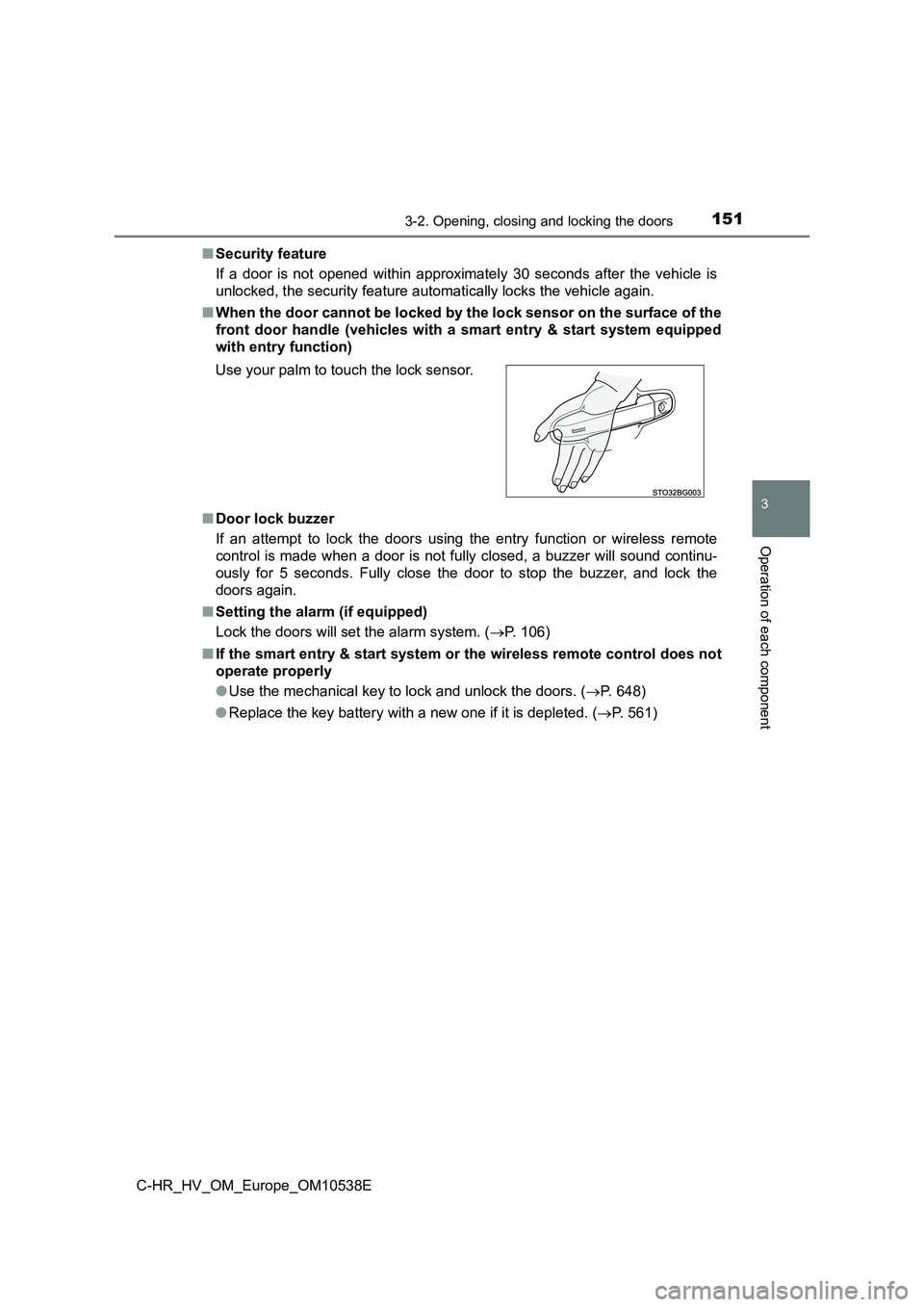
■ When the door cannot be locked by the lock sensor on the surface of the
front door handle (vehicles with a smart entry & start system equipped
with entry function)
■ Door lock buzzer
If an attempt to lock the doors using the entry function or wireless remote
control is made when a door is not fully closed, a buzzer will sound continu-
ously for 5 seconds. Fully close the door to stop the buzzer, and lock the
doors again.
■ Setting the alarm (if equipped)
Lock the doors will set the alarm system. ( P. 106)
■ If the smart entry & start system or the wireless remote control does not
operate properly
● Use the mechanical key to lock and unlock the doors. (P. 648)
● Replace the key battery with a new one if it is depleted. (P. 561)
Use your palm to touch the lock sensor.