window TOYOTA C_HR HYBRID 2017 User Guide
[x] Cancel search | Manufacturer: TOYOTA, Model Year: 2017, Model line: C_HR HYBRID, Model: TOYOTA C_HR HYBRID 2017Pages: 712, PDF Size: 49.31 MB
Page 60 of 712
601-2. Child safety
C-HR_HV_OM_Europe_OM10538E
Riding with children
●It is recommended that children sit in the rear seats to avoid acci-
dental contact with the shift lever, wiper switch, etc.
● Use the rear door child-protector lock or the window lock switch to
avoid children opening the door while driving or operating the
power window accidentally. ( P. 153, 193)
● Do not let small children operate equipment which may catch or
pinch body parts, such as the power window, hood, back door,
seats, etc.
Observe the following precautions when children are in the vehi-
cle.
Use a child restraint system appropriate for the child, until the
child becomes large enough to properly wear the vehicle’s seat
belt.
WARNING
Never leave children unattended in the vehicle, and never allow children to
have or use the key.
Children may be able to start the vehicle or shift the vehicle into neutral.
There is also a danger that children may injure themselves by playing with
side windows or other features of the vehicle. In addition, heat build-up or
extremely cold temperatures inside the vehicle can be fatal to children.
Page 104 of 712
1041-4. Theft deterrent system
C-HR_HV_OM_Europe_OM10538E
Double locking system
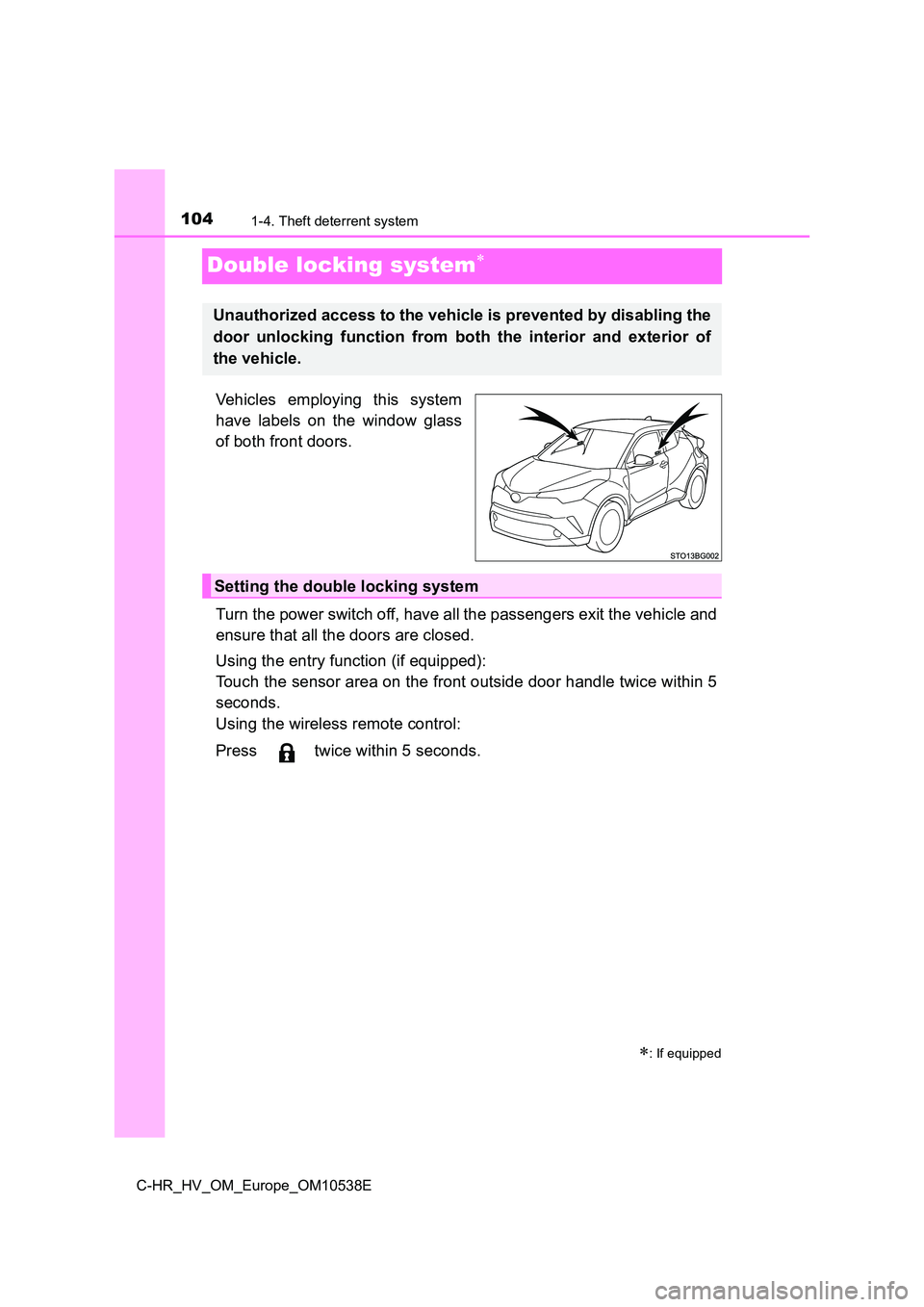
Vehicles employing this system
have labels on the window glass
of both front doors.
Turn the power switch off, have all the passengers exit the vehicle and
ensure that all the doors are closed.
Using the entry function (if equipped):
Touch the sensor area on the front outside door handle twice within 5
seconds.
Using the wireless remote control:
Press twice within 5 seconds.
: If equipped
Unauthorized access to the vehicle is prevented by disabling the
door unlocking function from both the interior and exterior of
the vehicle.
Setting the double locking system
Page 106 of 712
1061-4. Theft deterrent system
C-HR_HV_OM_Europe_OM10538E
Alarm
The alarm uses light and sound to give an alert when an intrusion is
detected.
The alarm is triggered in the following situations when the alarm is
set:
● A locked door or back door is unlocked or opened in any way other
than using the entry function (if equipped) or wireless remote con-
trol. (The doors will lock again automatically.)
● The hood is opened.
● Vehicles with the intrusion sensor: The intrusion sensor detects
something moving inside the vehicle. (An intruder gets in the vehi-
cle.)
● Vehicles with the glass breakage sensor: The back door window is
tapped or broken.
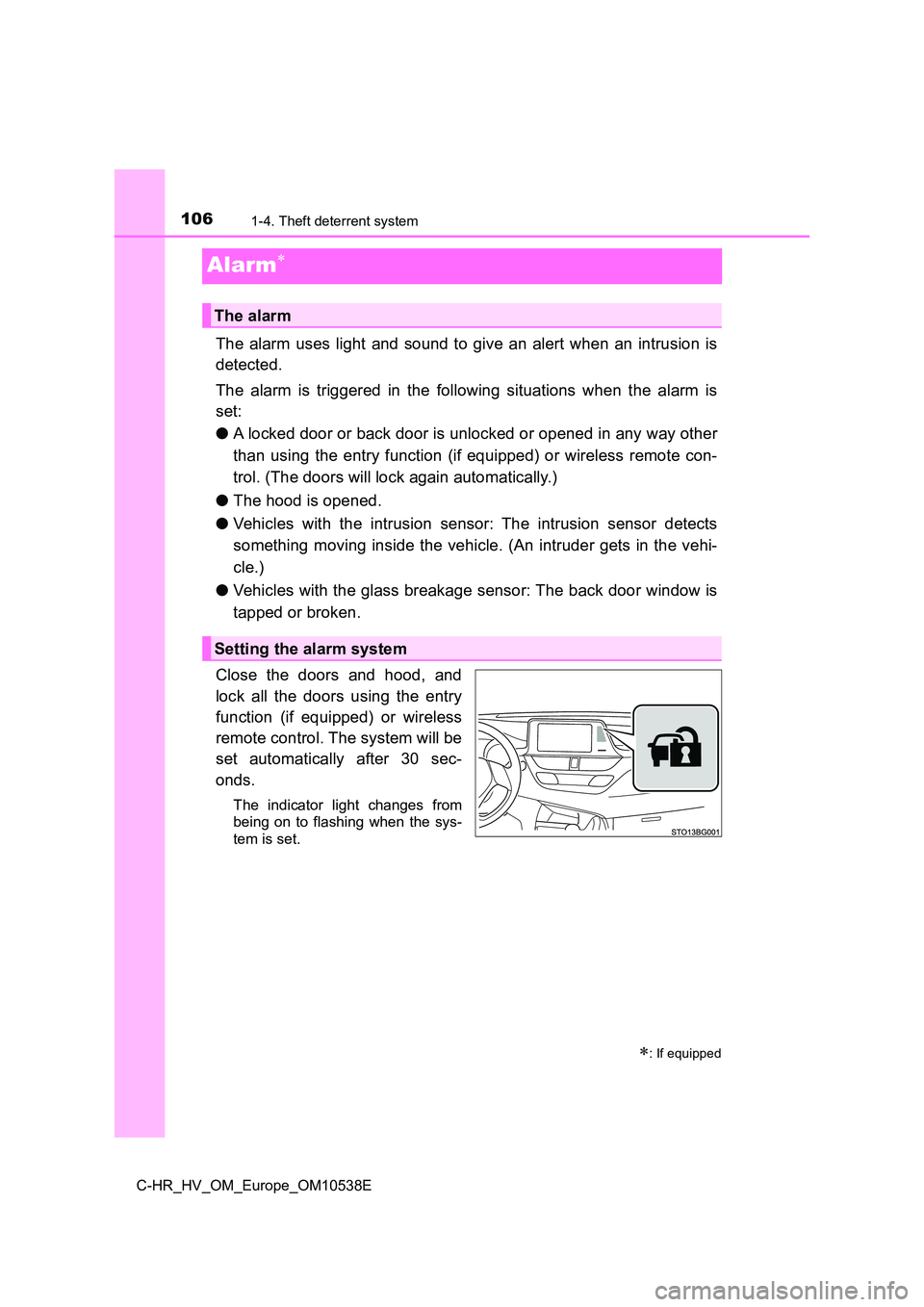
Close the doors and hood, and
lock all the doors using the entry
function (if equipped) or wireless
remote control. The system will be
set automatically after 30 sec-
onds.
The indicator light changes from
being on to flashing when the sys-
tem is set.
: If equipped
The alarm
Setting the alarm system
Page 107 of 712
1071-4. Theft deterrent system
1
For safety and security
C-HR_HV_OM_Europe_OM10538E
Do one of the following to deactivate or stop the alarm.
● Unlock the doors using the entry function (if equipped) or wireless
remote control.
● Start the hybrid system. (The alarm will be deactivated or stopped
after a few seconds.)
■ System maintenance
The vehicle has a maintenance-free type alarm system.
■ Items to check before locking the vehicle
To prevent unexpected triggering of the alarm and vehicle theft, make sure of
the following.
● Nobody is in the vehicle.
● The side windows are closed before the alarm is set.
● No valuables or other personal items are left in the vehicle.
Deactivating or stopping the alarm
Page 111 of 712
1111-4. Theft deterrent system
1
For safety and security
C-HR_HV_OM_Europe_OM10538E
■Canceling and automatic re-enabling of the intrusion sensor
● The alarm will still be set even when the intrusion sensor is canceled.
● After the intrusion sensor is canceled, pressing the power switch or unlock-
ing the doors using the entry function (if equipped) or wireless remote con-
trol will re-enable the intrusion sensor.
● The intrusion sensor will automatically be re-enabled when the alarm sys-
tem is deactivated.
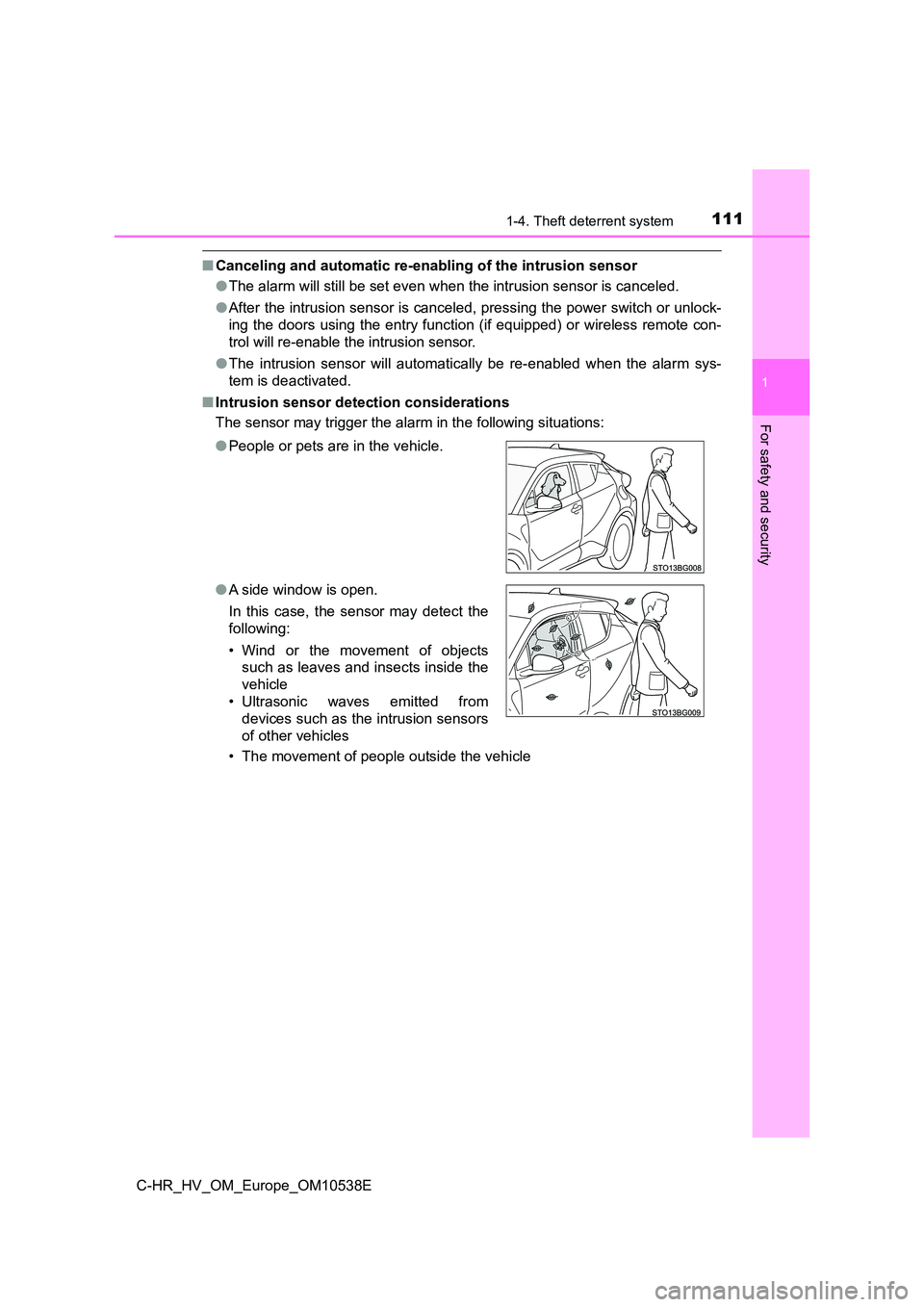
■ Intrusion sensor detection considerations
The sensor may trigger the alar m in the following situations:
• The movement of people outside the vehicle
● People or pets are in the vehicle.
● A side window is open.
In this case, the sensor may detect the
following:
• Wind or the movement of objects
such as leaves and insects inside the
vehicle
• Ultrasonic waves emitted from
devices such as the intrusion sensors
of other vehicles
Page 143 of 712
143
3
Operation of
each component
C-HR_HV_OM_Europe_OM10538E
3-1. Key information
Keys ................................... 144
3-2. Opening, closing and
locking the doors
Side doors.......................... 149
Back door........................... 157
Smart entry & start
system ............................. 163
3-3. Adjusting the seats
Front seats ......................... 178
Rear seats ......................... 180
Head restraints .................. 182
3-4. Adjusting the steering
wheel and mirrors
Steering wheel ................... 186
Inside rear view mirror ....... 188
Outside rear view
mirrors ............................. 190
3-5. Opening and closing the
windows
Power windows .................. 193
Page 144 of 712
1443-1. Key information
C-HR_HV_OM_Europe_OM10538E
Keys
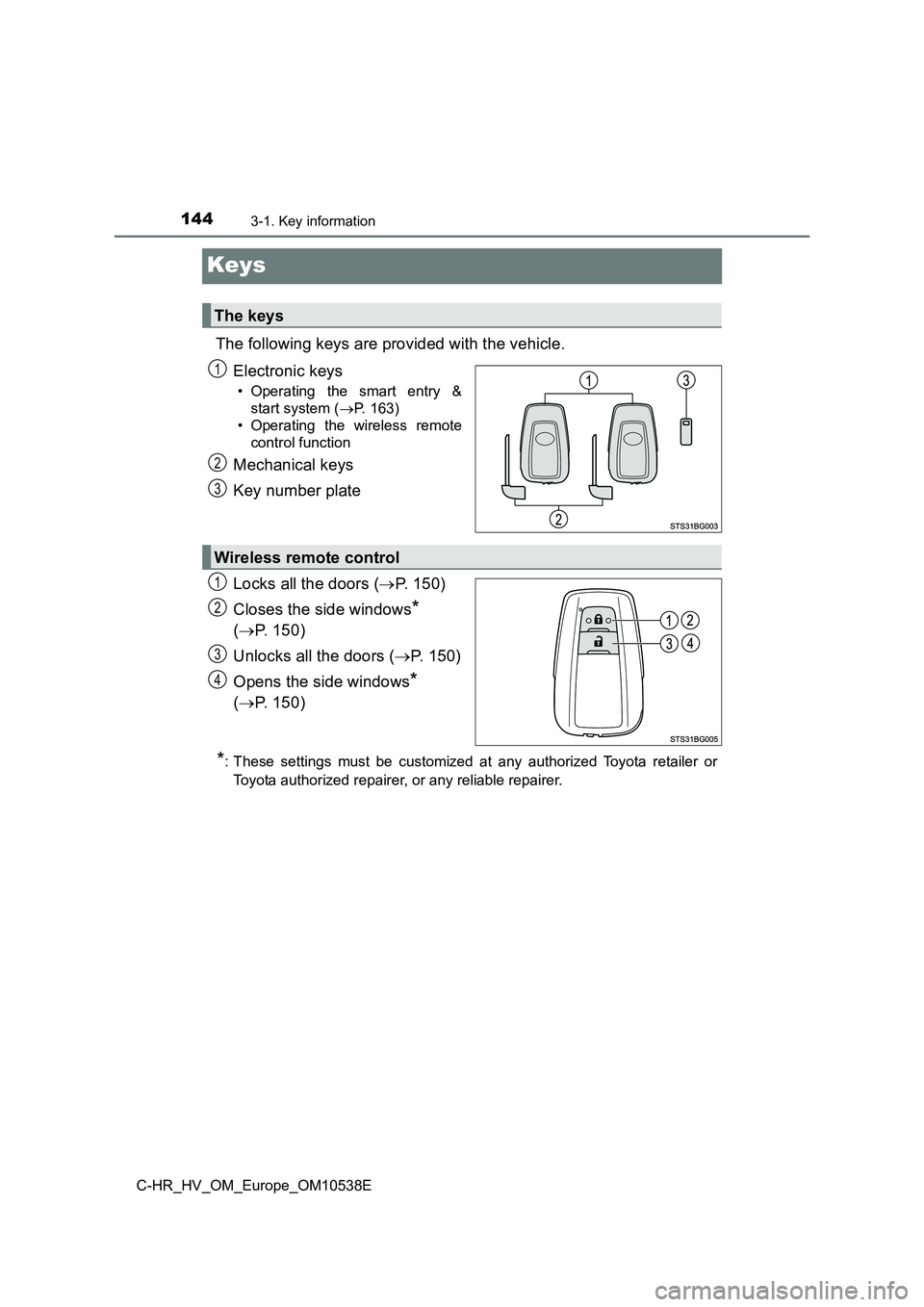
The following keys are provided with the vehicle.
Electronic keys
• Operating the smart entry &
start system ( P. 163)
• Operating the wireless remote
control function
Mechanical keys
Key number plate
Locks all the doors ( P. 150)
Closes the side windows*
( P. 150)
Unlocks all the doors ( P. 150)
Opens the side windows*
( P. 150)
*: These settings must be customized at any authorized Toyota retailer or
Toyota authorized repairer, or any reliable repairer.
The keys
1
2
3
Wireless remote control
1
2
3
4
Page 150 of 712
1503-2. Opening, closing and locking the doors
C-HR_HV_OM_Europe_OM10538E
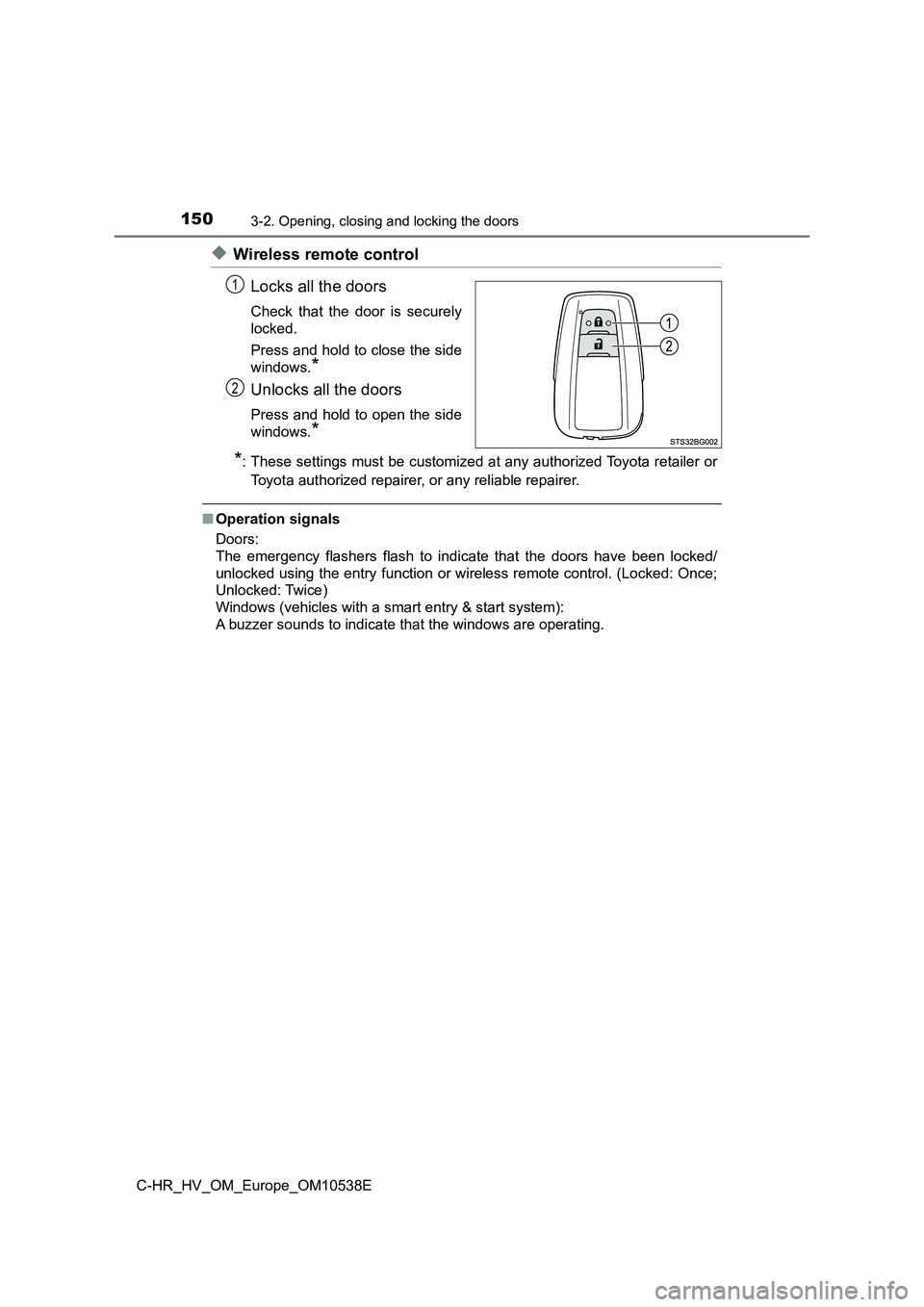
◆Wireless remote control
Locks all the doors
Check that the door is securely
locked.
Press and hold to close the side
windows.*
Unlocks all the doors
Press and hold to open the side
windows.*
*: These settings must be customized at any authorized Toyota retailer or
Toyota authorized repairer, or any reliable repairer.
■ Operation signals
Doors:
The emergency flashers flash to indicate that the doors have been locked/
unlocked using the entry function or wireless remote control. (Locked: Once;
Unlocked: Twice)
Windows (vehicles with a smart entry & start system):
A buzzer sounds to indicate that the windows are operating.
1
2
Page 156 of 712
1563-2. Opening, closing and locking the doors
C-HR_HV_OM_Europe_OM10538E
WARNING
■When opening or closing a door
Check the surroundings of the vehicle such as whether the vehicle is on an
incline, whether there is enough space for a door to open and whether a
strong wind is blowing. When opening or closing the door, hold the door
handle tightly to prepare for any unpredictable movement.
■ When using the wireless remote control and operating the power win-
dows
Operate the power window after checking to make sure that there is no pos-
sibility of any passenger having any of their body parts caught in the side
window. Also, do not allow children to operate the wireless remote control. It
is possible for children and other passengers to get caught in the power
window.
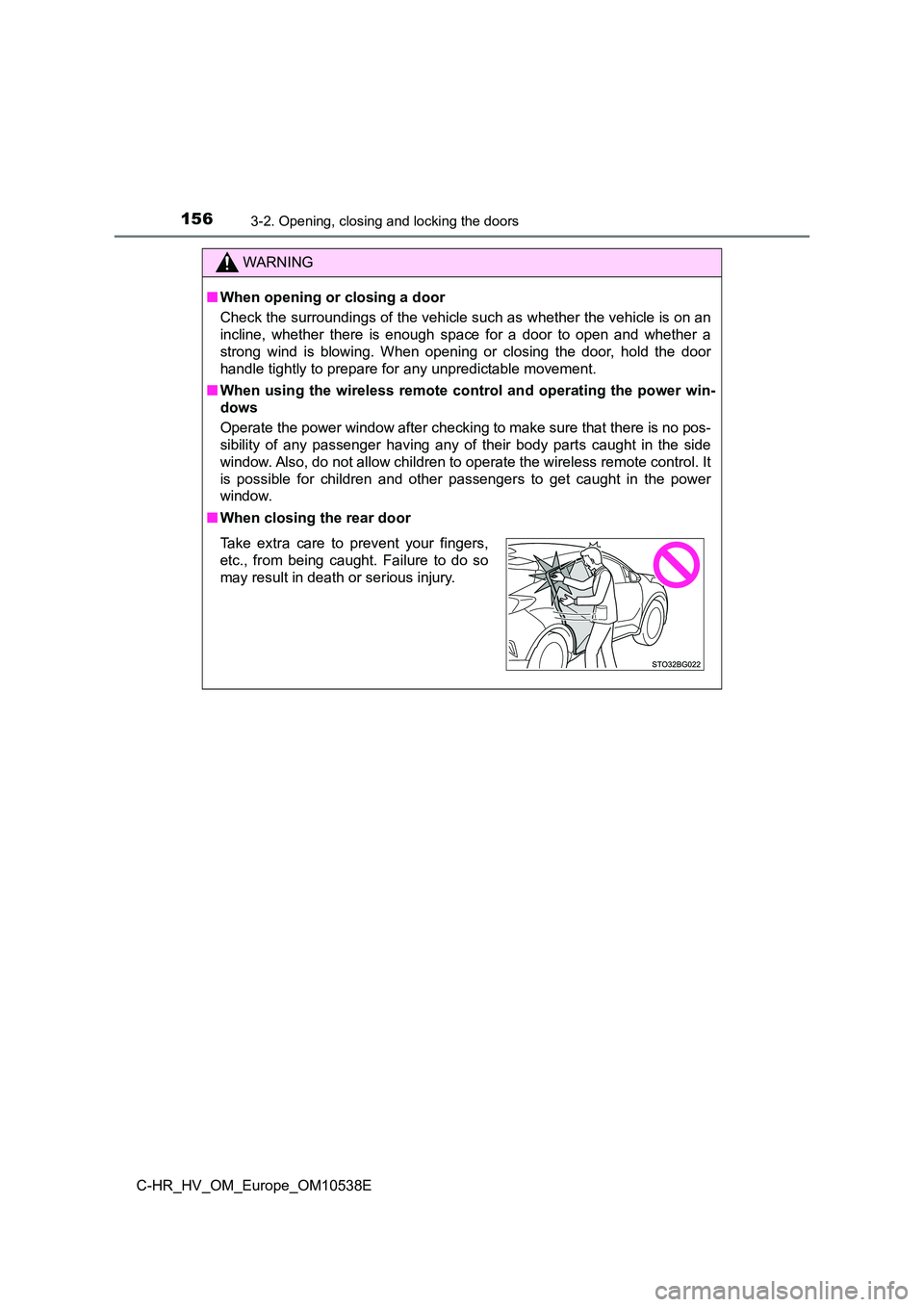
■ When closing the rear door
Take extra care to prevent your fingers,
etc., from being caught. Failure to do so
may result in death or serious injury.
Page 166 of 712
1663-2. Opening, closing and locking the doors
C-HR_HV_OM_Europe_OM10538E
■ Conditions affecting operation
The smart entry & start system uses weak radio waves. In the following situa-
tions, the communication between the electronic key and the vehicle may be
affected, preventing the smart entry & start system, wireless remote control
and immobilizer system from operating properly. (Ways of coping: P. 648)
● When the electronic key battery is depleted
● Near a TV tower, electric power plant, gas station, radio station, large dis-
play, airport or other facility that generates strong radio waves or electrical
noise
● When carrying a portable radio, cellular phone, cordless phone or other
wireless communication device
● When the electronic key is in contact with, or is covered by the following
metallic objects
• Cards to which aluminum foil is attached
• Cigarette boxes that have aluminum foil inside
• Metallic wallets or bags
• Coins
• Hand warmers made of metal
• Media such as CDs and DVDs
● When other wireless keys (that emit radio waves) are being used nearby
● When carrying the electronic key together with the following devices that
emit radio waves
• Portable radio, cellular phone, cordless phone or other wireless commu-
nication devices
• Another electronic key or a wireless key that emits radio waves
• Personal computers or pers onal digital assistants (PDAs)
• Digital audio players
• Portable game systems
● If window tint with a metallic content or metallic objects are attached to the
rear window
● When the electronic key is placed near a battery charger or electronic
devices
● When parking at a meter