battery TOYOTA CAMRY 2013 XV50 / 9.G Service Manual
[x] Cancel search | Manufacturer: TOYOTA, Model Year: 2013, Model line: CAMRY, Model: TOYOTA CAMRY 2013 XV50 / 9.GPages: 540, PDF Size: 7 MB
Page 392 of 540
392 4-3. Do-it-yourself maintenance
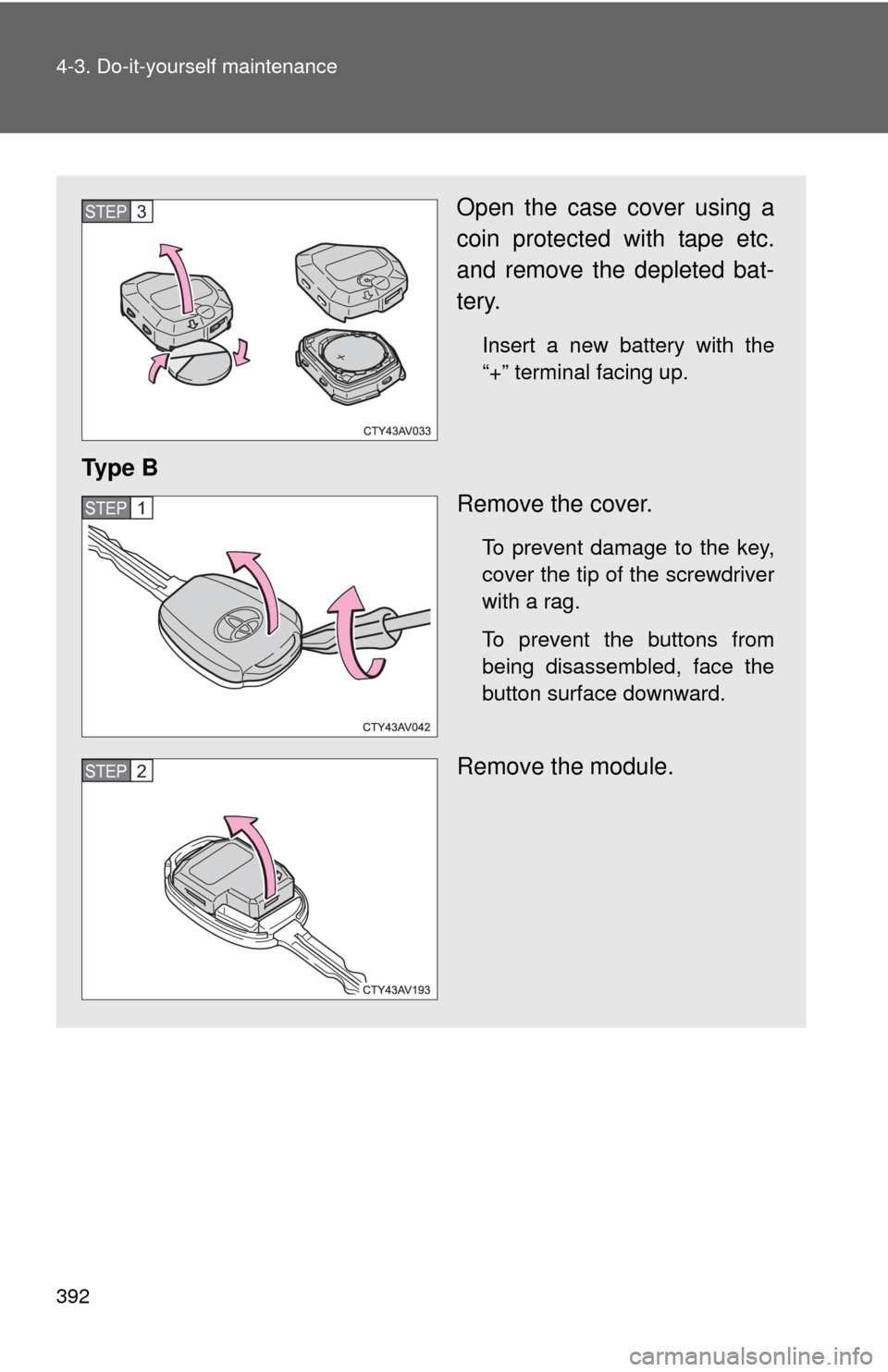
Open the case cover using a
coin protected with tape etc.
and remove the depleted bat-
tery.
Insert a new battery with the
“+” terminal facing up.
Ty p e BRemove the cover.
To prevent damage to the key,
cover the tip of the screwdriver
with a rag.
To prevent the buttons from
being disassembled, face the
button surface downward.
Remove the module.
STEP3
STEP1
STEP2
Page 393 of 540
393
4-3. Do-it-yourself maintenance
4
Maintenance and care
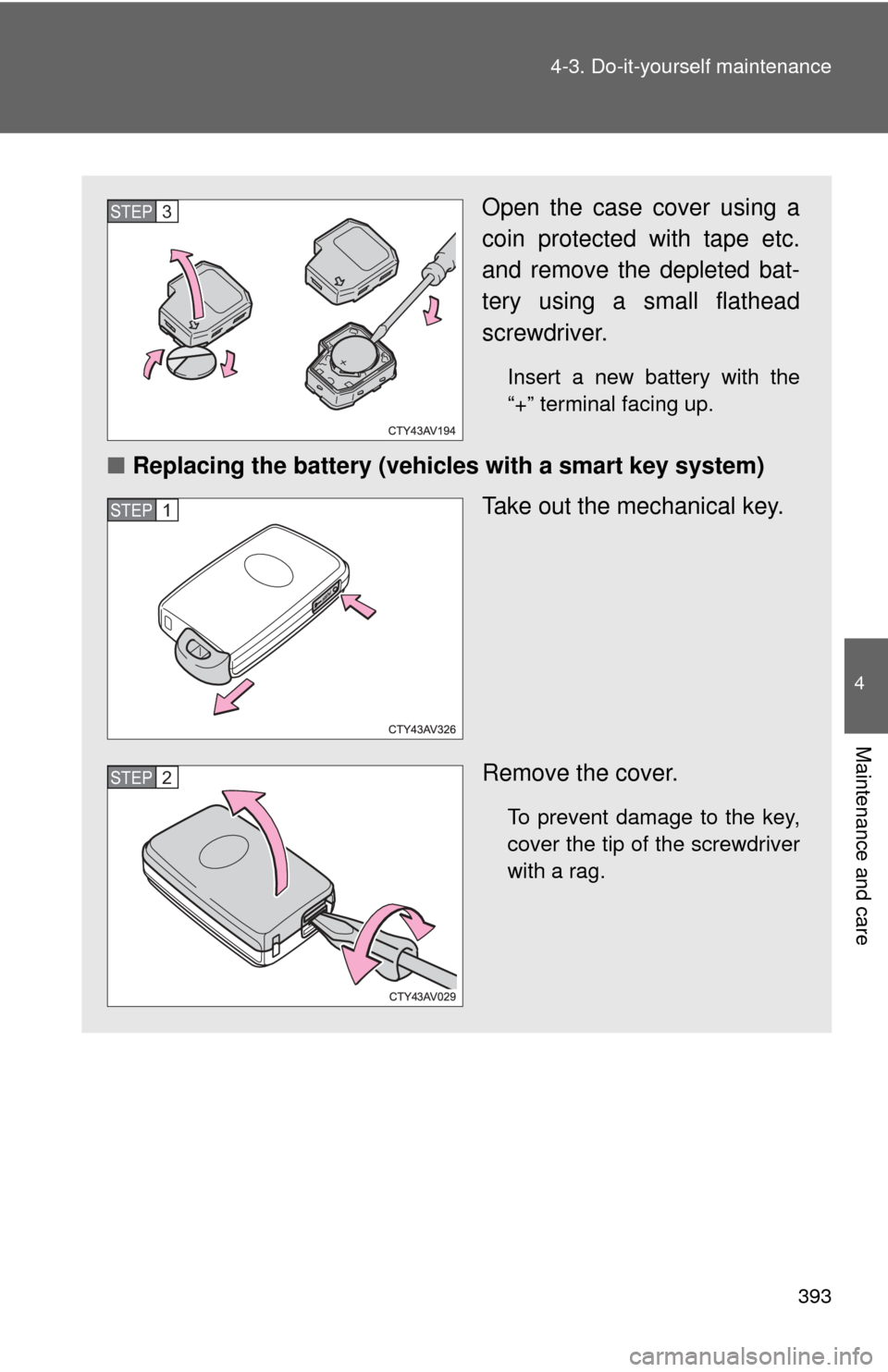
Open the case cover using a
coin protected with tape etc.
and remove the depleted bat-
tery using a small flathead
screwdriver.
Insert a new battery with the
“+” terminal facing up.
■
Replacing the battery (vehicles with a smart key system)
Take out the mechanical key.
Remove the cover.
To prevent damage to the key,
cover the tip of the screwdriver
with a rag.
STEP3
STEP1
STEP2
Page 394 of 540
394 4-3. Do-it-yourself maintenance
■Use a CR2016 (vehicles without a smart key system) or CR2032 (vehi-
cles with a smart key syste m) lithium battery
● Batteries can be purchased at your Toyota dealer, local electrical appli-
ance shops or camera stores.
● Replace only with the same or equivalent type recommended by the
manufacturer.
● Dispose of used batteries according to local laws.
■ If the key battery is depleted
The following symptoms may occur:
●The smart key system and wireless remote control will not function prop-
erly.
● The operational range will be reduced.
CAUTION
■Removed battery and other parts
These parts are small and if swallowed by a child, they can cause choking.
Keep away from children. Failure to do so could result in death or serious
injury.
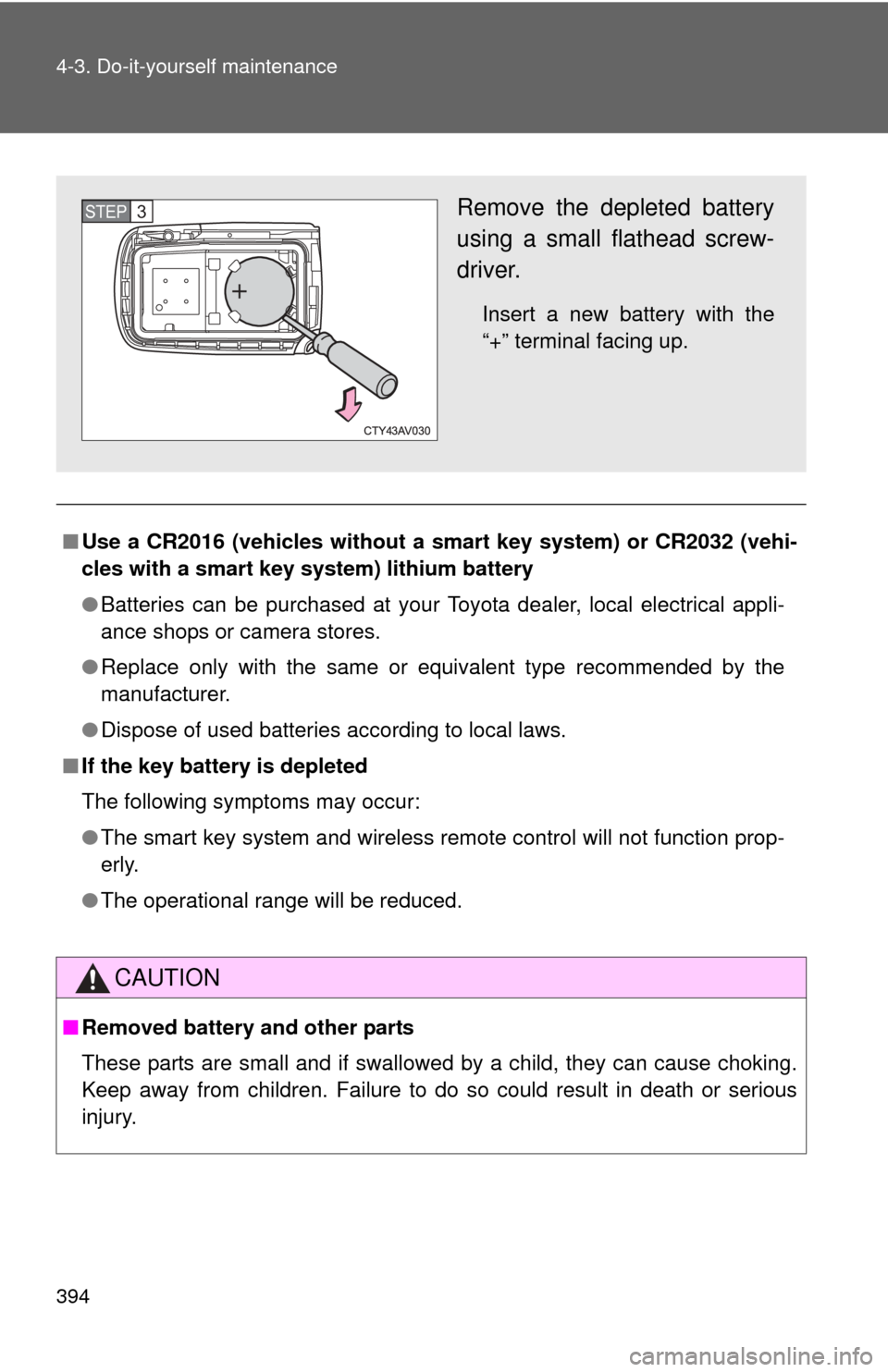
Remove the depleted battery
using a small flathead screw-
driver.
Insert a new battery with the
“+” terminal facing up.
STEP3
Page 395 of 540

395
4-3. Do-it-yourself maintenance
4
Maintenance and care
NOTICE
■
For normal operation after replacing the battery
Observe the following precautions to prevent accidents:
●Always work with dry hands.
Moisture may cause the battery to rust.
● Do not touch or move any other components inside the remote control.
● Do not bend either of the battery terminals.
Page 419 of 540
When trouble arises5
419
5-1. Essential informationEmergency flashers ......... 420
If your vehicle needs to be towed ............................. 421
If you think something is wrong ......................... 424
Fuel pump shut off system ........................... 425
5-2. Steps to take in an emergency
If a warning light turns on or a warning buzzer
sounds... ....................... 426
If you have a flat tire......... 441
If the engine will not start ................................ 453
If the shift lever cannot be shifted from P............ 455
If you lose your keys ........ 456
If the electronic key does not operate
properly .......................... 457
If the battery is discharged ..................... 460
If your vehicle overheats ....................... 465
If the vehicle becomes stuck .............................. 468
If your vehicle has to be stopped in an
emergency ..................... 469
Page 420 of 540
420
5-1. Essential information
Emergency flashers
NOTICE
■To prevent battery discharge
Do not leave the emergency flashers on longer than necessary when the
engine is not running.
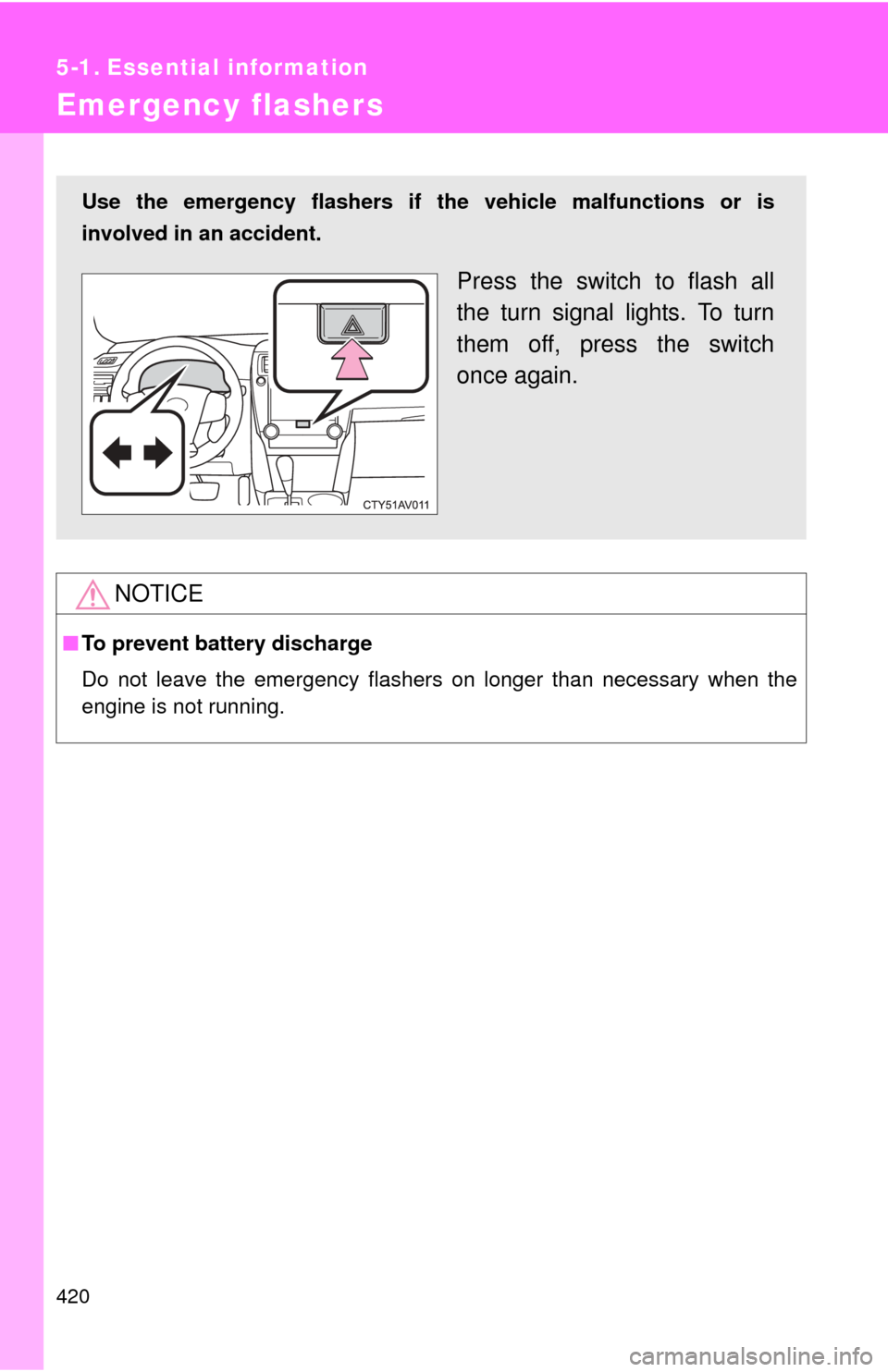
Use the emergency flashers if th e vehicle malfunctions or is
involved in an accident.
Press the switch to flash all
the turn signal lights. To turn
them off, press the switch
once again.
Page 434 of 540
434 5-2. Steps to take in an emergency
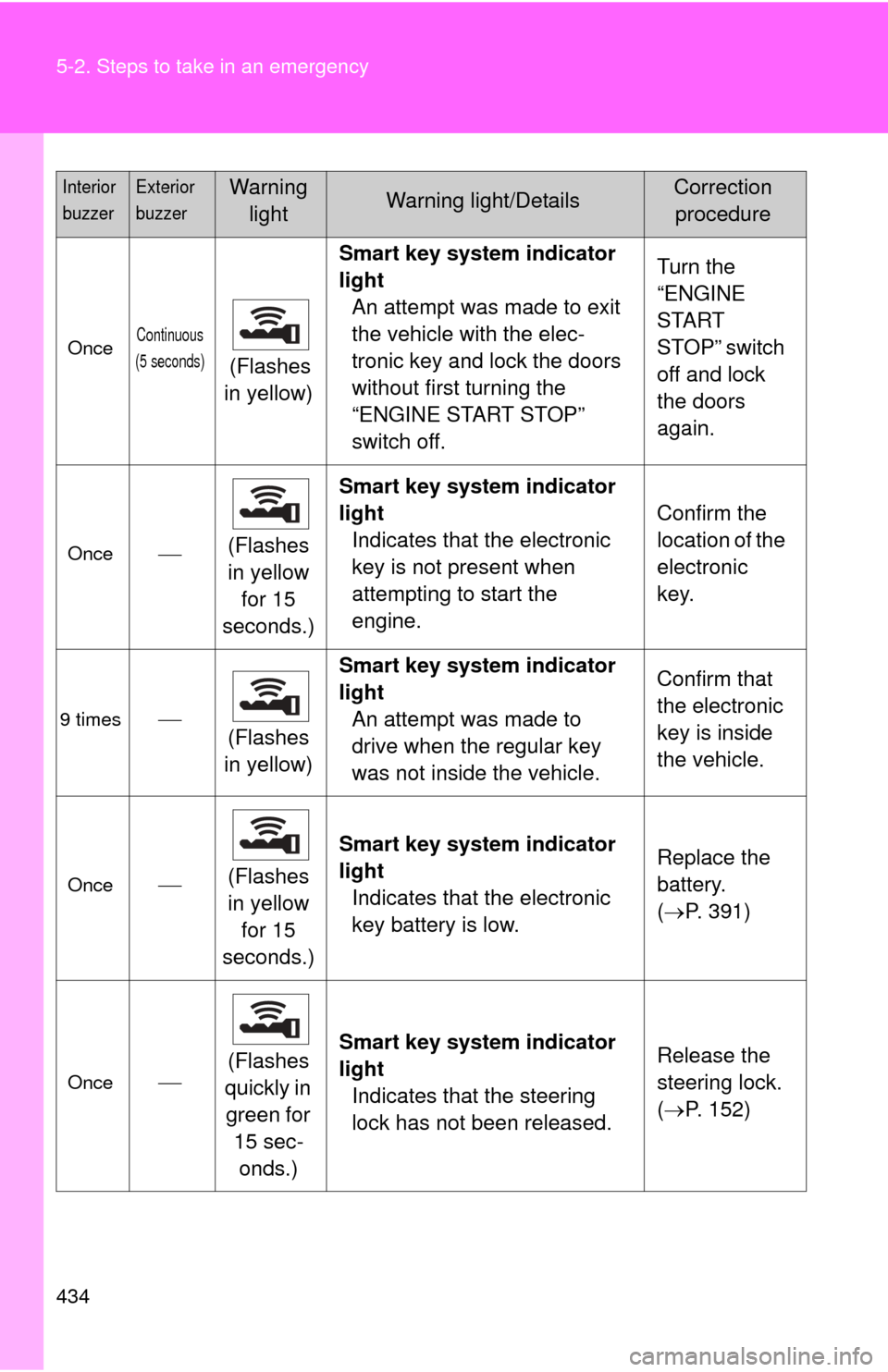
OnceContinuous
(5 seconds)
(Flashes
in yellow) Smart key system indicator
light
An attempt was made to exit
the vehicle with the elec-
tronic key and lock the doors
without first turning the
“ENGINE START STOP”
switch off. Turn the
“ENGINE
START
STOP” switch
off and lock
the doors
again.
Once
(Flashes
in yellow
for 15
seconds.) Smart key system indicator
light
Indicates that the electronic
key is not present when
attempting to start the
engine. Confirm the
location of the
electronic
key.
9 times
(Flashes
in yellow) Smart key system indicator
light
An attempt was made to
drive when the regular key
was not inside the vehicle. Confirm that
the electronic
key is inside
the vehicle.
Once
(Flashes
in yellow
for 15
seconds.) Smart key system indicator
light
Indicates that the electronic
key battery is low. Replace the
battery.
(
P. 391)
Once (Flashes
quickly in green for 15 sec-onds.) Smart key system indicator
light
Indicates that the steering
lock has not been released. Release the
steering lock.
(
P. 152)
Interior
buzzerExterior
buzzerWarning
lightWarning light/DetailsCorrection procedure
Page 453 of 540
5
When trouble arises
453
5-2. Steps to take in an emergency
If the engine will not star t
If the engine will not start even though correct starting procedures
are being followed (
P. 145, 148), consider each of the following
points:
■ The engine will not start even though the starter motor
operates normally.
One of the following may be the cause of the problem:
●There may not be sufficient fuel in the vehicle’s tank.
Refuel the vehicle.
Flex-fuel vehicles: The type of fuel may be different. When
refueling, add the same type of fuel, if available.
After adding a different type of fuel, the engine may run
roughly and driving performance may be reduced for a while
when the engine is first started. In this case, wait until the
engine runs normally.
● The engine may be flooded.
Try to restart the engine again following correct starting proce-
dures. ( P. 145, 148)
● There may be a malfunction in the engine immobilizer system.
( P. 9 3 )
■ The starter motor turns over slowly, the interior lights and
headlights are dim, or the horn does not sound or sounds at
a low volume.
One of the following may be the cause of the problem:
●The battery may be discharged. ( P. 460)
● The battery terminal connec tions may be loose or corroded.
Page 454 of 540
454 5-2. Steps to take in an emergency
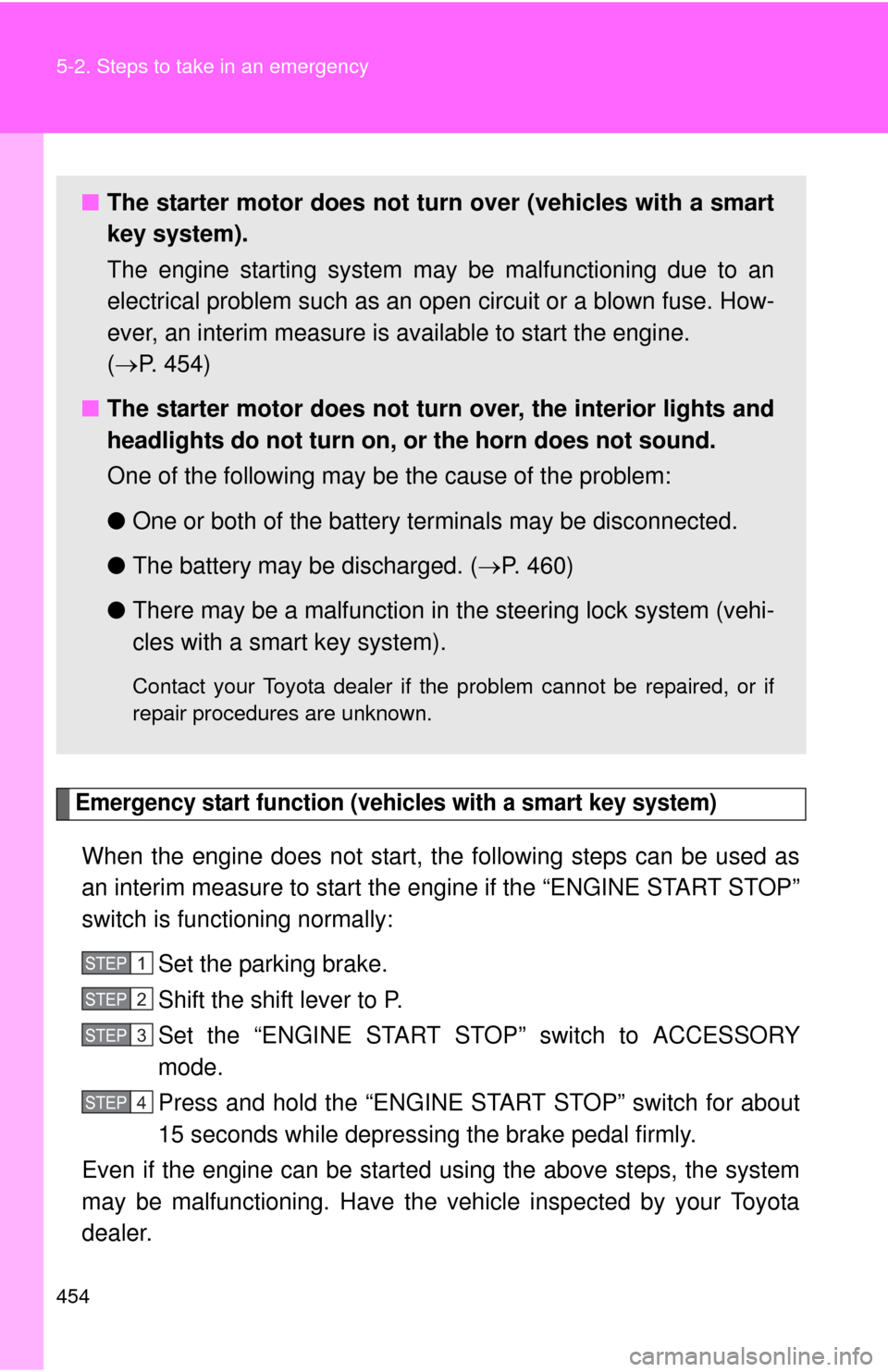
Emergency start function (vehicles with a smart key system)
When the engine does not start, the following steps can be used as
an interim measure to start the engine if the “ENGINE START STOP”
switch is functioning normally:Set the parking brake.
Shift the shift lever to P.
Set the “ENGINE START ST OP” switch to ACCESSORY
mode.
Press and hold the “ENGINE START STOP” switch for about
15 seconds while depressing the brake pedal firmly.
Even if the engine can be start ed using the above steps, the system
may be malfunctioning. Have the vehicle inspected by your Toyota
dealer.
■ The starter motor does not turn over (vehicles with a smart
key system).
The engine starting system may be malfunctioning due to an
electrical problem such as an open circuit or a blown fuse. How-
ever, an interim measure is available to start the engine.
( P. 454)
■ The starter motor does not turn over, the interior lights and
headlights do not turn on, or the horn does not sound.
One of the following may be the cause of the problem:
● One or both of the battery terminals may be disconnected.
● The battery may be discharged. ( P. 460)
● There may be a malfunction in the steering lock system (vehi-
cles with a smart key system).
Contact your Toyota dealer if the problem cannot be repaired, or if
repair procedures are unknown.
STEP1
STEP2
STEP3
STEP4
Page 457 of 540
5
When trouble arises
457
5-2. Steps to take in an emergency
If the electronic key does not operate properly (vehicles with a smar t key system)
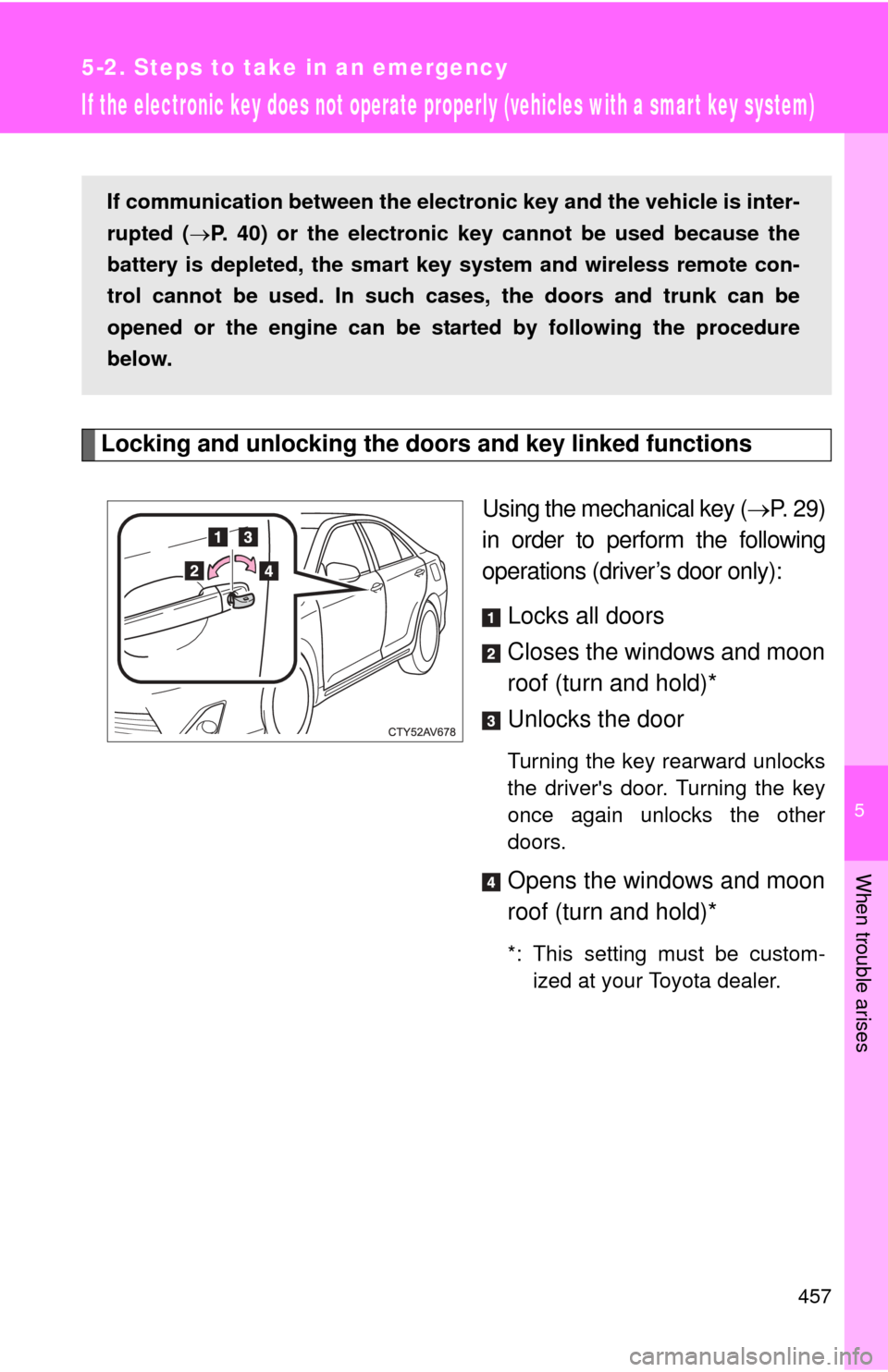
Locking and unlocking the doors and key linked functions
Using the mechanical key ( P. 29)
in order to perform the following
operations (driver’s door only):
Locks all doors
Closes the windows and moon
roof (turn and hold)
*
Unlocks the door
Turning the key rearward unlocks
the driver's door. Turning the key
once again unlocks the other
doors.
Opens the windows and moon
roof (turn and hold)
*
*: This setting must be custom- ized at your Toyota dealer.
If communication between the elect ronic key and the vehicle is inter-
rupted ( P. 40) or the electronic key cannot be used because the
battery is depleted, the smart key system and wireless remote con-
trol cannot be used. In such cases, the doors and trunk can be
opened or the engine can be st arted by following the procedure
below.