steering wheel TOYOTA CAMRY 2018 (in English) Owner's Manual
[x] Cancel search | Manufacturer: TOYOTA, Model Year: 2018, Model line: CAMRY, Model: TOYOTA CAMRY 2018Pages: 612, PDF Size: 13.73 MB
Page 199 of 612
1994-2. Driving procedures
4
Driving
CAMRY_U (01999-06122)■If “Not Ready to Drive” is displayed on the multi-information display
Depress the brake pedal and then turn the engine switch to the “START”
position to start the engine.
■If the engine does not start
The engine immobilizer system may not have been deactivated. (→P. 71)
Contact your Toyota dealer.
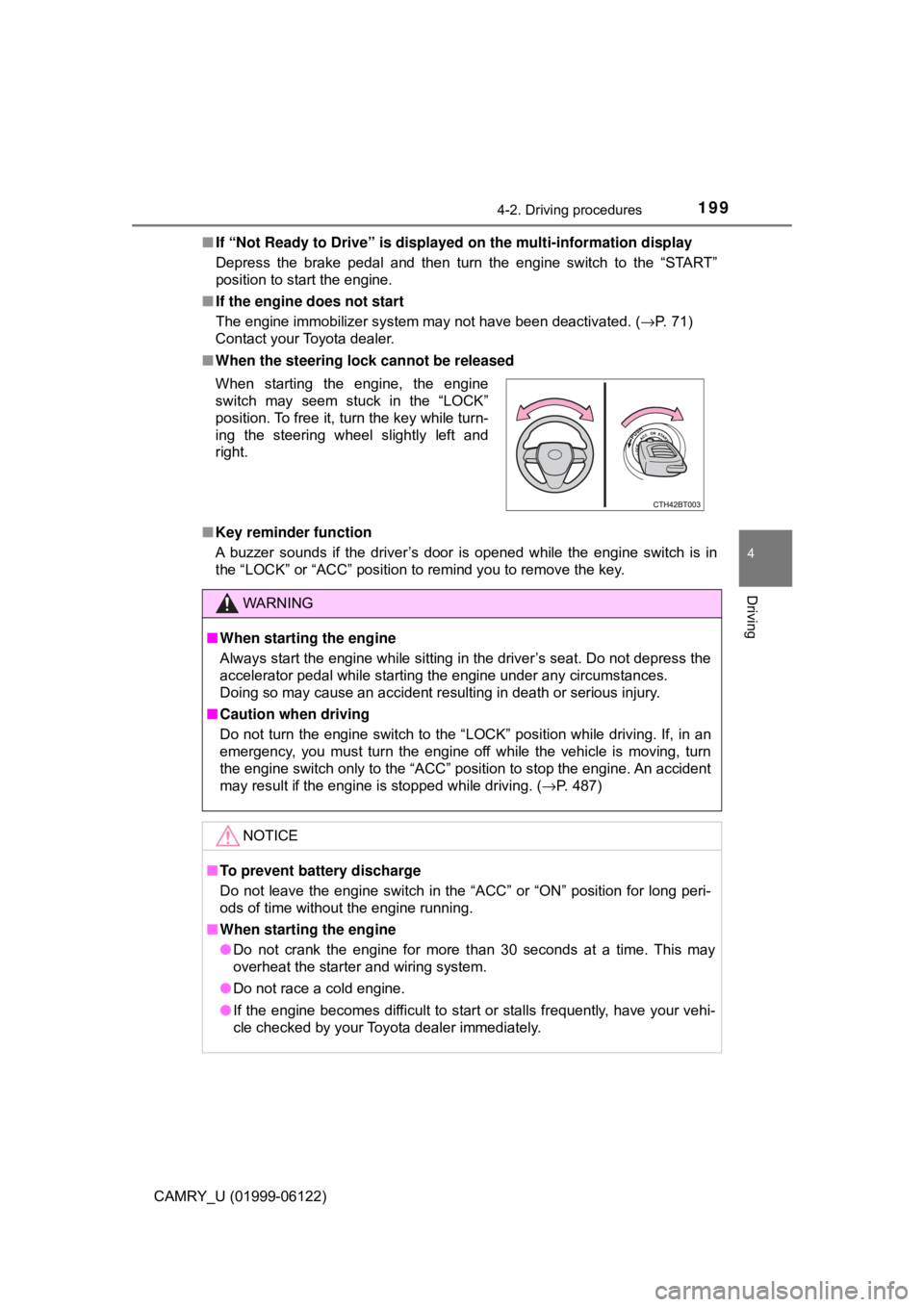
■When the steering lock cannot be released
■Key reminder function
A buzzer sounds if the driver’s door is opened while the engine switch is in
the “LOCK” or “ACC” position to remind you to remove the key. When starting the engine, the engine
switch may seem stuck in the “LOCK”
position. To free it, turn the key while turn-
ing the steering wheel slightly left and
right.
WARNING
■When starting the engine
Always start the engine while sitting in the driver’s seat. Do not depress the
accelerator pedal while starting the engine under any circumstances.
Doing so may cause an accident resulting in death or serious injury.
■Caution when driving
Do not turn the engine switch to the “LOCK” position while driving. If, in an
emergency, you must turn the engine off while the vehicle is moving, turn
the engine switch only to the “ACC” position to stop the engine. An accident
may result if the engine is stopped while driving. (→P. 487)
NOTICE
■To prevent battery discharge
Do not leave the engine switch in the “ACC” or “ON” position for long peri-
ods of time without the engine running.
■When starting the engine
●Do not crank the engine for more than 30 seconds at a time. This may
overheat the starter and wiring system.
●Do not race a cold engine.
●If the engine becomes difficult to start or stalls frequently, have your vehi-
cle checked by your Toyota dealer immediately.
Page 202 of 612
2024-2. Driving procedures
CAMRY_U (01999-06122)
■Auto power off function
If the vehicle is left in ACCESSORY mode for more than 20 minutes or IGNI-
TION ON mode (with the engine is not running) for more than an hour with
the shift lever in P, the engine switch will automatically turn off. However, this
function cannot entirely prevent battery discharge. Do not leave the vehicle
with the engine switch in ACCESSORY or IGNITION ON mode for long peri-
ods of time when the engine is not running.
■Electronic key battery depletion
→P. 131
■Conditions affecting operation
→P. 151
■Notes for the entry function
→P. 152
■If the engine does not start
●The engine immobilizer system may not have been deactivated. (→P. 71)
Contact your Toyota dealer.
●Check that the shift lever is securely set in P. The engine may not start if the
shift lever is displaced out of P.
■Steering lock
After turning the engine switch off and opening and closing the doors, the
steering wheel will be locked due to the steering lock function. Operating the
engine switch again automatically cancels the steering lock.
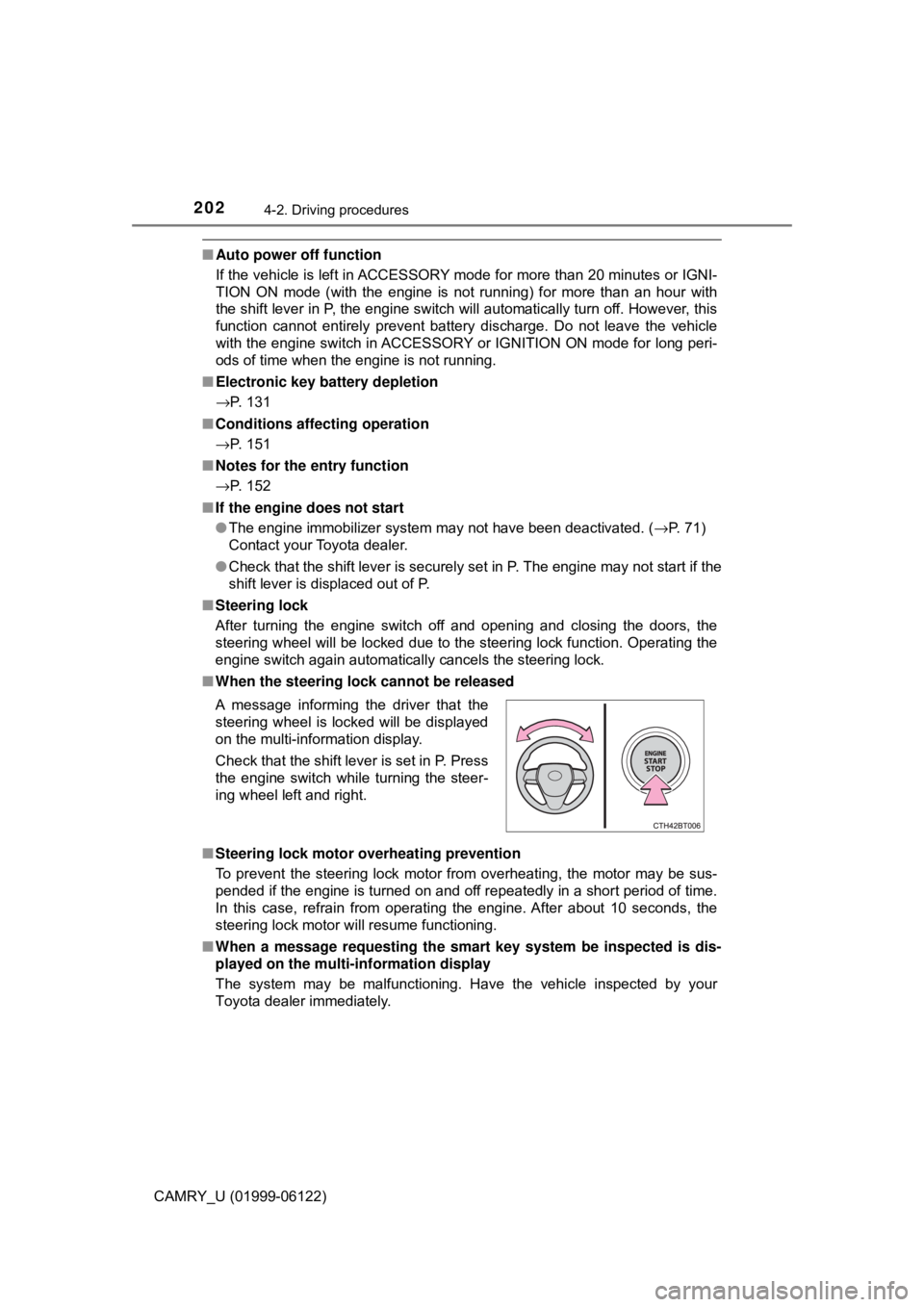
■When the steering lock cannot be released
■Steering lock motor overheating prevention
To prevent the steering lock motor from overheating, the motor may be sus-
pended if the engine is turned on and off repeatedly in a short period of time.
In this case, refrain from operating the engine. After about 10 seconds, the
steering lock motor will resume functioning.
■When a message requesting the smart key system be inspected is dis-
played on the multi-information display
The system may be malfunctioning. Have the vehicle inspected by your
Toyota dealer immediately. A message informing the driver that the
steering wheel is locked will be displayed
on the multi-information display.
Check that the shift lever is set in P. Press
the engine switch while turning the steer-
ing wheel left and right.
Page 243 of 612
2434-5. Using the driving support systems
4
Driving
CAMRY_U (01999-06122)
WARNING
■Limitations of the pre-collision system
●The driver is solely responsible for safe driving. Always drive safely, taking
care to observe your surroundings.
Do not use the pre-collision system instead of normal braking operations
under any circumstances. This system will not prevent collisions or lessen
collision damage or injury in every situation. Do not overly rely on this sys-
tem. Failure to do so may lead to an accident, resulting in death or serious
injury.
●Although this system is designed to help avoid a collision or help reduce
the impact of the collision, its effectiveness may change according to vari-
ous conditions, therefore the system may not always be able to achieve
the same level of performance.
Read the following conditions carefully. Do not overly rely on this system
and always drive carefully.
• Conditions under which the system may operate even if there is no pos-
sibility of a collision: →P. 247
• Conditions under which the system may not operate properly: →P. 249
●Do not attempt to test the operation of the pre-collision system yourself, as
the system may not operate properly, possibly leading to an accident.
■Pre-collision braking
●When the pre-collision braking function is operating, a large amount of
braking force will be applied.
●If the vehicle is stopped by the operation of the pre-collision braking func-
tion, the pre-collision braking function operation will be canceled after
approximately 2 seconds. Depress the brake pedal as necessary.
●The pre-collision braking function may not operate if certain operations are
performed by the driver. If the accelerator pedal is being depressed
strongly or the steering wheel is being turned, the system may determine
that the driver is taking evasive action and possibly prevent the pre-colli-
sion braking function from operating.
●In some situations, while the pre-collision braking function is operating,
operation of the function may be canceled if the accelerator pedal is
depressed strongly or the steering wheel is turned and the system deter-
mines that the driver is taking evasive action.
●If the brake pedal is being depressed, the system may determine that the
driver is taking evasive action and possibly delay the operation timing of
the pre-collision braking function.
Page 246 of 612
2464-5. Using the driving support systems
CAMRY_U (01999-06122)
■Operational conditions
The pre-collision system is enabled and the system determines that the pos-
sibility of a frontal collision with a vehicle or pedestrian is high.
Each function is operational at the following speeds:
●Pre-collision warning:
• Vehicle speed is between approximately 7 and 110 mph (10 and 180
km/h). (For detecting a pedestrian, vehicle speed is between approxi-
mately 7 and 50 mph [10 and 80 km/h].)
• The relative speed between your vehicle and the vehicle or pedestrian
ahead is approximately 7 mph (10 km/h) or more.
●Pre-collision brake assist:
• Vehicle speed is between approximately 20 and 110 mph (30 and 180
km/h). (For detecting a pedestrian, vehicle speed is between approxi-
mately 20 and 50 mph [30 and 80 km/h].)
• The relative speed between your vehicle and the vehicle or pedestrian
ahead is approximately 20 mph (30 km/h) or more.
●Pre-collision braking:
• Vehicle speed is between approximately 7 and 110 mph (10 and 180
km/h). (For detecting a pedestrian, vehicle speed is between approxi-
mately 7 and 50 mph [10 and 80 km/h].)
• The relative speed between your vehicle and the vehicle or pedestrian
ahead is approximately 7 mph (10 km/h) or more.
The system may not operate in the following situations:
●If a battery terminal has been disconnected and reconnected and then the
vehicle has not been driven for a certain amount of time
●If the shift lever is in R
●If VSC is disabled (only the pre-collision warning function will be opera-
tional)
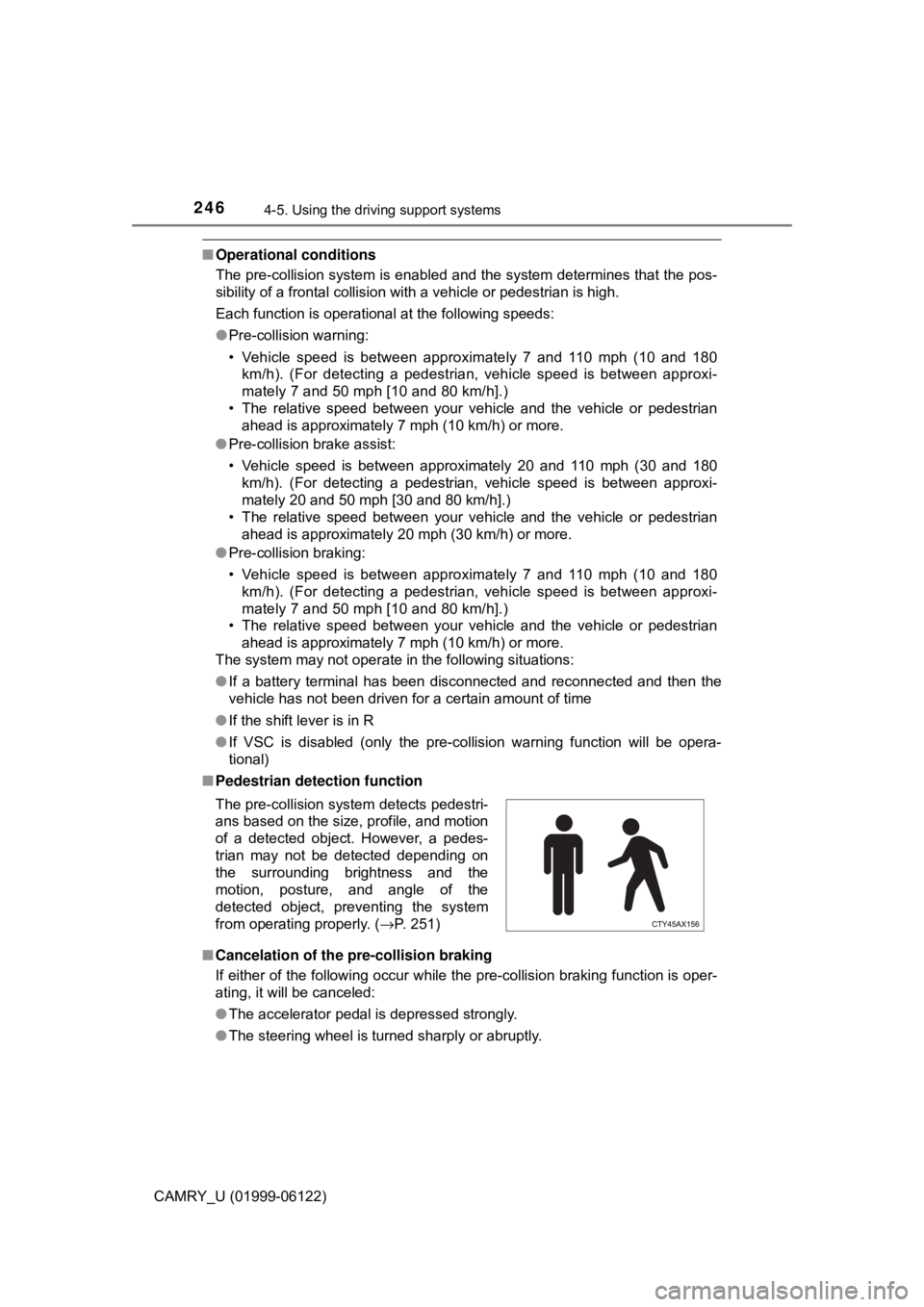
■Pedestrian detection function
■Cancelation of the pre-collision braking
If either of the following occur while the pre-collision braking function is oper-
ating, it will be canceled:
●The accelerator pedal is depressed strongly.
●The steering wheel is turned sharply or abruptly. The pre-collision system detects pedestri-
ans based on the size, profile, and motion
of a detected object. However, a pedes-
trian may not be detected depending on
the surrounding brightness and the
motion, posture, and angle of the
detected object, preventing the system
from operating properly. (→P. 251)
Page 253 of 612
2534-5. Using the driving support systems
4
Driving
CAMRY_U (01999-06122)
When driving on highways and freeways with white (yellow) lines, this
function alerts the driver when the vehicle might depart from its lane
and provides assistance by operating the steering wheel to keep the
vehicle in its lane.
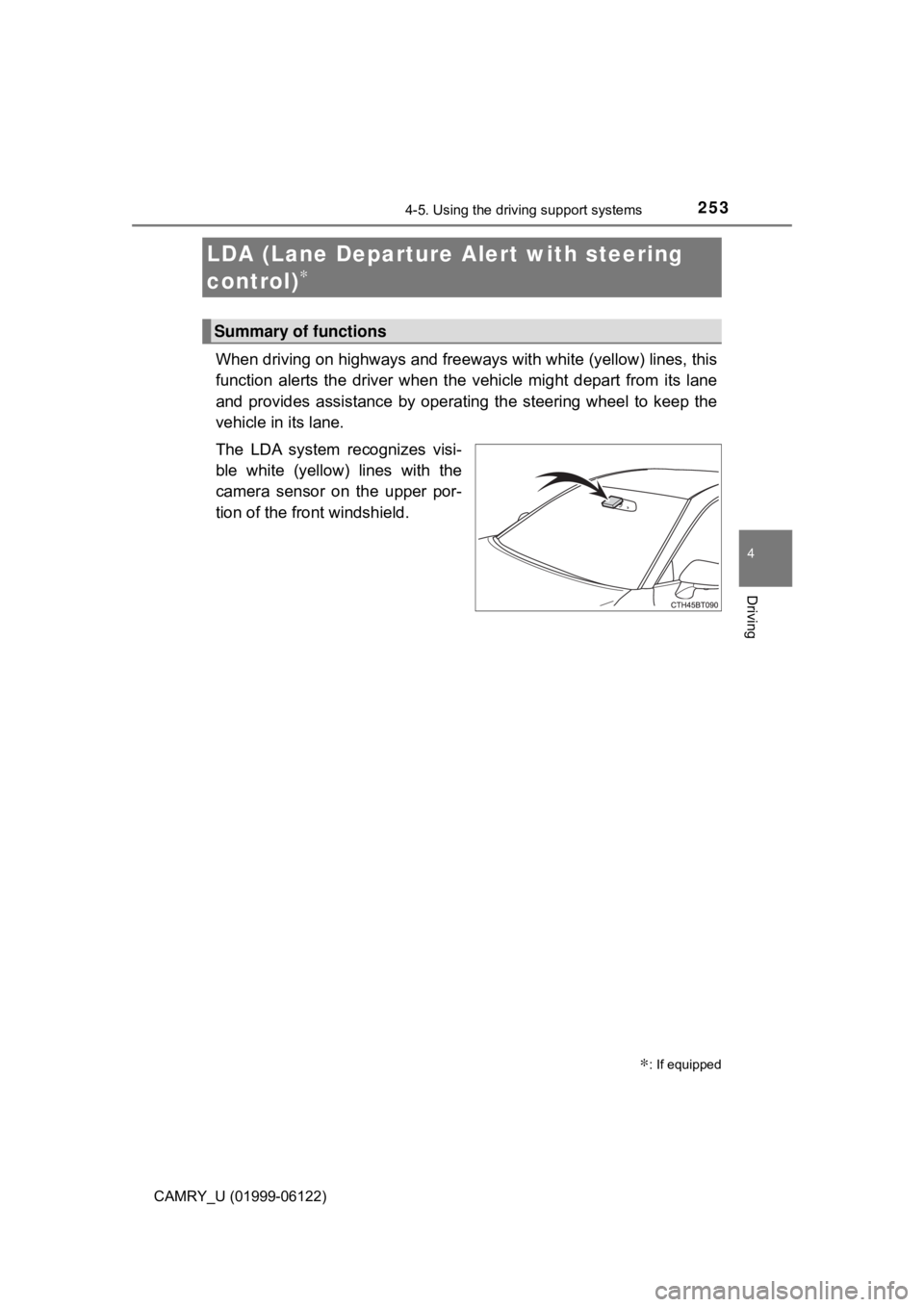
The LDA system recognizes visi-
ble white (yellow) lines with the
camera sensor on the upper por-
tion of the front windshield.
LDA (Lane Departure Alert with steering
control)
∗
∗: If equipped
Summary of functions
Page 254 of 612
2544-5. Using the driving support systems
CAMRY_U (01999-06122)
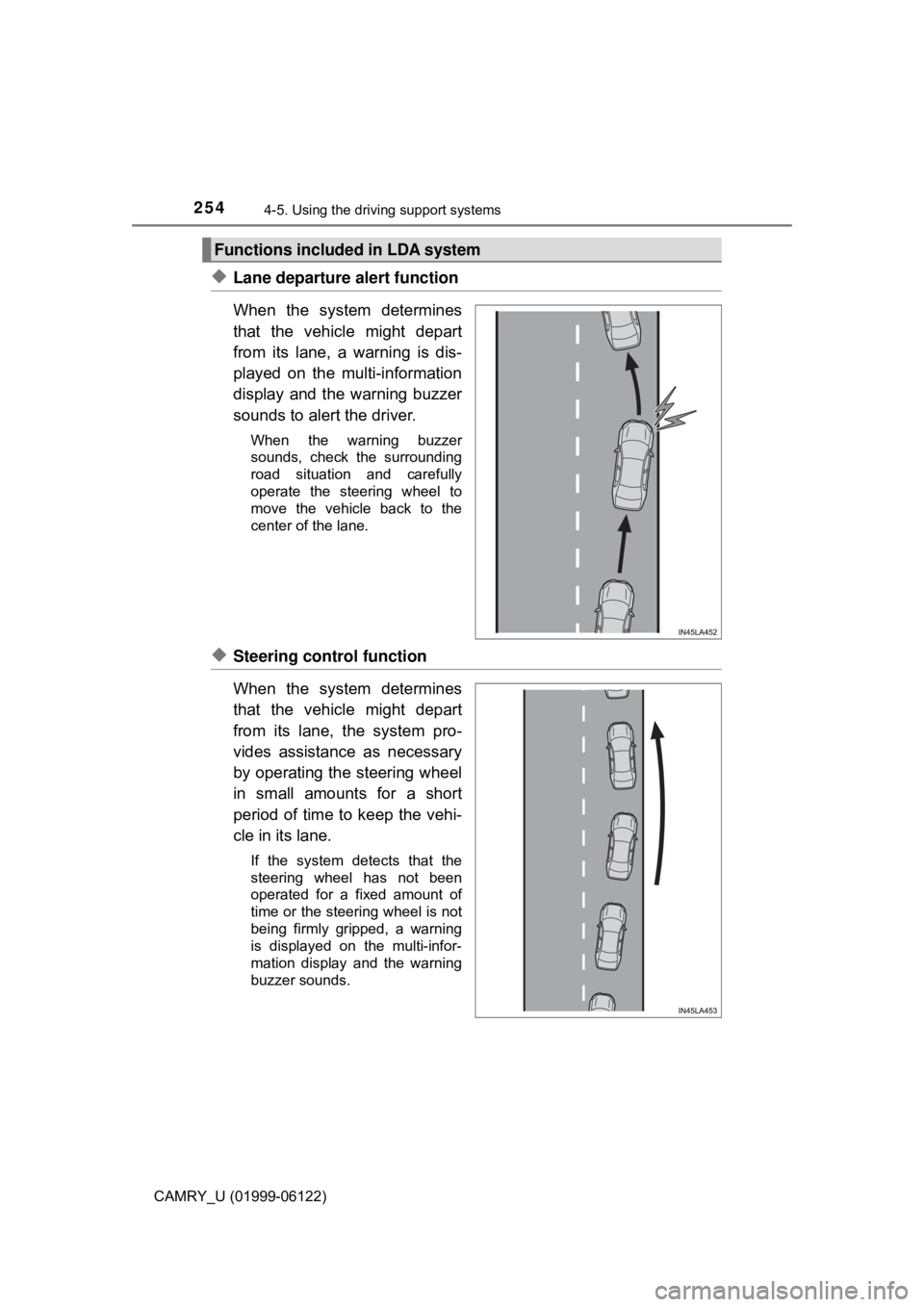
◆Lane departure alert function
When the system determines
that the vehicle might depart
from its lane, a warning is dis-
played on the multi-information
display and the warning buzzer
sounds to alert the driver.
When the warning buzzer
sounds, check the surrounding
road situation and carefully
operate the steering wheel to
move the vehicle back to the
center of the lane.
◆Steering control function
When the system determines
that the vehicle might depart
from its lane, the system pro-
vides assistance as necessary
by operating the steering wheel
in small amounts for a short
period of time to keep the vehi-
cle in its lane.
If the system detects that the
steering wheel has not been
operated for a fixed amount of
time or the steering wheel is not
being firmly gripped, a warning
is displayed on the multi-infor-
mation display and the warning
buzzer sounds.
Functions included in LDA system
Page 255 of 612
2554-5. Using the driving support systems
4
Driving
CAMRY_U (01999-06122)
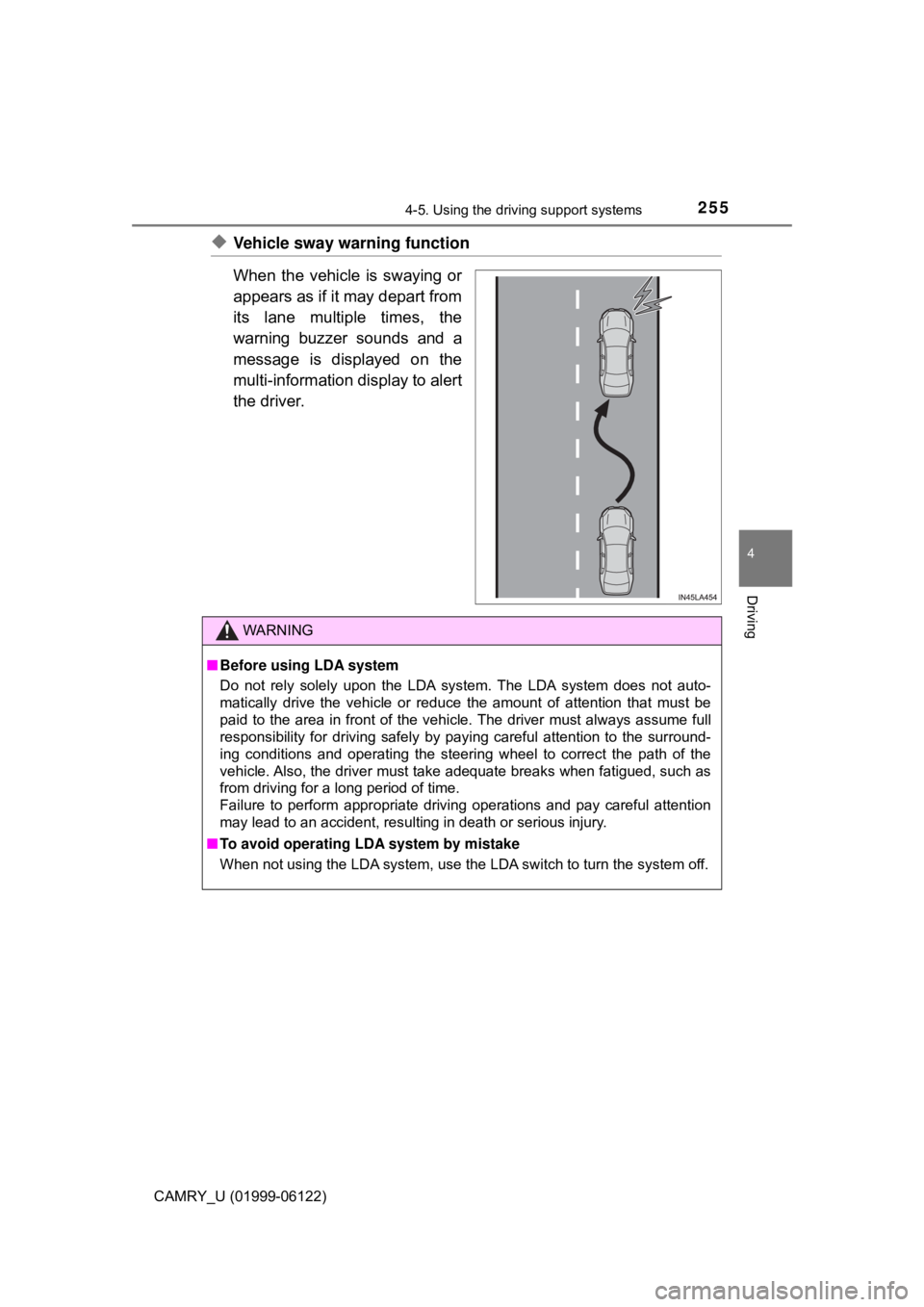
◆Vehicle sway warning function
When the vehicle is swaying or
appears as if it may depart from
its lane multiple times, the
warning buzzer sounds and a
message is displayed on the
multi-information display to alert
the driver.
WARNING
■Before using LDA system
Do not rely solely upon the LDA system. The LDA system does not auto-
matically drive the vehicle or reduce the amount of attention that must be
paid to the area in front of the vehicle. The driver must always assume full
responsibility for driving safely by paying careful attention to the surround-
ing conditions and operating the steering wheel to correct the path of the
vehicle. Also, the driver must take adequate breaks when fatigued, such as
from driving for a long period of time.
Failure to perform appropriate driving operations and pay careful attention
may lead to an accident, resulting in death or serious injury.
■To avoid operating LDA system by mistake
When not using the LDA system, use the LDA switch to turn the system off.
Page 258 of 612
2584-5. Using the driving support systems
CAMRY_U (01999-06122)
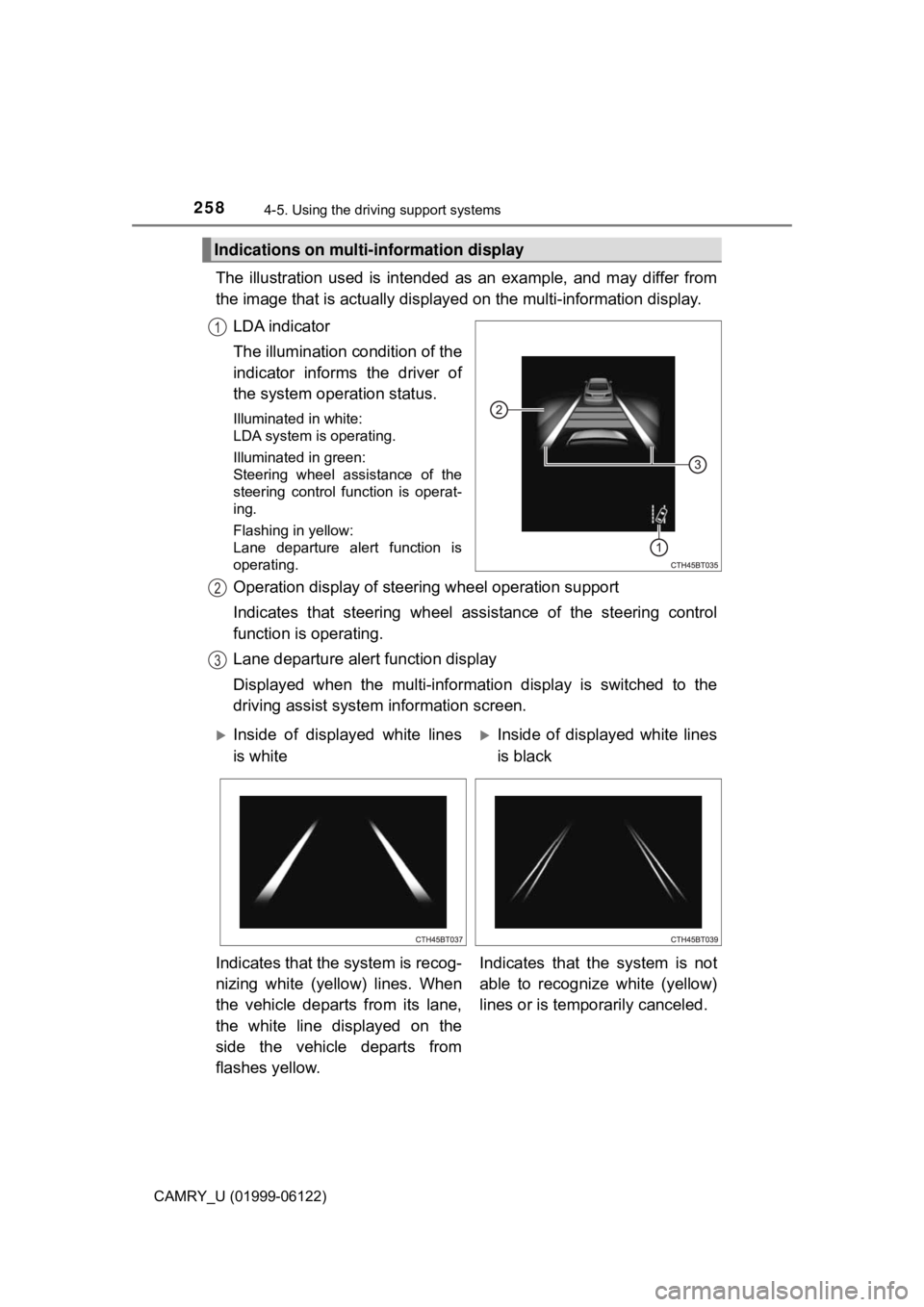
The illustration used is intended as an example, and may differ from
the image that is actually displayed on the multi-information display.
LDA indicator
The illumination condition of the
indicator informs the driver of
the system operation status.
Illuminated in white:
LDA system is operating.
Illuminated in green:
Steering wheel assistance of the
steering control function is operat-
ing.
Flashing in yellow:
Lane departure alert function is
operating.
Operation display of steering wheel operation support
Indicates that steering wheel assistance of the steering control
function is operating.
Lane departure alert function display
Displayed when the multi-information display is switched to the
driving assist system information screen.
Indications on multi-information display
1
2
3
Inside of displayed white lines
is whiteInside of displayed white lines
is black
Indicates that the system is recog-
nizing white (yellow) lines. When
the vehicle departs from its lane,
the white line displayed on the
side the vehicle departs from
flashes yellow.Indicates that the system is not
able to recognize white (yellow)
lines or is temporarily canceled.
Page 259 of 612

2594-5. Using the driving support systems
4
Driving
CAMRY_U (01999-06122)
■Operation conditions of each function
●Lane departure alert function
This function operates when all of the following conditions are met.
• LDA is turned on.
• Vehicle speed is approximately 32 mph (50 km/h) or more.
• System recognizes white (yellow) lines.
• Width of traffic lane is approximately 9.8 ft. (3 m) or more.
• Turn signal lever is not operated.
• Vehicle is driven on a straight road or around a gentle curve with a radius
of more than approximately 492 ft. (150 m).
• No system malfunctions are detected. (→P. 262)
●Steering control function
This function operates when all of the following conditions are met in addi-
tion to the operation conditions for the lane departure alert function.
• Setting for “Steering Assist” in (4.2-inch display) or (7-inch dis-
play) of the multi-information display is set to “On”. (→P. 92, 104)
• Vehicle is not accelerated or decelerated by a fixed amount or more.
• Steering wheel is not operated with a steering force level suitable for
changing lanes.
• ABS, VSC, TRAC and PCS are not operating.
• TRAC or VSC is not turned off.
• Hands off steering wheel alert is not displayed. (→P. 260)
●Vehicle sway warning
This function operates when all of the following conditions are met.
• Setting for “Sway Warning” in (4.2-inch display) or (7-inch display)
of the multi-information display is set to “On”. (→P. 92, 104)
• Vehicle speed is approximately 32 mph (50 km/h) or more.
• Width of traffic lane is approximately 9.8 ft. (3 m) or more.
• No system malfunctions are detected. (→P. 262)
Page 260 of 612

2604-5. Using the driving support systems
CAMRY_U (01999-06122)■Temporary cancellation of functions
When operation conditions are no longer met, a function may be temporarily
canceled. However, when the operation conditions are met again, operation
of the function is automatically restored. (→P. 259)
■Steering control function
Depending on the vehicle speed, lane departure situation, road conditions,
etc., the driver may not feel the function is operating or the function may not
operate at all.
■Lane departure alert function
The warning buzzer may be difficult to hear due to external noise, audio play-
back, etc.
■Hands off steering wheel alert
When the system determines that the driver has removed the hands from the
steering wheel while the steering control function is operating, a warning
message is displayed on the multi-information display.
If the driver continues to keep the hands off of the steering wheel, a buzzer
sounds, a warning message is displayed. This alert also operates in the same
way when the driver continuously operates the steering wheel only a small
amount. However, depending on the road conditions, etc., the function may
not cancel.
■White (yellow) lines are only on one side of road
The LDA system will not operate for the side on which white (yellow) lines
could not be recognized.