audio TOYOTA CAMRY 2019 Owners Manual (in English)
[x] Cancel search | Manufacturer: TOYOTA, Model Year: 2019, Model line: CAMRY, Model: TOYOTA CAMRY 2019Pages: 612, PDF Size: 11.44 MB
Page 7 of 612
7
1
8 7 5 4
3
2
CAMRY_U
9
6
What to do if... (Troubleshooting) .................... 592
Alphabetical index...................... 596
Index
For information regarding the equipment listed below, refer to “NAV-
IGATION AND MULTIMEDIA SYSTEM OWNER’S MANUAL”.
• Navigation system
• Audio system
• Rear view monitor system• Toyota parking assist monitor
• Panoramic view monitor
• Toyota Entune
Page 17 of 612
17Pictorial index
CAMRY_UParking brake . . . . . . . . . . . . . . . . . . . . . . . . . . . . . . . . . P. 220, 221
Applying/releasing . . . . . . . . . . . . . . . . . . . . . . . . . . P. 220, 221, 222
Precautions for winter season . . . . . . . . . . . . . . . . . . . . . . . . . P. 356
Warning light/warning buzzer/
warning message . . . . . . . . . . . . . . . . . . . . . . . . . . . P. 220, 224, 497
Turn signal lever . . . . . . . . . . . . . . . . . . . . . . . . . . . . . . . . . . P. 219
Headlight switch . . . . . . . . . . . . . . . . . . . . . . . . . . . . . . . . . . P. 227
Headlights/side marker lights/parking lights/tail lights/
license plate lights/daytime running lights . . . . . . . . . .
. . . . . . P. 227
Windshield wiper and washer switch . . . . . . . . . . . . . . . . . P. 235
Usage . . . . . . . . . . . . . . . . . . . . . . . . . . . . . . . . . . . . . . . . . . . P. 235
Adding washer fluid . . . . . . . . . . . . . . . . . . . . . . . . . . . . . . . . . P. 443
Emergency flasher switch . . . . . . . . . . . . . . . . . . . . . . . . . . P. 486
Hood lock release lever. . . . . . . . . . . . . . . . . . . . . . . . . . . . . P. 430
Tilt and telescopic steering lock release lever . . . . . . . . . . P. 172
Air conditioning system . . . . . . . . . . . . . . . . . . . . P. 360, 365, 371
Usage . . . . . . . . . . . . . . . . . . . . . . . . . . . . . . . . . . . P. 360, 365, 371
Rear window defogger . . . . . . . . . . . . . . . . . . . . . . . P. 361, 367, 374
Entune Audio
*1, 2
Entune Audio Plus
*1, 2
Entune Premium Audio*1, 2
Clock*2
4
5
6
7
8
9
10
11
*1: If equipped
*2: Refer to “NAVIGATION AND MULTIMEDIA SYSTEM OWNER'S MANUAL”.
Page 19 of 612
19Pictorial index
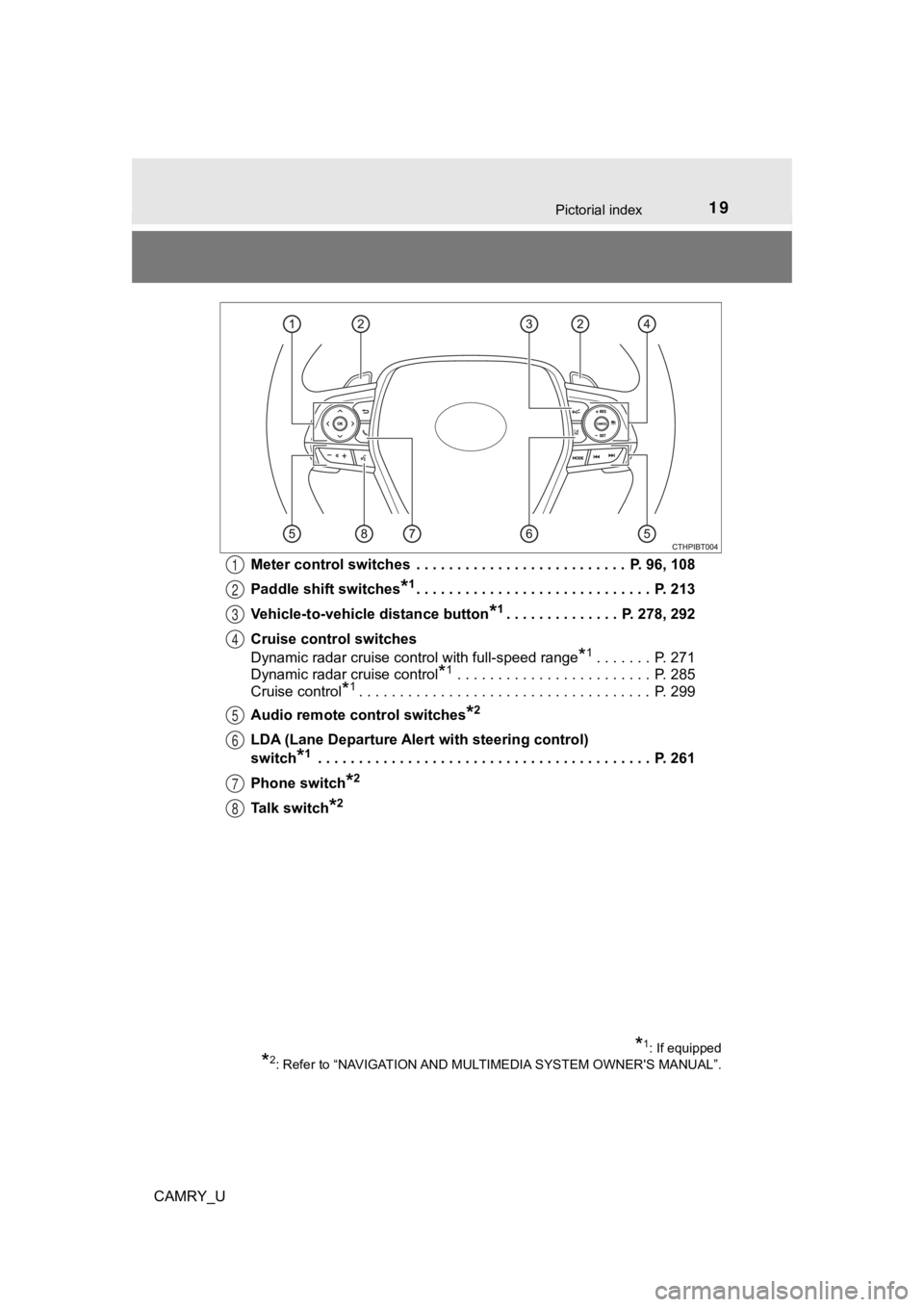
CAMRY_UMeter control switches . . . . . . . . . . . . . . . . . . . . . . . . . . P. 96, 108
Paddle shift switches
*1. . . . . . . . . . . . . . . . . . . . . . . . . . . . . P. 21
3
Vehicle-to-vehicle distance button
*1. . . . . . . . . . . . . . P. 278, 292
Cruise control switches
Dynamic radar cruise control with full-speed range
*1. . . . . . . P. 271
Dynamic radar cruise control
*1 . . . . . . . . . . . . . . . . . . . . . . . . P. 285
Cruise control
*1. . . . . . . . . . . . . . . . . . . . . . . . . . . . . . . . . . . . P. 299
Audio remote control switches
*2
LDA (Lane Departure Alert with steering control)
switch
*1 . . . . . . . . . . . . . . . . . . . . . . . . . . . . . . . . . . . . . . . . . P. 261
Phone switch
*2
Talk switch*2
1
2
3
4
5
6
7
8
*1: If equipped
*2: Refer to “NAVIGATION AND MULTIMEDIA SYSTEM OWNER'S MANUAL”.
Page 97 of 612
972. Instrument cluster
2
Instrument cluster
CAMRY_U
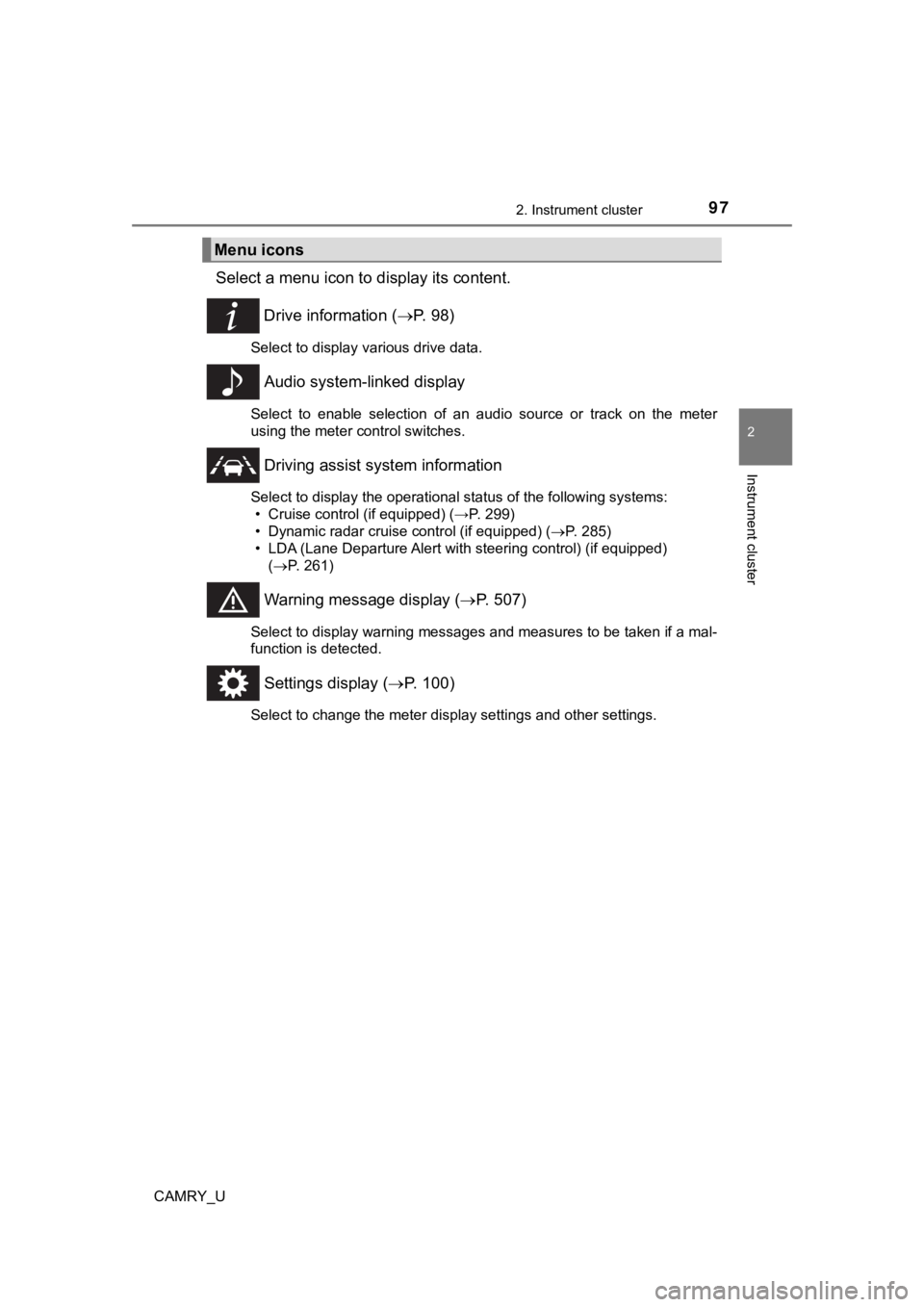
Select a menu icon to display its content.
Drive information ( P. 9 8 )
Select to display various drive data.
Audio system-linked display
Select to enable selection of an audio source or track on the m eter
using the meter control switches.
Driving assist sys tem information
Select to display the operational status of the following syste ms:
• Cruise control (if equipped) (→P. 299)
• Dynamic radar cruise control (if equipped) ( P. 285)
• LDA (Lane Departure Alert with steering control) (if equipped)
( P. 261)
Warning message display ( P. 507)
Select to display warning messages and measures to be taken if a mal-
function is detected.
Settings display ( P. 100)
Select to change the meter display settings and other settings.
Menu icons
Page 109 of 612
1092. Instrument cluster
2
Instrument cluster
CAMRY_U
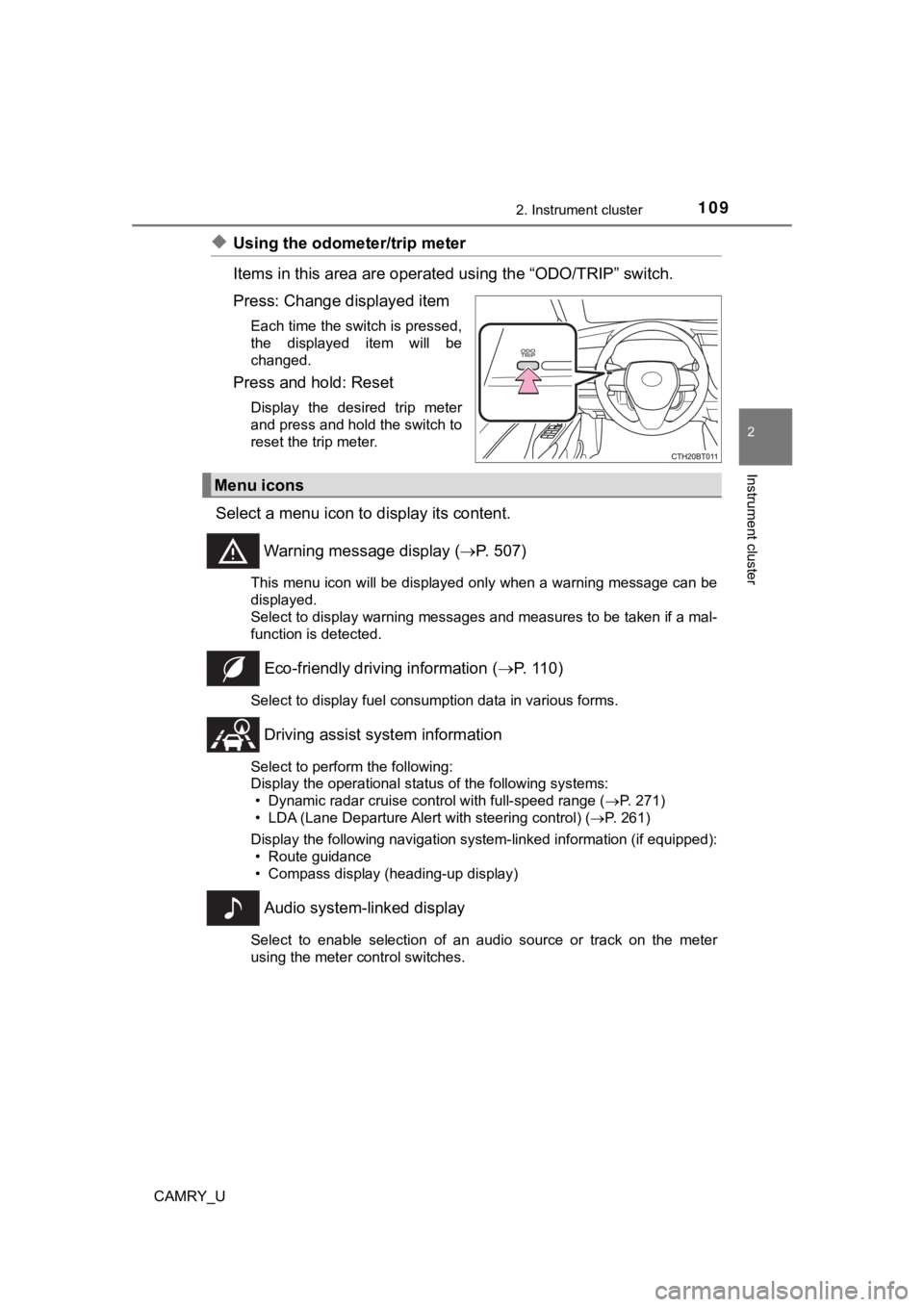
◆Using the odometer/trip meter
Items in this area are operated using the “ODO/TRIP” switch.
Press: Change displayed item
Each time the switch is pressed,
the displayed item will be
changed.
Press and hold: Reset
Display the desired trip meter
and press and hold the switch to
reset the trip meter.
Select a menu icon to display its content.
Warning message display ( P. 507)
This menu icon will be displayed only when a warning message ca n be
displayed.
Select to display warning messages and measures to be taken if a mal-
function is detected.
Eco-friendly drivin g information (P. 110)
Select to display fuel consumption data in various forms.
Driving assist sys tem information
Select to perform the following:
Display the operational status of the following systems:
• Dynamic radar cruise control with full-speed range ( P. 271)
• LDA (Lane Departure Alert with steering control) ( P. 261)
Display the following navigation system-linked information (if equipped):
• Route guidance
• Compass display (heading-up display)
Audio system-linked display
Select to enable selection of an audio source or track on the m eter
using the meter control switches.
Menu icons
Page 115 of 612
1152. Instrument cluster
2
Instrument cluster
CAMRY_U■
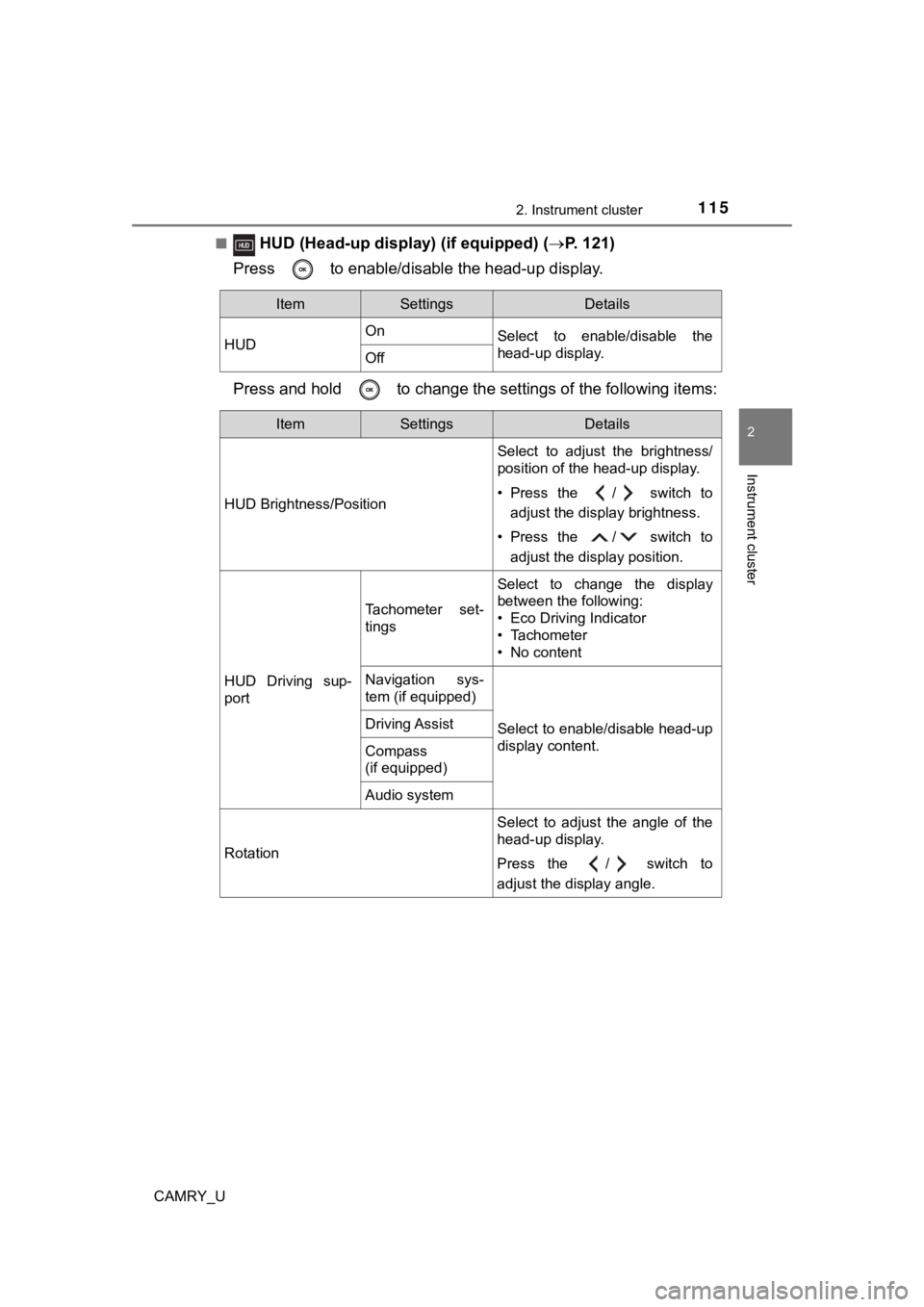
HUD (Head-up disp
lay) (if equipped) (P. 121)
Press to enable/disable the head-up display.
Press and hold to change the se ttings of the following items:
ItemSettingsDetails
HUD On
Select to enable/disable the
head-up display.
Off
ItemSettingsDetails
HUD Brightness/Position Select to adjust the brightness/
position of the head-up display.
• Press the / switch to
adjust the display brightness.
• Press the / switch to adjust the display position.
HUD Driving sup-
port
Tachometer set-
tings
Select to change the display
between the following:
• Eco Driving Indicator
• Tachometer
• No content
Navigation sys-
tem (if equipped)
Select to enable/disable head-up
display content.Driving Assist
Compass
(if equipped)
Audio system
Rotation Select to adjust the angle of the
head-up display.
Press the / switch to
adjust the display angle.
Page 121 of 612
1212. Instrument cluster
2
Instrument cluster
CAMRY_U
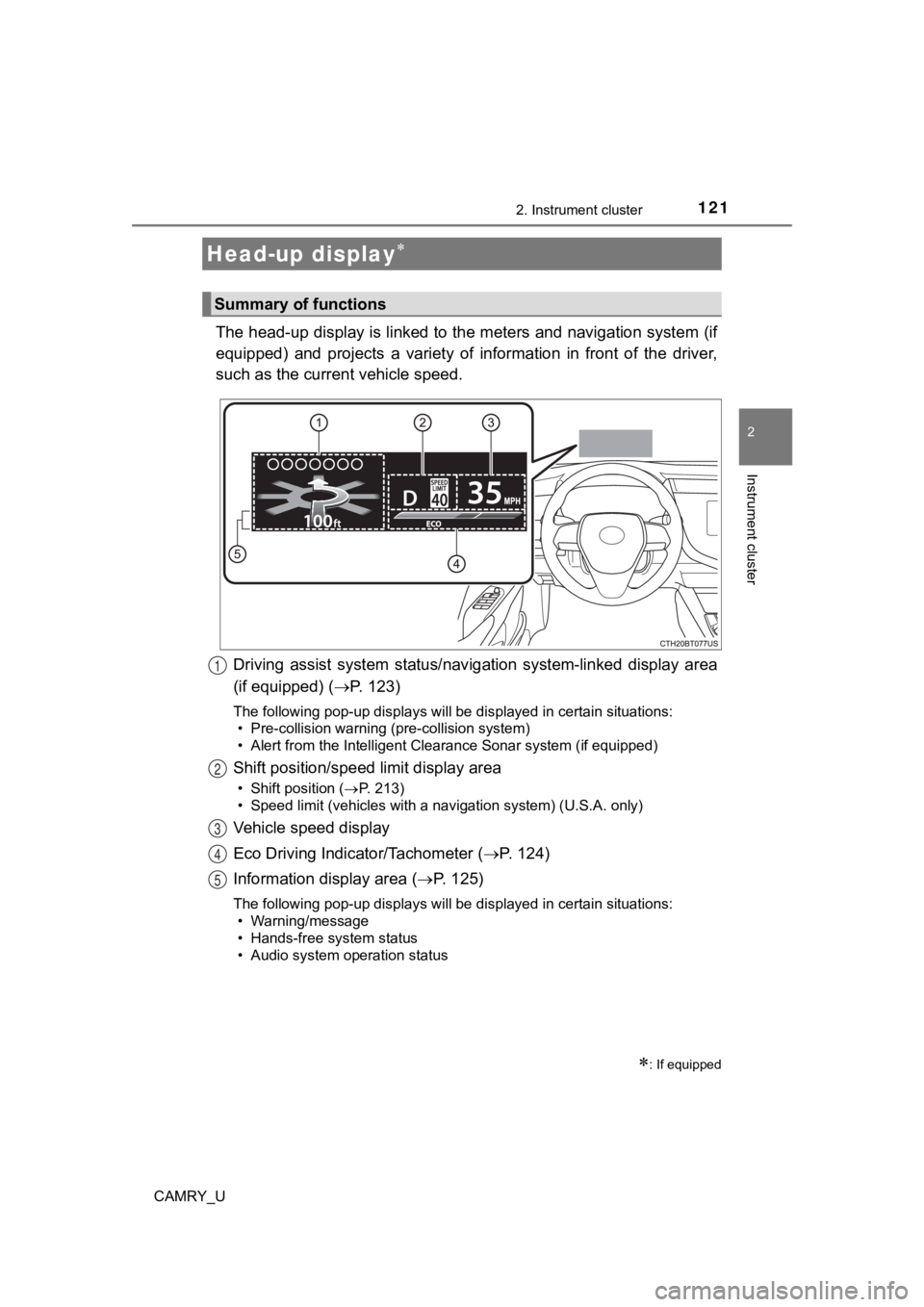
The head-up display is linked to the meters and navigation system (if
equipped) and projects a variety of information in front of the driver,
such as the current vehicle speed.
Driving assist system status/nav igation system-linked display area
(if equipped) ( P. 123)
The following pop-up displays will be displayed in certain situations:
• Pre-collision warning (pre-collision system)
• Alert from the Intelligent Clearance Sonar system (if equipped )
Shift position/speed limit display area
• Shift position (P. 213)
• Speed limit (vehicles with a navigation system) (U.S.A. only)
Vehicle speed display
Eco Driving Indicator/Tachometer ( P. 1 2 4 )
Information display area ( P. 125)
The following pop-up displays will be displayed in certain situations:
• Warning/message
• Hands-free system status
• Audio system operation status
Head-up display
: If equipped
Summary of functions
1
2
3
4
5
Page 122 of 612
1222. Instrument cluster
CAMRY_U
Select on the multi-information display (P. 112) and then .
◆Enabling/disabling th e head-up display
Press to enable/disable the head-up display.
◆Changing the head-up display settings
Press and hold to change the following settings:
■Eco Driving Indicator/Tachometer
Select to display Eco Driving Indicator/tachometer/no content.
■Display brightness/position
Select to adjust the brightness and position of the head-up dis play.
■Display content
Select to enable/disable the following items:
• Route guidance to destination (if equipped)
• Driving assist system status
• Compass (if equipped)
• Audio system operation status
■
Display angle
Select to adjust the angl e of the head-up display.
Using the head-up display
Page 125 of 612

1252. Instrument cluster
2
Instrument cluster
CAMRY_U
Displays the following items in the appropriate situation:
■Warning/Message
●Alert from the LDA (Lane Departure Alert with steering control)
● Dynamic radar cruise control with full-speed range
● message
Displayed when a suggestion/advice pop-up display is displayed on the
multi-information display. ( P. 11 8 )
● message
Displayed when a warning message is displayed on the multi-informa-
tion display. ( P. 507)
● Outside temperature
Displayed in the following situations:
• When the engine switch is turned to IGNITION ON mode
• When the low outside temperature indicator is flashing
Displayed content is the same as that displayed on the multi-in formation
display. For details, refer to the explanation of the outside temperature
display on the multi-information display. ( P. 92)
■
Hands-free system status
Displayed when the hands-free system is operated.
■
Audio system operation status
Displayed when the audio system is operated.
Information display area
Page 128 of 612

1282. Instrument cluster
CAMRY_U
Entune Audio (vehicles without Data Communication Module) or
Entune Audio Plus (vehicles without Data Communication Module)
Press the “MENU” button.
Select “Info” on the “Menu”
screen.
If the “History” screen is displayed,
select “Trip Information”.
Fuel consumption information
Fuel consumption information can be displayed on the audio
system screen.
Trip information
1
2