set clock TOYOTA CAMRY 2019 Owners Manual (in English)
[x] Cancel search | Manufacturer: TOYOTA, Model Year: 2019, Model line: CAMRY, Model: TOYOTA CAMRY 2019Pages: 612, PDF Size: 11.44 MB
Page 95 of 612
952. Instrument cluster
2
Instrument cluster
CAMRY_U
The multi-information display presents the driver with a variety of driv-
ing-related data, such as the cur rent outside temperature. The multi-
information display can also be used to change the display sett ings
and other settings.
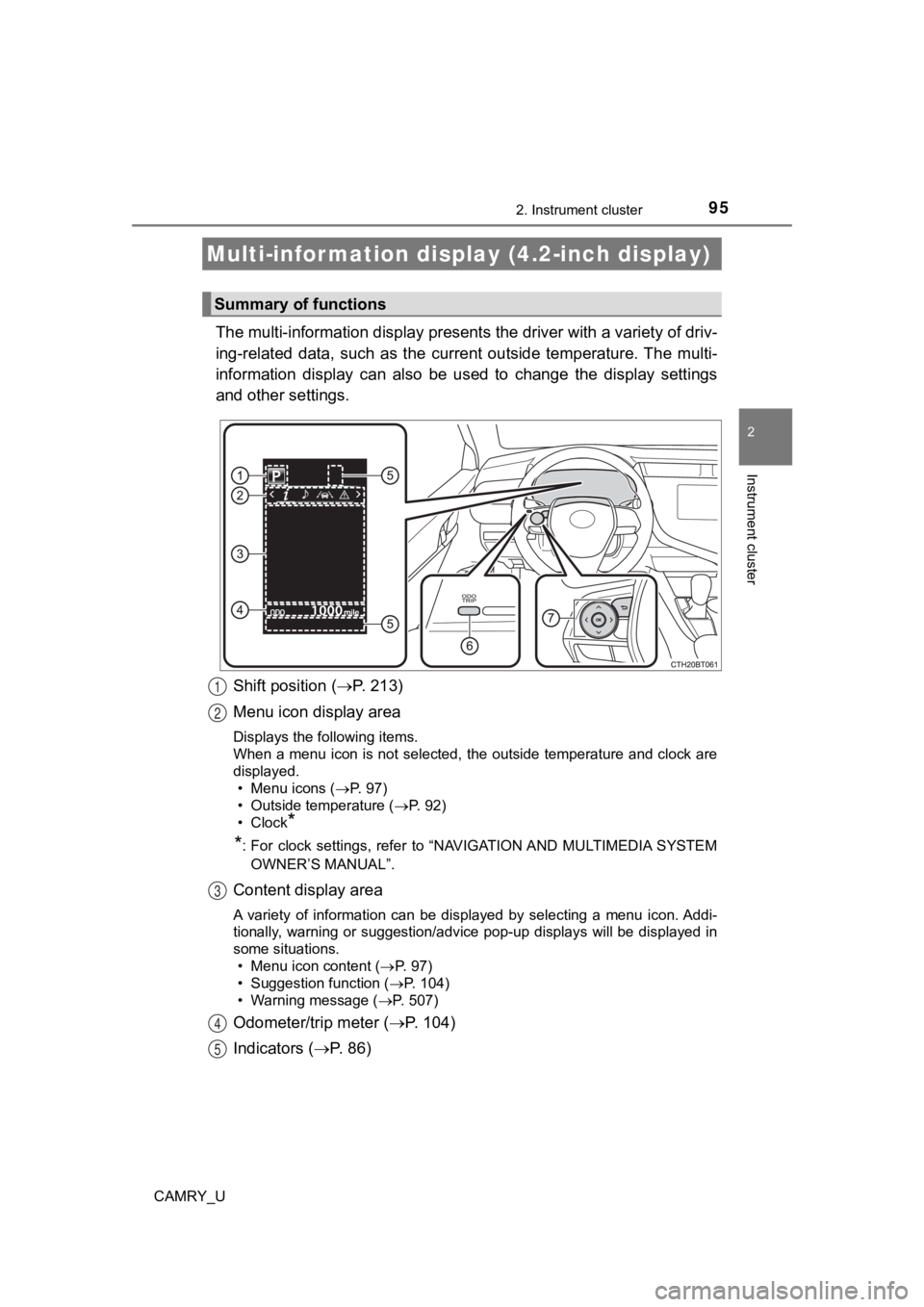
Shift position ( P. 2 1 3 )
Menu icon display area
Displays the following items.
When a menu icon is not selected, the outside temperature and c lock are
displayed. • Menu icons ( P. 97)
• Outside temperature ( P. 92)
•Clock
*
*
: For clock settings, refer to “NAVIGATION AND MULTIMEDIA SYSTEM
OWNER’S MANUAL”.
Content display area
A variety of information can be displayed by selecting a menu i con. Addi-
tionally, warning or suggestion/advice pop-up displays will be displayed in
some situations.
• Menu icon content ( P. 97)
• Suggestion function ( P. 104)
• Warning message ( P. 507)
Odometer/trip meter ( P. 104)
Indicators ( P. 86)
Multi-infor mation display (4.2-inch display)
Summary of functions
1
2
3
4
5
Page 107 of 612
1072. Instrument cluster
2
Instrument cluster
CAMRY_U
The multi-information display presents the driver with a variety of driv-
ing-related data, such as the cur rent outside temperature. The multi-
information display can also be used to change the display sett ings
and other settings.
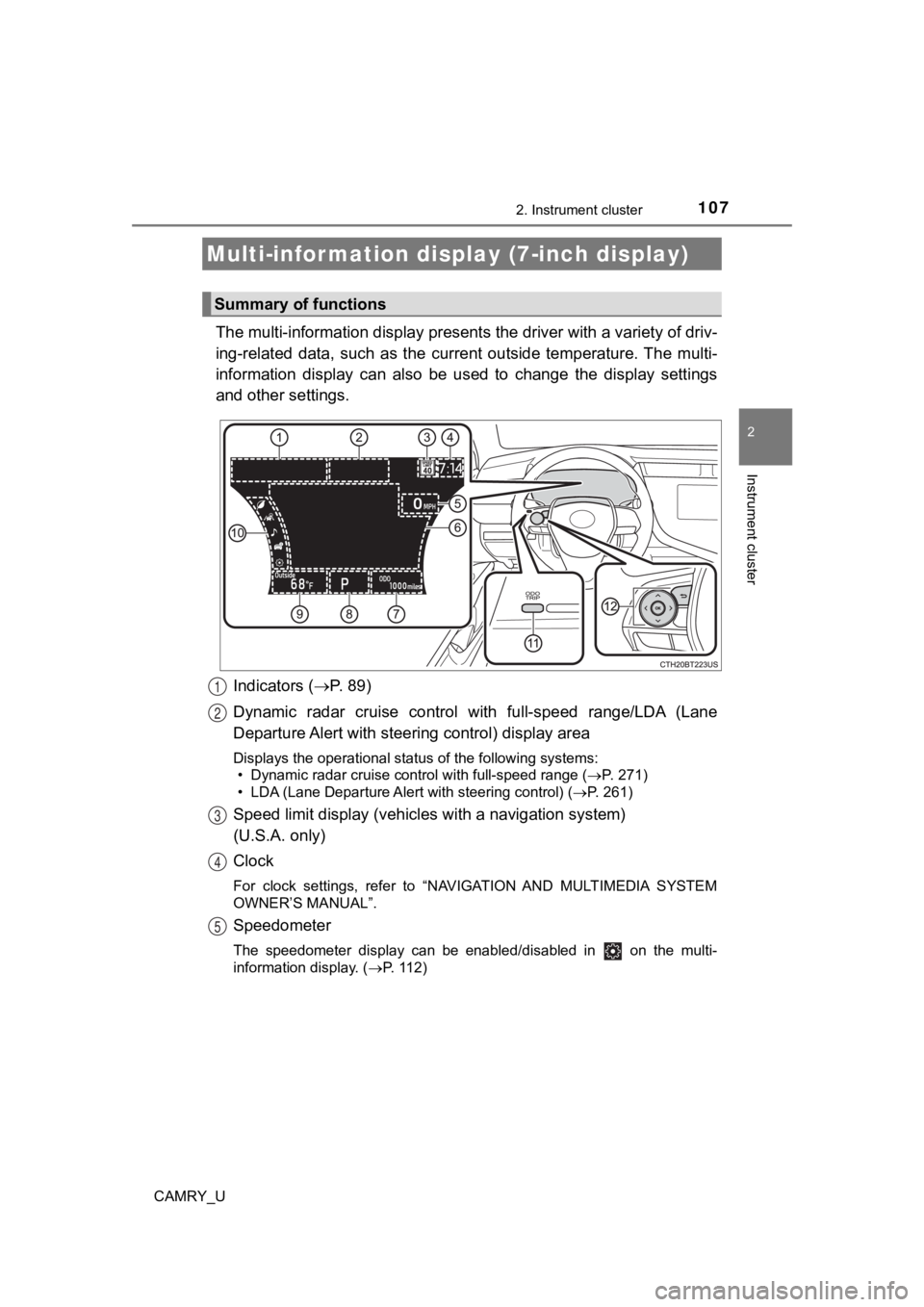
Indicators ( P. 89)
Dynamic radar cruise control with full-speed range/LDA (Lane
Departure Alert with steeri ng control) display area
Displays the operational status of the following systems:
• Dynamic radar cruise control with full-speed range ( P. 271)
• LDA (Lane Departure Alert with steering control) ( P. 261)
Speed limit display (vehicles with a navigation system)
(U.S.A. only)
Clock
For clock settings, refer to “NAVIGATION AND MULTIMEDIA SYSTEM
OWNER’S MANUAL”.
Speedometer
The speedometer display can be enabled/disabled in on the mult i-
information display. ( P. 112)
Multi-infor mation disp lay (7-inch display)
Summary of functions
1
2
3
4
5
Page 360 of 612
360
CAMRY_U
5-1. Using the air conditioning system and defogger
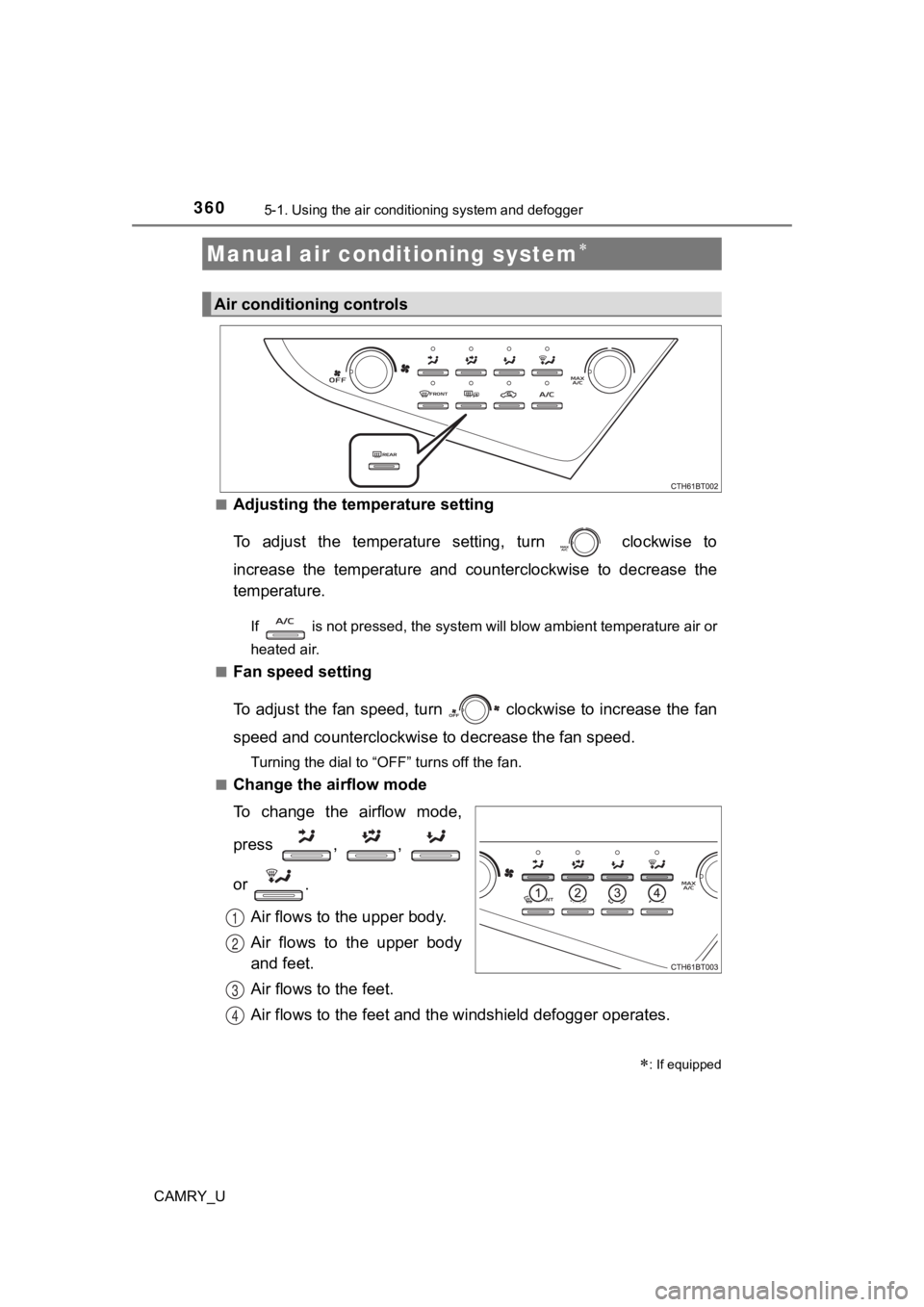
■Adjusting the temperature setting
To adjust the temperature setting, turn clockwise to
increase the temperature and counterclockwise to decrease the
temperature.
If is not pressed, the system will blow ambient temperature air or
heated air.
■
Fan speed setting
To adjust the fan speed, turn clockwise to increase the fan
speed and counterclockwise to decrease the fan speed.
Turning the dial to “OFF” turns off the fan.
■
Change the airflow mode
To change the airflow mode,
press , ,
or .
Air flows to the upper body.
Air flows to the upper body
and feet.
Air flows to the feet.
Air flows to the feet and the windshield defogger operates.
Manual air conditioning system
: If equipped
Air conditioning controls
1
2
3
4
Page 365 of 612
3655-1. Using the air conditioning system and defogger
5
Interior features
CAMRY_U■
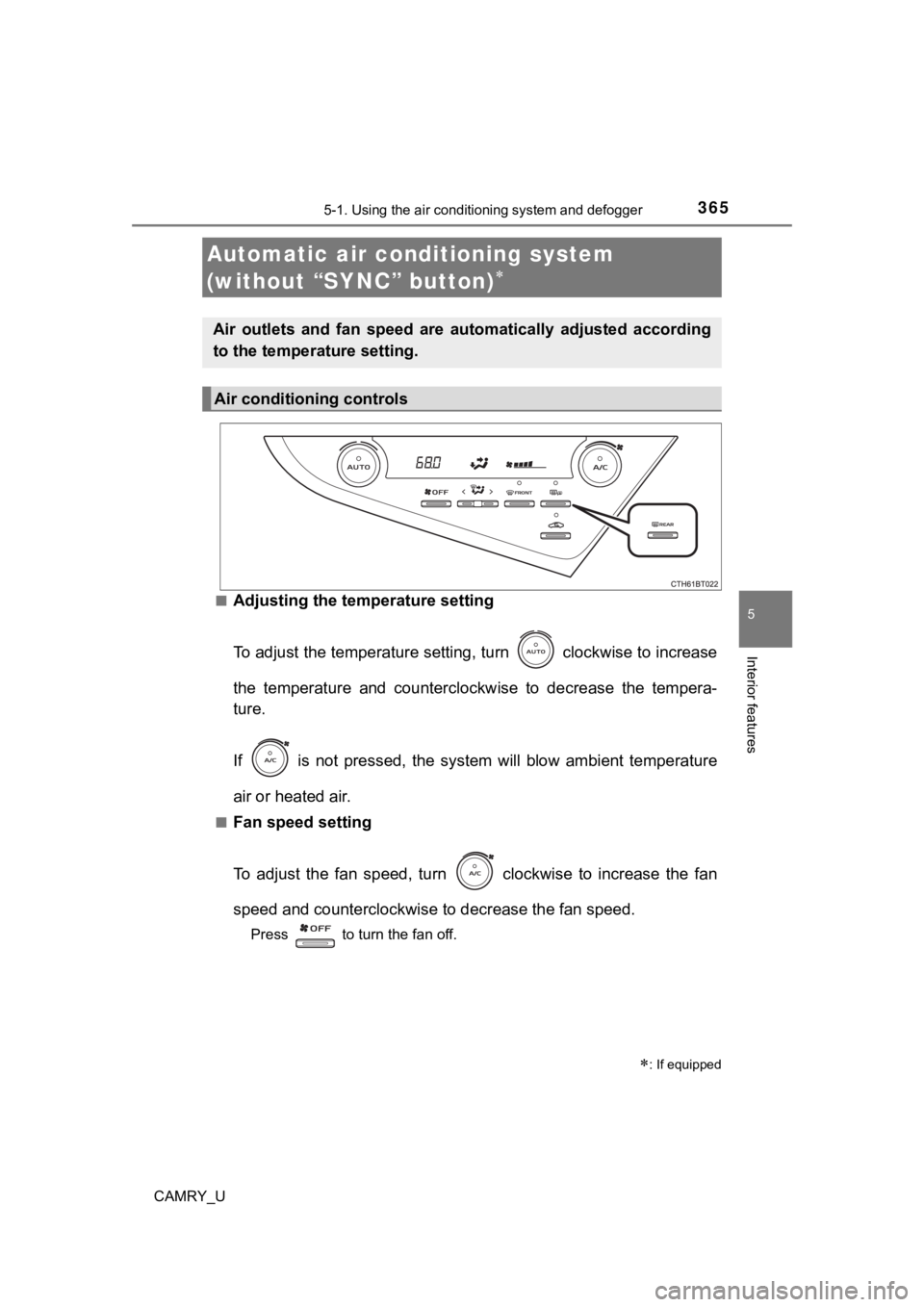
Adjusting the temperature setting
To adjust the temperature settin
g, turn clockwise to increase
the temperature and counterclockwise to decrease the tempera-
ture.
If is not pressed, the system will blow ambient temperature
air or heated air.
■Fan speed setting
To adjust the fan speed, turn clockwise to increase the fan
speed and counterclockwise to decrease the fan speed.
Press to turn the fan off.
Automatic air conditioning system
(without “SYNC” button)
: If equipped
Air outlets and fan speed are automatically adjusted according
to the temperature setting.
Air conditioning controls
Page 372 of 612
3725-1. Using the air conditioning system and defogger
CAMRY_U■
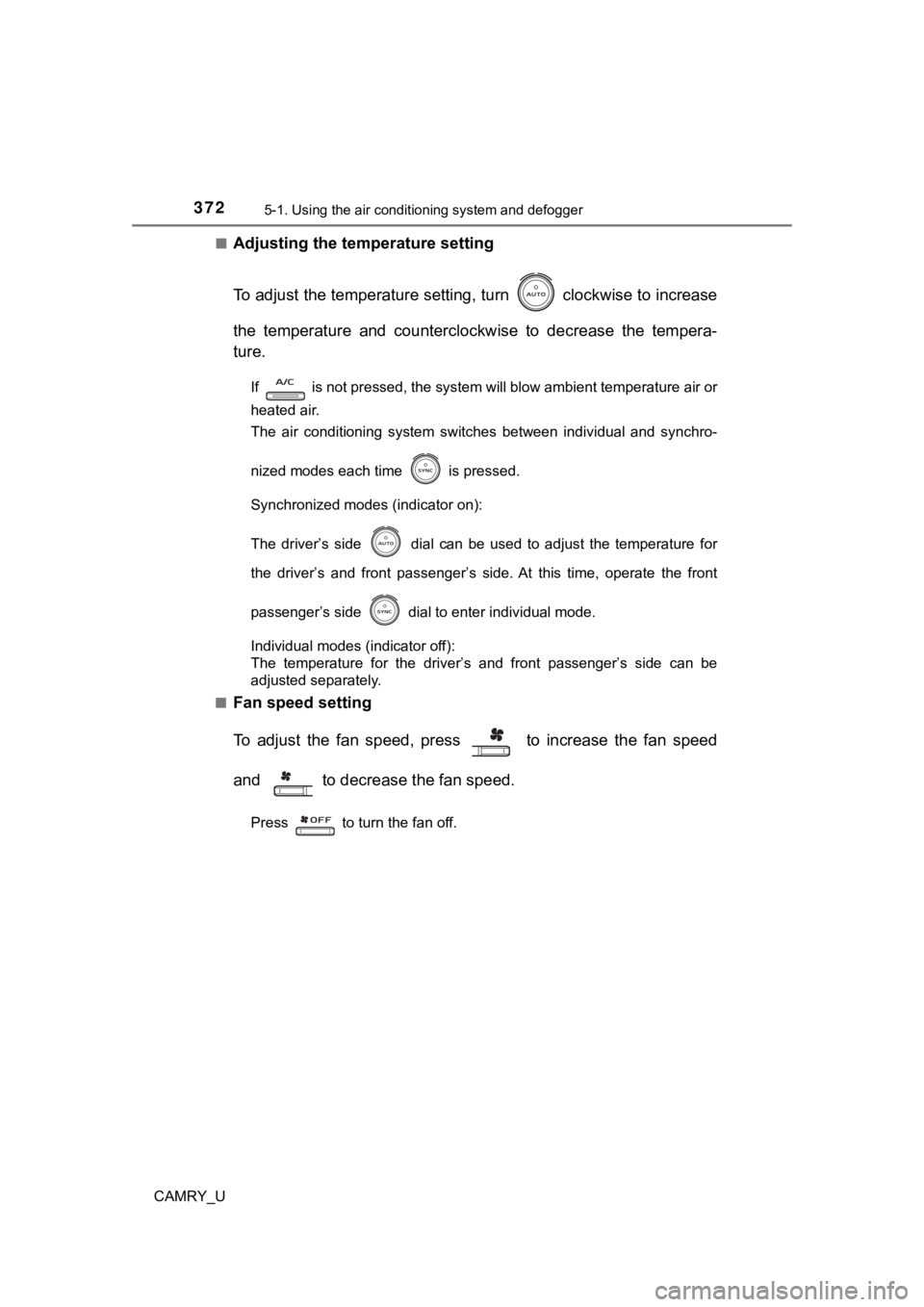
Adjusting the temperature setting
To adjust the temperature settin
g, turn clockwise to increase
the temperature and counterclockwise to decrease the tempera-
ture.
If is not pressed, the system will blow ambient temperature air or
heated air.
The air conditioning system switches between individual and synchro-
nized modes each time is pressed.
Synchronized modes (indicator on):
The driver’s side
dial can be used to adjust the temperature for
the driver’s and front passenger’s side. At this time, operate the front
passenger’s side
dial to enter individual mode.
Individual modes (indicator off):
The temperature for the driver’s and front passenger’s side can be
adjusted separately.
■
Fan speed setting
To adjust the fan speed, press to increase the fan speed
and to decrease the fan speed.
Press to turn the fan off.
Page 527 of 612
5277-2. Steps to take in an emergency
CAMRY_U
7
When trouble arises
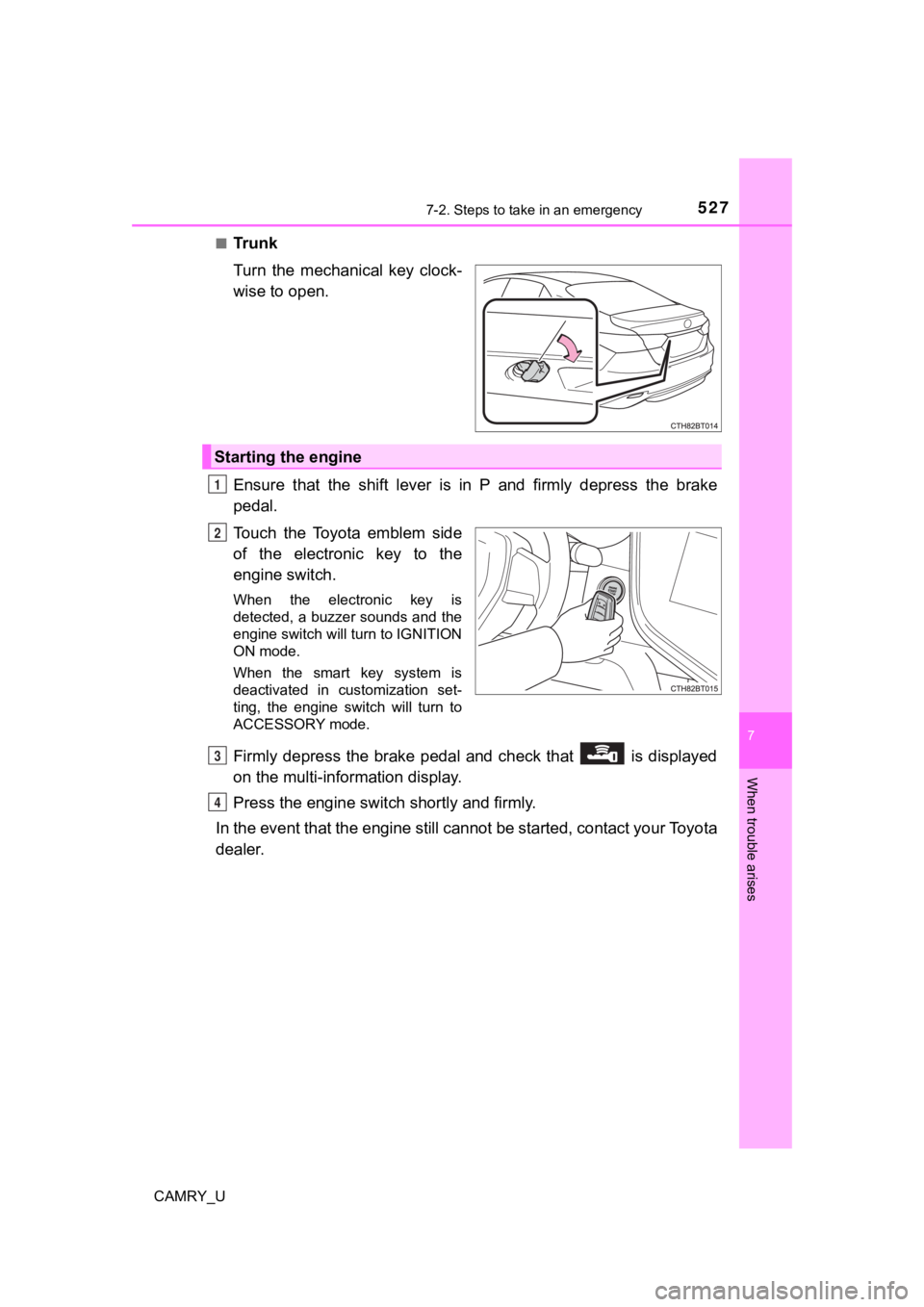
■Tr u n k
Turn the mechanical key clock-
wise to open.
Ensure that the shift lever is in P and firmly depress the brake
pedal.
Touch the Toyota emblem side
of the electronic key to the
engine switch.
When the electronic key is
detected, a buzzer sounds and the
engine switch will turn to IGNITION
ON mode.
When the smart key system is
deactivated in customization set-
ting, the engine switch will turn to
ACCESSORY mode.
Firmly depress the brake pedal and check that is displayed
on the multi-information display.
Press the engine switch shortly and firmly.
In the event that the engine still cannot be started, contact your Toyota
dealer.
Starting the engine
1
2
3
4