inflation pressure TOYOTA CAMRY 2020 Owners Manual (in English)
[x] Cancel search | Manufacturer: TOYOTA, Model Year: 2020, Model line: CAMRY, Model: TOYOTA CAMRY 2020Pages: 620, PDF Size: 12.95 MB
Page 5 of 620

5
1
8 7 5 4
3
2
CAMRY_U
9
6
5-4. Other interior featuresOther interior features ....... 393
• Sun visors ..................... 393
• Vanity mirrors................ 393
• Power outlet .................. 394
• USB charging ports....... 395
• Wireless charger ........... 397
• Armrest ......................... 406
• Assist grips ................... 406
• Coat hooks.................... 407
Garage door opener .......... 408 6-1. Maintenance and care
Cleaning and protecting the vehicle exterior .......... 416
Cleaning and protecting the vehicle interior ........... 419
6-2. Maintenance Maintenance requirements ................... 422
General maintenance ........ 425
Emission inspection and maintenance (I/M)
programs ......................... 429
6-3. Do-it-yourself maintenance
Do-it-yourself service precautions ...................... 430
Hood .................................. 432
Positioning a floor jack....... 433
Engine compartment ......... 434
Tires................................... 446
Tire inflation pressure ........ 461
Wheels............................... 464
Air conditioning filter .......... 466
Wireless remote control/ electronic key battery ...... 468
Checking and replacing fuses ................................ 472
Light bulbs ......................... 4756Maintenance and care
Page 15 of 620
15Pictorial index
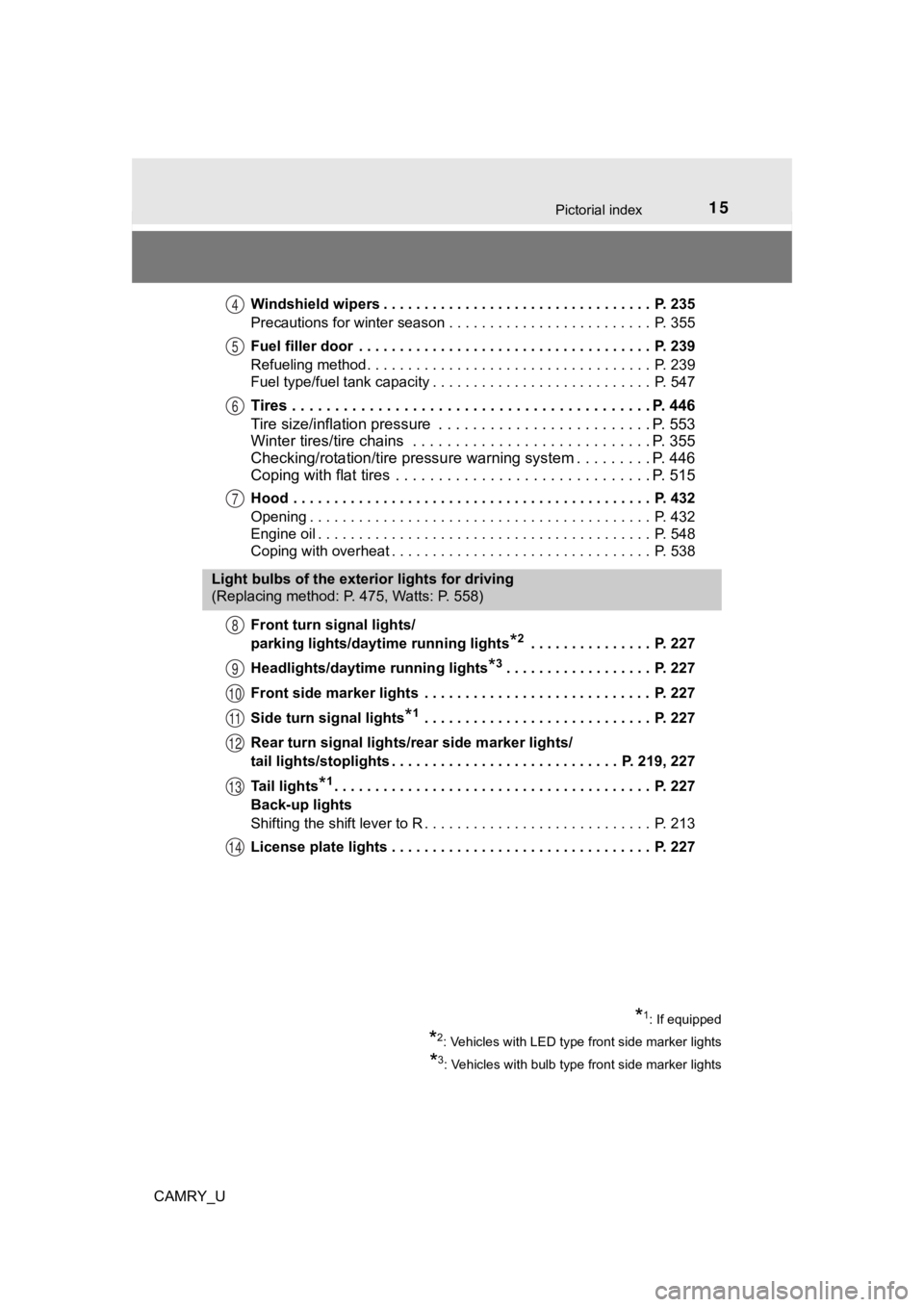
CAMRY_UWindshield wipers . . . . . . . . . . . . . . . . . . . . . . . . . . . . . . . . . P. 235
Precautions for winter season . . . . . . . . . . . . . . . . . . . . . . . . . P. 355
Fuel filler door . . . . . . . . . . . . . . . . . . . . . . . . . . . . . . . . . . . . P. 239
Refueling method . . . . . . . . . . . . . . . . . . . . . . . . . . . . . . . . . . . P. 239
Fuel type/fuel tank capacity . . . . . . . . . . . . . . . . . . . . . . . . . . . P. 547
Tires . . . . . . . . . . . . . . . . . . . . . . . . . . . . .
. . . . . . . . . . . . . P. 446
Tire size/inflation pressure . . . . . . . . . . . . . . . . . . . . . . . . . P. 553
Winter tires/tire chains . . . . . . . . . . . . . . . . . . . . . . . . . . . . P. 355
Checking/rotation/tire pressur e warning system . . . . . . . . .P. 446
Coping with flat tires . . . . . . . . . . . . . . . . . . . . . . . . . . . . . . P. 515
Hood . . . . . . . . . . . . . . . . . . . . . . . . . . . . . . . . . . . . . . . . . . . . P. 432
Opening . . . . . . . . . . . . . . . . . . . . . . . . . . . . . . . . . . . . . . . . . . P. 432
Engine oil . . . . . . . . . . . . . . . . . . . . . . . . . . . . . . . . . . . . . . . . . P. 548
Coping with overheat . . . . . . . . . . . . . . . . . . . . . . . . . . . . . . . . P. 538
Front turn signal lights/
parking lights/daytime running lights
*2 . . . . . . . . . . . . . . . P. 227
Headlights/daytime running lights
*3. . . . . . . . . . . . . . . . . . P. 227
Front side marker lights . . . . . . . . . . . . . . . . . . . . . . . . . . . . P. 227
Side turn signal lights
*1 . . . . . . . . . . . . . . . . . . . . . . . . . . . . P. 227
Rear turn signal lights/r ear side marker lights/
tail lights/stoplights . . . . . . . . . . . . . . . . . . . . . . . . . . . . P. 219, 227
Tail lights
*1. . . . . . . . . . . . . . . . . . . . . . . . . . . . . . . . . . . . . . . P. 227
Back-up lights
Shifting the shift lever to R . . . . . . . . . . . . . . . . . . . . . . . . . . . . P. 213
License plate lights . . . . . . . . . . . . . . . . . . . . . . . . . . . . . . . . P. 227
4
5
6
7
Light bulbs of the exterior lights for driving
(Replacing method: P. 475, Watts: P. 558)
8
9
10
11
12
13
14
*1: If equipped
*2: Vehicles with LED type front side marker lights
*3: Vehicles with bulb type front side marker lights
Page 99 of 620
992. Instrument cluster
2
Instrument cluster
CAMRY_U■
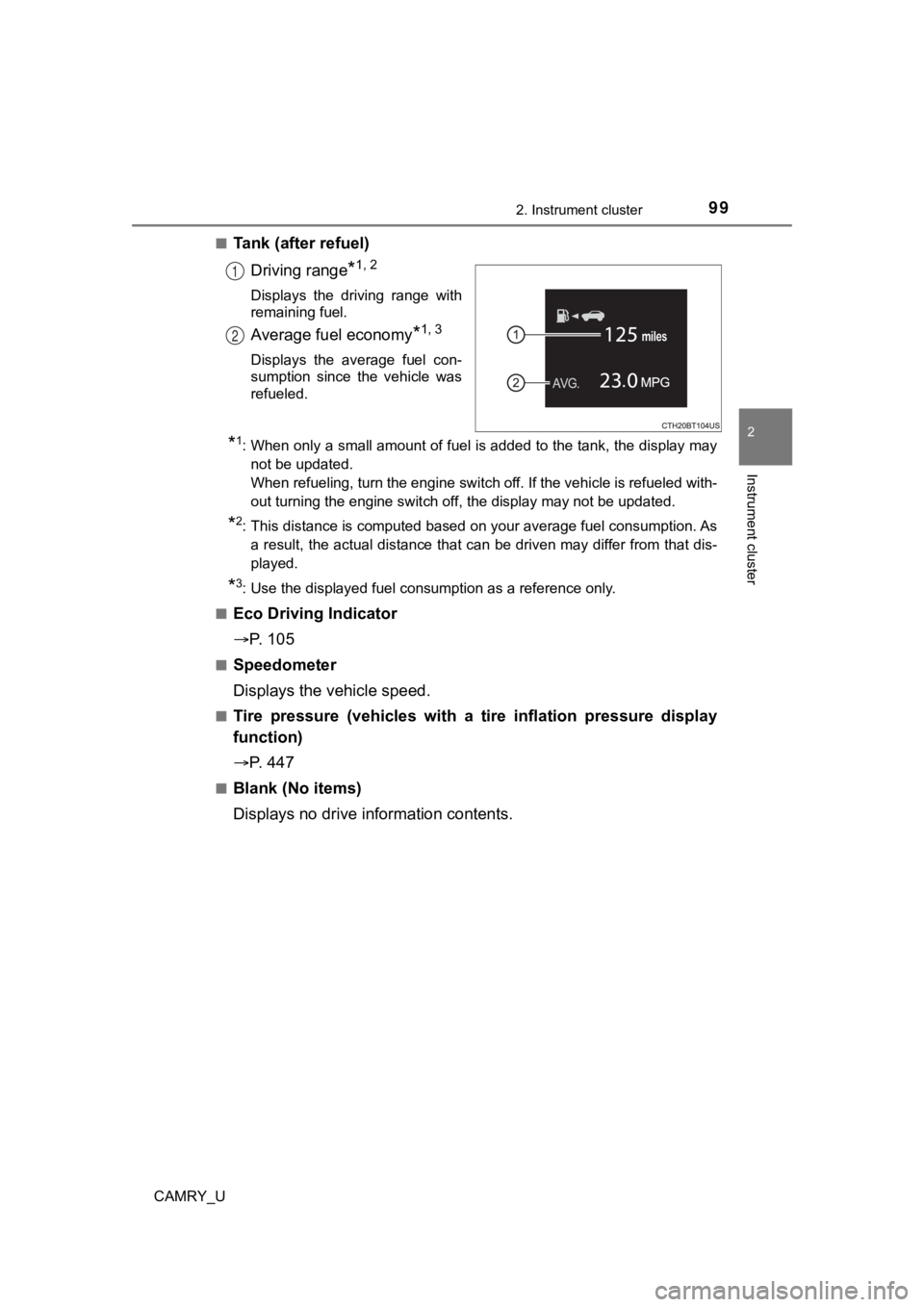
Tank (after refuel)
Driving range
*1, 2
Displays the driving range with
remaining fuel.
Average fuel economy*1, 3
Displays the average fuel con-
sumption since the vehicle was
refueled.
*1: When only a small amount of fuel is added to the tank, the dis play may
not be updated.
When refueling, turn the engine switch off. If the vehicle is r efueled with-
out turning the engine switch off, the display may not be updat ed.
*2: This distance is computed based on your average fuel consumpti on. As
a result, the actual distance that can be driven may differ fro m that dis-
played.
*3: Use the displayed fuel consumption as a reference only.
■
Eco Driving Indicator
P. 1 0 5
■Speedometer
Displays the vehicle speed.
■Tire pressure (vehicles with a tire inflation pressure display
function)
P. 4 4 7
■Blank (No items)
Displays no drive information contents.
1
2
Page 102 of 620
1022. Instrument cluster
CAMRY_U■
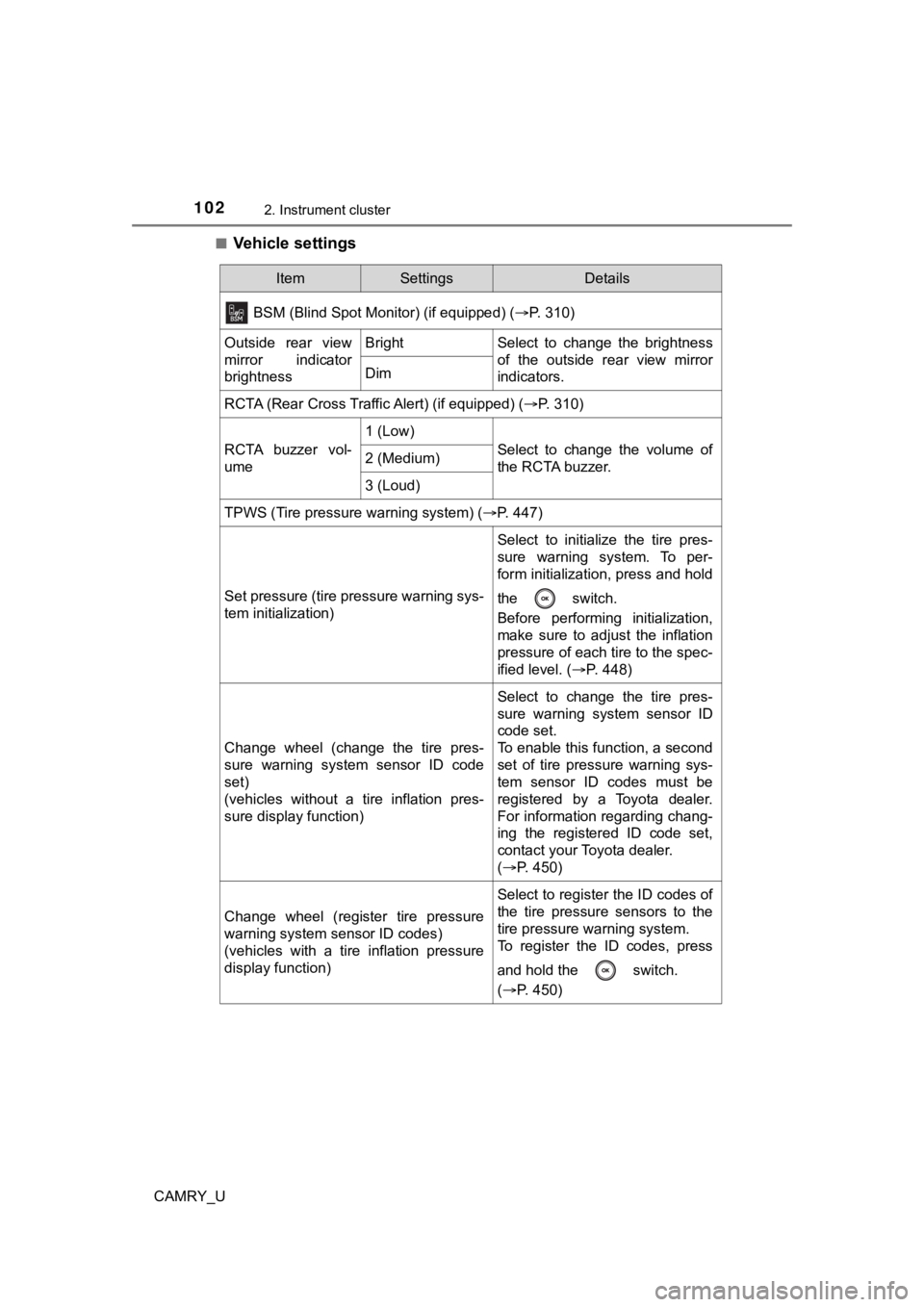
Vehicle settings
ItemSettingsDetails
BSM (Blind Spot Monitor) (if equipped) (P. 310)
Outside rear view
mirror indicator
brightnessBrightSelect to change the brightness
of the outside rear view mirror
indicators.
Dim
RCTA (Rear Cross Traffic Alert) (if equipped) ( P. 310)
RCTA buzzer vol-
ume
1 (Low)
Select to change the volume of
the RCTA buzzer.2 (Medium)
3 (Loud)
TPWS (Tire pressure warning system) (P. 447)
Set pressure (tire pressure warning sys-
tem initialization)
Select to initialize the tire pres-
sure warning system. To per-
form initialization, press and hold
the switch.
Before performing initialization,
make sure to adjust the inflation
pressure of each tire to the spec-
ified level. (P. 448)
Change wheel (change the tire pres-
sure warning system sensor ID code
set)
(vehicles without a tire inflation pres-
sure display function)
Select to change the tire pres-
sure warning system sensor ID
code set.
To enable this function, a second
set of tire pressure warning sys-
tem sensor ID codes must be
registered by a Toyota dealer.
For information regarding chang-
ing the registered ID code set,
contact your Toyota dealer.
(P. 450)
Change wheel (register tire pressure
warning system sensor ID codes)
(vehicles with a tire inflation pressure
display function)
Select to register the ID codes of
the tire pressure sensors to the
tire pressure warning system.
To register the ID codes, press
and hold the switch.
(P. 450)
Page 105 of 620
1052. Instrument cluster
2
Instrument cluster
CAMRY_U
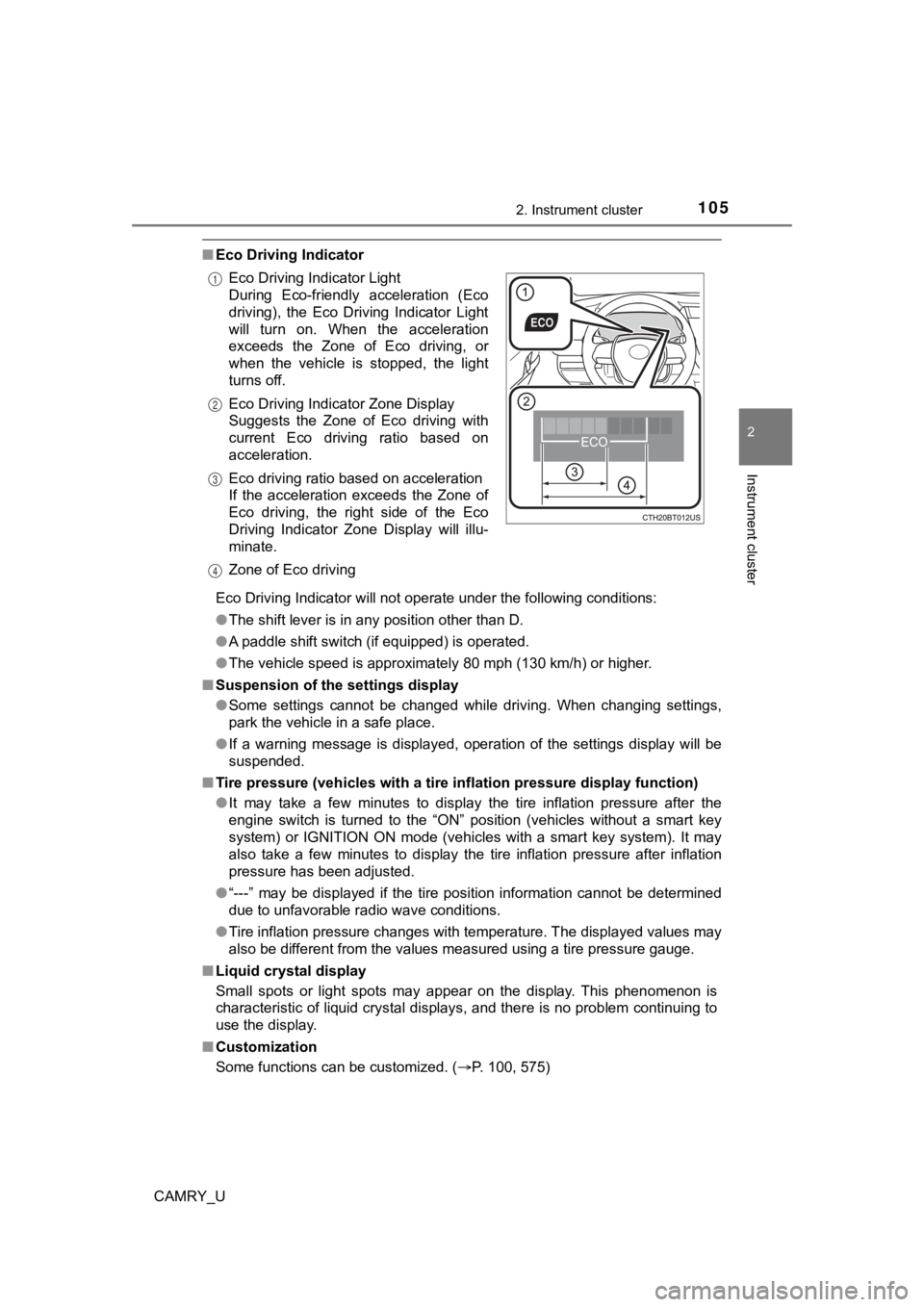
■Eco Driving Indicator
Eco Driving Indicator will not operate under the following cond itions:
● The shift lever is in any position other than D.
● A paddle shift switch (if equipped) is operated.
● The vehicle speed is approximately 80 mph (130 km/h) or higher.
■ Suspension of the settings display
●Some settings cannot be changed while driving. When changing se ttings,
park the vehicle in a safe place.
● If a warning message is displayed, operation of the settings di splay will be
suspended.
■ Tire pressure (vehicles with a tire inflation pressure display function)
● It may take a few minutes to display the tire inflation pressur e after the
engine switch is turned to the “ON” position (vehicles without a smart key
system) or IGNITION ON mode (vehicles with a smart key system). It may
also take a few minutes to display the tire inflation pressure after inflation
pressure has been adjusted.
● “---” may be displayed if the tire position information cannot be determined
due to unfavorable radio wave conditions.
● Tire inflation pressure changes with temperature. The displayed values may
also be different from the values measured using a tire pressur e gauge.
■ Liquid crystal display
Small spots or light spots may appear on the display. This phen omenon is
characteristic of liquid crystal displays, and there is no prob lem continuing to
use the display.
■ Customization
Some functions can be customized. ( P. 100, 575)
Eco Driving Indicator Light
During Eco-friendly acceleration (Eco
driving), the Eco Driving Indicator Light
will turn on. When the acceleration
exceeds the Zone of Eco driving, or
when the vehicle is stopped, the light
turns off.
Eco Driving Indicator Zone Display
Suggests the Zone of Eco driving with
current Eco driving ratio based on
acceleration.
Eco driving ratio based on acceleration
If the acceleration exceeds the Zone of
Eco driving, the right side of the Eco
Driving Indicator Zone Display will illu-
minate.
Zone of Eco driving
1
2
3
4
Page 110 of 620
1102. Instrument cluster
CAMRY_U
Vehicle information
Select to perform the following:
Display the following information:• Tire inflation pressure ( P. 447)
Enable/Disable the following systems: • Intuitive parking assist (if equipped) ( P. 324)
• BSM (Blind Spot Monitor) function (if equipped) ( P. 310)
• RCTA (Rear Cross Traffic Al ert) function (if equipped) (P. 310)
This function can also be enabled/disabled on .
Settings display ( P. 112)
Select to change the meter display settings and other settings.
■
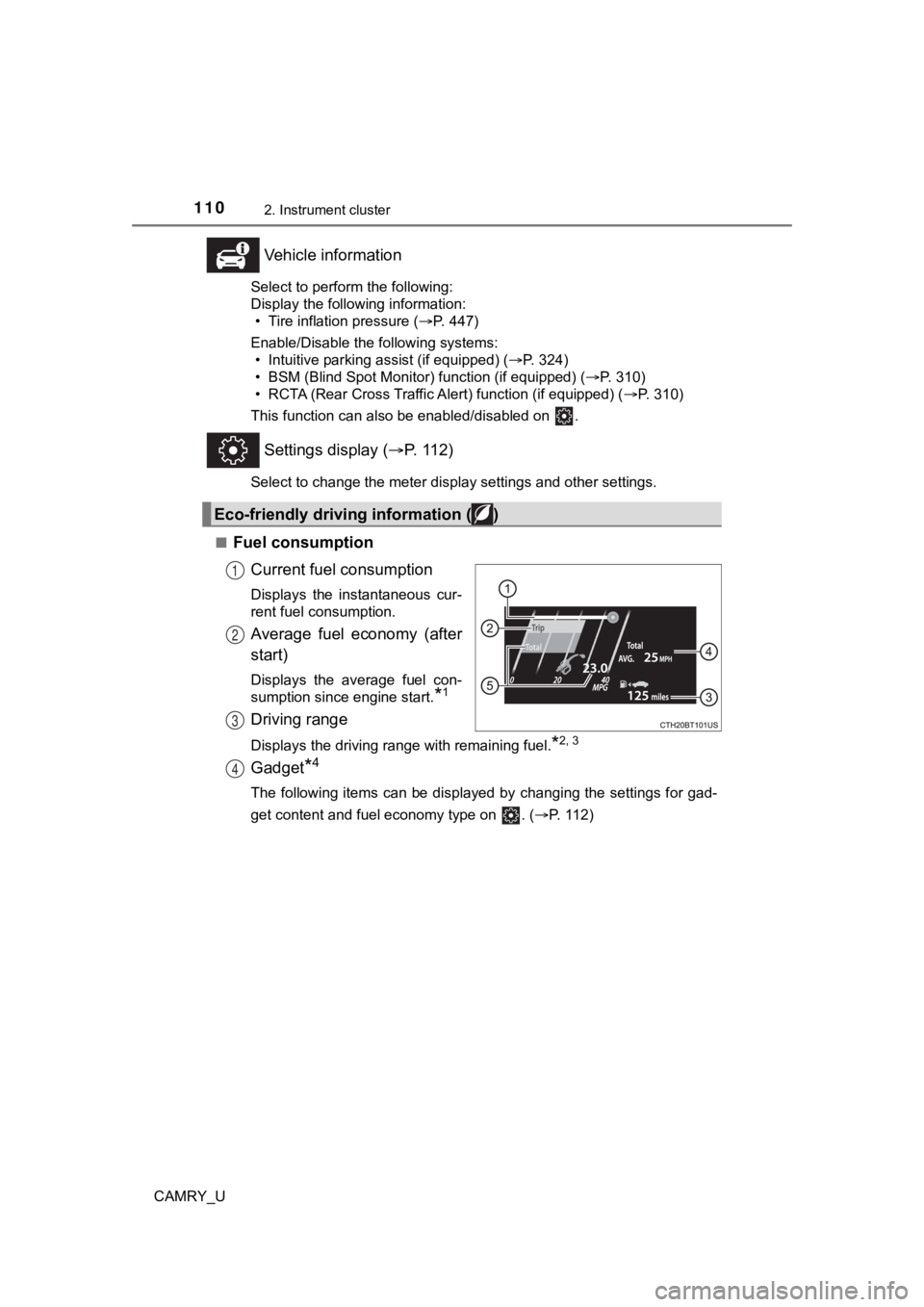
Fuel consumption Current fuel consumption
Displays the instantaneous cur-
rent fuel consumption.
Average fuel economy (after
start)
Displays the average fuel con-
sumption since engine start.
*1
Driving range
Displays the driving range with remaining fuel.*2, 3
Gadget*4
The following items can be displayed by changing the settings f or gad-
get content and fuel economy type on . ( P. 112)
Eco-friendly driving information ( )
1
2
3
4
Page 116 of 620
1162. Instrument cluster
CAMRY_U■
Vehicle settings
Press and hold to change the se ttings of the following items:
ItemSettingsDetails
TPWS (Tire pressure warning system) ( P. 447)
Set pressure (tire pressure warning sys-
tem initialization)
Select to initialize the tire pres-
sure warning system. To per-
form initialization, press and hold
the switch.
Before performing initialization,
make sure to adjust the inflation
pressure of each tire to the spec-
ified level. (P. 448)
Change wheel (register tire pressure
warning system sensor ID codes)
Select to register the ID codes of
the tire pressure sensors to the
tire pressure warning system. To
register the ID codes, press and
hold the switch.
(P. 450)
Scheduled maintenance display (if equipped)
Maintenance data reset
Select to reset the message indi-
cating maintenance is required,
after the required maintenance is
performed. ( P. 423)
Page 119 of 620
1192. Instrument cluster
2
Instrument cluster
CAMRY_U
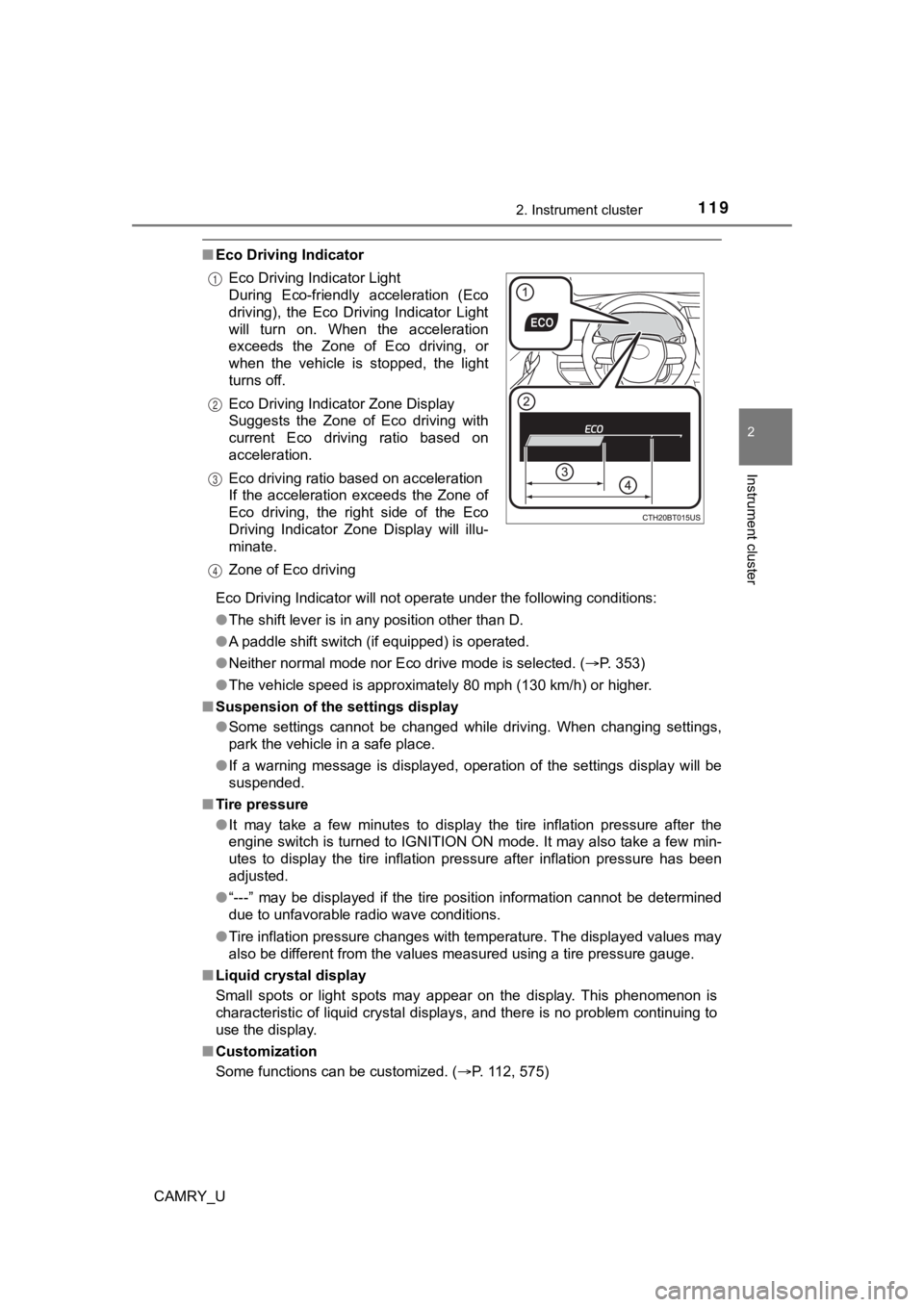
■Eco Driving Indicator
Eco Driving Indicator will not operate under the following cond itions:
● The shift lever is in any position other than D.
● A paddle shift switch (if equipped) is operated.
● Neither normal mode nor Eco drive mode is selected. ( P. 353)
● The vehicle speed is approximately 80 mph (130 km/h) or higher.
■ Suspension of the settings display
●Some settings cannot be changed while driving. When changing se ttings,
park the vehicle in a safe place.
● If a warning message is displayed, operation of the settings di splay will be
suspended.
■ Tire pressure
●It may take a few minutes to display the tire inflation pressur e after the
engine switch is turned to IGNITION ON mode. It may also take a few min-
utes to display the tire inflation pressure after inflation pre ssure has been
adjusted.
● “---” may be displayed if the tire position information cannot be determined
due to unfavorable radio wave conditions.
● Tire inflation pressure changes with temperature. The displayed values may
also be different from the values measured using a tire pressur e gauge.
■ Liquid crystal display
Small spots or light spots may appear on the display. This phen omenon is
characteristic of liquid crystal displays, and there is no prob lem continuing to
use the display.
■ Customization
Some functions can be customized. ( P. 112, 575)
Eco Driving Indicator Light
During Eco-friendly acceleration (Eco
driving), the Eco Driving Indicator Light
will turn on. When the acceleration
exceeds the Zone of Eco driving, or
when the vehicle is stopped, the light
turns off.
Eco Driving Indicator Zone Display
Suggests the Zone of Eco driving with
current Eco driving ratio based on
acceleration.
Eco driving ratio based on acceleration
If the acceleration exceeds the Zone of
Eco driving, the right side of the Eco
Driving Indicator Zone Display will illu-
minate.
Zone of Eco driving
1
2
3
4
Page 257 of 620
2574-5. Using the driving support systems
4
Driving
CAMRY_U• When a very bright light, such as the sun or the headlights of oncoming
traffic, shines directly into the front camera
• When the surrounding area is dim, such as at dawn or dusk, or while at
night or in a tunnel
• After the engine has started the vehicle has not been driven for a certain amount of time
• While making a left/right turn and for a few seconds after mak ing a left/
right turn
• While driving on a curve and for a few seconds after driving o n a curve
• If your vehicle is skidding
• If the wheels are misaligned
• If a wiper blade is blocking the front camera
• The vehicle is wobbling.
• The vehicle is being driven at extremely high speeds.
• When driving on a hill
• If the radar sensor or front camera is misaligned
● In some situations such as the following, sufficient braking fo rce may not be
obtained, preventing the system from performing properly:
• If the braking functions cannot operate to their full extent, such as when
the brake parts are extremely cold, extremely hot, or wet
• If the vehicle is not properly maintained (brakes or tires are excessively
worn, improper tire inflation pressure, etc.)
• When the vehicle is being driven on a gravel road or other sli ppery sur-
face
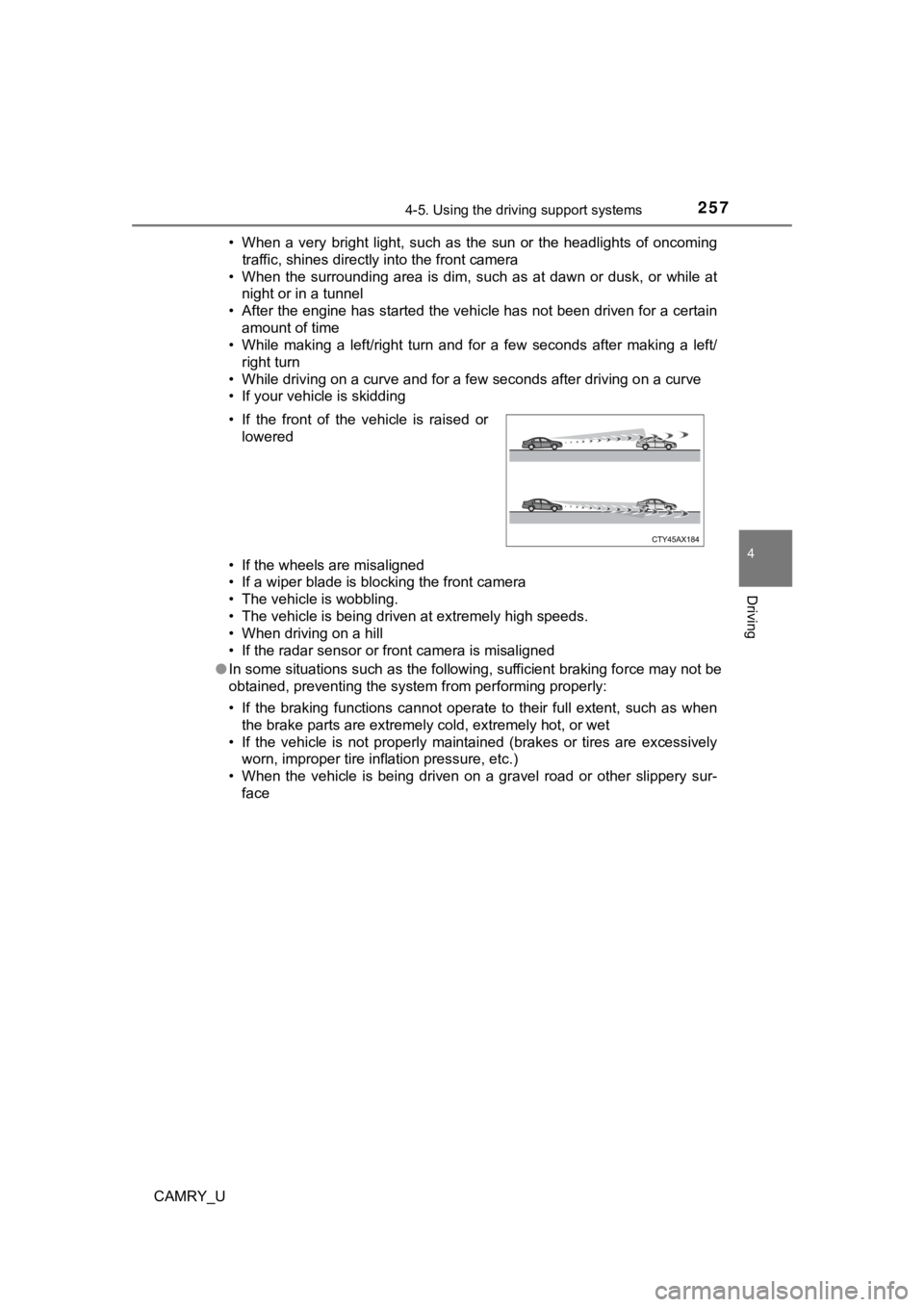
• If the front of the vehicle is raised or
lowered
Page 309 of 620

3094-5. Using the driving support systems
4
Driving
CAMRY_U
WARNING
■Hill- start assist control does not operate effectively when
● Do not overly rely on hill-start assist control. Hill-start ass ist control may
not operate effectively on steep inclines and roads covered wit h ice.
● Unlike the parking brake, hill-start assist control is not inte nded to hold the
vehicle stationary for an extended period of time. Do not attempt to use
hill-start assist control to hold the vehicle on an incline, as doing so may
lead to an accident.
■ When the TRAC/VSC is activated
The slip indicator light flashes. Always drive carefully. Reckless driving may
cause an accident. Exercise particular care when the indicator light flashes.
■ When the TRAC/VSC systems are turned off
Be especially careful and drive at a speed appropriate to the r oad condi-
tions. As these are the systems to help ensure vehicle stabilit y and driving
force, do not turn the TRAC/VSC systems off unless necessary.
■ Secondary Collision Brake
Do not overly rely solely upon the Secondary Collision Brake. T his system
is designed to help reduce the possibility of further damage du e to a sec-
ondary collision, however, that effect changes according to var ious condi-
tions. Overly relying on the system may result in death or seri ous injury.
■ Replacing tires
Make sure that all tires are of the specified size, brand, trea d pattern and
total load capacity. In addition, make sure that the tires are inflated to the
recommended tire inflation pressure level.
The ABS, TRAC and VSC systems will not function correctly if di fferent tires
are installed on the vehicle.
Contact your Toyota dealer for further information when replaci ng tires or
wheels.
■ Handling of tires and the suspension
Using tires with any kind of problem or modifying the suspensio n will affect
the driving assist systems, and may cause a system to malfuncti on.