brakes TOYOTA CAMRY 2022 User Guide
[x] Cancel search | Manufacturer: TOYOTA, Model Year: 2022, Model line: CAMRY, Model: TOYOTA CAMRY 2022Pages: 664, PDF Size: 11.3 MB
Page 294 of 664
2944-5. Using the driving support systems
CAMRY_U
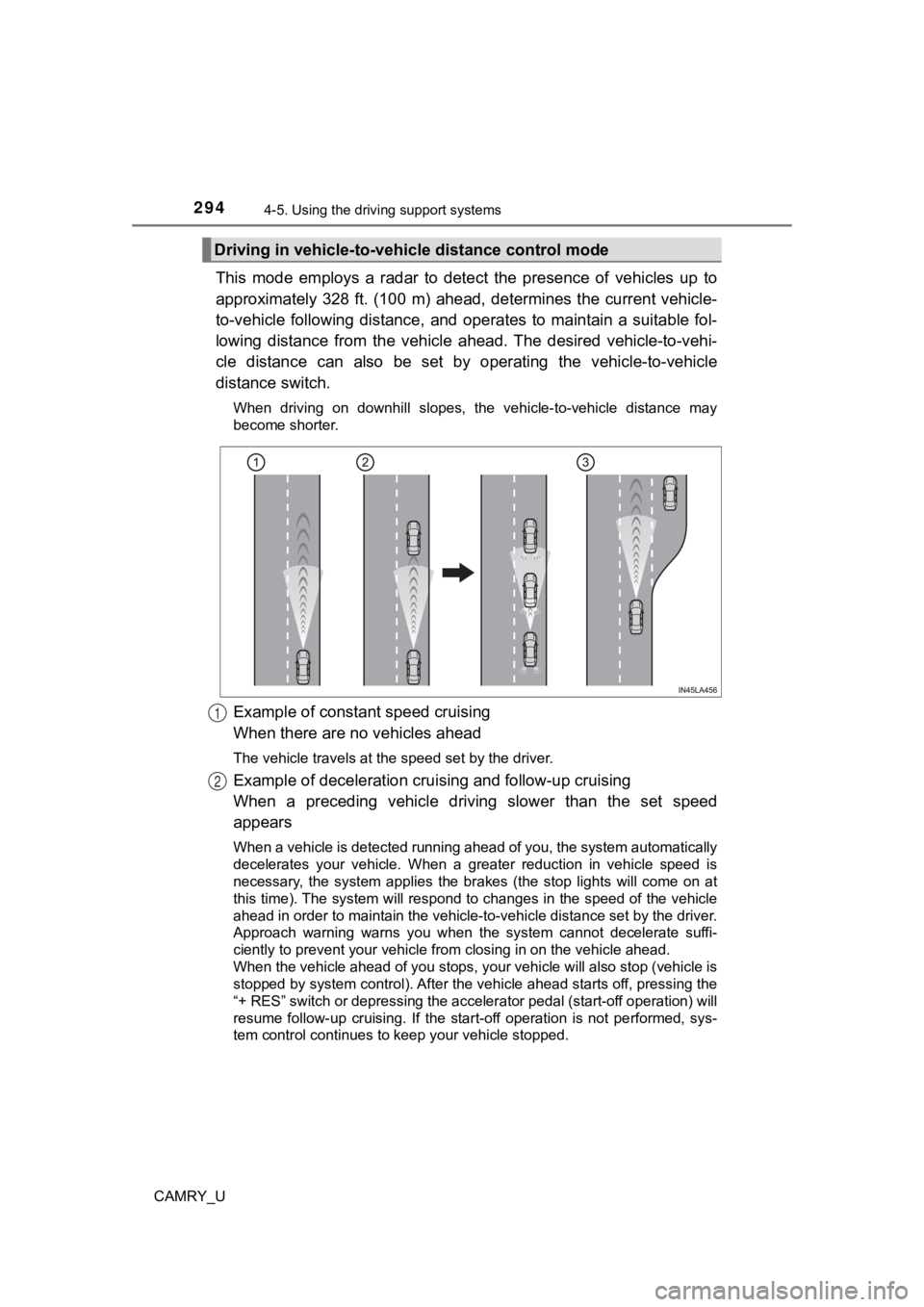
This mode employs a radar to detect the presence of vehicles up to
approximately 328 ft. (100 m) ahead, determines the current veh icle-
to-vehicle following distance, and operates to maintain a suita ble fol-
lowing distance from the vehicle ahead. The desired vehicle-to- vehi-
cle distance can also be set by operating the vehicle-to-vehicl e
distance switch.
When driving on downhill slopes, the vehicle-to-vehicle distance may
become shorter.
Example of constant speed cruising
When there are no vehicles ahead
The vehicle travels at the speed set by the driver.
Example of deceleration crui sing and follow-up cruising
When a preceding vehicle driving slower than the set speed
appears
When a vehicle is detected running ahead of you, the system automatically
decelerates your vehicle. When a greater reduction in vehicle s peed is
necessary, the system applies the brakes (the stop lights will come on at
this time). The system will respond to changes in the speed of the vehicle
ahead in order to maintain the vehicle-to-vehicle distance set by the driver.
Approach warning warns you when the system cannot decelerate su ffi-
ciently to prevent your vehicle fr om closing in on the vehicle ahead.
When the vehicle ahead of you stops, your vehicle will also stop (vehicle is
stopped by system control). After the vehicle ahead starts off, pressing the
“+ RES” switch or depressing the accelerator pedal (start-off o peration) will
resume follow-up cruising. If the start-off operation is not pe rformed, sys-
tem control continues to keep your vehicle stopped.
Driving in vehicle-to-vehi cle distance control mode
1
2
Page 311 of 664

3114-5. Using the driving support systems
4
Driving
CAMRY_U
Example of deceleration cruising and follow-up cruising
When a preceding vehicle driving slower than the set speed
appears
When a vehicle is detected running ahead of you, the system automatically
decelerates your vehicle. When a greater reduction in vehicle s peed is
necessary, the system applies the brakes (the stop lights will come on at
this time). The system will respond to changes in the speed of the vehicle
ahead in order to maintain the vehicle-to-vehicle distance set by the driver.
Approach warning warns you when the system cannot decelerate su ffi-
ciently to prevent your vehicle fr om closing in on the vehicle ahead.
When the turn signal lever is operated and your vehicle moves to an over-
taking lane while driving at 50 mph (80 km/h) or more, the vehi cle will
accelerate to help to overtake a passing vehicle.
The system’s identification of what is an overtaking lane may b e deter-
mined solely based on the location of the steering wheel in the vehicle (left
side driver position versus right side driver position.) If the vehicle is driven
to a region where the overtaking lane is on a different side fr om where the
vehicle is normally driven, the vehicle may accelerate when the turn signal
lever is operated in the opposite direction to the overtaking l ane (e.g., if the
driver normally operates the vehicle in a region where the overtaking lane
is to the right but then drives to a region where the overtaking lane is to the
left, the vehicle may accelerate when the right turn signal is activated).
Example of acceleration
When there are no longer any preceding vehicles driving slower
than the set speed
The system accelerates until the set speed is reached. The syst em then
returns to constant speed cruising.
2
3
Page 322 of 664
3224-5. Using the driving support systems
CAMRY_U
◆ABS (Anti-lock Brake System)
Helps to prevent wheel lock when the brakes are applied suddenl y,
or if the brakes are applied while driving on a slippery road surface
◆Brake assist
Generates an increased level of braking force after the brake p edal
is depressed when the system de tects a panic stop situation
◆VSC (Vehicle Stability Control)
Helps the driver to control skidding when swerving suddenly or
turning on slippery road surfaces.
◆Enhanced VSC (Enhanced Vehicle Stability Control)
Provides cooperative control of the ABS, TRAC, VSC and EPS.
Helps to maintain directional stability when swerving on slippe ry
road surfaces by controlling steering performance.
◆Secondary Collision Brake
When the airbag sensor detects a collision and the system oper-
ates, the brakes and stop light s are automatically controlled to
reduce the vehicle speed and hel p reduce the possibility of further
damage due to a secondary collision
◆TRAC (Traction Control)
Helps to maintain drive power and prevent the drive wheels from
spinning when starting the vehicl e or accelerating on slippery roads
◆Active Cornering Assist (ACA) (if equipped)
Helps to prevent the vehicle from sliding to the outer side by per-
forming inner wheel brake control when attempting to accelerate
while turning
Driving assist systems
To keep driving safety and perf ormance, the following systems
operate automatically in respon se to various driving situations.
Be aware, however, that these systems are supplementary and
should not be relied upon too heav ily when operating the vehi-
cle.
Page 328 of 664

3284-5. Using the driving support systems
CAMRY_U
WARNING
■The ABS does not operate effectively when
● The limits of tire gripping performance have been exceeded (such as
excessively worn tires on a snow covered road).
● The vehicle hydroplanes while driving at high speed on wet or s lick roads.
■ Stopping distance when the ABS is operating may exceed that of nor-
mal conditions
The ABS is not designed to shorten the vehicle’s stopping distance. Always
maintain a safe distance from the vehicle in front of you, especially in the
following situations:
● When driving on dirt, gravel or snow-covered roads
● When driving with tire chains
● When driving over bumps on the road
● When driving over roads with potholes or uneven surfaces
■ TRAC/VSC may not operate effectively when
Directional control and power may not be achievable while driving on slip-
pery road surfaces, even if the TRAC/VSC system is operating.
Drive the vehicle carefully in conditions where stability and p ower may be
lost.
■ Active Cornering Assist does not operate effectively when
● Do not overly rely on Active Cornering Assist. Active Cornering Assist may
not operate effectively when accelerating down slopes or driving on slip-
pery road surfaces.
● When Active Cornering Assist frequently operates, Active Cornering
Assist may temporarily stop operating to ensure proper operatio n of the
brakes, TRAC and VSC.
Page 341 of 664
3414-5. Using the driving support systems
4
Driving
CAMRY_U■
Objects which the system may not be properly detected
The shape of the object may prevent the sensor from detecting it. Pay partic-
ular attention to the following objects:
●Wires, fences, ropes, etc.
● Cotton, snow and other materials that absorb sound waves
● Sharply-angled objects
● Low objects
● Tall objects with upper sections projecting outwards in the dir ection of your
vehicle
■ Situations in which the syst em may not operate properly
Certain vehicle conditions and the surrounding environment may affect the
ability of a sensor to correctly detect objects. Particular instances where this
may occur are listed below.
● There is dirt, snow, water drops or ice on a sensor. (Cleaning the sensors
will resolve this problem.)
● A sensor is frozen. (Thawing t he area will resolve this problem .)
In especially cold weather, if a sensor is frozen the sensor di splay may be
displayed abnormally, or objects, such as a wall, may not be detected.
● On an extremely bumpy road, on an incline, on gravel, or on grass.
● When vehicle horns, vehicle detectors, motorcycle engines, air brakes of
large vehicles, the clearance sonar of other vehicles or other devices which
produce ultrasonic waves are near the vehicle
● A sensor is coated with a sheet of spray or heavy rain.
● If objects draw too close to the sensor.
● When a pedestrian is wearing clothing that does not reflect ult rasonic waves
(ex. skirts with gathers or frills).
● When objects that are not perpendicular to the ground, not perpendicular to
the vehicle traveling direction, uneven, or waving are in the d etection range.
● Strong wind is blowing
● When driving in inclement weather such as fog, snow or a sandst orm
● When an object that cannot be detected is between the vehicle a nd a
detected object
● If an object such as a vehicle, motorcycle, bicycle or pedestrian cuts in front
of the vehicle or runs out from the side of the vehicle
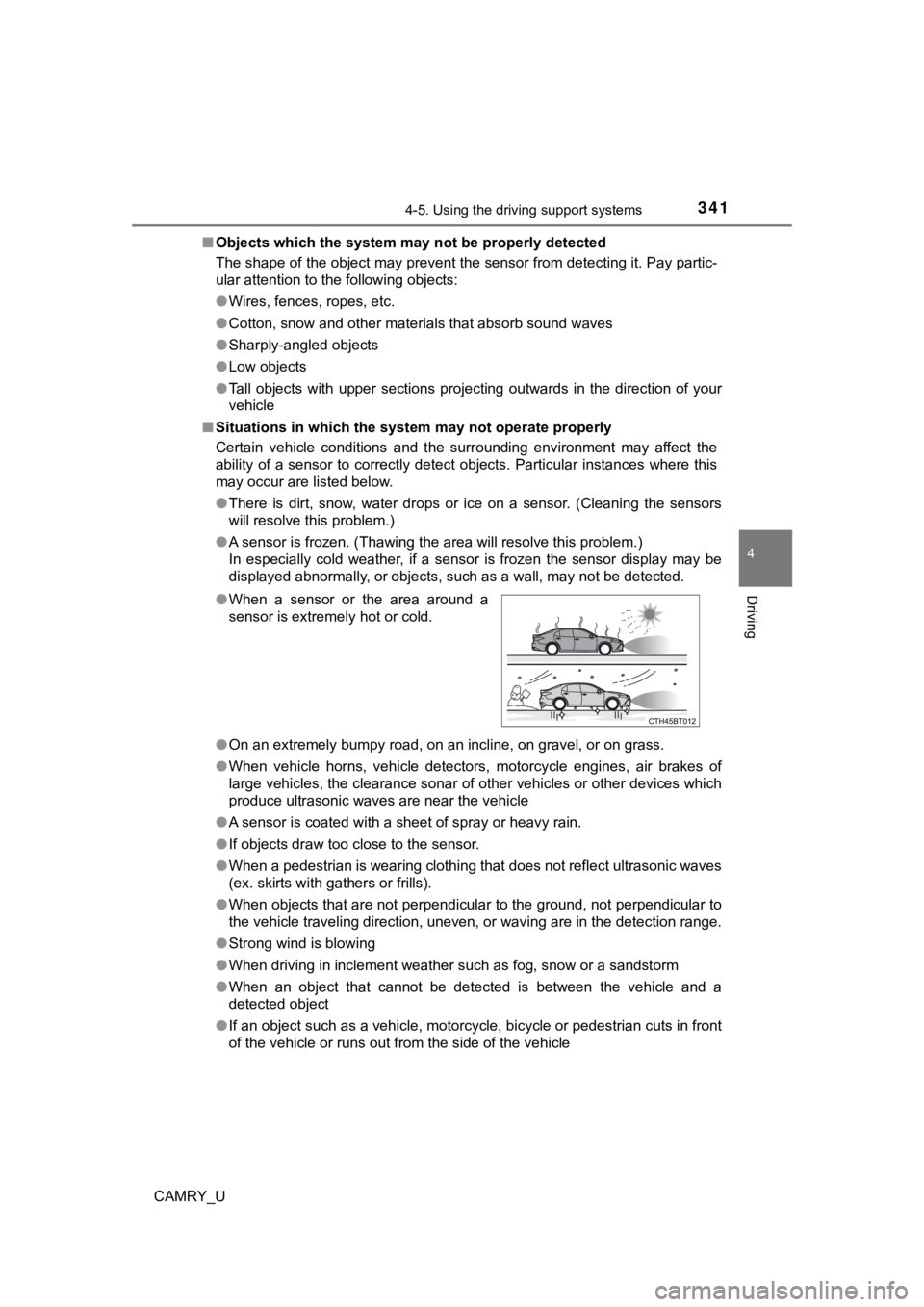
●
When a sensor or the area around a
sensor is extremely hot or cold.
Page 342 of 664
3424-5. Using the driving support systems
CAMRY_U●
If the orientation of a sensor has been changed due to a collis ion or other
impact
● When equipment that may obstruct a sensor is installed, such as a towing
eyelet, bumper protector (an additional trim strip, etc.), bicy cle carrier, or
snow plow
● If the front of the vehicle is raised or lowered due to the car ried load
● If the vehicle cannot be driven in a stable manner, such as whe n the vehicle
has been in an accident or is malfunctioning
● When a tire chains or compact spare tire is used
■ Situations in which the system may operate even if there is no possibil-
ity of a collision
In some situations, such as the following, the system may opera te even
though there is no possibility of a collision.
● When driving toward a banner, flag, low-hanging branch or boom barrier
(such as those used at railroad crossings, toll gates and parking lots)
● When there is a rut or hole in the surface of the road
● When driving on a metal cover (grating), such as those used for drainage
ditches
● When driving up or down a steep slope
● If a sensor is hit by a large amount of water, such as when dri ving on a
flooded road
● There is dirt, snow, water drops or ice on a sensor. (Cleaning the sensors
will resolve this problem.)
● A sensor is coated with a sheet of spray or heavy rain
● When driving in inclement weather such as fog, snow or a sandst orm
● When vehicle horns, vehicle detectors, motorcycle engines, air brakes of
large vehicles, the clearance sonar of other vehicles or other devices which
produce ultrasonic waves are near the vehicle
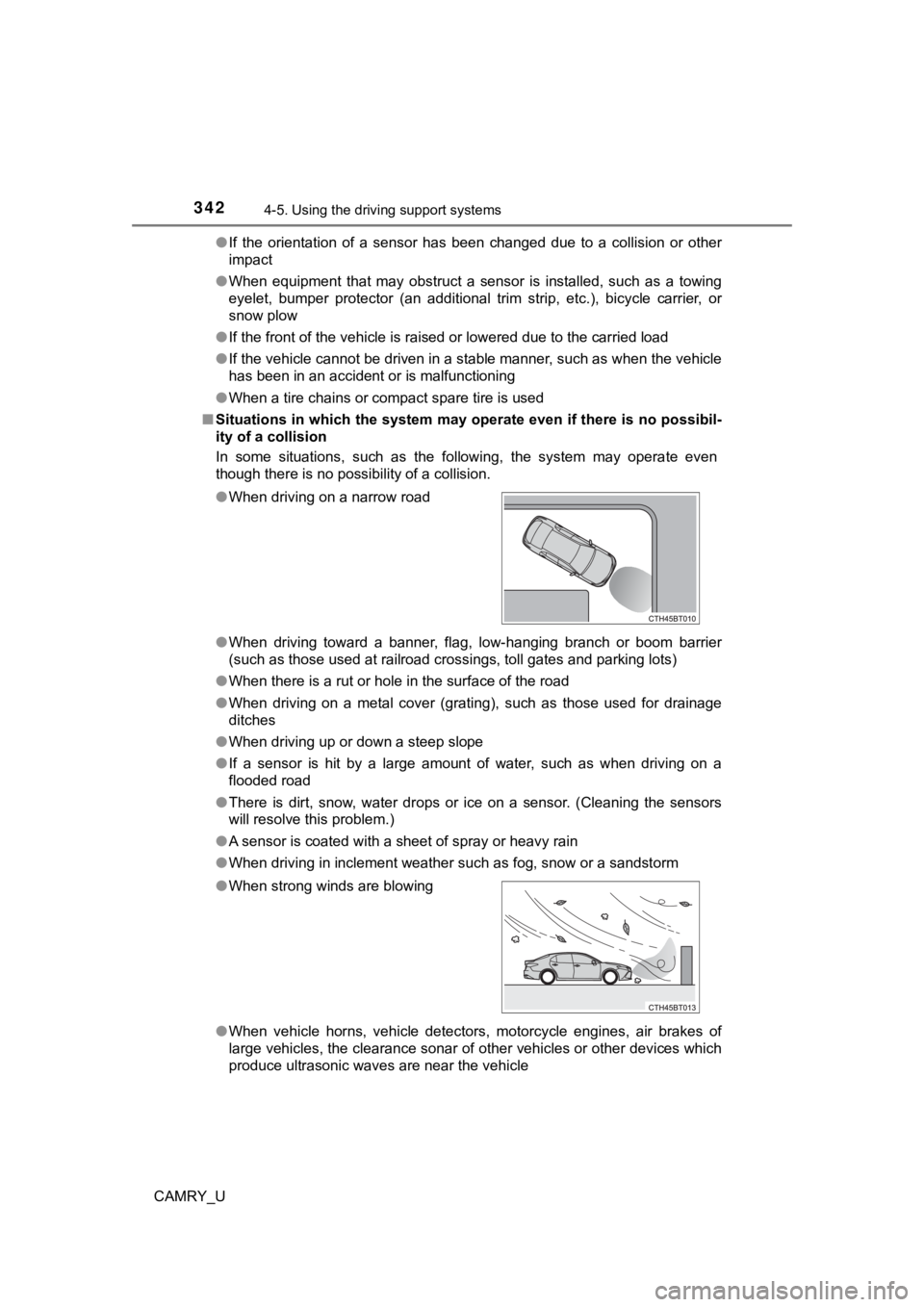
●
When driving on a narrow road
●When strong winds are blowing
Page 363 of 664

3634-5. Using the driving support systems
4
Driving
CAMRY_U
If the Parking Support Brake detects that a collision with an object is
possible, the engine output will be restricted to restrain any increase
in the vehicle speed. (Engine output restric tion control: See A below.)
Additionally, if the accelerator pedal continues to be depresse d, the
brakes will be applied automatically to reduce the vehicle spee d.
(Brake control: See B below.)
Parking Support Brake function
Page 377 of 664
377
4
Driving
CAMRY_U
4-6. Driving tips
●Use fluids that are appropriate t o the prevailing outside tempera-
tures. • Engine oil
• Engine coolant
• Washer fluid
● Have a service technician inspec t the condition of the battery.
● Have the vehicle fitted with four snow tires or purchase a set of tire
chains for the front tires.
*
Ensure that all tires are the same size and brand, and that cha ins match
the size of the tires.
*: Tire chains cannot be mounted on vehicles with 18 and 19-inch tires.
Perform the following according to the driving conditions:
● Do not try to forcibly open a window or move a wiper that is fr ozen.
Pour warm water over the frozen area to melt the ice. Wipe away
the water immediately to p revent it from freezing.
● To ensure proper operation of the climate control system fan,
remove any snow that has accumulated on the air inlet vents in
front of the windshield.
● Check for and remove any excess ic e or snow that may have accu-
mulated on the exterior lights, vehicle’s roof, chassis, around the
tires or on the brakes.
● Remove any snow or mud from the bottom of your shoes before
getting in the vehicle.
Winter driving tips
Carry out the necessary preparations and inspections before
driving the vehicle in winter. Always drive the vehicle in a ma n-
ner appropriate to the prevailing weather conditions.
Preparation for winter
Before driving the vehicle
Page 441 of 664

4416-1. Maintenance and care
6
Maintenance and care
CAMRY_U■
When using a car wash (vehicles with a smart key system)
If the door handle becomes wet while the electronic key is within the effective
range, the door may lock and unlock repeatedly. In that case, f ollow the fol-
lowing correction procedures to wash the vehicle:
● Place the key in a position 6 ft. (2 m) or more separate from t he vehicle
while the vehicle is being washed. (Take care to ensure that th e key is not
stolen.)
● Set the electronic key to battery-saving mode to disable the sm art key sys-
tem. ( P. 163)
■ Wheels and wheel ornaments
●Remove any dirt immediately by using a neutral detergent.
● Wash detergent off with water immediately after use.
● To protect the paint from damage, make sure to observe the following pre-
cautions.
• Do not use acidic, alkaline or abrasive detergent
• Do not use hard brushes
• Do not use detergent on the wheels when they are hot, such as after driv-
ing or parking in hot weather
■ Brake pads and calipers
Rust may form if the vehicle is parked with wet brake pads or d isc rotors,
causing them to stick. Before parking the vehicle after it is w ashed, drive
slowly and apply the brakes several times to dry the parts.
■ Bumpers
Do not scrub with abrasive cleaners.
■ Plated portions
If dirt cannot be removed, clean the parts as follows:
●Use a soft cloth dampened with an approximately 5% solution of neutral
detergent and water to clean the dirt off.
● Wipe the surface with a dry, soft cloth to remove any remaining moisture.
● To remove oily deposits, use alcohol wet wipes or a similar pro duct.
Page 451 of 664
4516-2. Maintenance
CAMRY_U
6
Maintenance and care
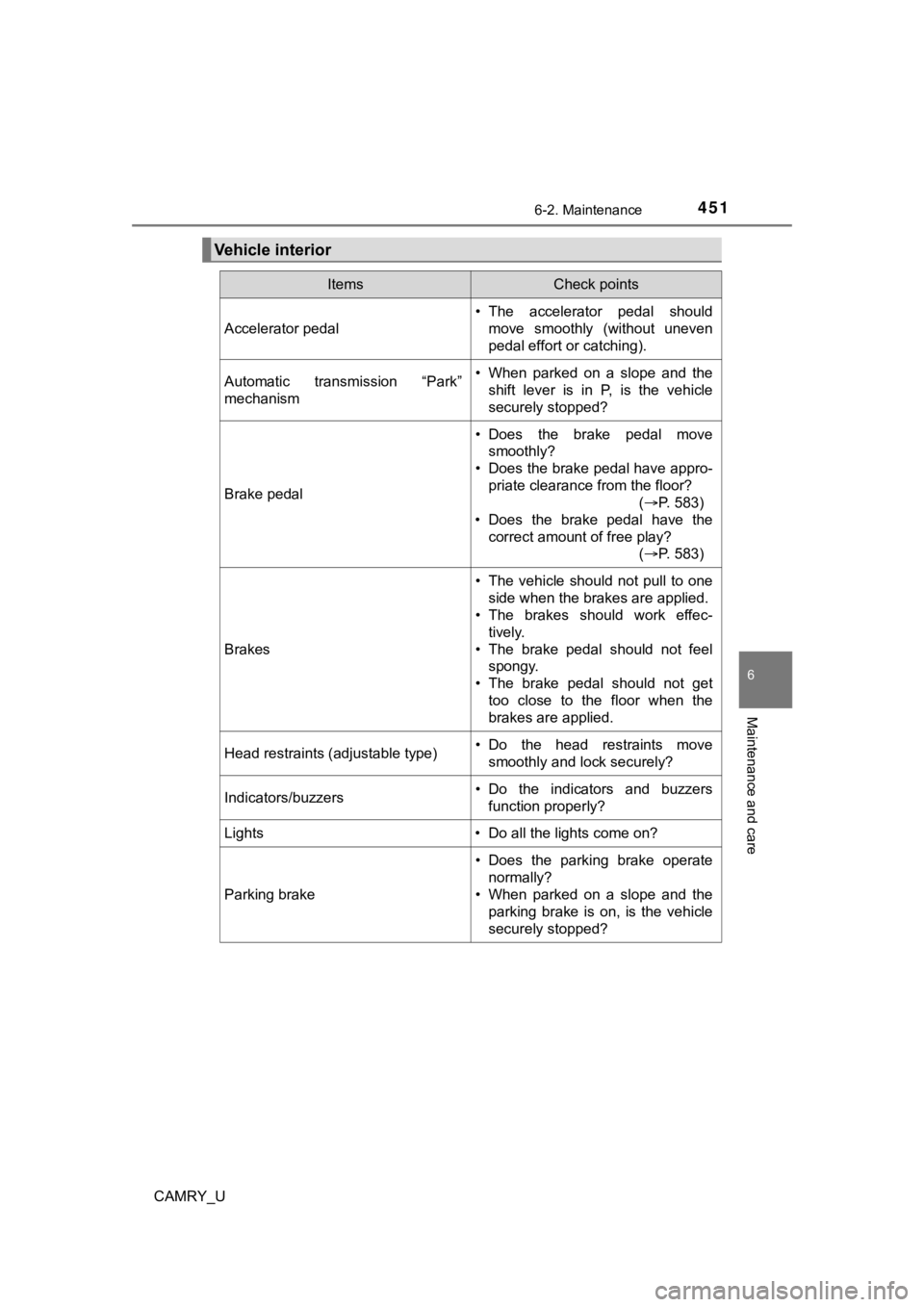
Vehicle interior
ItemsCheck points
Accelerator pedal
• The accelerator pedal shouldmove smoothly (without uneven
pedal effort or catching).
Automatic transmission “Park”
mechanism• When parked on a slope and the
shift lever is in P, is the vehicle
securely stopped?
Brake pedal
• Does the brake pedal movesmoothly?
• Does the brake pedal have appro-
priate clearance from the floor? (P. 583)
• Does the brake pedal have the
correct amount of free play? (P. 583)
Brakes
• The vehicle should not pull to one
side when the brakes are applied.
• The brakes should work effec-
tively.
• The brake pedal should not feel spongy.
• The brake pedal should not get too close to the floor when the
brakes are applied.
Head restraints (adjustable type)• Do the head restraints move
smoothly and lock securely?
Indicators/buzzers• Do the indicators and buzzersfunction properly?
Lights • Do all the lights come on?
Parking brake
• Does the parking brake operate normally?
• When parked on a slope and the parking brake is on, is the vehicle
securely stopped?