steering TOYOTA CAMRY 2022 User Guide
[x] Cancel search | Manufacturer: TOYOTA, Model Year: 2022, Model line: CAMRY, Model: TOYOTA CAMRY 2022Pages: 664, PDF Size: 11.3 MB
Page 89 of 664
892. Instrument cluster
2
Instrument cluster
CAMRY_U
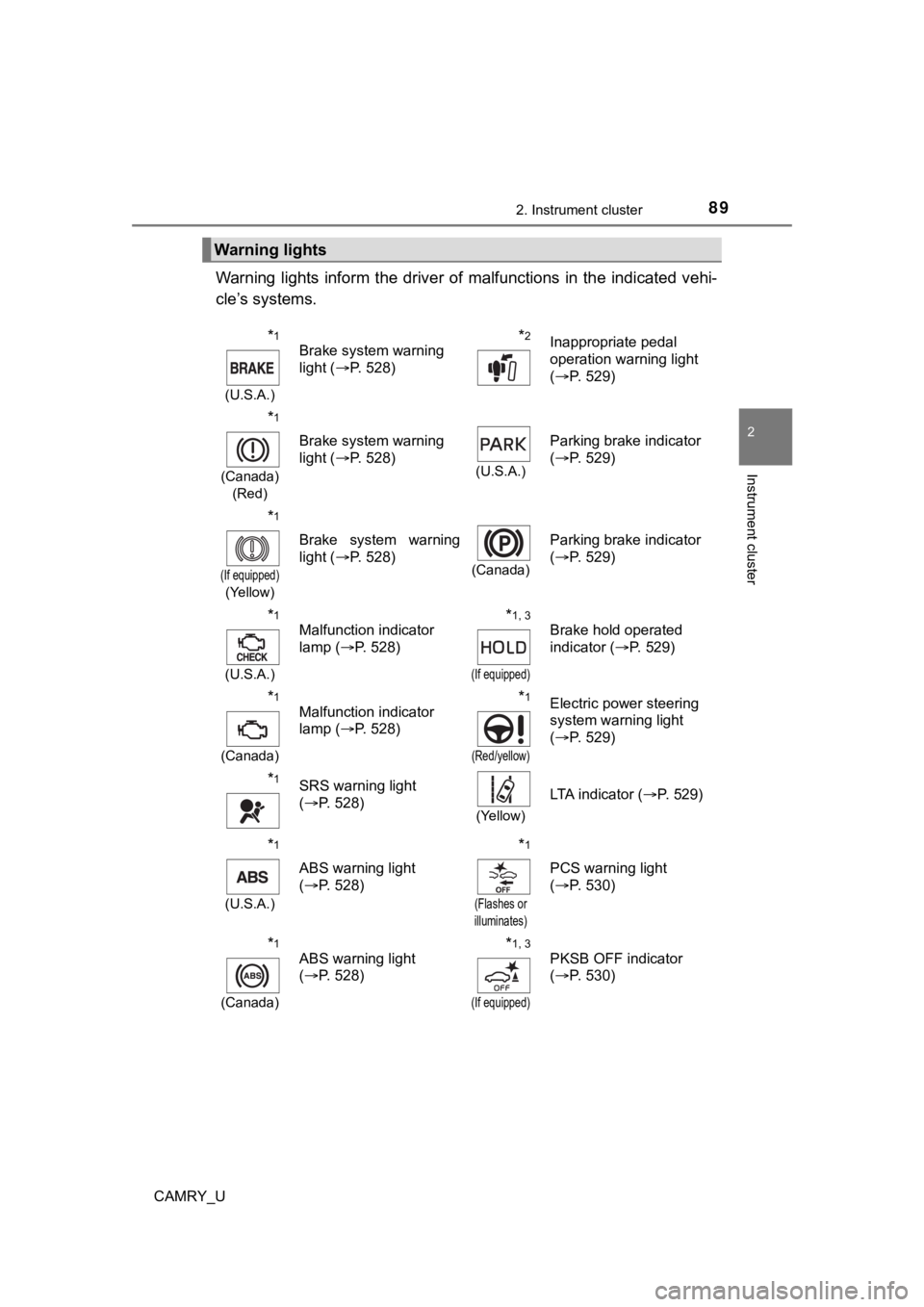
Warning lights inform the driver of malfunctions in the indicated vehi-
cle’s systems.
Warning lights
*1
(U.S.A.)
Brake system warning
light ( P. 528)*2Inappropriate pedal
operation warning light
(P. 529)
*1
(Canada)
(Red)
Brake system warning
light ( P. 528)
(U.S.A.)
Parking brake indicator
(P. 529)
*1
(If equipped)
(Yellow)
Brake system warning
light ( P. 528)
(Canada)
Parking brake indicator
(P. 529)
*1
(U.S.A.)
Malfunction indicator
lamp ( P. 528)*1, 3
(If equipped)
Brake hold operated
indicator ( P. 529)
*1
(Canada)
Malfunction indicator
lamp ( P. 528)*1
(Red/yellow)
Electric power steering
system warning light
(P. 529)
*1SRS warning light
(P. 528)
(Yellow)
LTA indicator ( P. 529)
*1
(U.S.A.)
ABS warning light
(P. 528)
*1
(Flashes or
illuminates)
PCS warning light
( P. 530)
*1
(Canada)
ABS warning light
(P. 528)*1, 3
(If equipped)
PKSB OFF indicator
(P. 530)
Page 103 of 664
1032. Instrument cluster
2
Instrument cluster
CAMRY_U
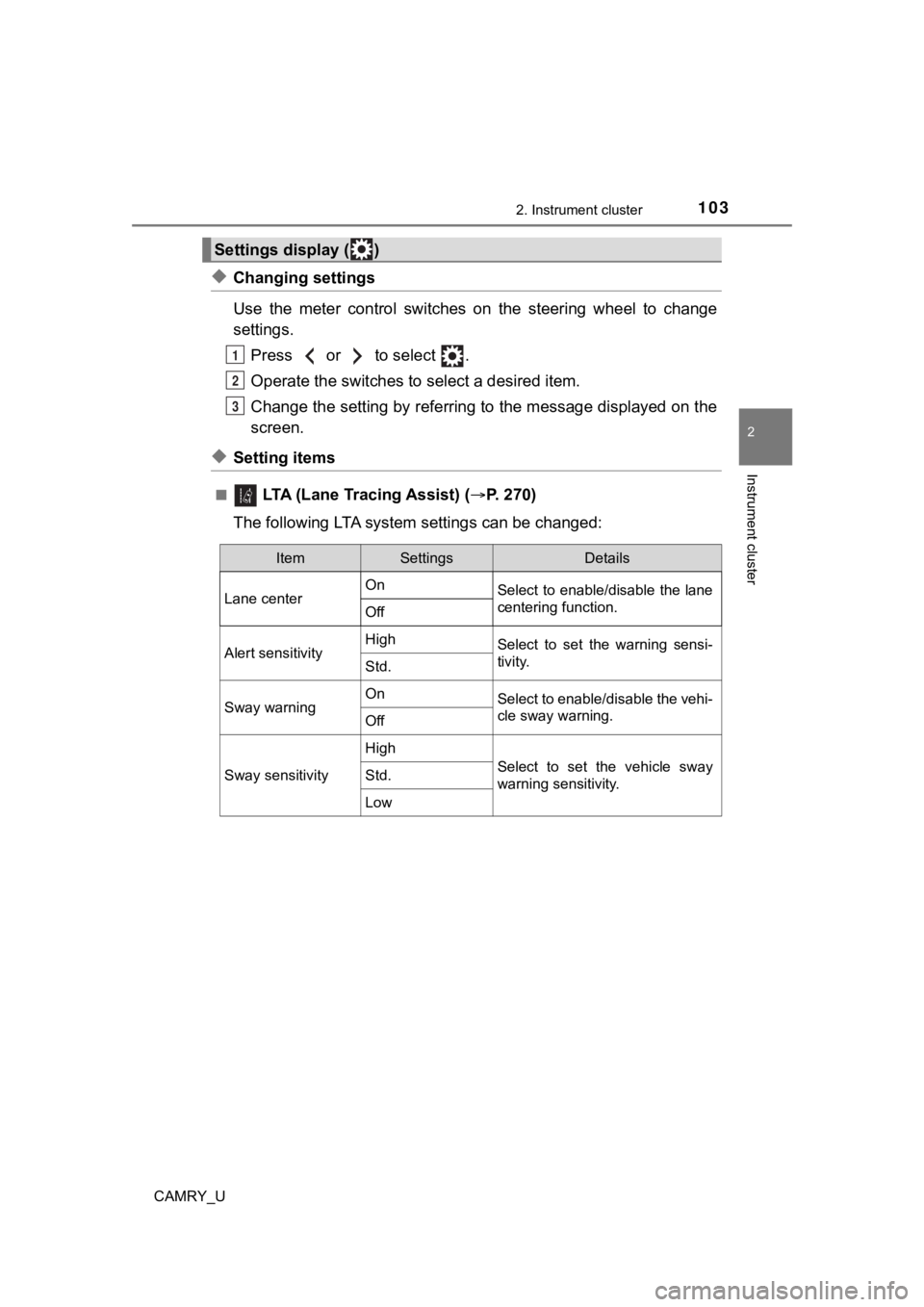
◆Changing settings
Use the meter control switches on the steering wheel to change
settings.Press or to select .
Operate the switches to select a desired item.
Change the setting by referring to the message displayed on the
screen.
◆Setting items
■ LTA (Lane Tracing Assist) ( P. 2 7 0 )
The following LTA syste m settings can be changed:
Settings display ( )
1
2
3
ItemSettingsDetails
Lane center On
Select to enable/disable the lane
centering function.
Off
Alert sensitivityHighSelect to set the warning sensi-
tivity.
Std.
Sway warningOnSelect to enable/disable the vehi-
cle sway warning.
Off
Sway sensitivity
High
Select to set the vehicle sway
warning sensitivity.Std.
Low
Page 117 of 664
1172. Instrument cluster
2
Instrument cluster
CAMRY_U■
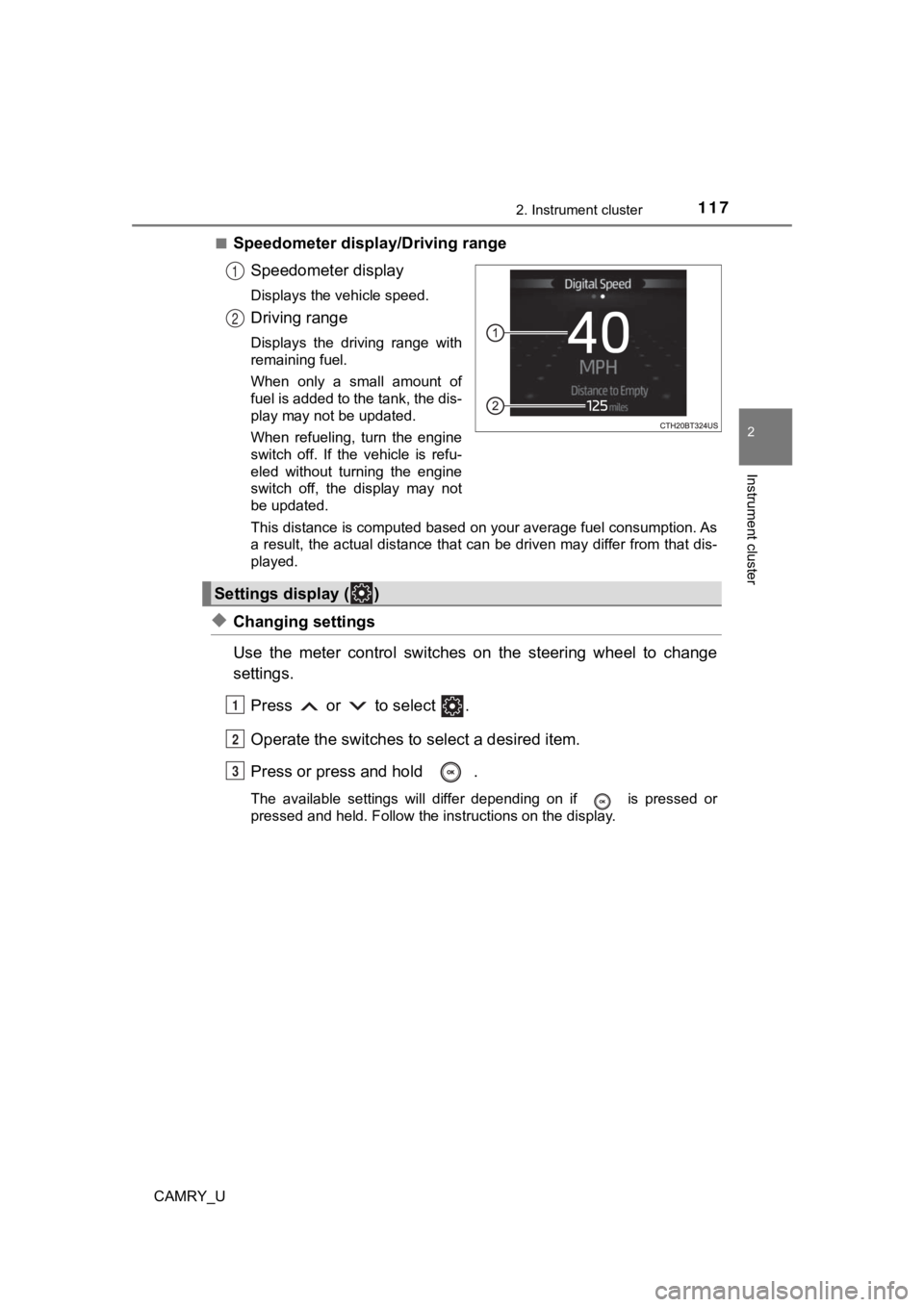
Speedometer display/Driving range
Speedometer display
Displays the vehicle speed.
Driving range
Displays the driving range with
remaining fuel.
When only a small amount of
fuel is added to the tank, the dis-
play may not be updated.
When refueling, turn the engine
switch off. If the vehicle is refu-
eled without turning the engine
switch off, the display may not
be updated.
This distance is computed based on your average fuel consumption. As
a result, the actual distance that can be driven may differ fro m that dis-
played.
◆Changing settings
Use the meter control switches on the steering wheel to change
settings.
Press or to select .
Operate the switches to select a desired item.
Press or press and hold .
The available settings will differ depending on if is pressed or
pressed and held. Follow the instructions on the display.
1
2
Settings display ( )
1
2
3
Page 139 of 664
139
3
Operation of
each component
CAMRY_U 3-1. Key information
Keys .................................. 140
3-2. Opening, closing and locking the doors
Doors ................................ 147
Trunk ................................. 156
Smart key system ............. 161
3-3. Adjusting the seats Front seats ........................ 167
Rear seats (folding type) ................... 169
Head restraints.................. 171
3-4. Adjusting the steering wheel and mirrors
Steering wheel .................. 173
Inside rear view mirror ...... 175
Outside rear view mirrors ............................. 177
3-5. Opening and closing the windows
Power windows ................. 179
Moon roof .......................... 183
Panoramic moon roof........ 187
Page 173 of 664
173
3
Operation of each component
CAMRY_U
3-4. Adjusting the steering wheel and mirrors
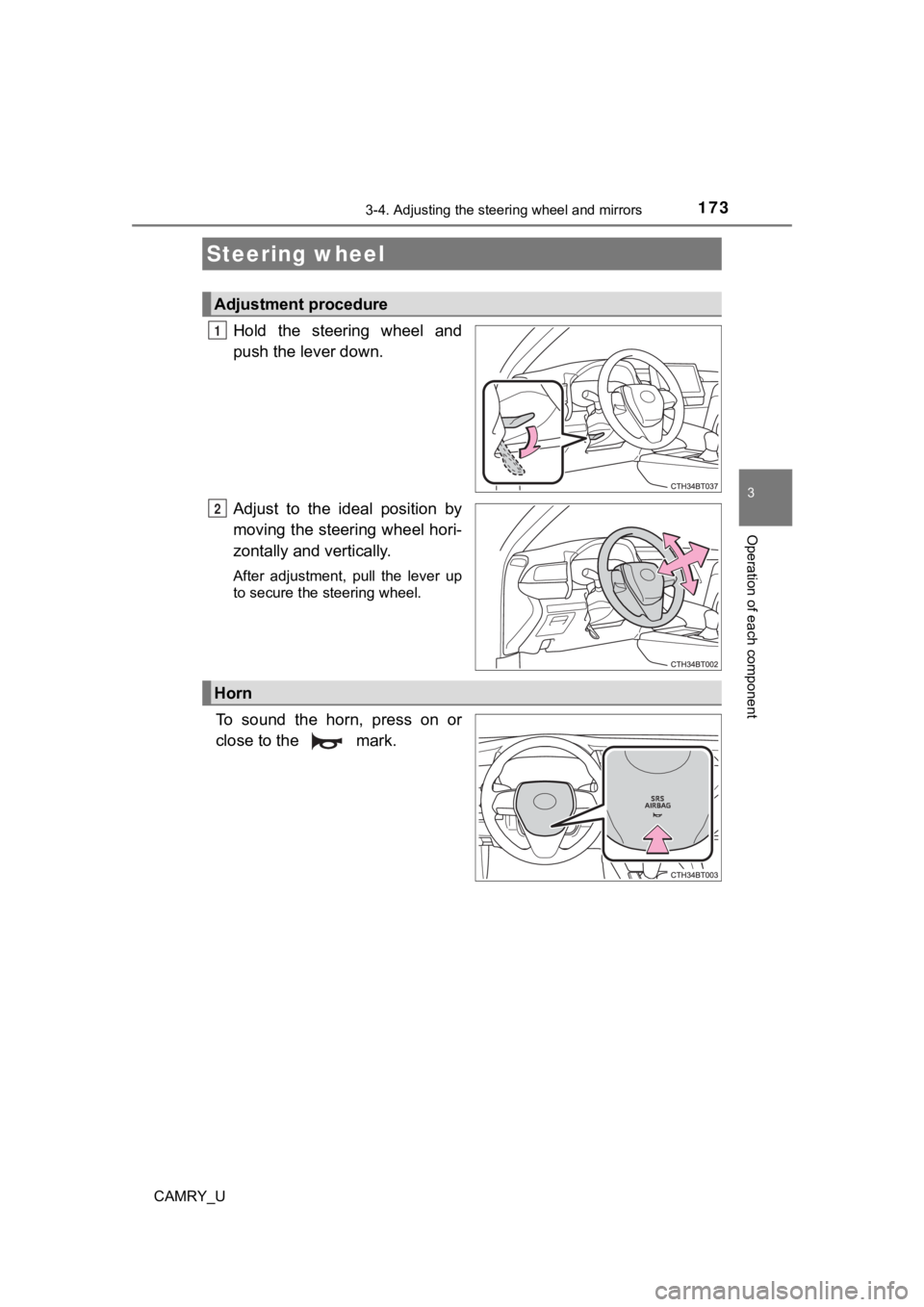
Hold the steering wheel and
push the lever down.
Adjust to the ideal position by
moving the steering wheel hori-
zontally and vertically.
After adjustment, pull the lever up
to secure the steering wheel.
To sound the horn, press on or
close to the mark.
Steering wheel
Adjustment procedure
1
2
Horn
Page 174 of 664

1743-4. Adjusting the steering wheel and mirrors
CAMRY_U
WARNING
■Caution while driving
Do not adjust the steering wheel while driving.
Doing so may cause the driver to mishandle the vehicle and caus e an acci-
dent, resulting in death or serious injury.
■ After adjusting the steering wheel
Make sure that the steering wheel is securely locked.
Otherwise, the steering wheel may move suddenly, possibly causi ng an
accident, and resulting in death or serious injury. Also, the horn may not
sound if the steering wheel is not securely locked.
Page 175 of 664
1753-4. Adjusting the steering wheel and mirrors
3
Operation of each component
CAMRY_U
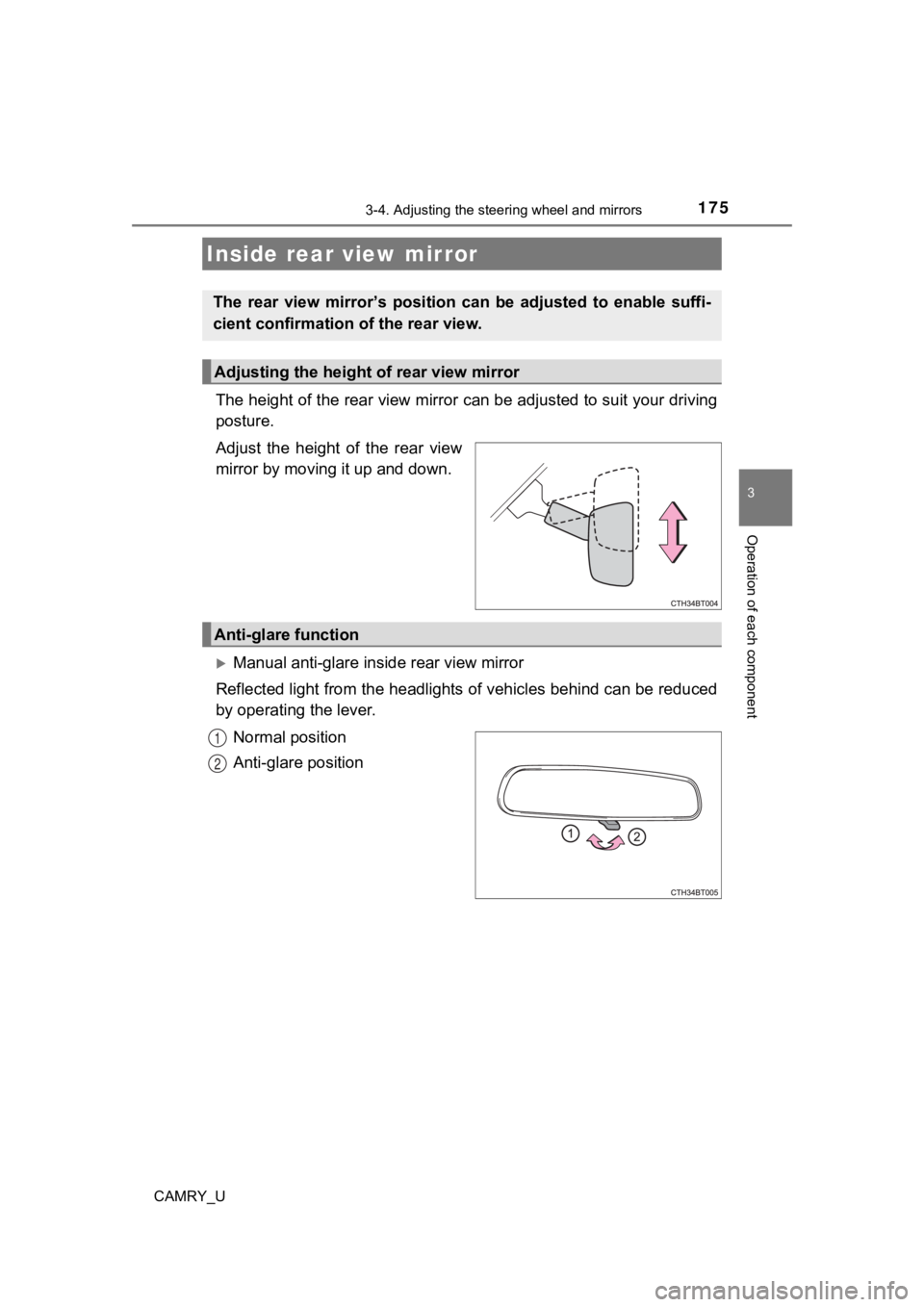
The height of the rear view mirror can be adjusted to suit your driving
posture.
Adjust the height of the rear view
mirror by moving it up and down.
Manual anti-glare inside rear view mirror
Reflected light from the headlights of vehicles behind can be r educed
by operating the lever.
Normal position
Anti-glare position
Inside rear view mirror
The rear view mirror’s position ca n be adjusted to enable suffi-
cient confirmation of the rear view.
Adjusting the height of rear view mirror
Anti-glare function
1
2
Page 176 of 664
1763-4. Adjusting the steering wheel and mirrors
CAMRY_U
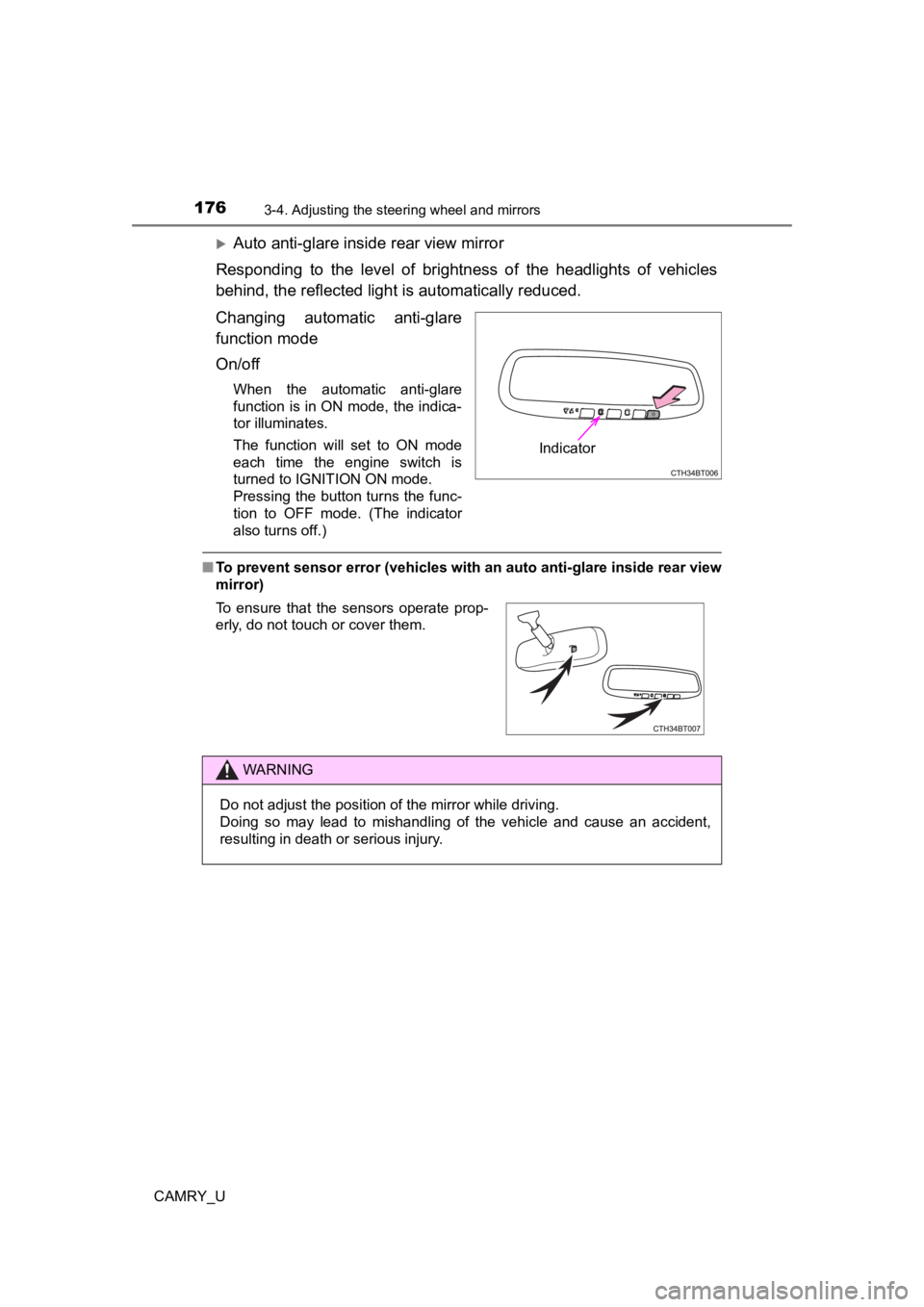
Auto anti-glare inside rear view mirror
Responding to the level of brightness of the headlights of vehi cles
behind, the reflected light is automatically reduced.
Changing automatic anti-glare
function mode
On/off
When the automatic anti-glare
function is in ON mode, the indica-
tor illuminates.
The function will set to ON mode
each time the engine switch is
turned to IGNITION ON mode.
Pressing the button turns the func-
tion to OFF mode. (The indicator
also turns off.)
■ To prevent sensor error (vehicles with an auto anti-glare insid e rear view
mirror)
Indicator
To ensure that the sensors operate prop-
erly, do not touch or cover them.
WARNING
Do not adjust the position of the mirror while driving.
Doing so may lead to mishandling of the vehicle and cause an accident,
resulting in death or serious injury.
Page 177 of 664
1773-4. Adjusting the steering wheel and mirrors
3
Operation of each component
CAMRY_U
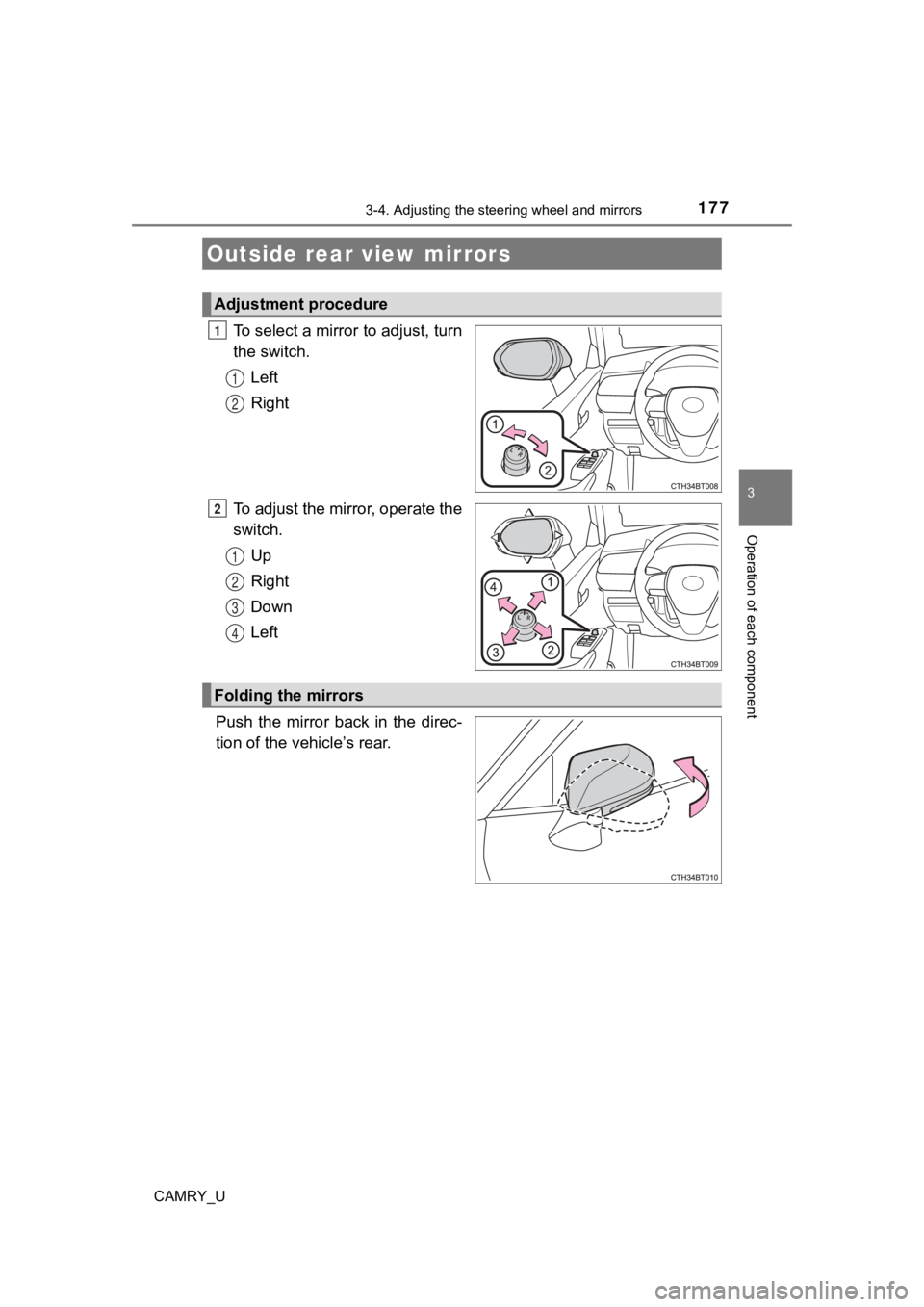
To select a mirror to adjust, turn
the switch.
Left
Right
To adjust the mirror, operate the
switch. Up
Right
Down
Left
Push the mirror back in the direc-
tion of the vehicle’s rear.
Outside rear view mirrors
Adjustment procedure
1
1
2
2
1
2
3
4
Folding the mirrors
Page 178 of 664

1783-4. Adjusting the steering wheel and mirrors
CAMRY_U
■Mirror angle can be adjusted when
Vehicles without a smart key system
The engine switch is in the “ACC” or “ON” position.
Vehicles with a smart key system
The engine switch is in ACCESSORY or IGNITION ON mode.
■ When the mirrors are fogged up (vehicles with outside rear view mirror
defoggers)
The outside rear view mirrors can be cleared using the mirror d efoggers. Turn
on the rear window defogger to turn on the outside rear view mirror defog-
gers. ( P. 383, 389, 397)
WARNING
■ Important points while driving
Observe the following precautions while driving.
Failure to do so may result in loss of control of the vehicle and cause an
accident, resulting in death or serious injury.
● Do not adjust the mirrors while driving.
● Do not drive with the mirrors folded.
● Both the driver and passenger side mirrors must be extended and properly
adjusted before driving.
■ When a mirror is moving
To avoid personal injury and mirror malfunction, be careful not to get your
hand caught by the moving mirror.
■ When the mirror defoggers are operating (vehicles with outside rear
view mirror defoggers)
Do not touch the rear view mirror surfaces, as they can become very hot
and burn you.