lock TOYOTA CAMRY HV 2011 Repair Manual
[x] Cancel search | Manufacturer: TOYOTA, Model Year: 2011, Model line: CAMRY HV, Model: TOYOTA CAMRY HV 2011Pages: 508, PDF Size: 8.76 MB
Page 190 of 508
190 3-1. Using the air conditioning system and defogger
CAUTION
■To prevent the windshield from fogging up
Do not use during cool air operation in extremely humid weather.
The difference between the temperature of the outside air and that of the
windshield can cause the outer surface of the windshield to fog up, blocking
your vision.
■ Plasmacluster
Do not disassemble or repair the system because it contains high voltage
parts. Call your Toyota dealer if the system needs repair.
NOTICE
■ To prevent the 12-volt battery from being discharged
Do not leave the air conditioning system on longer than necessary when the
hybrid system is off.
■ To prevent damage to the Plasmacluster
Do not insert anything into the driver's side vent, attach anything to it, or use
sprays around the drive's side vent. These things may cause the system not
to work properly.
Page 259 of 508
259
3-4. Using the hand
s-free phone system (for cellular phone)
3
Interior features
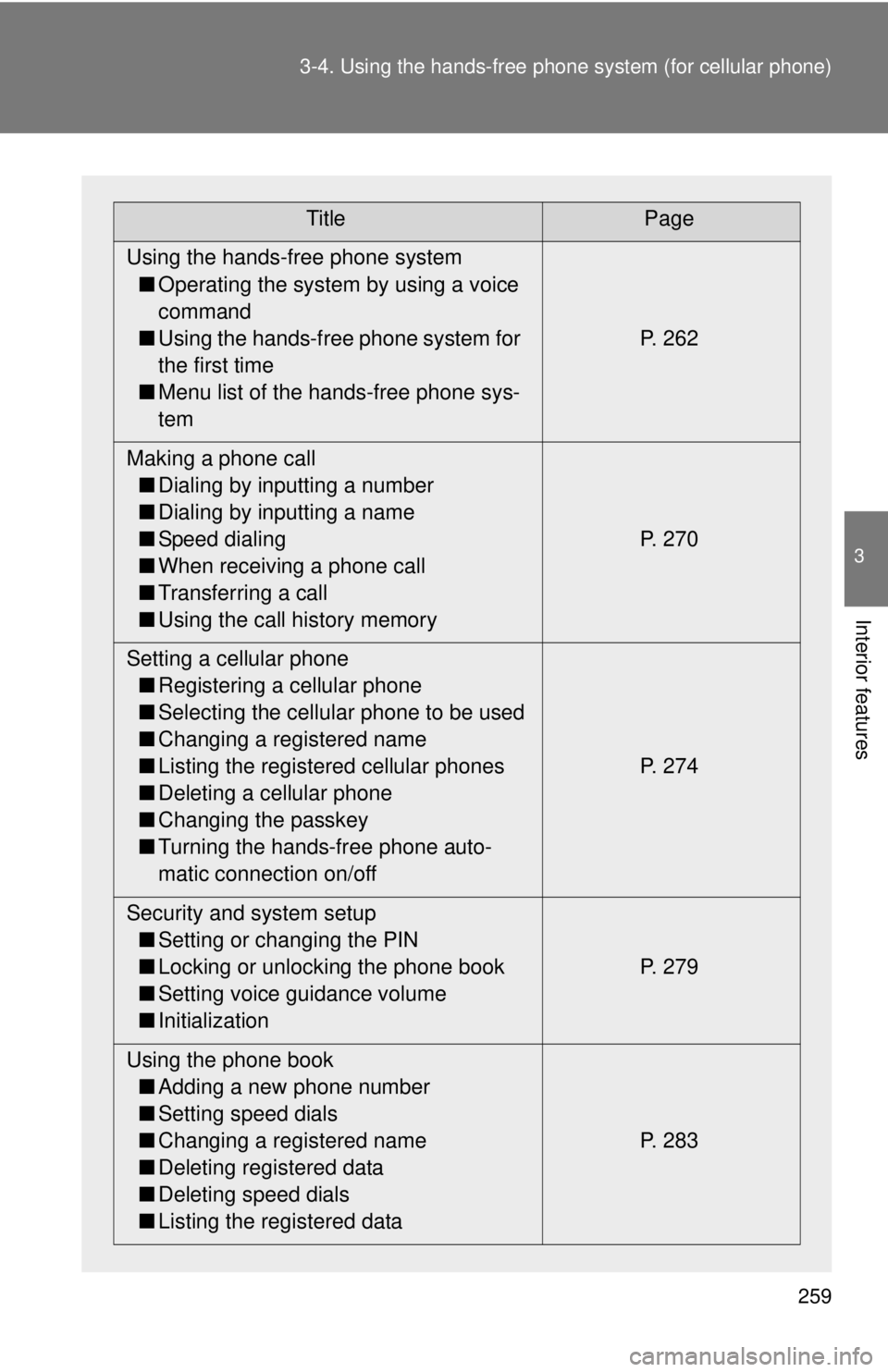
TitlePage
Using the hands-free phone system ■ Operating the system by using a voice
command
■ Using the hands-free phone system for
the first time
■ Menu list of the hands-free phone sys-
tem P. 262
Making a phone call ■ Dialing by inputting a number
■ Dialing by inputting a name
■ Speed dialing
■ When receiving a phone call
■ Transferring a call
■ Using the call history memory P. 270
Setting a cellular phone ■ Registering a cellular phone
■ Selecting the cellular phone to be used
■ Changing a registered name
■ Listing the registered cellular phones
■ Deleting a cellular phone
■ Changing the passkey
■ Turning the hands-free phone auto-
matic connection on/off P. 274
Security and system setup ■ Setting or changing the PIN
■ Locking or unlocking the phone book
■ Setting voice guidance volume
■ Initialization P. 279
Using the phone book ■ Adding a new phone number
■ Setting speed dials
■ Changing a registered name
■ Deleting registered data
■ Deleting speed dials
■ Listing the registered data P. 283
Page 267 of 508
267
3-4. Using the hand
s-free phone system (for cellular phone)
3
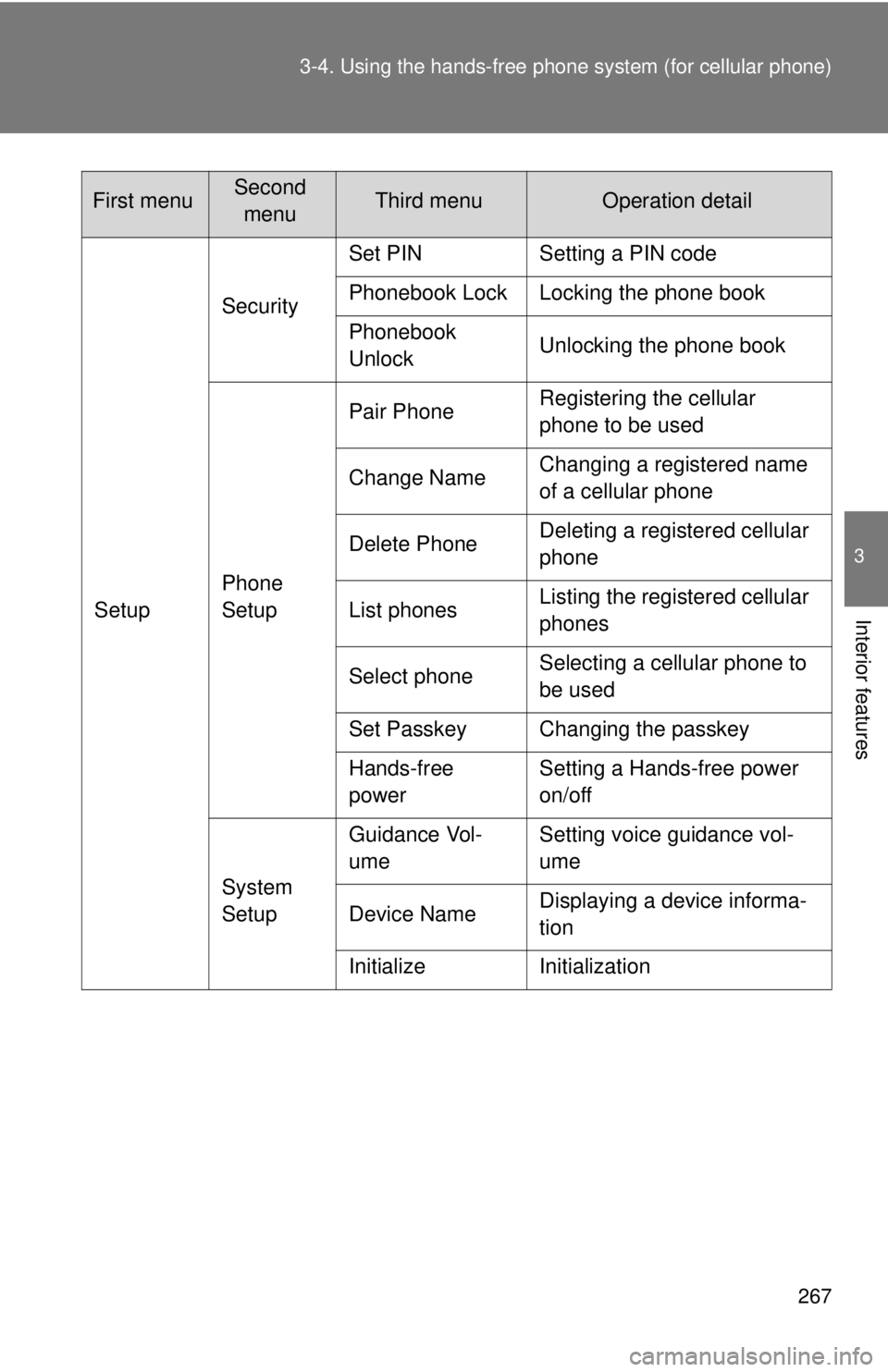
Interior featuresSetupSecurity
Set PIN Setting a PIN code
Phonebook Lock Locking the phone book
Phonebook
Unlock
Unlocking the phone book
Phone
Setup Pair Phone
Registering the cellular
phone to be used
Change Name Changing a registered name
of a cellular phone
Delete Phone Deleting a registered cellular
phone
List phones Listing the registered cellular
phones
Select phone Selecting a cellular phone to
be used
Set Passkey Changing the passkey
Hands-free
power Setting a Hands-free power
on/off
System
Setup Guidance Vol-
ume
Setting voice guidance vol-
ume
Device Name Displaying a device informa-
tion
Initialize Initialization
First menuSecond menuThird menuOperation detail
Page 268 of 508
268 3-4. Using the hands-free phone system (for cellular phone)
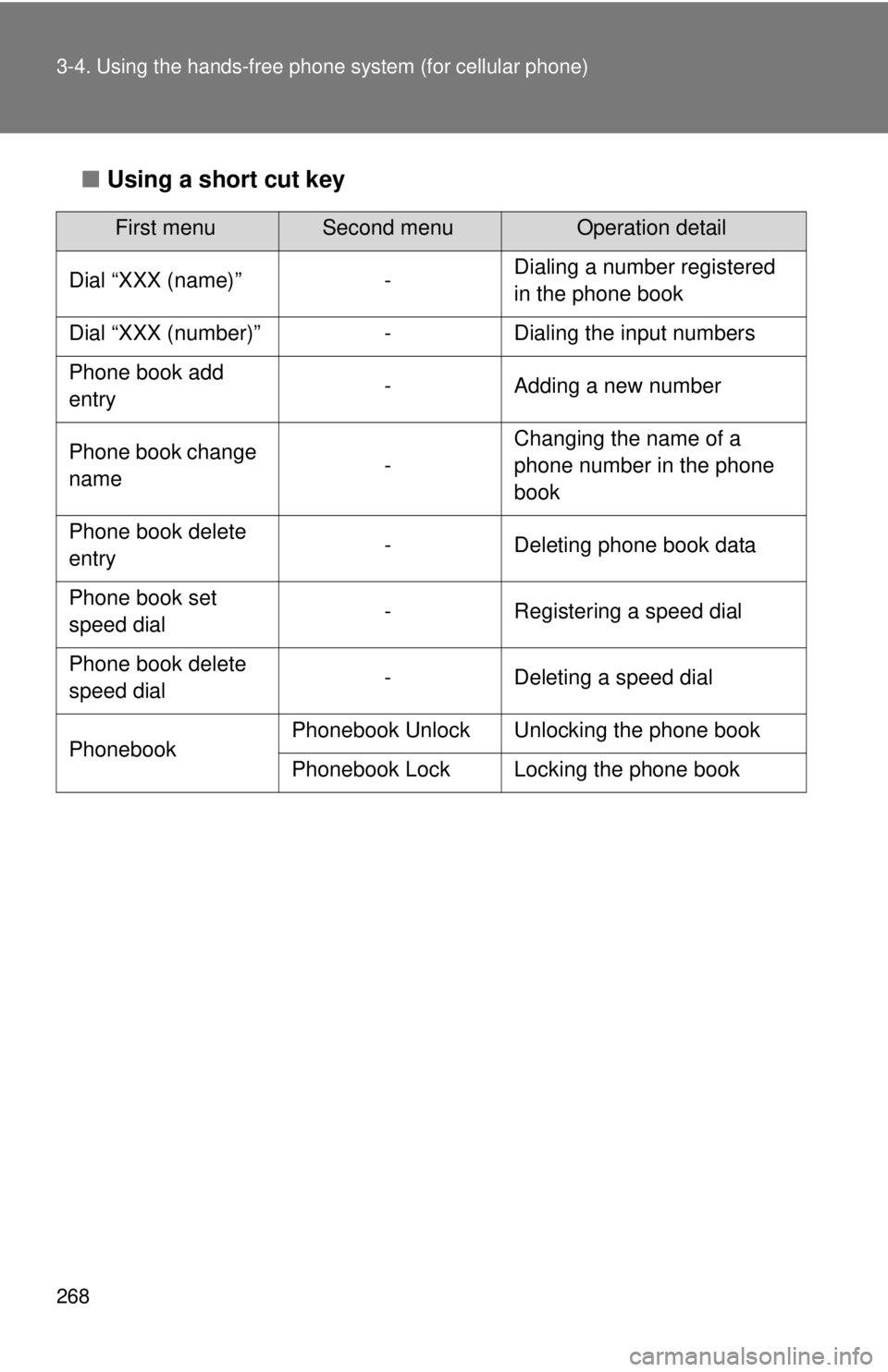
■Using a short cut key
First menuSecond menuOperation detail
Dial “XXX (name)” - Dialing a number registered
in the phone book
Dial “XXX (number)” - Dialing the input numbers
Phone book add
entry - Adding a new number
Phone book change
name -Changing the name of a
phone number in the phone
book
Phone book delete
entry - Deleting phone book data
Phone book set
speed dial - Registering a speed dial
Phone book delete
speed dial - Deleting a speed dial
Phonebook Phonebook Unlock Unlocking the phone book
Phonebook Lock Locking the phone book
Page 279 of 508
279
3-4. Using the hands-free phone system (for cellular phone)
3
Interior features
Security and system setup
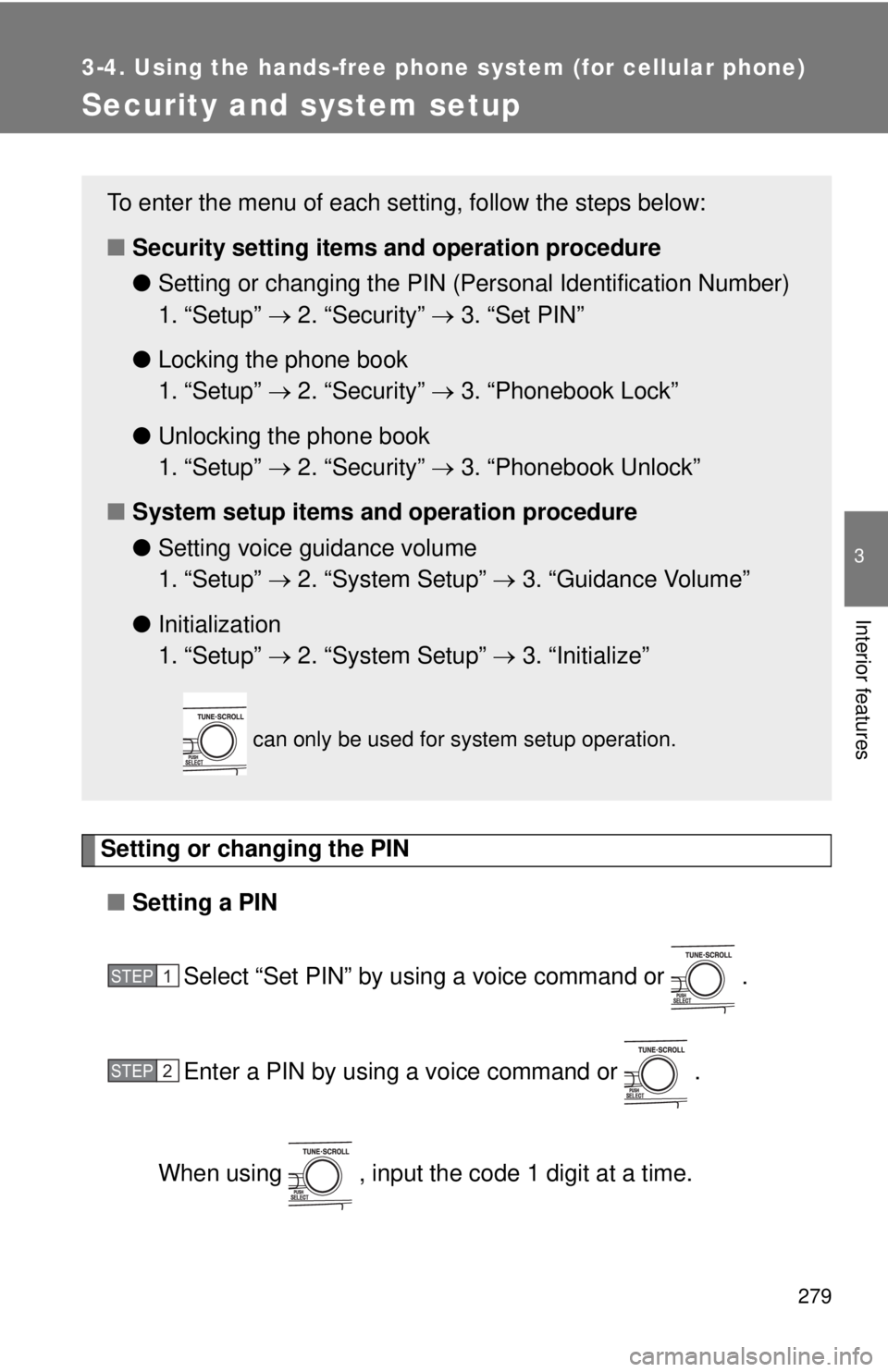
Setting or changing the PIN■ Setting a PIN
Select “Set PIN” by using a voice command or .
Enter a PIN by using a voice command or .
When using , input the code 1 digit at a time.
To enter the menu of each setting, follow the steps below:
■ Security setting items and operation procedure
● Setting or changing t he PIN (Personal Identification Number)
1. “Setup” 2. “Security” 3. “Set PIN”
● Locking the phone book
1. “Setup” 2. “Security” 3. “Phonebook Lock”
● Unlocking the phone book
1. “Setup” 2. “Security” 3. “Phonebook Unlock”
■ System setup items and operation procedure
●Setting voice guidance volume
1. “Setup” 2. “System Setup” 3. “Guidance Volume”
● Initialization
1. “Setup” 2. “System Setup” 3. “Initialize”
can only be used for system setup operation.
STEP1
STEP2
Page 280 of 508
280 3-4. Using the hands-free phone system (for cellular phone)
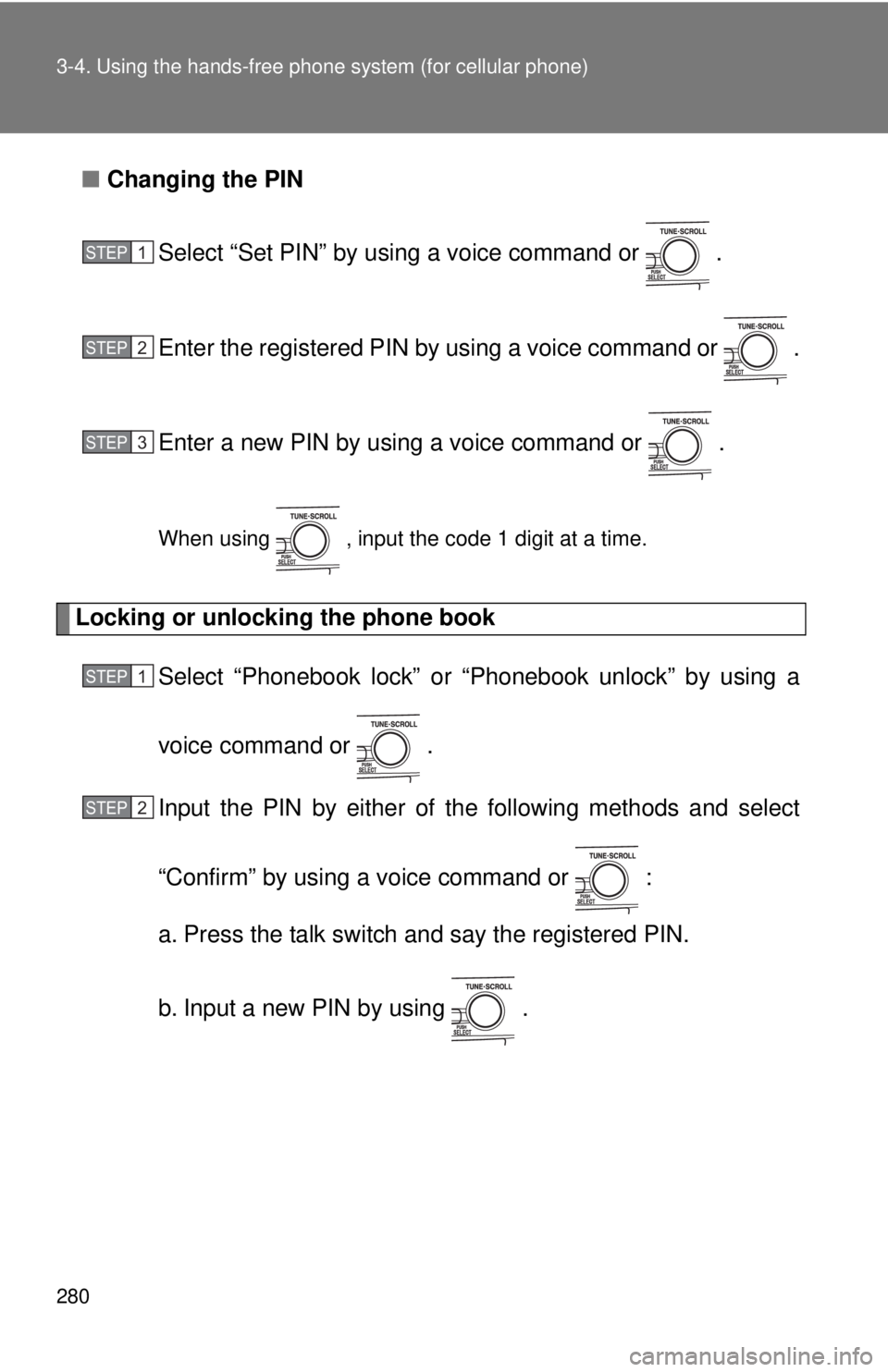
■Changing the PIN
Select “Set PIN” by using a voice command or .
Enter the registered PIN by using a voice command or .
Enter a new PIN by using a voice command or .
When using , input the code 1 digit at a time.
Locking or unlocking the phone book Select “Phonebook lock” or “Phonebook unlock” by using a
voice command or .
Input the PIN by either of the following methods and select
“Confirm” by using a voice command or :
a. Press the talk switch and say the registered PIN.
b. Input a new PIN by using .
STEP1
STEP2
STEP3
STEP1
STEP2
Page 281 of 508
281
3-4. Using the hand
s-free phone system (for cellular phone)
3
Interior features
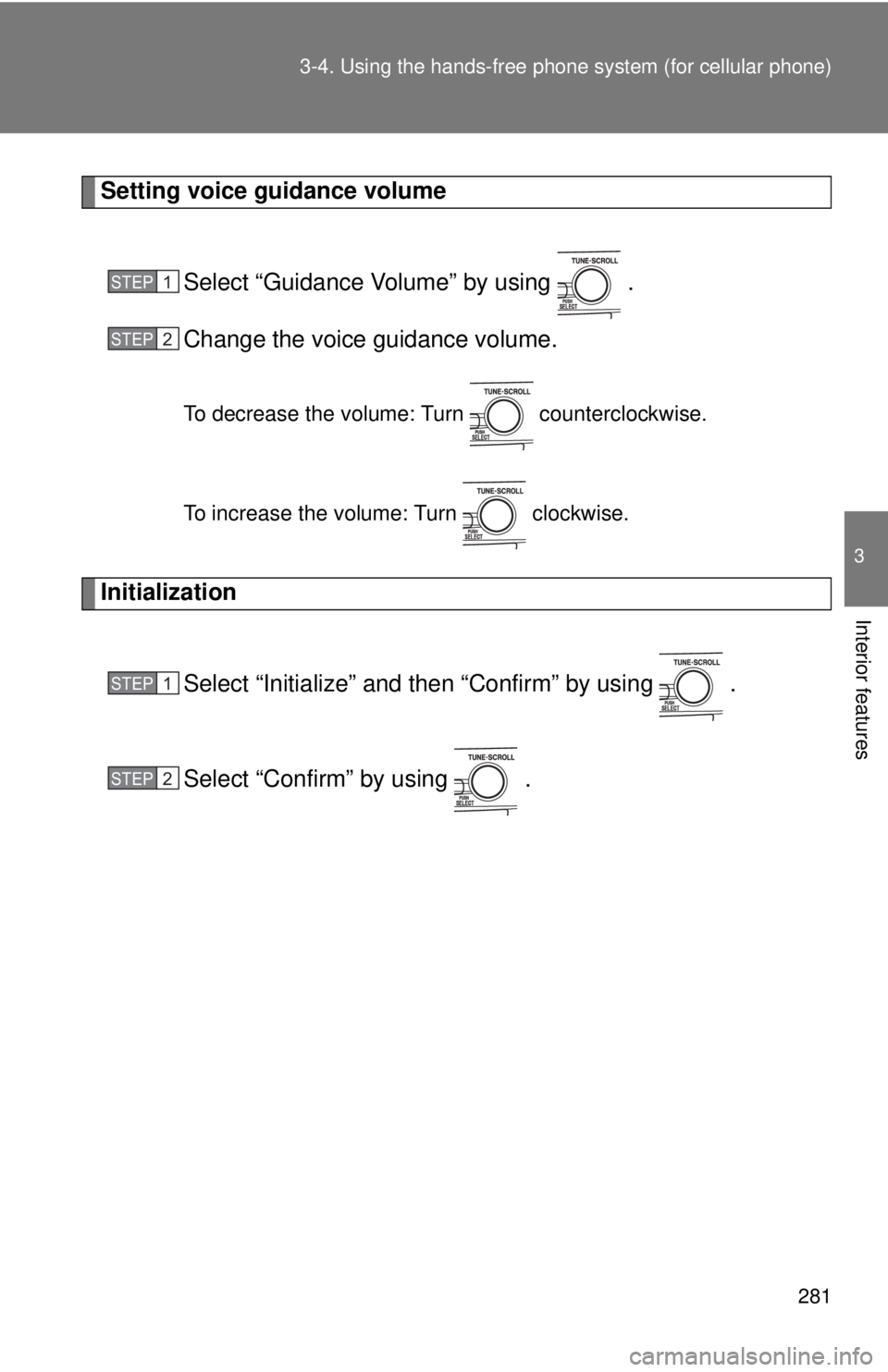
Setting voice guidance volume
Select “Guidance Volume” by using .
Change the voice guidance volume.
To decrease the volume: Turn counterclockwise.
To increase the volume: Turn clockwise.
Initialization
Select “Initialize” and then “Confirm” by using .
Select “Confirm” by using .
STEP1
STEP2
STEP1
STEP2
Page 282 of 508
282 3-4. Using the hands-free phone system (for cellular phone)
■Initialization
●The following data in the system can be initialized:
• Phone book
• Outgoing and incoming call history
• Speed dials
• Registered cellular phone data
• Security code
● Once the initialization has been completed, the data cannot be restored
to its original state.
■ When the phone book is locked
The following functions cannot be used:
●Dialing by inputting a name
● Speed dialing
● Dialing a number stored in the call history memory
● Using the phone book
Page 291 of 508
291
3
Interior features
3-5. Using the interior lights
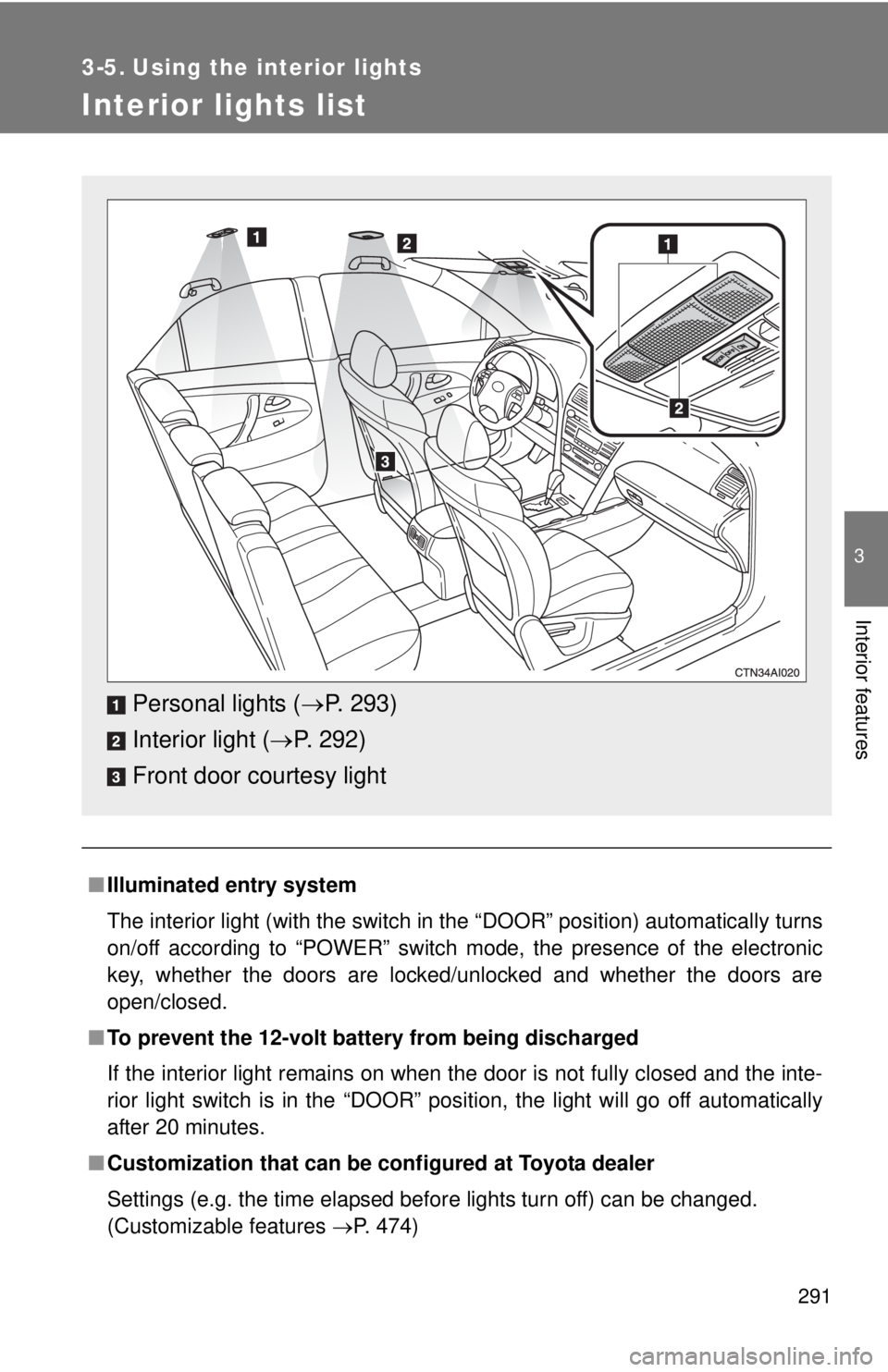
Interior lights list
■Illuminated entry system
The interior light (with the switch in the “DOOR” position) automatically turns
on/off according to “POWER” switch mode, the presence of the electronic
key, whether the doors are locked/unlocked and whether the doors are
open/closed.
■ To prevent the 12-volt battery from being discharged
If the interior light remains on when the door is not fully closed and the inte-
rior light switch is in the “DOOR” position, the light will go off automatically
after 20 minutes.
■ Customization that can be co nfigured at Toyota dealer
Settings (e.g. the time elapsed before lights turn off) can be changed.
(Customizable features P. 474)
Personal lights (P. 293)
Interior light ( P. 292)
Front door courtesy light
Page 295 of 508
295
3-6. Using the
storage features
3
Interior features
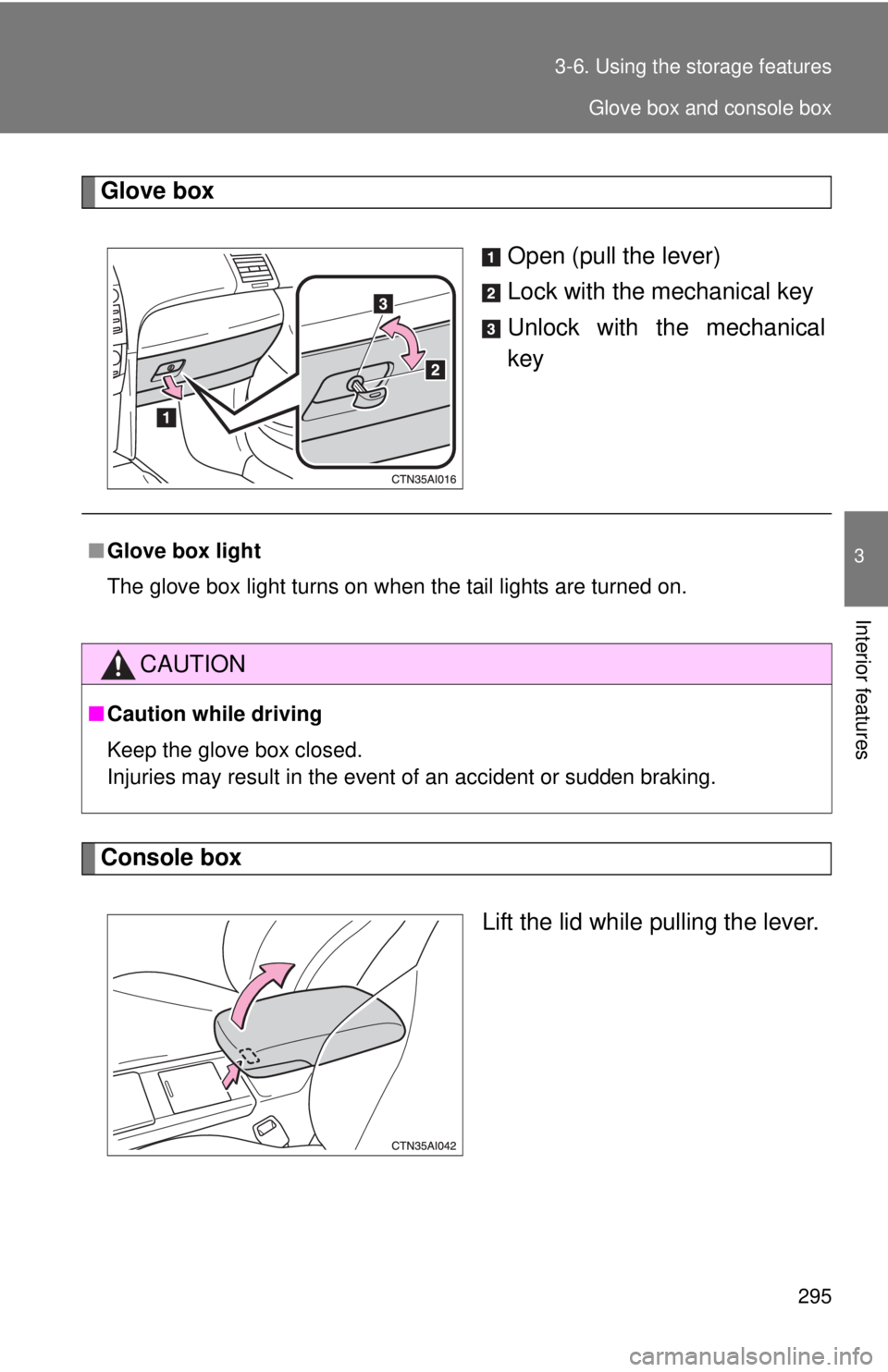
Glove box
Open (pull the lever)
Lock with the mechanical key
Unlock with the mechanical
key
Console boxLift the lid while pulling the lever.
■Glove box light
The glove box light turns on when the tail lights are turned on.
CAUTION
■Caution while driving
Keep the glove box closed.
Injuries may result in the event of an accident or sudden braking.
Glove box and console box