engine TOYOTA CAMRY HV 2012 Owner's Manual
[x] Cancel search | Manufacturer: TOYOTA, Model Year: 2012, Model line: CAMRY HV, Model: TOYOTA CAMRY HV 2012Pages: 536, PDF Size: 6.29 MB
Page 158 of 536

158 2-1. Driving procedures
NOTICE
■Avoiding damage to vehicle parts
●Do not turn the steering wheel fully in either direction and hold it there for
an extended period of time.
Doing so may damage the power steering motor.
● When driving over bumps in the road, drive as slowly as possible to avoid
damaging the wheels, underside of the vehicle, etc.
■ If you get a flat tire while driving
A flat or damaged tire may cause the following situations. Hold the steering
wheel firmly and gradually depress the br ake pedal to slow down the vehicle.
● It may be difficult to control your vehicle.
● The vehicle will make abnormal sounds or vibrations.
● The vehicle will behave abnormally.
Information on what to do in case of a flat tire ( P. 442)
■ When encountering flooded roads
Do not drive on a road that has flooded after heavy rain etc. Doing so may
cause the following serious damage to the vehicle:
●Engine stalling
● Short in electrical components
● Engine damage caused by water immersion
In the event that you drive on a flooded road and the vehicle is flooded, be
sure to have your Toyota dealer check the following:
● Brake function
● Changes in quantity and quality of oil and fluid used for the engine, hybrid
transmission, etc.
● Lubricant condition for the bearings and suspension joints (where possi-
ble), and the function of all joints, bearings, etc.
Page 159 of 536
159
2-1. Driving procedures
2
When driving
Power (ignition) switch
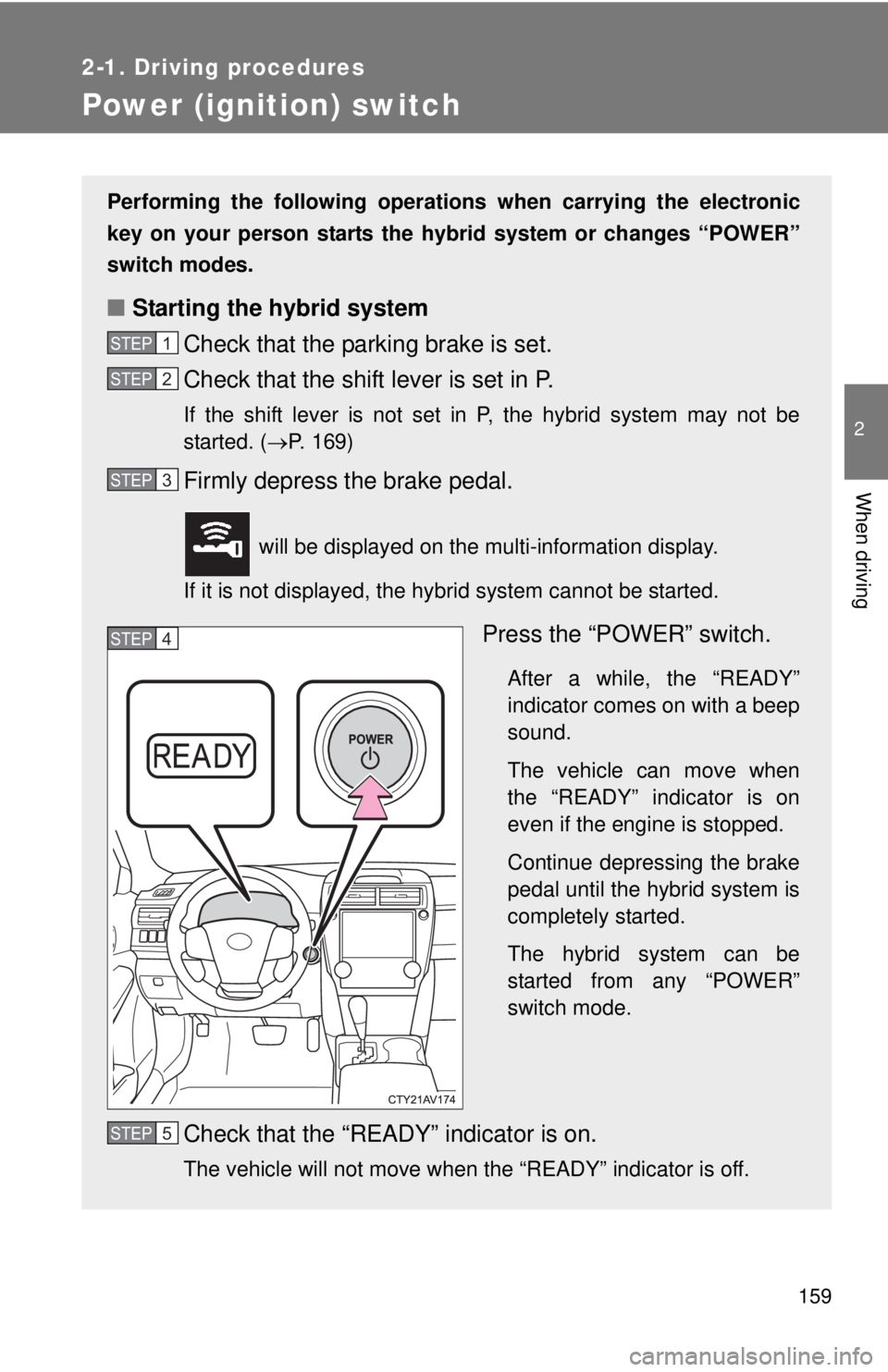
Performing the following operations when carrying the electronic
key on your person starts the hybr id system or changes “POWER”
switch modes.
■ Starting the hybrid system
Check that the parking brake is set.
Check that the shift lever is set in P.
If the shift lever is not set in P, the hybrid system may not be
started. ( P. 169)
Firmly depress the brake pedal.
will be displayed on the multi-information display.
If it is not displayed, the hybrid system cannot be started.
Press the “POWER” switch.
After a while, the “READY”
indicator comes on with a beep
sound.
The vehicle can move when
the “READY” indicator is on
even if the engine is stopped.
Continue depressing the brake
pedal until the hybrid system is
completely started.
The hybrid system can be
started from any “POWER”
switch mode.
Check that the “READY” indicator is on.
The vehicle will not move when the “READY” indicator is off.
STEP1
STEP2
STEP3
STEP4
STEP5
Page 166 of 536
166
2-1. Driving procedures
EV drive mode
In EV drive mode the electric motor (traction motor), powered by the
hybrid battery (traction battery), is used to drive the vehicle.
This mode allows you to drive in residential areas early in the morn-
ing and late at night, or in indoor parking lots etc. without concern
for noises and gas emissions.
However, when the Vehicle Proximit y Notification System is active,
the vehicle may produce sound.
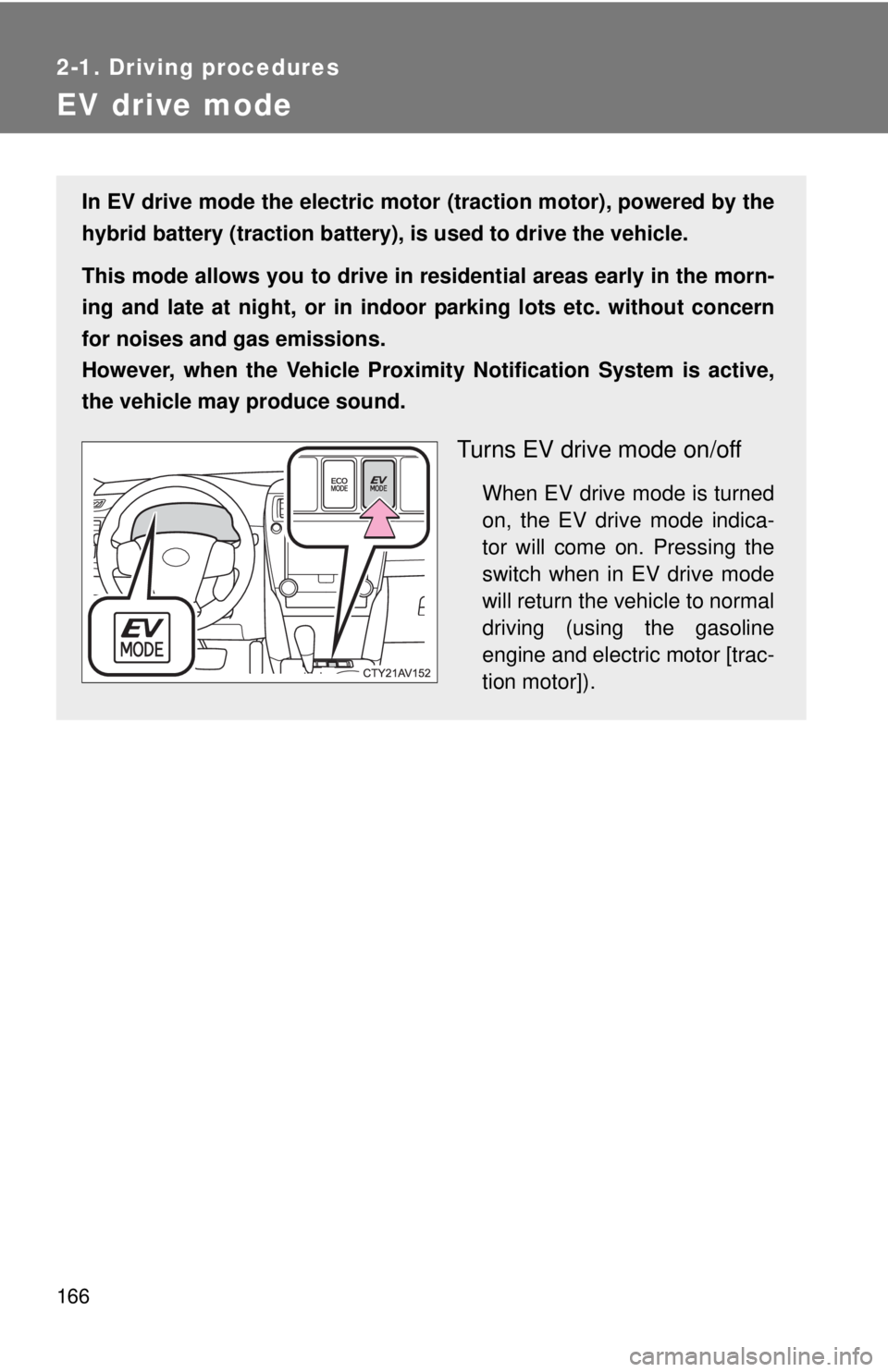
Turns EV drive mode on/off
When EV drive mode is turned
on, the EV drive mode indica-
tor will come on. Pressing the
switch when in EV drive mode
will return the vehicle to normal
driving (using the gasoline
engine and electric motor [trac-
tion motor]).
Page 167 of 536

167
2-1. Driving procedures
2
When driving
■
Switching to EV drive mode when the gasoline engine is cold
If the hybrid system is started while the gasoline engine is cold, the gasoline
engine will start automatically after a short period of time in order to warm
up. In this case, you will become unable to switch to EV drive mode.
After the hybrid system has started and the “READY” indicator has illumi-
nated, press the EV drive mode switch before the gasoline engine starts to
switch to EV drive mode.
■ Situations in which EV drive mode cannot be turned on
It may not be possible to turn EV drive mode on in the following situations. If
it cannot be turned on, a buzzer will sound and a message will be shown on
the multi-information display.
●The temperature of the hybrid system is high.
The vehicle has been left in the sun, driven on a hill, driven at high
speeds, etc.
● The temperature of the hybrid system is low.
The vehicle has been left in temperatures lower than about 68
F (20C)
for a long period of time etc.
● The gasoline engine is warming up.
● The hybrid battery (traction battery) is low.
The remaining battery level indicated in the “Energy Monitor” display is
low. ( P. 39)
● Vehicle speed is about 25 mph (40 km/h) or more.
● The accelerator pedal is depressed firmly or the vehicle is on a hill etc.
● The windshield defogger is in use.
Page 168 of 536

168 2-1. Driving procedures
■Automatic cancelation of EV drive mode
When driving in EV drive mode, the gasoline engine may automatically
restart in the following situations. When EV drive mode is canceled, a buzzer
will sound and the EV drive mode indicator will flash and go off.
●The hybrid battery (traction battery) becomes low.
The remaining battery level indicated in the “Energy Monitor” display is
low. ( P. 39)
● Vehicle speed becomes more than about 25 mph (40 km/h).
● The accelerator pedal is depressed firmly or the vehicle is on a hill etc.
■ Possible driving distance when driving in EV drive mode
EV drive mode’s possible driving di stance ranges from a few hundred yards
(a few hundred meters) to approximately 1.3 miles (2 km). Driving is possible
at speeds of less than approximately 25 mph (40 km/h). However, depend-
ing on vehicle conditions, there are situations when EV drive mode cannot
be used.
(The distance that is possible depends on the hybrid battery [traction battery]
level and driving conditions.)
■ Fuel economy
Your Toyota is designed to achieve the best possible fuel economy during
normal driving (using the gasoline engine and electric motor [traction
motor]). Driving in EV drive mode more than necessary may lower fuel econ-
omy.
CAUTION
■Caution while driving
When driving in EV drive mode no engine noise is made. As such, pedestri-
ans, people riding bicycles or other people and vehicles in the surrounding
area may not be aware of the vehicle starting off or approaching them.
Therefore, take extra care while driving even if the Vehicle Proximity Notifi-
cation System is active.
Page 169 of 536
169
2-1. Driving procedures
2
When driving
Hybrid transmission
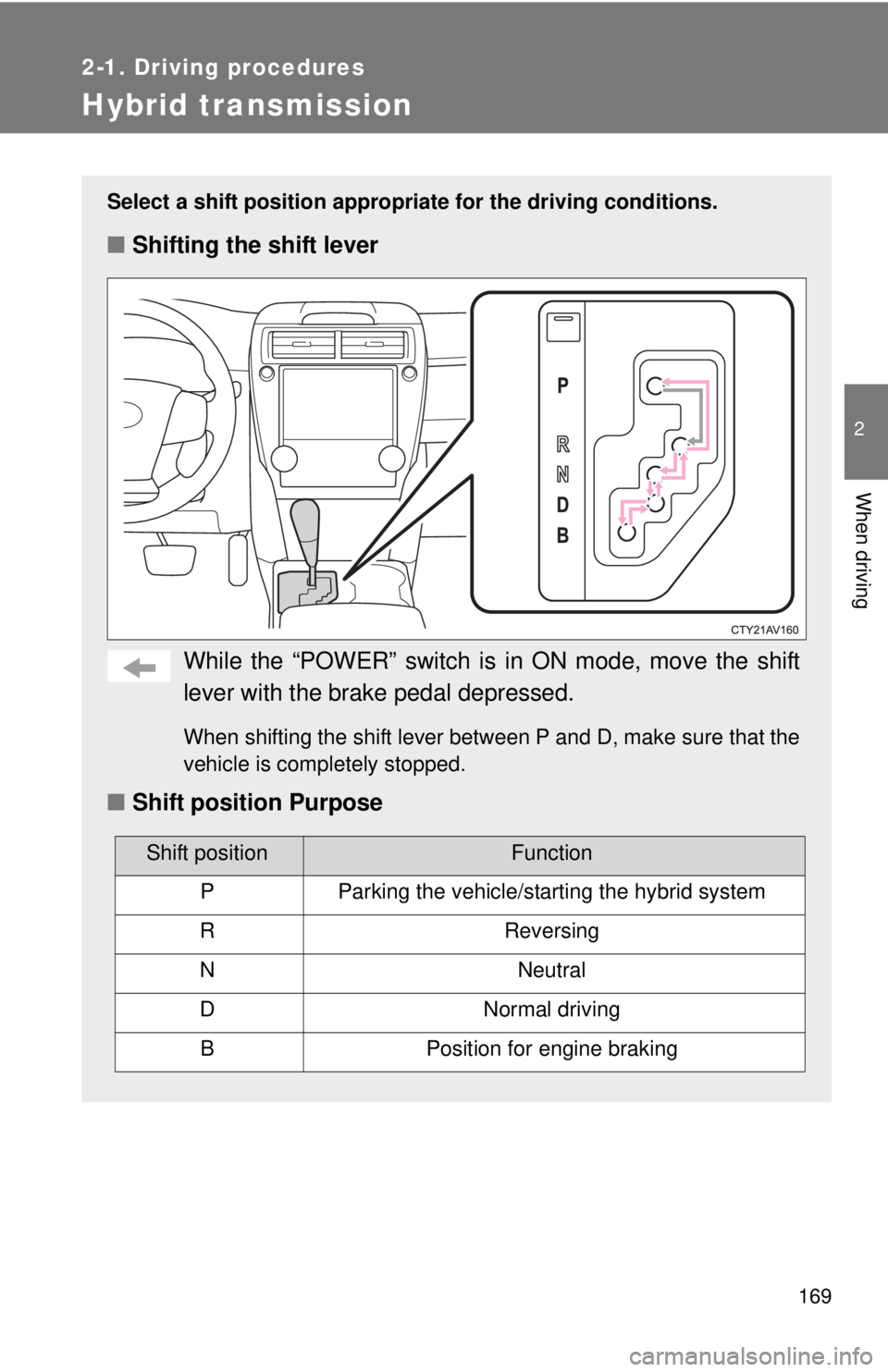
Select a shift position appropriate for the driving conditions.
■Shifting the shift lever
While the “POWER” switch is in ON mode, move the shift
lever with the brake pedal depressed.
When shifting the shift lever between P and D, make sure that the
vehicle is completely stopped.
■ Shift position Purpose
Shift positionFunction
PParking the vehicle/starting the hybrid system
RReversing
NNeutral
DNormal driving
BPosition for engine braking
Page 170 of 536
170 2-1. Driving procedures
■Operation of the air conditio ning system in Eco drive mode
Eco drive mode controls the heating/cooling operations and fan speed of the
air conditioning system to enhance fuel efficiency. ( P. 232) To improve air
conditioning performance, adjust the fan speed or turn off Eco drive mode.
■ When in heavy traffic
If the shift lever is in N, the hybrid battery (traction battery) will not be
charged. To help prevent the battery from discharging, avoid putting the shift
lever in N for an extended period of time.
■ If the shift lever cannot be shifted from P
P. 456
CAUTION
■When driving on slippery road surfaces
Do not accelerate or shift gears suddenly.
Sudden changes in engine braking may cause the vehicle to spin or skid,
resulting in an accident.
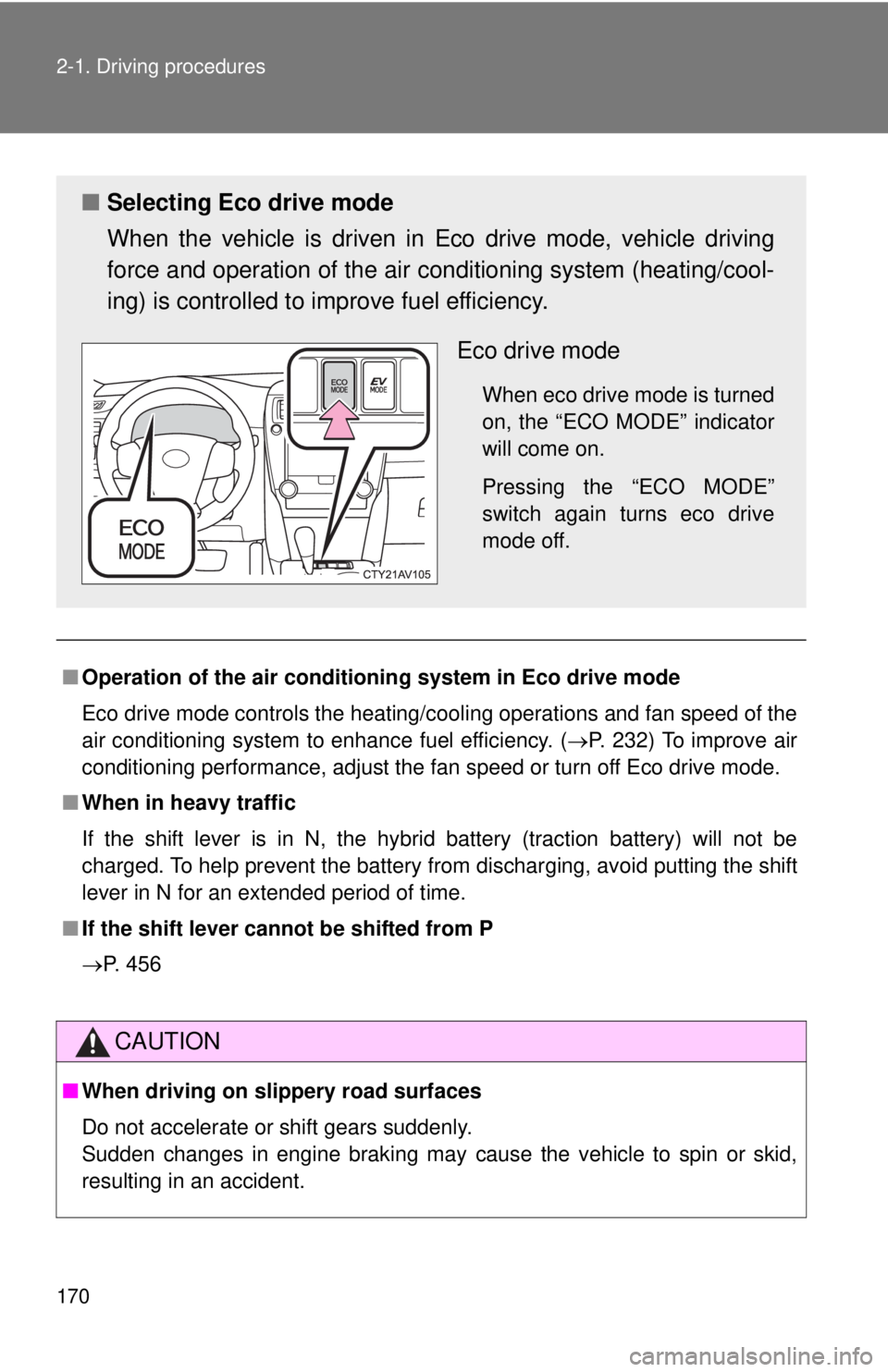
■ Selecting Eco drive mode
When the vehicle is driven in Eco drive mode, vehicle driving
force and operation of the air co nditioning system (heating/cool-
ing) is controlled to improve fuel efficiency.
Eco drive mode
When eco drive mode is turned
on, the “ECO MODE” indicator
will come on.
Pressing the “ECO MODE”
switch again turns eco drive
mode off.
Page 175 of 536
175
2-2. Instrument cluster
2
When driving
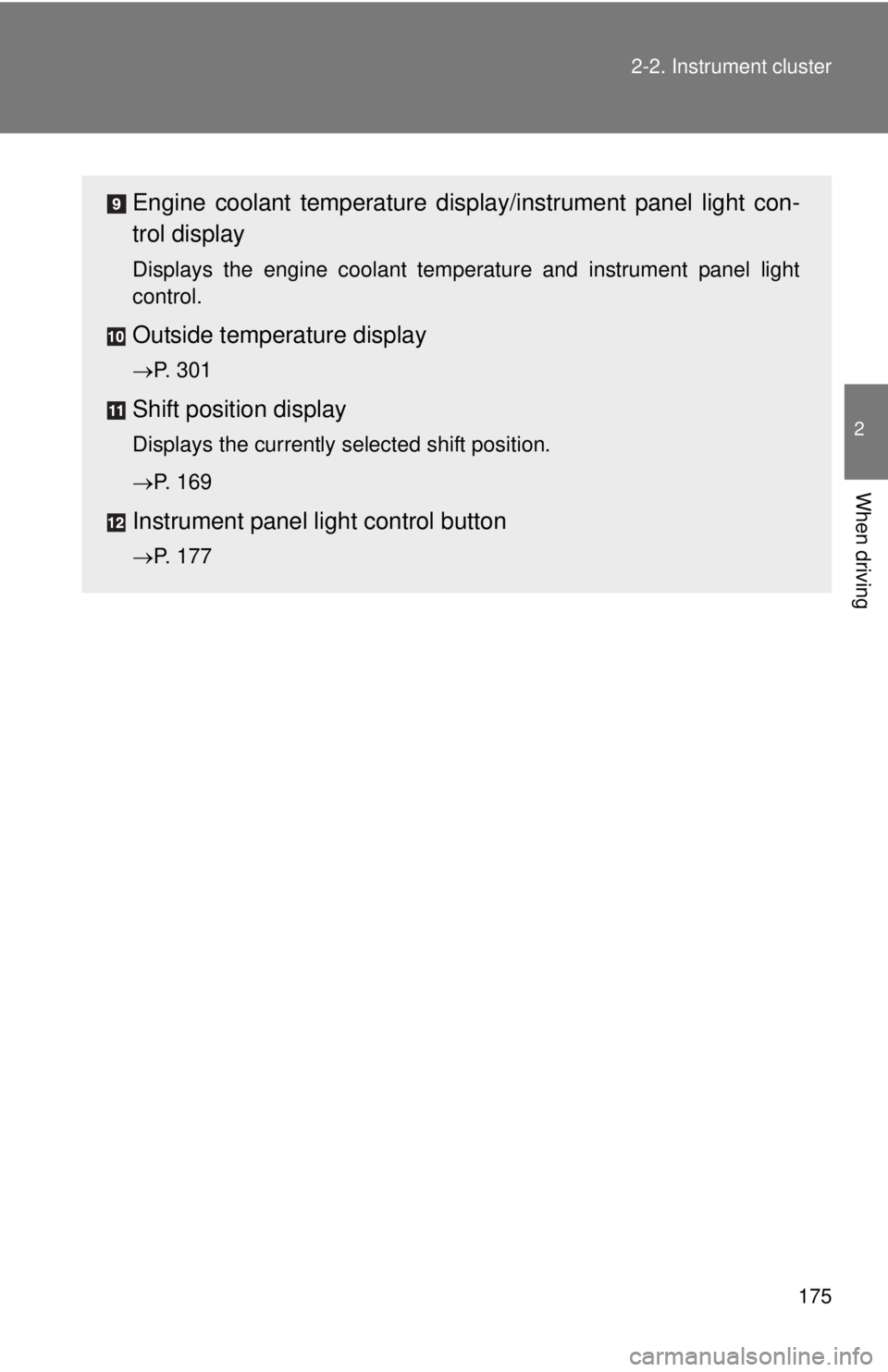
Engine coolant temperature displa
y/instrument panel light con-
trol display
Displays the engine coolant temperature and instrument panel light
control.
Outside temperature display
P. 301
Shift position display
Displays the currently selected shift position.
P. 169
Instrument panel light control button
P. 177
Page 178 of 536
178 2-2. Instrument cluster
■The meters and display illuminate when
The “POWER” switch is in ON mode.
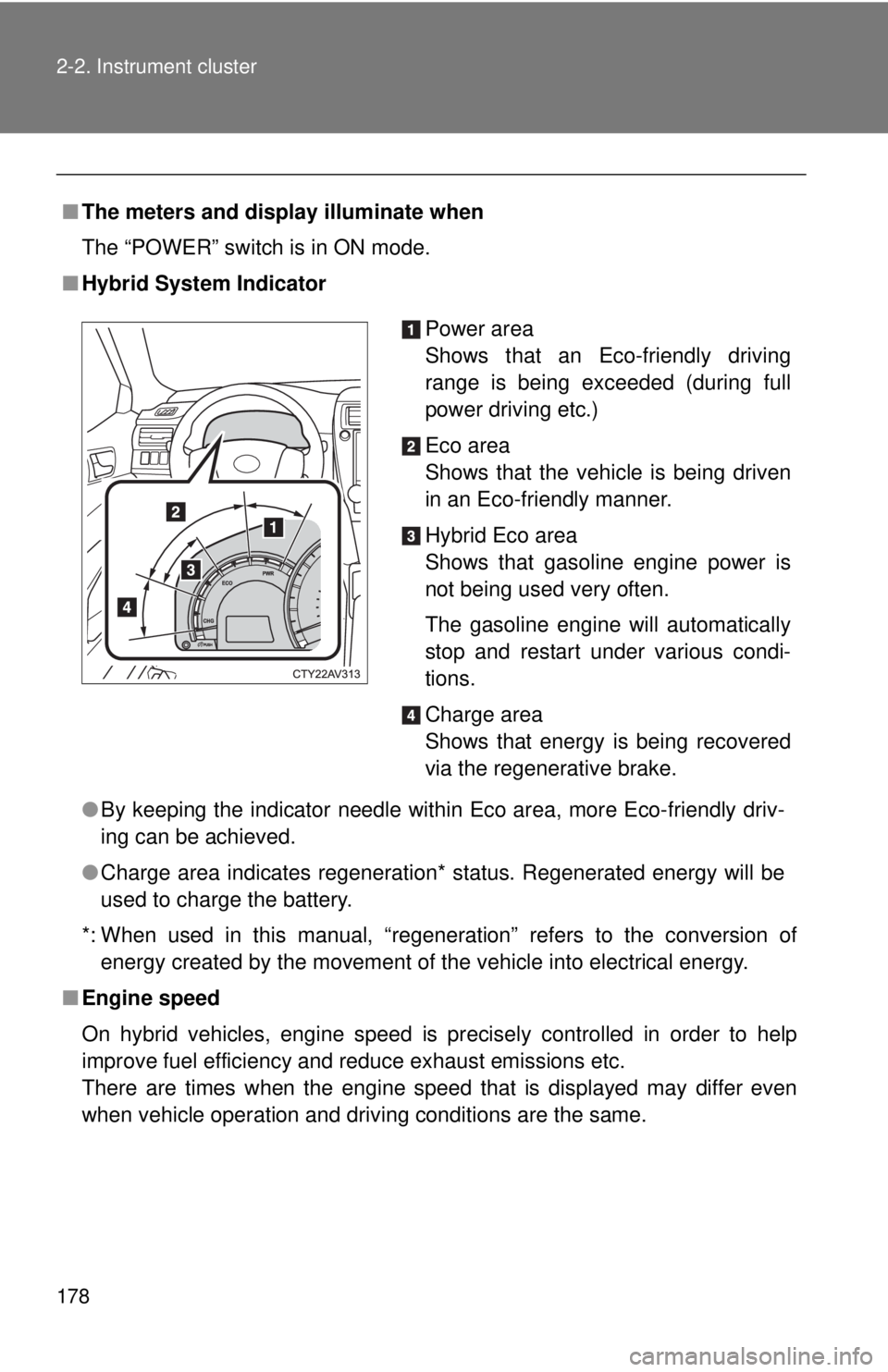
■ Hybrid System Indicator
●By keeping the indicator needle within Eco area, more Eco-friendly driv-
ing can be achieved.
● Charge area indicates regeneration* status. Regenerated energy will be
used to charge the battery.
*: When used in this manual, “regeneration” refers to the conversion of energy created by the movement of the vehicle into electrical energy.
■ Engine speed
On hybrid vehicles, engine speed is precisely controlled in order to help
improve fuel efficiency and reduce exhaust emissions etc.
There are times when the engine speed that is displayed may differ even
when vehicle operation and driving conditions are the same.
Power area
Shows that an Eco-friendly driving
range is being exceeded (during full
power driving etc.)
Eco area
Shows that the vehicle is being driven
in an Eco-friendly manner.
Hybrid Eco area
Shows that gasoline engine power is
not being used very often.
The gasoline engine will automatically
stop and restart under various condi-
tions.
Charge area
Shows that energy is being recovered
via the regenerative brake.
Page 179 of 536

179
2-2. Instrument cluster
2
When driving
■
The brightness of the instrument panel lights
When the tail lights are turned on, the meter’s brightness will be reduced
slightly unless the meter brightness level adjustment is set to the brightest
setting.
If the tail lights are turned on when the surroundings are dark, the meter’s
brightness will reduce slightly. However, when the surroundings are bright,
such as during the daytime, the meter’s brightness will not be reduced even
if the tail lights are turned on.
■ Fuel gauge and odometer/trip meter display remain on mode
After the “POWER” switch has been turned off, the fuel gauge and odome-
ter/trip meter display remain on for 10 minutes, enabling the fuel gauge and
odometer/trip meter values to be checked again without having to turn the
“POWER” switch to ON mode.
When confirming the gauges and meters, turn the headlight switch to the
position. Press the display change button to change between the
odometer and trip meter displays.
NOTICE
■ To prevent damage to the engine and its components
The engine may be overheating if the rightmost segment of the engine cool-
ant temperature display is flashing. In this case, immediately stop the vehicle
in a safe place, and check the engine after it has cooled completely.
(
P. 465)