display TOYOTA CAMRY HV 2012 Manual PDF
[x] Cancel search | Manufacturer: TOYOTA, Model Year: 2012, Model line: CAMRY HV, Model: TOYOTA CAMRY HV 2012Pages: 536, PDF Size: 6.29 MB
Page 270 of 536
270
3-2. Using the audio system
Operating a USB memor y
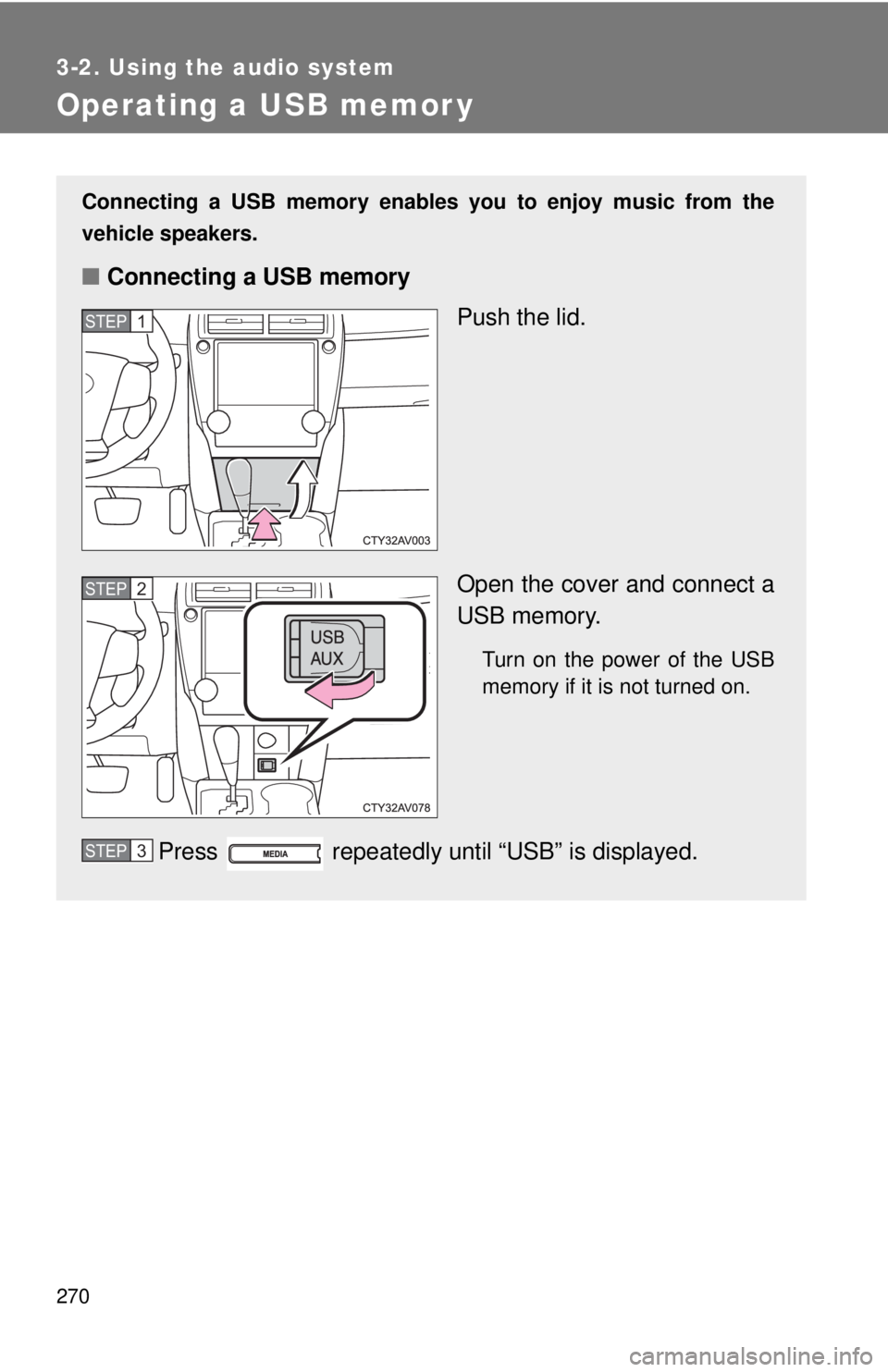
Connecting a USB memory enables you to enjoy music from the
vehicle speakers.
■Connecting a USB memory
Push the lid.
Open the cover and connect a
USB memory.
Turn on the power of the USB
memory if it is not turned on.
Press repeatedly until “USB” is displayed.
STEP1
STEP2
STEP3
Page 271 of 536
271
3-2. Using the audio system
3
Interior features
Selecting and scanning a folder
■ Selecting a folder
Press or to select the desired folder.
■ Returning to the first file of the first folder
Press and hold until you hear a beep.
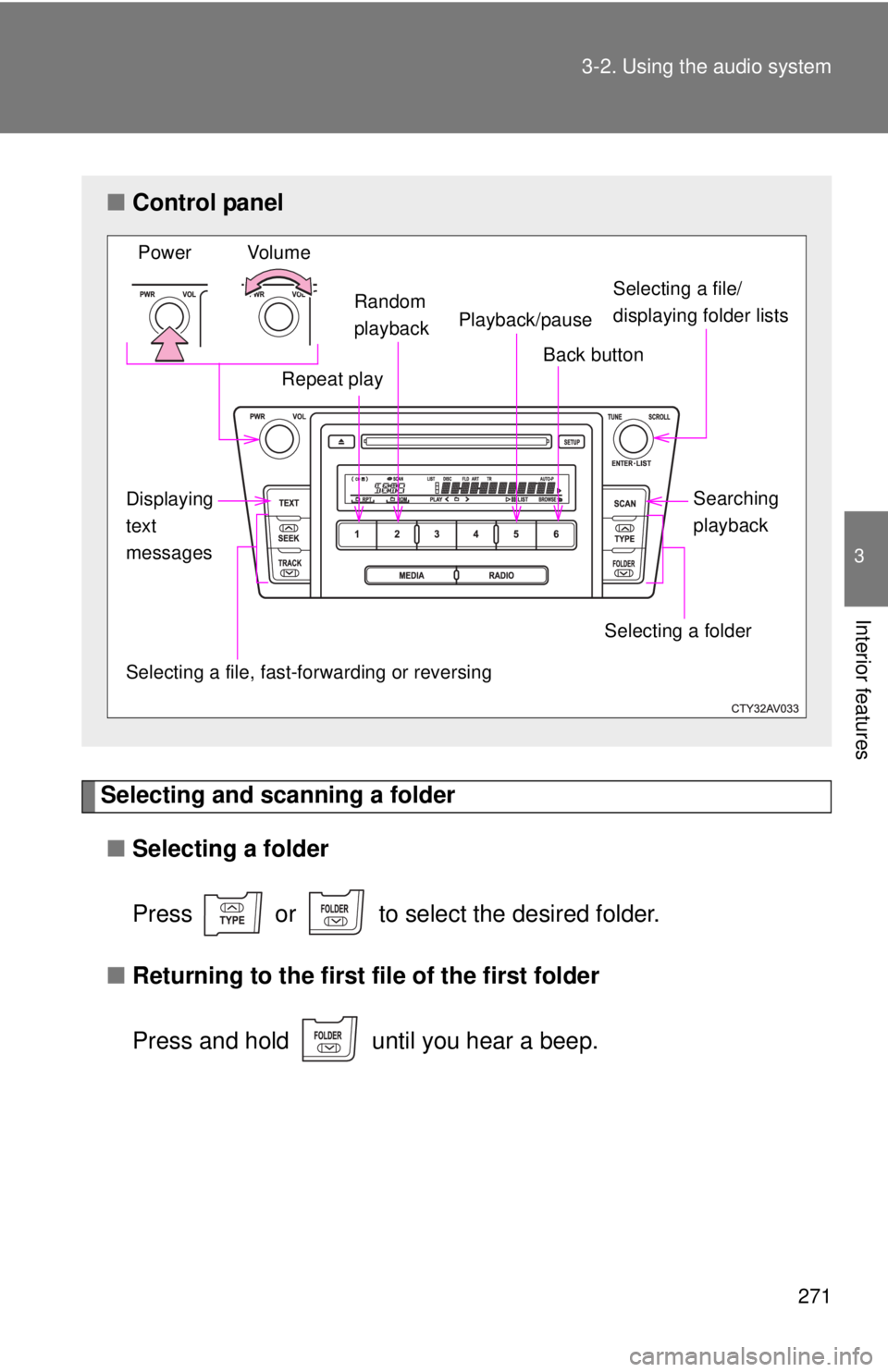
■Control panel
Selecting a file/
displaying folder lists
Repeat play
Selecting a file, fast-f orwarding or reversing
Power Volume
Back button
Selecting a folder
Random
playback
Displaying
text
messages Searching
playback
Playback/pause
Page 272 of 536
272 3-2. Using the audio system
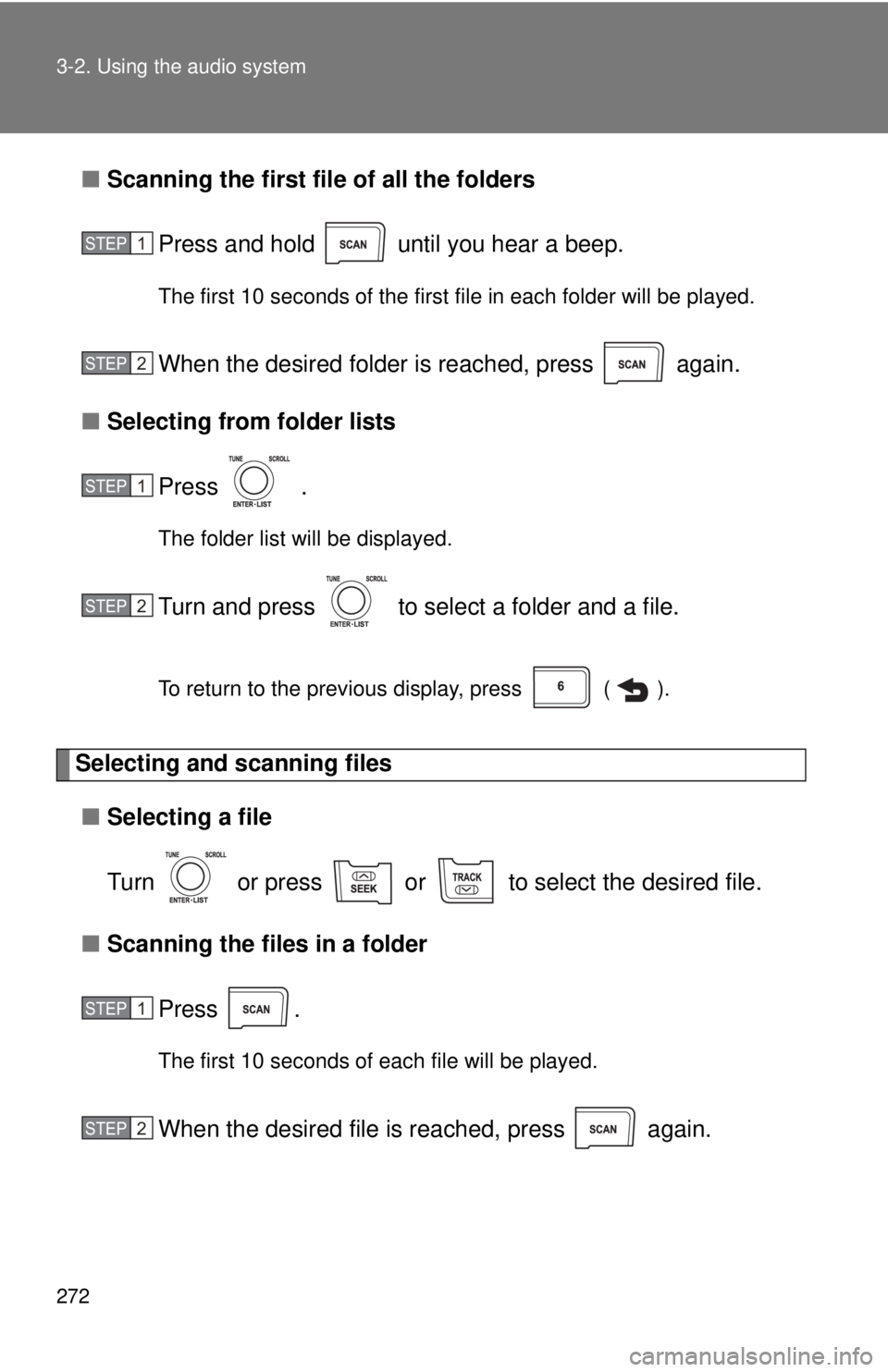
■Scanning the first file of all the folders
Press and hold until you hear a beep.
The first 10 seconds of the first file in each folder will be played.
When the desired folder is reached, press again.
■ Selecting from folder lists
Press .
The folder list will be displayed.
Turn and press to select a folder and a file.
To return to the previous display, press ( ).
Selecting and scanning files■ Selecting a file
Turn or press or to select the desired file.
■ Scanning the files in a folder
Press .
The first 10 seconds of each file will be played.
When the desired file is reached, press again.
STEP1
STEP2
STEP1
STEP2
STEP1
STEP2
Page 273 of 536
273
3-2. Using the audio system
3
Interior features
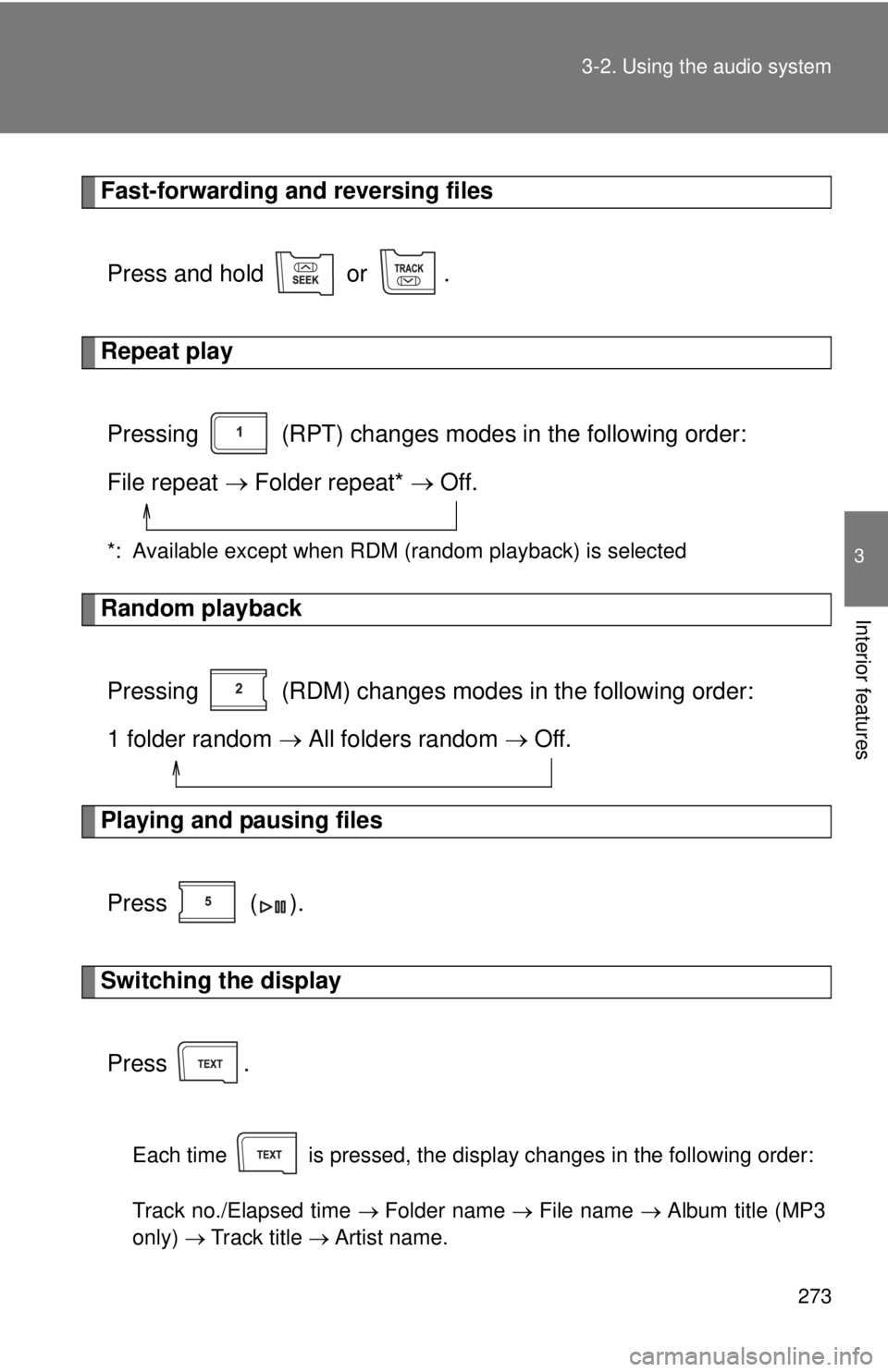
Fast-forwarding and reversing files
Press and hold or .
Repeat playPressing (RPT) changes modes in the following order:
File repeat Folder repeat* Off.
*: Available except when RDM (random playback) is selected
Random playback
Pressing (RDM) changes modes in the following order:
1 folder random All folders random Off.
Playing and pausing files
Press ( ).
Switching the displayPress .
Each time is pressed, the display changes in the following order:
Track no./Elapsed time Folder name File name Album title (MP3
only) Track title Artist name.
Page 274 of 536
274 3-2. Using the audio system
■USB memory functions
●Depending on the USB memory that is connected to the system, the
device itself may not be operable and certain functions may not be avail-
able. If the device is inoperable or a function is unavailable due to a mal-
function (as opposed to a system specification), disconnecting the device
and reconnecting it once again may resolve the problem.
● If the USB memory still does not begin operation after being discon-
nected and reconnected, format the memory.
■ Display
P. 251
■ Error messages
“ERROR”: This indicates a problem in the USB memory or its connection.
“NO MUSIC”: This indicates that no MP3/WMA files are included in the USB memory.
■ USB memory
●Compatible devices
USB memory that can be used for MP3 and WMA playback
● Compatible device formats
The following device formats can be used:
• USB communication formats: USB2.0 FS (12 Mbps)
• File formats: FAT12/16/32 (Windows)
• Correspondence class: Mass storage class
MP3 and WMA files written in any format other than those listed above
may not play correctly, and their file names and folder names may not be
displayed correctly.
Items related to standards and limitations are as follows:
• Maximum directory hierarchy: 8 levels
• Maximum number of folders in a device: 999 (including the root)
• Maximum number of files in a device: 9999
• Maximum number of files per folder: 255
Page 278 of 536
278
3-2. Using the audio system
Optimal use of the audio system
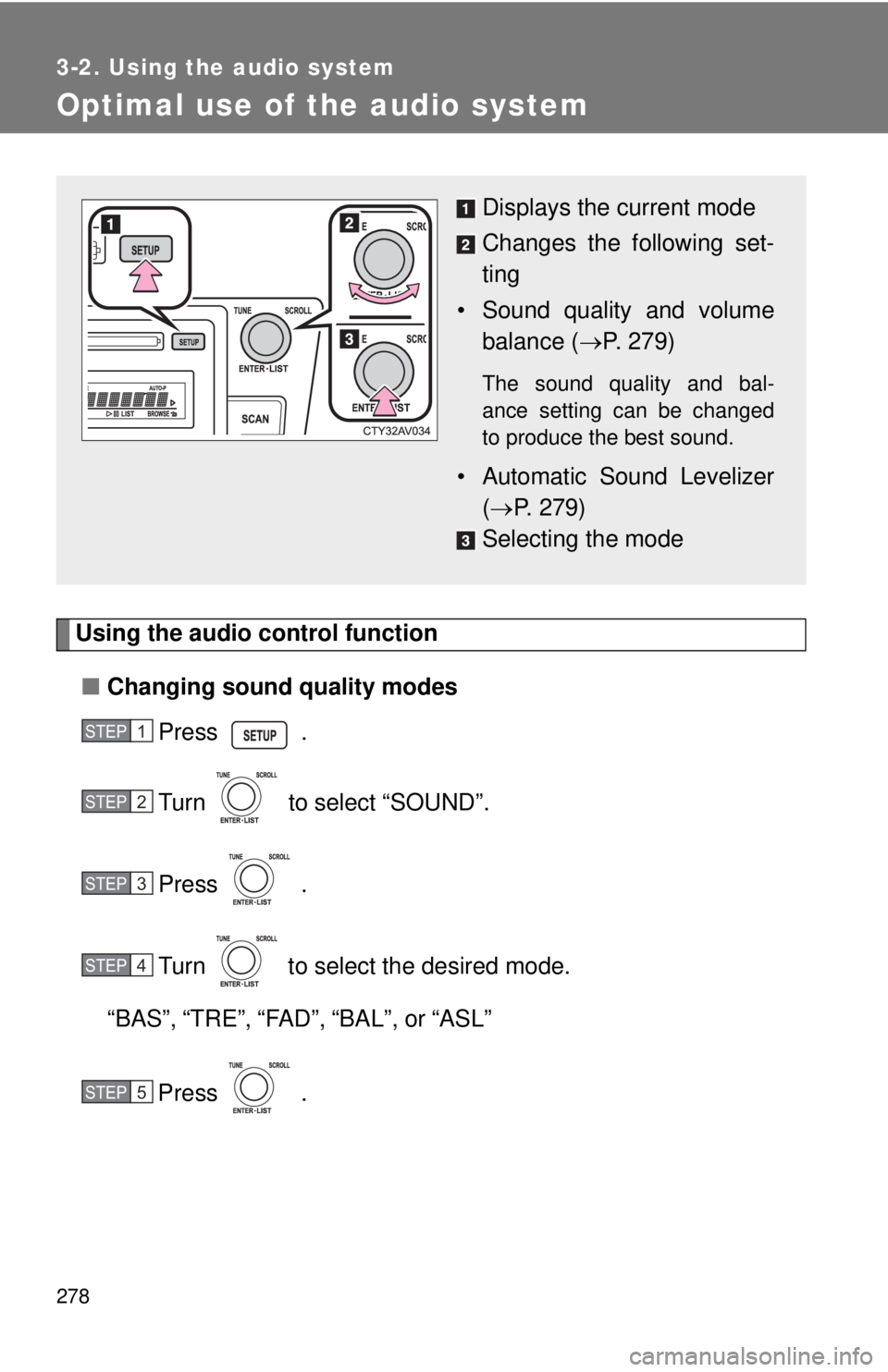
Using the audio control function■ Changing sound quality modes
Press .
Turn to select “SOUND”.
Press .
Turn to select the desired mode.
“BAS”, “TRE”, “FAD”, “BAL”, or “ASL”
Press .
Displays the current mode
Changes the following set-
ting
• Sound quality and volume balance ( P. 279)
The sound quality and bal-
ance setting can be changed
to produce the best sound.
• Automatic Sound Levelizer
( P. 279)
Selecting the mode
STEP1
STEP2
STEP3
STEP4
STEP5
Page 279 of 536
279
3-2. Using the audio system
3
Interior features
■
Adjusting sound quality
Turning adjusts the level.
*: The sound quality level is adjusted individually in each audio mode.
■Adjusting the Automatic Sound Levelizer (ASL)
When ASL is selected, turn to select the desired mode.
Once the desired mode has been selected, press .
“ASL LOW”, “ASL MID”, “ASL HIGH”, or “ASL OFF”
ASL automatically adjusts the volume and tone quality according to vehi-
cle speed.
Sound qual- ity modeMode
displayedLevelTurn to the leftTurn to the right
Bass*“BAS”-5 to 5LowHighTreble*“TRE”-5 to 5
Front/rear volume
balance
“FAD”F7 to R7Shifts to rearShifts to front
Left/right volume
balance
“BAL”L7 to R7Shifts to leftShifts to right
Page 281 of 536
281
3-2. Using the audio system
3
Interior features
Using the AUX port
■Operating portable audio devices connected to the audio system
The volume can be adjusted using the vehicle's audio controls. All other
adjustments must be made on the portable audio device itself.
■ When using a portable audio devi ce connected to the power outlet
Noise may occur during playback. Use the power source of the portable
audio device.
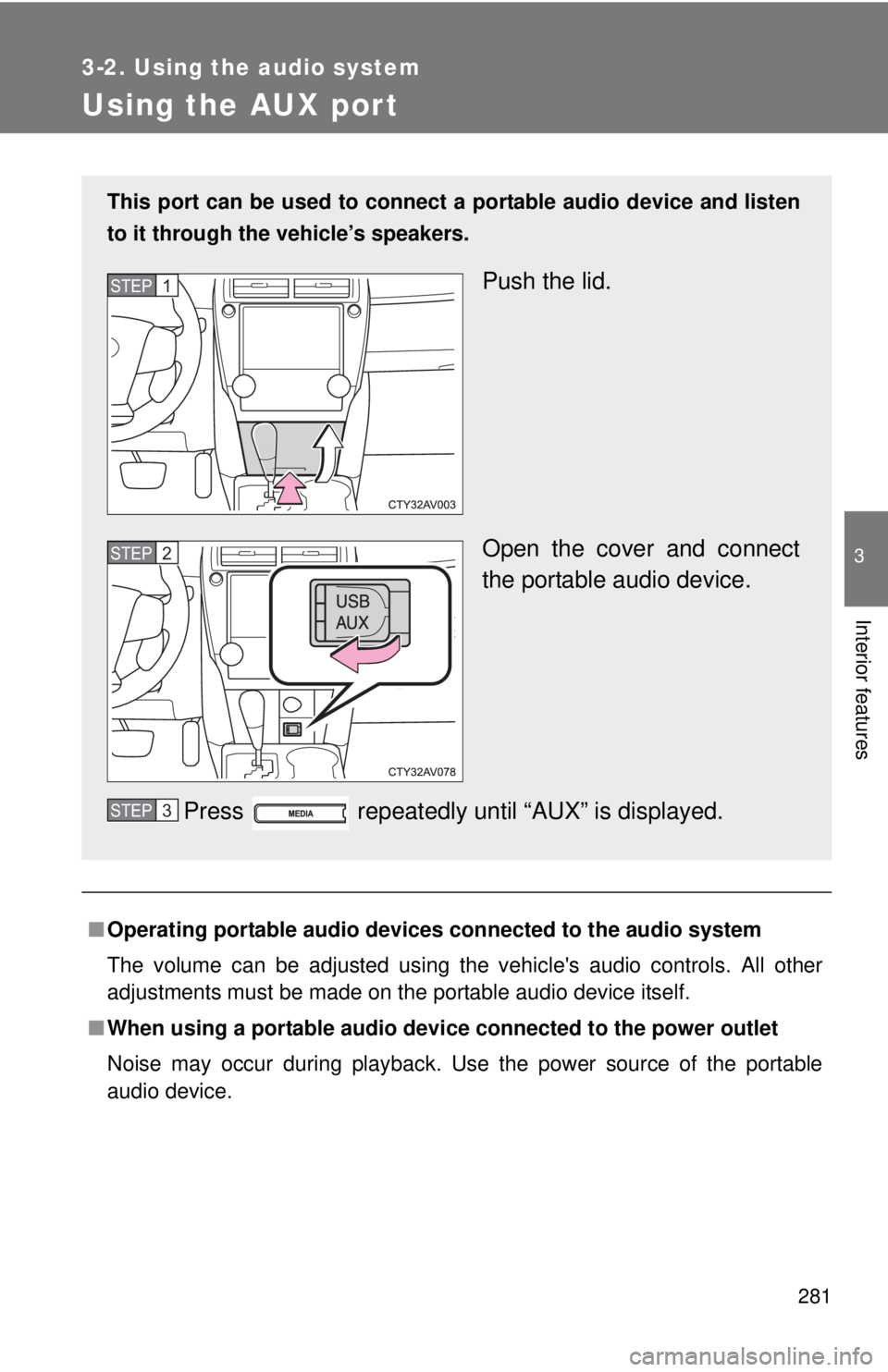
This port can be used to connect a portable audio device and listen
to it through the vehicle’s speakers.
Push the lid.
Open the cover and connect
the portable audio device.
Press repeatedly until “AUX” is displayed.STEP1
STEP2
STEP3
Page 300 of 536
300
3-5. Other interior features
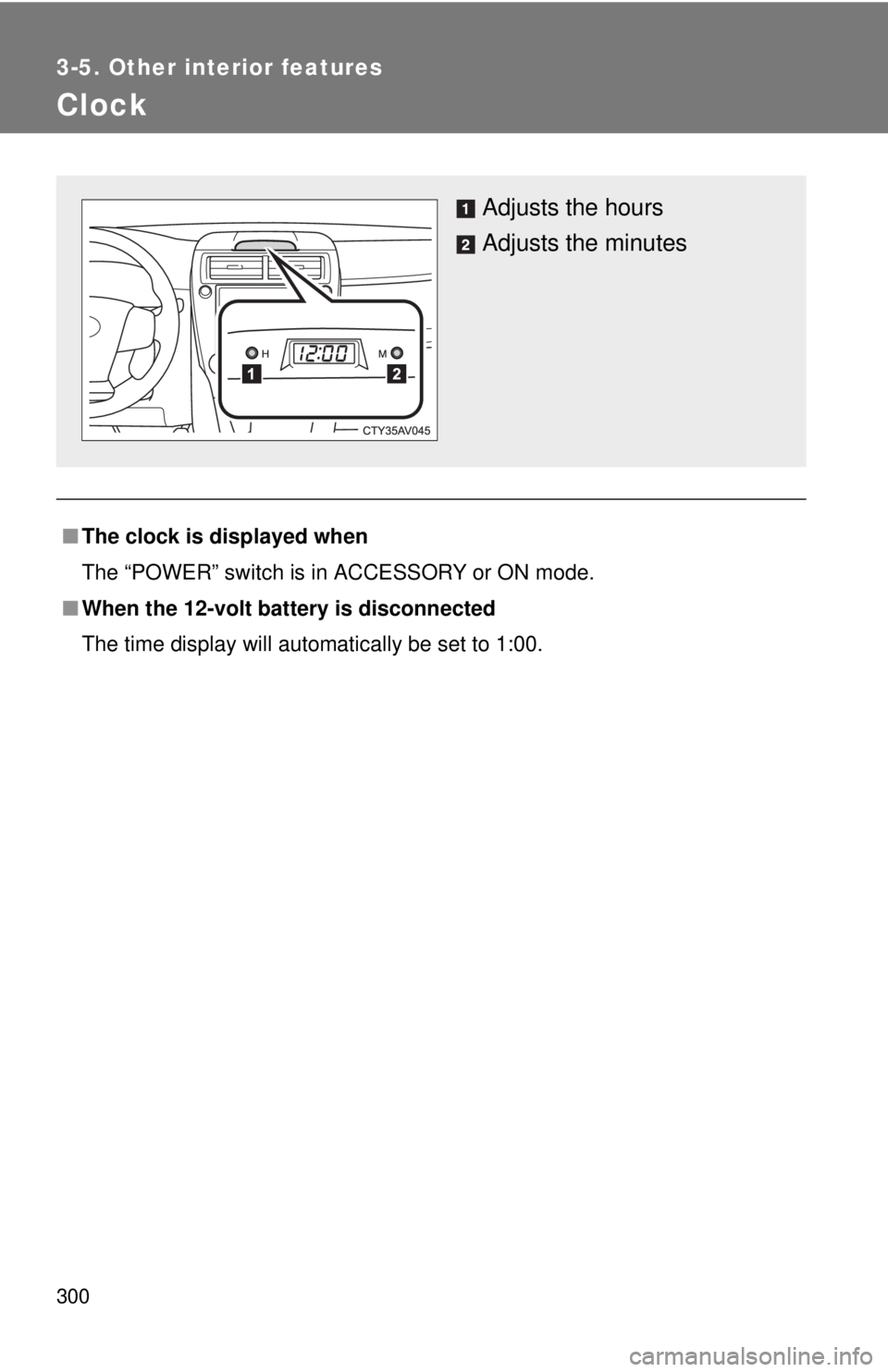
Clock
■The clock is displayed when
The “POWER” switch is in ACCESSORY or ON mode.
■ When the 12-volt battery is disconnected
The time display will automatically be set to 1:00.
Adjusts the hours
Adjusts the minutes
Page 301 of 536
301
3-5. Other interior features
3
Interior features
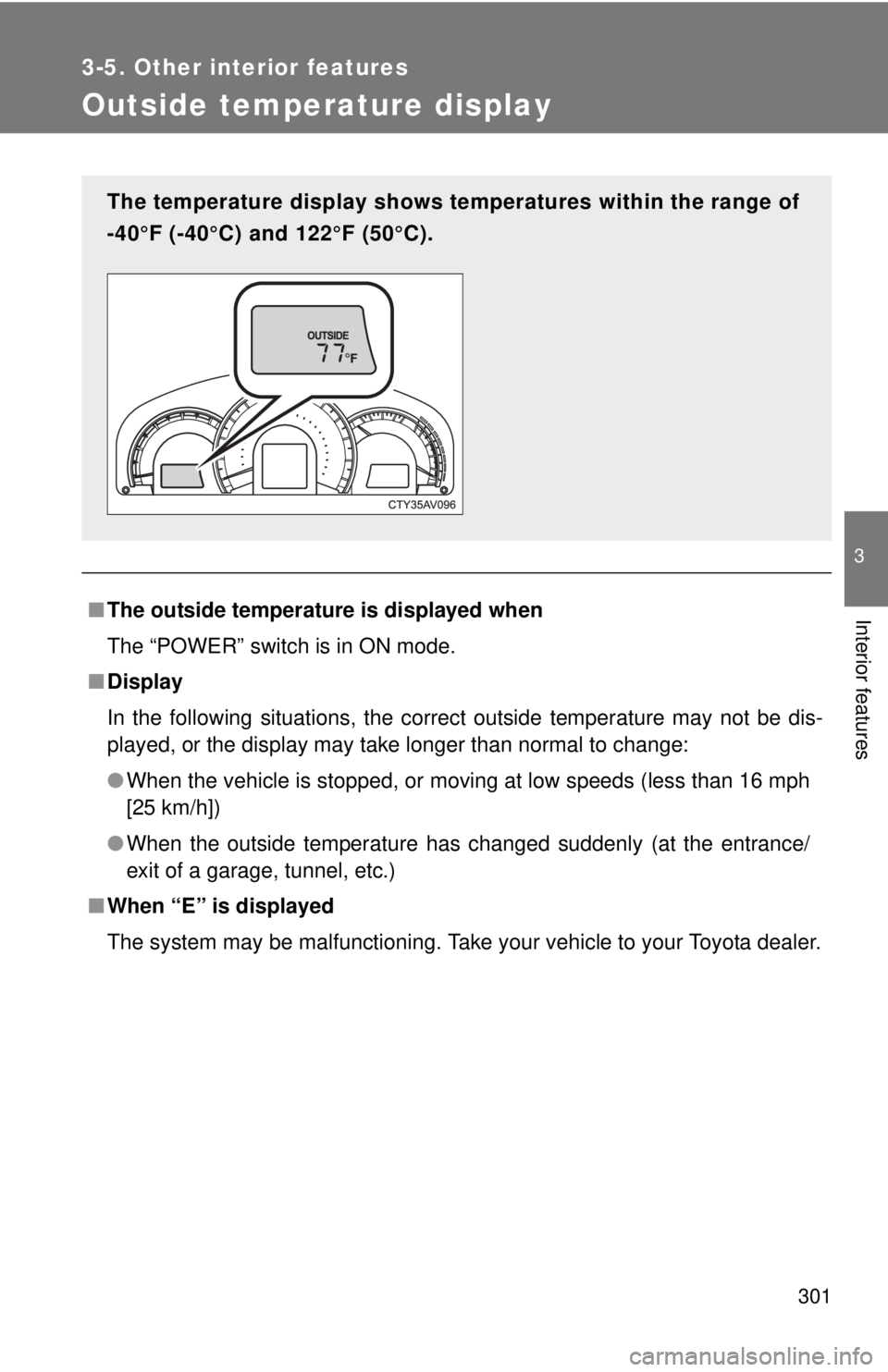
Outside temperature display
■The outside temperatur e is displayed when
The “POWER” switch is in ON mode.
■ Display
In the following situations, the correct outside temperature may not be dis-
played, or the display may take longer than normal to change:
●When the vehicle is stopped, or moving at low speeds (less than 16 mph
[25 km/h])
● When the outside temperature has changed suddenly (at the entrance/
exit of a garage, tunnel, etc.)
■ When “E” is displayed
The system may be malfunctioning. Take your vehicle to your Toyota dealer.
The temperature display shows te mperatures within the range of
-40°F (-40°C) and 122°F (50°C).