parking brake TOYOTA CAMRY HYBRID 2014 XV50 / 9.G Owner's Manual
[x] Cancel search | Manufacturer: TOYOTA, Model Year: 2014, Model line: CAMRY HYBRID, Model: TOYOTA CAMRY HYBRID 2014 XV50 / 9.GPages: 612, PDF Size: 7.26 MB
Page 230 of 612
230 2-5. Driving information
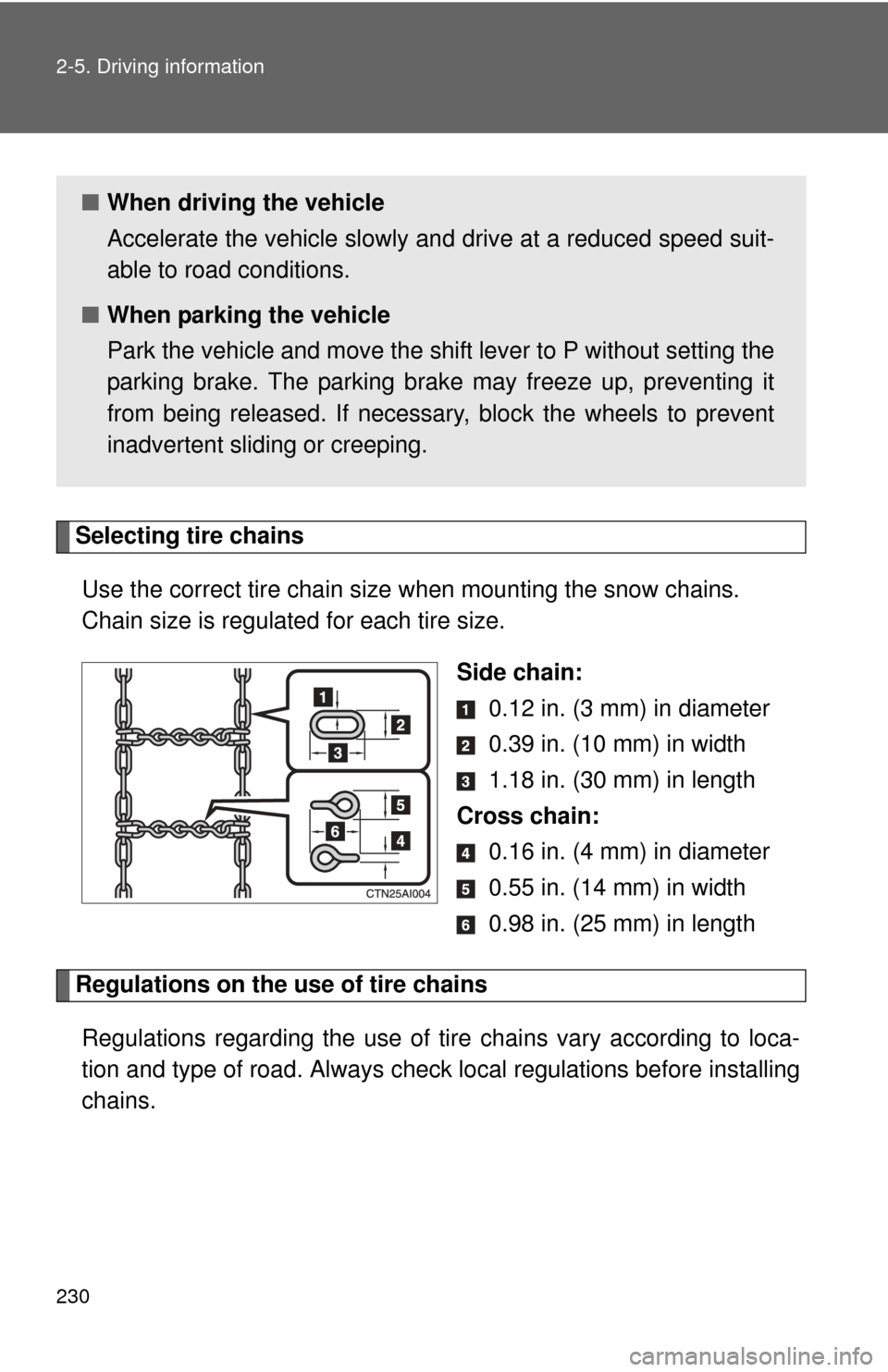
Selecting tire chainsUse the correct tire chain size when mounting the snow chains.
Chain size is regulated for each tire size.
Side chain: 0.12 in. (3 mm) in diameter
0.39 in. (10 mm) in width
1.18 in. (30 mm) in length
Cross chain: 0.16 in. (4 mm) in diameter
0.55 in. (14 mm) in width
0.98 in. (25 mm) in length
Regulations on the use of tire chains
Regulations regarding the use of tire chains vary according to loca-
tion and type of road. Always chec k local regulations before installing
chains.
■ When driving the vehicle
Accelerate the vehicle slowly and drive at a reduced speed suit-
able to road conditions.
■ When parking the vehicle
Park the vehicle and move the shift lever to P without setting the
parking brake. The parking brak e may freeze up, preventing it
from being released. If necessary , block the wheels to prevent
inadvertent sliding or creeping.
Page 362 of 612

362 3-2. Using the audio system
CAUTION
■When using the rear view monitor system
The rear view monitor system is a supplemental device intended to assist
the driver when backing up. When backing up, be sure to check visually
behind and all around the vehicle before proceeding.
Observe the following precautions to avoid an accident that could result in
death or serious injuries.
● Never depend on the rear view monitor system entirely when backing up.
The image and the position of the guide lines displayed on the screen may
differ from the actual state.
Use caution, just as you would when backing up any vehicle.
● Be sure to back up slowly, depressing the brake pedal to control vehicle
speed.
● The instructions given are only guidelines.
When and how much to turn the steering wheel will vary according to traf-
fic conditions, road surface conditions, vehicle condition, etc. when park-
ing. It is necessary to be fully aware of this before using the rear view
monitor system.
● When parking, be sure to check that the parking space will accommodate
your vehicle before maneuvering into it.
● Do not use the rear view monitor system in the following cases:
• On icy or slick road surfaces, or in snow
• When using tire chains or the compact spare tire
• When the trunk lid is not closed completely
• On roads that are not flat or straight, such as curves or slopes.
● In low temperatures, the screen may darken or the image may become
faint. The image could distort when the vehicle is moving, or you may
become unable to see the image on the screen. Be sure to check direct
visually and with the mirrors all around the vehicle before proceeding.
● If the tire sizes are changed, the position of the fixed guide lines displayed
on the screen may change.
● The camera uses a special lens. The distances between objects and
pedestrians that appear in the image displayed on the screen will differ
from the actual distances.
Page 419 of 612

419
4-2. Maintenance
4
Maintenance and care
Vehicle interior
ItemsCheck points
Accelerator pedal • The accelerator pedal should
move smoothly (without uneven
pedal effort or catching).
Brake pedal • Does the brake pedal move
smoothly?
• Does the brake pedal have appro- priate clearance from the floor? (P. 557)
• Does the brake pedal have the correct amount of free play? (P. 557)
Brakes • The vehicle should not pull to one
side when the brakes are applied.
• The brakes should work effec- tively.
• The brake pedal should not feel spongy.
• The brake pedal should not get too close to the floor when the
brakes are applied.
Head restraints (front seat) • Do the head restraints move
smoothly and lock securely?
Hybrid transmission “Park” mech-
anism • When parked on a slope and the
parking brake is on, is the vehicle
securely stopped?
Indicators/buzzers • Do the indicators and buzzers
function properly?
Lights • Do all the lights come on?
Parking brake • Does the parking brake pedal
move smoothly?
• When parked on a slope and the parking brake is on, is the vehicle
securely stopped?
Page 428 of 612
428 4-3. Do-it-yourself maintenance
CAUTION
■When raising your vehicle
Make sure to observe the following precautions to reduce the possibility of
death or serious injury:
●When using a floor jack, follow the instructions of the manual provided with
the jack.
● Do not use the jack that was supplied with your vehicle.
● Do not put any part of your body underneath the vehicle when it is sup-
ported only by the floor jack.
● Always use floor jack and/or automotive jack stands on a solid, flat, level
surface.
● Do not start the hybrid system while the vehicle is supported by the floor
jack.
● Stop the vehicle on level, firm ground, set the parking brake and shift the
shift lever to P.
● Make sure to set the floor jack properly at the jack point.
Raising the vehicle with an improperly positioned floor jack will damage
the vehicle and may cause the vehicle to fall off the floor jack.
● Do not raise the vehicle while someone is in the vehicle.
● When raising the vehicle, do not place any objects on top of or underneath
the floor jack.
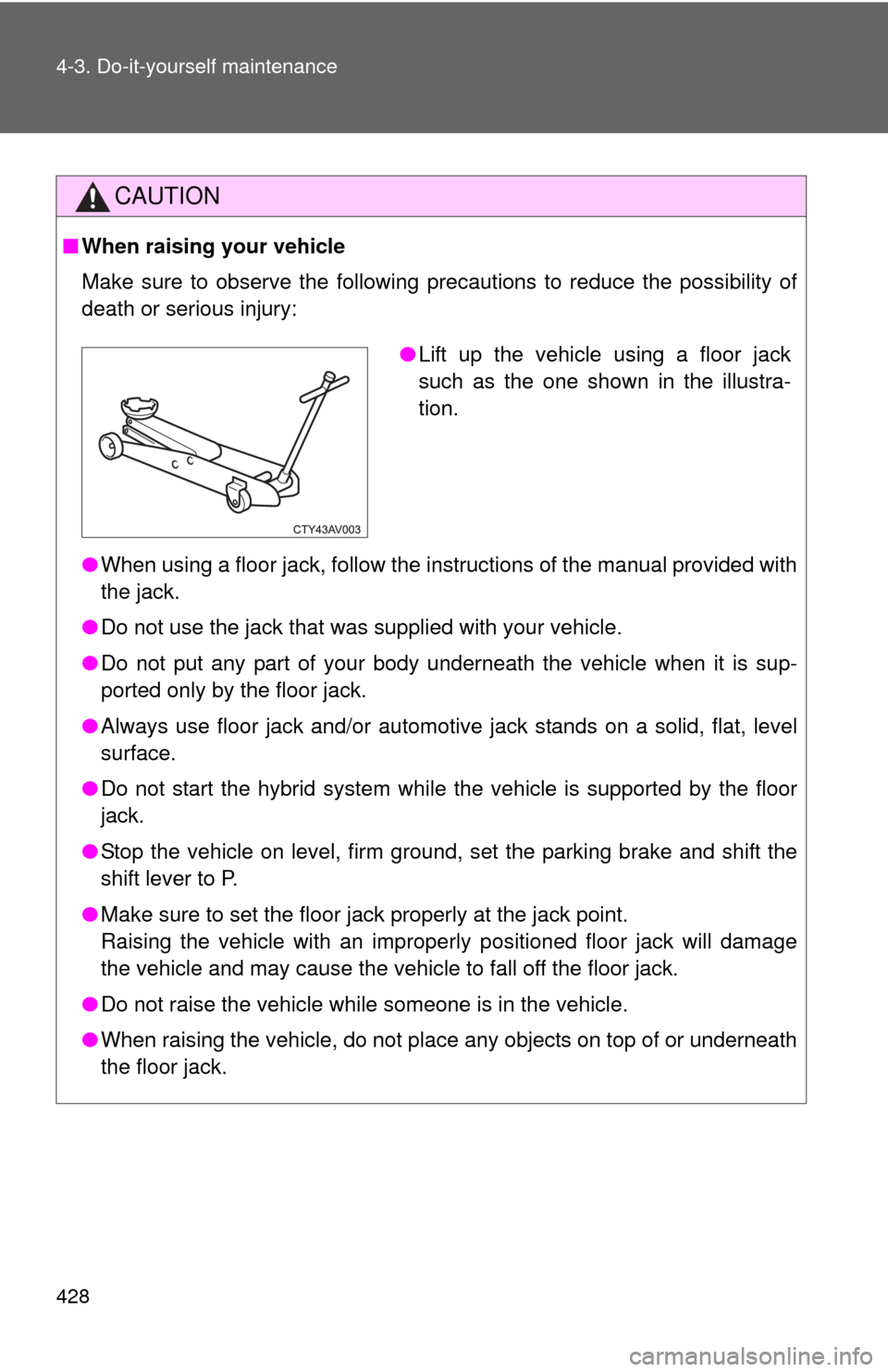
●Lift up the vehicle using a floor jack
such as the one shown in the illustra-
tion.
Page 467 of 612
467
4-3. Do-it-yourself maintenance
4
Maintenance and care
■
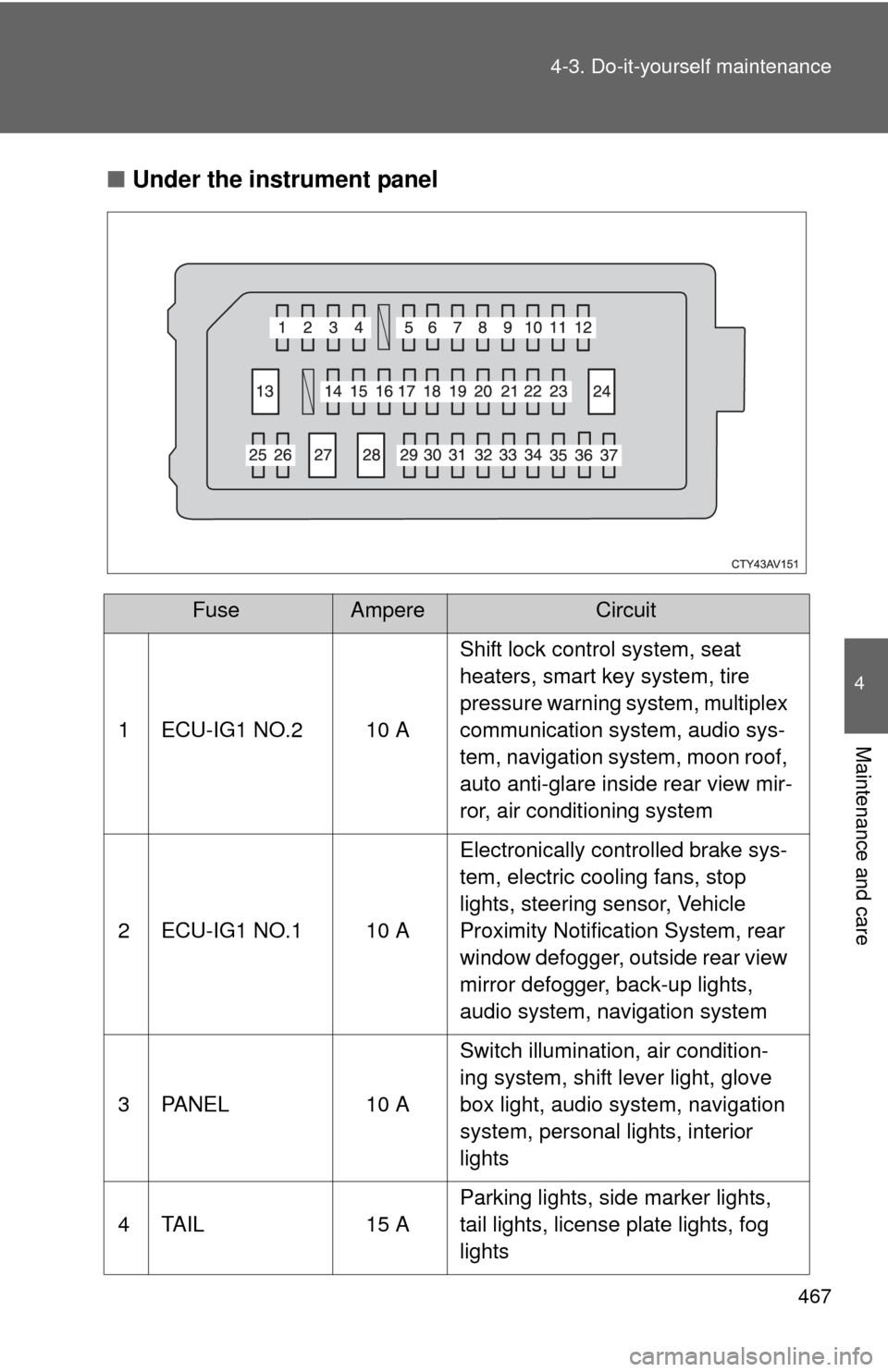
Under the instrument panel
FuseAmpereCircuit
1 ECU-IG1 NO.2 10 A Shift lock control system, seat
heaters, smart key system, tire
pressure warning system, multiplex
communication system, audio sys-
tem, navigation system, moon roof,
auto anti-glare inside rear view mir-
ror, air conditioning system
2 ECU-IG1 NO.1 10 A Electronically controlled brake sys-
tem, electric cooling fans, stop
lights, steering sensor, Vehicle
Proximity Notification System, rear
window defogger, outside rear view
mirror defogger, back-up lights,
audio system, navigation system
3 PANEL 10 A Switch illumination, air condition-
ing system, shift lever light, glove
box light, audio system, navigation
system, personal lights, interior
lights
4 TAIL 15 A Parking lights, side marker lights,
tail lights, license plate lights, fog
lights
Page 486 of 612
486 5-1. Essential information
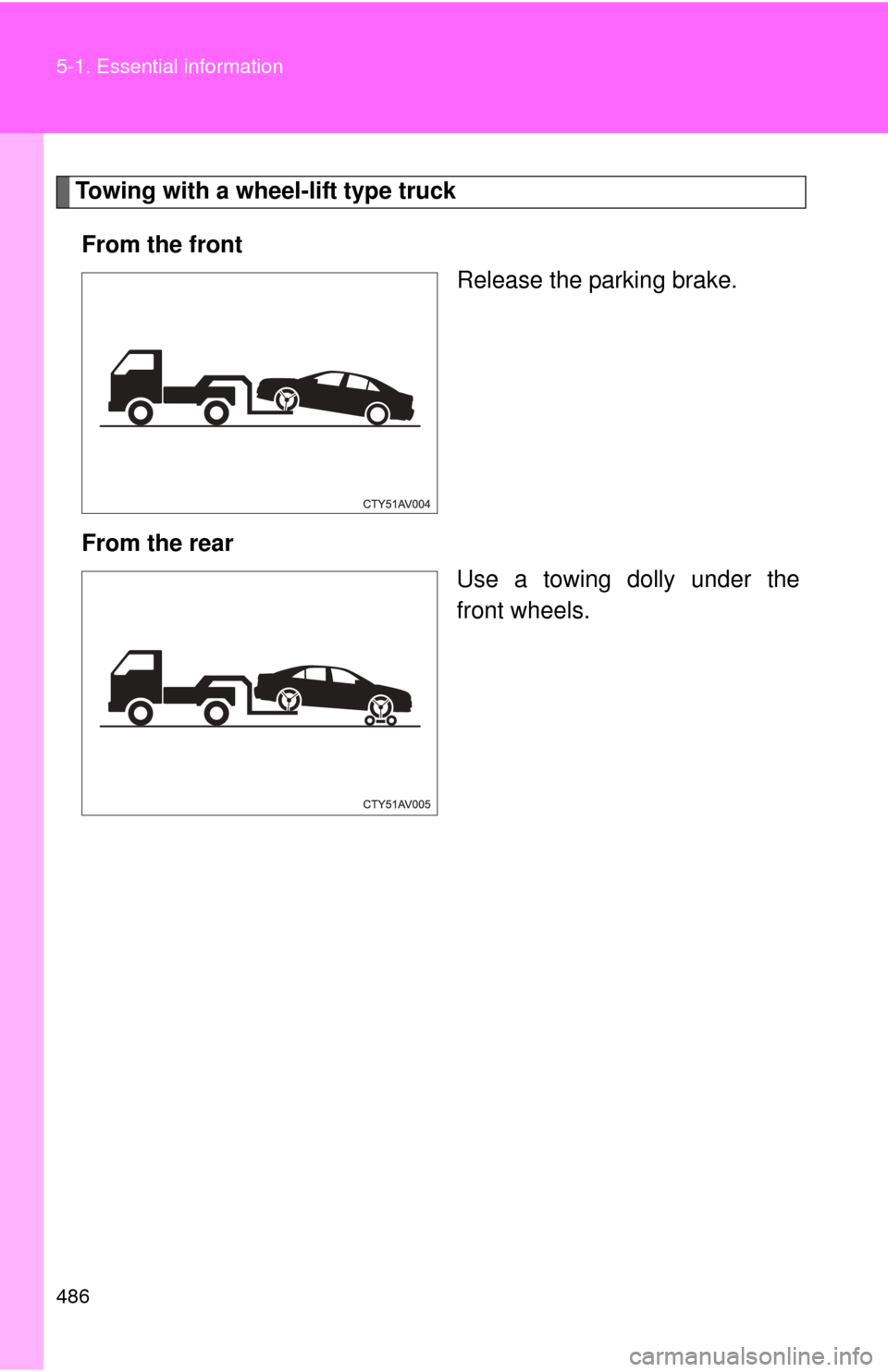
Towing with a wheel-lift type truckFrom the front Release the parking brake.
From the rear Use a towing dolly under the
front wheels.
Page 490 of 612
490
5-2. Steps to take in an emergency
If a war ning light tur ns on or a war ning buzzer sounds...
Stop the vehicle immediately. Continuing to drive the vehicle may be dangerous.
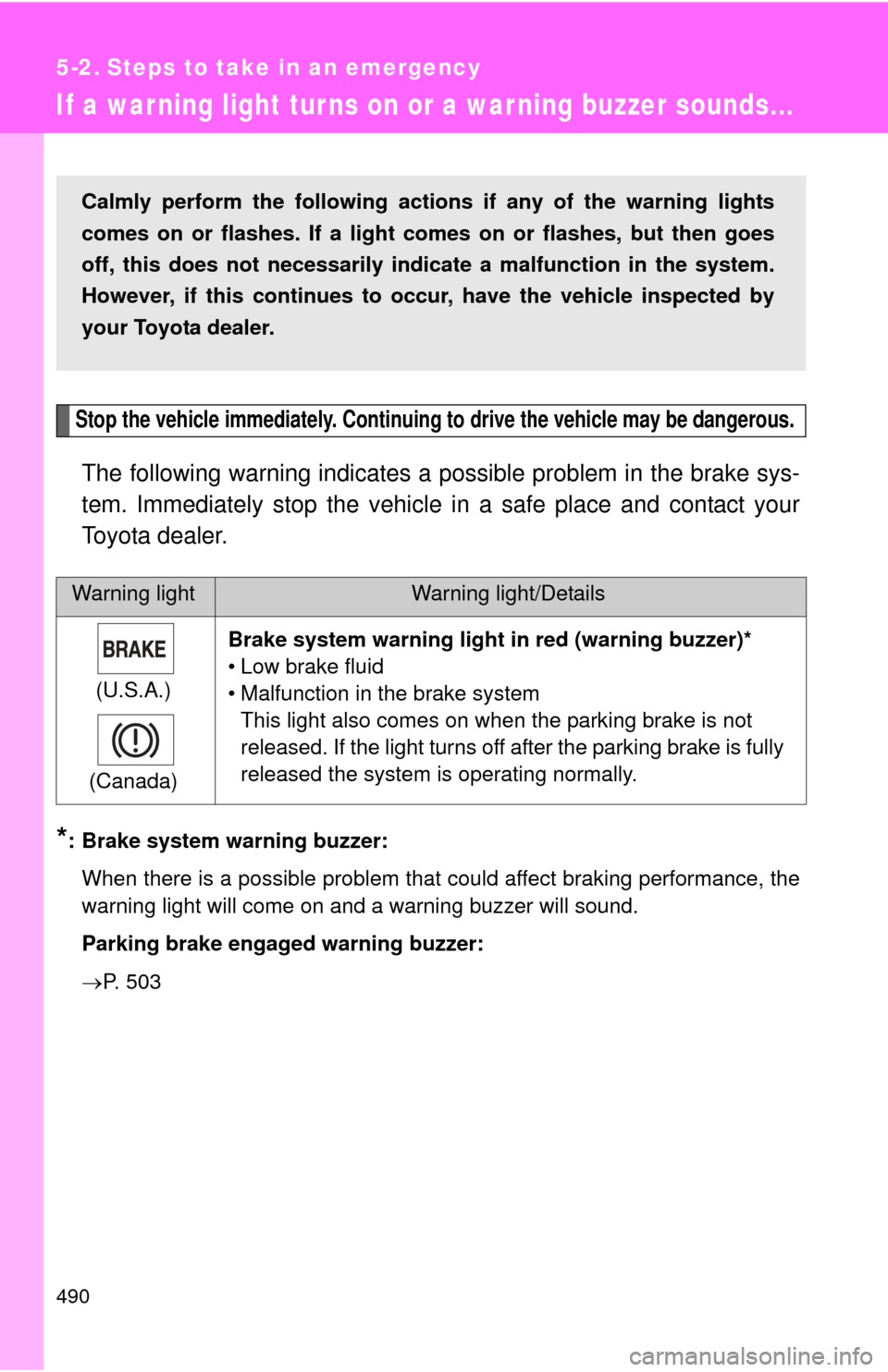
The following warning indicates a possible problem in the brake sys-
tem. Immediately stop the vehicle in a safe place and contact your
Toyota dealer.
*: Brake system warning buzzer:
When there is a possible problem that could affect braking performance, the
warning light will come on and a warning buzzer will sound.
Parking brake engaged warning buzzer:
P. 503
Warning lightWarning light/Details
(U.S.A.)
(Canada) Brake system warning light
in red (warning buzzer)*
• Low brake fluid
• Malfunction in the brake system This light also comes on when the parking brake is not
released. If the light turns off after the parking brake is fully
released the system is operating normally.
Calmly perform the following actio ns if any of the warning lights
comes on or flashes. If a light comes on or flashes, but then goes
off, this does not necessarily indicate a malfunction in the system.
However, if this continues to o ccur, have the vehicle inspected by
your Toyota dealer.
Page 505 of 612
5
When trouble arises
505
5-2. Steps to take in an emergency
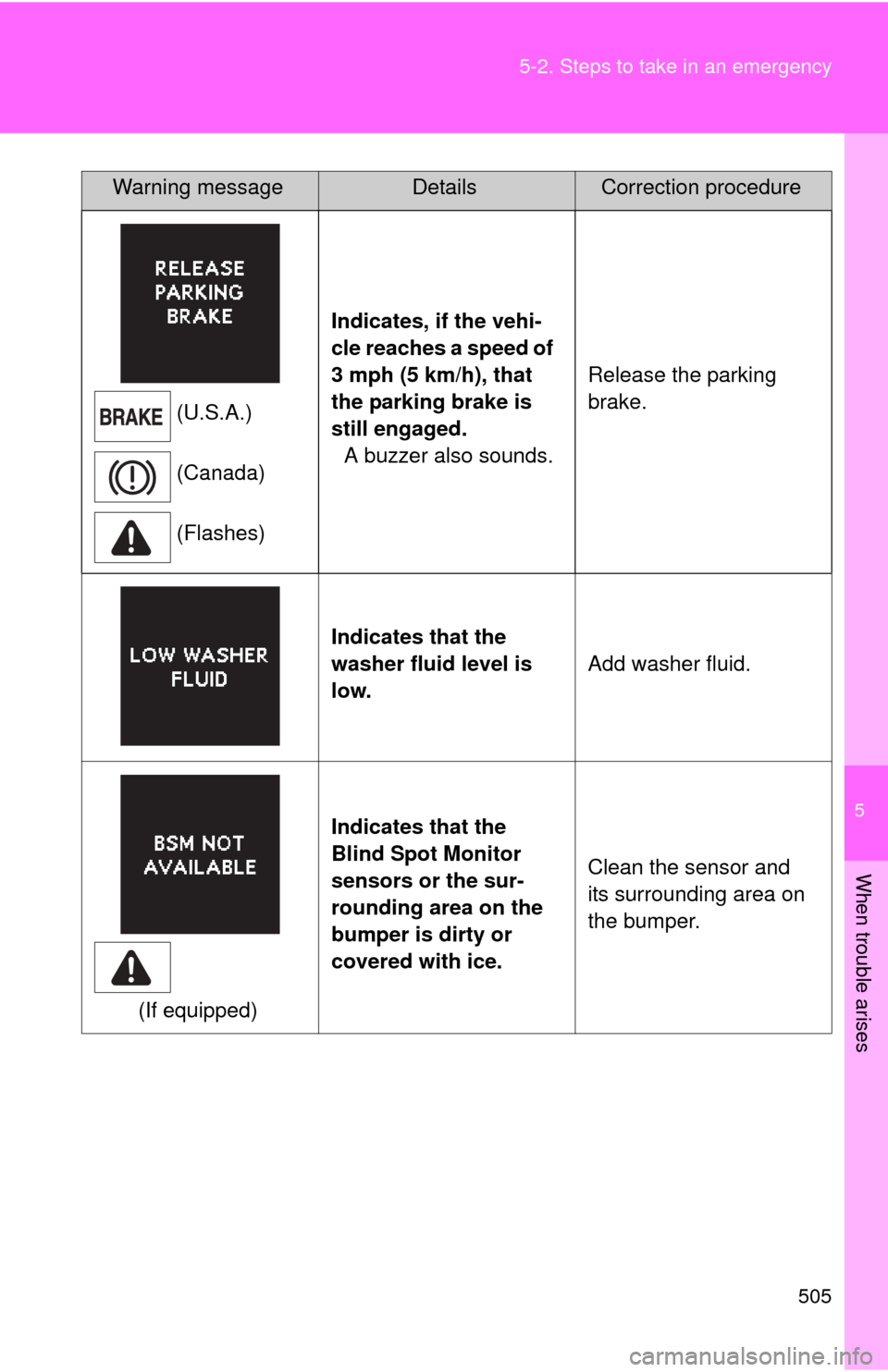
(U.S.A.)
(Canada)
(Flashes)
Indicates, if the vehi-
cle reaches a speed of
3 mph (5 km/h), that
the parking brake is
still engaged.
A buzzer also sounds. Release the parking
brake.
Indicates that the
washer fluid level is
low. Add washer fluid.
(If equipped) Indicates that the
Blind Spot Monitor
sensors or the sur-
rounding area on the
bumper is dirty or
covered with ice.
Clean the sensor and
its surrounding area on
the bumper.
Warning messageDetailsCorrection procedure
Page 519 of 612
5
When trouble arises
519
5-2. Steps to take in an emergency
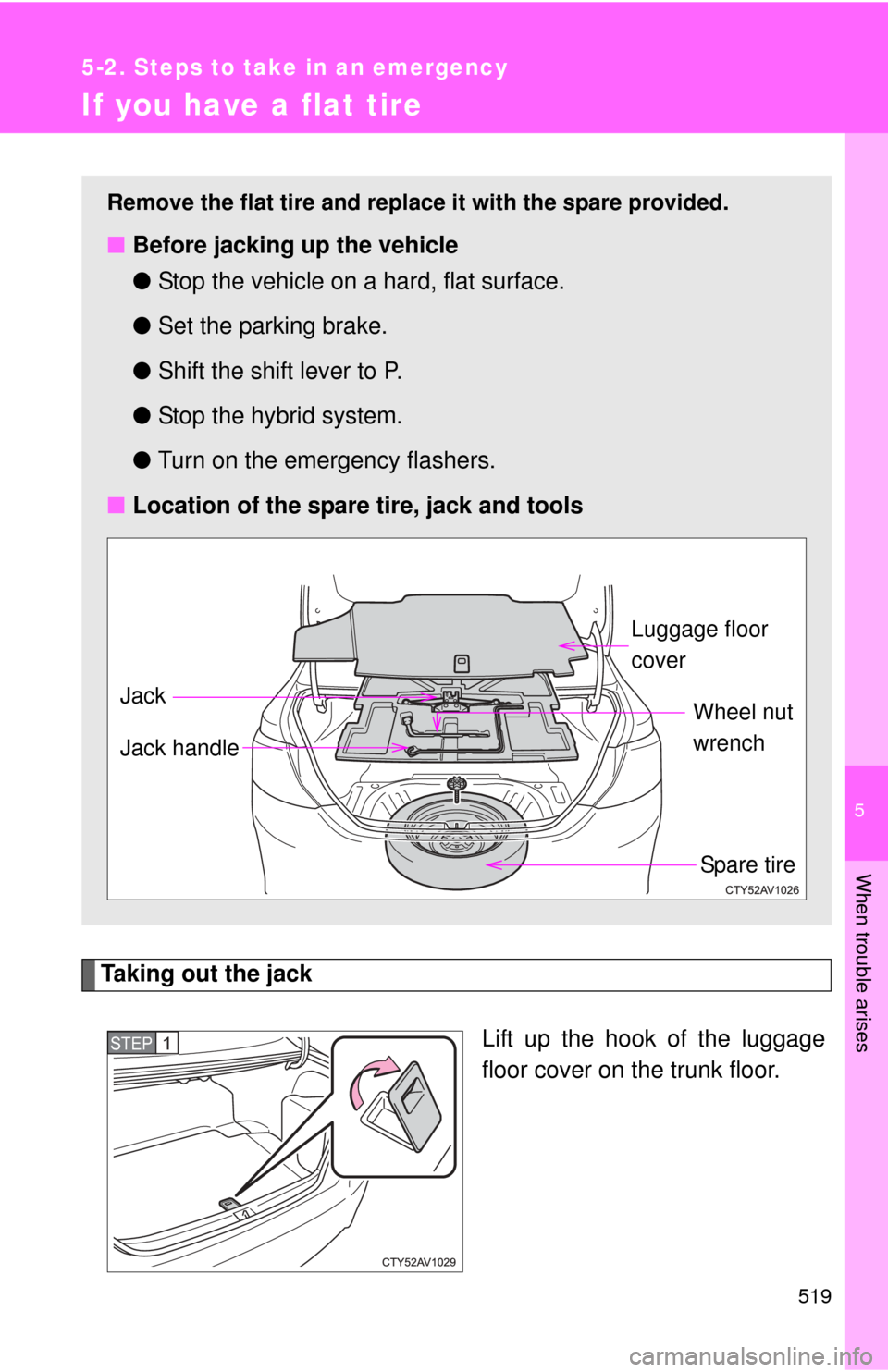
If you have a flat tire
Taking out the jackLift up the hook of the luggage
floor cover on the trunk floor.
Remove the flat tire and replace it with the spare provided.
■Before jacking up the vehicle
●Stop the vehicle on a hard, flat surface.
● Set the parking brake.
● Shift the shift lever to P.
● Stop the hybrid system.
● Turn on the emergency flashers.
■ Location of the spare tire, jack and tools
Spare tire
Wheel nut
wrench
Jack Luggage floor
cover
Jack handle
STEP1
Page 532 of 612
532 5-2. Steps to take in an emergency
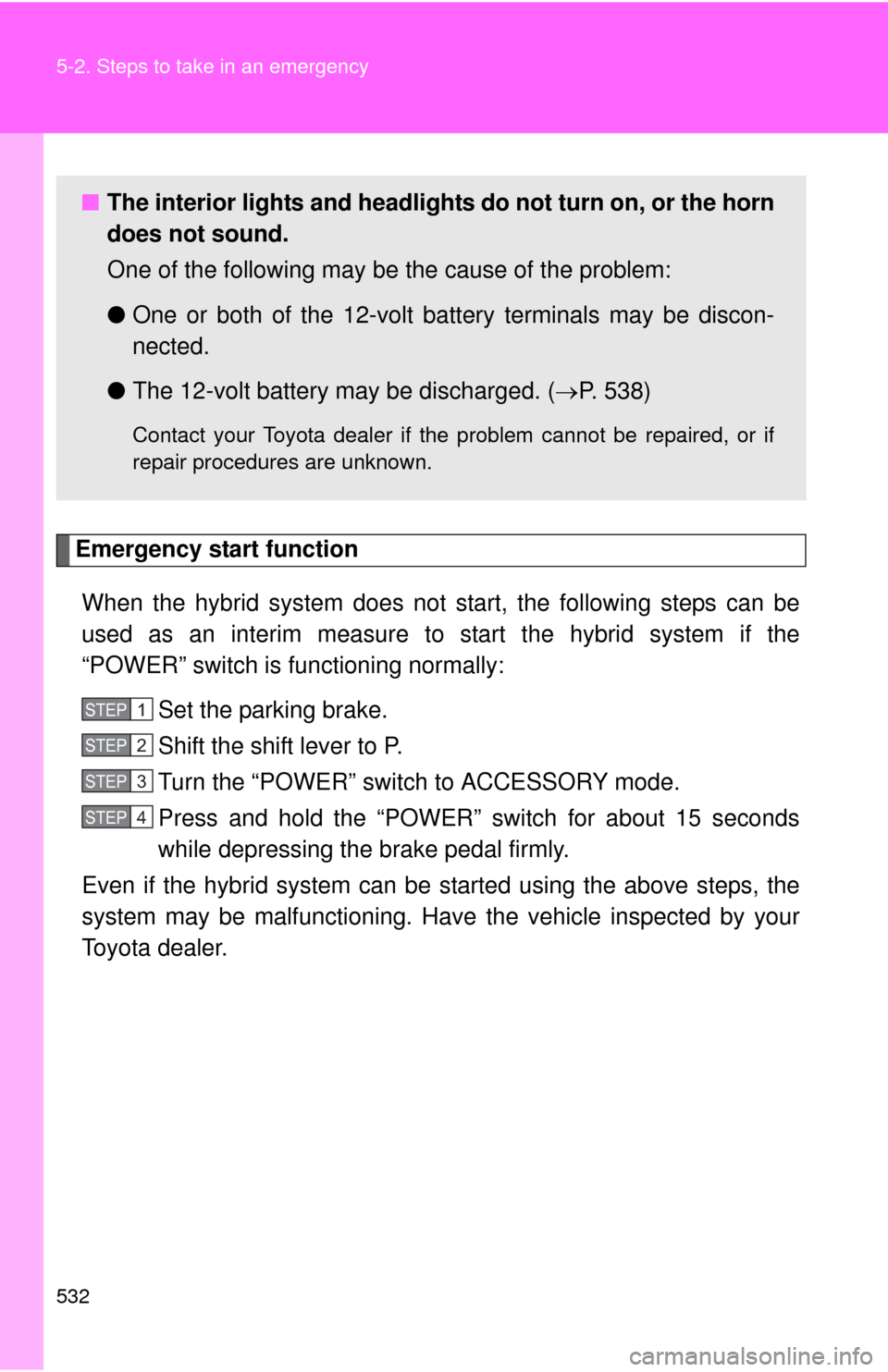
Emergency start functionWhen the hybrid system does not start, the following steps can be
used as an interim measure to start the hybrid system if the
“POWER” switch is functioning normally: Set the parking brake.
Shift the shift lever to P.
Turn the “POWER” switch to ACCESSORY mode.
Press and hold the “POWER” switch for about 15 seconds
while depressing the brake pedal firmly.
Even if the hybrid system can be started using the above steps, the
system may be malfunctioning. Have the vehicle inspected by your
Toyota dealer.
■ The interior lights and headlights do not turn on, or the horn
does not sound.
One of the following may be the cause of the problem:
●One or both of the 12-volt ba ttery terminals may be discon-
nected.
● The 12-volt battery may be discharged. ( P. 538)
Contact your Toyota dealer if the problem cannot be repaired, or if
repair procedures are unknown.
STEP1
STEP2
STEP3
STEP4