reset TOYOTA COROLLA 2009 10.G User Guide
[x] Cancel search | Manufacturer: TOYOTA, Model Year: 2009, Model line: COROLLA, Model: TOYOTA COROLLA 2009 10.GPages: 468, PDF Size: 9.31 MB
Page 202 of 468
202 3-2. Using the audio system
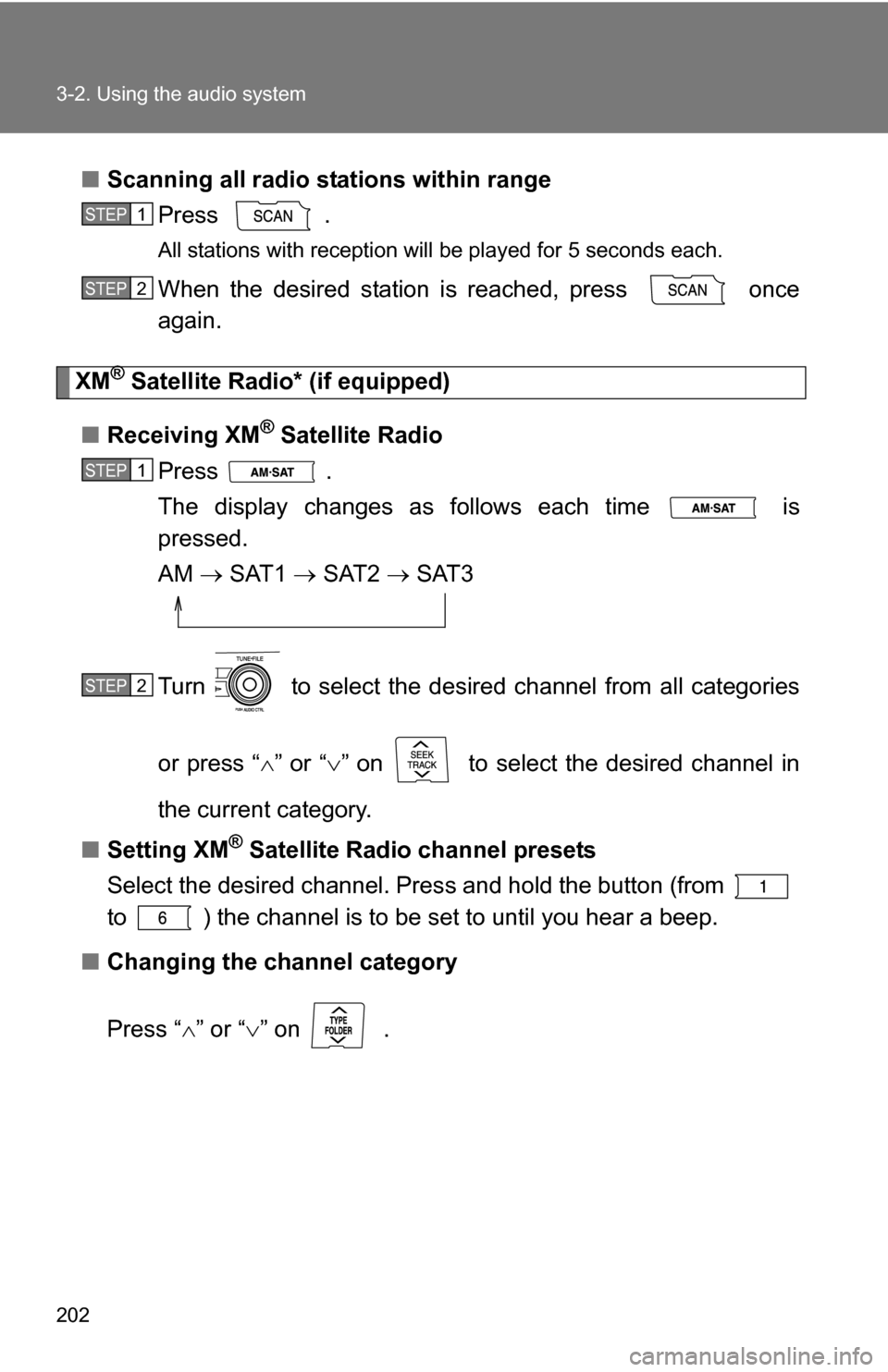
■Scanning all radio stations within range
Press
.
All stations with reception will be played for 5 seconds each.
When the desired station is reached, press once
again.
XM® Satellite Radi o* (if equipped)
■ Receiving XM
® Satellite Radio
Press .
The display changes as follows each time is
pressed.
AM SAT1 SAT2 SAT3
Turn to select the desired channel from all categories
or press “ ” or “ ” on to select the desired channel in
the current category.
■ Setting XM
® Satellite Radio channel presets
Select the desired channel. Pres s and hold the button (from
to ) the channel is to be set to until you hear a beep.
■ Changing the channel category
Press “ ” or “ ” on .
STEP1
STEP2
STEP1
STEP2
Page 203 of 468
203
3-2. Using the audio system
3
Interior features
■
Scanning XM® Satellite Radio channels
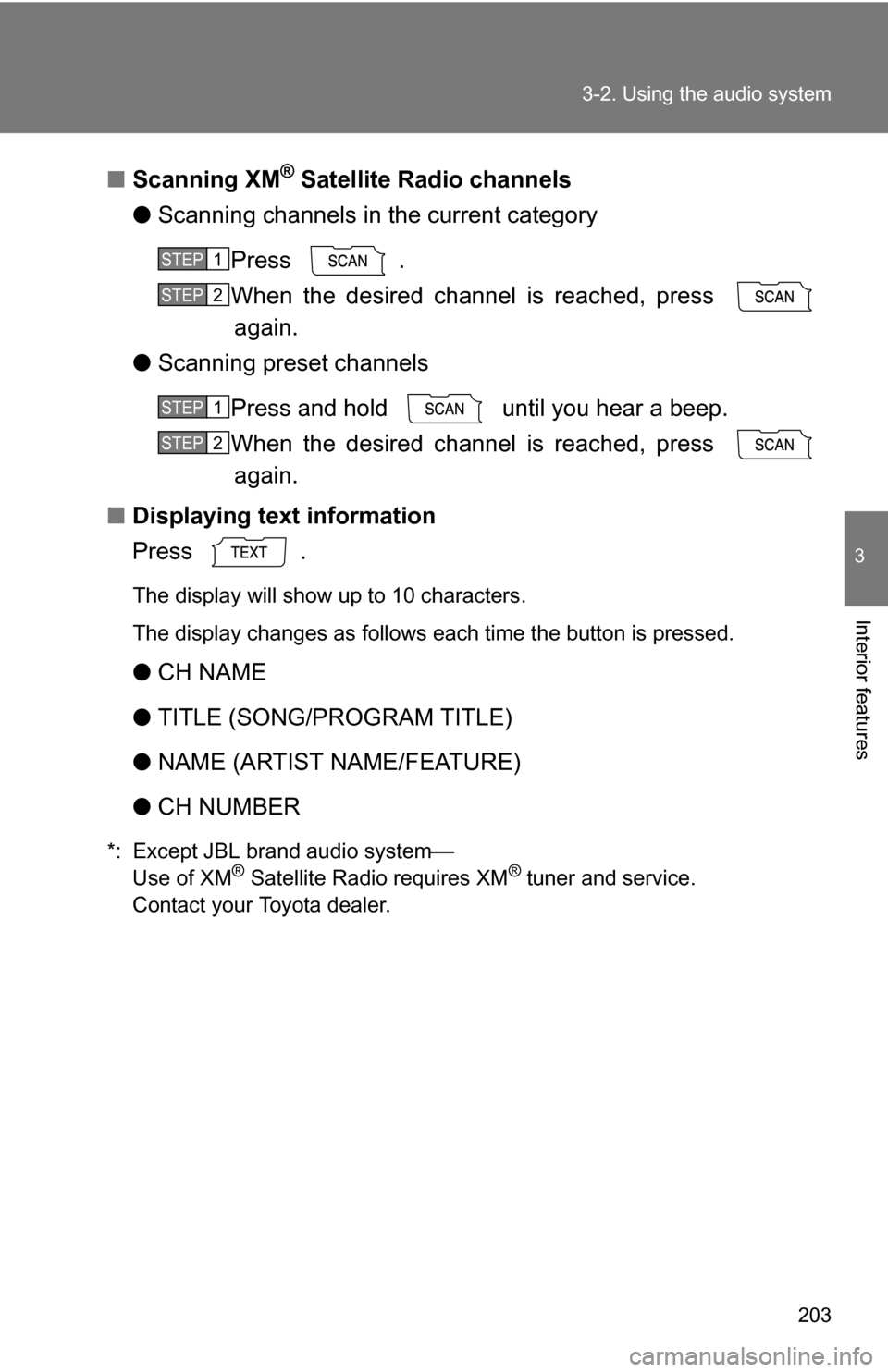
● Scanning channels in the current category
Press .
When the desired channel is reached, press again.
● Scanning preset channels
Press and hold until you hear a beep.
When the desired channel is reached, press again.
■ Displaying text information
Press .
The display will show up to 10 characters.
The display changes as follows each time the button is pressed.
●CH NAME
● TITLE (SONG/PROGRAM TITLE)
● NAME (ARTIST NAME/FEATURE)
● CH NUMBER
*: Except JBL brand audio system
Use of XM® Satellite Radio requires XM® tuner and service.
Contact your Toyota dealer.
STEP1
STEP2
STEP1
STEP2
Page 204 of 468
204 3-2. Using the audio system
■When the battery is disconnected
Station presets are erased.
■ Reception sensitivity
●Maintaining perfect radio reception at all times is difficult due to the con-
tinually changing position of the antenna, differences in signal strength
and surrounding objects, such as trains, transmitters, etc.
● The radio antenna is mounted inside the rear window. To maintain clear
radio reception, do not attach metallic window tinting or other metallic
objects to the antenna wire mounted inside the rear window.
■ XM
® Satellite Radio
An XM
® Satellite Radio is a tuner designed exclusively to receive broadcasts
provided under a separate subscription. Availability is limited to the 48 con-
tiguous states and 10 Canadian provinces.
● XM
® subscriptions
For detailed information about XM® Satellite Radio or to subscribe:
U.S.A.
Visit on the web at www.xmradio.com
or call 1-800-967-2346.
Canada
Visit on the web at www.xmradio.ca
or call 1-877-438-9677.
● Radio ID
You will need the radio ID when activating XM
® service or reporting a
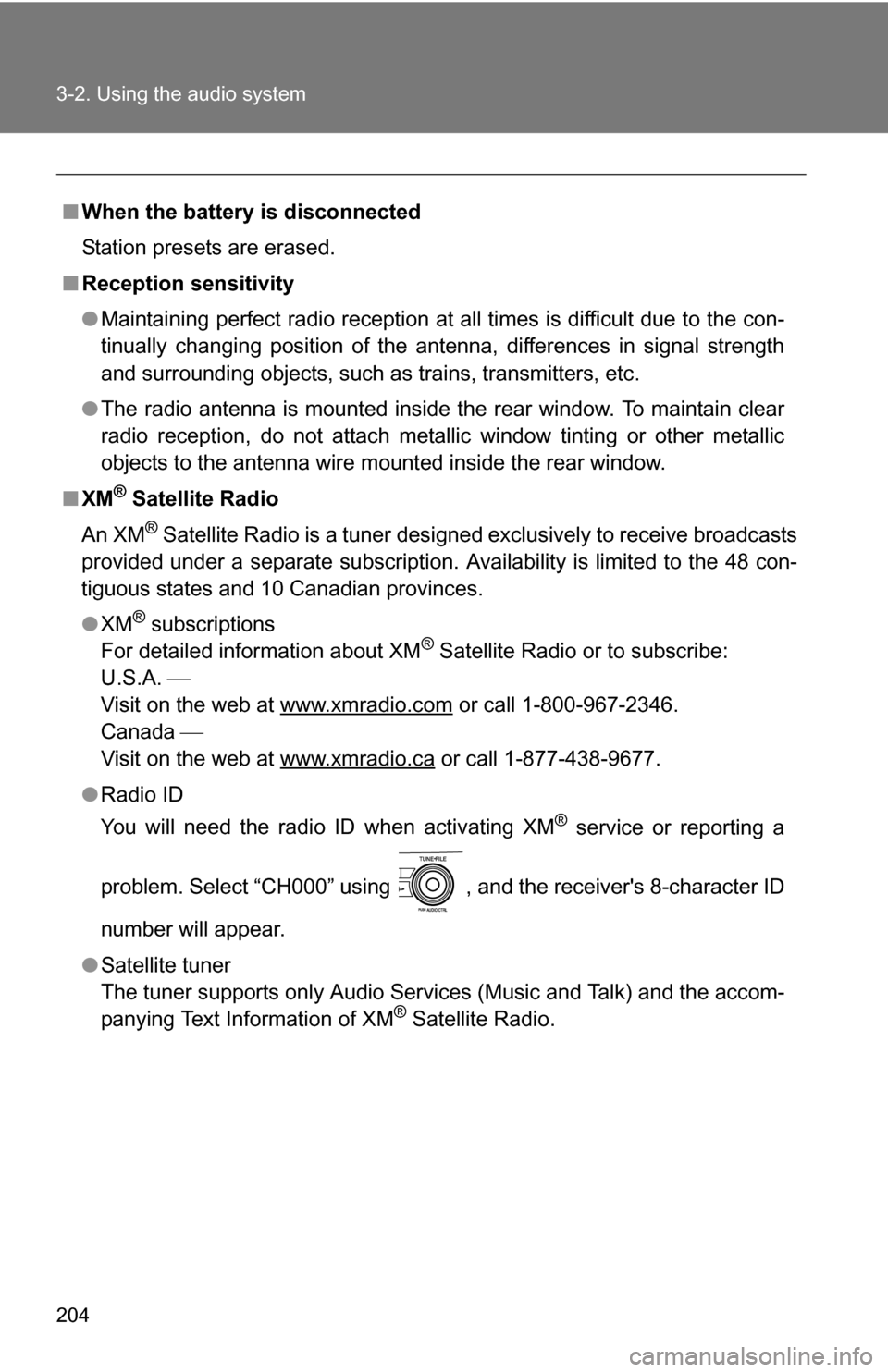
problem. Select “CH000” using , and the receiver's 8-character ID
number will appear.
● Satellite tuner
The tuner supports only Audio Services (Music and Talk) and the accom-
panying Text Information of XM
® Satellite Radio.
Page 226 of 468
226 3-2. Using the audio system
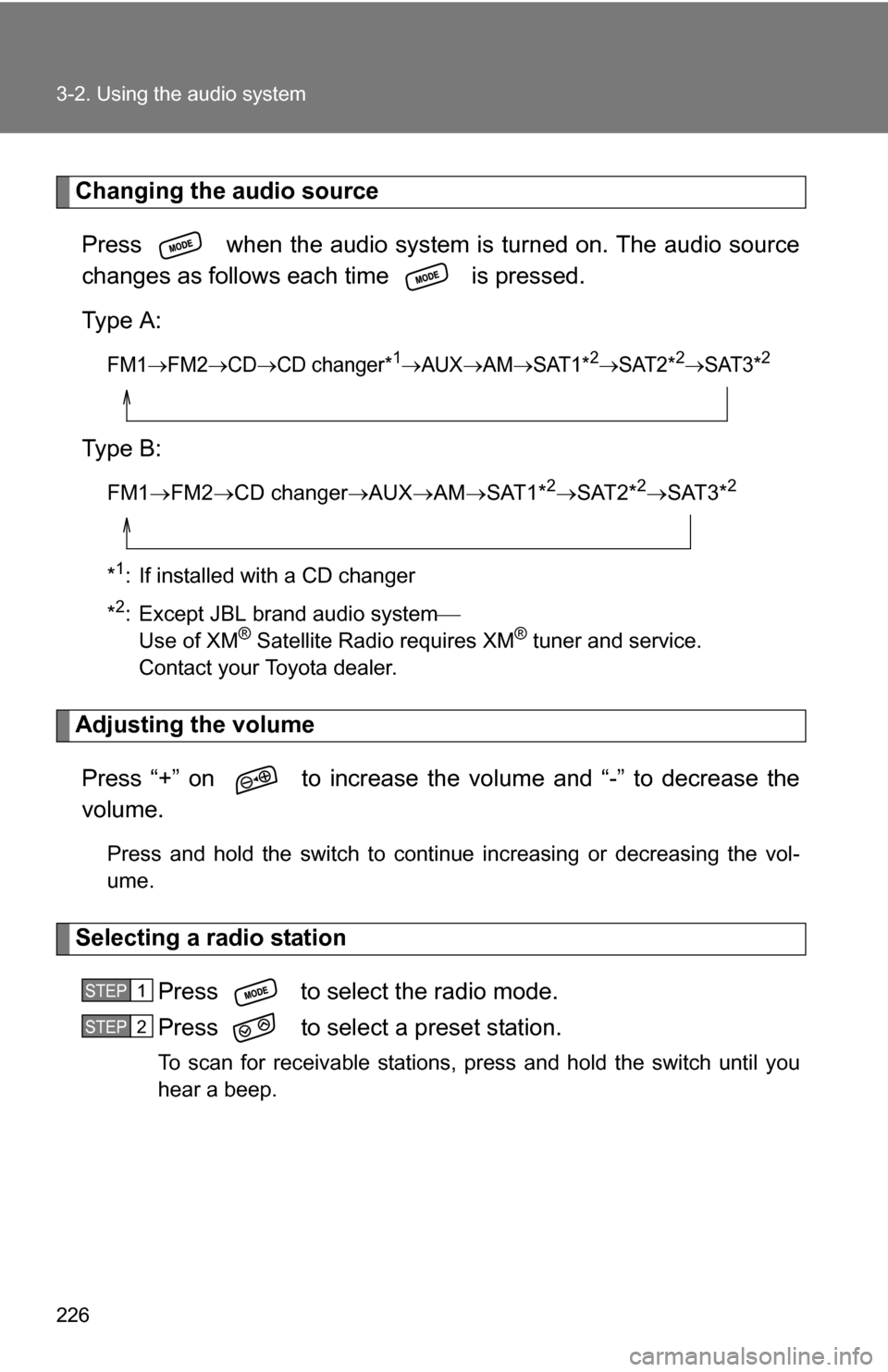
Changing the audio sourcePress when the audio system is turned on. The audio source
changes as follows each time is pressed.
Type A:
FM1FM2CDCD changer*1AUXAMSAT1*2SAT2*2SAT3*2
Type B:
FM1 FM2 CD changer AUXAMSAT1*2SAT2*2SAT3*2
*1: If installed with a CD changer
*
2: Except JBL brand audio system
Use of XM® Satellite Radio requires XM® tuner and service.
Contact your Toyota dealer.
Adjusting the volume
Press “+” on to increase the vo lume and “-” to decrease the
volume.
Press and hold the switch to continue increasing or decreasing the vol-
ume.
Selecting a radio station
Press to select the radio mode.
Press to select a preset station.
To scan for receivable stations, press and hold the switch until you
hear a beep.
STEP1
STEP2
Page 241 of 468
241
3-3. Using the hand
s-free phone system (for cellular phone)
3
Interior features
Dialing by inputting a name
Press the talk switch and say “Dial by name”.
Select a registered name to be input by either of the following
methods:
a. Press the talk switch and say a registered name.
b. Press the talk switch and sa y “List names”. Press the talk
switch while the desired name is being read aloud.
Dial by one of the following methods:
a. Press the off-hook switch.
b. Press the talk switch and say “Dial”.
c. Select “Dial” by using .
Speed dialing
Press the off-hook switch.
Press the preset button in which the desired number is regis-
tered.
Press the off-hook switch.
When receiving a phone call■ Answering the phone
Press the off-hook switch.
■ Refusing the call
Press the on-hook switch.
STEP1
STEP2
STEP3
STEP1
STEP2
STEP3
Page 257 of 468
257
3-3. Using the hand
s-free phone system (for cellular phone)
3
Interior features
Select the desired preset butt on, and register the data into
speed dial by either of the following methods:
a. Press the desired preset button, and select “Confirm” by
using a voice command or .
b. Press and hold the desired preset button.
Changing a registered name
Select “Change Name” by using a voice command or .
Select the name to be changed by either of the following
methods.
a. Press the talk switch, say desired name, and select “Con-
firm” by using a voice command or
.
b. Press the talk switch, and say “List names”. While the desired name is being read aloud, press the talk switch,
and select “Confirm” by using a voice command or .
c. Select the desired name by using .
Select “Record Name” with or the talk switch.
Say a new name, and select “Con firm” by using a voice com-
mand or .
STEP3
STEP1
STEP2
STEP3
STEP4
Page 258 of 468
258 3-3. Using the hands-free phone system (for cellular phone)
Deleting registered data
Select “Delete Entry” by using a voice command or .
Pattern A Select the data to be deleted by either of the following meth-
ods, and select “Confirm” by using a voice command or
:
a. Press the talk switch, and say the name of the desired phone number to be deleted.
b. Press the talk switch, say “List phones”. While the name of the desired phone number is bei ng read aloud, press the
talk switch.
Pattern B
Select the data to be deleted by using .
Deleting speed dials Select “Delete Speed Dial (Del Spd Dial)” by using a voice
command or .
Press the preset button in which the desired speed dial is reg-
istered, and select “Confirm” by using a voice command or
.
STEP1
STEP2
STEP2
STEP1
STEP2
Page 315 of 468
315
4-3. Do-it-yourself maintenance
4
Maintenance and care
■
Engine oil consumption
●The amount of engine oil consumed depends on the oil viscosity, the
quality of the oil and the way the vehicle is driven.
● More oil is consumed under driving conditions such as high speeds and
frequent acceleration and deceleration.
● A new engine consumes more oil.
● When judging the amount of oil consumption, keep in mind that the oil
may have become diluted, making it difficult to judge the true level accu-
rately.
● Oil consumption: Max. 1.1 qt./600 miles, 0.9 lmp.qt./600 miles (1.0 L per
1000 km)
● If you consume more than 1.1 qt. (1.0 L, 0.9 lmp.qt.) every 600 miles
(1000 km), contact your Toyota dealer.
■ After changing the engine oil (U.S.A. only)
The engine oil maintenance data should be reset. Perform the following pro-
cedures:
1. Turn the “ENGINE START STOP” switch or engine switch OFF with the
trip meter A reading shown.
2. While pressing the trip meter reset button ( P. 138), turn the “ENGINE
START STOP” switch or engine switch ON.
3. Continue to press and hold the button until the trip meter displays 000000.
Page 328 of 468
328 4-3. Do-it-yourself maintenance
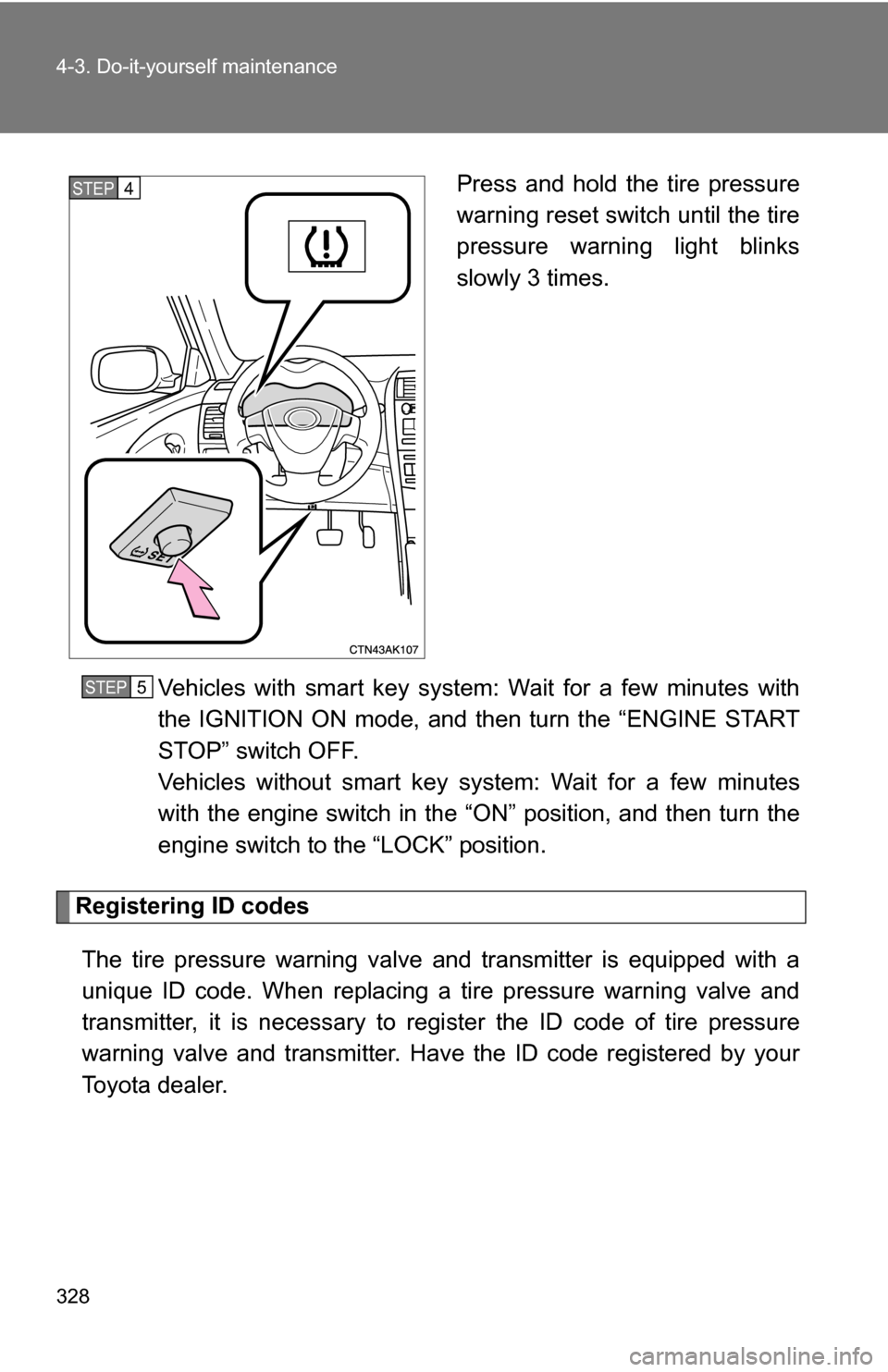
Press and hold the tire pressure
warning reset switch until the tire
pressure warning light blinks
slowly 3 times.
Vehicles with smart key system: Wait for a few minutes with
the IGNITION ON mode, and then turn the “ENGINE START
STOP” switch OFF.
Vehicles without smart key system: Wait for a few minutes
with the engine switch in the “O N” position, and then turn the
engine switch to the “LOCK” position.
Registering ID codes
The tire pressure warning valve and transmitter is equipped with a
unique ID code. When replacing a tire pressure warning valve and
transmitter, it is necessary to regi ster the ID code of tire pressure
warning valve and transmitter. Have the ID code registered by your
Toyota dealer.
STEP4
STEP5
Page 330 of 468
330 4-3. Do-it-yourself maintenance
■Tire types
1 Summer tiresSummer tires are high-speed performance tires best suited to highway
driving under dry conditions. Sinc e summer tires do not have the same
traction performance as snow tire s, summer tires are inadequate for
driving on snow-covered or icy roads. For driving on snow-covered
roads or icy roads, the use of snow tires is recommended. When
installing snow tires, be sure to replace all four tires.
2 All season tires All season tires are designed to provide better traction in snow and to
be adequate for driving in most winter conditions, as well as for use
year round. All season tires, however, do not have adequate traction
performance compared with snow tires in heavy or loose snow. Also,
all season tires fall short in acceleration and handling performance
compared with summer tires in highway driving.
3Snow tires For driving on snow-covered roads or icy roads, we recommend using
snow tires. If you need snow tires, select tires of the same size, con-
struction and load capacity as the or iginally installed tires. Since your
vehicle has radial tires as original equipment, make sure your snow
tires also have radial construction. Do not install studded tires without
first checking local regulations for possible restrictions. Snow tires
should be installed on all wheels. ( P. 166)
■Initializing the tire pr essure warning system
Initialize the tires with the tire inflati on pressure adjusted to the specified
level.
■If you push the tire pressure warning reset switch accidentally
If initialization is performed, adjust the tire in flation pressure to the speci-
fied level and initialize the tire pressure warning system again.