lock TOYOTA COROLLA 2009 10.G Workshop Manual
[x] Cancel search | Manufacturer: TOYOTA, Model Year: 2009, Model line: COROLLA, Model: TOYOTA COROLLA 2009 10.GPages: 468, PDF Size: 9.31 MB
Page 113 of 468
113
2-1. Driving procedures
2
When driving
■
Parking the vehicle
Automatic transmission
With the shift lever in D, depress the brake pedal.
Set the parking brake. ( P. 137)
Shift the shift lever to P. ( P. 130)
When parking on a hill, if necessary, block the wheels.
Vehicles with smart key system:
Turn the “ENGINE START STOP” switch OFF and stop the
engine.
Vehicles without smart key system:
Turn the engine switch to the “LOCK” position and stop the
engine.
Lock the door, making sure that you have the key on your
person.
Manual transmission
With the clutch pedal fully depressed, depress the brake
pedal.
Set the parking brake. ( P. 137)
Shift the shift lever to N. ( P. 135)
When parking on a hill, shift the shift lever to 1 or R. If necessary,
block the wheels.
Turn the engine switch to the “LOCK” position and stop the
engine.
Lock the door, making sure that you have the key on your
person.
STEP1
STEP2
STEP3
STEP4
STEP5
STEP1
STEP2
STEP3
STEP4
STEP5
Page 118 of 468
118 2-1. Driving procedures
CAUTION
■When the vehicle is parked
●Do not leave glasses, cigarette lighters, spray cans, or soft drink cans in
the vehicle when it is in the sun. Doing so may result in the following.\
• Gas may leak from a cigarette lighter or spray can, and may lead to a
fire.
• The temperature inside the vehicle may cause the plastic lenses and plastic material of eye glasses to deform or crack.
• Soft drink cans may fracture, causing the contents to spray over the interior of the vehicle, and may also cause a short circuit in the vehi-
cle's electrical components.
● Always apply the parking brake, shift the shift lever to P (automatic trans-
mission vehicles), stop the engine and lock the vehicle.
Do not leave the vehicle unattended while the engine is running.
● Do not touch the exhaust pipe while the engine is running or immediately
after turning the engine off. Doing so may cause burns.
● Do not leave the engine running in an area with snow build-up, or where it
is snowing. If snowbanks build up around the vehicle while the engine is
running, exhaust gases may collect and enter the vehicle. This may lead
to death or a serious health hazard.
■ Exhaust gases
Exhaust gases include harmful carbon monoxide (CO) that is colorless and
odorless. Inhaling exhaust gases may lead to death or a serious health haz-
ard.
●If the vehicle is in a poorly ventilated area, stop the engine. In a closed
area, such as a garage, exhaust gases may collect and enter the vehicle.
This may lead to death or a serious health hazard.
● The exhaust should be checked occasionally. If there is a hole or crack
caused by corrosion, damage to a joint or abnormal exhaust noise, be
sure to have the vehicle inspected and repaired by your Toyota dealer.
Failure to do so may allow exhaust gases to enter the vehicle, resulting in
death or a serious health hazard.
Page 124 of 468
124 2-1. Driving procedures
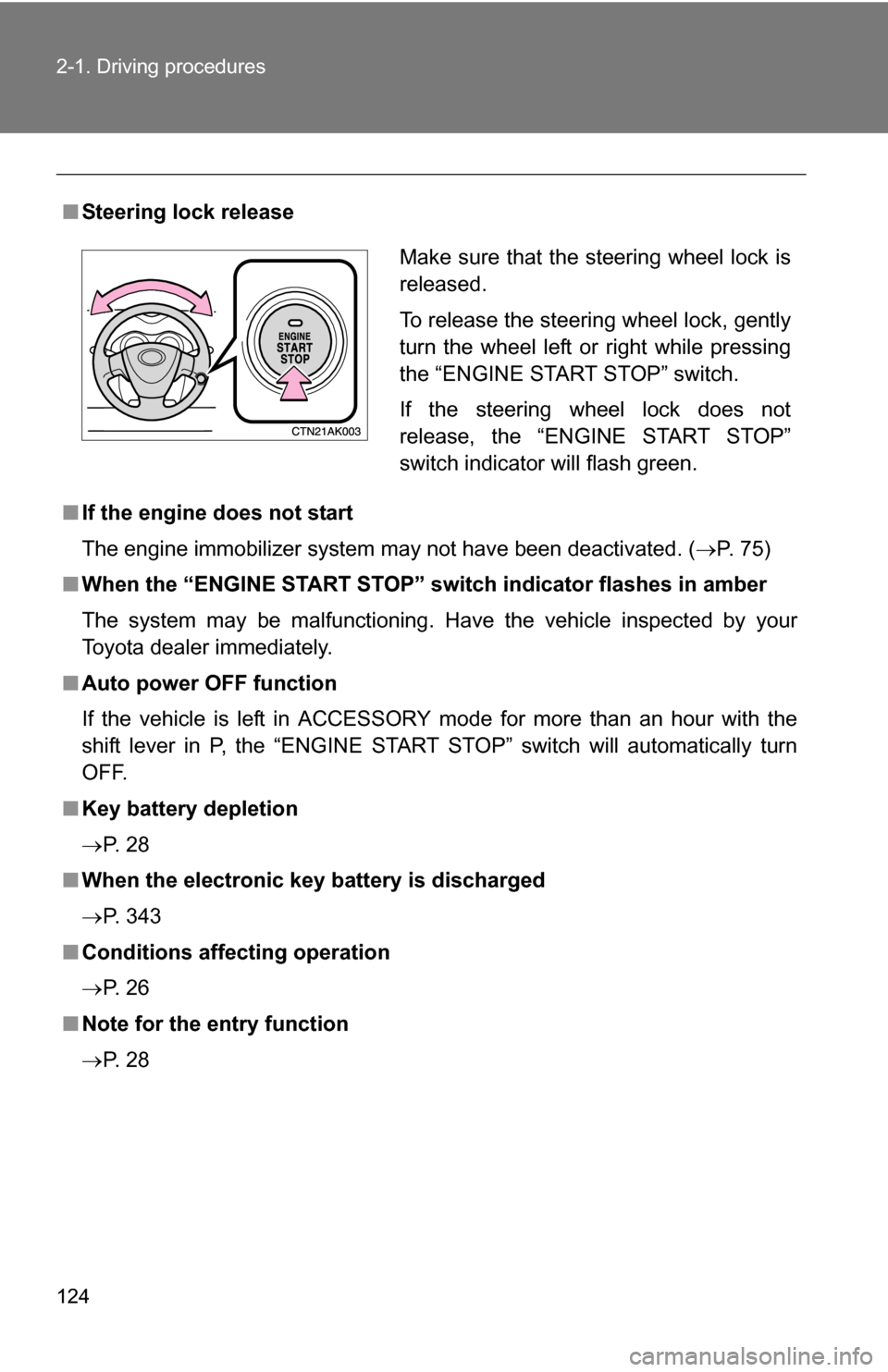
■Steering lock release
■ If the engine does not start
The engine immobilizer system may not have been deactivated. ( P. 75)
■ When the “ENGINE START STOP” s witch indicator flashes in amber
The system may be malfunctioning. Have the vehicle inspected by your
Toyota dealer immediately.
■ Auto power OFF function
If the vehicle is left in ACCESSORY mode for more than an hour with the
shift lever in P, the “ENGINE START STOP” switch will automatically turn
OFF.
■ Key battery depletion
P. 2 8
■ When the electronic key battery is discharged
P. 343
■ Conditions affecting operation
P. 2 6
■ Note for the entry function
P. 2 8
Make sure that the steering wheel lock is
released.
To release the steering wheel lock, gently
turn the wheel left or right while pressing
the “ENGINE START STOP” switch.
If the steering wheel lock does not
release, the “ENGINE START STOP”
switch indicator will flash green.
Page 127 of 468
127
2-1. Driving procedures
2
When driving
■
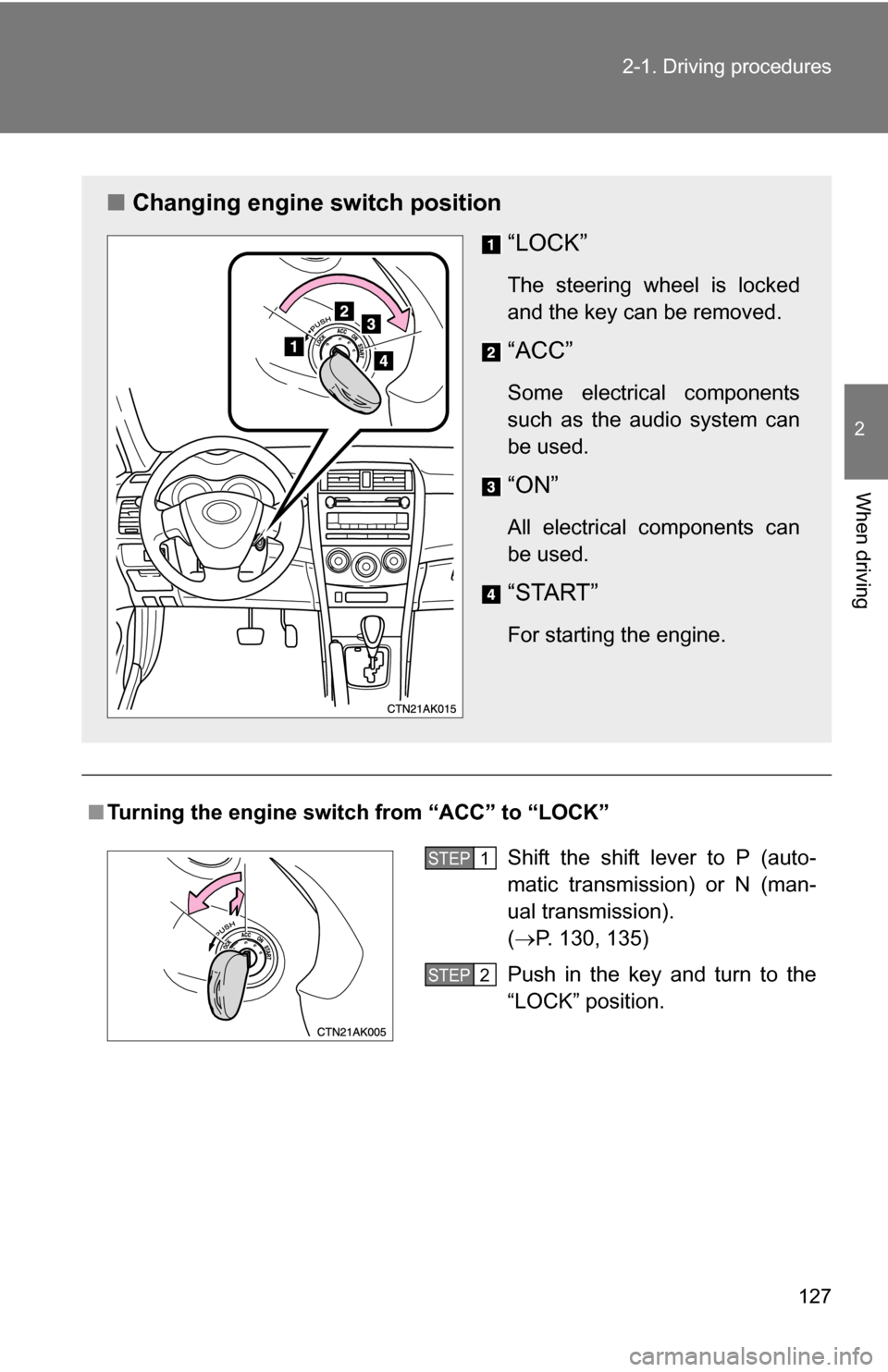
Turning the engine switch from “ACC” to “LOCK”
■ Changing engine switch position
“LOCK”
The steering wheel is locked
and the key can be removed.
“ACC”
Some electrical components
such as the audio system can
be used.
“ON”
All electrical components can
be used.
“START”
For starting the engine.
Shift the shift lever to P (auto-
matic transmission) or N (man-
ual transmission).
(P. 130, 135)
Push in the key and turn to the
“LOCK” position.STEP1
STEP2
Page 128 of 468
128 2-1. Driving procedures
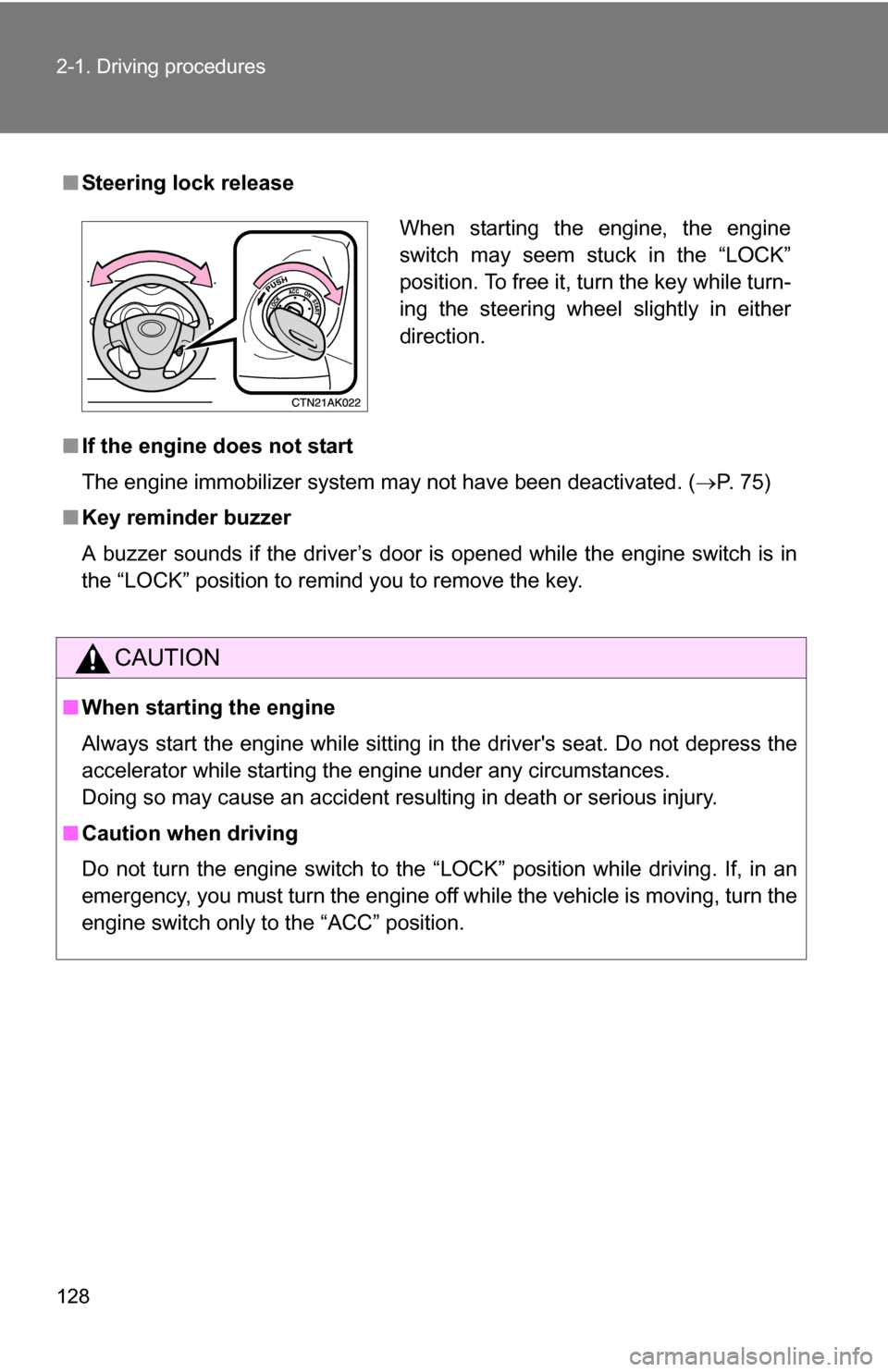
■Steering lock release
■ If the engine does not start
The engine immobilizer system may not have been deactivated. ( P. 75)
■ Key reminder buzzer
A buzzer sounds if the driver’s door is opened while the engine switch is in
the “LOCK” position to remind you to remove the key.
CAUTION
■When starting the engine
Always start the engine while sitting in the driver's seat. Do not depress the
accelerator while starting the engine under any circumstances.
Doing so may cause an accident resulting in death or serious injury.
■ Caution when driving
Do not turn the engine switch to the “LOCK” position while driving. If, in an
emergency, you must turn the engine off while the vehicle is moving, turn the
engine switch only to the “ACC” position.
When starting the engine, the engine
switch may seem stuck in the “LOCK”
position. To free it, turn the key while turn-
ing the steering wheel slightly in either
direction.
Page 141 of 468
141
2-2. Instrument cluster
2
When driving
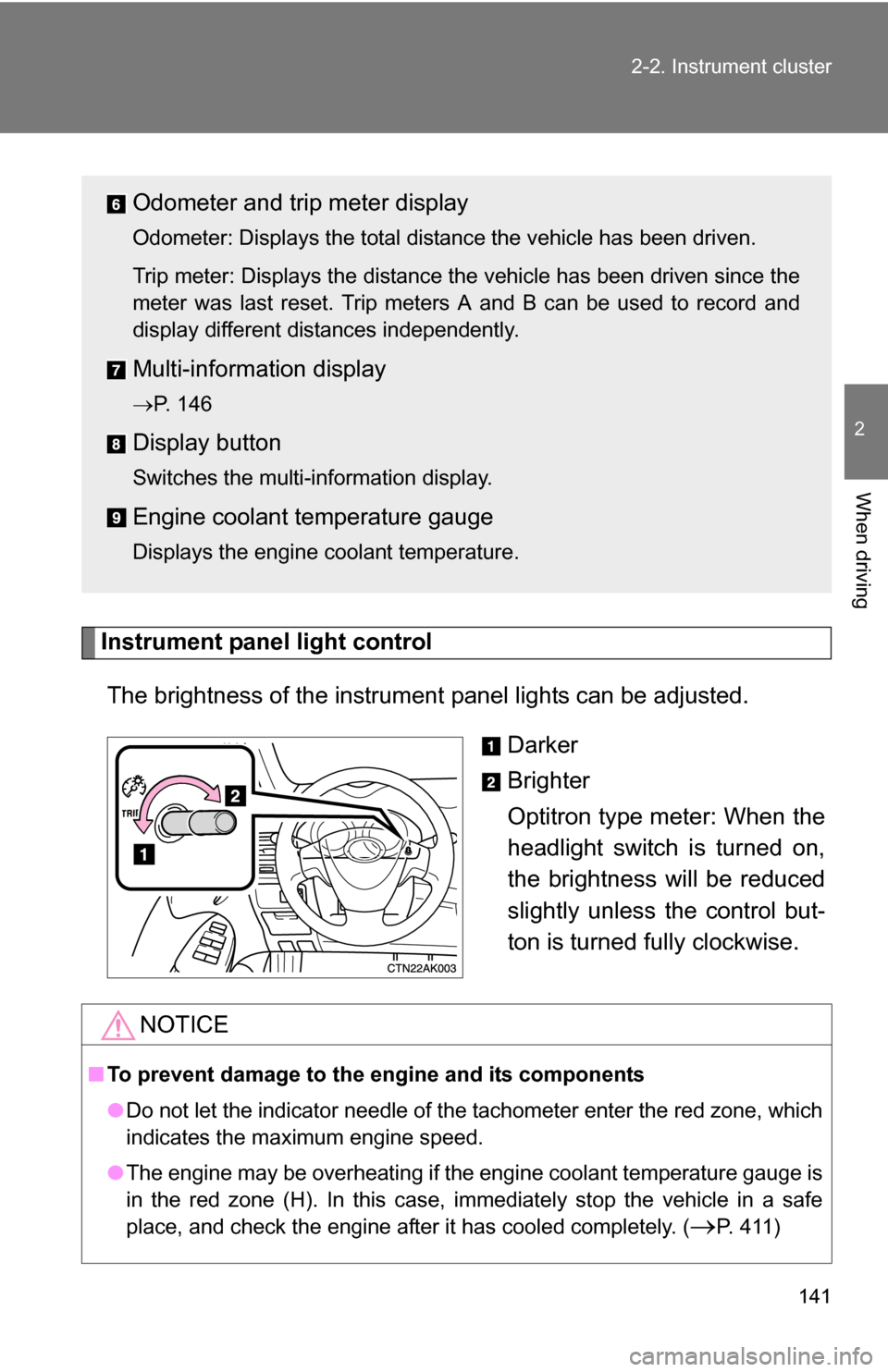
Instrument panel light control
The brightness of the instrument panel lights can be adjusted.
Darker
Brighter
Optitron type meter: When the
headlight switch is turned on,
the brightness will be reduced
slightly unless the control but-
ton is turned fully clockwise.
Odometer and trip meter display
Odometer: Displays the total distance the vehicle has been driven.
Trip meter: Displays the distance the vehicle has been driven since the
meter was last reset. Trip meters A and B can be used to record and
display different distances independently.
Multi-informat ion display
P. 146
Display button
Switches the multi-information display.
Engine coolant temperature gauge
Displays the engine coolant temperature.
NOTICE
■To prevent damage to the engine and its components
●Do not let the indicator needle of the tachometer enter the red zone, which
indicates the maximum engine speed.
● The engine may be overheating if the engine coolant temperature gauge is
in the red zone (H). In this case, immediately stop the vehicle in a safe
place, and check the engine after it has cooled completely. (
P. 411)
Page 146 of 468
146
2-2. Instrument cluster
Multi-information display
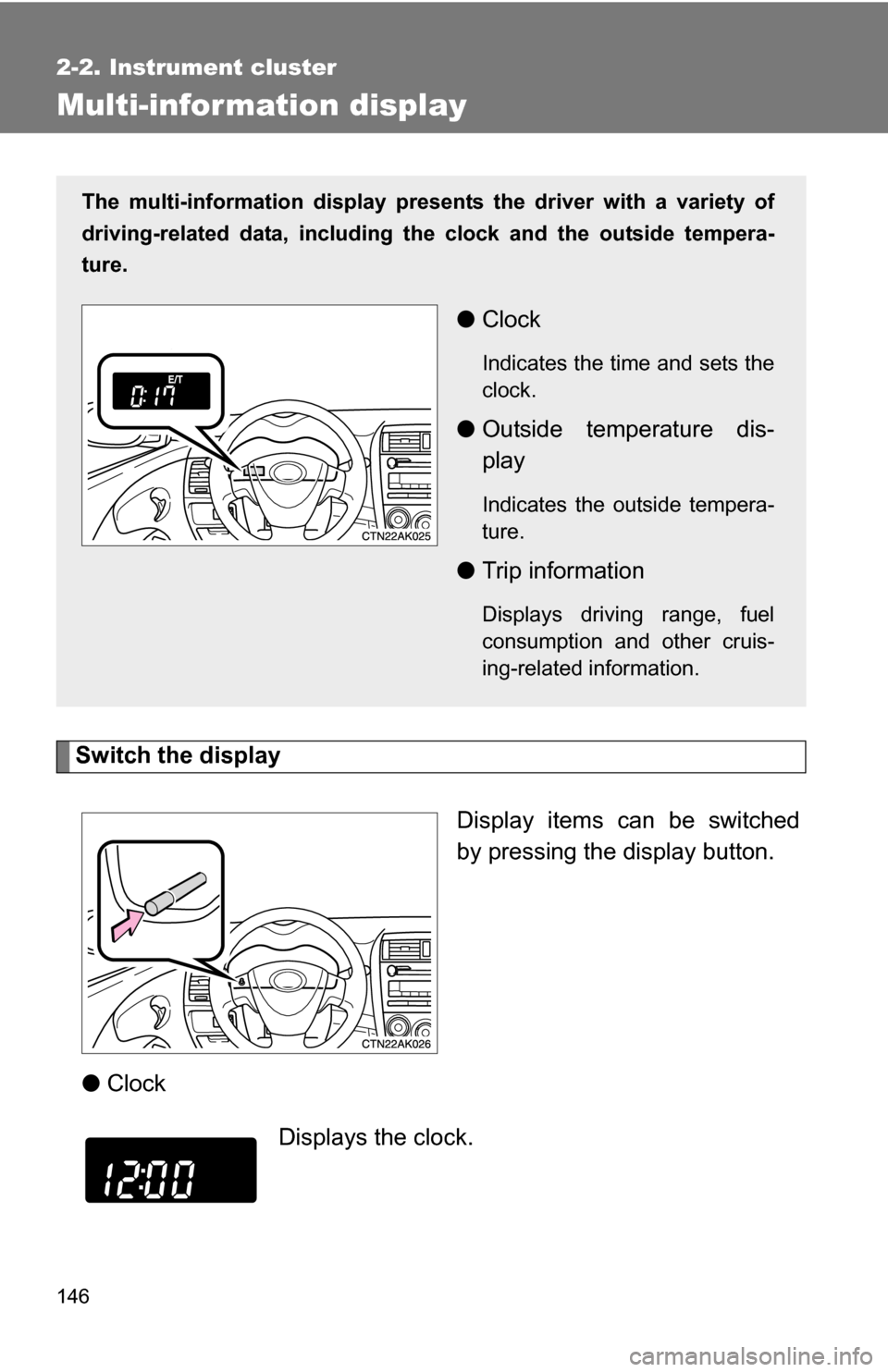
Switch the displayDisplay items can be switched
by pressing the display button.
● Clock
The multi-information display presen ts the driver with a variety of
driving-related data, including the clock and the outside tempera-
ture.
● Clock
Indicates the time and sets the
clock.
●Outside temperature dis-
play
Indicates the outside tempera-
ture.
●Trip information
Displays driving range, fuel
consumption and other cruis-
ing-related information.
Displays the clock.
Page 148 of 468
148 2-2. Instrument cluster
●Average vehicle speed
● Elapsed time
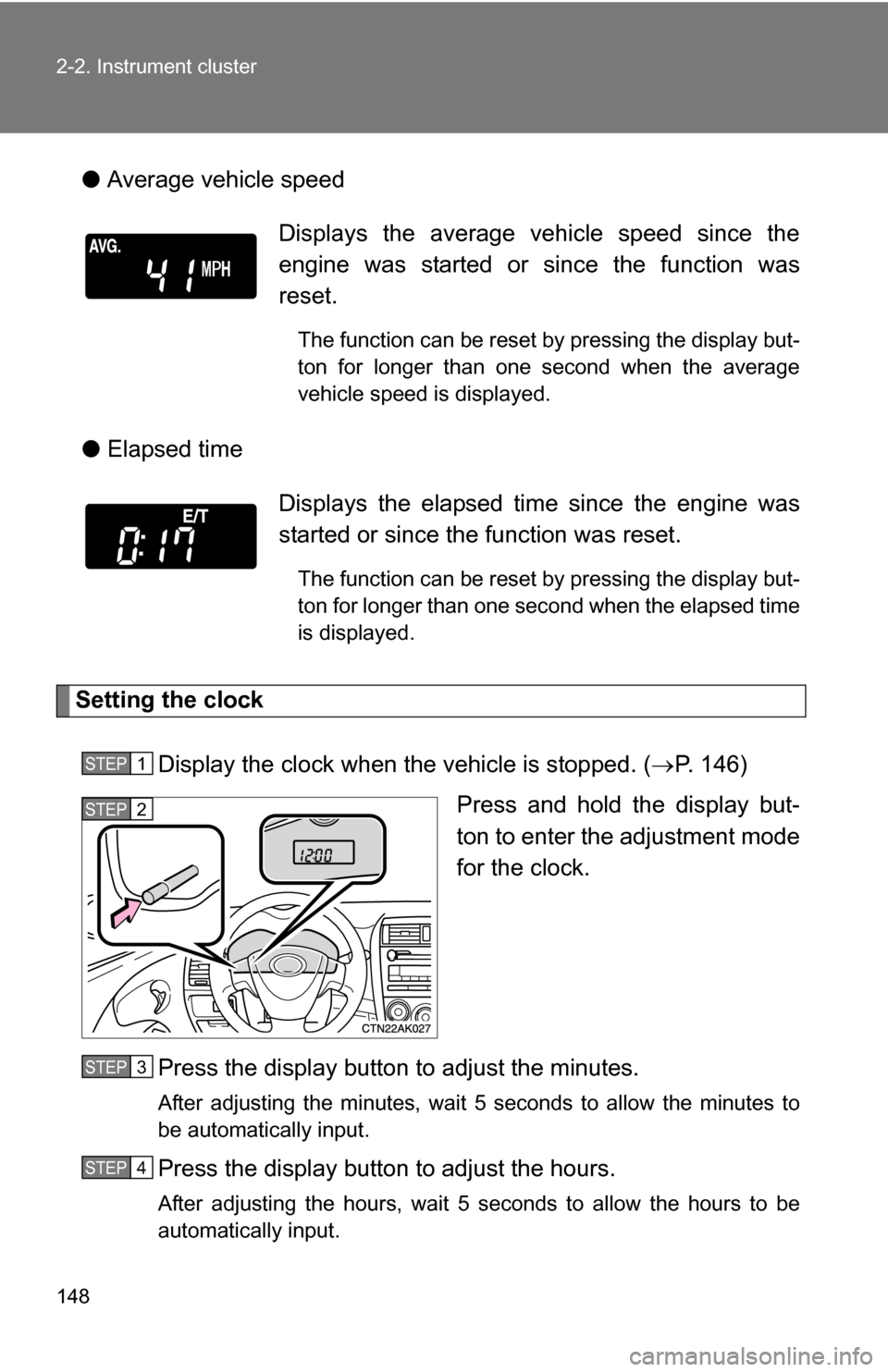
Setting the clock
Display the clock when the vehicle is stopped. ( P. 146)
Press and hold the display but-
ton to enter the adjustment mode
for the clock.
Press the display button to adjust the minutes.
After adjusting the minutes, wait 5 seconds to allow the minutes to
be automatically input.
Press the display button to adjust the hours.
After adjusting the hours, wait 5 seconds to allow the hours to be
automatically input.
Displays the average vehicle speed since the
engine was started or since the function was
reset.
The function can be reset by pressing the display but-
ton for longer than one second when the average
vehicle speed is displayed.
Displays the elapsed ti me since the engine was
started or since the function was reset.
The function can be reset by pressing the display but-
ton for longer than one second when the elapsed time
is displayed.
STEP1
STEP2
STEP3
STEP4
Page 149 of 468
149
2-2. Instrument cluster
2
When driving
■
When disconnecting and reco nnecting battery terminals
The following information data will be reset.
● Clock
● Average fuel consumption
● Driving range
● Average vehicle speed
● Elapsed time
NOTICE
■The multi-information disp lay at low temperatures
Allow the interior of the vehicle to warm up before using the liquid crystal
information display. At extremely low temperatures, the information display
monitor may respond slowly, and display changes may be delayed.
Page 151 of 468
151
2-3. Operating the lights and wipers
2
When driving
■
Daytime running light system
To make your vehicle more visible to other drivers, the headlights turn on
automatically whenever the engine is started and the parking brake is
released.
The brightness of headlights will automatically change depending on the
darkness of the surroundings. The other exterior lights and instrument panel
lights automatically turn on or off.
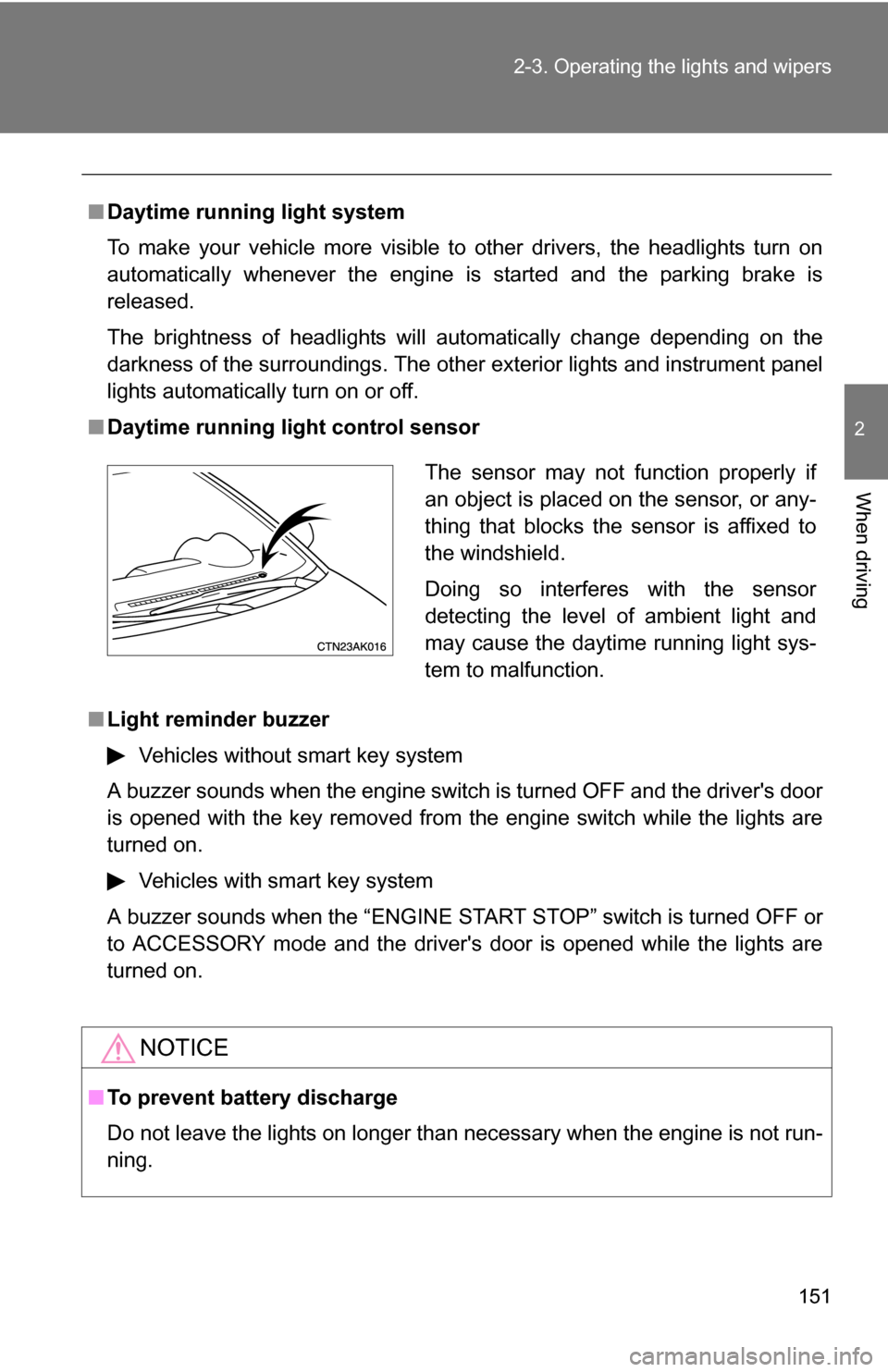
■ Daytime running light control sensor
■ Light reminder buzzer
Vehicles without smart key system
A buzzer sounds when the engine switch is turned OFF and the driver's door
is opened with the key removed from the engine switch while the lights are
turned on. Vehicles with smart key system
A buzzer sounds when the “ENGINE START STOP” switch is turned OFF or
to ACCESSORY mode and the driver's door is opened while the lights are
turned on.
NOTICE
■ To prevent battery discharge
Do not leave the lights on longer than necessary when the engine is not run-
ning.
The sensor may not function properly if
an object is placed on the sensor, or any-
thing that blocks the sensor is affixed to
the windshield.
Doing so interferes with the sensor
detecting the level of ambient light and
may cause the daytime running light sys-
tem to malfunction.