light TOYOTA COROLLA 2010 10.G Repair Manual
[x] Cancel search | Manufacturer: TOYOTA, Model Year: 2010, Model line: COROLLA, Model: TOYOTA COROLLA 2010 10.GPages: 476, PDF Size: 9.5 MB
Page 179 of 476
179
2-5. Driving information
2
When driving
Trailer towing tips
Your vehicle will handle differently when towing a trailer. The 3 main
causes of vehicle-trailer accidents are driver error, excessive speed
and improper trailer loading. Keep the following in mind when towing.
● Before starting out, check the trailer lights and the vehicle-trailer
connections. Recheck after driving a short distance.
● Practice turning, stopping and reve rsing with the trailer attached in
an area away from traffic until you become accustomed to the feel
of the vehicle.
NOTICE
■ When installing a trailer hitch
●Use only the position recommended by your Toyota dealer. Do not install
the trailer hitch on the bumper; this may cause body damage.
● Do not use axle-mounted hitches, as they can cause damage to the axle
housing, wheel bearings, wheels or tires.
■ Brakes
Toyota recommends trailers with brakes that conform to all applicable fed-
eral and state/provincial regulations.
■ Safety chain
A safety chain must always be used between the towing vehicle and the
trailer. Leave sufficient slack in the chain for turns. The chain should cross
under the trailer tongue to prevent the tongue from dropping to the ground in
the case that it becomes damaged or separated. For the correct safety chain
installation procedure, ask your Toyota dealer.
■ Do not directly splice trailer lights
Directly splicing trailer lights may damage your vehicle's electrical system
and cause a malfunction.
Page 187 of 476
Interior features3
187
3-3. Using the hands-free phone system (for cellular phone)
Hands-free phone system (for cellular phone)
features .......................... 232
Using the hands-free phone system
(for cellular phone) ......... 235
Making a phone call ......... 244
Setting a cellular phone ... 248
Security and system setup .............................. 253
Using the phone book ...... 257
3-4. Using the interior lights Interior lights list ............... 264
• Interior light .................... 266
• Personal lights ............... 266
• Personal/interior lights .............................. 267 3-5. Using the storage features
List of storage features .... 268
• Glove box....................... 269
• Console box ................... 269
• Cup holders ................... 271
• Auxiliary boxes ............... 273
• Bottle holders ................. 275
3-6. Other interior features Sun visors ........................ 276
Vanity mirrors ................... 277
Grocery bag hook ............ 278
Ashtrays ........................... 279
Cigarette lighter................ 280
Power outlet ..................... 281
Seat heaters..................... 283
Armrest ............................ 285
Floor mat .......................... 286
Trunk features .................. 287
Compass .......................... 288
Page 217 of 476
217
3-2. Using the audio system
3
Interior features
NOTICE
■
CD player precautions
Failure to follow the precautions below may result in serious damage to the
CDs or the player itself.
●Do not insert anything other than CDs into the CD slot.
● Do not apply oil to the CD player.
● Store CDs away from direct sunlight.
● Never try to disassemble any part of the CD player.
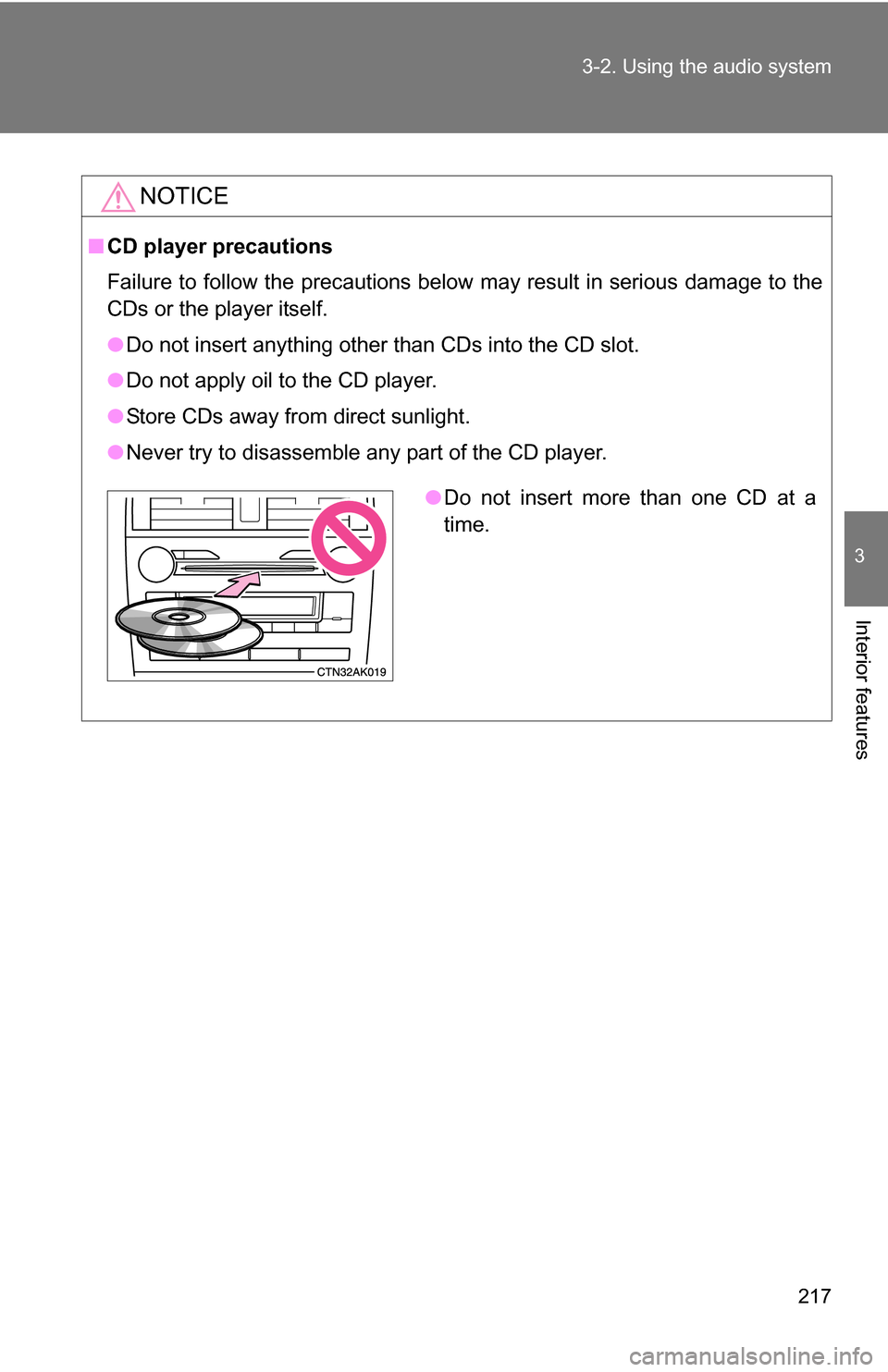
●Do not insert more than one CD at a
time.
Page 264 of 476
264
3-4. Using the interior lights
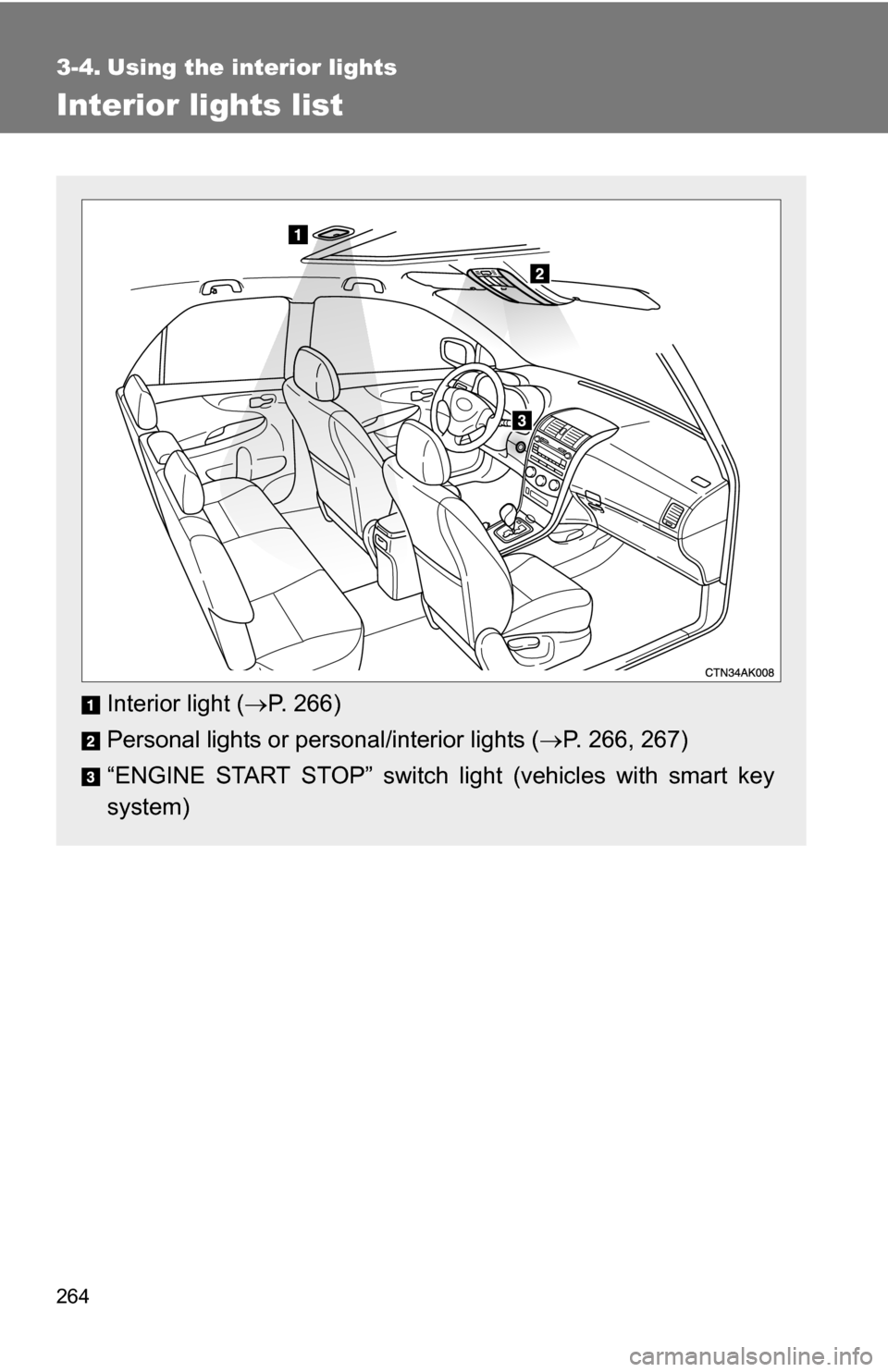
Interior lights list
Interior light (P. 266)
Personal lights or personal/interior lights ( P. 266, 267)
“ENGINE START STOP” switch light (vehicles with smart key
system)
Page 265 of 476
265
3-4. Using the interior lights
3
Interior features
■
Illuminated entry system
Vehicles without moon roof
The interior light (with the switch in the “DOOR” position) and “ENGINE
START STOP” switch light (vehicles with smart key system) automatically
turn on/off according to “ENGINE START STOP” switch mode (vehicles with
smart key system) or engine switch pos ition (vehicles without smart key sys-
tem), the presence of the electronic key (vehicles with smart key system),
whether the doors are locked/unlocked (vehicles with power door lock sys-
tem) and whether the doors are open/closed.
Vehicles with moon roof
The interior light, personal/interior lights (with the switch in the “DOOR” posi-
tion) and “ENGINE START STOP” switch light (vehicles with smart key sys-
tem) automatically turn on/off according to “ENGINE START STOP” switch
mode (vehicles with smart key system) or engine switch position (vehicles
without smart key system), the presence of the electronic key (vehicle\
s with
smart key system), whether the doors are locked/unlocked (vehicles with
power door lock system) and whether the doors are open/closed.
■ To prevent the battery from being discharged
If the interior light, personal/interior lights (vehicles with moon roof) and
“ENGINE START STOP” switch light (vehicles with smart key system)
remain on when the door is not fully closed and the switch is in the “DOOR”
position, the lights will go off automatically after 20 minutes.
■ Customization that can be co nfigured at Toyota dealer
Settings (e.g. The time elapsed before lights turn off) can be changed.
(Customizable features P. 449)
Page 266 of 476
266 3-4. Using the interior lights
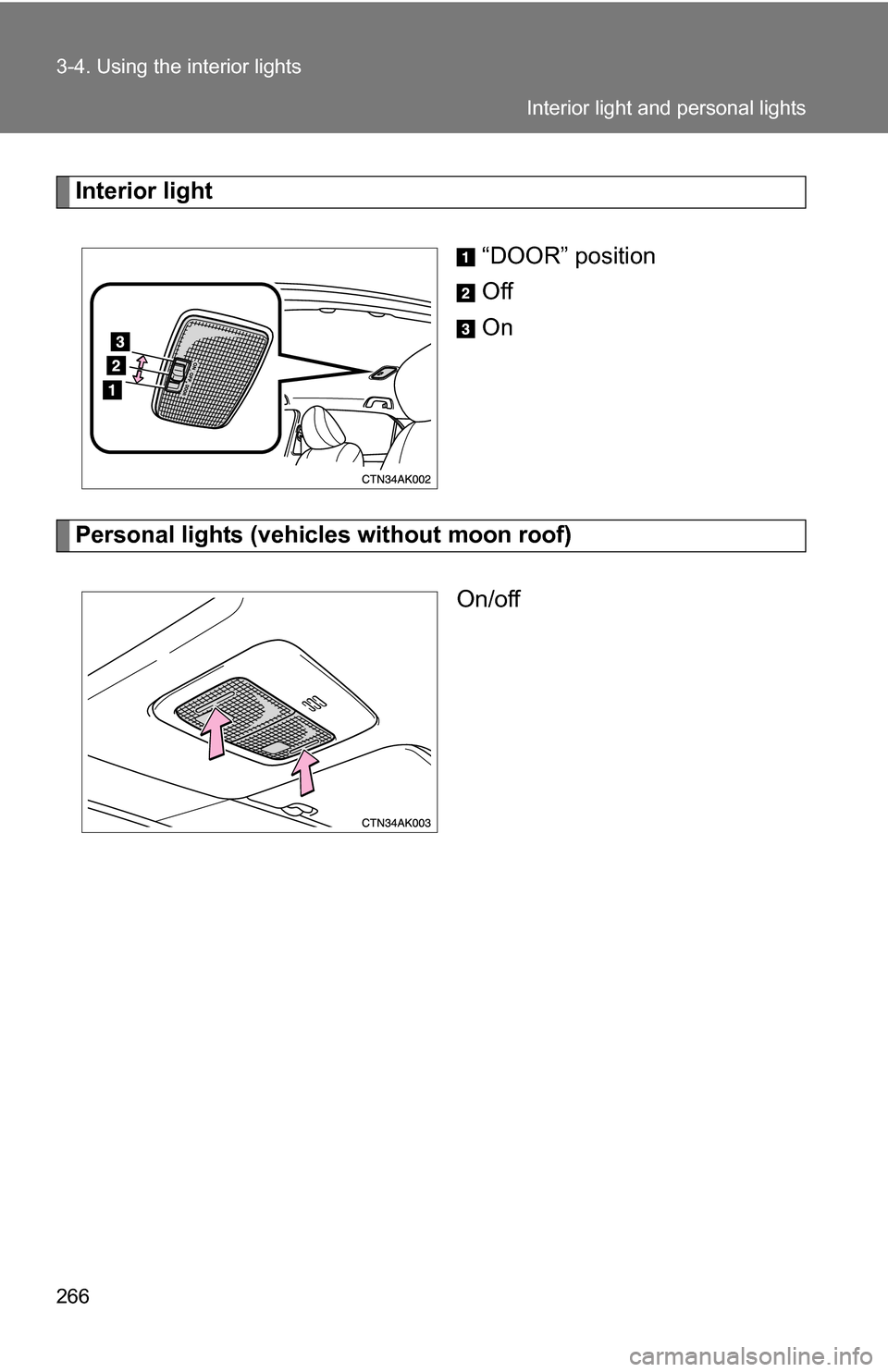
Interior light“DOOR” position
Off
On
Personal lights (vehicles without moon roof)On/off
Interior light and personal lights
Page 267 of 476
267
3-4. Using the interior lights
3
Interior features
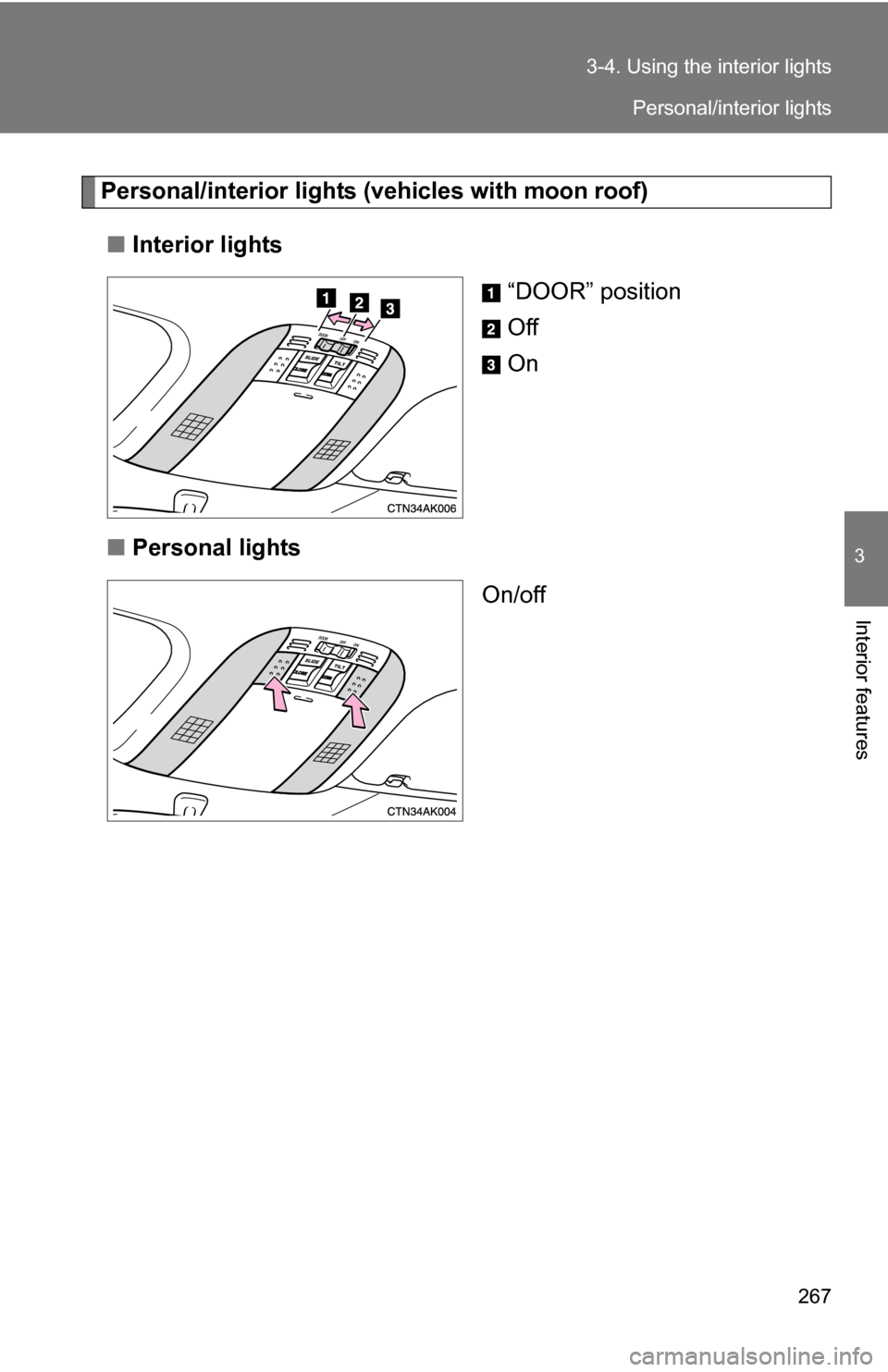
Personal/interior lights (
vehicles with moon roof)
■ Interior lights
“DOOR” position
Off
On
■ Personal lights
On/off
Personal/interior lights
Page 274 of 476
274 3-5. Using the storage features
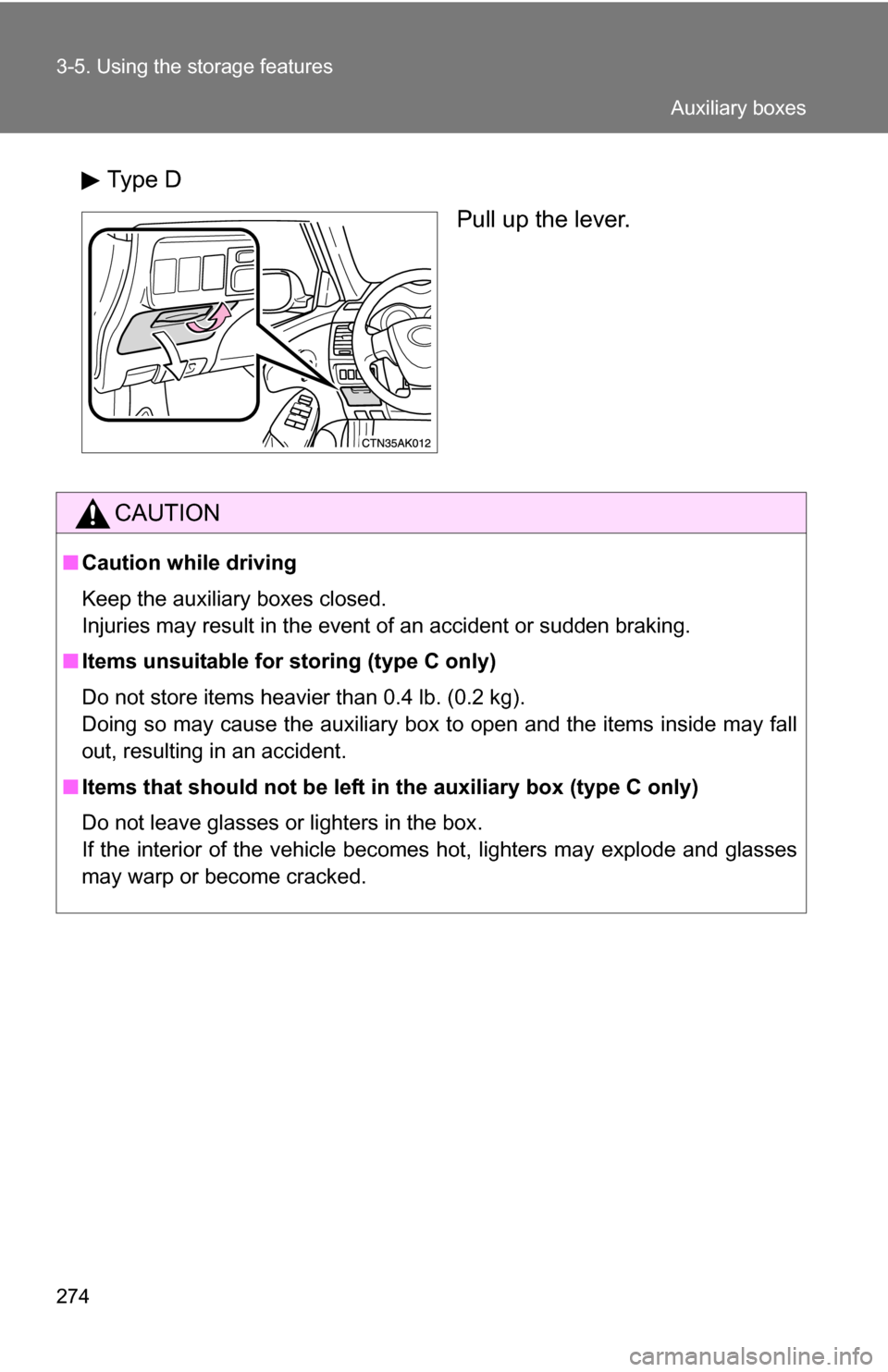
Type DPull up the lever.
CAUTION
■Caution while driving
Keep the auxiliary boxes closed.
Injuries may result in the event of an accident or sudden braking.
■ Items unsuitable for storing (type C only)
Do not store items heavier than 0.4 lb. (0.2 kg).
Doing so may cause the auxiliary box to open and the items inside may fall
out, resulting in an accident.
■ Items that should not be left in the auxiliary box (type C only)
Do not leave glasses or lighters in the box.
If the interior of the vehicle becomes hot, lighters may explode and glasses
may warp or become cracked.
Auxiliary boxes
Page 280 of 476
280
3-6. Other interior features
Cigarette lighter
■The cigarette lighter can be used when
Vehicles with smart key system
The “ENGINE START STOP” switch is in ACCESSORY or IGNITION ON
mode.
Vehicles without smart key system
The engine switch is in the “ACC” or “ON” position.
CAUTION
■ When not in use
Keep the lid closed.
Injuries may result in the event of an accident or sudden braking.
■ To avoid burns or fires
●Do not touch the metal parts of the cigarette lighter.
● Do not hold the cigarette lighter down. It could overheat and cause a fire.
● Do not insert anything other than the cigarette lighter into the outlet.\
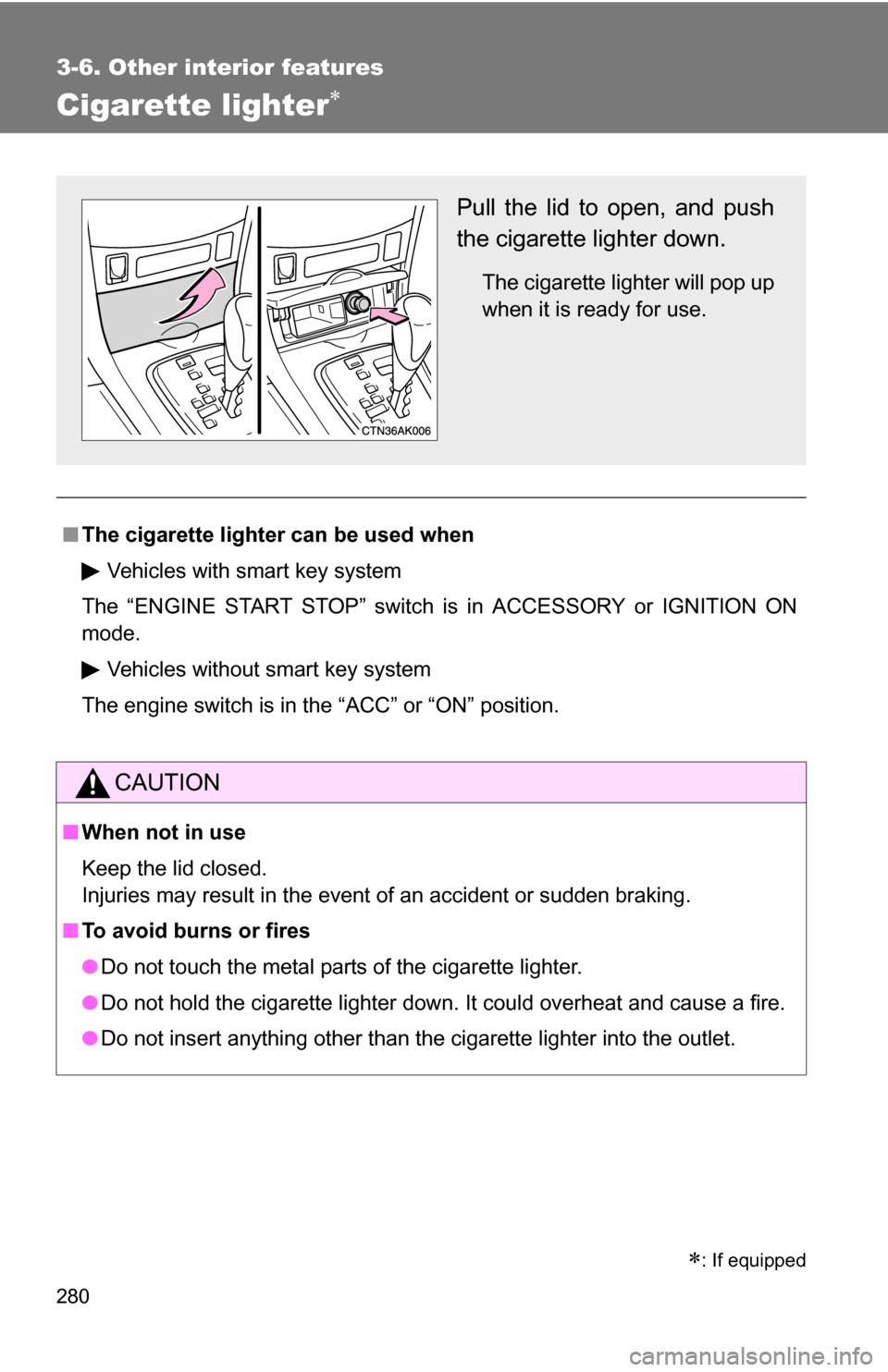
Pull the lid to open, and push
the cigarette lighter down.
The cigarette lighter will pop up
when it is ready for use.
: If equipped
Page 283 of 476
283
3-6. Other interior features
3
Interior features
Seat heaters
■The seat heaters can be used when
Vehicles with smart key system
The “ENGINE START STOP” switch is in IGNITION ON mode.
Vehicles without smart key system
The engine switch is in the “ON” position.
CAUTION
■ Burns
●Use caution when seating the following persons in a seat with the seat
heater on to avoid the possibility of burns:
• Babies, small children, the elderly, the sick and the disabled
• Persons with sensitive skin
• Persons who are fatigued
• Persons who have taken alcohol or drugs that induce sleep (sleeping
drugs, cold remedies, etc.)
● Do not cover the seat with anything when using the seat heater.
Using the seat heater with a blanket or cushion increases the temperature
of the seat and may lead to overheating.
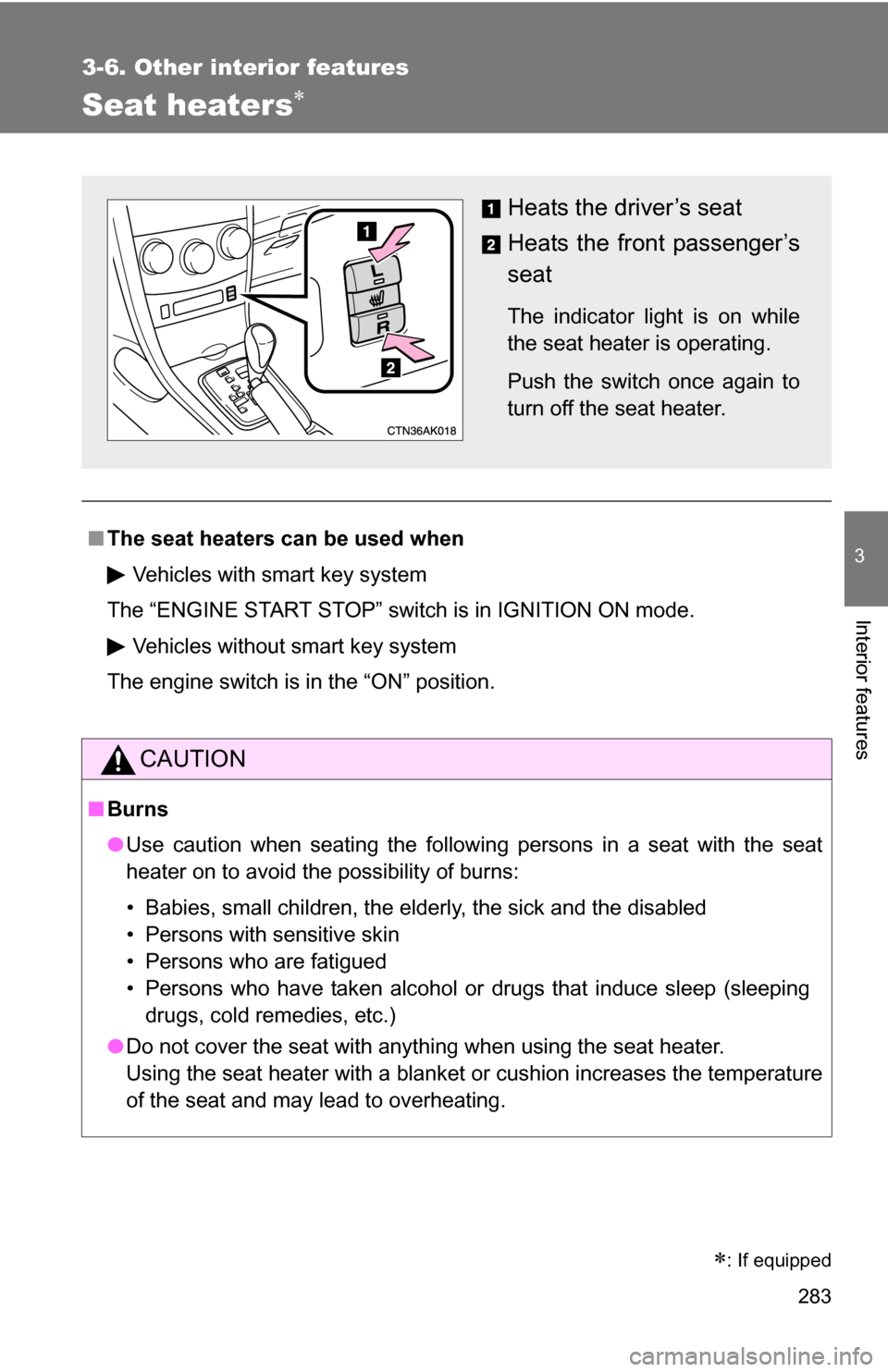
Heats the driver’s seat
Heats the front passenger’s
seat
The indicator light is on while
the seat heater is operating.
Push the switch once again to
turn off the seat heater.
: If equipped