interior lights TOYOTA COROLLA 2010 10.G Owners Manual
[x] Cancel search | Manufacturer: TOYOTA, Model Year: 2010, Model line: COROLLA, Model: TOYOTA COROLLA 2010 10.GPages: 476, PDF Size: 9.5 MB
Page 3 of 476
1
2
3
4
5
6
7
3
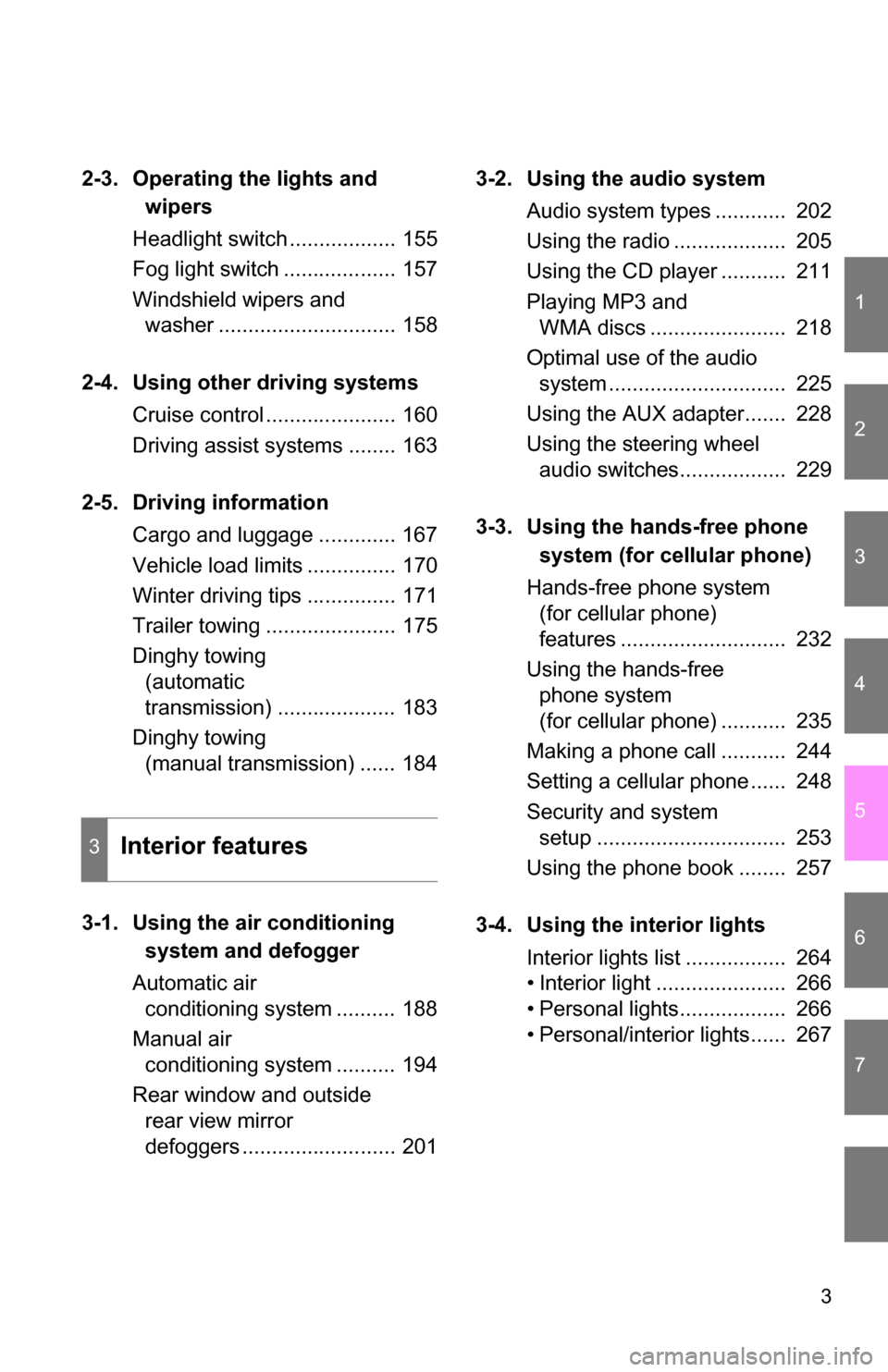
2-3. Operating the lights and wipers
Headlight switch .................. 155
Fog light switch ................... 157
Windshield wipers and washer .............................. 158
2-4. Using other driving systems Cruise control ...................... 160
Driving assist systems ........ 163
2-5. Driving information Cargo and luggage ............. 167
Vehicle load limits ............... 170
Winter driving tips ............... 171
Trailer towing ...................... 175
Dinghy towing (automatic
transmission) .................... 183
Dinghy towing (manual transmission) ...... 184
3-1. Using the air conditioning system and defogger
Automatic air conditioning system .......... 188
Manual air conditioning system .......... 194
Rear window and outside rear view mirror
defoggers .......................... 201 3-2. Using the audio system
Audio system types ............ 202
Using the radio ................... 205
Using the CD player ........... 211
Playing MP3 and WMA discs ....................... 218
Optimal use of the audio system .............................. 225
Using the AUX adapter....... 228
Using the steering wheel audio switches.................. 229
3-3. Using the hands-free phone system (for cellular phone)
Hands-free phone system (for cellular phone)
features ............................ 232
Using the hands-free phone system
(for cellular phone) ........... 235
Making a phone call ........... 244
Setting a cellular phone ...... 248
Security and system setup ................................ 253
Using the phone book ........ 257
3-4. Using the interior lights Interior lights list ................. 264
• Interior light ...................... 266
• Personal lights.................. 266
• Personal/interior lights...... 267
3Interior features
Page 9 of 476
9
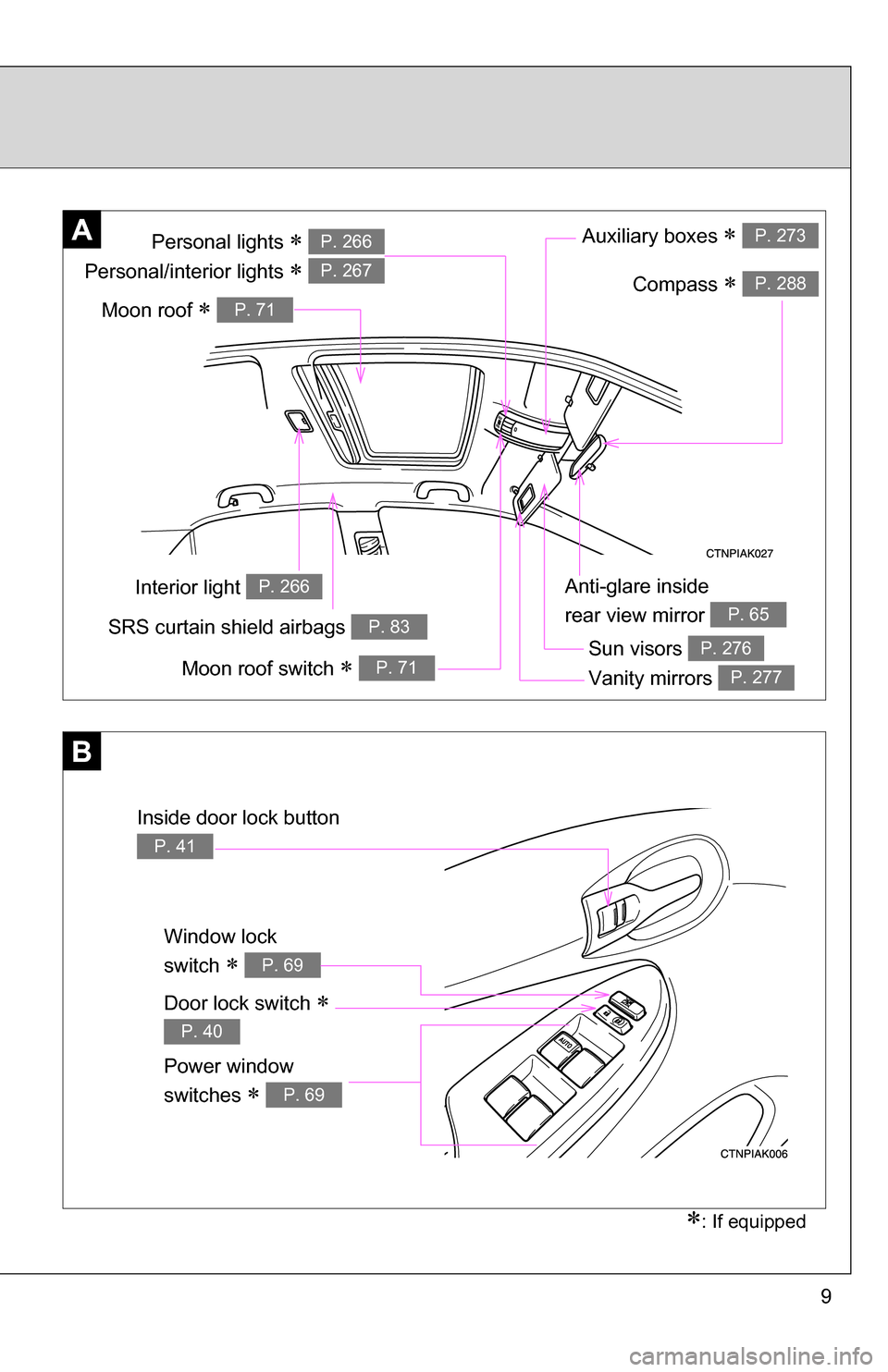
Anti-glare inside
rear view mirror
P. 65
Interior light P. 266
Personal lights
Personal/interior lights
P. 266
P. 267
SRS curtain shield airbags P. 83
A
: If equipped
Sun visors P. 276
Vanity mirrors P. 277
Auxiliary boxes P. 273
Window lock
switch
P. 69
Power window
switches
P. 69
B
Door lock switch
P. 40
Inside door lock button
P. 41
Compass P. 288
Moon roof switch P. 71
Moon roof P. 71
Page 30 of 476
30 1-2. Opening, closing and locking the doors and trunk
●Even if the electronic key is not inside the vehicle, it may be possible to
start the engine if the electronic key is near the window.
● The doors may unlock if a large amount of water splashes on the door
handle, such as in the rain or in a car wash. (The doors will automatically
be locked after approximately 60 seconds if the doors are not opened
and closed.)
● Gripping the door handle when wearing a glove may not unlock the door.
● If the wireless remote control is used to lock the doors when the elec-
tronic key is near the vehicle, there is a possibility that the door may not
be unlocked by the entry function. (Use the wireless remote control to
unlock the doors.)
● A sudden approach to the effective range or door handle may prevent the
doors from being unlocked. In this case, return the door handle to the
original position and check that the doors unlock before pulling the door
handle again.
■ When the vehicle is not driven for extended periods
To prevent theft of the vehicle, do not leave the electronic key within 6 ft. (2
m) of the vehicle.
■ Security feature
If a door is not opened within approximately 60 seconds after the vehicle is
unlocked, the security feature automatically locks the vehicle again.
■ Alarms and warning indicators
A combination of exterior and interior alarms as well as warning lights are
used to reduce the chance of vehicle theft and accidents resulting from erro-
neous operation.
●When any warning lights come on:
Take appropriate measures according to which warning light comes on.
( P. 382)
Page 187 of 476
Interior features3
187
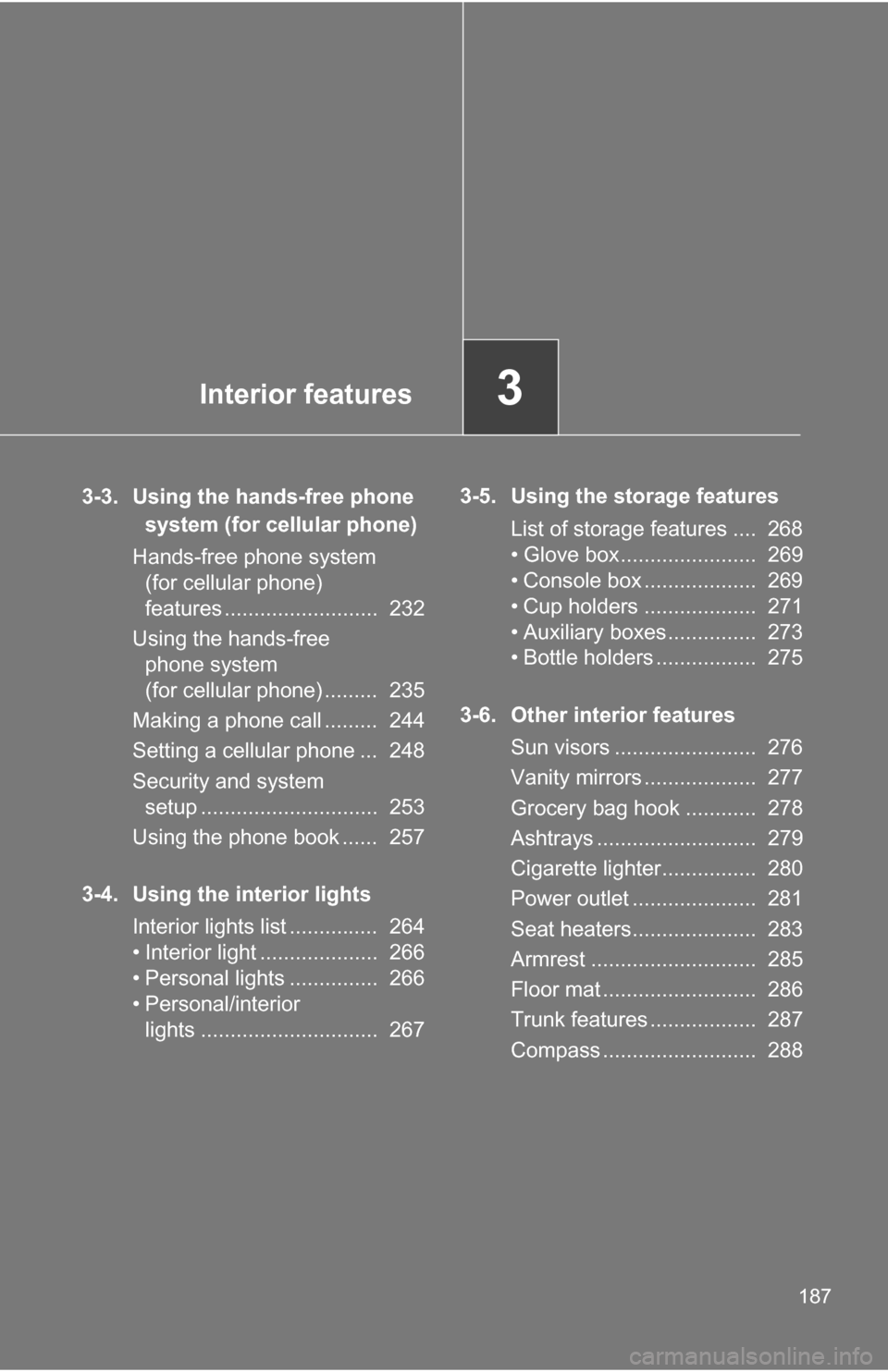
3-3. Using the hands-free phone system (for cellular phone)
Hands-free phone system (for cellular phone)
features .......................... 232
Using the hands-free phone system
(for cellular phone) ......... 235
Making a phone call ......... 244
Setting a cellular phone ... 248
Security and system setup .............................. 253
Using the phone book ...... 257
3-4. Using the interior lights Interior lights list ............... 264
• Interior light .................... 266
• Personal lights ............... 266
• Personal/interior lights .............................. 267 3-5. Using the storage features
List of storage features .... 268
• Glove box....................... 269
• Console box ................... 269
• Cup holders ................... 271
• Auxiliary boxes ............... 273
• Bottle holders ................. 275
3-6. Other interior features Sun visors ........................ 276
Vanity mirrors ................... 277
Grocery bag hook ............ 278
Ashtrays ........................... 279
Cigarette lighter................ 280
Power outlet ..................... 281
Seat heaters..................... 283
Armrest ............................ 285
Floor mat .......................... 286
Trunk features .................. 287
Compass .......................... 288
Page 264 of 476
264
3-4. Using the interior lights
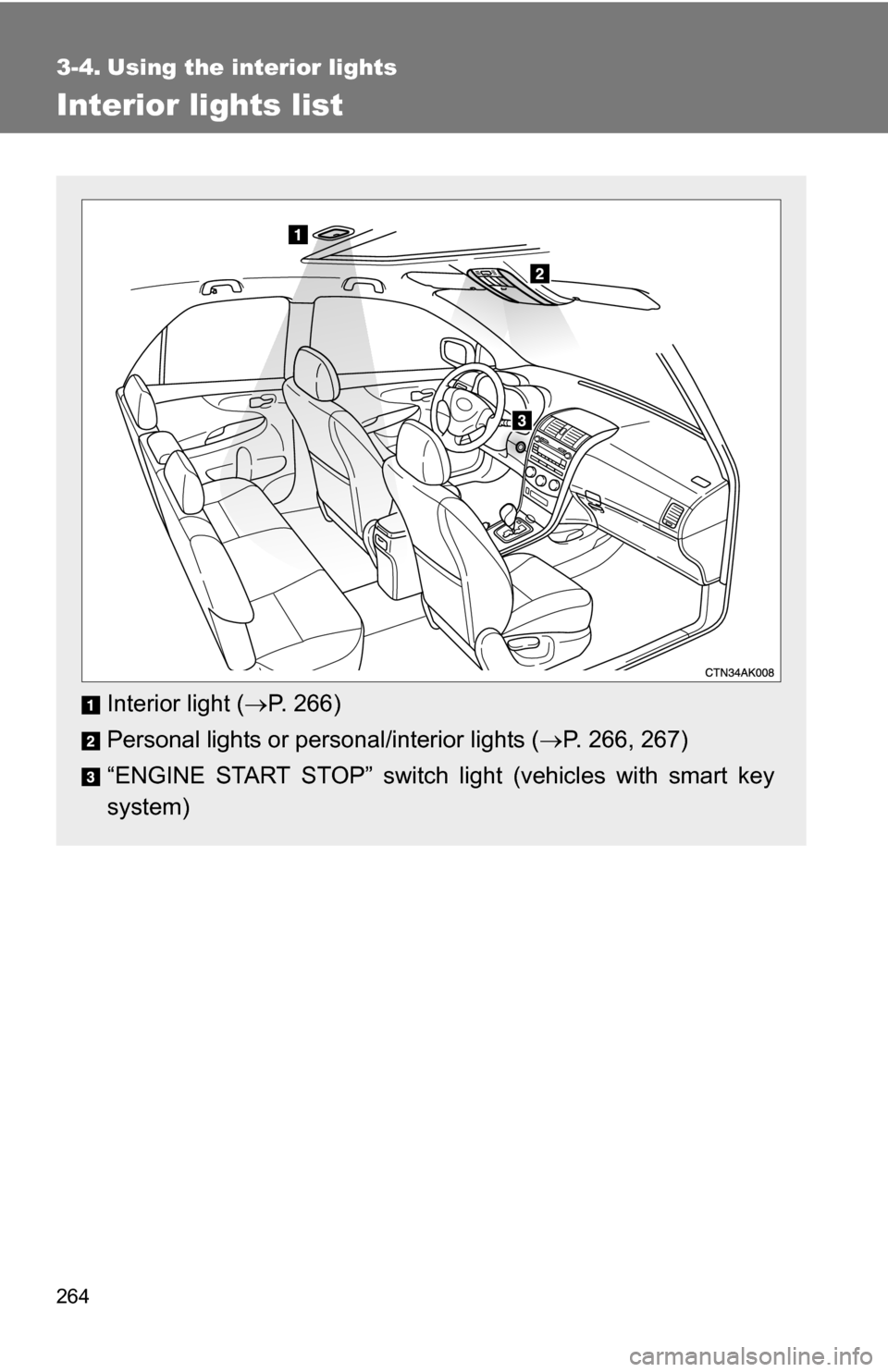
Interior lights list
Interior light (P. 266)
Personal lights or personal/interior lights ( P. 266, 267)
“ENGINE START STOP” switch light (vehicles with smart key
system)
Page 265 of 476
265
3-4. Using the interior lights
3
Interior features
■
Illuminated entry system
Vehicles without moon roof
The interior light (with the switch in the “DOOR” position) and “ENGINE
START STOP” switch light (vehicles with smart key system) automatically
turn on/off according to “ENGINE START STOP” switch mode (vehicles with
smart key system) or engine switch pos ition (vehicles without smart key sys-
tem), the presence of the electronic key (vehicles with smart key system),
whether the doors are locked/unlocked (vehicles with power door lock sys-
tem) and whether the doors are open/closed.
Vehicles with moon roof
The interior light, personal/interior lights (with the switch in the “DOOR” posi-
tion) and “ENGINE START STOP” switch light (vehicles with smart key sys-
tem) automatically turn on/off according to “ENGINE START STOP” switch
mode (vehicles with smart key system) or engine switch position (vehicles
without smart key system), the presence of the electronic key (vehicle\
s with
smart key system), whether the doors are locked/unlocked (vehicles with
power door lock system) and whether the doors are open/closed.
■ To prevent the battery from being discharged
If the interior light, personal/interior lights (vehicles with moon roof) and
“ENGINE START STOP” switch light (vehicles with smart key system)
remain on when the door is not fully closed and the switch is in the “DOOR”
position, the lights will go off automatically after 20 minutes.
■ Customization that can be co nfigured at Toyota dealer
Settings (e.g. The time elapsed before lights turn off) can be changed.
(Customizable features P. 449)
Page 266 of 476
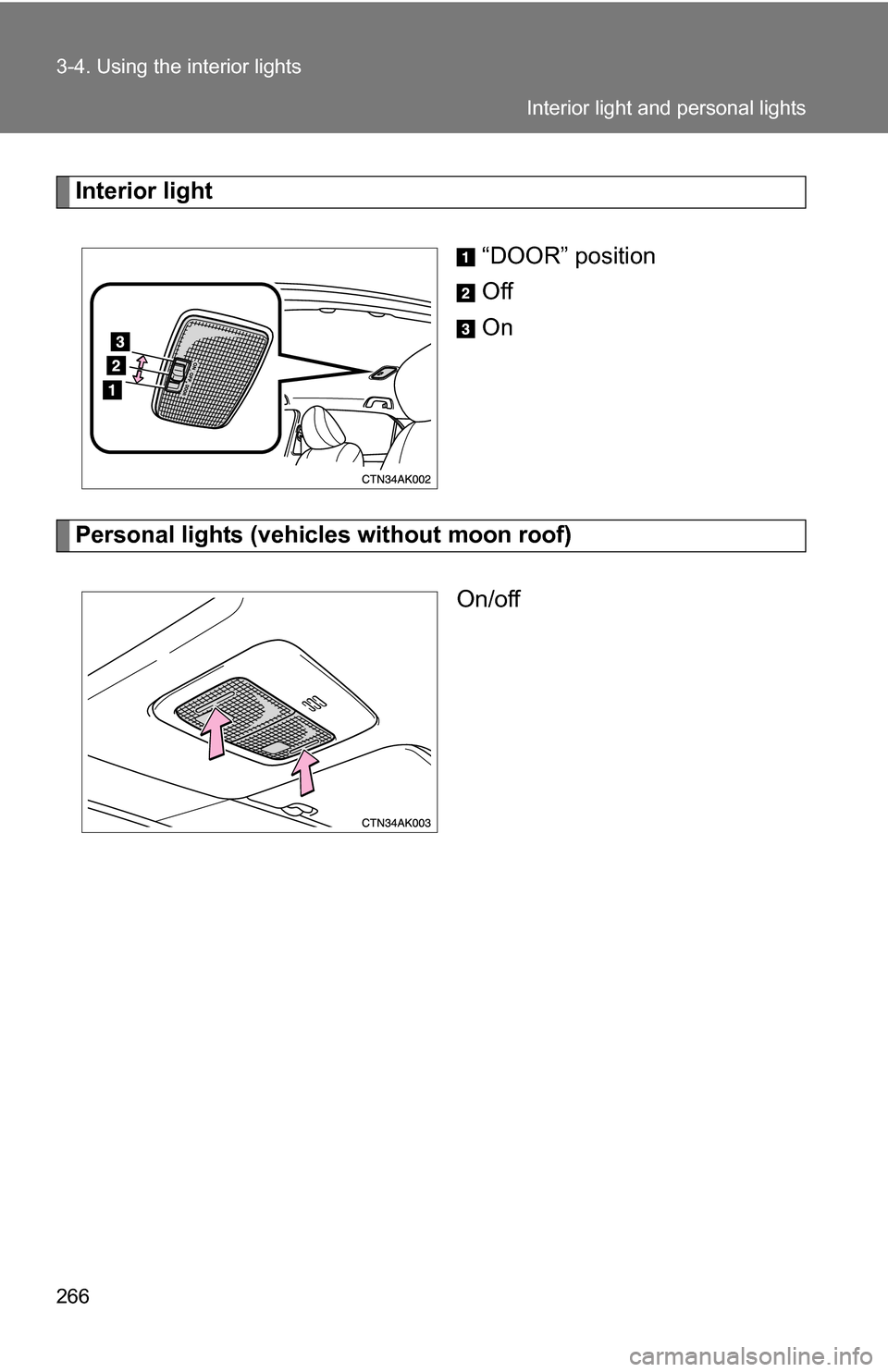
266 3-4. Using the interior lights
Interior light“DOOR” position
Off
On
Personal lights (vehicles without moon roof)On/off
Interior light and personal lights
Page 267 of 476
267
3-4. Using the interior lights
3
Interior features
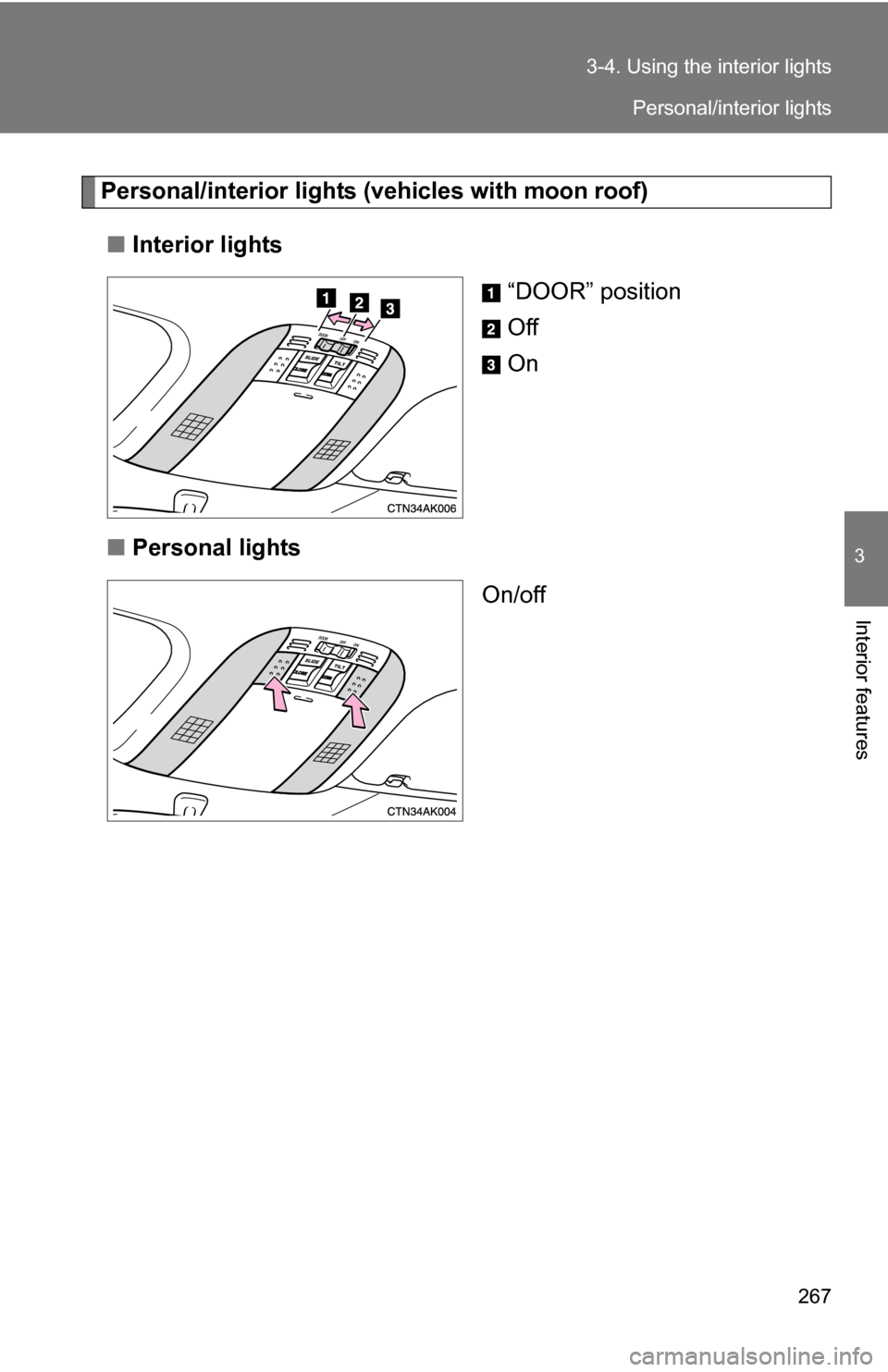
Personal/interior lights (
vehicles with moon roof)
■ Interior lights
“DOOR” position
Off
On
■ Personal lights
On/off
Personal/interior lights
Page 302 of 476
302 4-2. Maintenance
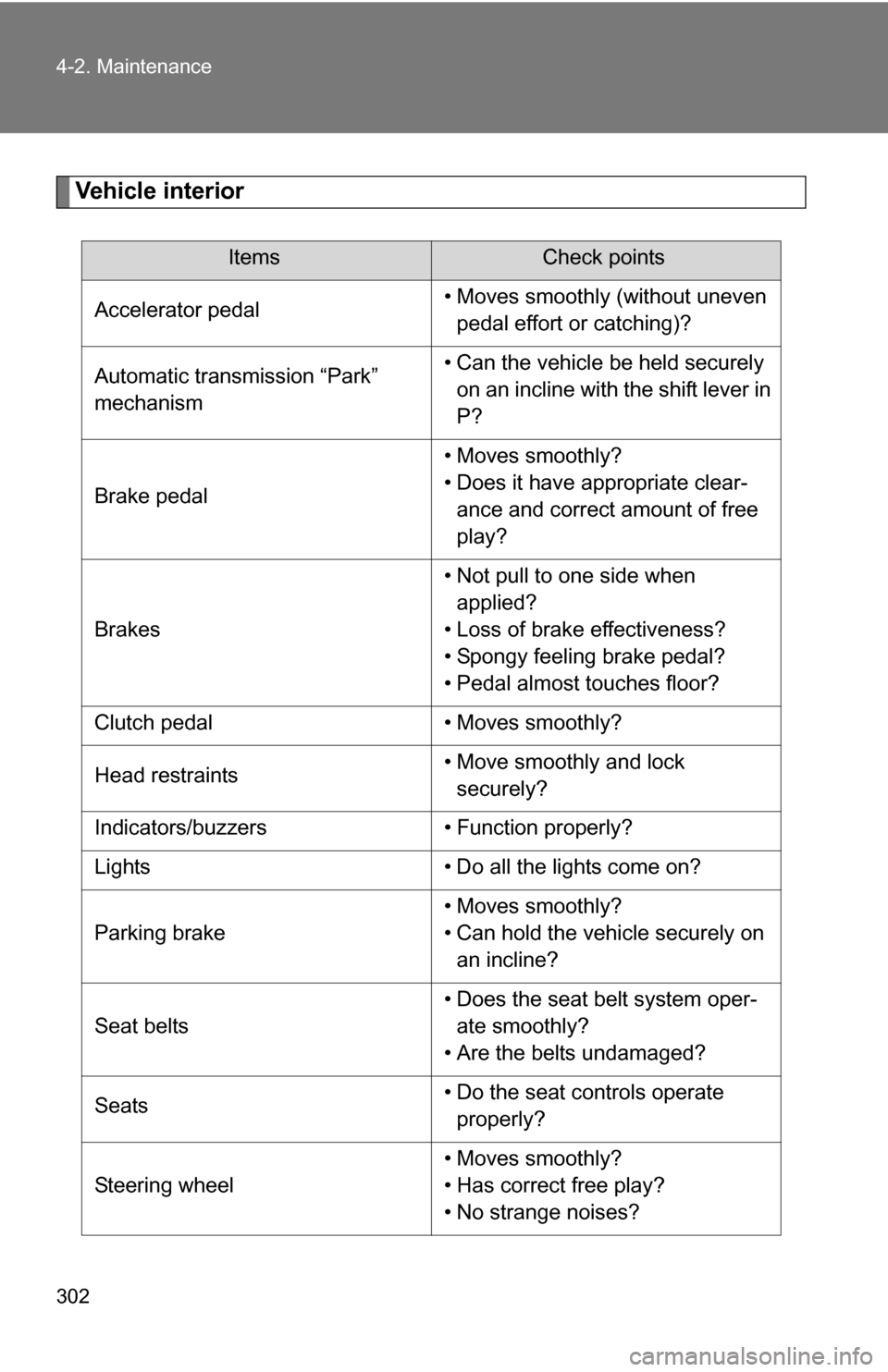
Vehicle interior
ItemsCheck points
Accelerator pedal • Moves smoothly (without uneven
pedal effort or catching)?
Automatic transmission “Park”
mechanism • Can the vehicle be held securely
on an incline with the shift lever in
P?
Brake pedal • Moves smoothly?
• Does it have appropriate clear-
ance and correct amount of free
play?
Brakes • Not pull to one side when
applied?
• Loss of brake effectiveness?
• Spongy feeling brake pedal?
• Pedal almost touches floor?
Clutch pedal • Moves smoothly?
Head restraints • Move smoothly and lock
securely?
Indicators/buzzers • Function properly?
Lights • Do all the lights come on?
Parking brake • Moves smoothly?
• Can hold the vehicle securely on
an incline?
Seat belts • Does the seat belt system oper-
ate smoothly?
• Are the belts undamaged?
Seats • Do the seat controls operate
properly?
Steering wheel • Moves smoothly?
• Has correct free play?
• No strange noises?
Page 404 of 476
404
5-2. Steps to take in an emergency
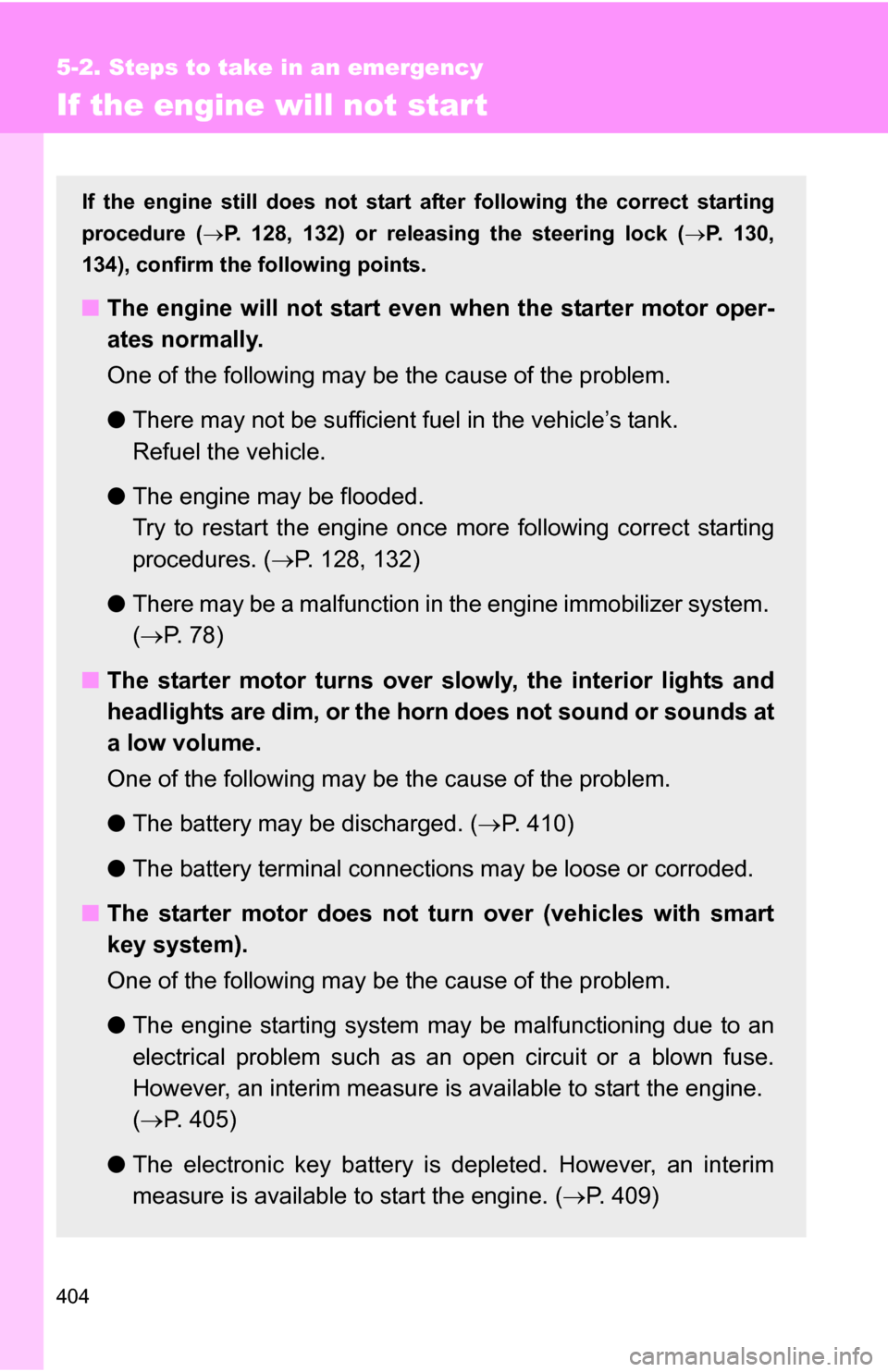
If the engine will not star t
If the engine still does not start after following the correct starting
procedure (P. 128, 132) or releasing the steering lock ( P. 130,
134), confirm the fo llowing points.
■The engine will not start even when the starter motor oper-
ates normally.
One of the following may be the cause of the problem.
●There may not be sufficient fuel in the vehicle’s tank.
Refuel the vehicle.
● The engine may be flooded.
Try to restart the engine once more following correct starting
procedures. ( P. 128, 132)
● There may be a malfunction in the engine immobilizer system.
( P. 7 8 )
■ The starter motor turns over slowly, the interior lights and
headlights are dim, or the horn does not sound or sounds at
a low volume.
One of the following may be the cause of the problem.
●The battery may be discharged. ( P. 410)
● The battery terminal connec tions may be loose or corroded.
■ The starter motor does not turn over (vehicles with smart
key system).
One of the following may be the cause of the problem.
●The engine starting system may be malfunctioning due to an
electrical problem such as an open circuit or a blown fuse.
However, an interim measure is available to start the engine.
( P. 405)
● The electronic key battery is depleted. However, an interim
measure is available to start the engine. ( P. 409)