TOYOTA COROLLA 2011 10.G Owners Manual
COROLLA 2011 10.G
TOYOTA
TOYOTA
https://www.carmanualsonline.info/img/14/6326/w960_6326-0.png
TOYOTA COROLLA 2011 10.G Owners Manual
Page 406 of 529
405
4-3. Do-it-yourself maintenance
4
Maintenance and care
■
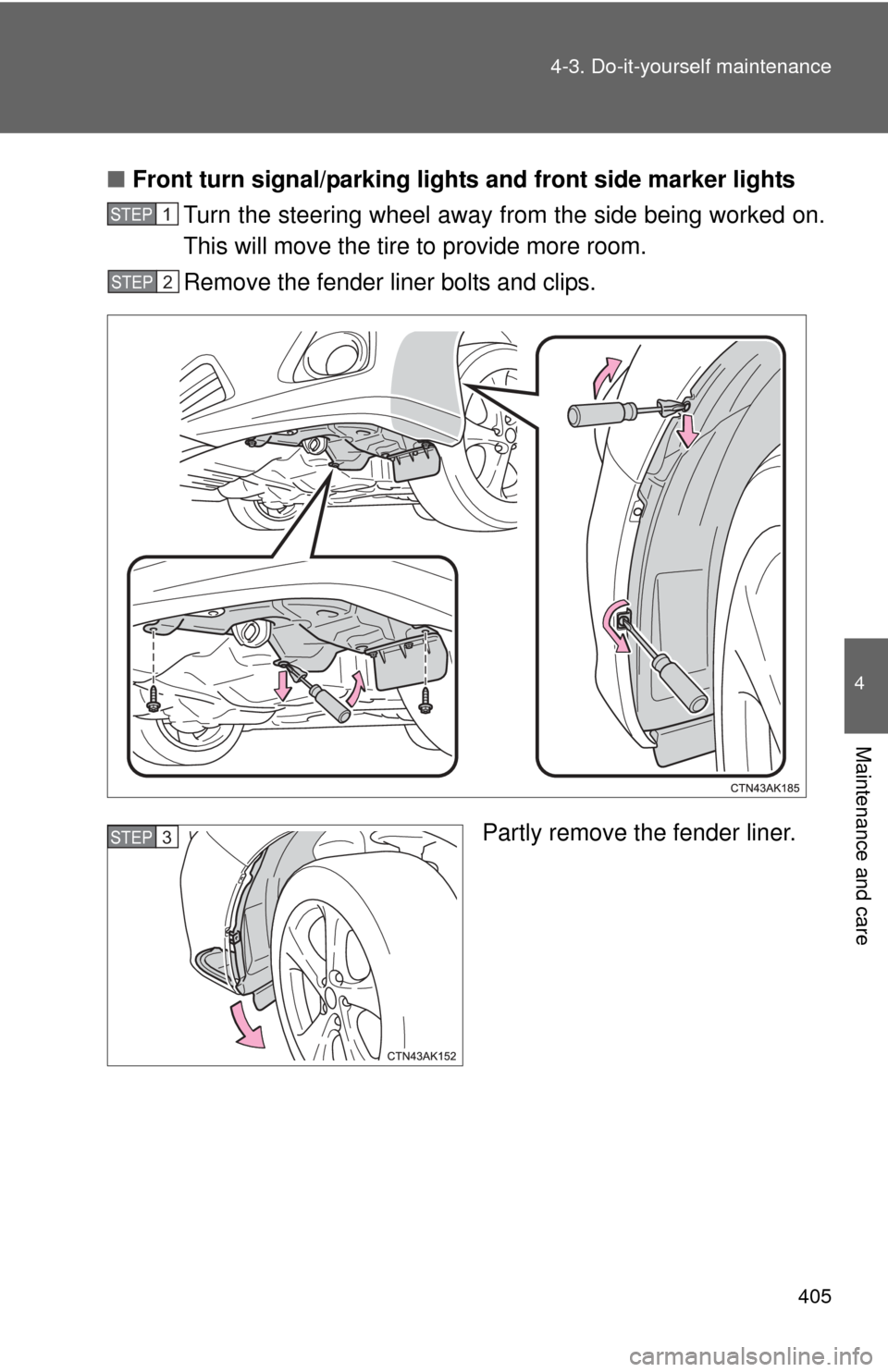
Front turn signal/parking lights and front side marker lights
Turn the steering wheel away from the side being worked on.
This will move the tire to provide more room.
Remove the fender liner bolts and clips.
Partly remove the fender liner.
STEP 1
STEP 2
STEP 3
Page 407 of 529
406 4-3. Do-it-yourself maintenance
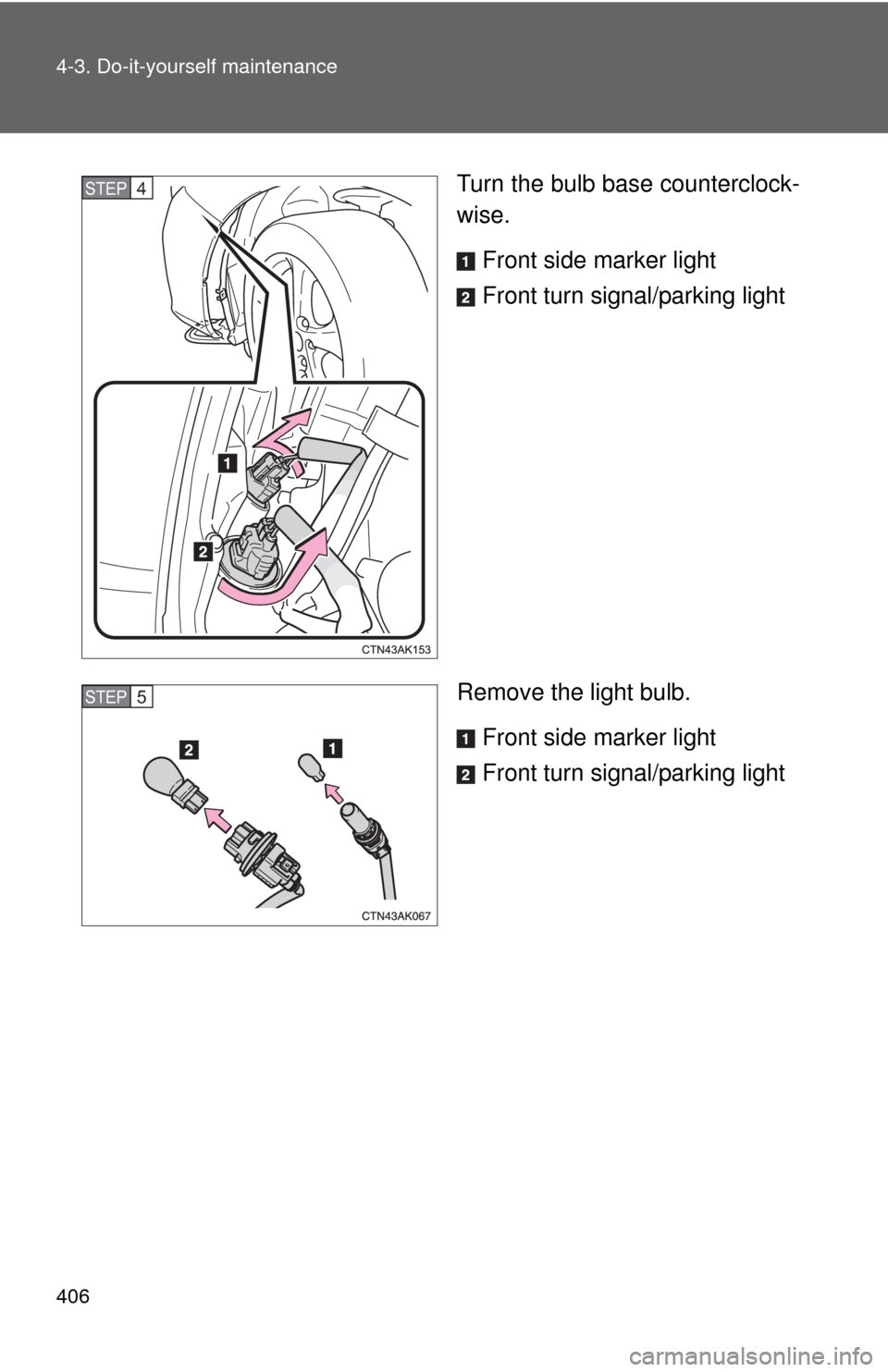
Turn the bulb base counterclock-
wise.Front side marker light
Front turn signal/parking light
Remove the light bulb. Front side marker light
Front turn signal/parking lightSTEP 4
STEP 5
Page 408 of 529
407
4-3. Do-it-yourself maintenance
4
Maintenance and care
■
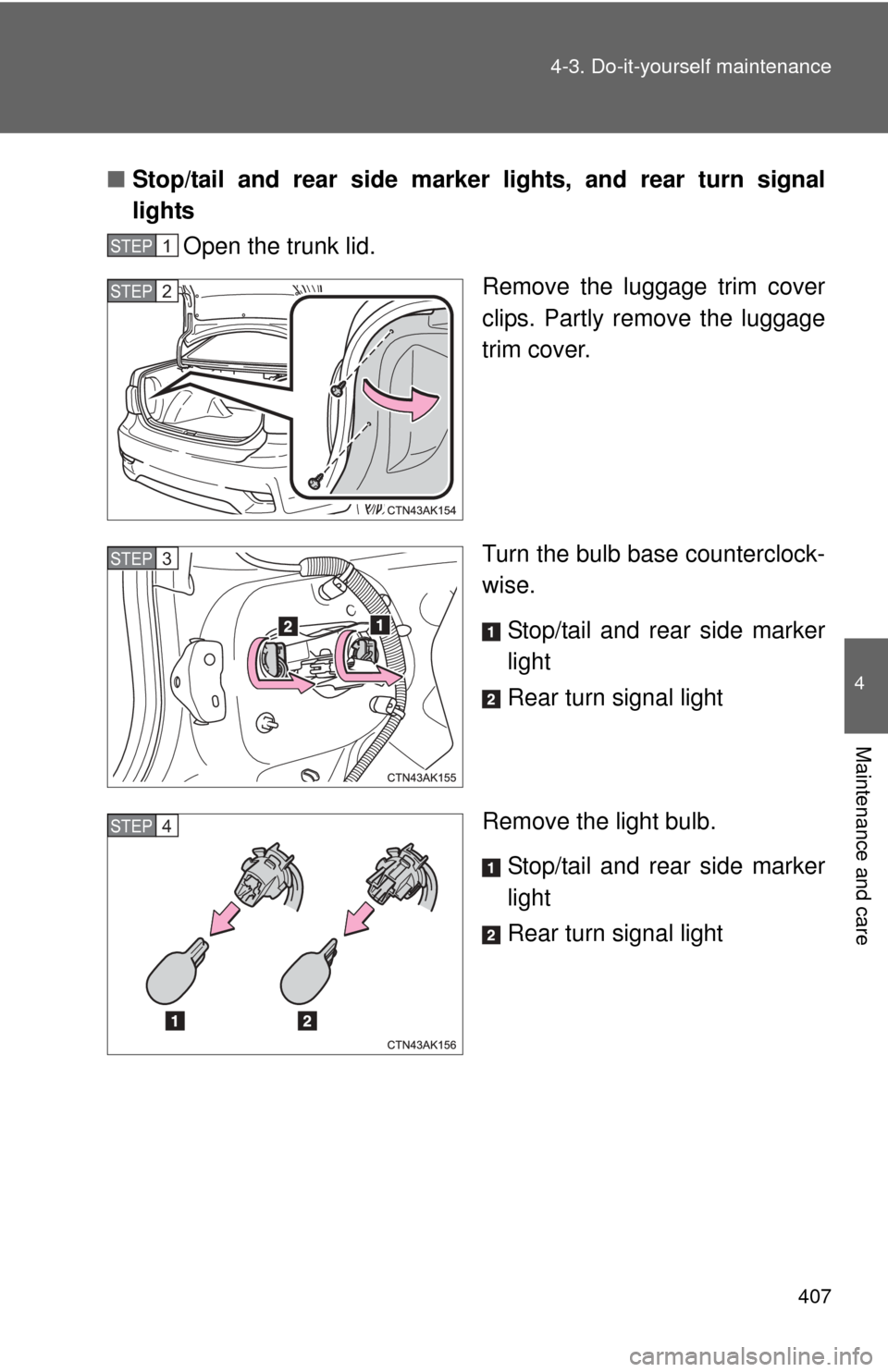
Stop/tail and rear side marker lights, and rear turn signal
lights
Open the trunk lid.
Remove the luggage trim cover
clips. Partly remove the luggage
trim cover.
Turn the bulb base counterclock-
wise.
Stop/tail and rear side marker
light
Rear turn signal light
Remove the light bulb. Stop/tail and rear side marker
light
Rear turn signal light
STEP 1
STEP 2
STEP 3
STEP 4
Page 409 of 529
408 4-3. Do-it-yourself maintenance
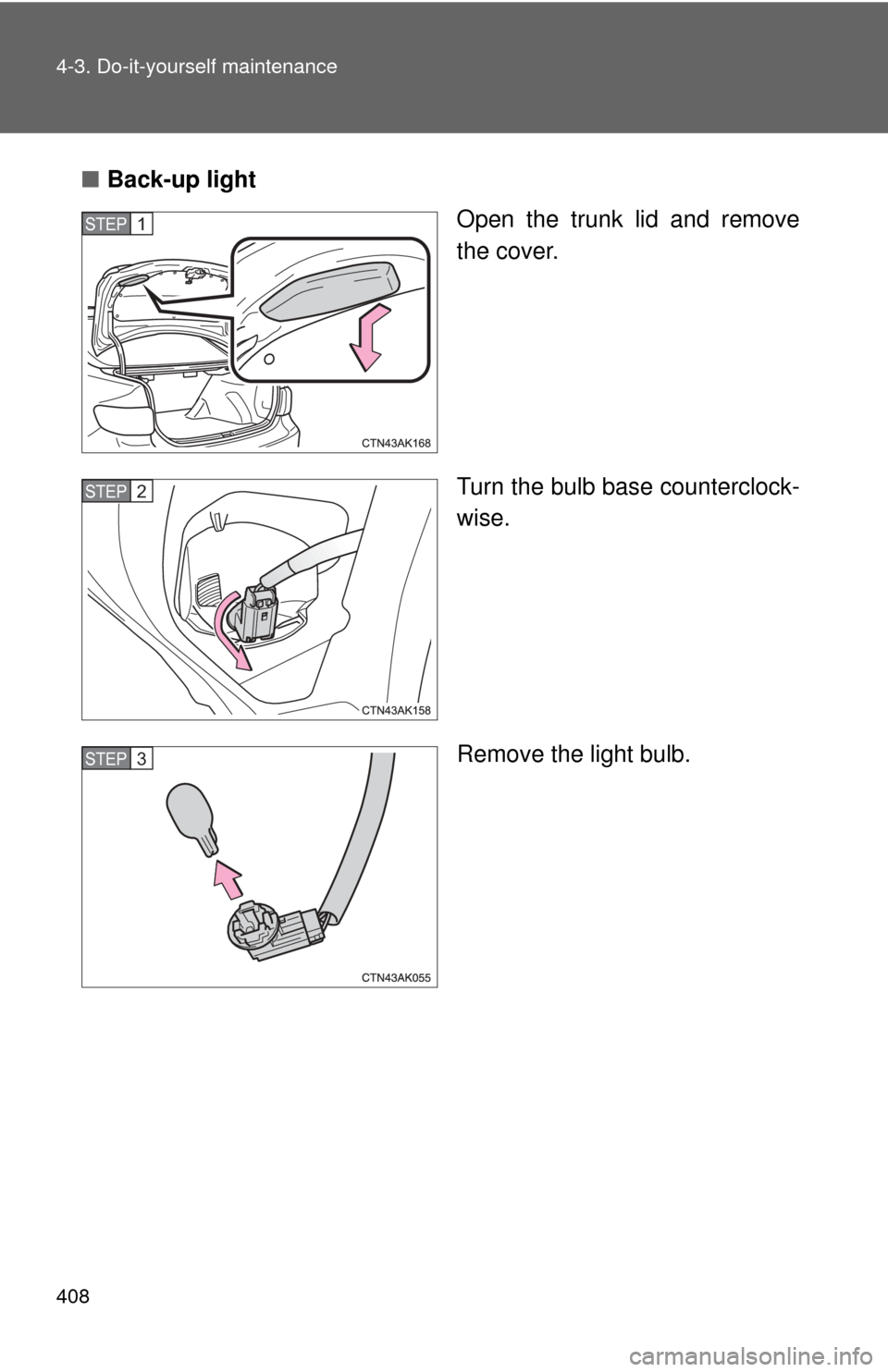
■Back-up light
Open the trunk lid and remove
the cover.
Turn the bulb base counterclock-
wise.
Remove the light bulb.
STEP 1
STEP 2
STEP 3
Page 410 of 529
409
4-3. Do-it-yourself maintenance
4
Maintenance and care
■
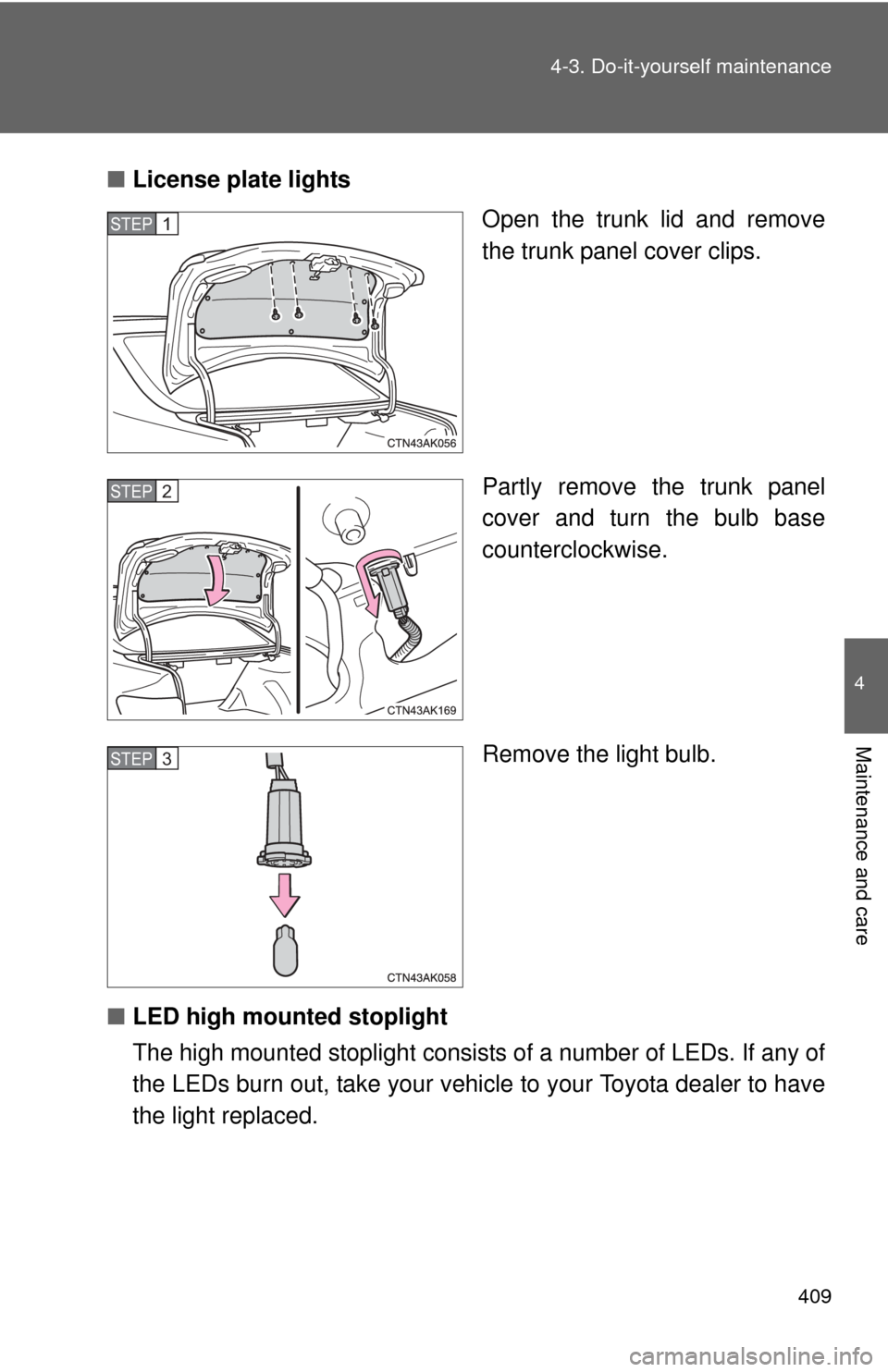
License plate lights
Open the trunk lid and remove
the trunk panel cover clips.
Partly remove the trunk panel
cover and turn the bulb base
counterclockwise.
Remove the light bulb.
■ LED high mounted stoplight
The high mounted stoplight consists of a numbe r of LEDs. If any of
the LEDs burn out, take your vehicle to your Toyota dealer to have
the light replaced.
STEP 1
STEP 2
STEP 3
Page 411 of 529
410 4-3. Do-it-yourself maintenance
■Condensation build-up on th e inside of the lens
Contact your Toyota dealer for more information in the following situations.
Temporary condensation build-up on the inside of the headlight lens does
not indicate a malfunction.
● Large drops of water have built up on the inside of the lens.
● Water has built up inside the headlight.
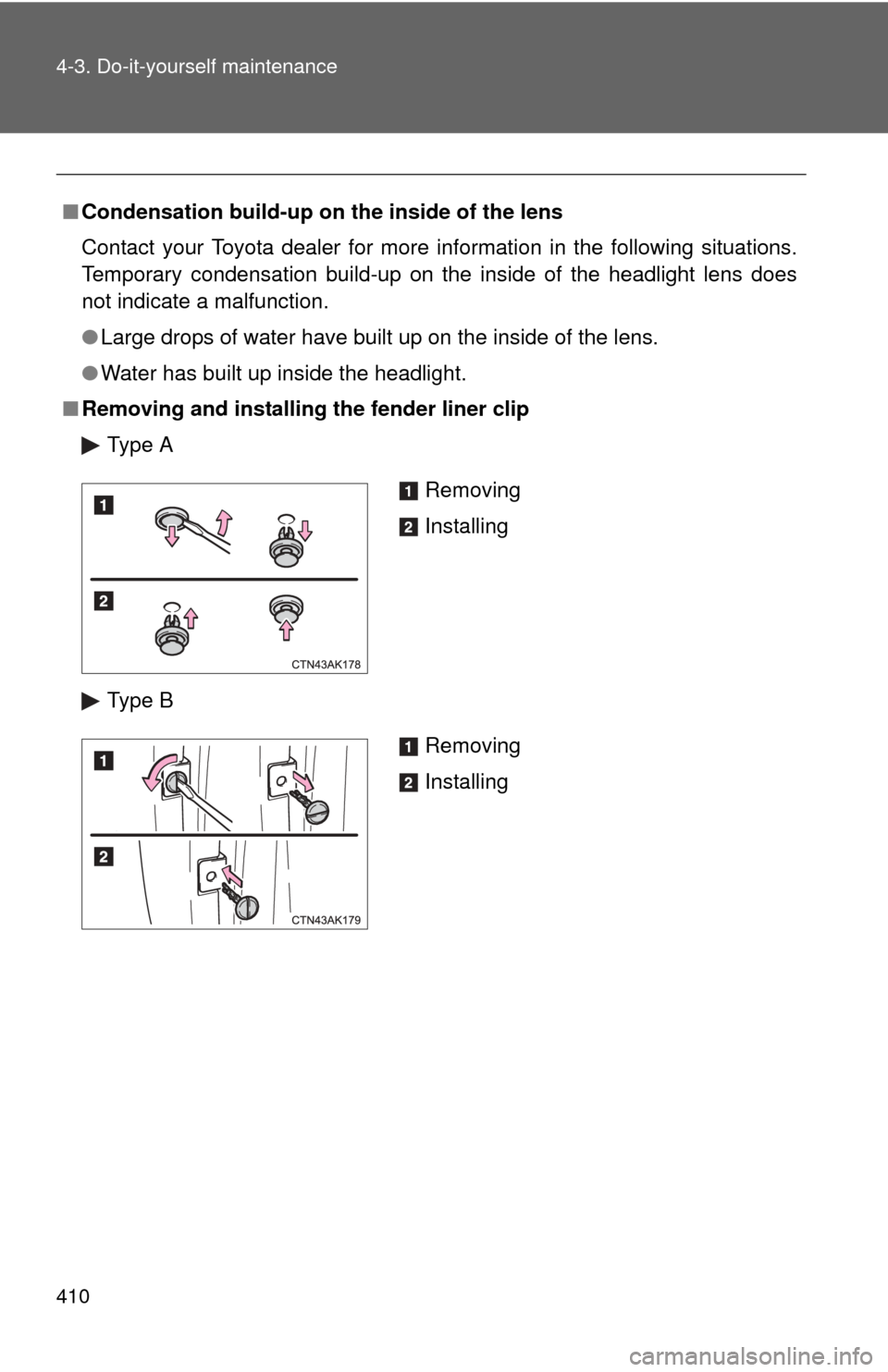
■ Removing and installing the fender liner clip
Type A
Type B
Removing
Installing
Removing
Installing
Page 412 of 529
411
4-3. Do-it-yourself maintenance
4
Maintenance and care
CAUTION
■
Replacing light bulbs
●Turn off the headlights. Do not attempt to replace the bulb immediately
after turning off the headlights.
The bulbs become very hot and may cause burns.
● Do not touch the glass portion of the light bulb with bare hands. Hold the
bulb by the plastic or metal portion.
If the bulb is scratched or dropped it may blow out or crack.
● Fully install light bulbs and any parts used to secure them. Failing to do so
may result in heat damage, fire, or water entering the headlight unit. This
may damage the headlights or cause condensation to build up on the lens.
■ To prevent damage or fire
Make sure bulbs are fully seated and locked.
Page 414 of 529
When trouble arises5
413
5-1. Essential informationEmergency flashers ......... 414
If your vehicle needs to be towed ........................ 415
If you think something is wrong ............................. 420
Fuel pump shut off system ........................... 421
Event data recorder ......... 422 5-2. Steps to take in an
emergency
If a warning light turns on or a warning buzzer
sounds... ....................... 424
If you have a flat tire......... 436
If the engine will not start ................................ 448
If the shift lever cannot be shifted from P................. 450
If you lose your keys ........ 451
If the electronic key does not operate properly....... 452
If the battery is discharged ..................... 454
If your vehicle overheats ....................... 460
If the vehicle becomes stuck .............................. 463
If your vehicle has to be stopped in an
emergency ..................... 465
Page 415 of 529
414
5-1. Essential information
Emergency flashers
NOTICE
■To prevent battery discharge
Do not leave the emergency flashers on longer than necessary when the
engine is not running.
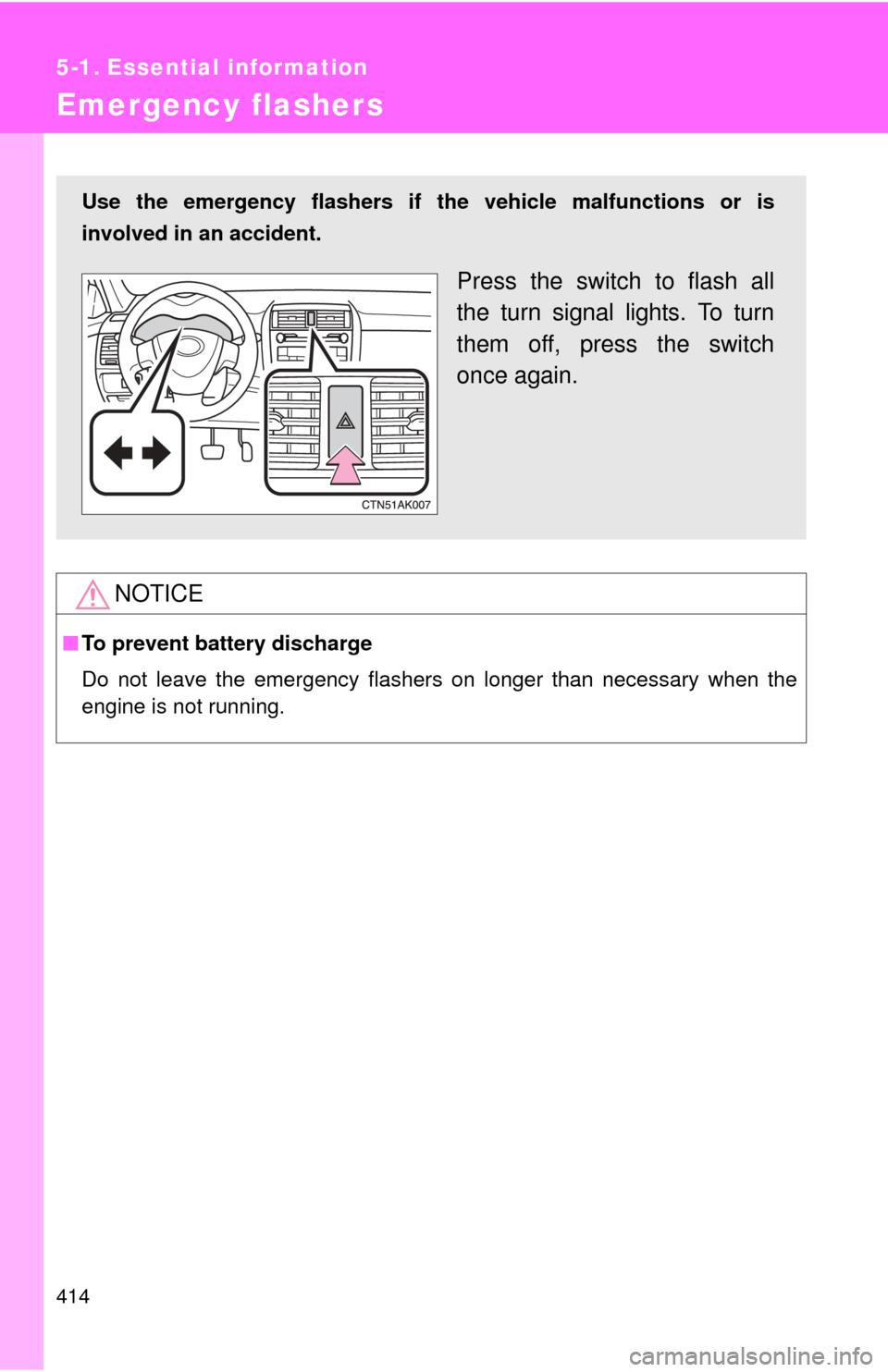
Use the emergency flashers if th e vehicle malfunctions or is
involved in an accident.
Press the switch to flash all
the turn signal lights. To turn
them off, press the switch
once again.
Page 425 of 529
424
5-2. Steps to take in an emergency
If a war ning light tur ns on or a war ning buzzer sounds...
Stop the vehicle immediately. Continuing to drive the vehicle
may be dangerous.The following warning indicates a possible problem in the brake sys-
tem. Immediately stop the vehicle in a safe place and contact your
Toyota dealer.
*: Parking brake engaged warning buzzer: The buzzer sounds to indicate that the parking brake is still engaged (with the vehicle having reached a speed
of 3 mph [5 km/h]).
Stop the vehicle immediately.
The following warning indicates the possibility of damage to the vehi-
cle that may lead to an accident. Immediately stop the vehicle in a
safe place and contact your Toyota dealer.
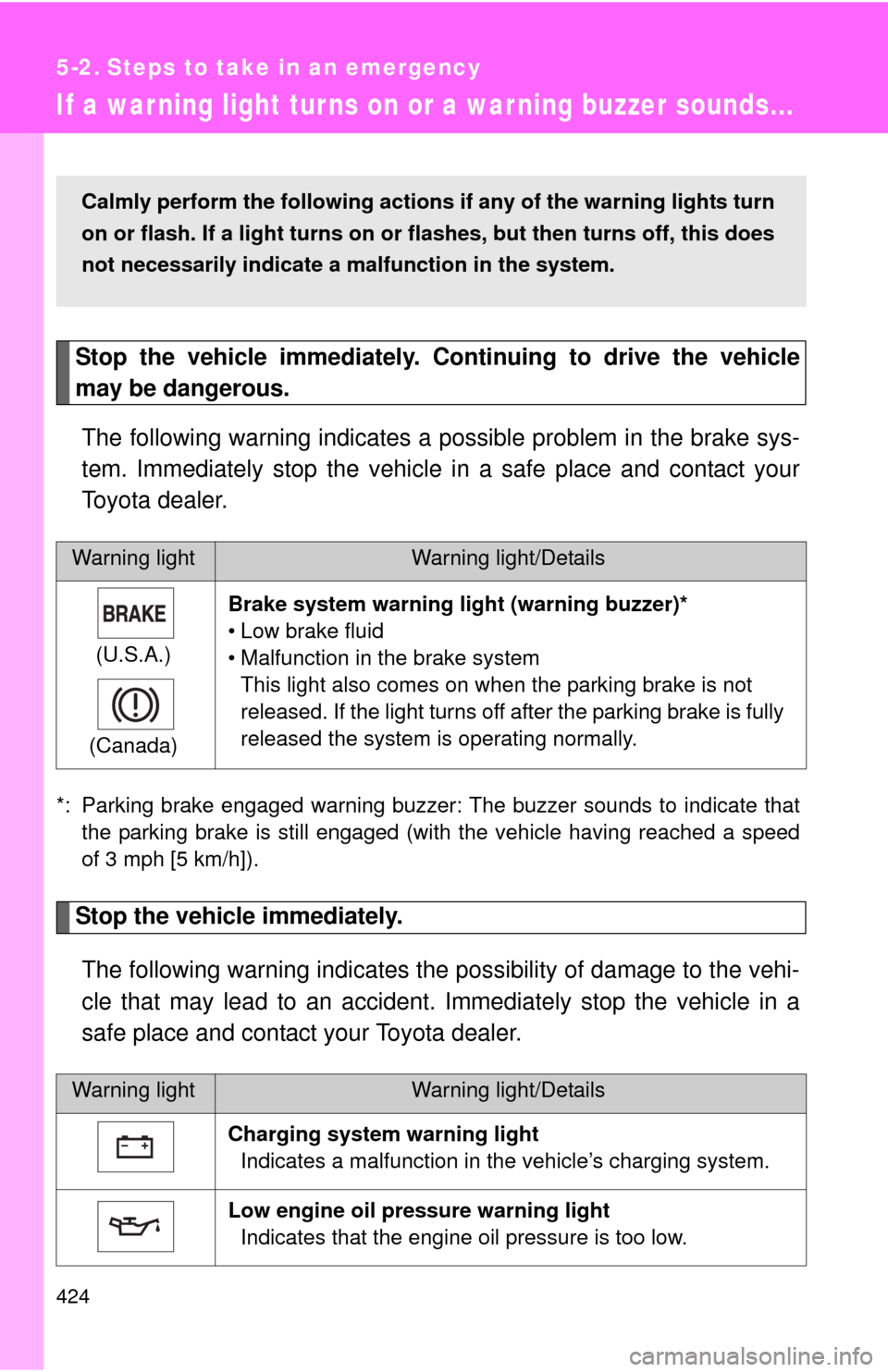
Warning lightWarning light/Details
(U.S.A.)
(Canada) Brake system warning light (warning buzzer)*
• Low brake fluid
• Malfunction in the brake system
This light also comes on when the parking brake is not
released. If the light turns off after the parking brake is fully
released the system is operating normally.
Warning lightWarning light/Details
Charging system warning light Indicates a malfunction in the vehicle’s charging system.
Low engine oil pressure warning light Indicates that the engine oil pressure is too low.
Calmly perform the following actions if any of the warning lights turn
on or flash. If a light turns on or flashes, but then turns off, this does
not necessarily indicate a malfunction in the system.