display TOYOTA COROLLA 2011 10.G Service Manual
[x] Cancel search | Manufacturer: TOYOTA, Model Year: 2011, Model line: COROLLA, Model: TOYOTA COROLLA 2011 10.GPages: 529, PDF Size: 9.69 MB
Page 286 of 529
286 3-4. Using the hands-free phone system (for cellular phone)
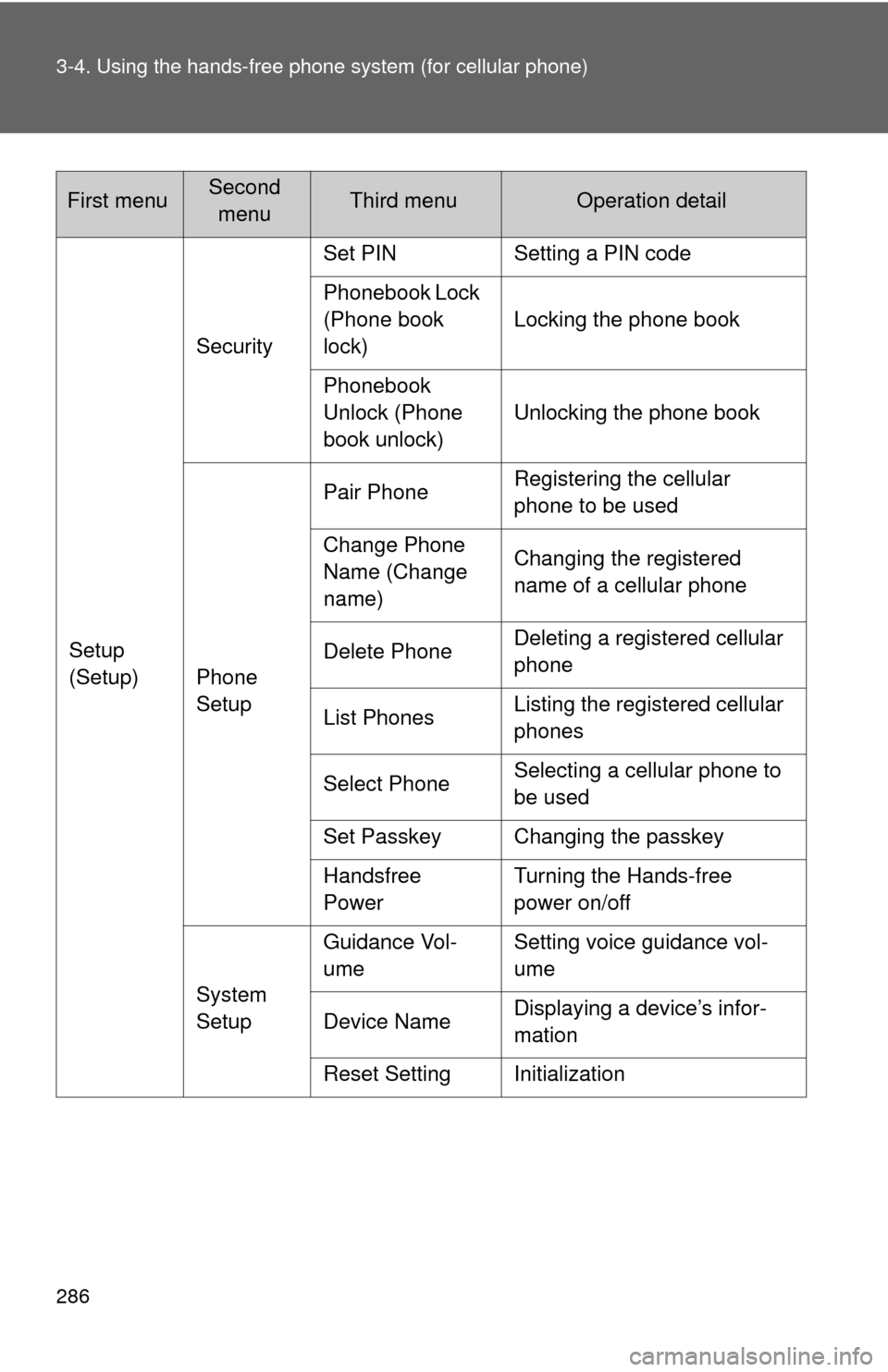
Setup
(Setup)Security
Set PIN Setting a PIN code
Phonebook Lock
(Phone book
lock)
Locking the phone book
Phonebook
Unlock (Phone
book unlock) Unlocking the phone book
Phone
Setup Pair Phone
Registering the cellular
phone to be used
Change Phone
Name (Change
name) Changing the registered
name of a cellular phone
Delete Phone Deleting a registered cellular
phone
List Phones Listing the registered cellular
phones
Select Phone Selecting a cellular phone to
be used
Set Passkey Changing the passkey
Handsfree
Power Turning the Hands-free
power on/off
System
Setup Guidance Vol-
ume
Setting voice guidance vol-
ume
Device Name Displaying a device’s infor-
mation
Reset Setting Initialization
First menuSecond menuThird menuOperation detail
Page 303 of 529
303
3-4. Using the hand
s-free phone system (for cellular phone)
3
Interior features
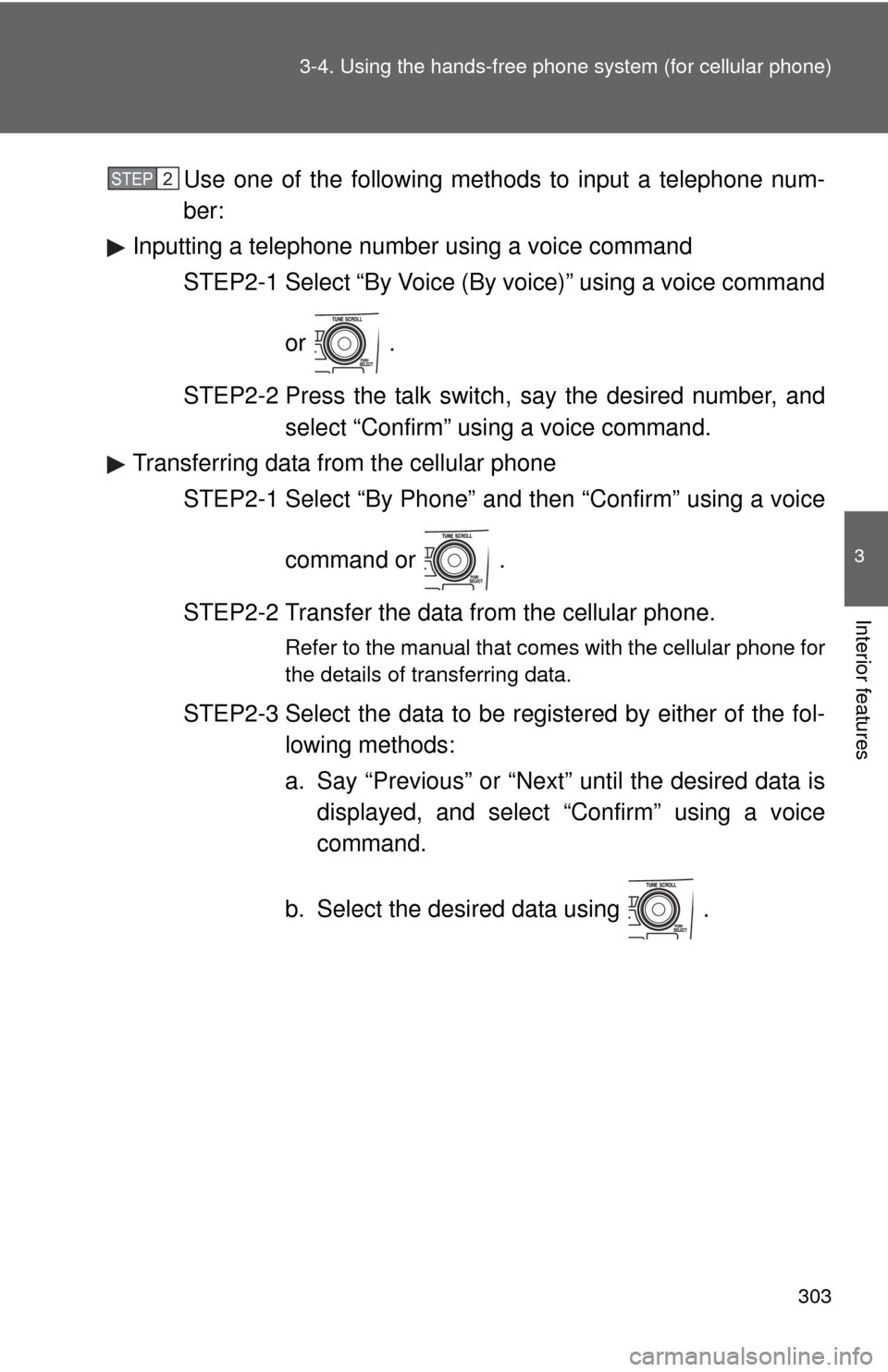
Use one of the following methods to input a telephone num-
ber:
Inputting a telephone number using a voice command STEP2-1 Select “By Voice (By voice)” using a voice command
or .
STEP2-2 Press the talk switch, say the desired number, and select “Confirm” us ing a voice command.
Transferring data from the cellular phone
STEP2-1 Select “By Phone” and then “Confirm” using a voice
command or .
STEP2-2 Transfer the data from the cellular phone.
Refer to the manual that comes with the cellular phone for
the details of transferring data.
STEP2-3 Select the data to be registered by either of the fol- lowing methods:
a. Say “Previous” or “Next” until the desired data isdisplayed, and select “Confirm” using a voice
command.
b. Select the desired data using .
STEP 2
Page 304 of 529
304 3-4. Using the hands-free phone system (for cellular phone)
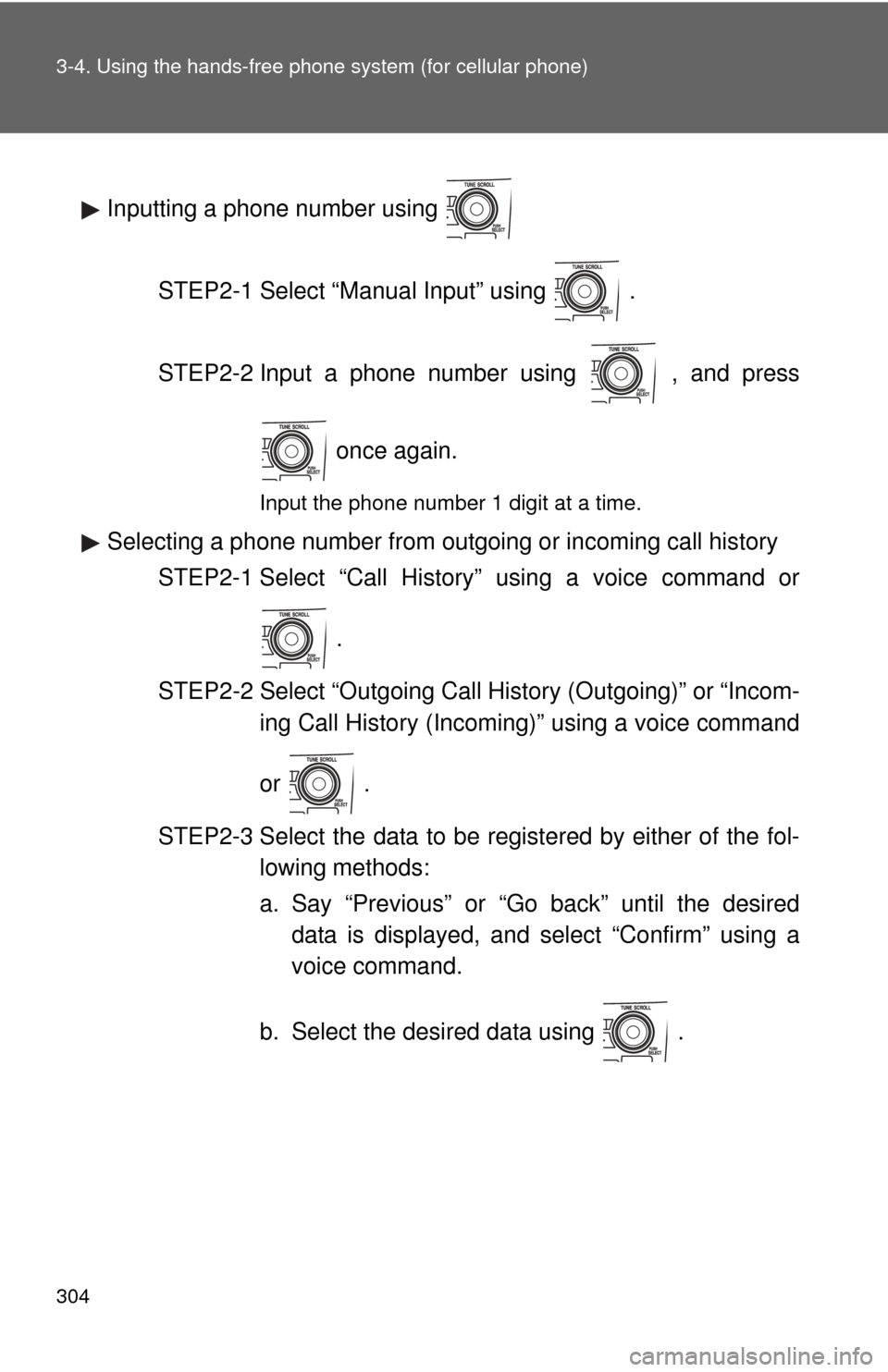
Inputting a phone number using
STEP2-1 Select “Manual Input” using .
STEP2-2 Input a phone number using , and press once again.
Input the phone number 1 digit at a time.
Selecting a phone number from outgoing or incoming call historySTEP2-1 Select “Call History” using a voice command or
.
STEP2-2 Select “Outgoing Call History (Outgoing)” or “Incom- ing Call History (Incoming)” using a voice command
or .
STEP2-3 Select the data to be registered by either of the fol- lowing methods:
a. Say “Previous” or “Go back” until the desireddata is displayed, and select “Confirm” using a
voice command.
b. Select the desired data using .
Page 323 of 529
323
3-7. Other interior features
3
Interior features
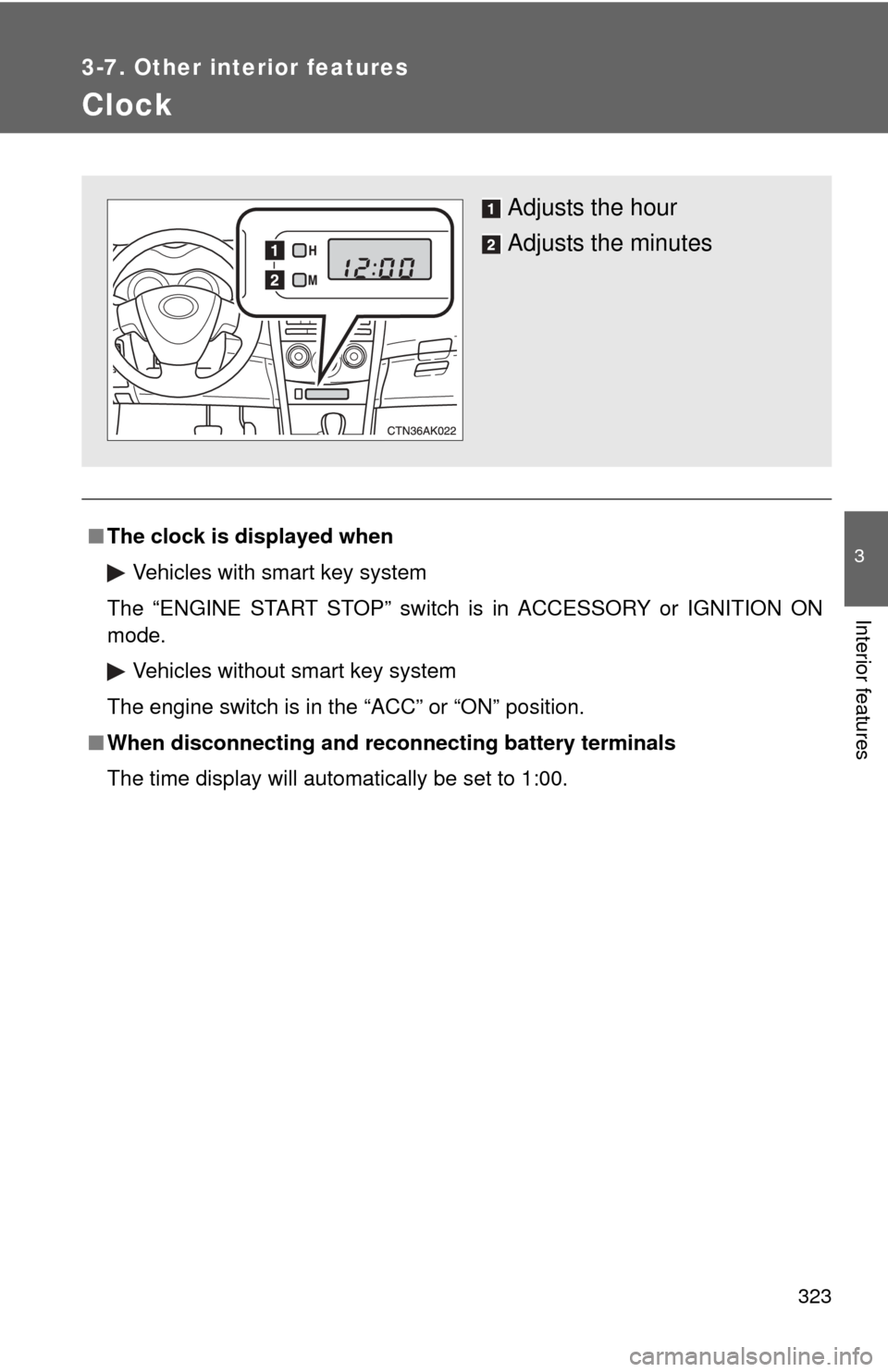
Clock
■The clock is displayed when
Vehicles with smart key system
The “ENGINE START STOP” switch is in ACCESSORY or IGNITION ON
mode. Vehicles without smart key system
The engine switch is in the “ACC” or “ON” position.
■ When disconnecting and reco nnecting battery terminals
The time display will automatically be set to 1:00.
Adjusts the hour
Adjusts the minutes
Page 330 of 529
330
3-7. Other interior features
Compass
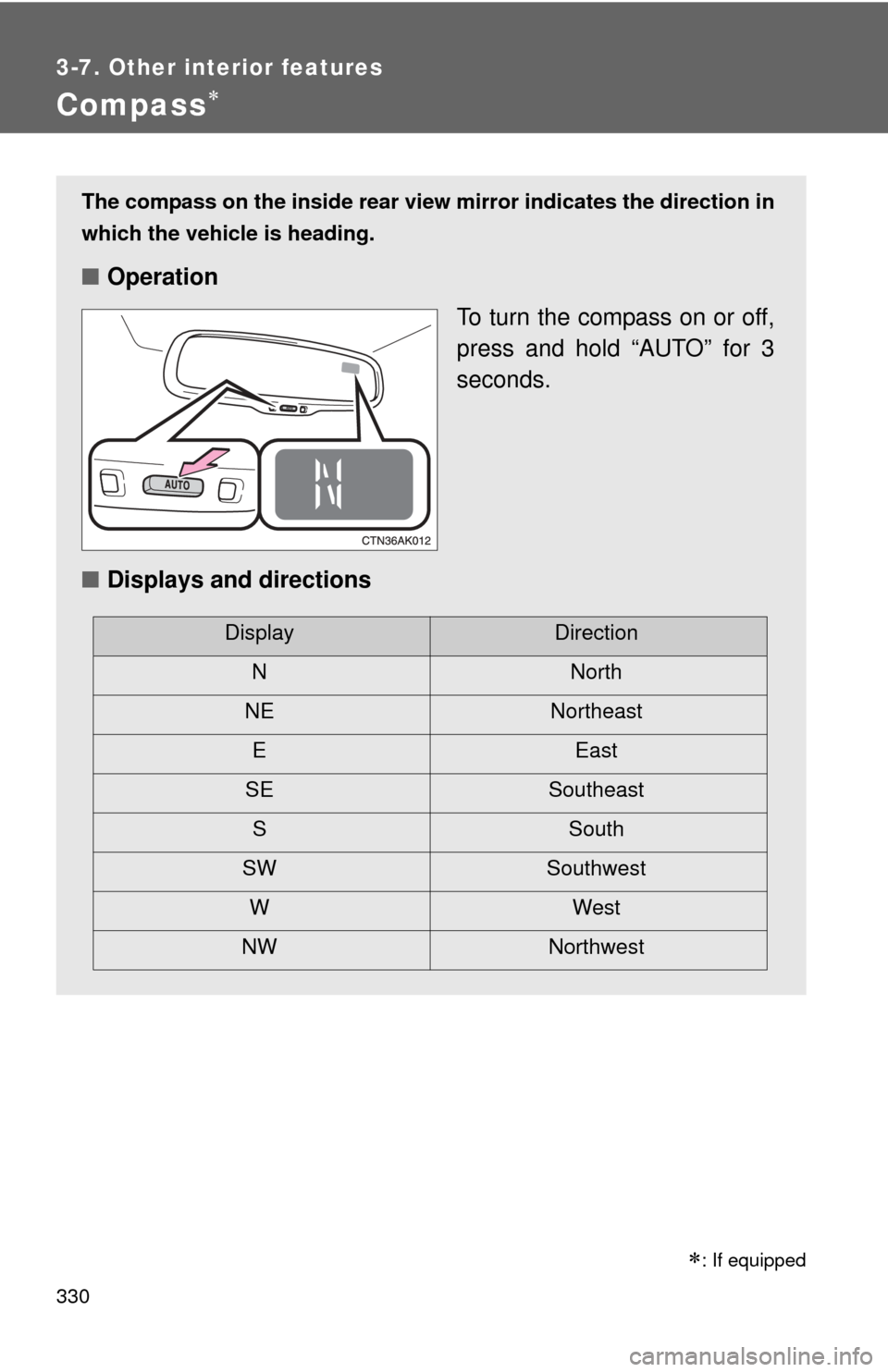
The compass on the inside rear view mirror indicates the direction in
which the vehicle is heading.
■ Operation
To turn the compass on or off,
press and hold “AUTO” for 3
seconds.
■ Displays and directions
DisplayDirection
NNorth
NE Northeast EEast
SE Southeast S South
SW Southwest
WWest
NW Northwest
: If equipped
Page 331 of 529
331
3-7. Other interior features
3
Interior features
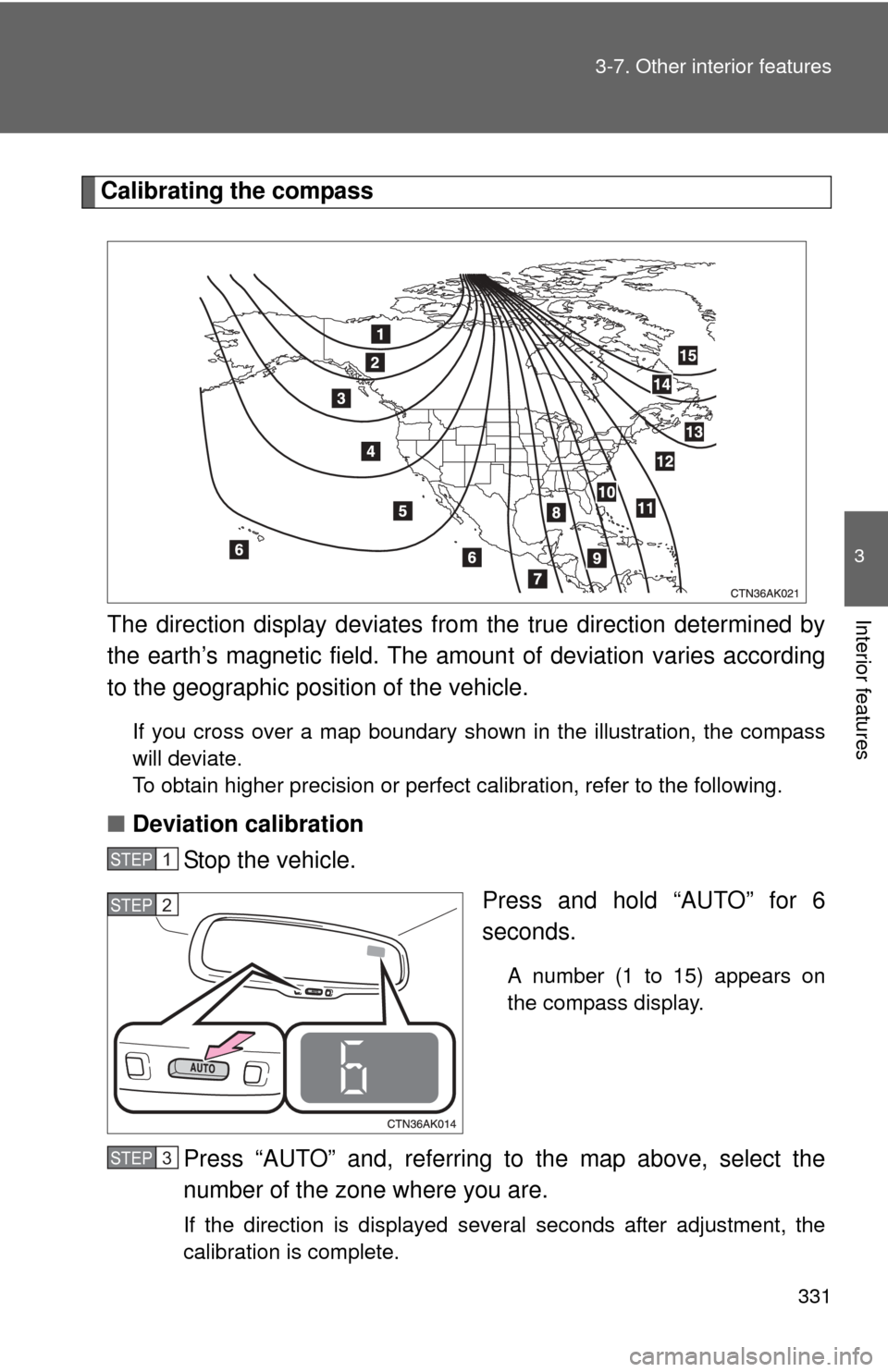
Calibrating the compass
The direction display deviates fr om the true direction determined by
the earth’s magnetic field. The amoun t of deviation varies according
to the geographic position of the vehicle.
If you cross over a map boundary shown in the illustration, the compass
will deviate.
To obtain higher precision or perfect calibration, refer to the following.
■ Deviation calibration
Stop the vehicle.
Press and hold “AUTO” for 6
seconds.
A number (1 to 15) appears on
the compass display.
Press “AUTO” and, referring to the map above, select the
number of the zone where you are.
If the direction is displayed several seconds after adjustment, the
calibration is complete.
STEP 1
STEP 2
STEP 3
Page 332 of 529
332 3-7. Other interior features
■Circling calibration
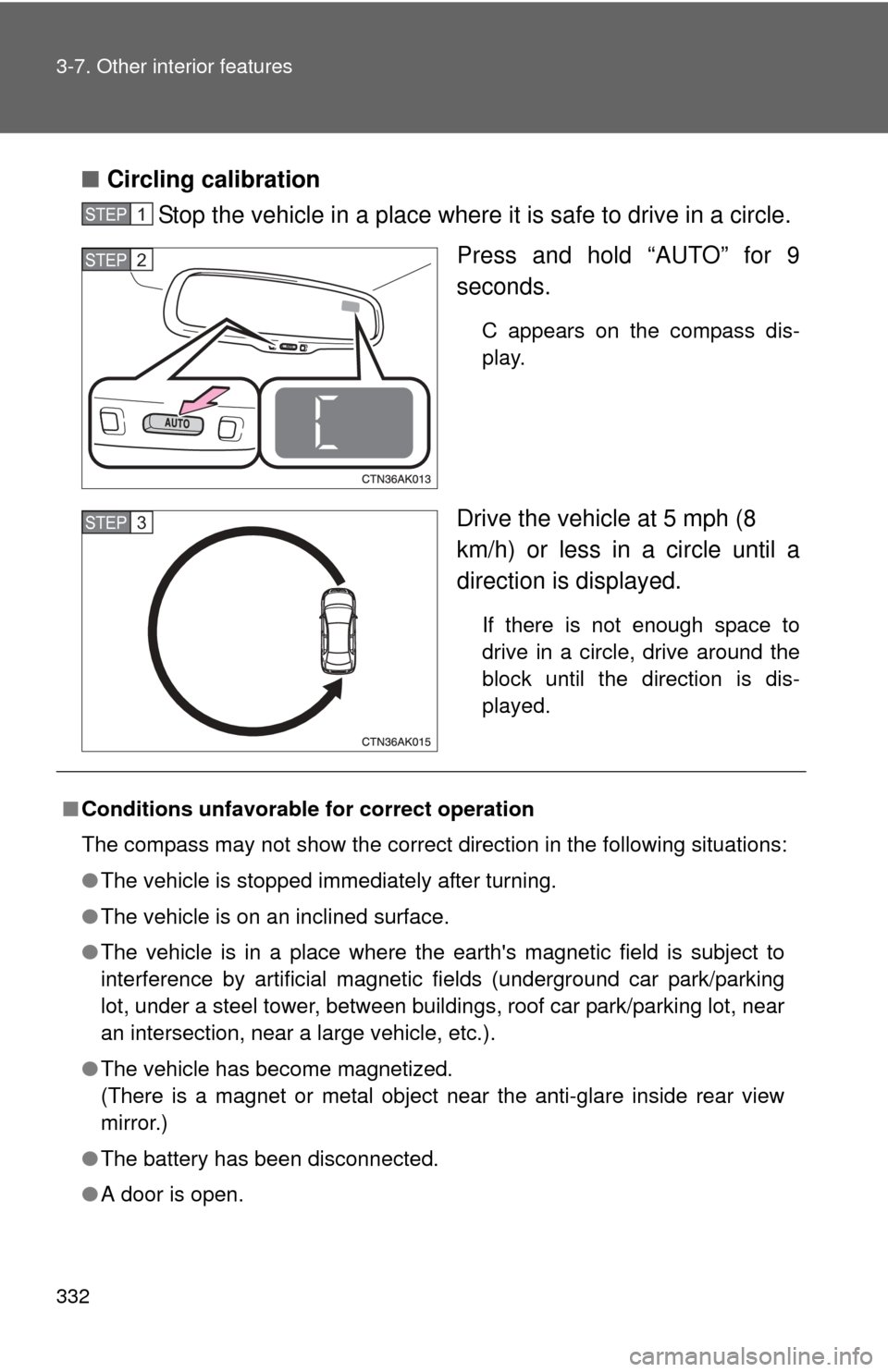
Stop the vehicle in a place where it is safe to drive in a circle.
Press and hold “AUTO” for 9
seconds.
C appears on the compass dis-
play.
Drive the vehicle at 5 mph (8
km/h) or less in a circle until a
direction is displayed.
If there is not enough space to
drive in a circle, drive around the
block until the direction is dis-
played.
STEP 1
STEP 2
STEP 3
■Conditions unfavorable for correct operation
The compass may not show the correct direction in the following situations:
●The vehicle is stopped immediately after turning.
● The vehicle is on an inclined surface.
● The vehicle is in a place where the earth's magnetic field is subject to
interference by artificial magnetic fields (underground car park/parking
lot, under a steel tower, between buildings, roof car park/parking lot, near
an intersection, near a large vehicle, etc.).
● The vehicle has become magnetized.
(There is a magnet or metal object near the anti-glare inside rear view
mirror.)
● The battery has been disconnected.
● A door is open.
Page 333 of 529
333
3-7. Other interior features
3
Interior features
CAUTION
■
While driving the vehicle
Do not adjust the display. Be sure to adjust the display only when the vehicle
is stopped.
■ When doing the circling calibration
Be sure to secure a wide space, and watch out for people and vehicles in the
neighborhood. Do not violate any local traffic rules while performing circling
calibration.
NOTICE
■To avoid compass malfunctions
Do not place magnets or any metal objects near the anti-glare inside rear
view mirror.
Doing this may cause a malfunction of the compass sensor.
■ To ensure normal operation of the compass
●Do not perform circling calibration of the compass in a place where the
earth's magnetic field is subject to interference by artificial magnetic fields.
● During calibration, do not operate electric systems (moon roof, power win-
dows, etc.) as they may interfere with the calibration.
Page 342 of 529
342 4-2. Maintenance
■Repair and replacement
It is recommended that genuine Toyota parts be used for repair to ensure
performance of each system. If non-Toyota parts are used in replacement or
if a repair shop other than a Toyota dealer performs repairs, confirm the war-
ranty coverage.
■ Reset the maintenance data (U.S.A. only)
After the required maintenance is performed according to the maintenance
schedule, please reset the maintenance data.
To reset the data, follow the procedures described below:
Turn the “ENGINE START STOP” switch or engine switch OFF with
the trip meter A reading shown.
While pressing the trip meter reset button ( P. 147), turn the
“ENGINE START STOP” switch or engine switch ON.
Continue to press and hold the button until the trip meter displays
000000.
■ Allow inspection and repairs to be performed by a Toyota dealer
●Toyota technicians are well-trained specialists and are kept up to date
with the latest service information. They are well informed about the
operations of all systems on your vehicle.
● Keep a copy of the repair order. It proves that the maintenance that has
been performed is under warranty coverage. If any problem should arise
while your vehicle is under warranty, your Toyota dealer will promptly
take care of it.
STEP 1
STEP 2
STEP 3
Page 519 of 529

518 Alphabetical index
CareExterior .................................. 336
Interior ................................... 338
Seat belts .............................. 339
Cargo capacity ......................... 170
CD changer ............................... 217
CD player .................................. 217
Chains ....................................... 174
Child restraint system
Booster seats, definition ........ 102
Booster seats, installation ..... 106
Convertible seats, definition ............................. 102
Convertible seats,
installation ........................... 106
Front passenger occupant classification system .............97
Infant seats, definition ........... 102
Infant seats, installation......... 106
Installing CRS with LATCH anchors ............................... 107
Installing CRS with seat belts ............................ 109
Installing CRS with top tether straps ........................ 113
Child safety
Airbag precautions ..................92
Battery precautions ....... 367, 458
Child restraint system............ 102
Child-protectors .......................40
How your child should wear the seat belt ..........................60
Installing child restraints ........ 106
Moon roof precautions ............74
Power window lock switch.......69
Power window precautions .....70
Removed key battery precautions ......................... 389
Seat belt comfort guide ........... 57
Seat belt extender precautions ...........................63 Seat belt precautions .............. 61
Seat heater precautions ........ 327
Trunk precautions ................... 47
Child-protectors ......................... 40
Cleaning Exterior.................................. 336
Interior ................................... 338
Seat belts .............................. 339
Clock ......................................... 323
Compass................................... 330
Condenser ................................ 363
Console box ............................. 314
Cooling system Engine overheating ............... 460
Cruise control .......................... 162
Cup holder ................................ 316
Curtain shield airbags ............... 85
Customizable features ............ 495
Daytime running light system .................................... 158
Defogger
Rear window ......................... 205
Side mirror ............................ 205
Dimension ................................ 468
Dinghy towing ................... 187,188
Display Trip information ..................... 154
Do-it-yourself maintenance .... 347
Doors Door lock ..................... 23, 34, 39
Door windows ......................... 69
Side mirrors............................. 67
Driver's seat belt reminder
light ......................................... 426
Driving Break-in tips .......................... 120
Correct posture ....................... 83
Procedures............................ 118
Winter driving tips ................. 174C
D